Restoration & Preservation Professional Website Template
Surge is a split-screen flood cleanup landing page template built for emergency restoration crews. It combines an Industrial Raw visual identity with a Local and Neighborhood creative approach, driving direct calls and form submissions from panicked homeowners, landlords, and business owners. Every section builds trust through local proof, then removes every barrier between a crisis and a crew showing up.
by Rocket studio
Quick summary
Surge is a single-page flood cleanup landing page designed for speed, urgency, and local trust. It uses a Before/After Slider header, a Charcoal and Amber color system, and a three-field contact form to turn a 2 a.m. panic into a confirmed crew dispatch. The page builds credibility section by section until calling feels obvious.
Who this template is for
This template is built for restoration and flood cleanup businesses that need to convert distressed visitors into confirmed jobs fast. If your crew answers the phone at midnight and pulls water out before dawn, this page speaks your language.
- Emergency flood and water damage restoration contractors
- Independent cleanup crews serving defined local service areas
- Landlords or property managers who operate their own remediation teams
What problem this template solves
Most service landing pages ask visitors to fill out a form and wait. That friction is fatal when a basement is flooding. Surge removes every pause between finding the page and getting a crew dispatched.
- Visitors in crisis cannot afford a slow, confusing layout that buries the phone number
- Generic service pages build no local trust, so visitors leave to find someone who feels closer
- Long intake forms waste time when a visitor is standing in ankle-deep water at midnight
What you get with this template
You get a fully structured single-page layout designed around one goal: getting a distressed property owner to call or submit a form before they leave the page. Every section earns trust before asking for the action.
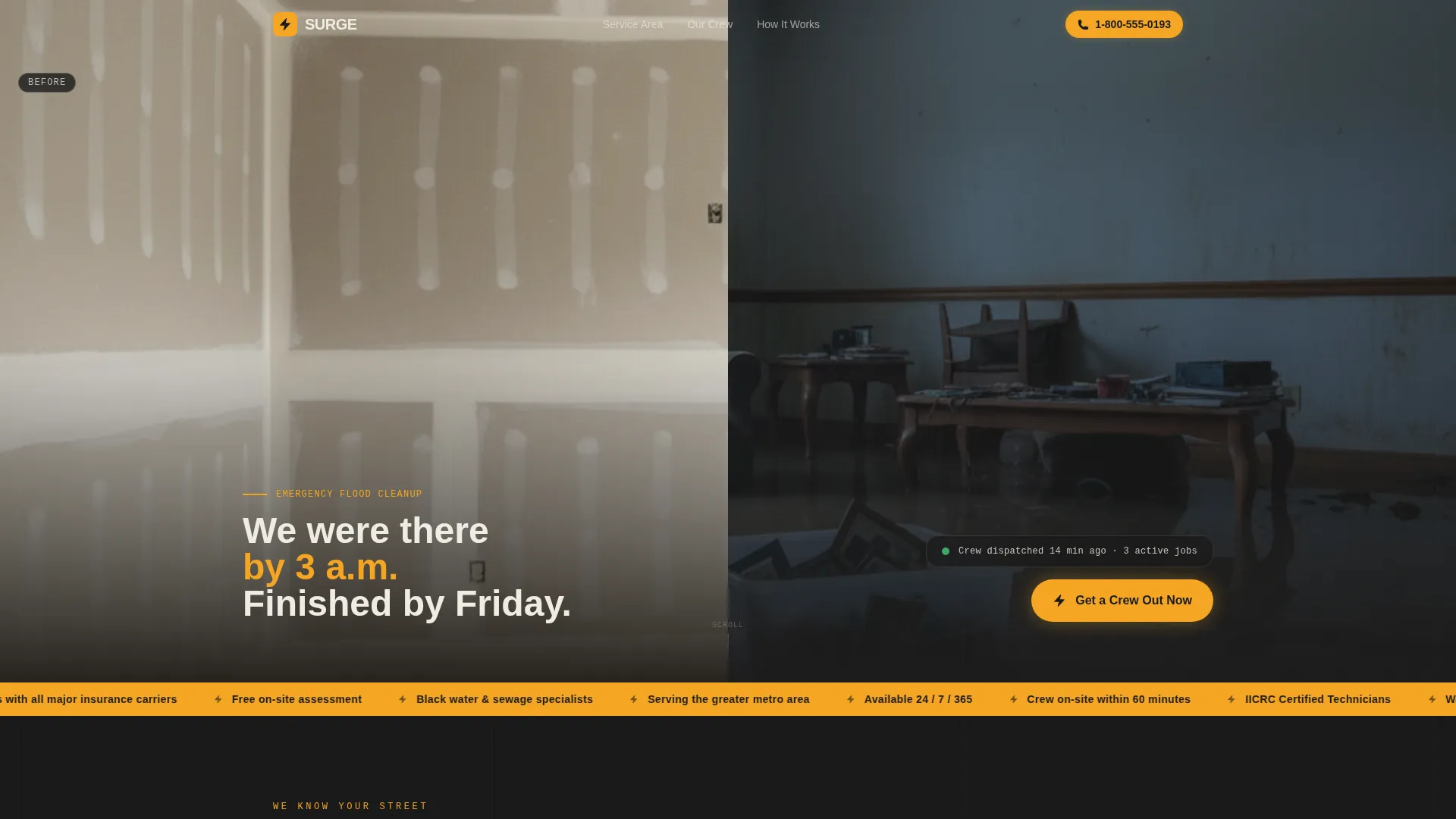
- A Before/After Slider header that shows the transformation before any headline needs to say it
- A fixed mobile call-to-action button and click-to-call phone number that stay visible on every scroll
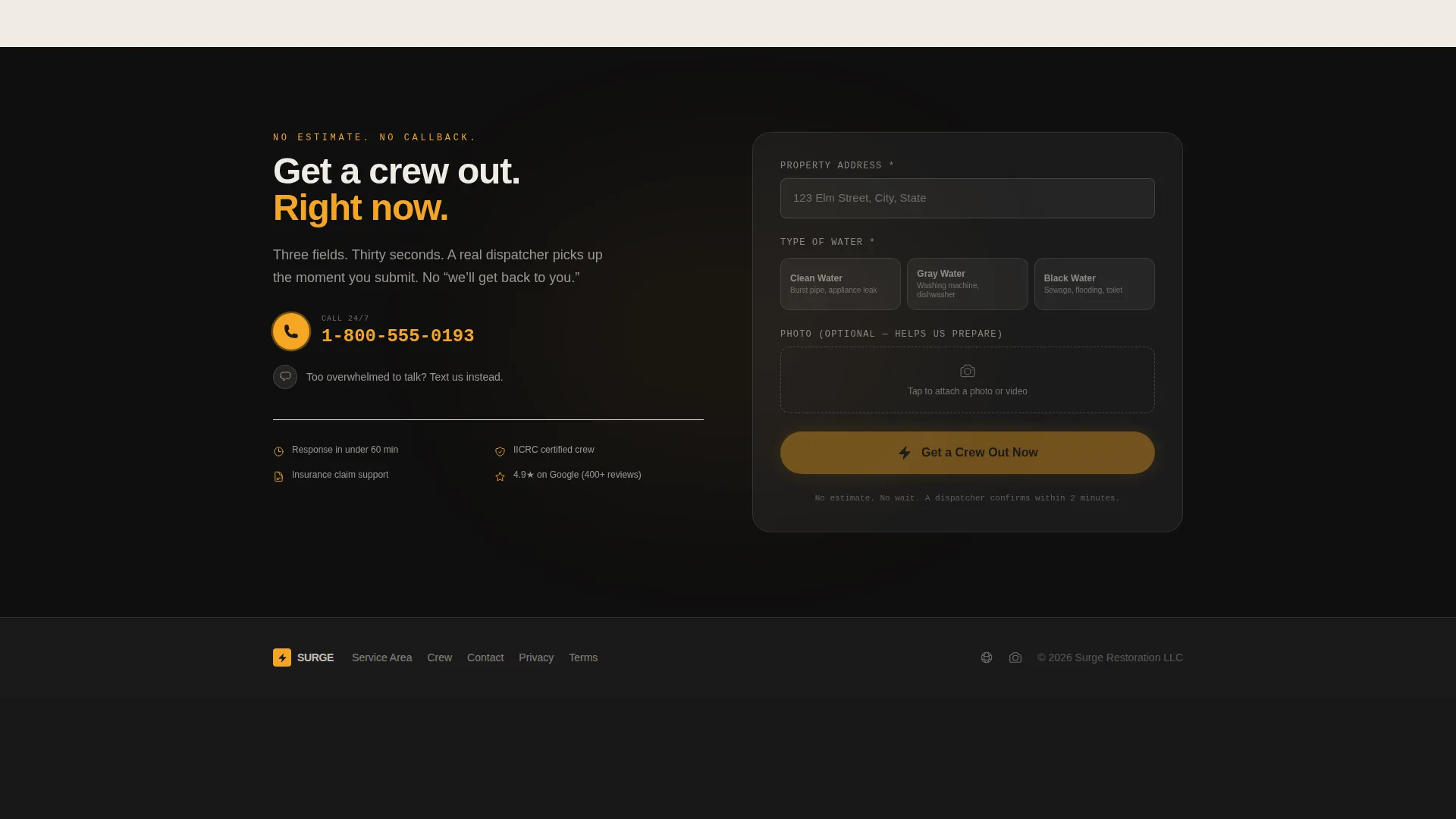
- A three-field intake form collecting address, water type, and a photo upload with no estimate delays
- Neighborhood-specific before/after galleries organized by zip code to build local recognition
- A confirmation flow that shows estimated arrival time and the dispatcher's first name
Feature list
This section covers the core built-in components that make the Surge template work for a flood cleanup business.
Before/After Slider Header
The header opens with a split image: flooded living room on the left, fully restored room on the right. A thick amber slider handle with grip texture lets visitors drag between states. Text fades in after two seconds: "We were there by 3 a.m. Finished by Friday."
Fixed Mobile Call Button
A bright amber call-to-action button is fixed to the bottom of the viewport on mobile at all times. The click-to-call phone number never leaves the screen, so a visitor in crisis never has to scroll back up to find it.
Three-Field Intake Form
The contact form asks for three things only: property address, water type (clean, gray, or black), and a photo upload. There is no estimate request and no "we'll get back to you" messaging. The confirmation page displays an estimated arrival time and the dispatcher's first name.
Split-Screen Local Proof Section
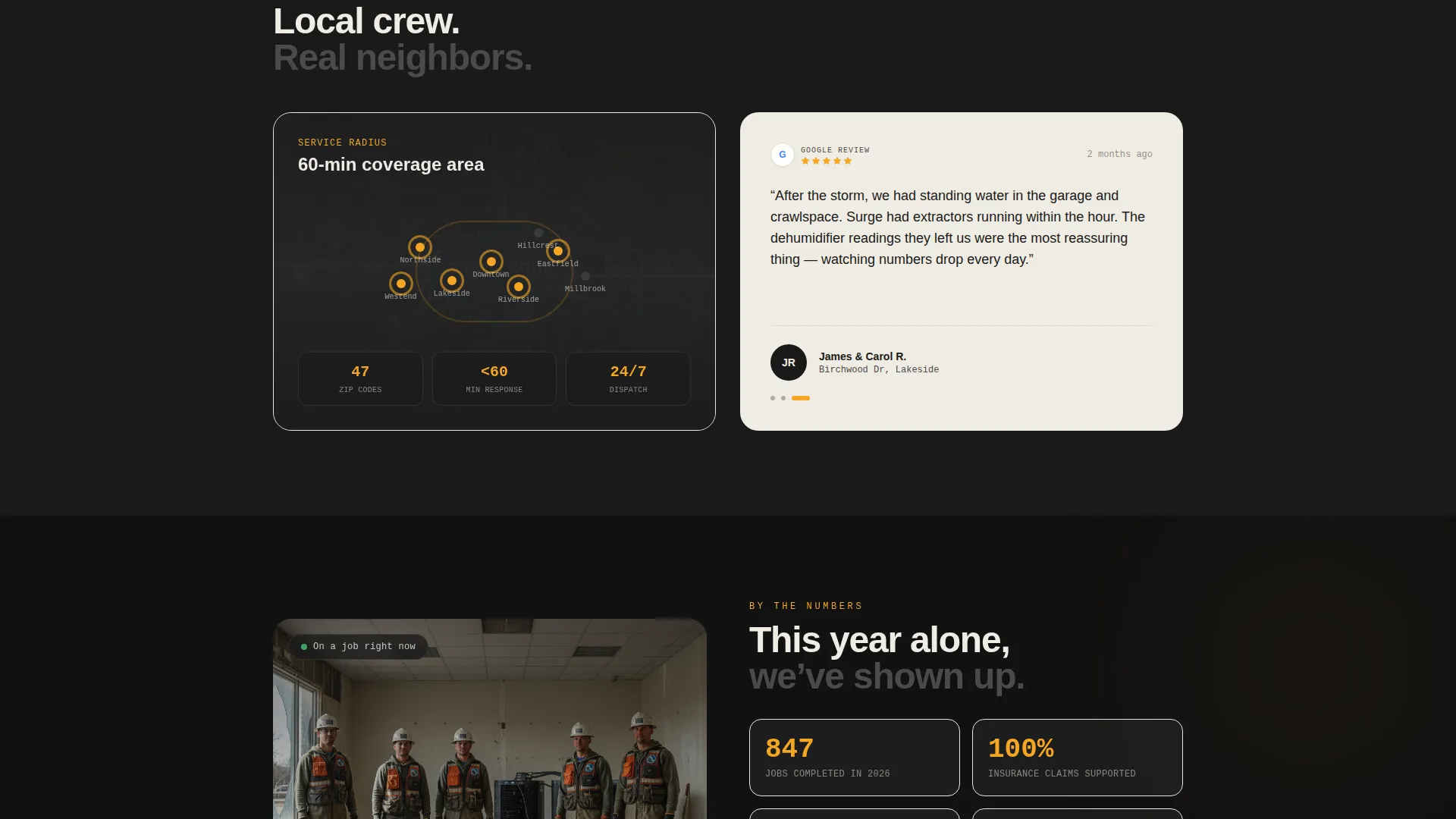
After the header, the page drops into a 50/50 split showing a local service radius map alongside a real Google review with a visible name and street. This pairing grounds the service in the neighborhood before any sales language appears.
Crew and Job Count Section
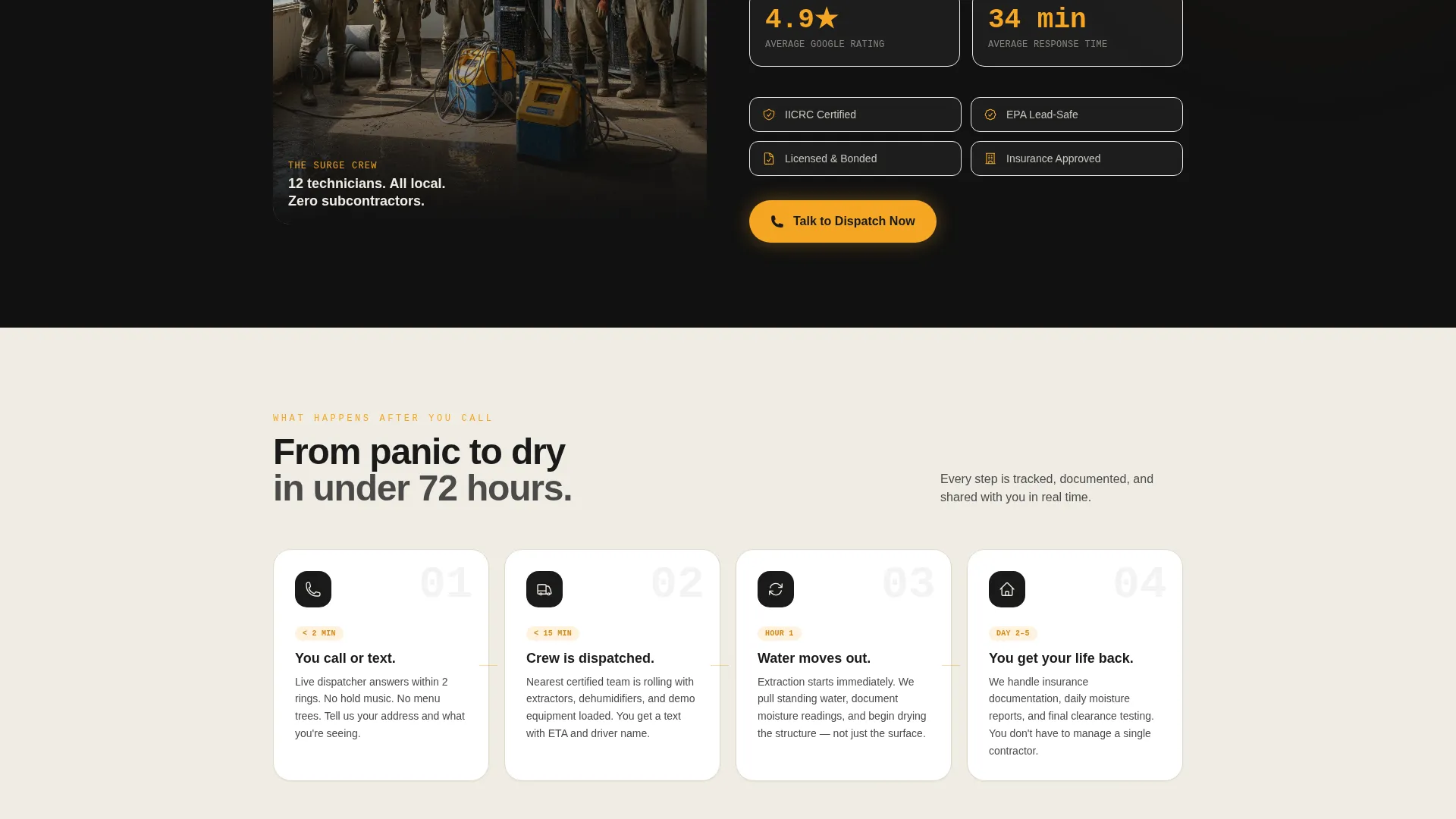
A dedicated section pairs an actual crew photo with a count of local jobs completed that year. This section is designed for real, unposed imagery. Mud on boots is the point.
Zip Code Gallery
Before/after photo galleries are organized by zip code. Visitors scrolling through their own neighborhood see familiar streets and recognize the service as genuinely local rather than a national call center.
Page sections overview
| Section | Purpose |
|---|---|
| Before/After Slider | Opens with visual transformation proof |
| Map and Review | Establishes local service radius and social proof |
| Crew and Count | Builds crew credibility with real imagery |
| Zip Code Galleries | Shows neighborhood-specific restoration results |
| Intake Form | Captures address, water type, and photo |
| Fixed Mobile call to action | Keeps call and form accessible at all times |
| Confirmation Screen | Displays arrival time and dispatcher name |
Design & branding system
The Surge template uses an Industrial Raw visual theme. The palette is built around a job site under halogen work lights at midnight: functional, urgent, and gritty without feeling cheap.
- Core colors: deep soot black (#1A1A1A), wet concrete gray (#4A4A4A), caution-tape amber (#F5A623), and drywall white (#F0ECE3)
- Amber is reserved for every call-to-action element, every phone number, and every button that signals urgency
- Charcoal grounds all primary backgrounds; drywall white opens up testimonial blocks and process steps for visual rest
Mobile & speed optimization
The Surge template is designed with a mobile-first mindset because most flood emergency searches happen on a phone, often at night, often while the visitor is already at the property.
- The fixed amber call button sits at the bottom of the mobile viewport so it is always one tap away
- The text-us secondary option gives overwhelmed visitors a low-friction path that does not require a phone conversation
- The three-field form is intentionally minimal so it loads quickly and completes without friction on any screen size
How this template helps you convert
Every design and copy decision in this template reduces the distance between a panicked visitor and a confirmed dispatch. Nothing on the page asks the visitor to slow down.
- The Before/After Slider opens with undeniable proof of outcome, so trust is established before a single word of copy is read
- The local proof sections (map, review, crew photo, zip code gallery) build proximity and familiarity with each scroll, making the call feel like asking a trusted neighbor rather than hiring an unknown contractor
- The fixed mobile call to action and the text-us option mean there is always an active path to conversion no matter where the visitor is on the page
Other information about this template
Surge fits into the broader Construction and Home category under the Restoration and Preservation subcategory. It is purpose-built for the flood cleanup service niche and reflects an intersection match between the template style, creative direction, and business type.
- The template style is a true Split Screen (50/50) layout, meaning left and right columns carry equal visual weight throughout the page
- The creative direction is Local and Neighborhood, which means every scroll section is designed to feel closer to the visitor's specific community rather than escalating generic urgency
- The header concept is a Before/After Slider, a format chosen specifically because transformation is the most compelling proof a restoration business can offer
- The landing page direction is Direct Sales, meaning the page has one job: convert a distressed visitor into a confirmed appointment with no intermediate steps
Theme
Industrial Raw
Creative direction
Local & Neighborhood
Color system
Charcoal & Amber
Style
Split Screen (50/50)
Direction
Direct Sales
Page Sections
Before/after Slider Header
Fixed Mobile Call-to-action Button
Three-field Intake Form
Split-screen Local Proof Layout
Zip Code Before/after Gallery
Text-us Secondary Conversion Path
Related questions
Who is the Surge template designed for?
Can I customize the zip code galleries with my own project photos?
What does the confirmation page show after a visitor submits the form?
Does the template include an option for visitors who do not want to call?
Is this template suitable for landlords and commercial property owners?



