General Surgery Insurance & Billing Landing Page
Surgeon is a zigzag landing page built for general surgery practices that need to explain billing and insurance without confusion. It features an award badge header, four expert panel sections, an accepted insurance logo grid, a five-step coverage check assessment, and a self-pay fee guide capture. Every section is designed to answer patient questions before they pick up the phone.
by Rocket studio
Quick summary
Surgeon is a single-page billing and insurance information template for general surgery practices. It uses an alternating expert panel layout, a credential badge header, and a five-step guided coverage assessment to turn billing anxiety into confident next steps. The design is calm, authoritative, and built for patients, self-pay visitors, and referring office managers alike.
Who this template is for
This template is built for general surgery practices that field daily questions about coverage, costs, and payment options. It serves a specific mix of visitors who arrive with real decisions to make and limited patience for vague answers.
- Patients already scheduled or actively comparing procedure costs across insurance plans
- Uninsured or self-pay individuals pricing surgical procedures in advance
- Referring primary care office managers who need to verify network status before sending a referral
What problem this template solves
Surgical billing pages typically bury the answers patients need behind generic language, incomplete fee tables, and phone-only prompts. That friction creates distrust and delayed decisions. This template solves the information gap directly.
- Patients leave confused about copays, deductibles, and pre-authorization requirements
- Self-pay visitors have no clear path to understand what a procedure will cost them
- Referring offices waste time calling when a well-structured page could answer their questions instantly
What you get with this template
This template delivers a complete, ready-to-customize landing page organized around the specific questions surgical billing visitors actually ask. Every section has a defined purpose and a clear visual role.
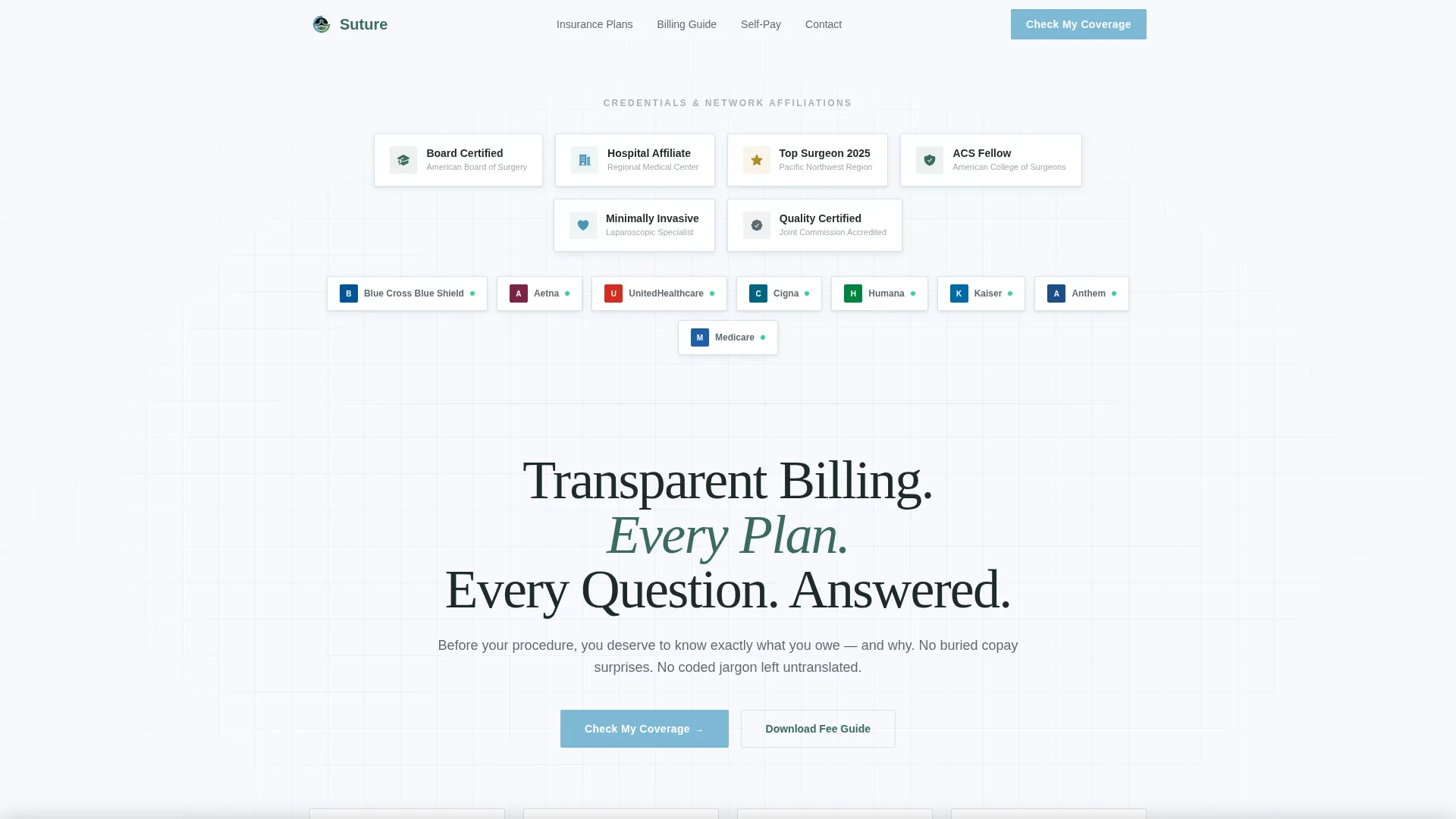
- An award badge header with board certification seals, hospital affiliations, regional distinctions, and accepted-insurance-network logos
- Four zigzag expert panel sections, each featuring a different authority voice addressing a distinct billing concern
- A five-step coverage check assessment anchored in a sticky bottom bar, plus an email-capture path for a downloadable self-pay fee guide
Feature list
This template is built around high-interactivity components and a structured visual rhythm. Each feature below is drawn directly from the template brief.
Award Badge Header Wall
The header opens with a horizontal band of credential badges. Board certification seals, hospital affiliations, regional distinctions, and accepted insurance network logos are arranged on a clean white field with subtle dimensional shadows. A single fade-in headline anchors the section below the badge wall.
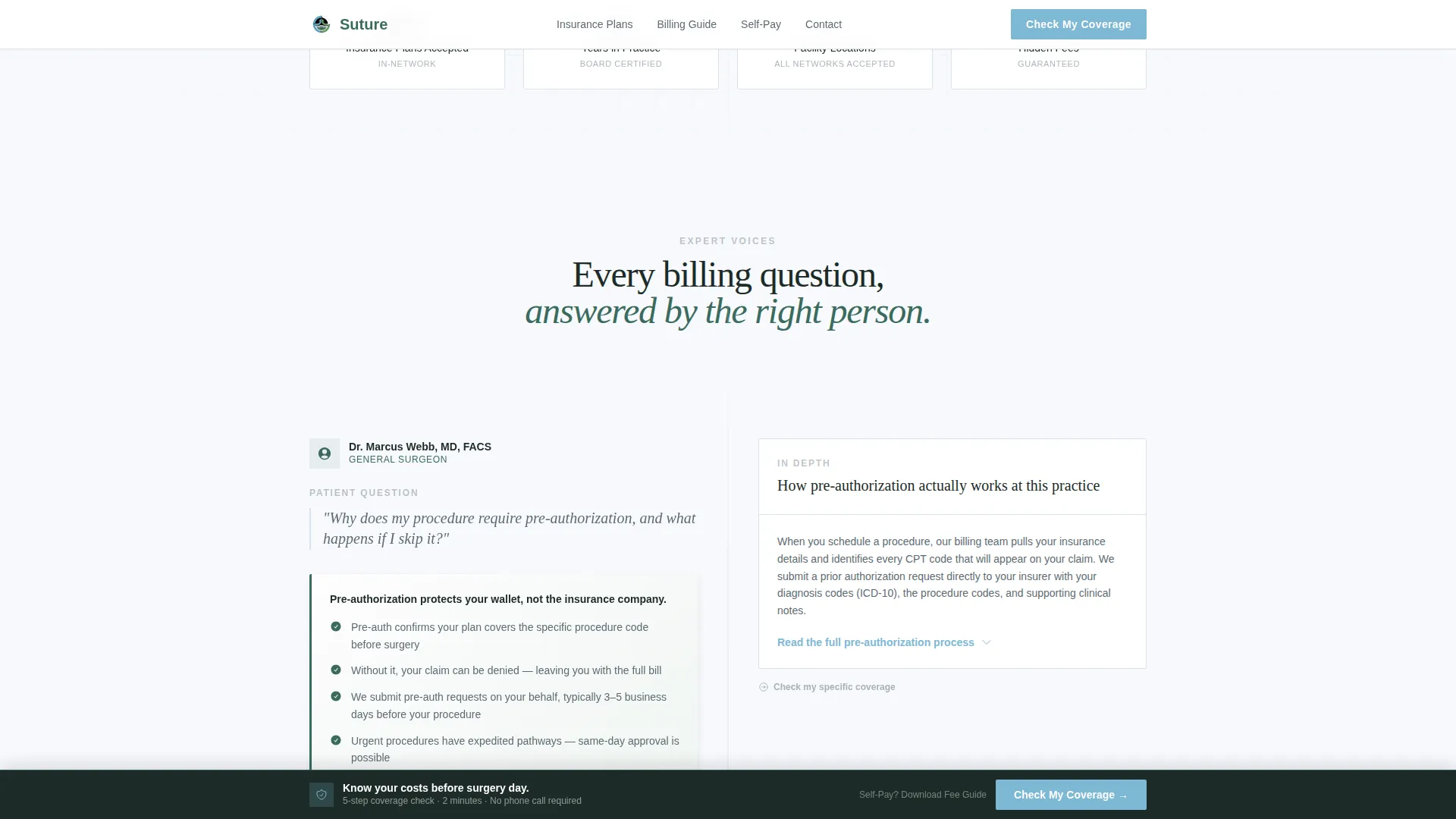
Zigzag Expert Panel Layout
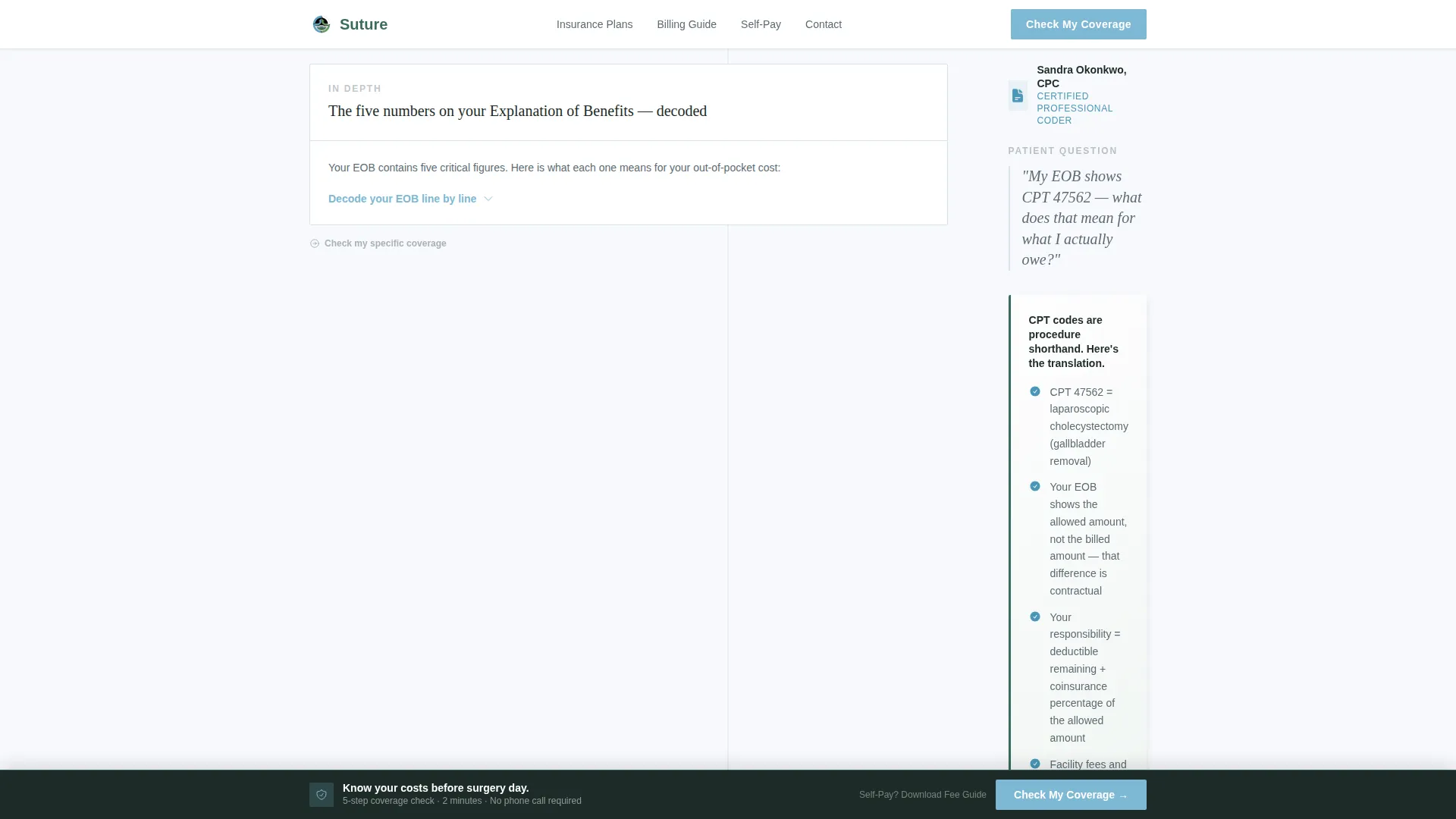
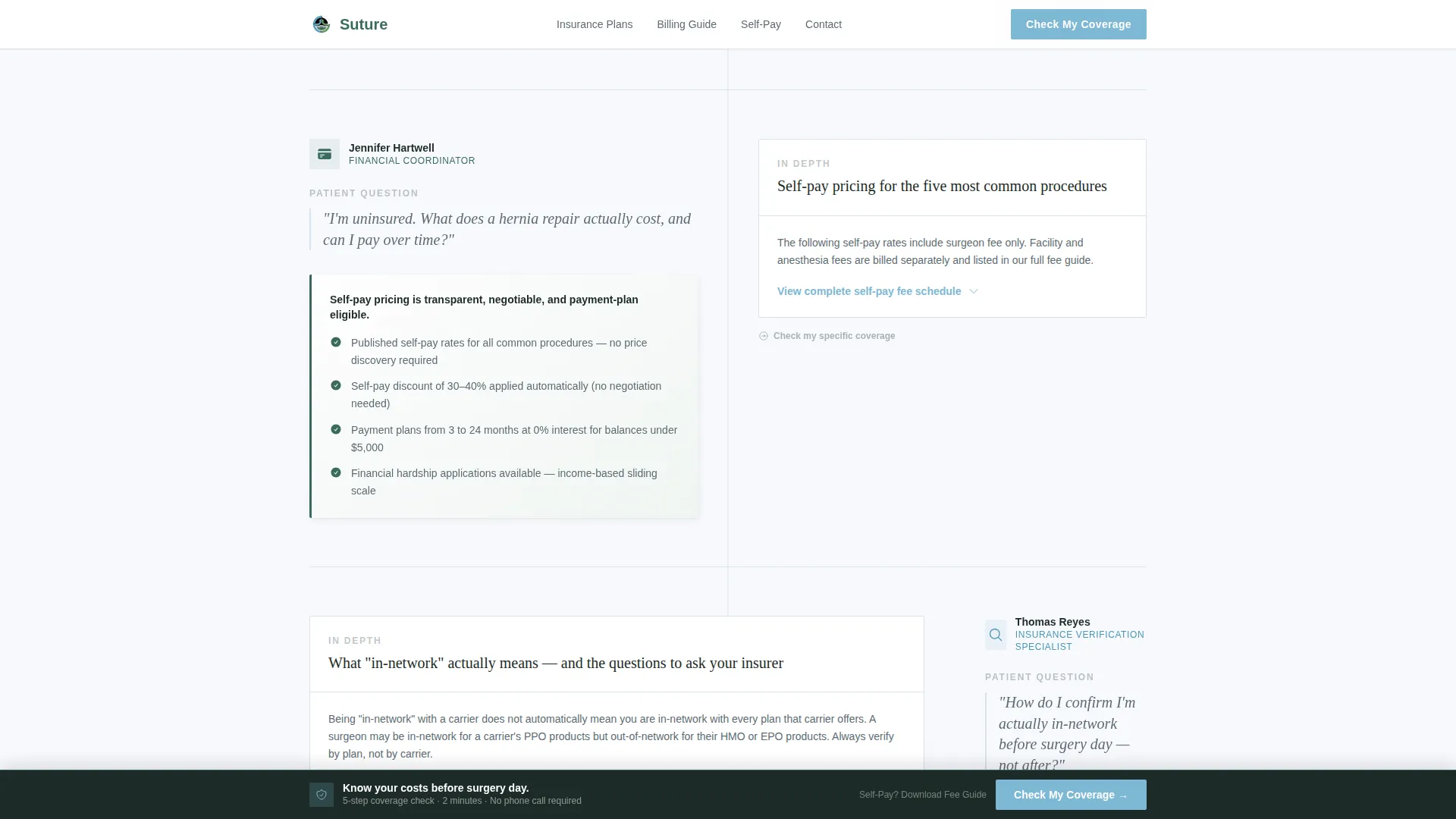
Four alternating authority voice panels scroll the visitor through the page. Each panel pairs a plain-language summary on one side with an expandable detail section on the other. Voices include the surgeon, a certified medical coder, a financial coordinator, and an insurance verification specialist.
Five-Step Coverage Check Assessment
The primary call to action is a "Check My Coverage" button anchored in a sticky bottom bar. It triggers a five-step guided modal: insurance carrier selection, plan type, procedure category, preferred facility, and contact information. Each step narrows results to deliver a personalized coverage estimate and next steps on the final screen.
Accepted Insurance Logo Grid
A visual grid displays accepted insurance plan logos with network status indicators. This section gives patients and referring offices a fast, scannable way to confirm whether their plan is in-network without calling.
Self-Pay Fee Guide Email Capture
A secondary conversion path offers a downloadable fee guide for uninsured or out-of-network visitors. Visitors enter their email to receive the full self-pay schedule, reducing friction for patients not yet ready to schedule a call.
Patient Testimonials Section
A testimonials block appears alongside the fee guide section. Quotes are presented with procedure context, giving prospective patients a grounded, realistic social proof signal rather than generic praise.
Page sections overview
| Section | Purpose |
|---|---|
| Badge Header Wall | Establish credentials and accepted insurance network at a glance |
| Fade-In Headline | Anchor the page promise with a single trust-focused statement |
| Expert Panel 1 | Surgeon explains pre-authorization requirements in plain language |
| Expert Panel 2 | Medical coder translates CPT codes into patient-facing billing terms |
| Expert Panel 3 | Financial coordinator walks through available payment plan options |
| Expert Panel 4 | Insurance verifier shows how to confirm coverage before surgery day |
| Insurance Logo Grid | Visual plan acceptance reference with network status indicators |
| Coverage Check Assessment | Five-step sticky-bar quiz delivering personalized coverage estimates |
| Fee Guide Capture | Email opt-in for self-pay schedule download |
| Patient Testimonials | Procedure-specific social proof quotes |
| Footer | Linear single-row footer with practice contact information |
Design & branding system
The template uses an Organic Flow visual style built on the Alpine Fresh color system. The overall feeling is clean, calm, and clinical without feeling cold. White space dominates, letting evergreen anchors and glacial blue accents carry authority and direction.
- Colors: snowfield white (#F7F9FC) for backgrounds, soft evergreen (#3B6B5E) for section headers and trust elements, granite ledge gray (#5C6B73) for body text, and glacial blue (#7EB8D4) for buttons and progress indicators
- Typography: Fraunces serif for headlines and DM Sans for body text, combining warmth with clinical readability
- Animation: scroll-reveal entrance effects, staggered badge animations in the header, and zigzag entrance transitions on each expert panel
Mobile & speed optimization
The template is built desktop-first to serve office managers and administrators working on larger screens, with full responsive behavior for mobile patients. Interactive components are handled as client-side elements only, keeping the base page static and fast to load.
- The five-step quiz modal and expandable expert panels are client-side only, isolating interactivity from the static page shell
- Sticky bottom bar placement keeps the primary call to action reachable on both desktop and mobile without interrupting page content
- Equal responsive breakpoints ensure the zigzag layout reflows cleanly on smaller screens without losing section hierarchy
How this template helps you convert
Every design and layout decision in this template is aimed at reducing the hesitation that keeps surgical patients from taking the next step. The page answers questions before they form, then gives visitors two clear paths forward.
- The "Check My Coverage" sticky assessment converts visitors who are comparing plans or preparing for a scheduled procedure by delivering a personalized coverage estimate in five steps, turning an overwhelming question into a guided task.
- The "Download Our Fee Guide" email capture converts self-pay and out-of-network visitors who are not ready to call, giving them a concrete deliverable while capturing contact information for follow-up.
Other information about this template
This template is part of the Surgeon series under the Health and Medical category, specifically built for the general surgeon insurance and billing page niche. It carries an intersection match score of 13, indicating strong alignment between the template style and the target use case.
- The template uses Pattern 1 (Linear Single-Row) footer layout for a clean, uncluttered close to the page
- Localization is set to English with USD pricing and USA date format throughout
- Content placeholders are organized around four procedure categories: hernia, gallbladder, appendix, thyroid, skin and soft tissue, and other
- The template title is Surgeon and the internal prompt reference is Suture, reflecting the medical practice positioning of the design series
Theme
Organic Flow
Creative direction
Expert Panel
Color system
Alpine Fresh
Style
Zigzag/Alternating
Direction
Quiz/Assessment
Page Sections
Award Badge Header Wall
Zigzag Expert Panel Layout
Five-step Coverage Check Assessment
Accepted Insurance Logo Grid
Self-pay Fee Guide Email Capture
Procedure-specific Testimonials Block
Related questions
Can I customize the accepted insurance logos in the grid?
Does the five-step coverage quiz send data anywhere automatically?
Is this template suitable for a practice that only sees self-pay patients?
Can the expert panel voices be changed to match my own practice staff?
What procedure categories does the coverage quiz include?



