Streamlined Oral Surgeon Landing Page Template
A hub-and-spoke landing page built for oral surgery practices drowning in denied claims and billing errors. Five anchor-nav sections cover insurance verification, procedure coding, claim submission, appeals, and patient billing. Each spoke leads with an oversized stat, a partial checklist, and a micro-call to action that drives toward one gated download: the Complete Billing Toolkit.
by Rocket studio
Quick summary
This single-page template gives oral surgery practices a structured billing resource hub. Five anchor-nav spokes cover verification, coding, claims, appeals, and patient billing. Each section opens with a specific oversized number, delivers a partial checklist preview, and funnels visitors toward one gated three-field form for the full toolkit download.
Who this template is for
This template is built for the people closest to oral surgery billing pain. It speaks directly to the staff and surgeons watching revenue disappear to avoidable errors.
- Practice managers handling denied claims across one to five office locations
- Solo oral surgeons who hand-verify patient benefits between surgical cases
- Multi-location group practice administrators tracking revenue lost to coding errors
What problem this template solves
Oral surgery billing is unusually dense. Insurance verification calls average 23 minutes per patient. Nearly half of all D7140 (routine extraction) claims are initially denied. Practices lose six-figure revenue annually to coding errors they could prevent with the right reference material. Most billing resource pages do not give enough to earn trust before asking for an email. This template solves that by showing the pain with hard numbers first.
- Practices lack a single organized reference covering all five billing stages in one place
- Generic billing guides ignore oral surgery-specific procedure codes and denial patterns
- Visitors leave resource pages before converting because the value exchange feels thin
What you get with this template
You get a complete single-page layout ready to deploy as a content and lead-generation hub. Everything is organized around five spoke sections, each with its own stat callout, partial resource preview, and micro-call to action.
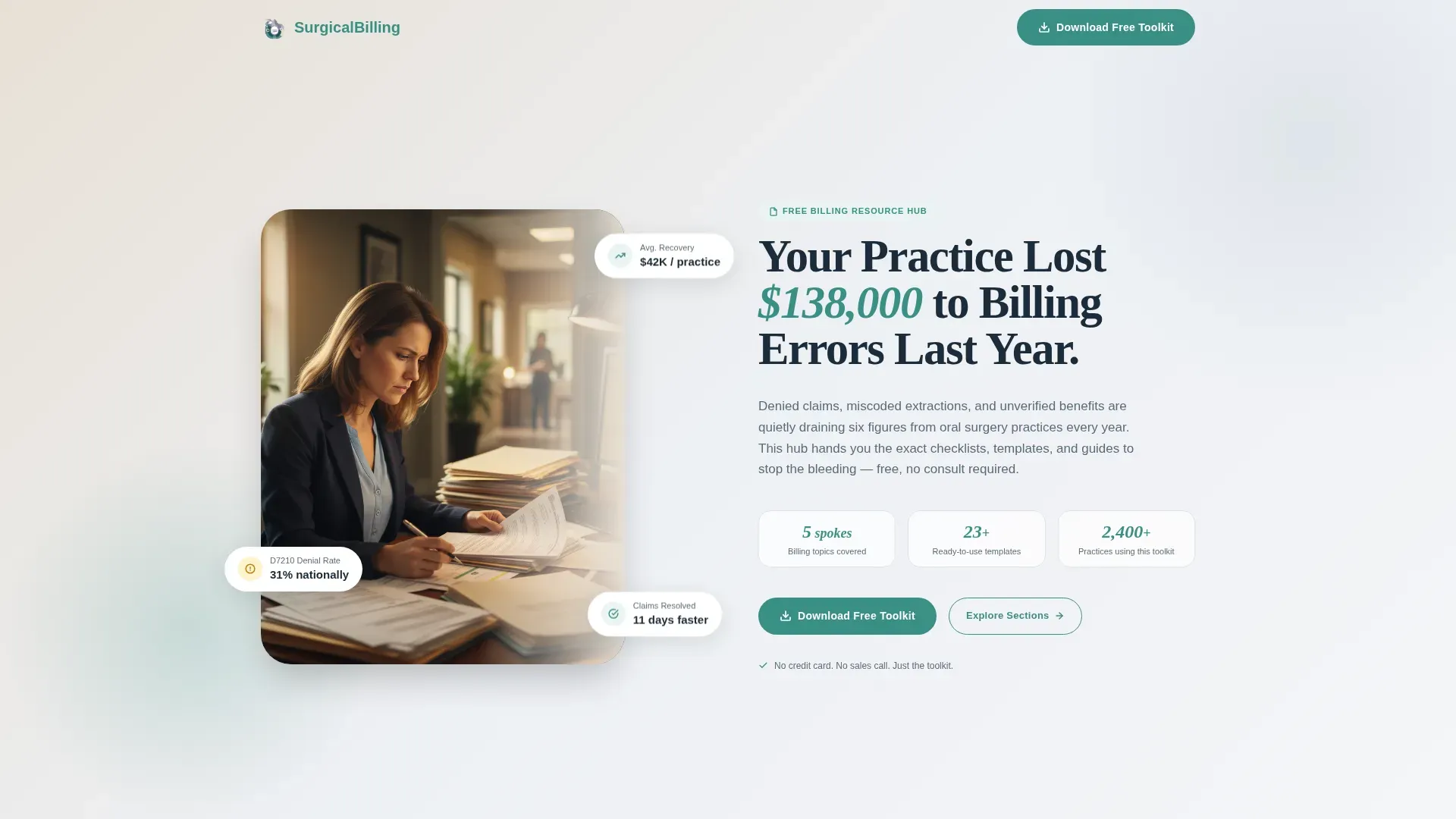
- A portrait-centered hero section with a stat headline and floating proof badges
- Five fully structured billing spokes: Verification, Coding, Claims, Appeals, and Patient Billing
- A sticky anchor navigation bar with active state tracking and smooth scroll behavior
- A gated three-field download form pre-tagged per spoke for source tracking
- A single-row linear footer completing the layout
Feature list
This template is built around a clear set of capabilities drawn from the brief. Each feature serves the practice manager or surgeon who needs fast, credible answers.
Stats-First Section Design
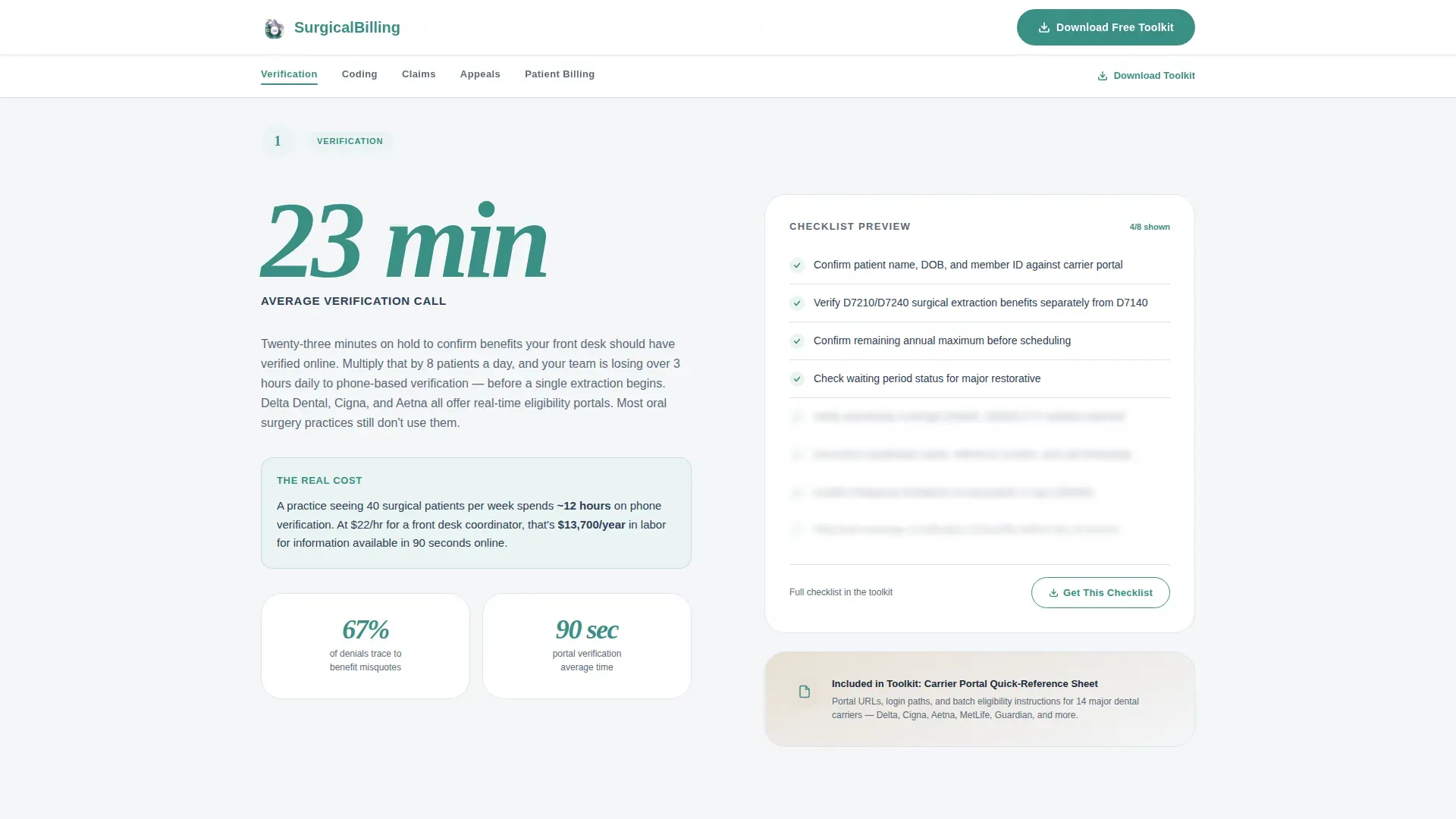
Every spoke section opens with a single oversized number. The stat renders large using Fraunces display type, then a short paragraph contextualizes the pain. This sequence earns attention before asking for any action.
Sticky Hub Anchor Navigation
A persistent anchor navigation bar sits at the top of the page after the hero scrolls out of view. It highlights the active spoke as the user scrolls and supports smooth animated jumps between sections.
Partial Checklist Previews
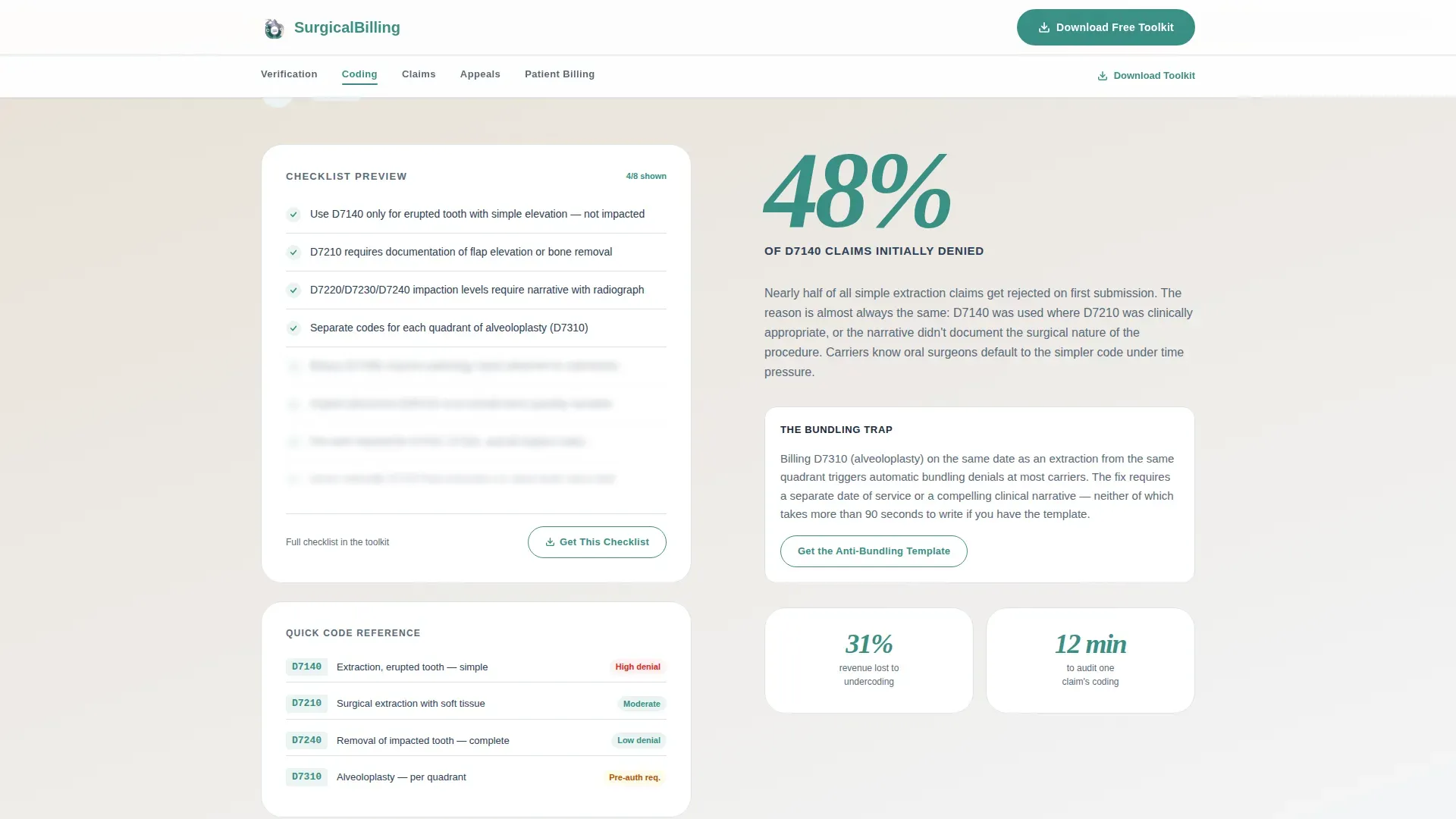
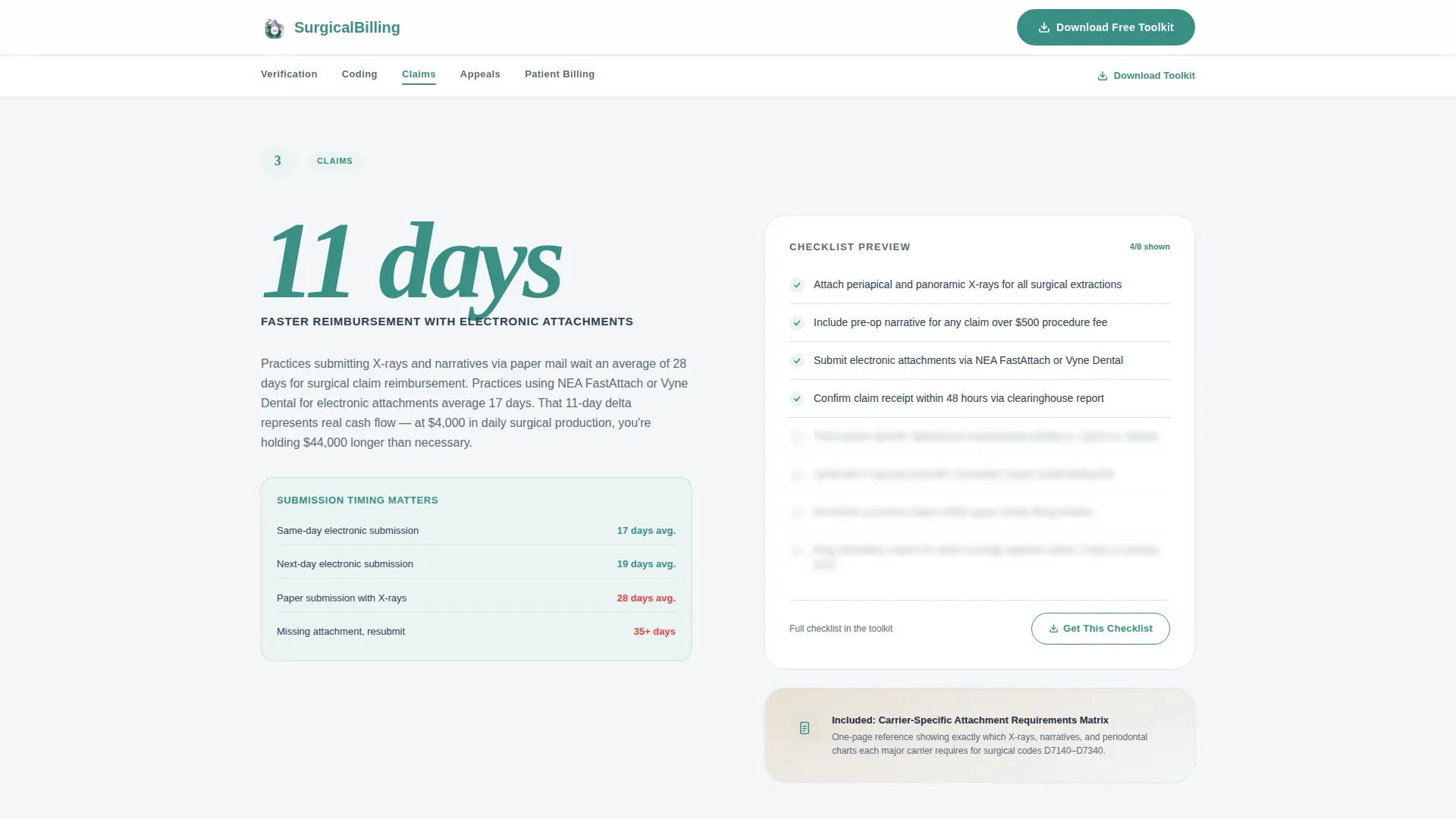
Each spoke reveals a portion of its checklist or guide ungated. Visitors see enough to confirm the resource is genuinely useful. The preview ends naturally, pointing to the full download as the logical next step.
Gated Three-Field Toolkit Form
The primary call to action collects name, practice name, and email. Each spoke's micro-call to action anchors to this same form with a pre-tag identifying which resource triggered the click.
Accordion FAQ Component
An interactive accordion handles frequently asked billing questions without cluttering the page. Answers expand inline, keeping the layout clean and the scroll experience uninterrupted.
Portrait-Centered Hero Layout
The hero uses a split layout with a warmly lit portrait photograph on the left and a typographic stat block on the right. The human face builds immediate trust before the headline earns the scroll.
Page sections overview
| Section | Purpose |
|---|---|
| Hero Split | Establish trust and surface the core revenue-loss stat |
| Sticky Anchor Nav | Let users jump directly to any billing spoke |
| Verification Spoke | Show 23-minute call stat, deliver partial verification checklist |
| Coding Spoke | Surface 48% D7140 denial rate, preview coding guide |
| Claims Spoke | Highlight 11-day e-attachment advantage, show submission template |
| Appeals Spoke | Break down denial patterns, preview appeal letter framework |
| Patient Billing Spoke | Lead with collections rate stat, share communication template preview |
| Download Call to Action | Gate the Complete Billing Toolkit behind a three-field form |
| Linear Footer | Close with single-row footer layout |
Design & branding system
The template follows an Organic Flow visual style using the Soft Mist color system. The palette feels clinical without being cold, like a consultation room at the start of a quiet morning before the schedule begins.
- Fog white (#F4F6F8) as the base background, surgical lavender (#B8C4D4) for accents, and warm linen (#E8E0D5) for alternating spoke sections
- Confident teal (#3A8F85) reserved for anchor navigation highlights, stat callouts, and download buttons
- DM Sans for all body text paired with Fraunces for oversized stat numbers and section headlines
Mobile & speed optimization
The template is designed desktop-first to match how practice managers work at their workstations. Full mobile support is built in so the page remains usable on any device.
- IntersectionObserver-driven reveal animations and stat counter animations fire as sections scroll into view
- Static sections use Server Components while interactive elements, including the sticky nav, form, and stat counters, run as Client Components
- Smooth anchor scroll and sticky navigation active-state tracking are handled client-side without blocking the initial page render
How this template helps you convert
This template earns conversions by giving value before asking for anything. The structure is designed so each scroll step increases the visitor's confidence that the full toolkit is worth the three fields required to get it.
- Oversized stat callouts in every spoke make the billing pain feel immediate and specific, creating urgency without manufactured pressure.
- Partial checklist previews give visitors a genuine taste of the resource, so the gated form feels like unlocking more of something already proven useful.
- Pre-tagged micro-calls to action in each spoke attribute which resource motivated the download, keeping the conversion path short and contextually relevant.
Other information about this template
This template is built for United States oral surgery practices. All terminology, code references, and date formats follow US conventions. CDT codes (Current Dental Terminology codes) and ADA (American Dental Association) code references appear throughout the spoke sections.
- The template references procedure codes including D7140 and D7210 for context in the Coding spoke, matching real-world oral surgery billing language
- Terminology such as EOB (Explanation of Benefits), CDT codes, and ADA codes is used throughout, making the resource immediately recognizable to US billing staff
- Animation intensity is set to medium, using IntersectionObserver reveals and smooth scroll rather than heavy transitions that could distract during a focused work session
Theme
Organic Flow
Creative direction
Stats-First Impact
Color system
Soft Mist
Style
Hub & Spoke (Anchor Nav)
Direction
Content/Resource
Page Sections
Stats-first Spoke Layout
Sticky Anchor Navigation
Partial Checklist Previews
Pre-tagged Gated Download Form
Portrait-centered Hero Section
Accordion FAQ Component
Related questions
Who is this landing page template designed for?
What resources does the template include previews of?
How does the gated download form work?
Is this template suitable for a multi-location oral surgery group?
What visual style does this template follow?



