Complete Dental Clinic Appointment Booking Website Template
Surgicaltrust is a single-column oral surgery landing page built to convert anxious referral patients into booked consultations. It leads with a credential-first badge header, walks visitors through three surgeon profiles with embedded procedure timelines and testimonials, and closes with a streamlined three-step booking form. The design blends clinical authority with organic warmth throughout.
by Rocket studio
Quick summary
Surgicaltrust is a single-column oral surgery landing page that earns patient trust before asking for a booking. It opens with board certification badges, moves through three detailed surgeon panels covering jaw surgery, wisdom teeth extraction, and dental implants, and ends with a simple consultation scheduling form. Every section is designed to replace anxiety with confidence.
Who this template is for
This template is built for oral surgery practices that rely on dentist referrals and need to convert hesitant patients into booked consultations. It suits multi-surgeon groups and solo specialists who want their credentials and procedures to speak louder than a sales pitch.
- Oral surgeons receiving referred patients who arrive nervous and undecided
- Practices offering jaw surgery, wisdom tooth extraction, or dental implant placement
- Clinics wanting a patient-facing page that communicates surgical authority clearly
What problem this template solves
Most patients referred to an oral surgeon arrive with real anxiety. They have panoramic X-rays from their dentist, a procedure name they barely recognize, and a deep suspicion that any consultation will feel like a sales appointment. This template removes that friction by leading with verifiable credentials and plain-language procedure explanations.
- Patients postpone surgery because every past consultation felt pushy or unclear
- Parents of teenagers with impacted wisdom teeth need reassurance before booking
- Adults delaying implant surgery need to see surgeon expertise before they trust a practice
What you get with this template
You get a complete, ready-to-customize oral surgery landing page with a structured single-column flow. Every section is purposefully ordered to build confidence incrementally, from credentials at the top to a low-friction booking form at the bottom.
- A credential-forward hero section with a badge ribbon and a calm, authoritative headline
- Three individual surgeon panels, each combining a procedure deep-dive, step-by-step timeline, and embedded patient testimonial
- A three-step consultation booking form with an optional panoramic X-ray upload path
Feature list
This template includes the following purpose-built features for oral surgery patient conversion.
Award Badge Header Ribbon
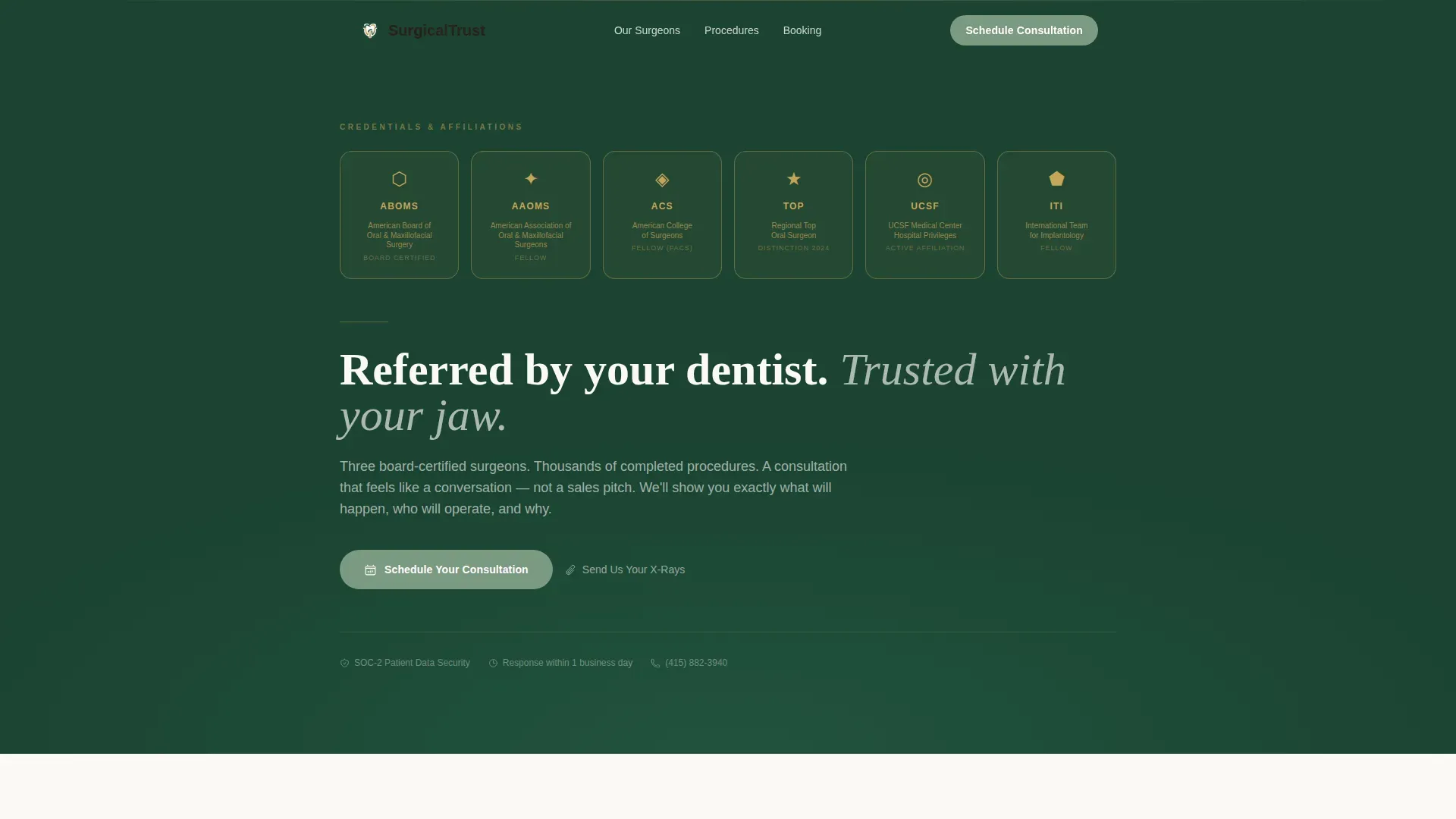
The hero opens with a horizontal row of board certification seals, fellowship crests, hospital affiliation marks, and a regional distinction badge. All badges render in muted gold on a deep evergreen field, creating an instant credentials-first impression before a single word of body copy.
Per-Surgeon Expert Panels
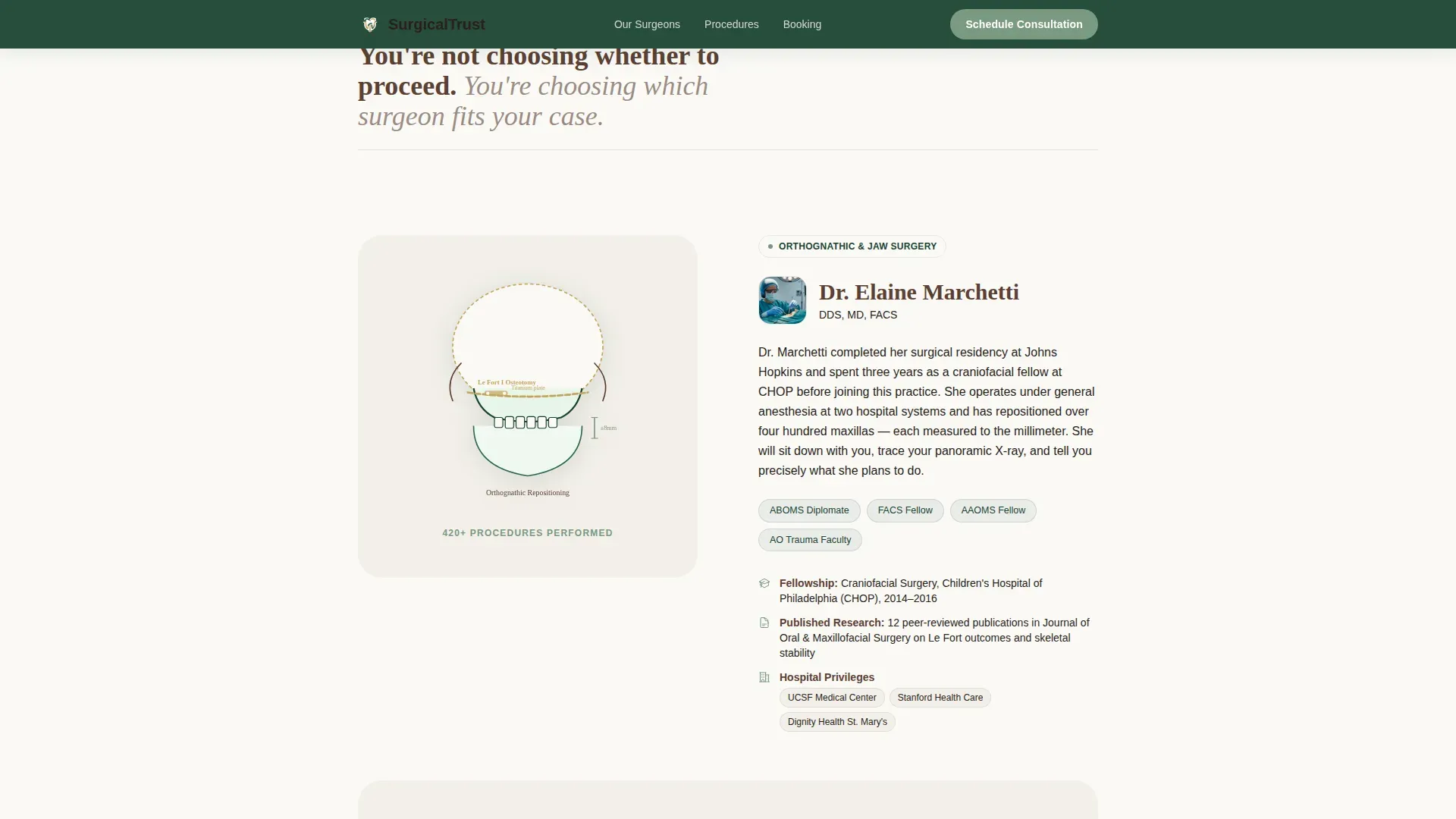
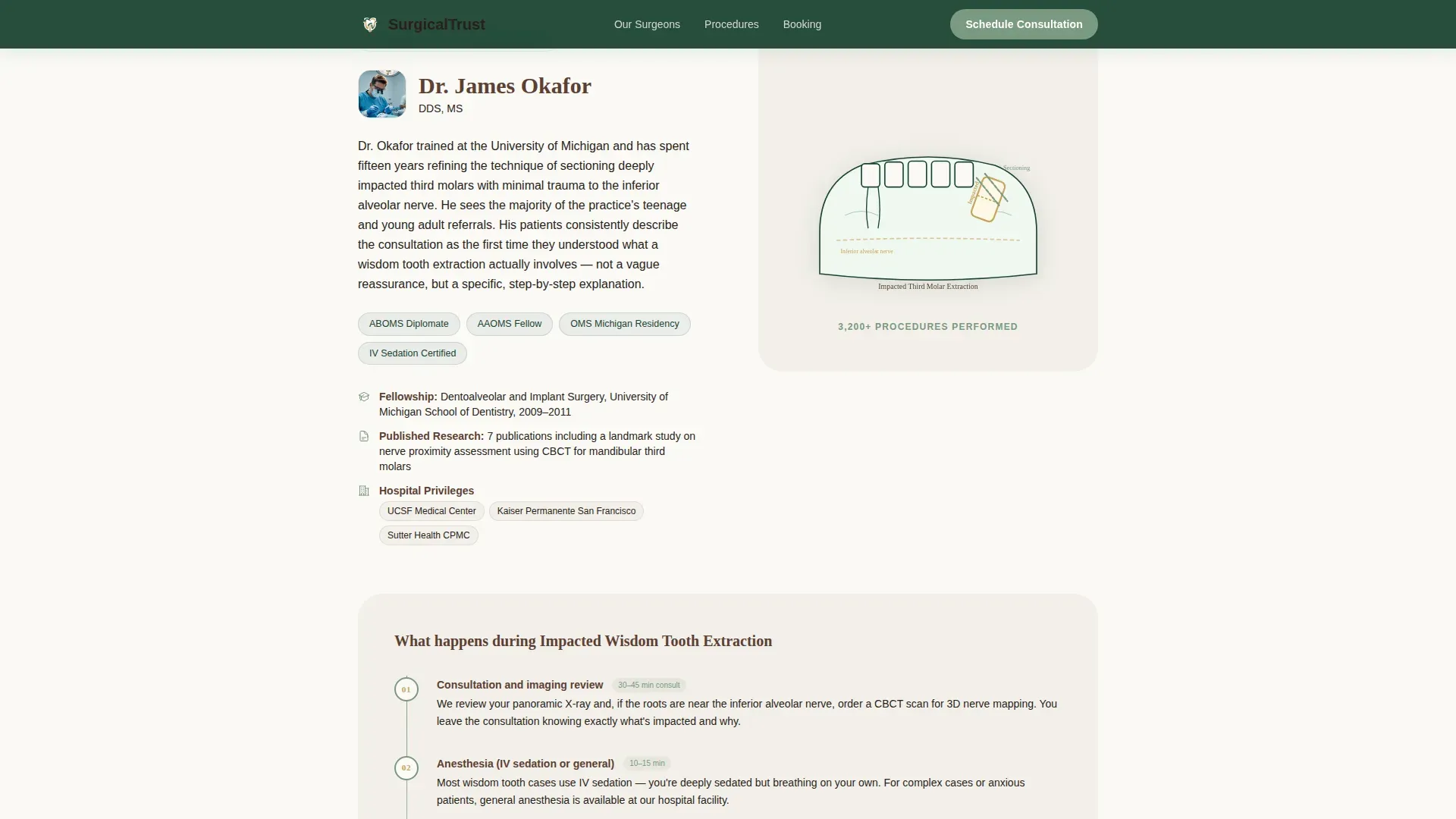
Each of the three surgeon profiles combines a biographical introduction, a clinical illustration of the procedure they lead, and a step-by-step procedural timeline patients can actually read. Credentials accumulate as the visitor scrolls, shifting the decision from whether to book to which surgeon fits their case.
Embedded Procedure Timelines
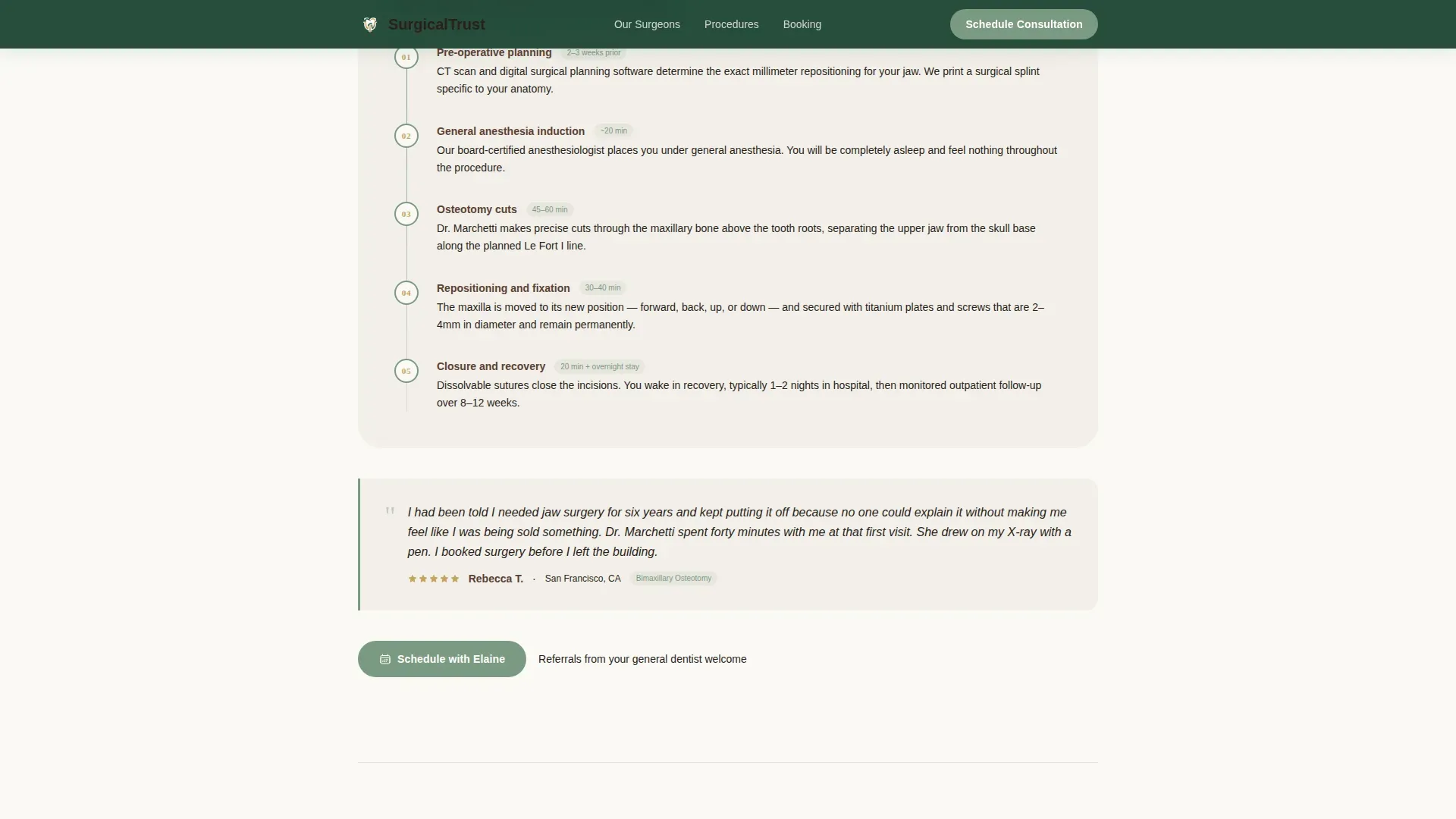
Each surgeon panel includes an expandable step-by-step timeline for their featured procedure. Patients can follow the sequence of a Le Fort I osteotomy, a wisdom tooth sectioning, or an implant placement without needing a separate FAQ or brochure.
Inline Testimonials Within Surgeon Panels
Patient testimonials appear inside each surgeon panel rather than in a separate social proof section. This placement means trust signals arrive exactly when procedure complexity is highest, reinforcing confidence at the moments that matter most.
Three-Step Consultation Booking Form
The booking form guides patients through three questions in sequence: procedure type, referral source, and preferred date window. A secondary path lets patients upload their panoramic radiograph directly, reducing the effort required before a first visit.
Repeating Consultation Call to Action
A "Schedule Your Consultation" button in sage on evergreen appears first beneath the badge header and repeats after every surgeon panel. The consistent placement ensures the next step is always visible without interrupting the reading flow.
Page sections overview
| Section | Purpose |
|---|---|
| Badge Hero Header | Establish surgical credentials immediately |
| Primary call to action Block | Prompt consultation scheduling early |
| Surgeon Panel: Jaw Surgery | Profile Dr. Marchetti, Le Fort I osteotomy deep-dive |
| Post-Panel call to action | Repeat scheduling prompt after jaw surgery |
| Surgeon Panel: Wisdom Teeth | Profile Dr. Okafor, extraction timeline and testimonial |
| Post-Panel call to action | Repeat scheduling prompt after wisdom teeth |
| Surgeon Panel: Dental Implants | Profile Dr. Nair, implant procedure and credentials |
| Post-Panel call to action | Repeat scheduling prompt after implants |
| Consultation Booking Form | Three-step form with X-ray upload option |
| Single-Row Footer | Practice information and navigation links |
Design & branding system
The visual identity follows a Medical Clarity theme built on the Forest Trust color system. The palette evokes a private consultation room with old-growth timber and warm, unhurried light. Fraunces serif headlines carry weight and authority, while DM Sans body text keeps every explanation readable and calm.
- Deep evergreen (#1B4332) anchors section backgrounds, bark brown (#5C4033) grounds all headlines, linen white (#FAF9F6) carries body text and open space, muted gold (#C5A55A) renders badges and accents, and sage (#7C9A82) marks every scheduling touchpoint
- Fraunces (serif) is used for headings to signal authority, and DM Sans is used for body copy to maintain clarity and warmth
- Scroll-triggered reveals, staggered badge row animation, subtle parallax on surgeon panels, and smooth multi-step form transitions give the page a confident, measured pace
Mobile & speed optimization
The template is designed desktop-first, reflecting how patients most commonly review surgical information before an appointment. It is fully responsive and adapts cleanly to smaller screens without losing the credential-forward hierarchy.
- Single-column flow translates naturally to mobile without layout restructuring
- Static content uses server-side rendering while the booking form and interactive elements use client-side components, keeping the page load efficient
- Surgeon panels and procedure timelines reflow gracefully so step-by-step content remains readable on any screen size
How this template helps you convert
The page is structured so that every scroll deepens patient trust rather than simply repeating a call to action.
- Credentials appear before any procedure description, so visitors qualify the practice before reading a single sales claim. The badge header does this work in under three seconds.
- Surgeon panels replace the generic "about us" format with procedure-specific authority. By the time a patient reaches the booking form, they have read about their likely procedure, seen the surgeon who would perform it, and encountered a relevant patient testimonial.
- The three-step booking form reduces cognitive load by asking only three focused questions in sequence. The X-ray upload path further lowers the barrier for patients who already have imaging from their referring dentist.
Other information about this template
This template is categorized under Health and Medical, specifically the Dental Clinic subcategory, with the oral surgeon niche as its primary use case. It is built for English-language, United States-based practices and uses United States date formatting throughout the booking form.
- The template supports a B2C and B2B2C audience model, meaning it serves both direct patients and patients arriving through dentist referral networks
- The single-column flow and Expert Panel creative direction are specifically matched to the oral surgery niche, where procedure transparency is the primary conversion driver
- The Forest Trust color system and Medical Clarity theme are intentional design choices, not decorative ones. Every color has a functional role in guiding attention from credentials to scheduling
Theme
Medical Clarity
Creative direction
Expert Panel
Color system
Forest Trust
Style
Single Column Flow
Direction
Booking/Scheduling
Page Sections
Award Badge Header Ribbon
Per-surgeon Expert Panels
Expandable Procedure Timelines
Three-step Consultation Booking Form
Repeating Consultation Call to Action
Inline Social Proof Placement
Related questions
Who is this landing page template designed for?
Can I customize the surgeon names, credentials, and procedure details?
How does the three-step booking form work?
Does the template cover multiple procedures?
Can a single-surgeon practice use this template?



