Complete Robotics & Automation Professional Website Template
Surveyor is a split-screen industrial drone manufacturer landing page template built around an Engineering Blueprint visual identity. It leads with verified performance metrics, pairs field-condition imagery with technical specifications, and drives visitors toward a product configurator. Designed for mining, energy, and civil engineering audiences who need proof before they act.
by Rocket studio
Quick summary
Surveyor is a precision industrial landing page template for drone manufacturers serving high-stakes sectors. The layout is a 50/50 split screen. Every scroll begins with a hard number before prose earns its place. The call to action drives visitors to a product configurator, not a form. The tone feels like a field-tested spec sheet brought to life.
Who this template is for
This template is built for industrial drone manufacturers whose buyers are technical decision-makers, not casual browsers. Your audience arrives with specific operating requirements and a short tolerance for vague marketing language.
- Mining operations managers who schedule quarterly volumetric surveys and need verifiable flight performance data before committing to equipment
- Energy companies dispatching inspection teams to offshore platforms and wind turbines, where reliability at altitude is non-negotiable
- Civil engineering firms bidding on infrastructure projects that require centimeter-accurate orthomosaics and documented operational tolerances
What problem this template solves
Industrial drone buyers distrust landing pages that lead with adjectives. They want tolerances, certifications, and flight-hour records. Generic templates cannot hold that kind of evidence without feeling cluttered or unstructured.
- Spec-heavy content becomes unreadable when crammed into a standard marketing layout that was designed for lifestyle products, not technical hardware
- Procurement teams abandon pages that bury the downloadable spec sheet or make the configurator hard to find
- Without a credible visual identity, a high-capability product can look indistinguishable from hobbyist-grade competition
What you get with this template
You get a fully structured single-page layout that builds a technical case for your aircraft section by section. The design prioritizes data legibility, field-condition imagery, and a clear path to the configurator.
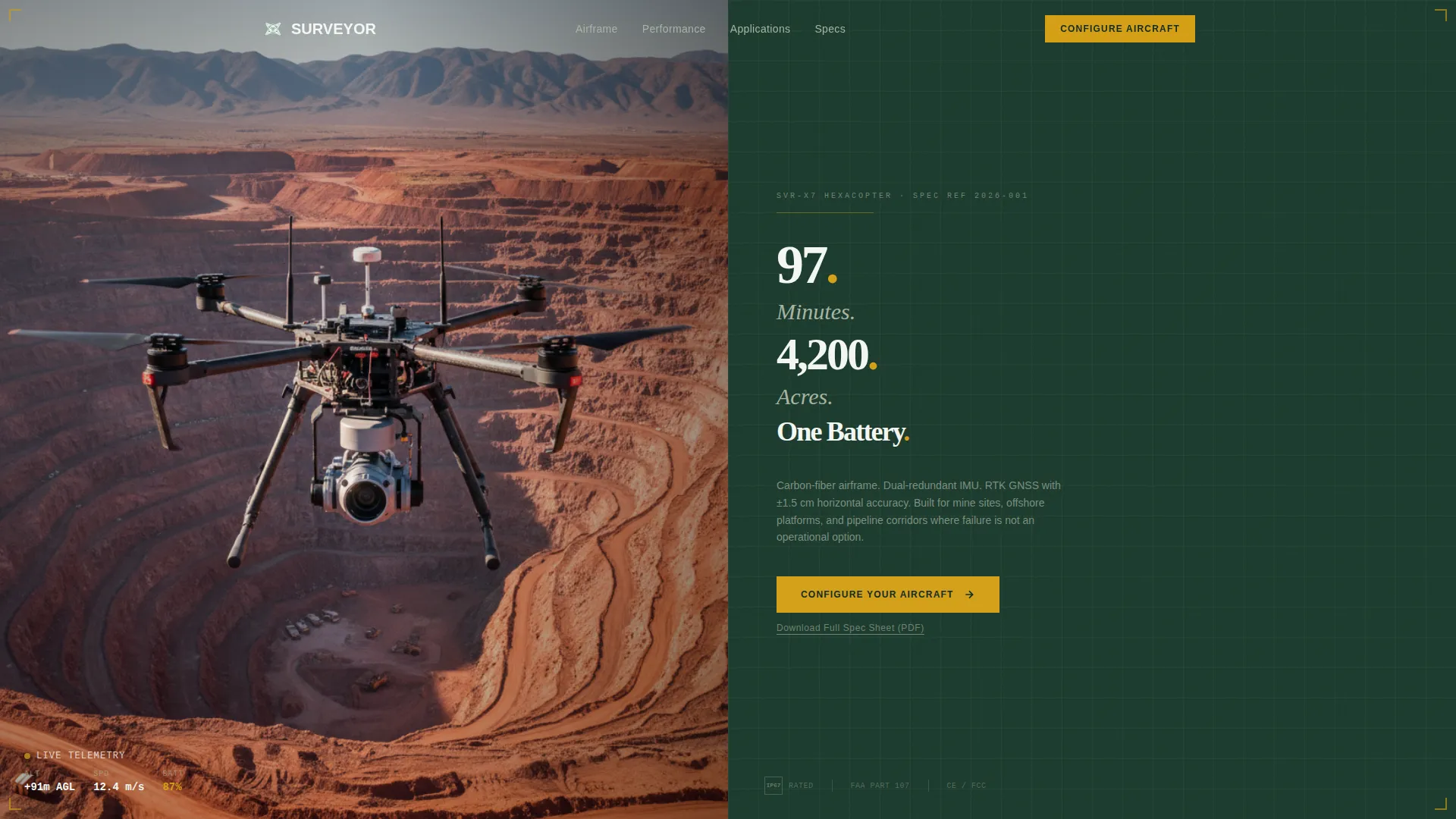
- A panoramic split-screen header pairing an in-flight hexacopter photograph with a prominent flight endurance statistic rendered as a spec-sheet callout
- Stats-first section architecture where each verified performance figure appears in large amber type before any supporting prose
- Dual call-to-action placement with a primary "Configure Your Aircraft" button and a secondary "Download Full Spec Sheet (PDF)" text link repeating after every second section
Feature list
This template is purpose-built for industrial drone marketing. Every component reflects the operating environment your buyers already know.
Panoramic Split-Screen Header
The header divides the viewport equally. The left half holds a wide aerial photograph of a hexacopter over an open-pit mine, horizon edge to edge, no crop. The right half displays a single flight endurance statistic in surveyor's white on canopy green, typeset like a spec sheet.
Stats-First Section Architecture
Each scroll section opens with a large amber-highlighted performance metric before any explanatory text appears. This mirrors how engineers build trust: through tolerances first, narrative second. The cumulative effect is a spec sheet that scrolls.
Payload and Airframe Showcase
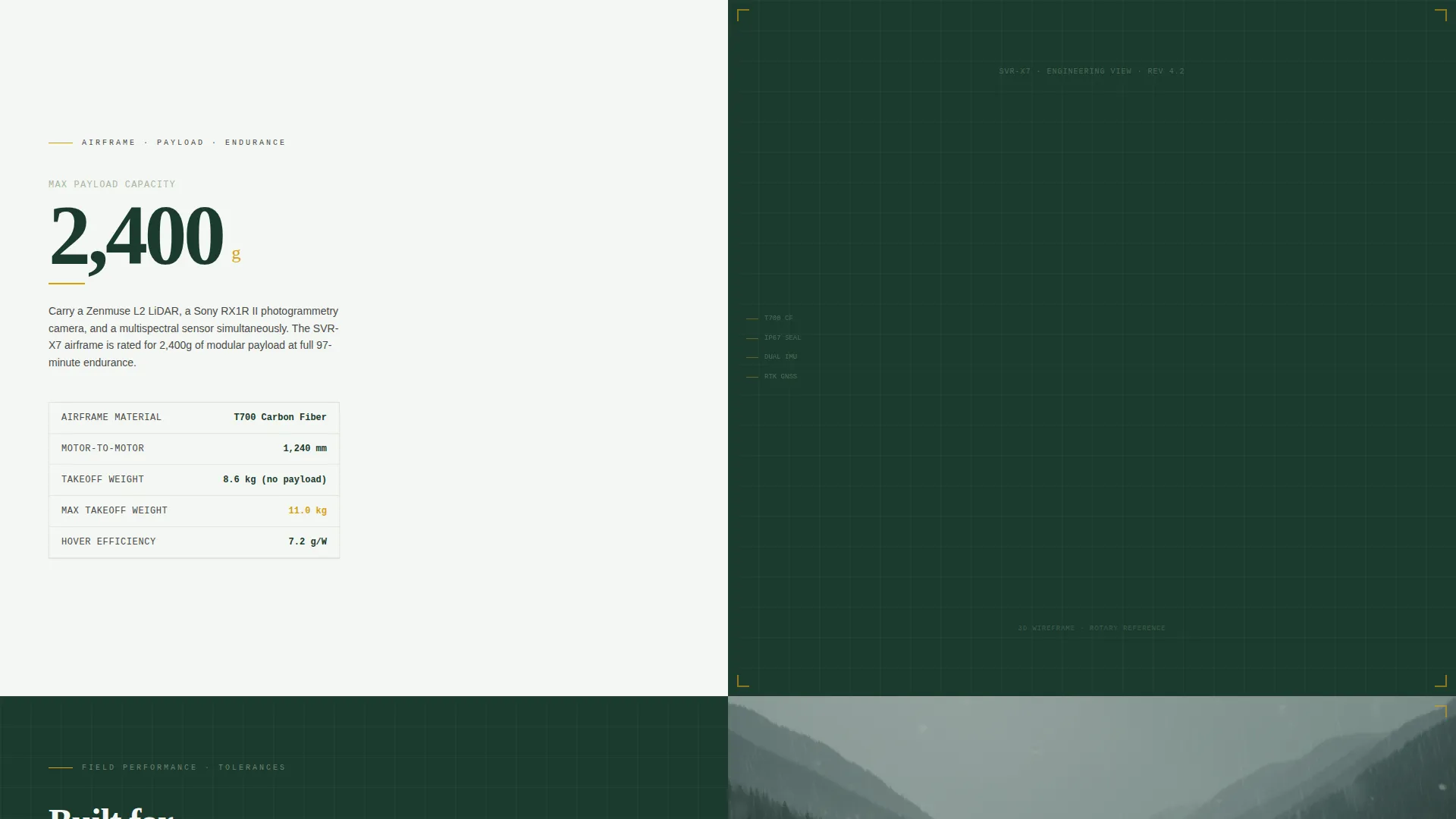
Section two splits a payload weight rating on the left against a rotating three-dimensional wireframe of the airframe on the right. Buyers can read the hardware capability at a glance before reaching the prose explanation.
Field-Condition Proof Panels
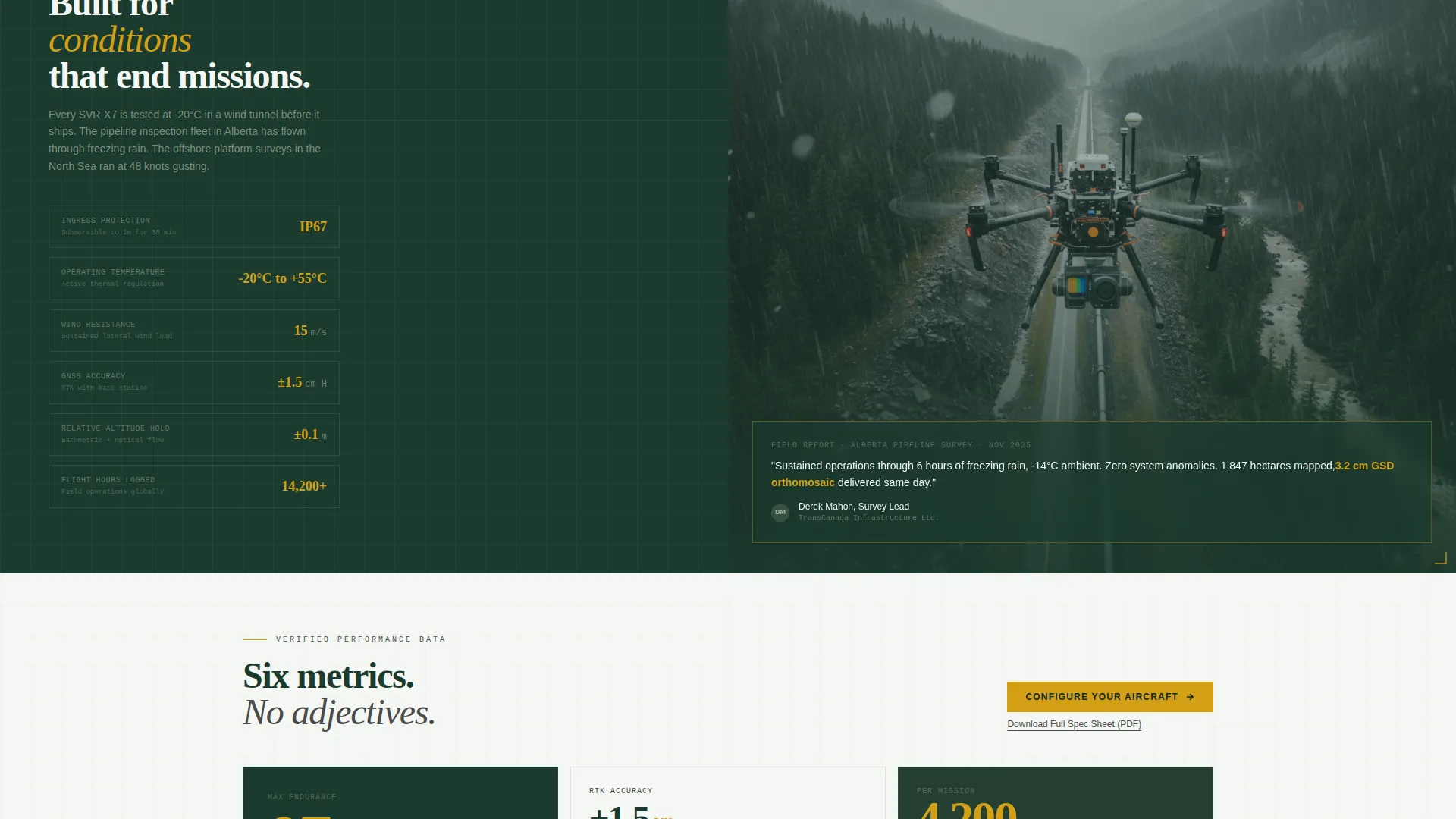
Section three pairs technical certifications, including an IP67 rating and operating temperature range, against field footage from a pipeline survey conducted in rain. The pairing signals that the aircraft performs in the same conditions your buyers actually face.
Repeating Dual call to action Blocks
The primary call to action, "Configure Your Aircraft," appears first in the header's right panel and repeats after every second section. A secondary text link for the downloadable spec sheet sits beneath each call to action, giving procurement teams a document path before a sales conversation.
Engineering Blueprint Visual Identity
The Forest Trust color system uses deep canopy green, lichen gray, surveyor's white, and alert amber. Amber is reserved strictly for calls to action and data callouts. Backgrounds alternate between canopy green and surveyor's white, and body text sits in desaturated charcoal.
Page sections overview
| Section | Purpose |
|---|---|
| Panoramic Header | Establish scale, credibility, and the primary flight endurance stat |
| Flight Stats Panel | Lead the second section with payload and airframe specifications |
| Field Condition Proof | Pair IP67 and temperature ratings with real pipeline survey imagery |
| Mid-Page call to action | Repeat the configurator link after the first proof block |
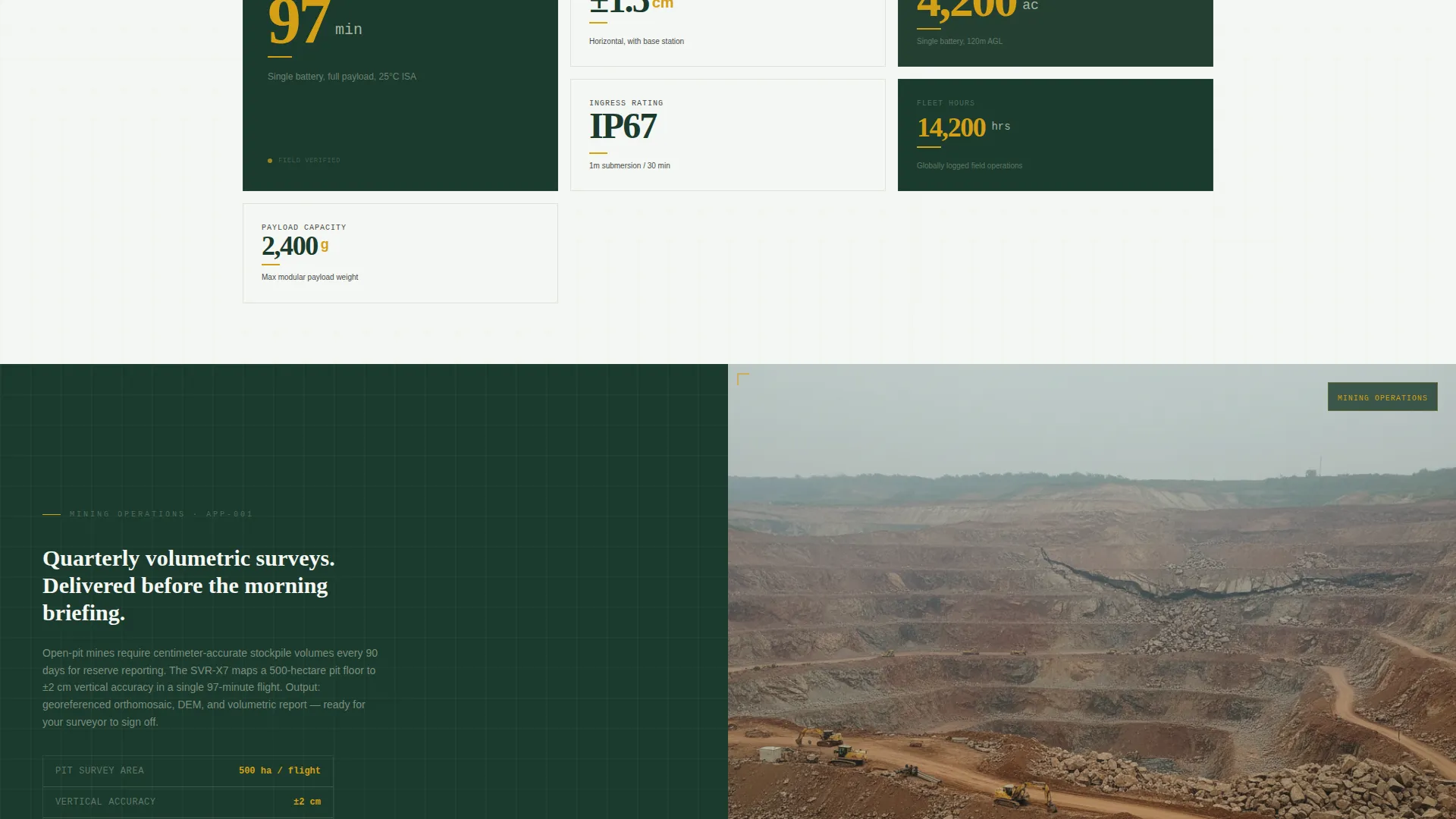
| Performance Metrics | Accumulate six verified figures before the visitor reaches mid-page |
| Secondary call to action Block | Reinforce the configurator path with the spec sheet download link |
Design & branding system
The Engineering Blueprint theme treats every visual element as if it belongs on a laminated topographic map. Grid lines, tight typography, and restrained color usage create an atmosphere of field-tested precision without any decorative noise.
- Forest Trust palette: deep canopy green (#1B3A2D) as the primary background, lichen gray (#A8B5A2) for secondary panels and spec tables, surveyor's white (#F4F7F3) for type on dark fields, desaturated charcoal (#2C2C2C) for body text, and alert amber (#D4A017) reserved exclusively for calls to action and data callouts
- Typography is set in a spec-sheet style where each performance metric is larger than the prose beneath it, reinforcing the stats-first hierarchy throughout every section
Mobile & speed optimization
The split-screen layout is structured so it adapts cleanly across screen sizes without losing the data-forward hierarchy. Field professionals may be reviewing specs on a phone between site visits, so legibility on smaller viewports matters.
- Large amber metric callouts and high-contrast color pairings keep key performance figures readable regardless of display size
- The absence of embedded forms and heavy interaction layers keeps the page lean, allowing content to load quickly without unnecessary complexity
How this template helps you convert
This template is structured to earn the configurator click through accumulated evidence rather than through persuasion copy alone. By the time a visitor reaches the mid-page call to action, they have already absorbed six verified performance metrics and seen the aircraft operating in conditions that match their own.
- Front-loaded proof establishes credibility immediately: the header stat gives buyers a concrete capability figure before they read a single sentence of prose, reducing the skepticism that typically causes industrial buyers to leave early
- Repeating calls to action with a document fallback reduce friction for both decision-makers and procurement teams, offering the configurator for operators ready to act and the spec sheet PDF for those who need a document trail first
Other information about this template
Surveyor is categorized under Manufacturing and Industrial, within the Robotics and Automation subcategory. It is purpose-matched for the industrial drone manufacturer niche. The template uses a Click-Through landing page direction, meaning all conversion paths exit to an external product configurator rather than capturing form submissions on the page itself.
- The intersection match score for this template's niche alignment is 13, reflecting a high degree of fit between the template design and the specific operational context of industrial drone manufacturing
- The Split Screen (50/50) template style and Stats-First Impact creative direction work together to give equal visual weight to product imagery and technical data throughout the page
- The header concept is classified as Panoramic/Wide, which calls for a full-bleed photograph with no letterboxing and a horizon that stretches from edge to edge of the viewport
Theme
Engineering Blueprint
Creative direction
Stats-First Impact
Color system
Forest Trust
Style
Split Screen (50/50)
Direction
Click-Through
Page Sections
Panoramic Split-screen Header
Stats-first Scroll Architecture
Payload and Airframe Showcase
Field-condition Proof Panels
Repeating Dual Call to Action Blocks
Engineering Blueprint Visual Identity
Related questions
Who is this landing page template designed for?
Does this template include a contact form?
Can I adapt the color system to match a different brand?
How many sections does this landing page include?
Is this template suitable for a product that covers multiple aircraft models?



