District Sustainability Roadmap Landing Page Template
The Sustain trusted district sustainability roadmap landing page template is built for education sustainability consultants who need to convert senior district administrators into qualified leads. It combines an editorial magazine aesthetic with boardroom-grade authority, presenting measurable evidence, sequenced roadmap logic, and a focused lead-capture form in a single, persuasive page flow.
by Rocket studio
Quick summary
This template helps sustainability consultants present a compelling, evidence-driven case to superintendents, CFOs, and facilities directors. It blends oversized testimonial typography with costed data callouts and a clean four-field lead form. Every section is designed to build trust and move decision-makers toward booking a district assessment.
Who this template is for
This template is built for education sustainability consultants who work directly with district leadership. It fits professionals who need to communicate complex, multi-year roadmap value to busy administrators in a single scroll.
- Sustainability consultants presenting district-wide capital plans to senior leadership
- Consultancies offering baseline assessments, energy audits, and bond funding strategy
- Advisors whose project work spans multiple districts across multiple states
What problem this template solves
District administrators rarely have time to read long proposals. They need specific, defensible numbers fast. This template helps consultants frame their value as a strategic plan rather than a service pitch, giving community leaders the confidence to act.
- Difficulty communicating measurable ROI to CFOs and board members
- No clear structure for showcasing before-and-after project results
- Weak lead capture that lets earlier-stage prospects slip away without engagement
What you get with this template
You get a fully structured, single-page editorial layout built around evidence and action. The template is designed to engage decision-makers effectively from the first headline to the closing form.
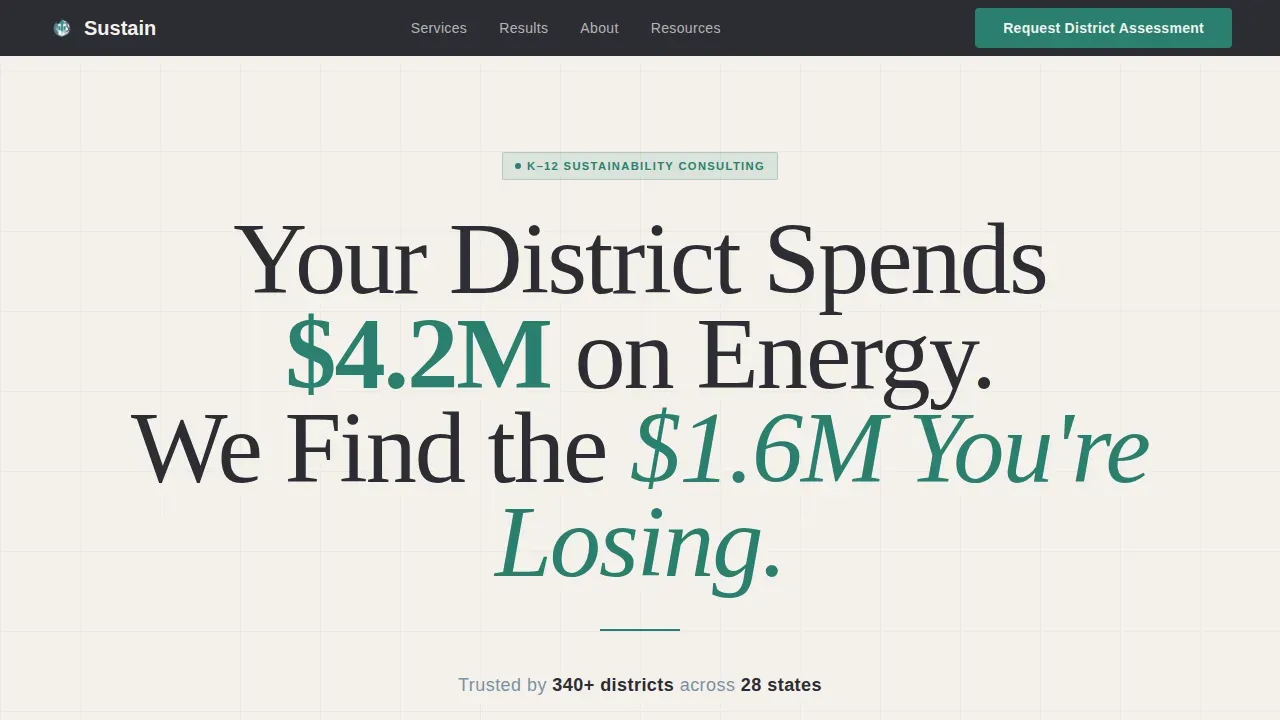
- A giant centered hero headline with a teal rule and credential line
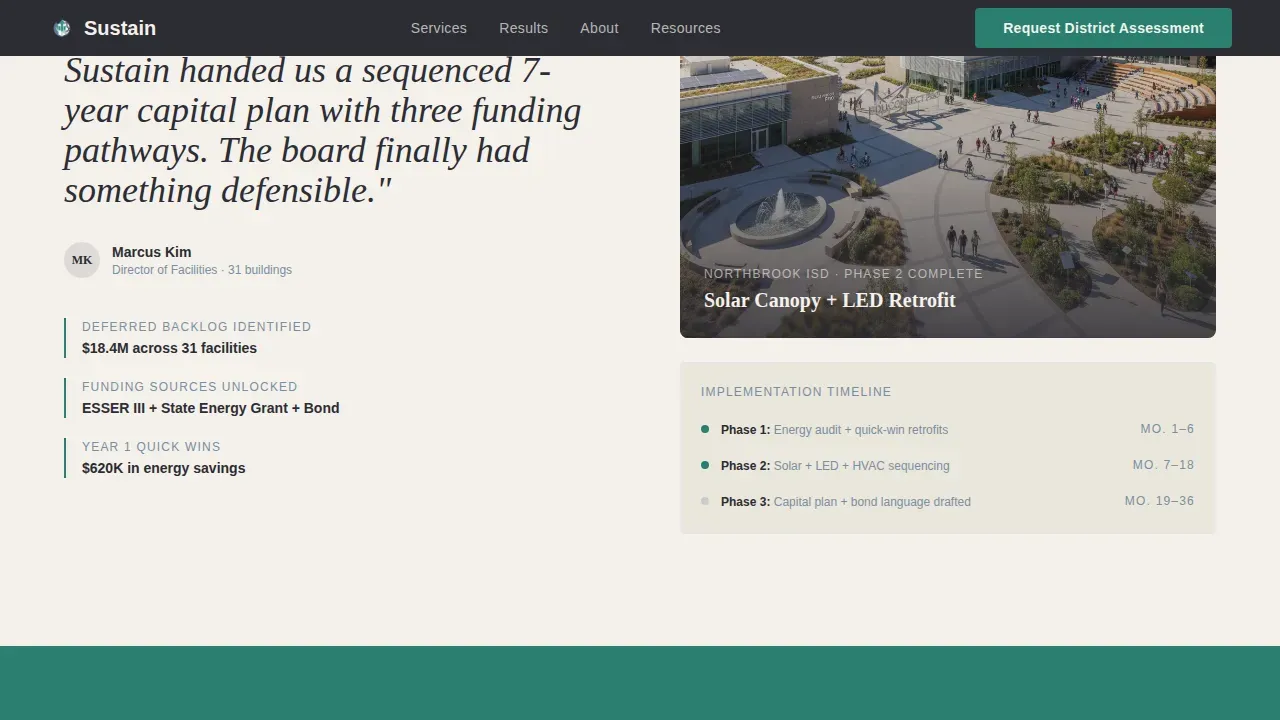
- A testimonial mosaic alternating full-bleed quote cards with two-column editorial layouts
- Three lead capture touchpoints including a persistent top bar and a gated report download
Feature list
This template helps you present your plan with authority across every section. Here is what each major feature delivers.
Giant Headline Hero Section
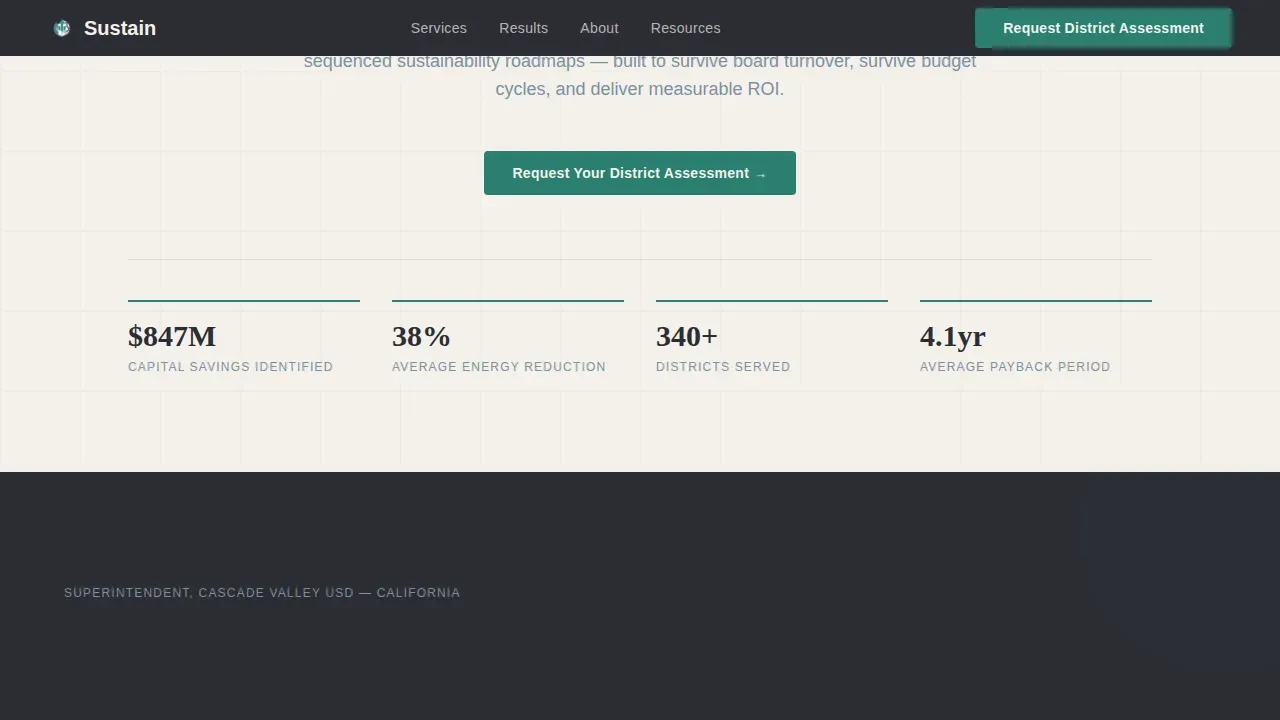
The hero sets measurable stakes immediately. Stark serif type on cloud white states a specific energy figure and the savings opportunity. A single teal rule and a credential line reading "340+ districts, 28 states" anchor community trust before the first scroll.
Testimonial Mosaic Layout
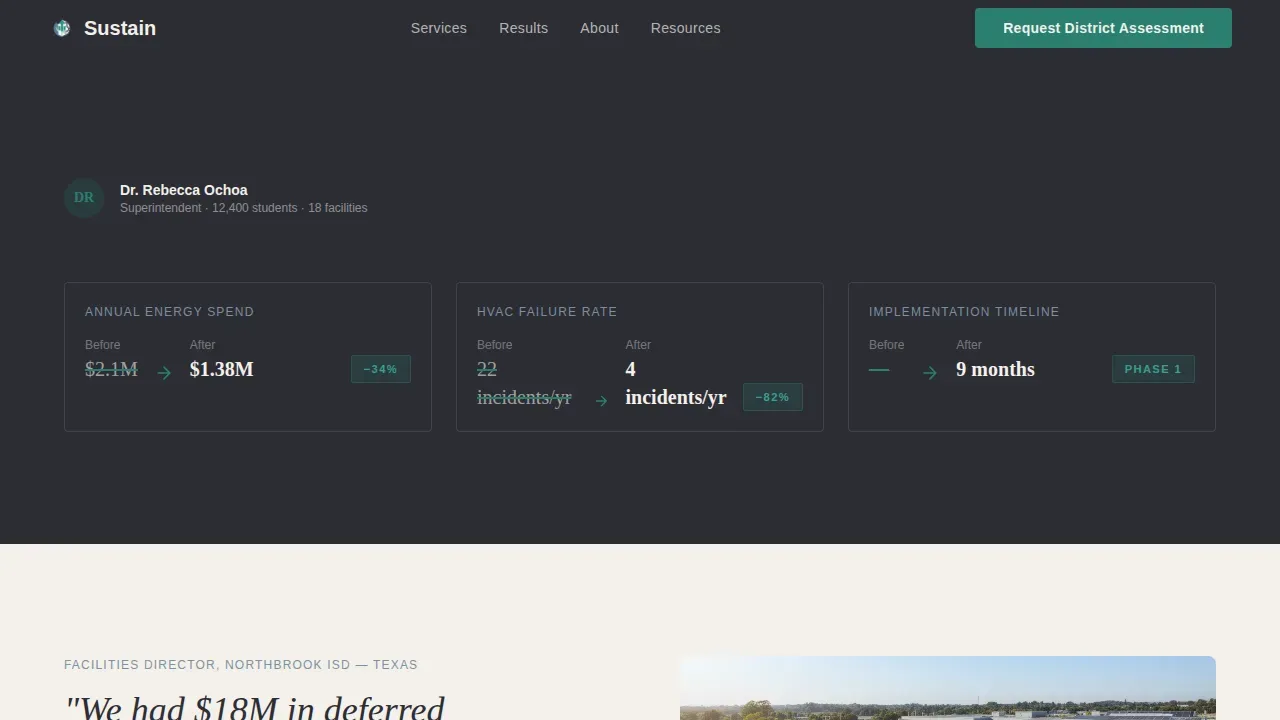
Each testimonial cluster alternates between full-bleed quote cards and tight two-column editorial panels. Oversized italic quotes sit beside before-and-after dashboards and timeline graphics, creating a scrollable evidence trail that helps readers track progress across quick wins, capital plans, and district-wide goals.
Services Overview with Data Callouts
An asymmetric bento grid presents three service pillars. Each pillar includes annotated data callouts that make objectives and project outcomes specific and achievable at a glance, helping prospects understand the scope before they submit a form.
Four-Field Lead Capture Form
The primary form asks for district name, enrollment size, primary challenge, and work email. It appears at three points in the page to ensure no qualified prospect leaves without a path to engagement.
Gated Benchmark Report Download
A secondary capture path offers a downloadable report gated behind email only. This helps earlier-stage community stakeholders who want data before committing to a call, creating a measurable secondary funnel.
Persistent Top Bar Call to Action
A sticky top bar keeps the "Request Your District Assessment" button visible at all times. This ensures the primary conversion goal stays in reach regardless of where a reader is on the page.
Page sections overview
| Section | Purpose |
|---|---|
| Hero Headline | State bold energy savings promise and credential |
| Testimonial Mosaic | Showcase district proof with editorial evidence |
| Services Overview | Present three consulting pillars with data |
| Mid-Page Form | Capture leads after third testimonial cluster |
| Benchmark Report Download | Gate secondary report behind email only |
| Footer Arc Split | Logo, tagline, and essential navigation links |
Design & branding system
The template follows an Executive Suite theme using the Cloud Canvas color system. Typography pairs a refined serif for headlines with a clean sans-serif for body text, creating the feel of a printed strategic plan on heavy stock.
- Cloud white (#F4F1EB) backgrounds, boardroom charcoal (#2C2C34) body text, and slate blue (#7B8FA1) for pull quotes
- Decisive teal (#2A7F6F) reserved for buttons, data highlights, and hover states
- Fraunces serif headlines paired with DM Sans for body and interface copy
Mobile & speed optimization
The template is designed desktop-first to match boardroom presentation context, but it scales responsively for tablet and mobile. Interactive elements use a split architecture to keep static editorial content fast.
- Server Components handle all static editorial and testimonial sections
- Client Components manage the form, dropdown, and gated download modal
- Scroll-triggered reveals and subtle parallax are applied at a medium intensity
How this template helps you convert
This template helps consultants turn a page visit into a qualified conversation by layering evidence before each ask.
- The hero and testimonial mosaic build community trust through named quotes, district counts, and costed project examples before any form appears.
- The mid-page form appears precisely after the third testimonial cluster, when credibility is highest, capturing prospects ready to set up an assessment.
- The gated report download captures earlier-stage prospects with a lower-commitment path, so no community stakeholder leaves empty-handed.
Other information about this template
The Sustain trusted district sustainability roadmap landing page template draws on principles found in leading sustainability frameworks. Strong roadmaps, like those from well-known organizations such as Patagonia and Nike, show that defining SMART goals means making them Specific, Measurable, Achievable, Relevant, and Time-bound. This template helps consultants apply those same standards at the district level.
- Creating a baseline assessment is the first step. The template supports this with data callout blocks for utility analysis and carbon footprint figures.
- Key performance indicators (KPIs) with initial and target values help track progress. The mosaic layout has space for before-and-after dashboard examples.
- Leadership commitment matters. The template's hero and credential line establish authority at the highest level to help earn board-level buy-in.
Theme
Executive Suite
Creative direction
Testimonial Mosaic
Color system
Cloud Canvas
Direction
Lead Generation
Page Sections
Giant Centered Hero with Credential Line
Testimonial Mosaic with Evidence Panels
Services Bento with Data Callouts
Four-field Lead Capture Form
Gated Benchmark Report Download
Persistent Top Bar Call to Action
Related questions
Who is this template designed for?
What lead capture options does this template include?
Can I use this template to show measurable project results?
Does this template support stakeholder engagement goals?
Is this a single-page template or a multi-page site?



