Hand Surgeon Specialist Booking Website Template
Suture is a precision-crafted hand surgery appointment booking landing page template built for private surgical practices. It pairs a zigzag testimonial mosaic with an inline five-step symptom assessment funnel, guiding anxious patients from first click to confirmed consultation. The Alpine Fresh color system and Corporate Precision typography create the calm, clinical confidence a hand surgery practice demands.
by Rocket studio
Quick summary
Suture is a single-page hand surgery appointment booking template designed around one goal: turning a worried patient into a booked consultation. It uses a zigzag testimonial mosaic, a five-step inline symptom assessment, and a Corporate Precision design system to deliver the calm authority that surgery patients need before they commit to a call.
Who this template is for
This template is built for healthcare professionals who run private hand surgery practices and need a patient-facing booking experience that does more than display a phone number. It is equally useful for any medical practice that wants to earn patient trust before asking for a commitment.
- Private hand surgeons seeking a direct booking path for conditions like carpal tunnel syndrome, trigger finger, Dupuytren's contracture, and wrist injuries
- Healthcare professionals in orthopedic or reconstructive surgery who need a high-converting, credibility-first landing page
- Practice managers or marketing leads at a hospital-affiliated or independent hand surgery clinic who want to reduce phone-tree friction and fill the schedule faster
What problem this template solves
Most hand surgery practice pages list services and post a contact form. That approach leaves patients anxious and uninformed. They do not know whether their wrist pain or finger numbness warrants a surgical consult, a splint, or watchful waiting. That uncertainty is the single biggest reason potential patients delay booking or abandon the page entirely.
- Patients arrive with symptoms, not diagnoses. The template addresses this with a five-step inline assessment that helps them determine a likely condition before they ever speak to a receptionist.
- The zigzag mosaic pairs real patient stories with clinical explanations, so visitors can evaluate their own situation against documented outcomes and before-and-after grip metrics.
- The current booking process at many practices forces patients through phone trees or generic forms. This template replaces that friction with a direct calendar picker that follows the completed assessment.
What you get with this template
You get a complete, ready-to-deploy hand surgery landing page that is built around the patient decision journey. Every section is purposefully ordered to move a visitor from symptom awareness to booked appointment in a single scroll. The template ships with clearly defined layout blocks, a customized color system, and a structured assessment module that you can fill with your practice's specific conditions and clinical data.
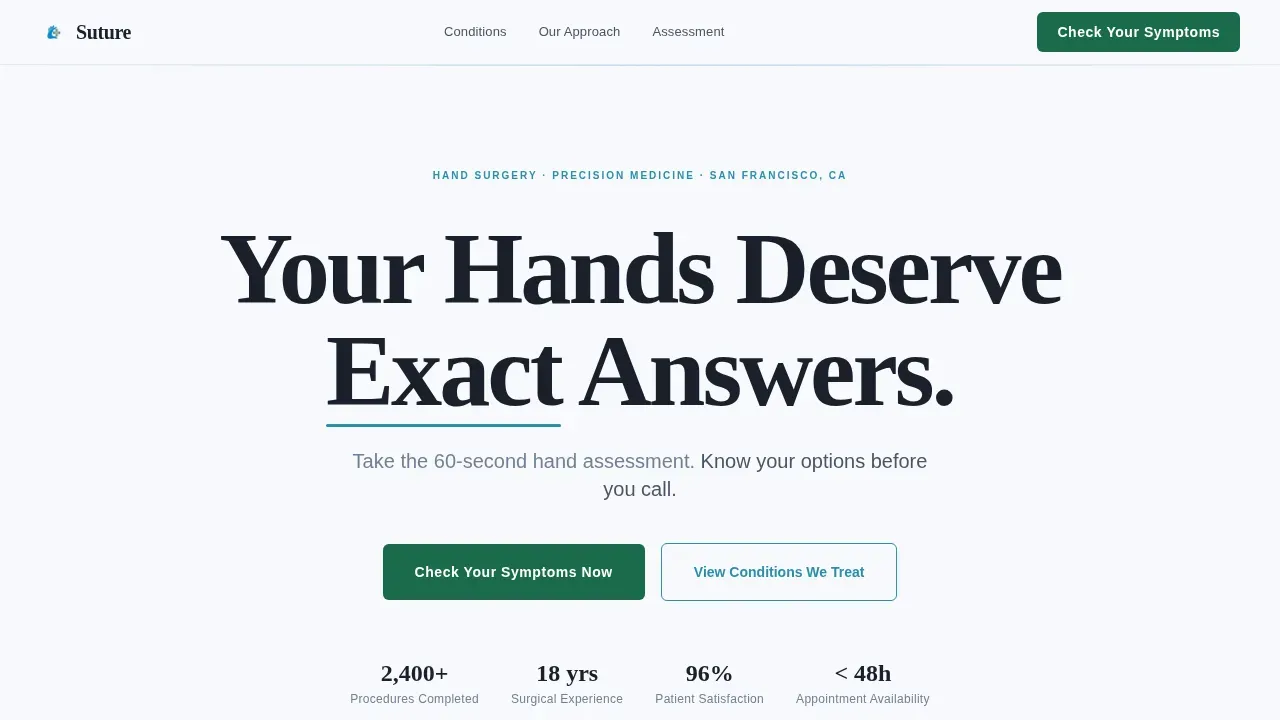
- A hero section with a 120-pixel giant centered headline, an alpine blue typographic accent, and an above-the-fold assessment call to action
- Three alternating zigzag mosaic sections, each pairing a patient story tile with a clinical explanation panel and a before-and-after outcome metric
- A five-step inline assessment module with a clickable hand diagram, a duration slider, pain-type selection, activity-impact dropdown, and an imaging history question, followed by a booking calendar
Feature list
This section provides a closer look at the built-in components that make this template work for hand surgery appointment booking.
Giant Headline Hero Section
The hero opens with a 120-pixel Fraunces serif headline set in surgical steel against clinical snow white. The phrase structure is confident and direct, with an alpine lake blue underline beneath one key word to draw the eye. Below the headline, a lighter-weight subline instructs the visitor to complete the 60-second hand assessment before calling. A high-contrast evergreen call-to-action button anchors the fold, visible immediately on any screen size.
Zigzag Testimonial Mosaic
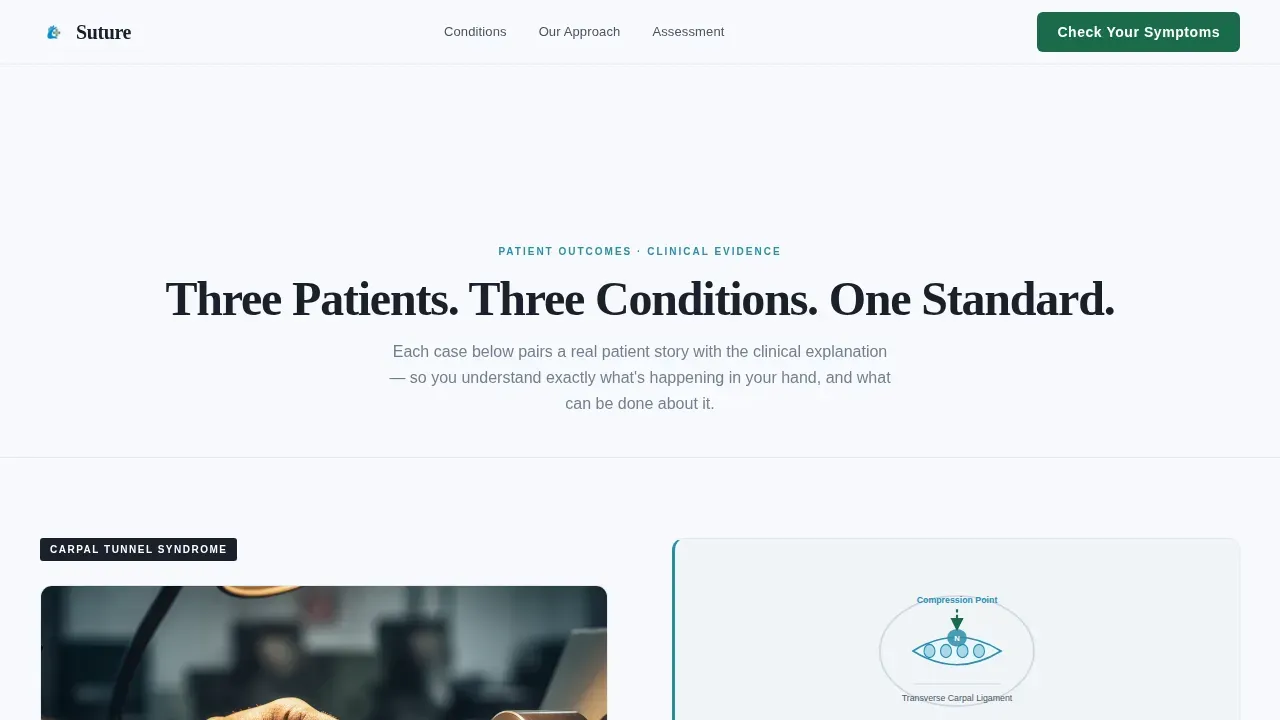
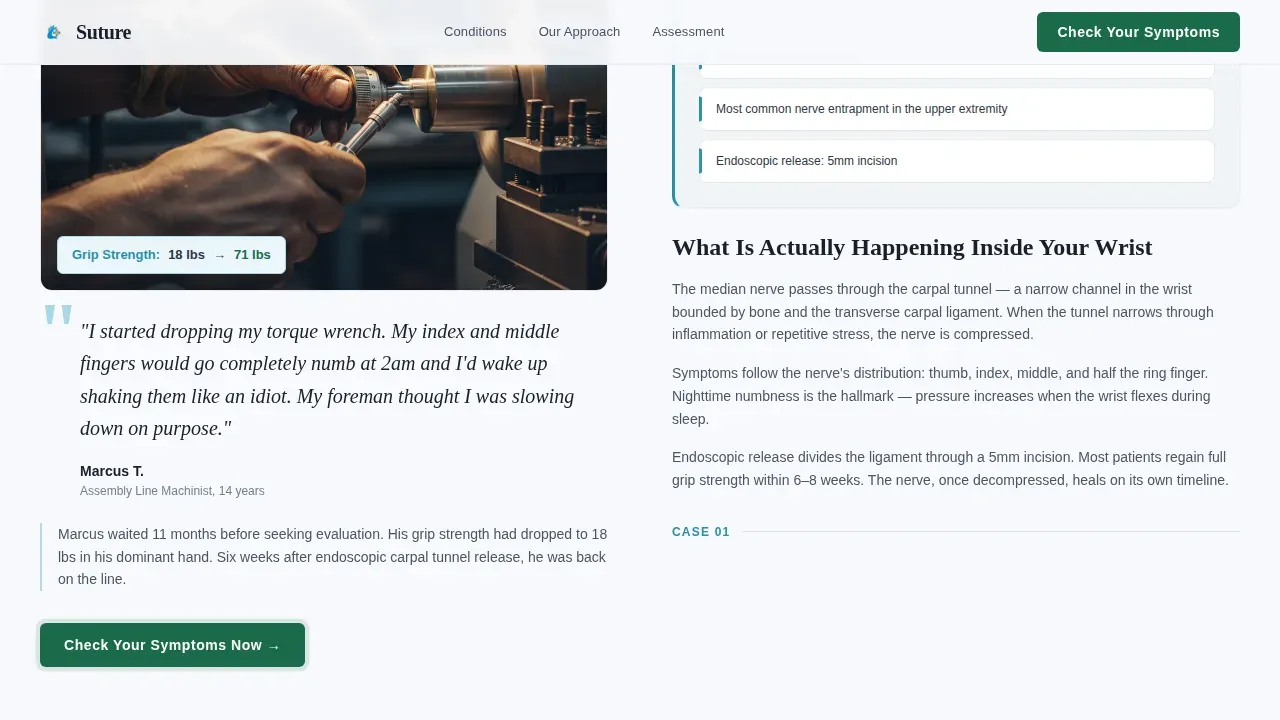
Three alternating layout blocks create the core trust-building scroll. Each block places a patient story on one side and a clinical explanation panel on the other, then swaps sides in the next block. Patient tiles carry specific before-and-after grip strength or range-of-motion data, for example a machinist reporting grip strength improving from 12 lbs to 68 lbs after carpal tunnel surgery. The alternating placement keeps the eye moving and builds cumulative clinical evidence as the visitor scrolls. This approach reflects the established principle that patient testimonials focusing on a surgeon's precision and care are among the most effective trust signals in healthcare.
Five-Step Inline Assessment Module
The assessment is the functional centerpiece of this template. It opens as an inline component directly on the page, with no redirect or popup. Step one presents a clickable hand diagram where the patient selects which fingers are affected. Step two uses a range slider to capture symptom duration. Step three asks the patient to identify pain type from options including sharp, aching, numb, and tingling. Step four offers a dropdown of specific daily tasks affected, such as gripping a jar, typing, or turning a key. Step five asks whether imaging has already been completed. Each answer narrows the likely condition in real time, displayed as an alpine blue progress bar that fills with an evergreen accent as the assessment advances.
Preliminary Assessment Result and Booking Flow
On completing the assessment, the patient receives a screen-displayed preliminary result, for example: "Your symptoms are consistent with carpal tunnel syndrome." This result is followed immediately by a secondary call to action and a calendar picker showing next available consultation slots. The process removes the phone tree entirely. Specialized, precise surgical practices benefit from this approach because patients who arrive at a consultation already informed tend to have more productive first appointments and clearer treatment plans.
Alpine Fresh Corporate Precision Design System
The entire template is built on a four-color Alpine Fresh palette. Clinical snow white (#F7F9FC) dominates all backgrounds. Surgical steel (#4A5568) carries all body text with quiet authority. Alpine lake blue (#2B8EAD) marks section transitions, diagnostic callouts, and the assessment progress bar. Evergreen (#1B6B4A) is reserved exclusively for interactive elements: buttons, active states, and progress indicators. Typography pairs Fraunces for the hero headline with DM Sans for all interface labels, form elements, and body copy. The consistency of this system across every section creates a high-level visual organization that communicates clinical competence before a single word is read.
Scroll-Triggered Animation System
Each zigzag section enters the viewport through a staggered reveal animation triggered by scroll position. The assessment progress bar animates in real time as the patient answers each question. These medium-weight animations are purposeful: they guide attention without distracting from the clinical content. The goal is to create the feeling the brief describes as "the moment a surgeon snaps on a sterile glove, calm, deliberate, and so steady it slows your own breathing."
Page sections overview
| Section | Purpose |
|---|---|
| Hero Headline | Anchor patient attention and launch the symptom assessment |
| Zigzag Mosaic 1 | Pair machinist carpal tunnel story with median nerve diagram |
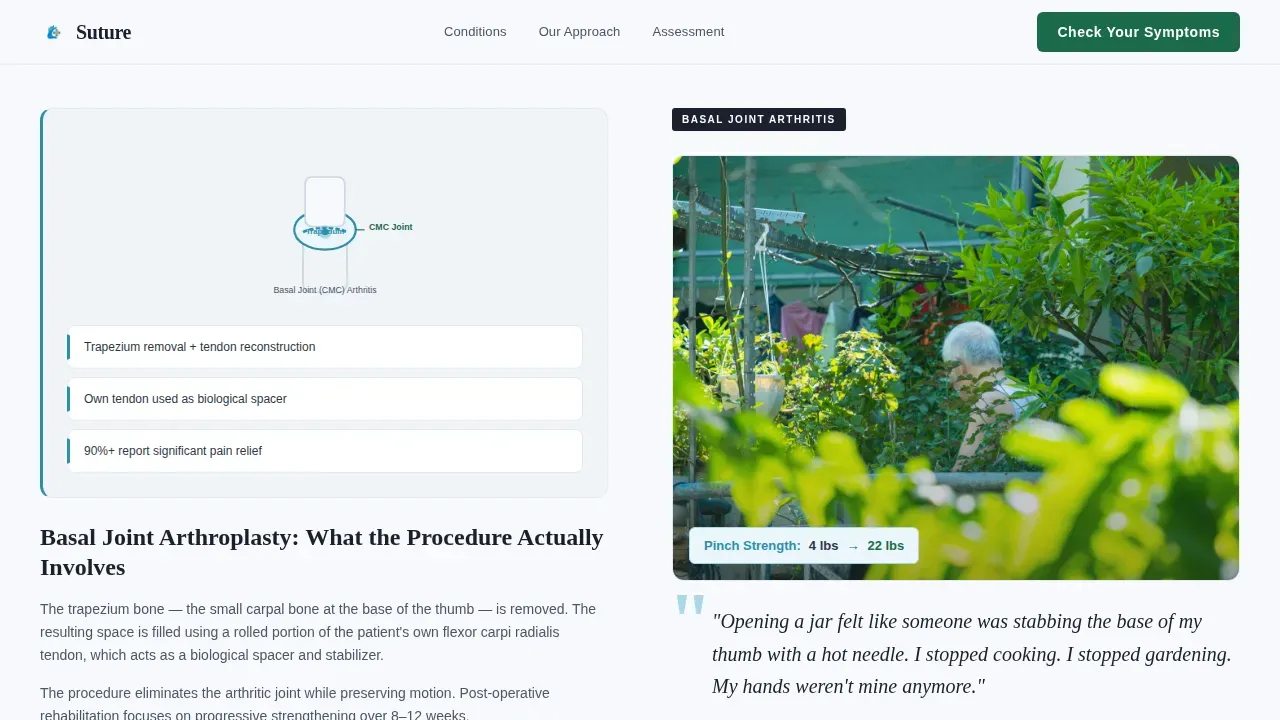
| Zigzag Mosaic 2 | Pair grandmother basal joint outcome with grip strength data |
| Zigzag Mosaic 3 | Pair pianist Dupuytren's story with finger anatomy callout |
| Assessment Module | Five-step inline funnel delivering preliminary condition result |
| Booking Calendar | Direct slot selection after assessment completion |
| Footer Row | Single-row linear footer with practice contact references |
Design & branding system
The Suture template uses a Corporate Precision theme with the Alpine Fresh color system. The design language is deliberately clinical: white dominates like pressed linen, steel text carries quiet authority, and the two accent colors appear only where action or attention is needed. This approach mirrors the visual language of a Swiss operating theater, cold air and warm competence, where everything is sterilized and placed exactly where it belongs.
- The four-color Alpine Fresh palette uses clinical snow white for backgrounds, surgical steel for body copy, alpine lake blue for transitions and callouts, and evergreen for all interactive elements including buttons and assessment progress indicators
- Fraunces serif is used for the hero headline to deliver gravitas and trust; DM Sans handles all interface labels, form text, and body paragraphs for clean legibility across every device
- Highlighting the surgeon's credentials, board certifications, and specialized training is built into the design system through clinical callout panels and testimonial tile layouts that display outcome data alongside patient stories
Mobile & speed optimization
The Suture template is built desktop-first, reflecting the reality that medical research and condition evaluation tend to happen on larger screens, while the actual booking step often happens on a mobile device. The layout adapts carefully across breakpoints to ensure the assessment module, calendar picker, and zigzag mosaic remain fully functional on every device.
- Static sections are structured as server-rendered components, keeping background content lean and fast; the interactive assessment module loads as a client-side island, isolating interactivity without slowing the full page
- All call-to-action buttons are sized and spaced to be easily tappable on mobile screens, following the principle that large, clearly clickable buttons are essential for healthcare booking on small devices
- Images are included at 7 to 15 placements across the page, with the zigzag mosaic anatomy diagrams and patient result screens optimized to keep the page loading quickly and avoiding high bounce rates
How this template helps you convert
An effective hand surgery landing page must blend high-trust medical credibility with clear, action-oriented, patient-focused content. The Suture template is built on that principle at every level, from the hero headline to the post-assessment calendar.
- The assessment funnel earns the booking by delivering value first. A patient who receives a preliminary result aligned with their wrist or finger symptoms is far more likely to schedule a consultation than one who lands on a generic contact form. The template gives patients something useful before asking for their time.
- The zigzag testimonial mosaic builds evidence incrementally. Each section adds another data point: a grip strength recovery range, a clinical procedure description, a named patient outcome. By the third mosaic block, the visitor has enough data to evaluate the practice's track record and make an informed decision about booking.
- The calendar picker at the assessment conclusion removes every remaining barrier. The patient does not need to call, navigate a phone tree, or wait for a callback. They can plan their consultation slot directly, confirm their preferences for appointment type, and complete the booking in the same session they discovered the practice.
Other information about this template
The Suture template is positioned as the suture precision hand surgery appointment booking landing page template for private practices that treat complex hand and wrist conditions. It reflects the understanding that patients arriving at a hand surgery consultation deserve to feel informed, not overwhelmed.
- Users can create surgery reservation forms and consultation note structures directly within the template layout, streamlining the appointment booking process without external tools
- Online tools embedded in this template facilitate the creation of a patient-facing booking flow that covers the full journey from symptom check to confirmed slot, addressing the importance of reducing friction at every step
- The assessment data collected through the five-step funnel can help the practice and its clinical organization prepare for each patient visit with greater accuracy, since responses to questions about pain type, affected fingers, wrist involvement, imaging history, and daily task limitations give the clinical team useful context before the first appointment
- The template's layout accommodates legal and compliance references in the footer row, giving the practice space to display necessary legal notices, privacy references, and compliance statements required for healthcare services
- Costs and risks associated with hand surgery procedures are topics patients commonly research before booking. The clinical explanation panels in the zigzag mosaic sections provide a space to address those concerns directly and honestly, with references to recovery timelines and procedure descriptions in plain language alongside medical terminology
- The template is designed to be easily customize by the practice or its web team: colors, typefaces, section copy, assessment questions, and condition labels can all be updated to match the specific services, cases, and patient population of the individual practice
- Hospital-affiliated practices and independent clinics alike can adapt this template to their organization's brand standards while preserving the conversion structure and the clinical credibility the layout is built to deliver
- The foundation of the template's conversion logic is feedback from the patient themselves through the assessment. That feedback loop gives the practice data, gives the patient clarity, and gives the booking calendar a reason to exist
- Students of healthcare interface design and professionals building similar tools will find the template's client-island architecture for the interactive assessment module a practical model for separating static and interactive content in medical practice websites
- Additionally, the template's alternating section structure supports an array of hand conditions beyond those illustrated in the default mosaic, including trigger finger, pulley injuries, metacarpal reconstruction, and tendon reattachment procedures
Theme
Corporate Precision
Creative direction
Testimonial Mosaic
Color system
Alpine Fresh
Style
Zigzag/Alternating
Direction
Quiz/Assessment
Page Sections
Giant Headline Hero with Assessment Call to Action
Zigzag Testimonial Mosaic Layout
Five-step Inline Symptom Assessment
Preliminary Result and Direct Booking Flow
Alpine Fresh Corporate Precision Design System
Scroll-triggered Staggered Animations
Related questions
Can I update the assessment questions to match my practice's specific conditions?
Does this template support mobile booking?
How does the zigzag testimonial mosaic section work?
What happens after a patient completes the symptom assessment?
Can this template be adapted for a hospital-affiliated hand surgery department?



