Hand Surgery Landing Page Template
Suture is a single-column landing page built for hand surgery practices. It uses an education-first, FAQ-driven layout to guide anxious patients from symptom recognition to a booked consultation. Six condition-focused question sections, animated anatomical illustrations, a sticky booking call to action, and a three-field inline form work together to turn late-night searches into confirmed appointments.
by Rocket studio
Quick summary
Suture is a hand surgery condition and treatment library landing page. It leads with editorial typography, answers real patient questions in plain language, and closes with a low-friction booking form. The design pairs clinical credibility with genuine warmth, so patients who arrive confused and anxious leave feeling ready to book a consultation.
Who this template is for
This template is built for hand surgery practices that want to attract and convert patients through clear, honest education rather than clinical jargon. It suits solo surgeons, small specialty groups, and hand therapy clinics ready to replace generic practice websites with something that actively earns patient trust.
- Hand surgeons and upper-extremity specialists seeking a patient-facing condition library
- Hand therapy clinics that want to guide patients from symptom search to scheduled care
- Medical practice managers looking for a conversion-focused alternative to standard healthcare landing pages
What problem this template solves
Patients searching for hand surgery help are often scared, unsure of their diagnosis, and overwhelmed by medical language. Most practice websites answer none of their real questions. Suture fixes that gap by leading with the questions patients are already asking, then answering them in plain, reassuring prose before asking for a booking.
- Patients leave generic practice sites without booking because they still don't understand their condition
- Anxiety about surgery keeps people searching instead of acting; an education-first flow removes that hesitation
- Visitors searching late at night on a phone need fast, trustworthy answers and a frictionless path to schedule
What you get with this template
Suture delivers a fully structured, single-column landing page with every section pre-built for a hand surgery practice. The layout moves a visitor logically from curiosity to confidence to commitment, with built-in booking touchpoints along the way.
- A hero section, six FAQ condition blocks, a treatment paths section, patient outcome testimonials, and an inline booking form
- A sticky bottom call to action that persists after the first scroll, keeping the booking option always in reach
- A secondary symptom checker path that captures early-funnel visitors and routes them to the same booking form with a condition pre-selected
Feature list
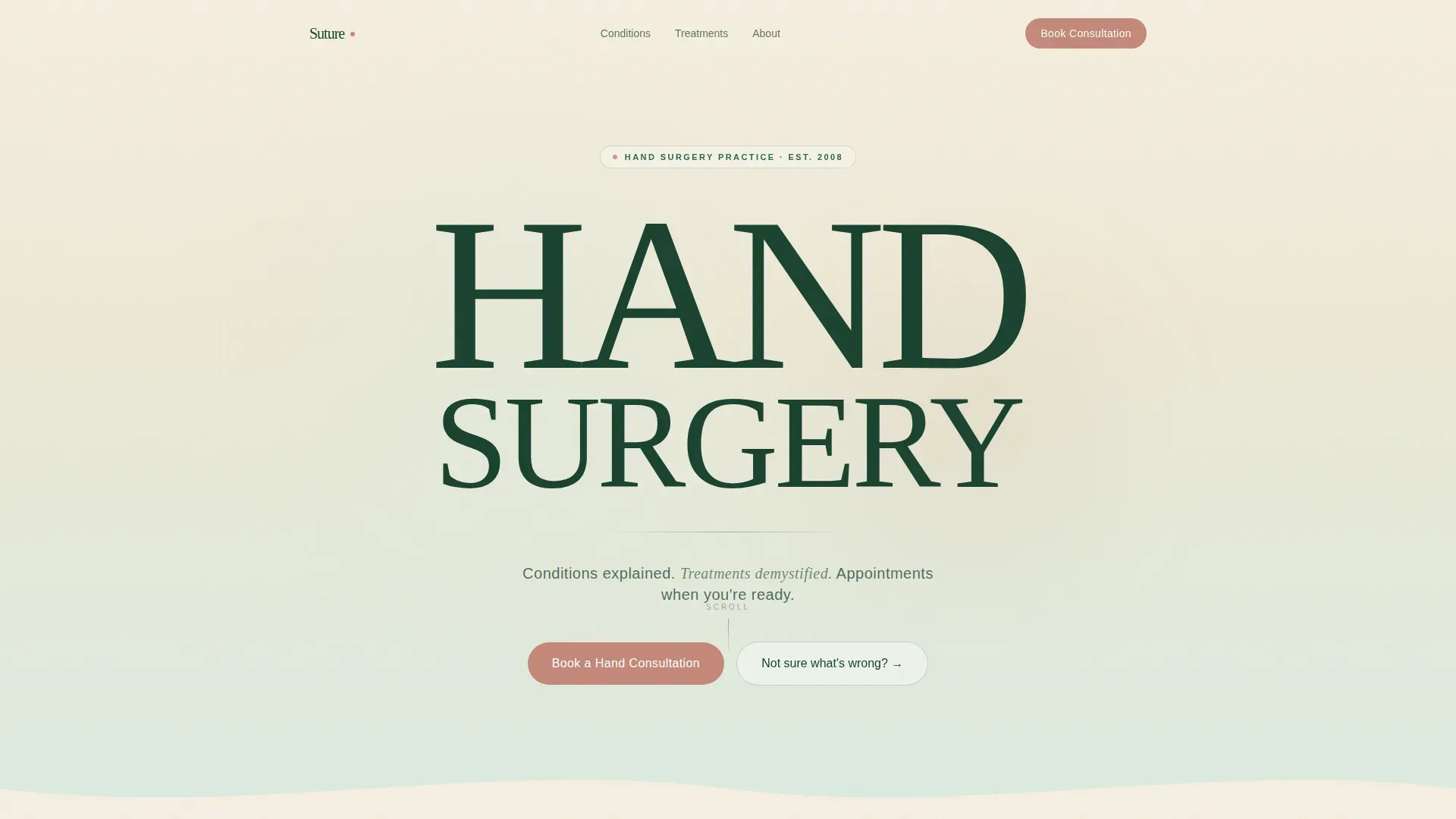
Stacked Type Tower Hero
The hero uses enormous Fraunces serif type to set "HAND" and "SURGERY" as visual architecture. A single tagline line in DM Sans sits below. The background drifts from warm birch at the top to pale sage at the bottom, giving the stillness of the text a sense of living depth with no competing imagery.
FAQ-Driven Condition Sections
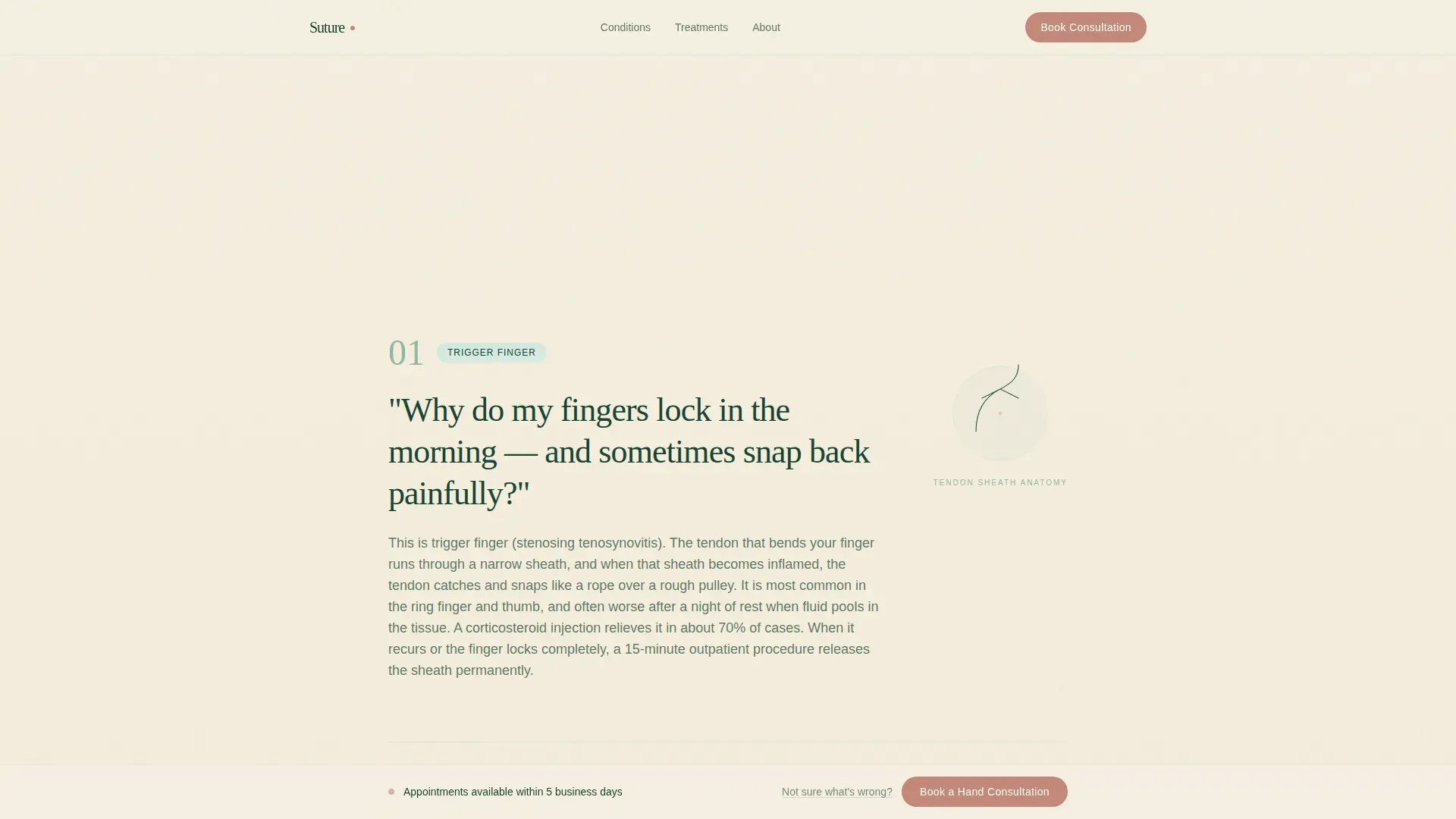
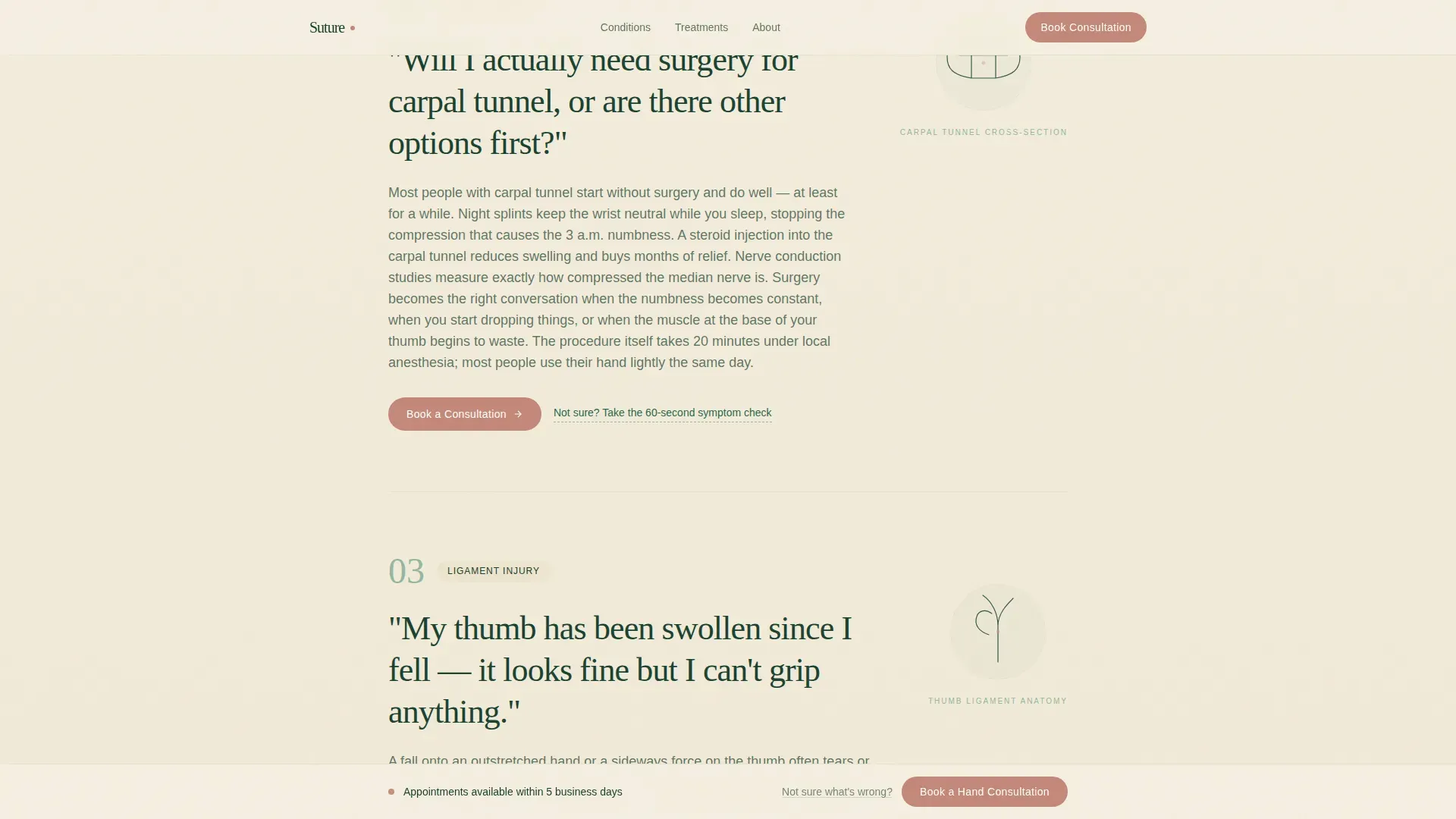
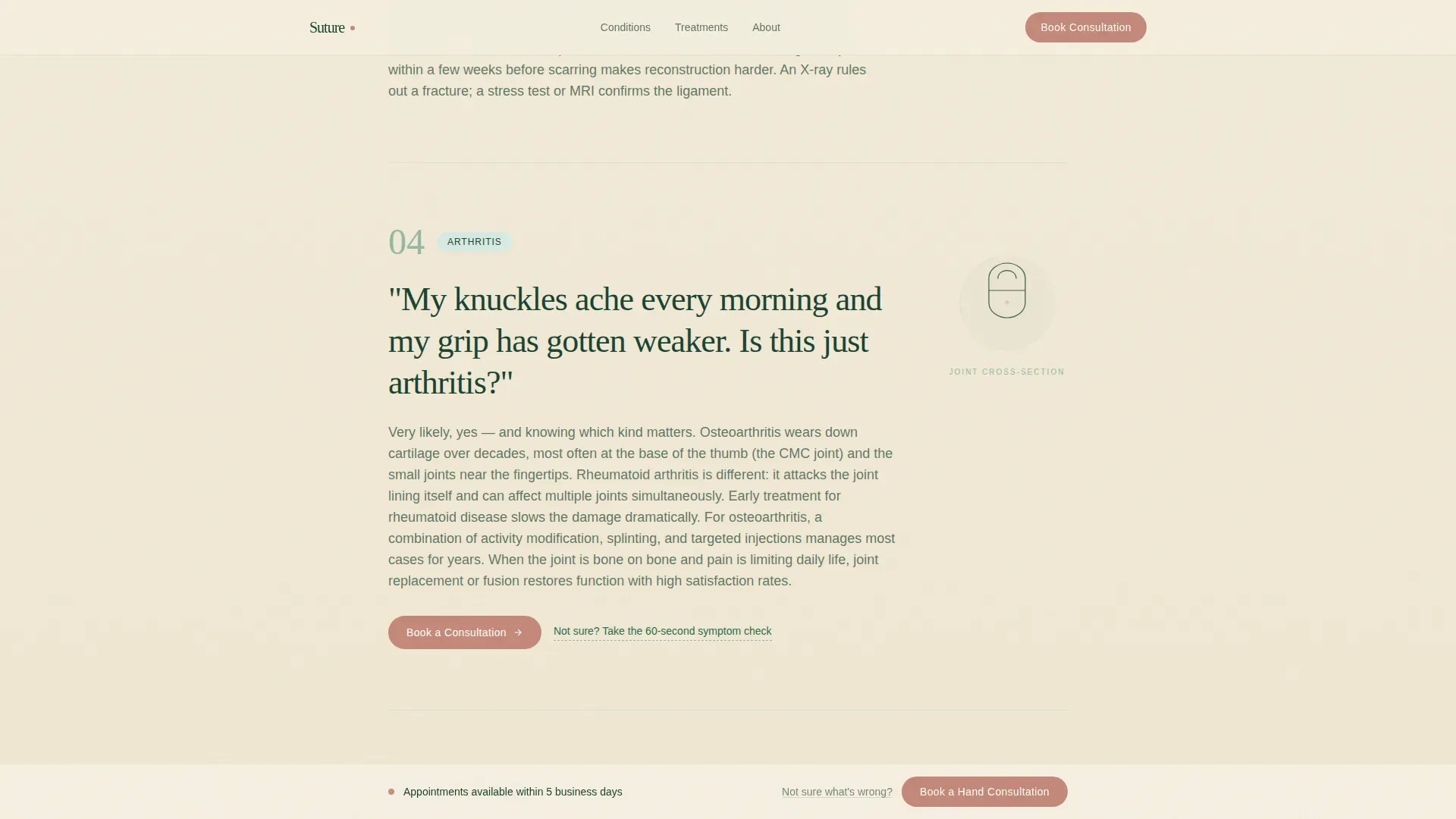
Six scroll sections each open with a real patient question in large, conversational type. The answer unfolds in clear prose below, paired with a small anatomical line illustration that animates on scroll. Every third question ends with a contextual booking prompt so the visitor never needs to scroll back up to act.
Treatment Paths Bento Layout
An asymmetric bento block presents conservative and surgical treatment options side by side. Patients can see both paths clearly before deciding whether to book, reducing the fear that a consultation automatically means an operation.
Patient Outcomes Testimonials
A horizontal-scroll testimonials section presents real recovery stories with specific outcome details and recovery timelines. This social proof section reinforces trust at the moment a visitor is closest to booking.
Inline Three-Field Booking Form
The booking form asks exactly three questions: which hand concern brought the visitor here (a dropdown matching the FAQ condition sections), preferred appointment window (morning, afternoon, or first available), and a phone number for confirmation. The form is embedded inline so patients can book without leaving the page.
Sticky Booking Call to Action
After the first scroll, a clay rose "Book a Hand Consultation" button pins gently to the bottom of the viewport. It stays visible throughout the entire page experience without blocking content, giving every visitor a persistent, low-pressure path to act.
Page sections overview
| Section | Purpose |
|---|---|
| Hero Type Tower | Establishes the practice with bold, trust-building editorial typography |
| FAQ Condition Blocks | Answers six real patient questions with illustrated, plain-language explanations |
| Treatment Paths Bento | Compares conservative and surgical options in a clear, side-by-side layout |
| Patient Outcomes Testimonials | Builds confidence with specific recovery stories and timelines |
| Inline Booking Form | Converts visitors with a three-field form and symptom checker entry path |
| Footer Row | Closes with a clean single-row linear footer |
Design & branding system
The visual identity follows a Forest Trust color system paired with a Soft Gradient theme. The palette feels clinical and warm at the same time, like a sunlit waiting room with living plants on the sill and linen on the chairs. Typography uses Fraunces for headlines and DM Sans for body text throughout.
- Colors: deep evergreen (#1B4332) for primary text, sage mist (#95B8A2) for mid-tones, warm birch (#F5EFE0) for backgrounds, and clay rose (#C4897A) reserved exclusively for buttons and active states
- Backgrounds drift between birch and sage in slow vertical gradients, giving each section a sense of gentle movement without distraction
- Clay rose appears only where a decision is asked for, warm enough to tap without hesitation, never used decoratively
Mobile & speed optimization
The template is built mobile-first, reflecting the reality that most hand pain patients search at odd hours on a phone. The single-column flow stacks cleanly on small screens without horizontal scrolling or layout breakage.
- Scroll-linked SVG illustrations and staggered FAQ reveals use medium-weight animation that stays smooth on mobile devices
- Server Components handle static content sections, keeping JavaScript load minimal so the page feels fast even on slower connections
- The sticky booking button and inline form are both sized and spaced for comfortable one-handed thumb use on a phone
How this template helps you convert
Every design decision in this template is oriented toward one outcome: turning a confused, anxious visitor into a booked patient. The layout removes friction at every step and keeps the booking option visible from the moment a visitor starts scrolling.
- The FAQ-driven structure meets patients at their actual question and walks them naturally toward treatment, so they arrive at the booking form already informed and reassured rather than still uncertain.
- Contextual booking prompts appear every three FAQ sections and the sticky call to action persists throughout, meaning the path to schedule is never more than one tap away regardless of where on the page a visitor is reading.
- The symptom checker secondary path captures visitors who are not yet sure what is wrong with their hand, routes them through a guided dropdown, and delivers them to the same booking form with their concern pre-selected, so no early-funnel visitor is lost.
Other information about this template
This template is part of a Health and Medical category and is specifically matched to the Hand Surgeon Website subcategory and Hand Surgeon Condition and Treatment Library niche. It is localized for English-language audiences, uses United States date format, and is priced in USD where applicable.
- The template style is Single Column Flow, making it straightforward to adapt the condition FAQ blocks to feature different diagnoses such as carpal tunnel syndrome, trigger finger, or arthritis
- The creative direction is FAQ-Driven, the header concept is Stacked Type Tower, and the landing page direction is Booking and Scheduling, all confirmed intersection context fields for this template
- The Forest Trust color system and Soft Gradient theme are locked design decisions built into the template, but all hex values and typefaces can be adjusted to match an individual practice's existing brand identity
Theme
Soft Gradient
Creative direction
FAQ-Driven
Color system
Forest Trust
Style
Single Column Flow
Direction
Booking/Scheduling
Page Sections
Stacked Type Tower Hero
Faq-driven Condition Sections
Treatment Paths Bento Layout
Sticky Booking Call to Action
Inline Three-field Booking Form
Patient Outcomes Testimonials
Related questions
Can I change the conditions covered in the FAQ sections?
Does this template include the booking form logic?
Is the sticky call-to-action button included in the template?
Can a non-surgical hand therapy practice use this template?
How many patient testimonials can the outcomes section hold?



