Specialist LGBTQ+-Owned Business Portfolio & Case Study Website Template
Swatch is a gallery-and-detail landing page for an LGBTQ+-owned inclusive beauty brand. Built around a Soft Gradient visual identity in lavender, lilac, and warm nude tones, it organizes products into three mood-led collections, supports a guided kit-building quiz, and drives sales through per-card checkout and a sticky floating cart.
by Rocket studio
Quick summary
Swatch is a single-page beauty landing page designed for an inclusive, LGBTQ+-owned cosmetics brand. It organizes products by mood into three named collections, expands product cards into rich detail panels, and guides shoppers toward purchase through an "Add to Bag" flow, a three-question kit quiz, and a free-shipping progress bar inside the cart drawer.
Who this template is for
This template is built for beauty founders who reject gendered product categories and need a storefront that reflects that belief visually and functionally.
- Indie beauty brand owners selling lipsticks, balms, liners, and setting sprays to a gender-inclusive audience
- Drag performers, non-binary shoppers, and gift-buyers who need pigment-strong, occasion-ready products presented without assumptions
- LGBTQ+-owned small businesses launching or refreshing their first dedicated product landing page
What problem this template solves
Most beauty e-commerce layouts force products into gendered categories that alienate a wide range of shoppers. Swatch removes that friction by organizing inventory around mood and moment instead.
- Generic product grids give every item equal visual weight, making it hard to guide a first-time buyer toward the right place to start
- Shoppers who are new to building a makeup kit often leave without buying because they feel lost, not because they lack interest
- Standard checkout layouts treat every visitor as already decided, missing the large segment who need a little guidance before they commit
What you get with this template
You get a fully structured, mood-led beauty landing page with a curated scroll experience, expandable product detail panels, a personalized kit quiz, and a cart drawer with a visual shipping incentive.
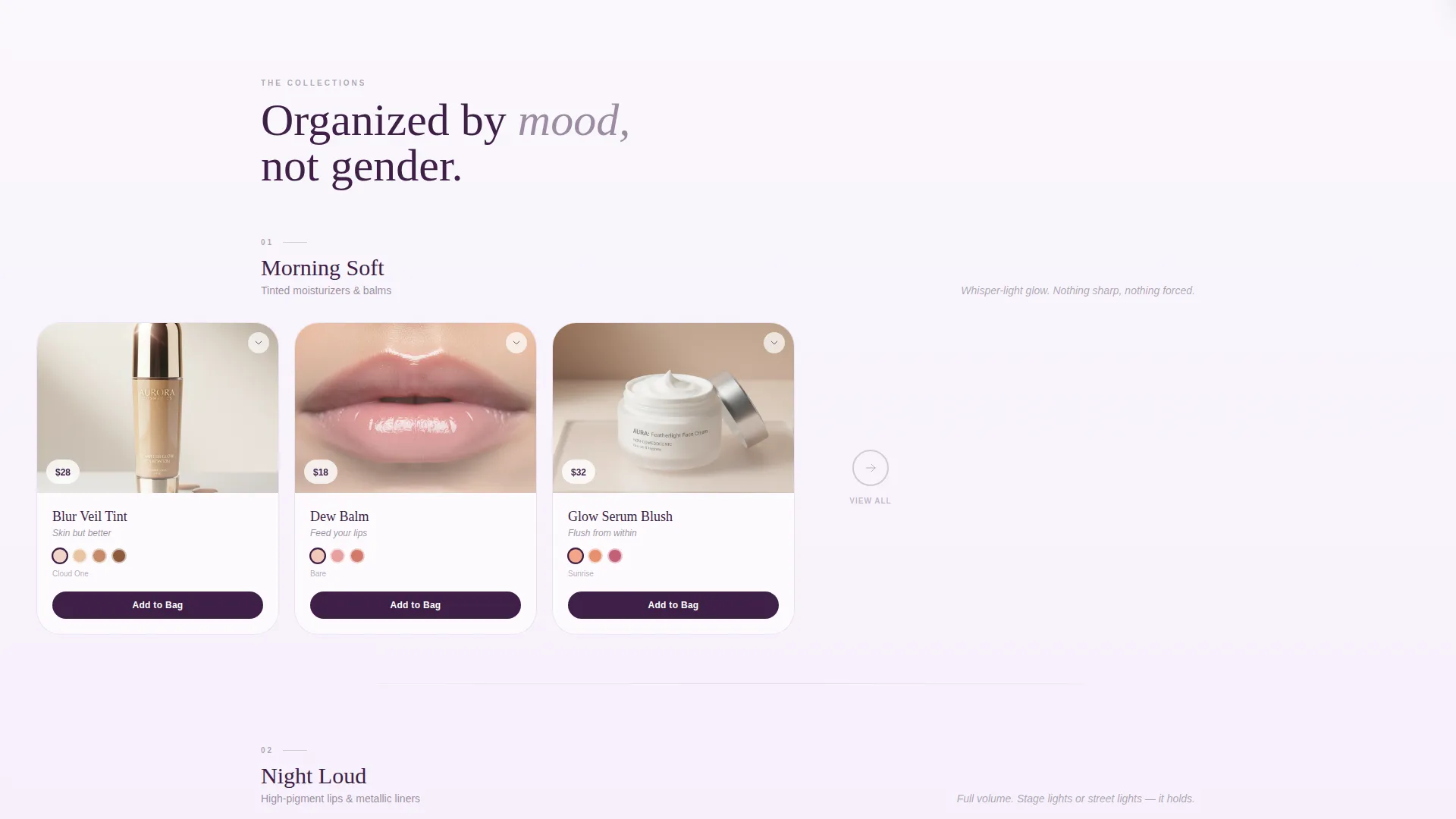
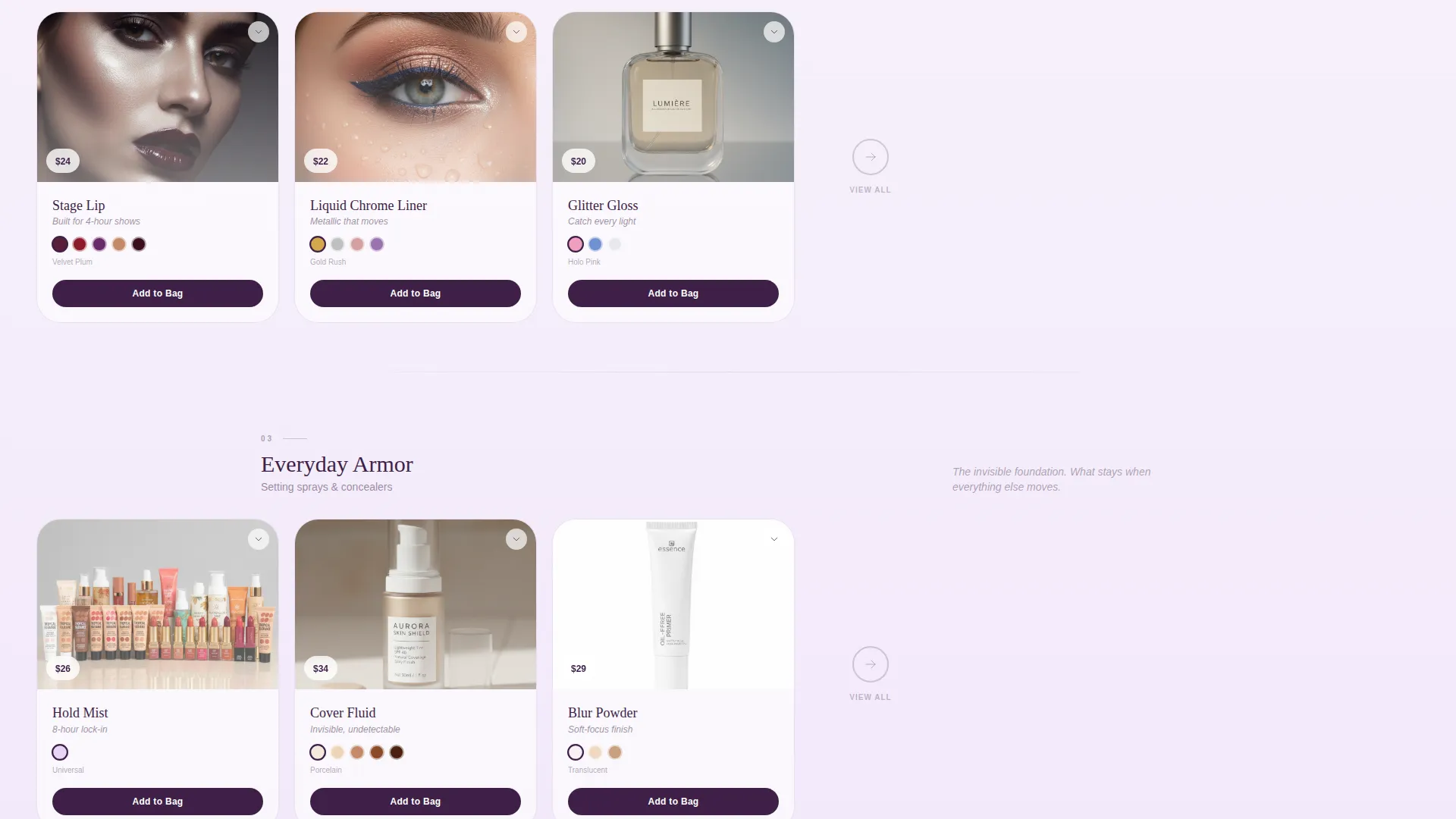
- Three named collection rows: "Morning Soft," "Night Loud," and "Everyday Armor," each presented as a horizontal gallery of product cards
- Expandable detail panels per card showing ingredient callouts, application video loops on diverse faces, and pulsing shade-match swatches on hover
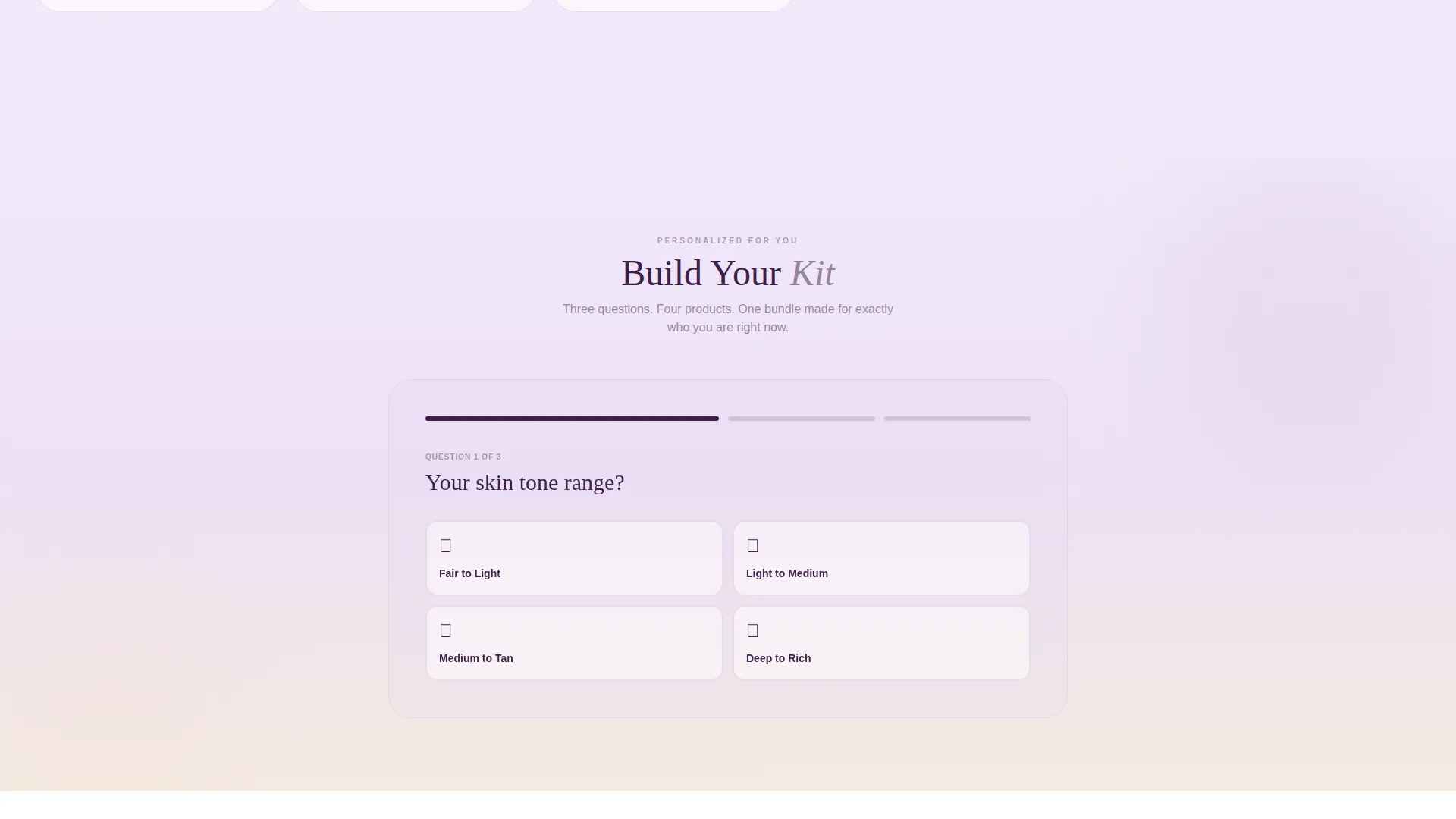
- A "Build Your Kit" quiz with three questions outputting a four-product personalized bundle with a combined price display
Feature list
This section highlights the core functional and design capabilities built into the Swatch template.
Mood-Led Collection Rows
Three horizontal gallery rows organize products by emotional register rather than product type. "Morning Soft" leads with tinted moisturizers and balms. "Night Loud" follows with high-pigment lips and metallic liners. "Everyday Armor" closes with setting sprays and concealers. The scroll rhythm moves from whisper to full volume deliberately.
Expandable Product Detail Panels
Clicking any product card opens a detail panel in place. Each panel surfaces ingredient callouts, application video loops filmed on diverse skin tones, and shade-match swatches that pulse gently on hover. Shoppers get the context they need without leaving the page.
Per-Card Add to Bag Buttons
Every product card carries its own deep-plum "Add to Bag" button. Shoppers can act on any item the moment it catches their eye, without navigating to a separate product page first.
Sticky Floating Mini-Cart
A mini-cart icon floats persistently at the top right of the page and shows a live item count. Clicking it opens the cart drawer, keeping the purchase path always one tap away.
Build Your Kit Quiz
A guided three-question quiz asks about skin tone range, current vibe, and occasion. It outputs a personalized four-product bundle with a single combined price, making it easy for first-time buyers to commit with confidence.
Free-Shipping Progress Bar
Inside the cart drawer, a soft gradient progress bar shows how close the shopper is to the free shipping threshold. It turns every "Add to Bag" moment into a small, satisfying act of completion.
Page sections overview
| Section | Purpose |
|---|---|
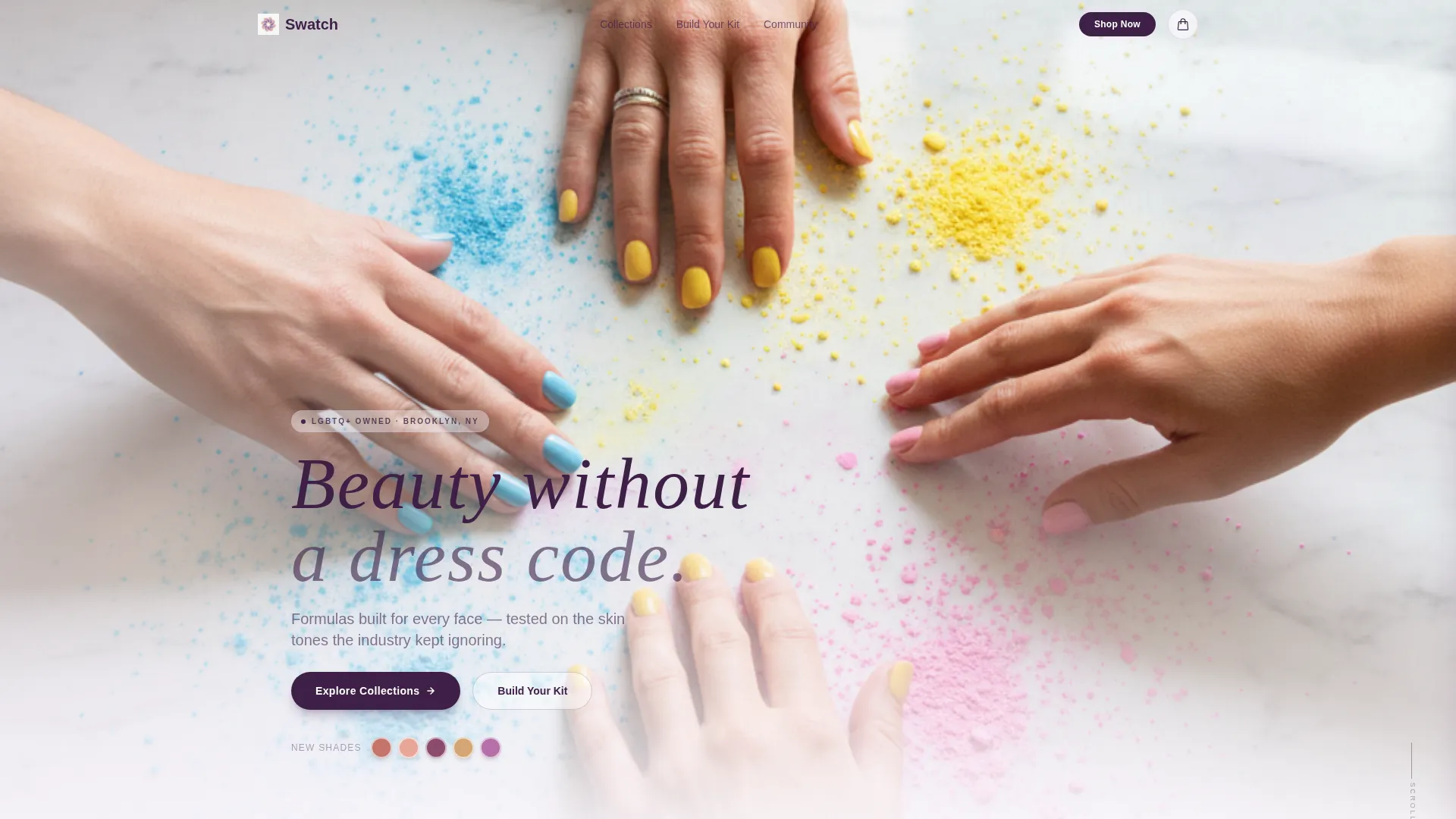
| Full-Bleed Header | Sets the editorial tone with a warm, multi-hand photo and the tagline "Beauty without a dress code" |
| Morning Soft Row | Introduces tinted moisturizers and balms in a horizontal card gallery |
| Night Loud Row | Showcases high-pigment lip products and metallic liners with bold visual energy |
| Everyday Armor Row | Presents setting sprays and concealers as the grounding, practical layer |
| Product Detail Panel | Expands on click to show ingredients, video loops, and shade swatches |
| Build Your Kit | Three-question quiz outputting a personalized four-product bundle |
| Sticky Cart Drawer | Floating cart icon with item count and free-shipping progress bar |
Design & branding system
The visual identity uses a Soft Gradient theme built around the Lavender Dream color system. Every color transition is deliberate and fluid, like watercolor bleeding across wet paper.
- Pale wisteria (#C3A6D8) and cloud lilac (#E8D5F5) form the gradient wash across backgrounds, with warm skin-nude (#F0DDD1) grounding each section
- Deep plum (#3E1F47) anchors all readable body text and interactive states, including the "Add to Bag" buttons
- Hover states bloom from lilac to wisteria, and section backgrounds shift in subtle gradient bands from top to bottom
Mobile & speed optimization
The layout is built to translate cleanly from a wide desktop scroll to a single-column mobile experience without losing the mood-led structure.
- Horizontal collection rows reflow into vertical card stacks on smaller screens, keeping the gallery rhythm intact
- The sticky mini-cart and floating quiz entry point remain accessible at all viewport sizes
How this template helps you convert
The Swatch template removes every common obstacle between a curious visitor and a completed purchase by combining editorial inspiration with direct transactional paths.
- The mood-based collection structure helps undecided shoppers self-identify quickly, reducing the overwhelm that causes first-time buyers to bounce before adding anything to their cart
- The "Build Your Kit" quiz converts browsers into committed buyers by packaging four complementary products into one clear, personalized decision rather than four separate ones
- The free-shipping progress bar inside the cart drawer uses the psychology of near-completion to encourage shoppers to add one more item rather than check out short of the threshold
Other information about this template
Swatch was designed with the Curated Collection creative direction and a Scroll Reveal progressive template style. These choices shape how the page behaves as a visitor scrolls deeper.
- The header concept uses a full-bleed editorial photo rather than a price-anchored hero, prioritizing brand identity and emotional connection over immediate promotional messaging
- The landing page is categorized under Retail and E-Commerce with a subcategory focus on LGBTQ+-owned businesses, making it well-suited for brands that lead with values as much as products
- The Intersection Match Score for this template is 9 out of 10, reflecting a strong alignment between the creative direction, the audience profile, and the conversion layout
- Application video loops shown inside product detail panels are filmed on diverse skin tones, directly supporting the brand's founding mission of testing every shade across the full range of complexions
Theme
Soft Gradient
Creative direction
Curated Collection
Color system
Ink & Paper
Style
Scroll Reveal (Progressive)
Direction
Marketplace/Multi
Page Sections
Mood-led Collection Gallery Rows
Expandable Product Detail Panels
Build Your Kit Guided Quiz
Per-card Add to Bag Buttons
Sticky Mini-cart with Live Count
Full-bleed Editorial Header
Related questions
Can I change the collection names and product categories?
How does the Build Your Kit quiz work?
Is the sticky cart accessible on mobile devices?
Can I add more product cards to each collection row?
Does the template support video content inside product detail panels?



