Art School Marketing Comparison Website Template
Syllabus is a single-page Google Ads landing page template built for serious art schools. It leads with a bold comparison table, teaches visitors how to evaluate any program, and earns trust before asking for anything in return. Two focused lead capture forms and a secondary studio tour path make it practical for both cold and warm prospects.
by Rocket studio
Quick summary
Syllabus is a comparison table landing page designed for a brick-and-mortar art school targeting career-changers, portfolio builders, and serious students. The page teaches visitors how to evaluate any art school before asking them to choose this one. Two lightweight lead capture forms and a secondary call to action keep the conversion path clear and pressure-free.
Who this template is for
This template is built for art schools that serve ambitious, outcome-focused students. It speaks directly to people who need more than inspiration, they need a real educational decision-making framework.
- Career-changers building professional portfolios and looking for rigorous foundational training
- High school seniors preparing competitive applications for selective fine arts programs
- Mid-career creatives who want structured instruction they never received earlier in life
What problem this template solves
Most art school marketing pages make big promises but leave the hardest questions unanswered. Visitors arrive from a paid search ad wanting to compare real program details, and they leave when they find vague language instead of facts.
- Prospective students cannot easily compare curriculum structure, faculty ratios, or graduate outcomes across program types
- Competitors keep process details vague, which erodes trust and increases bounce rates on paid traffic
- Landing pages that only pitch without teaching feel manipulative to analytically minded prospects
What you get with this template
This template gives you a fully structured single-page layout built around radical transparency. Every section is designed to reduce friction and increase confidence before a visitor ever fills out a form.
- A flagship comparison table covering curriculum hours, faculty-to-student ratios, portfolio review frequency, and median graduate outcomes
- Two lead capture forms with first-name and email fields only, placed strategically at mid-page and page bottom
- A secondary "Book a Studio Tour" call to action for warmer prospects who are ready to visit in person
Feature list
This template is purpose-built around one core idea: the scroll is the education. Each feature below is grounded directly in the brief.
Giant Headline Left Layout
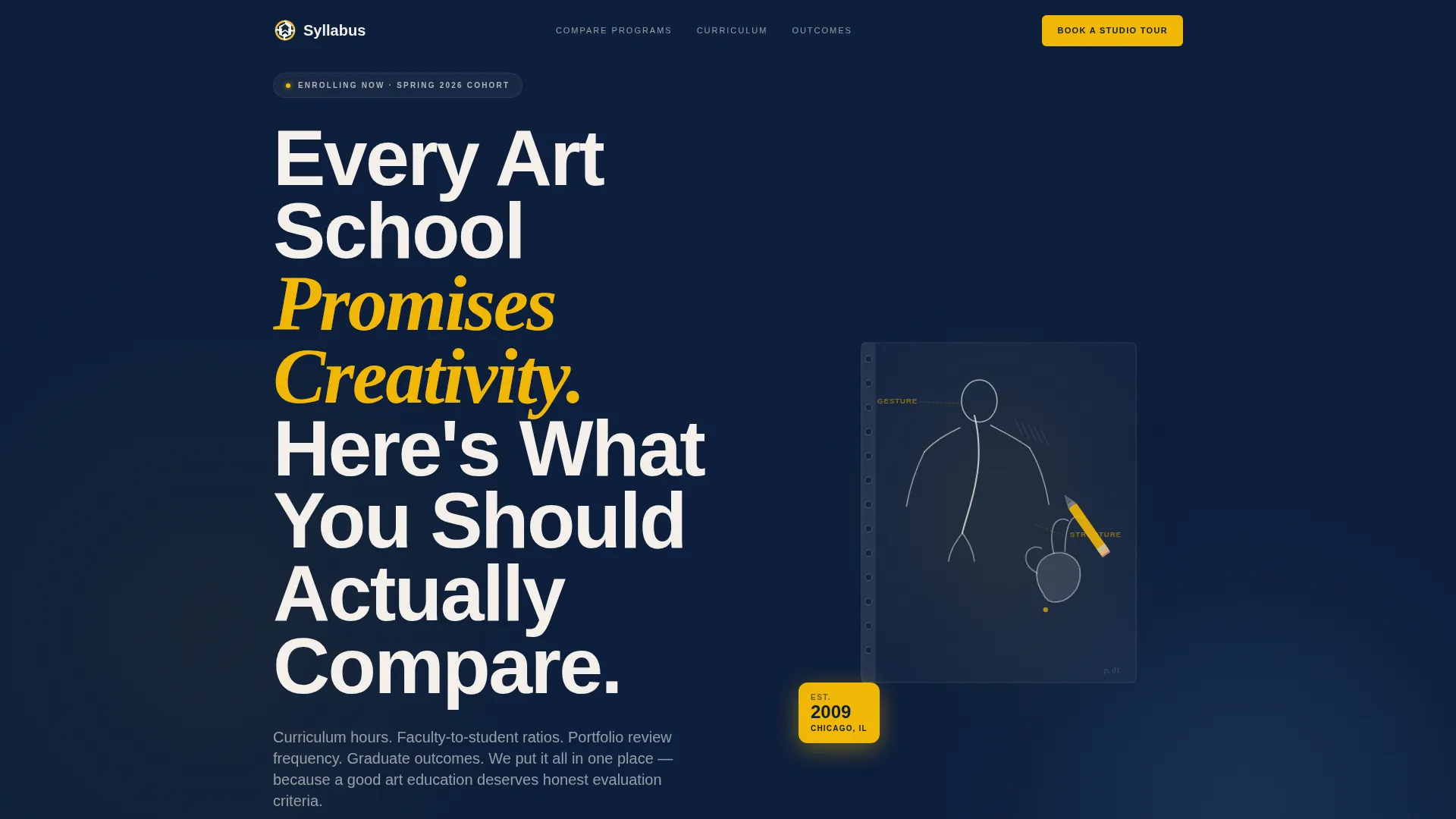
The header uses massive flush-left typography set in chalk white against deep navy. A right-column editorial sketch of a hand mid-gesture-drawing sits beside the headline, proving craft before a visitor reads a single word.
Transparent Comparison Table
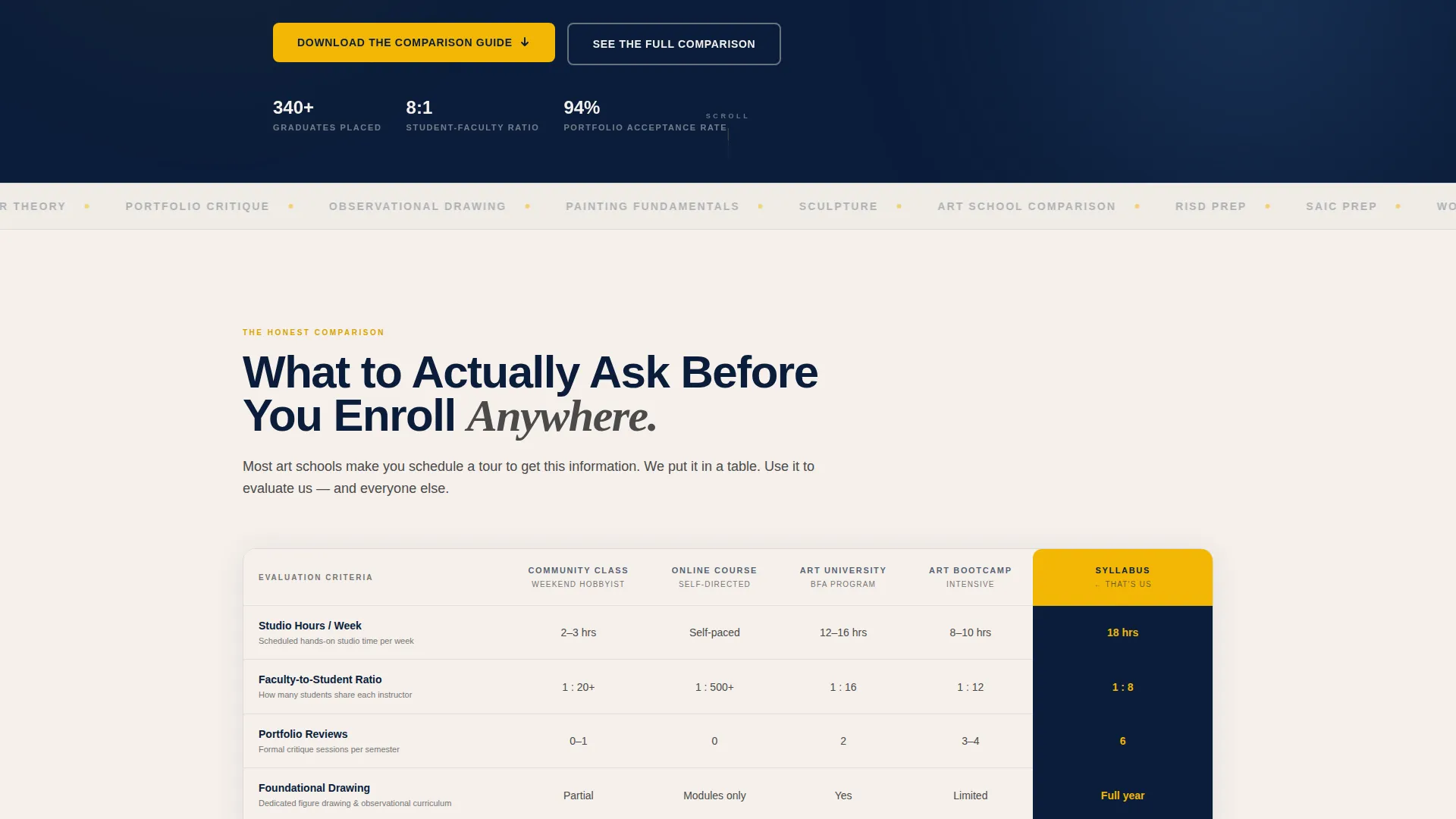
The flagship section breaks down program types across four concrete dimensions: curriculum hours, faculty-to-student ratios, portfolio review frequency, and median graduate outcomes. Cadmium yellow accent cells highlight the most decision-relevant data points.
Section-by-Section Process Reveal
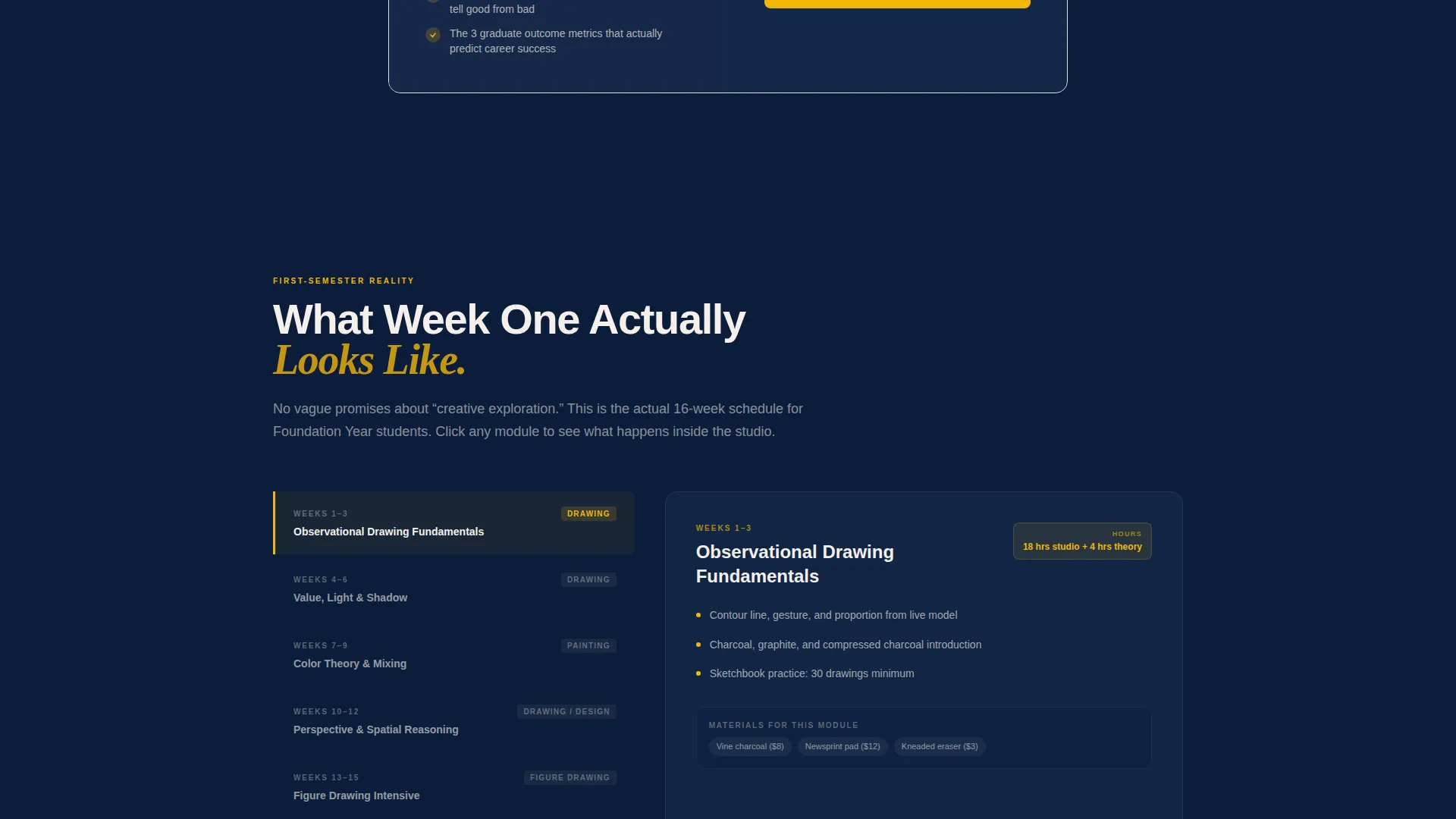
Each content section below the table peels back one layer of the program. First-semester schedules, critique formats, materials costs, and graduate placement are all shown openly. This structure builds trust through specificity rather than through sales language.
Dual Lead Capture Forms
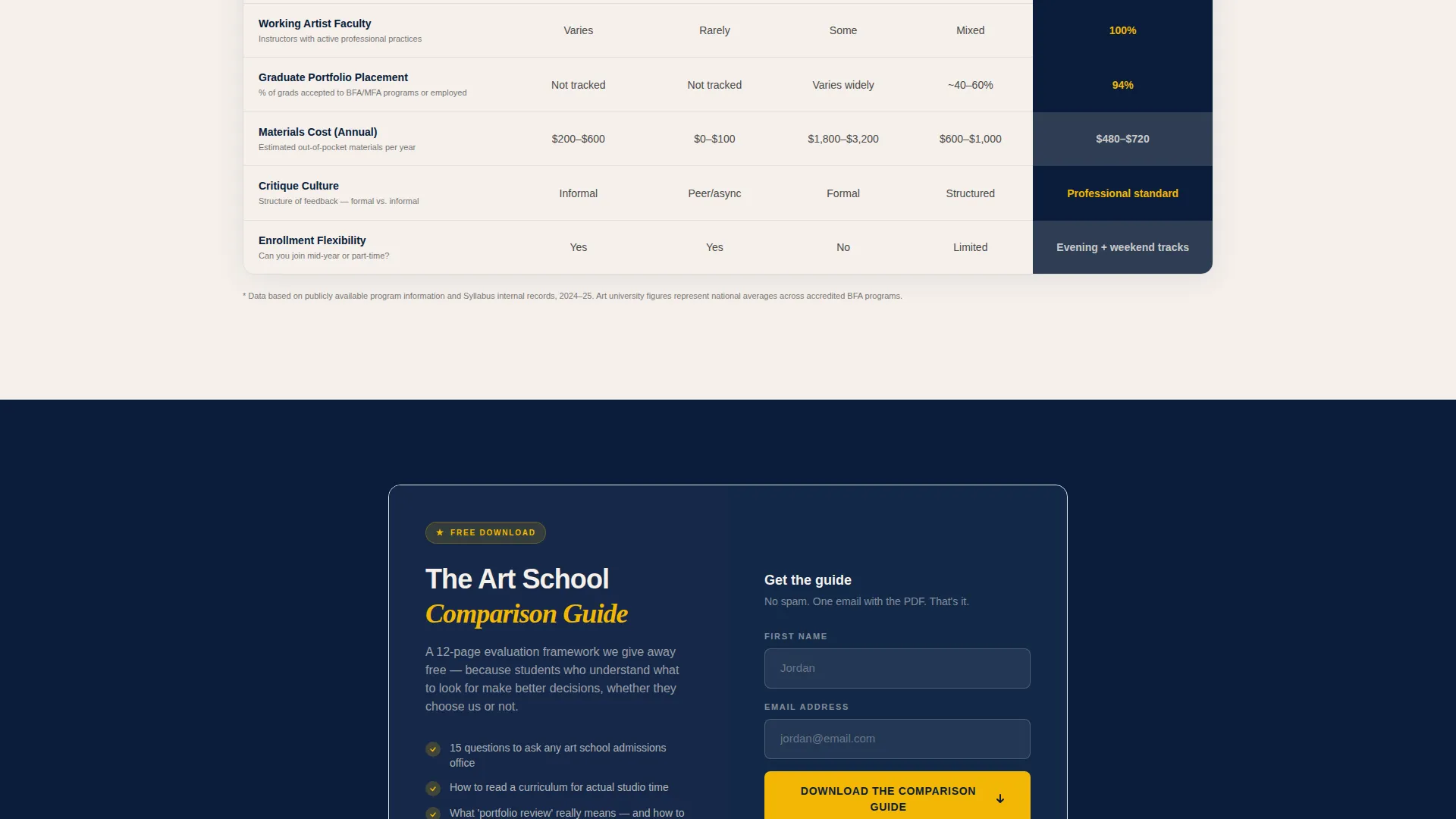
A lightweight form with only a first-name field and an email field appears twice: once directly beneath the comparison table and once at the very bottom of the page. The primary call to action is "Download the Art School Comparison Guide."
Secondary Studio Tour Path
A second call to action, "Book a Studio Tour," runs alongside the primary form offer. It gives warmer prospects a direct next step without competing with the guide download for visual attention.
Educational Guide Visual Theme
The Navy Authority color system and Educational Guide theme work together to give the page an institutional, trustworthy feel. The palette references a well-lit university studio rather than a generic agency template.
Page sections overview
| Section | Purpose |
|---|---|
| Hero Header | Introduce headline and editorial sketch |
| Comparison Table | Compare program types across key metrics |
| First-Semester Schedule | Show what real coursework looks like |
| Critique Format Explainer | Explain how student feedback sessions work |
| Materials Cost Breakdown | Set honest expectations on program costs |
| Graduate Outcomes Section | Share where program graduates actually land |
| Mid-Page Lead Form | Capture guide downloads after table |
| Studio Tour call to action | Convert warmer, visit-ready prospects |
| Page Bottom Form | Final guide download call to action |
Design & branding system
The visual identity follows an Educational Guide theme expressed through the Navy Authority color system. Every color choice reinforces institutional credibility and quiet confidence.
- Deep institutional navy (#0B1D3A) as the dominant background, warm chalk white (#F5F0EB) for body text and headlines, and graphite pencil gray (#4A4A4A) for supporting copy
- A single cadmium yellow accent (#F2B705) reserved exclusively for calls to action and highlighted comparison table cells
- A loose editorial sketch style for illustrations, with a hand mid-gesture-drawing in the hero reinforcing the school's craft-first identity
Mobile & speed optimization
The layout is built as a single continuous scroll, which keeps the structure clean and load-light across screen sizes. There are no complex interactive components that would slow down a mobile visitor arriving from a paid ad.
- The comparison table is the heaviest structural element and is designed for horizontal readability on desktop with a clear linear flow on smaller screens
- Both lead capture forms use minimal fields (first name and email only), reducing friction on touch keyboards and small viewports
How this template helps you convert
This template converts by earning trust before making any ask. The page structure follows a deliberate sequence that moves a skeptical visitor from curiosity to confidence.
- The comparison table gives visitors something genuinely useful right away, making them feel informed and respected rather than sold to
- The mid-page lead form appears only after the table has already delivered value, so the guide download feels like a natural next step rather than an interruption
- The "Book a Studio Tour" secondary path captures high-intent visitors who are already past the research stage and ready for a direct conversation
Other information about this template
This template is built specifically for art school Google Ads landing page traffic. That context shapes every structural decision, from the tight form fields to the transparent content strategy.
- The page is designed to match the intent of searchers who are actively comparing programs, not passively browsing
- The Educational Guide theme and Comparison Table template style together signal academic seriousness without feeling cold or bureaucratic
- The Transparent Process creative direction means the page works as a standalone resource, which also makes it suitable for organic content distribution beyond paid search
- The Navy Authority color system gives the page a timeless, institutional look that holds up across repeated visits from retargeted audiences
Theme
Educational Guide
Creative direction
Transparent Process
Color system
Navy Authority
Style
Comparison Table
Direction
Content/Resource
Page Sections
Giant Headline Left Header
Transparent Comparison Table
Section-by-section Process Reveal
Dual Lightweight Lead Forms
Secondary Studio Tour Path
Navy Authority Color System
Related questions
Can I use this template for a paid search campaign targeting art school applicants?
How many fields does the lead capture form include?
Can I update the comparison table with my own program data?
What does the 'Download the Art School Comparison Guide' call to action do for conversions?
Does this template include a secondary conversion path?



