Tutoring Center Marketing Directory Website Template
Syllabus is a split-screen landing page template built for brick-and-mortar tutoring centers that sell to institutional partners. It leads with a manifesto header, a scrolling logo wall, and outcome-driven content sections. The three-step partnership inquiry form and a secondary PDF download path work together to move district coordinators, HR directors, and homeschool co-op leaders from first impression to signed agreement.
by Rocket studio
Quick summary
Syllabus is a single-page, split-screen landing page template designed for tutoring centers that pursue institutional partnerships. It opens with a typographic manifesto, builds credibility through a logo wall, and walks prospects through alternating split sections that move from audience identification to outcome proof. Every layout decision pushes a high-intent B2B visitor toward one primary action: requesting a district partnership proposal.
Who this template is for
This template is built for tutoring centers that operate a physical location and need to present themselves as credible vendors to decision-makers, not just parents. If your business signs contracts with organizations rather than individuals, this page was designed for your pitch.
- School district coordinators evaluating after-school program vendors
- Corporate HR directors building employee education benefit packages
- Homeschool co-op leaders seeking a credentialed facility to anchor their curriculum
What problem this template solves
Most tutoring center websites are built for parents searching on a phone. They use warm colors, smiling stock photos, and pricing tables aimed at household budgets. That presentation fails completely when your prospect is a district budget officer reviewing vendor proposals on a Monday morning.
- No existing template captures the institutional tone needed to win B2B education contracts
- Generic tutoring layouts bury outcome data that organizational buyers require before they engage
- Standard single-step contact forms feel mismatched for a multi-stakeholder partnership conversation
What you get with this template
You get a fully structured, single-page layout that functions as a visual proposal before your prospect ever fills out a form. Every section is sequenced to build trust incrementally, with proof appearing before any ask is made.
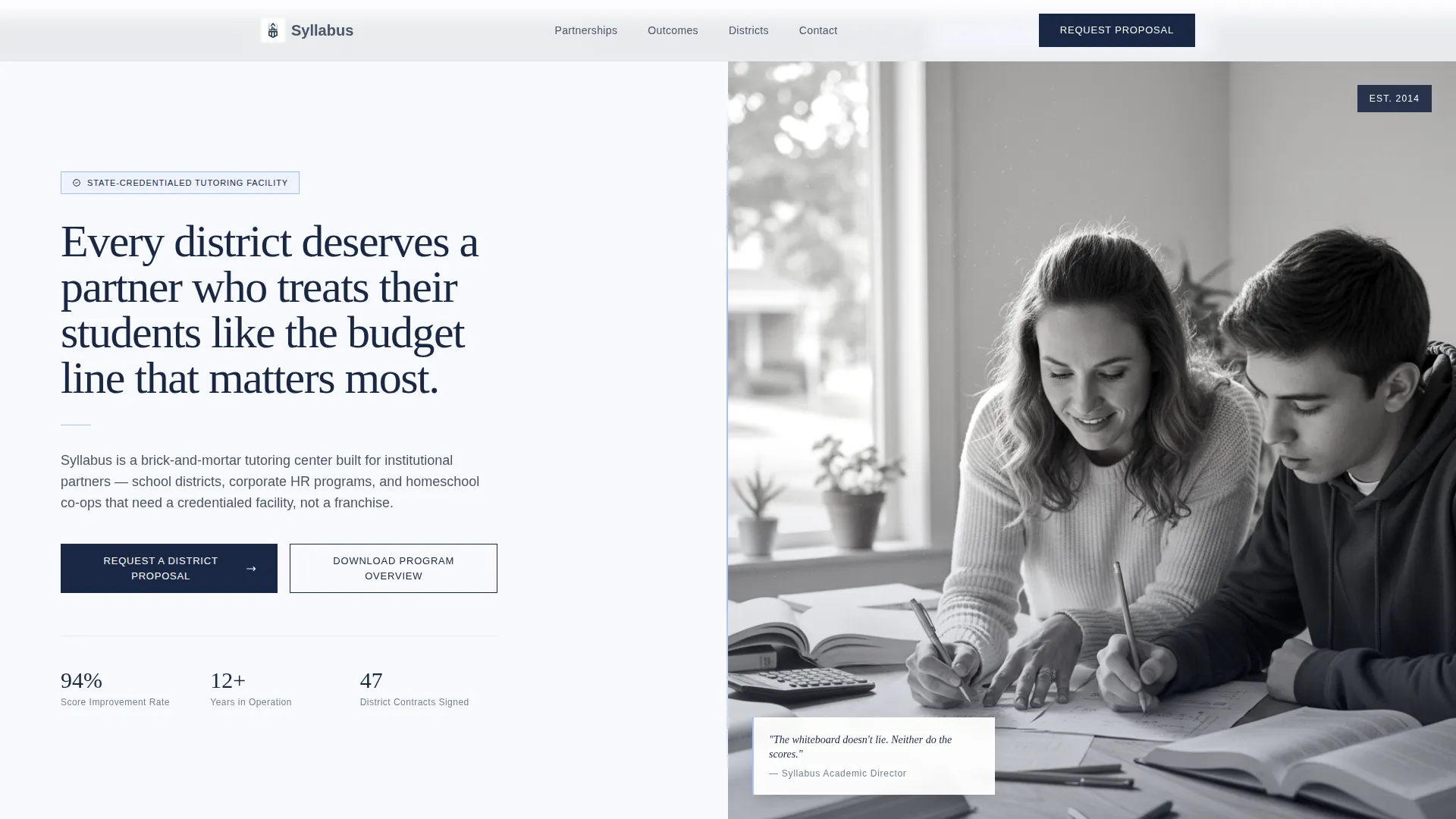
- A full-viewport split-screen header with a manifesto statement and a real-work tutoring photograph
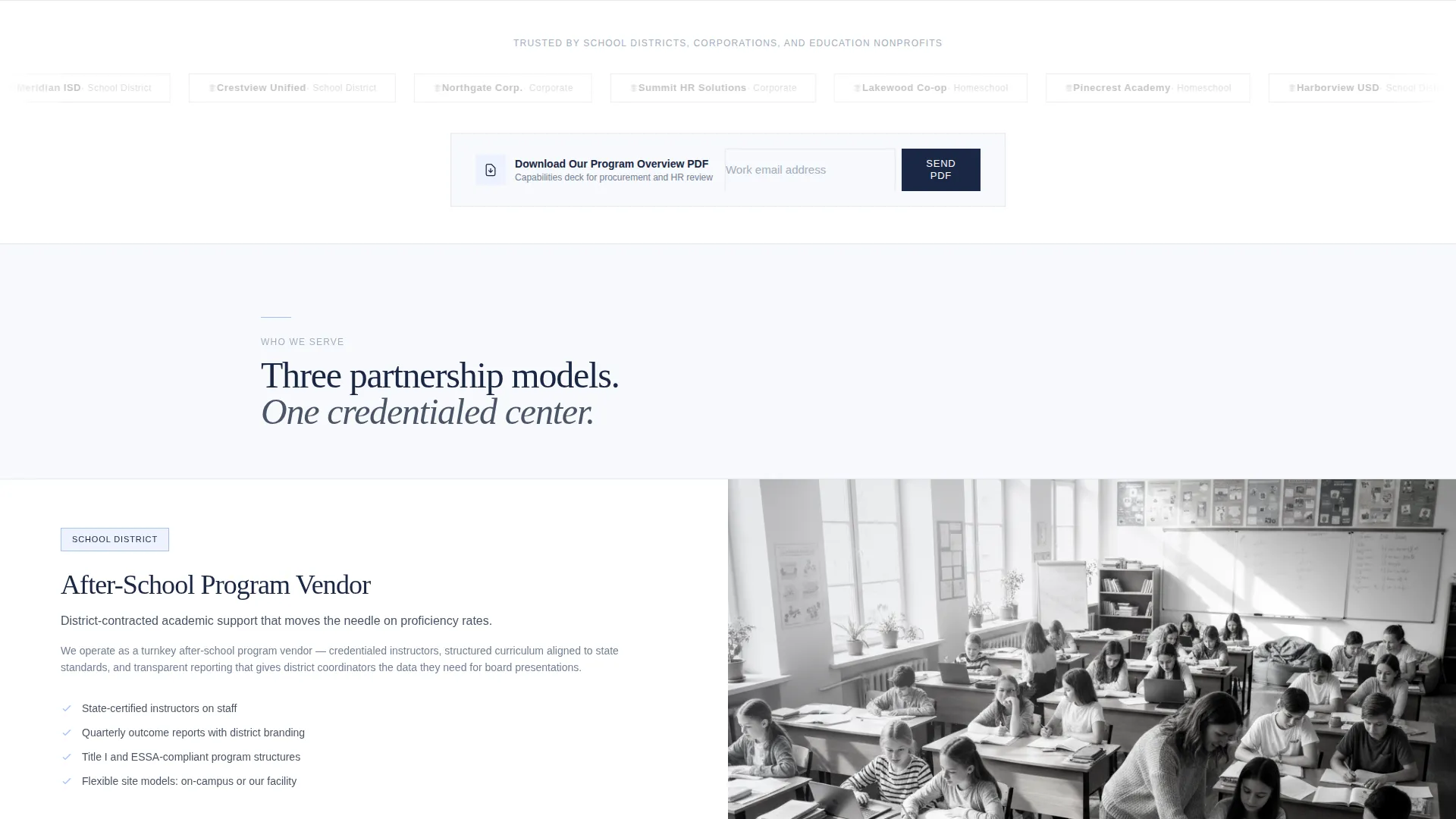
- An infinite marquee logo wall for institutional partner logos placed immediately below the header
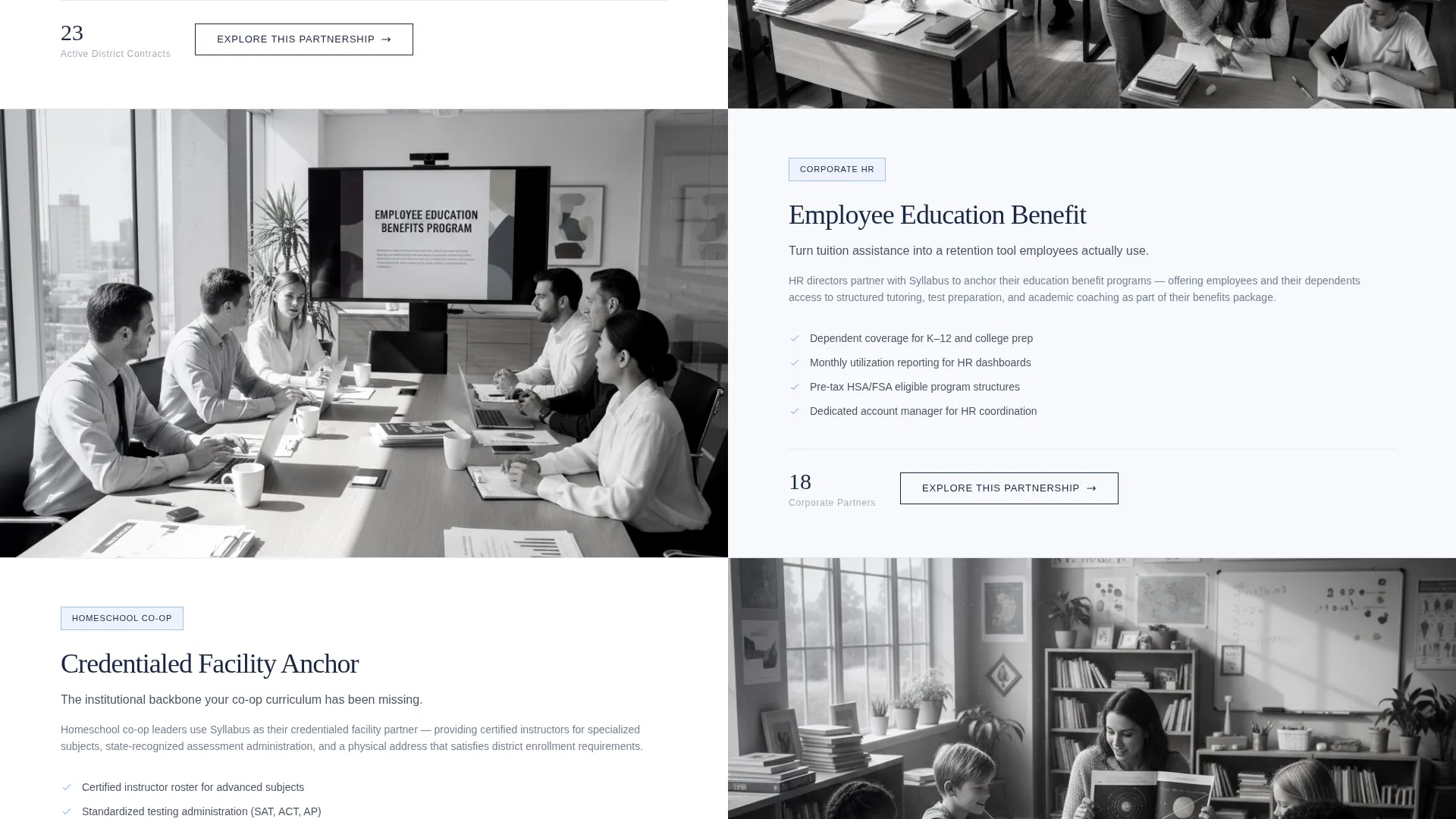
- Three alternating split-screen content sections covering partnership models and outcome data
- A three-step progressive disclosure partnership inquiry form
- A secondary email-capture path tied to a downloadable program overview document
Feature list
A brief overview of what this template includes and how each piece supports the broader goal of earning institutional trust and driving partnership inquiries.
Full-Viewport Manifesto Header
The header divides the screen into two equal halves. The left side carries a bold serif manifesto statement set in deep navy ink on cloud white. A thin chalk-dust blue vertical rule sits beside the text. The right side holds a desaturated, natural-light photograph of an active tutoring session. The contrast between type and image establishes tone and credibility before a visitor reads a single body line.
Scrolling Institutional Logo Wall
Immediately below the header, a horizontal band of grayscale partner logos moves on a slow infinite marquee. This placement is deliberate. Third-party institutional proof appears before any claim is made, letting the logos do the persuading while the visitor is still orienting to the page.
Alternating Split-Screen Content Sections
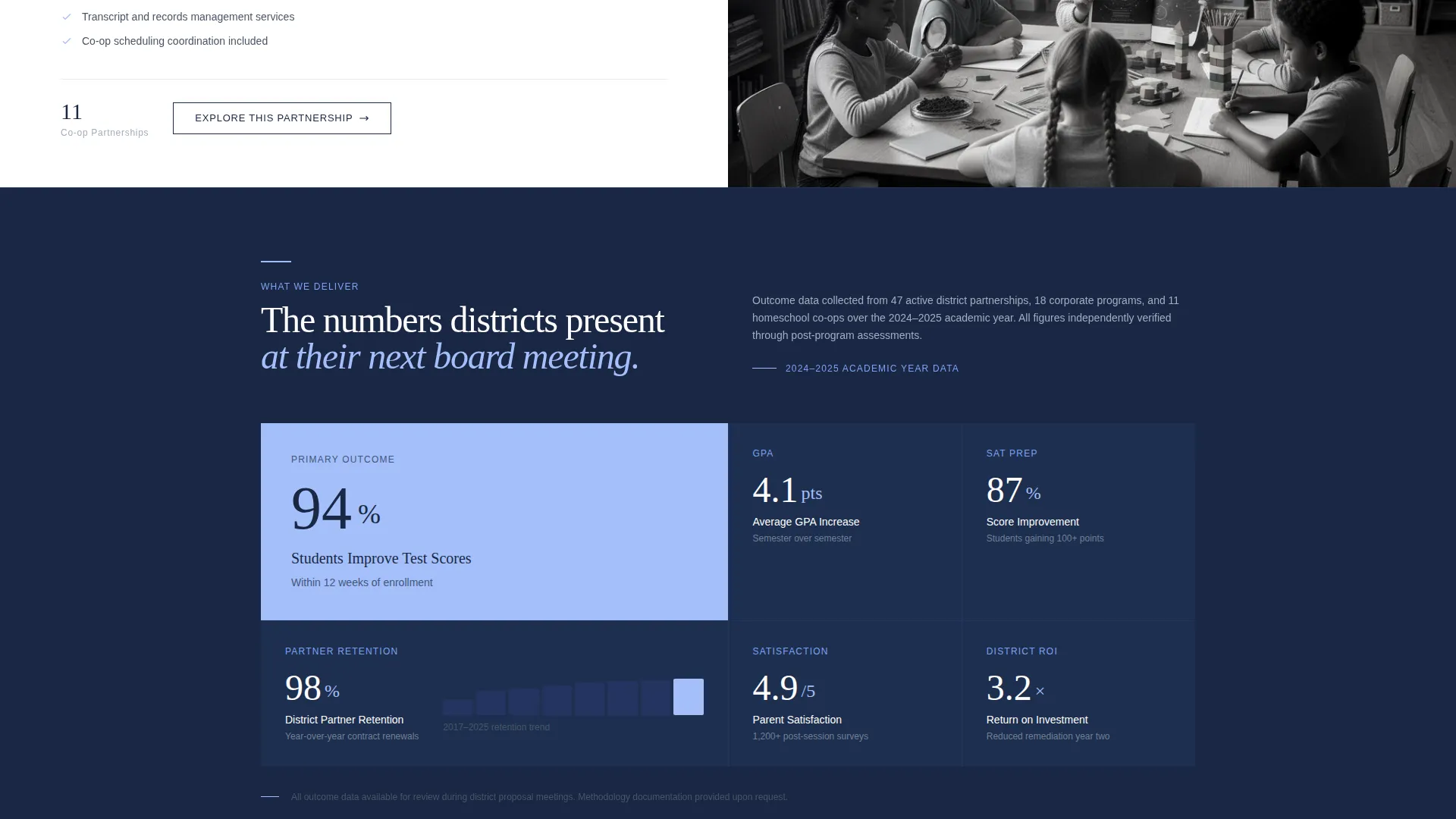
Three sequential split sections alternate between left-side partnership model descriptions and right-side outcome data. The content escalates from identifying who is served, to describing what is delivered, to presenting what district partners have reported. Each scroll reveals another layer of the case being built.
Three-Step Progressive Disclosure Form
The primary inquiry form collects information across three steps rather than one long form. Step one captures organization name and partner type. Step two asks for student volume estimate and preferred start semester. Step three collects contact name, title, and email. This staged approach reduces friction and signals that the process is organized and professional.
Secondary PDF Download Path
A "Download Our Program Overview" call to action sits beneath the logo wall. It captures an email address in exchange for a branded capabilities document. This path serves prospects who are not yet ready to commit, keeping them in the pipeline without pressuring them toward a full inquiry.
Pinned Partnership Call-to-Action Bar
After the first scroll, a navy ink bar pins to the top of the viewport carrying the primary call to action: "Request a District Partnership Proposal." It stays visible throughout the session, so the main conversion action is always one click away regardless of where the visitor is on the page.
Page sections overview
| Section | Purpose |
|---|---|
| Split-screen header | Opens with manifesto text and tutoring photograph to set institutional tone |
| Logo wall marquee | Scrolling partner logos establish third-party credibility before any claims |
| Partnership models section | Introduces the three partner types and what each relationship looks like |
| Outcome data section | Presents test score improvements, retention rates, and satisfaction figures |
| District testimonials section | Surfaces direct quotes and endorsements from existing institutional partners |
| Three-step inquiry form | Primary conversion path for organizations ready to start a proposal conversation |
| PDF download capture | Secondary path for early-stage prospects exchanging email for a capabilities deck |
Design & branding system
The visual identity follows a Corporate Precision theme built on the Cloud Canvas color system. The palette reads like a freshly printed school district proposal: clean bond paper, navy letterhead, the blue ink of a superintendent's signature. Every color choice reinforces institutional weight rather than consumer warmth.
- Cloud white (#F7F9FC) covers roughly seventy percent of the viewport as the dominant background
- Slate pencil gray (#4A5568) anchors body text and structural dividers throughout the page
- Chalk-dust blue (#A3BFFA) activates on hover states, card highlights, and section transitions
- Deep navy ink (#1A2744) commands every headline, primary button, and the pinned call to action bar
Mobile & speed optimization
The split-screen layout is structured to reflow cleanly on smaller viewports. Sections that run side by side on desktop stack vertically on mobile, keeping content readable without horizontal scrolling or layout breakage.
- The marquee logo wall scales proportionally across screen widths
- The three-step form is designed as a step-through flow, which keeps each screen simple on a small device
How this template helps you convert
The page is sequenced so that proof always precedes the ask. A B2B education buyer sees logos, then data, then testimonials before the form appears. That order mirrors how institutional procurement decisions actually move.
- Third-party logos and outcome data build enough credibility that the primary inquiry form feels like a natural next step rather than a cold ask
- The pinned call to action bar ensures the "Request a District Partnership Proposal" action is always visible, reducing the chance a ready buyer has to hunt for it
- The secondary PDF download path captures contact information from prospects who need more time, keeping the funnel active at every readiness level
Other information about this template
This template fits within the broader category of professional services marketing, specifically tutoring center marketing pages aimed at organizational buyers. It is built as a single landing page rather than a multi-page website, making it suitable as a standalone campaign page or as a dedicated partner acquisition entry point.
- The template style is Split Screen (50/50), a format that creates visual tension and separates proof from claim throughout the scroll
- The layout direction is Partnership/B2B, meaning every design and copy decision prioritizes organizational decision-makers over individual consumers
- The header concept is manifesto-driven, using a tall serif typeface and a poster-like typographic treatment to project authority
- This template is categorized under Professional Services with a subcategory of Tutoring Center Marketing
- The page is well-suited for local search entry points where a district coordinator or HR director lands after searching for after-school program vendors or corporate education benefit providers
Theme
Editorial Magazine
Creative direction
FAQ-Driven
Color system
Charcoal & Amber
Style
Split Screen (50/50)
Direction
Partnership/B2B
Page Sections
Full-viewport Manifesto Header
Scrolling Institutional Logo Wall
Alternating Split-screen Content Sections
Three-step Progressive Disclosure Form
Secondary PDF Download Capture
Pinned Partnership Call to Action Bar
Related questions
Can I use this template without changing the copy?
Is this template suitable for a tutoring center that serves individual students?
What goes in the logo wall section?
How does the three-step form work in practice?
Can the secondary PDF download path be used without an actual PDF ready?



