Academic Coaching Booking Website Template
Syllabus is a split-screen landing page template built for one-on-one academic coaching practices. It pairs editorial magazine design with a focused booking flow, helping parents of struggling students find the right coach fast. The template presents coach profiles, local school context, and a three-step scheduling form in a clean, confidence-building layout.
by Rocket studio
Quick summary
Syllabus is a single-page academic coaching template designed for local tutoring and coaching practices. It combines an editorial magazine visual identity with a conversion-focused booking flow. The layout is a 50/50 split screen throughout, giving equal weight to human storytelling and clear calls to action. It is built for coaches who want to earn trust before asking for a booking.
Who this template is for
This template is designed for independent academic coaches and small tutoring practices that serve local families. It works especially well for coaches who want to present themselves as trusted partners, not generic service providers.
- One-on-one academic coaches serving specific neighborhoods or school districts
- Tutoring practices focused on high school students in Advanced Placement or International Baccalaureate programs
- Coaches who want a local, community-recognizable presence online
What problem this template solves
Parents searching for academic help after a difficult progress report need to feel trust quickly. A generic service page with a logo and a contact form does not do that job. This template solves the gap between "I found this coach online" and "I believe this person can help my child."
- Parents cannot easily tell which coach understands their child's specific school, program, or pressure points
- Most coaching pages look interchangeable, making it hard to choose with confidence
- Busy parents need a fast, low-friction path from concern to booked appointment
What you get with this template
The template delivers a complete, ready-to-customize landing page structured around trust, local relevance, and scheduling. Every section serves a specific role in moving a parent from first visit to confirmed booking.
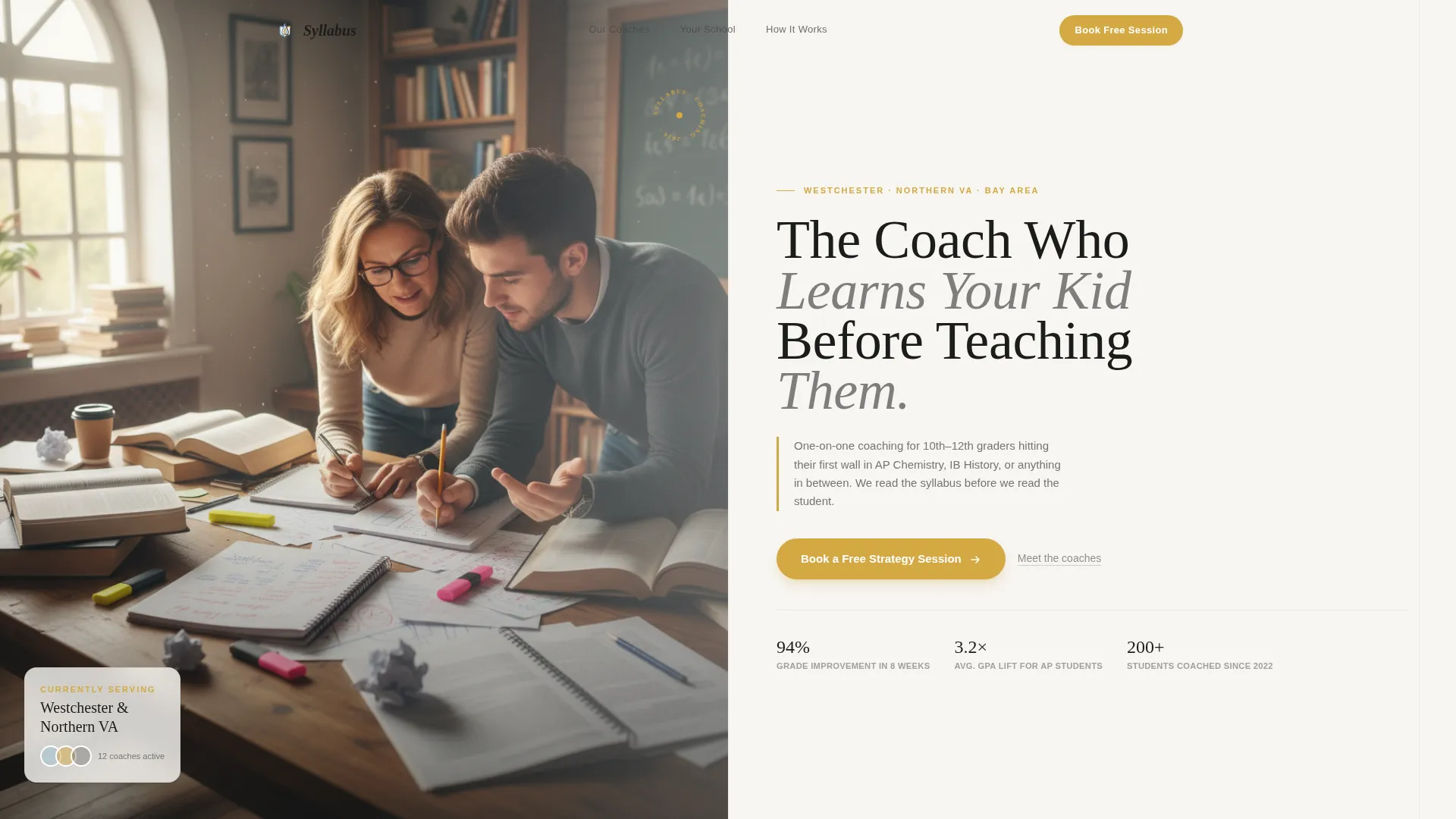
- A half-page photo and text header with a serif headline, two-sentence subhead, and a goldenrod booking button
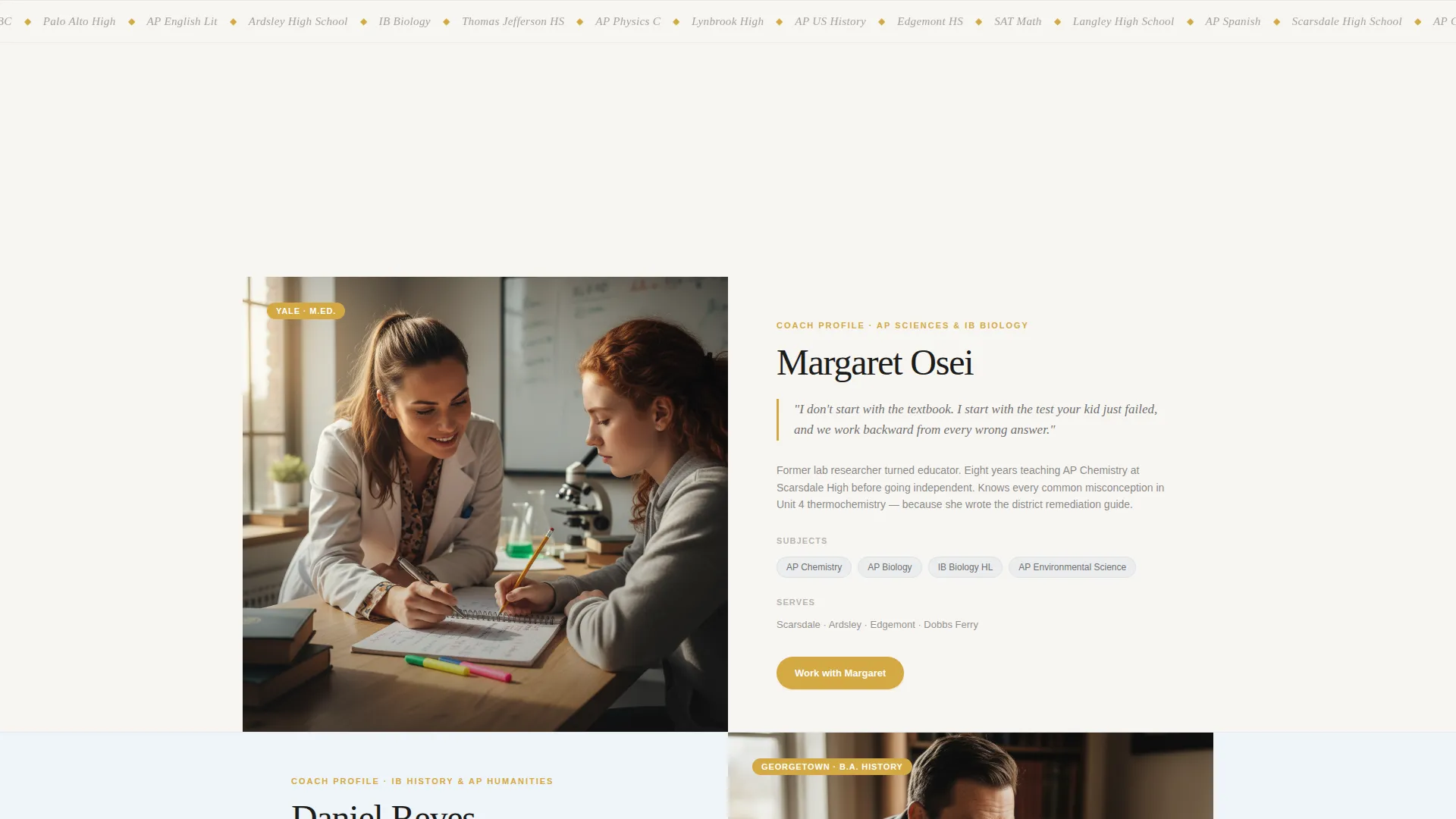
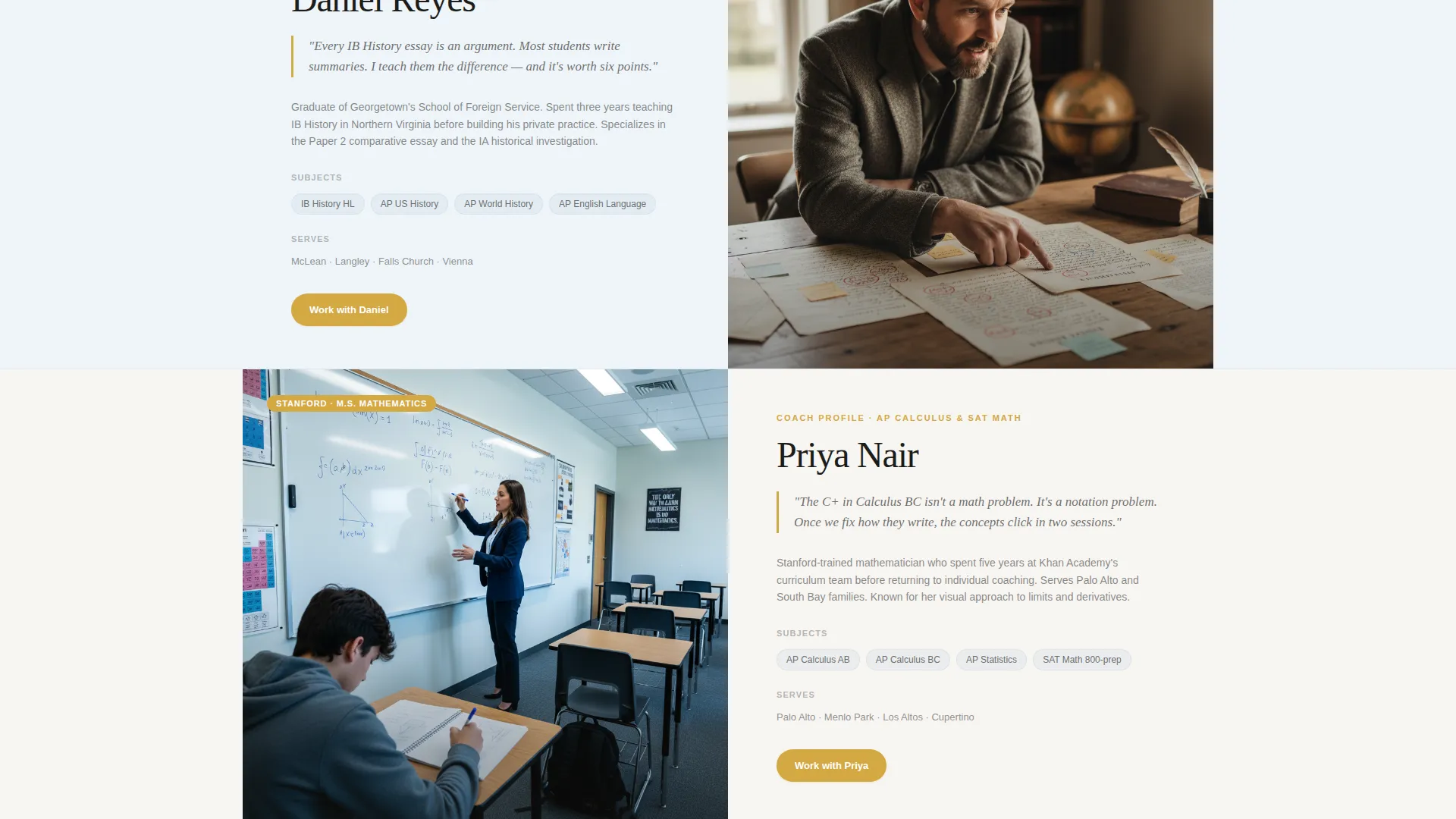
- Editorial coach profile cards in a 50/50 split layout, each pairing a portrait with a subject specialty, teaching philosophy, and service area
- A three-step booking form covering grade level, subject concern, and a calendar availability widget
- A secondary email capture path for parents who are still researching, offering a downloadable study system guide
- A sticky bottom booking bar that appears after the second scroll, keeping the primary call to action always reachable
Feature list
This template is built around a small set of well-considered features. Each one contributes directly to trust-building or conversion.
Split-Screen Coach Profile Cards
Each coach is presented in a 50/50 editorial layout. One side holds a portrait; the other holds their teaching philosophy, subject specialties, and the ZIP codes and neighborhoods they serve. The format feels like a magazine feature, not a staff directory.
Three-Step Booking Form
The booking flow is broken into three focused steps: student grade level and school name, the subject or subjects causing concern, and a calendar widget showing the nearest coach's real availability. Short steps reduce hesitation and keep parents moving forward.
Sticky Booking Bar
After a visitor scrolls past the second section, a persistent booking bar appears at the bottom of the screen. It keeps the primary call to action visible without interrupting the reading experience.
Secondary Email Capture Path
Parents who are not ready to book can download a branded study system guide. This path collects an email address and nurtures the relationship before a commitment is made.
Location-Specific School Context Sections
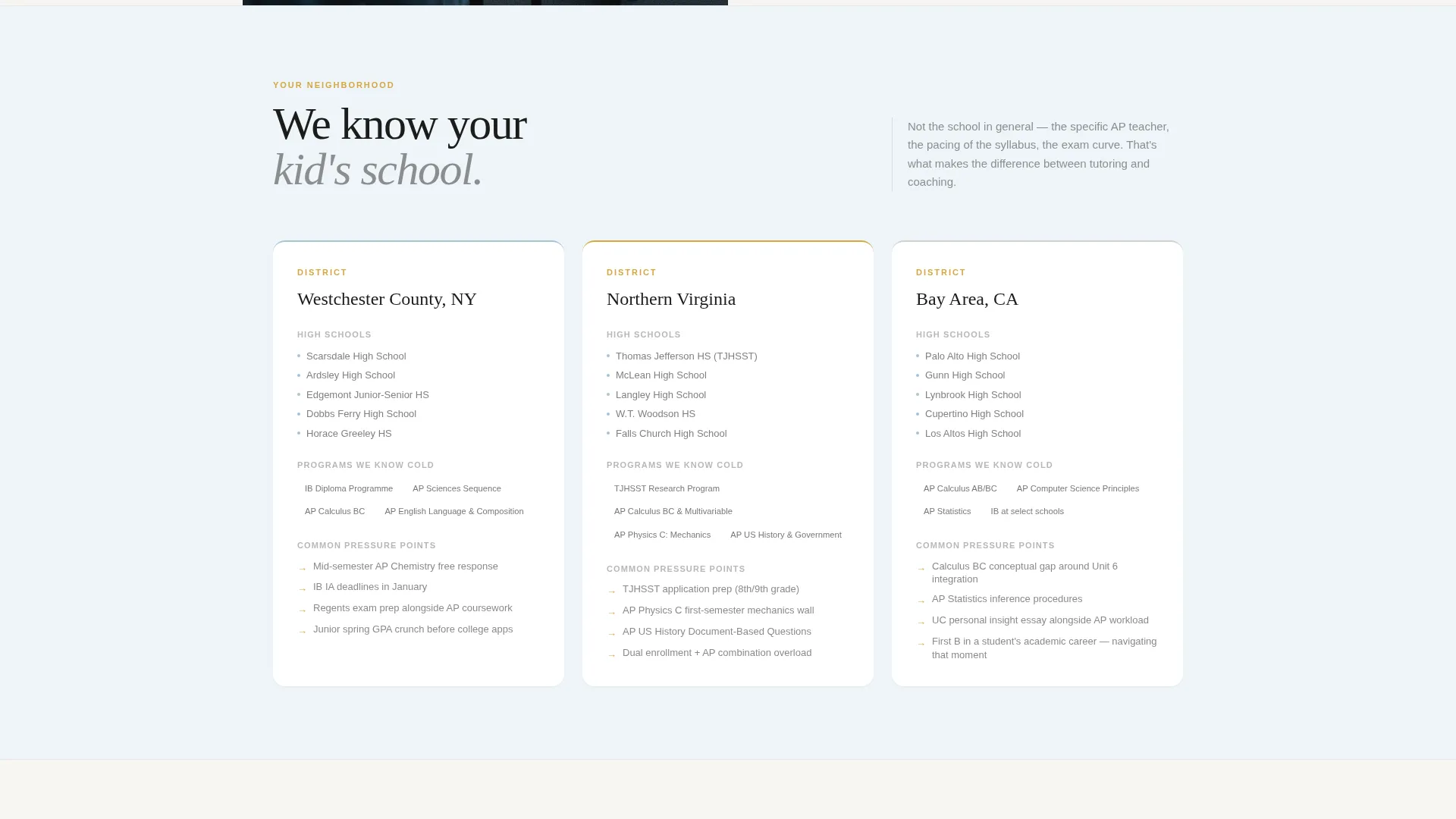
Between coach profiles, the template includes sections that name local high schools, the specific Advanced Placement and International Baccalaureate programs offered there, and the academic pressure points families in that district recognize. This makes the page feel like it was written for them specifically.
Editorial Pull Quotes and Credentials
Goldenrod-accented pull quotes and coach credential callouts are woven into the layout. They add credibility and reinforce the editorial identity without feeling like a sales pitch.
Page sections overview
| Section | Purpose |
|---|---|
| Header Split | Introduces the coach's voice and location with a portrait, editorial headline, and primary booking button |
| Coach Profile Cards | Presents individual coaches with story, subject focus, and neighborhoods served |
| Local School Context | Names nearby high schools and program-specific pressure points parents recognize |
| Three-Step Booking Form | Guides parents through grade, subject concern, and calendar selection |
| Study Guide Capture | Offers a downloadable PDF to collect emails from parents still researching |
| Sticky Booking Bar | Keeps the primary call to action visible throughout the scroll |
Design & branding system
The visual identity follows an Editorial Magazine theme built on the Cloud Canvas color system. Every design choice reinforces a feeling of quiet authority and academic care.
- Colors: soft warm white (#F7F5F2) for backgrounds, pencil-graphite gray (#4A4A4A) for body text, muted sky blue (#A8C4D6) for section washes, and goldenrod (#D4A843) reserved for buttons, pull quotes, and coach credential highlights
- Typography: large serif headlines with generous letter spacing, editorial in proportion, body text set in graphite for readability
- Layout rhythm: 50/50 split screens throughout, alternating background washes between warm white and pale sky blue to create a calm, magazine-like page flow
Mobile & speed optimization
The split-screen layout is designed to reflow cleanly on smaller screens. Each section is built to work as a single-column stack on mobile without losing the editorial character.
- Coach profile cards restack to portrait-first, story-below on narrow viewports
- The sticky booking bar is sized and positioned for thumb-friendly interaction on mobile screens
- The three-step form keeps each step on its own screen area, reducing cognitive load on small displays
How this template helps you convert
Every design and content decision in this template is oriented toward one outcome: a parent booking a free strategy session before they leave the page.
- The header places a goldenrod booking button in the first viewport, giving motivated visitors an immediate path to act without scrolling.
- Coach profile cards build personal trust through real stories, specific subjects, and named neighborhoods, making parents feel they have already met the coach before booking.
- The secondary study guide path catches parents who are not ready to commit, giving the practice a way to stay in contact and continue building trust.
Other information about this template
This template is designed as a service area and location page for academic coaching practices. It is particularly well-suited for coaches who want to signal deep local knowledge and personal investment in their students.
- The template style is Split Screen (50/50), making it effective for practices with multiple coaches to introduce individually
- The creative direction is Team and People, so the page narrative is built around real humans rather than a brand or a process
- The header concept is Half-Page Photo and Text, which sets an editorial tone from the very first scroll position
- The landing page direction is Booking and Scheduling, meaning every section is oriented toward reducing friction on the path to a confirmed appointment
- The template is part of the Academic Coach Online Presence subcategory under Professional Services, and is purpose-built for the Academic Coach Service Area and Location Page niche
Theme
Editorial Magazine
Creative direction
Team & People
Color system
Cloud Canvas
Style
Split Screen (50/50)
Direction
Booking/Scheduling
Page Sections
Split-screen Coach Profile Cards
Three-step Booking Form
Sticky Bottom Booking Bar
Secondary Email Capture Path
Location-specific School Context Sections
Editorial Pull Quotes and Credential Highlights
Related questions
Can I use this template for a coaching practice with more than one coach?
What does the three-step booking form collect?
Do I need to customize the local school context sections for my area?
What is the study system guide download used for?
Is this template suitable for a solo academic coach?



