Academic Coaching FAQ Website Template
Syllabus is an editorial landing page template built for a one-person academic coaching practice. It pairs a Legal Shield visual identity with a FAQ-driven layout to help counseling centers, student affairs offices, and tutoring companies recognize deep expertise fast. Every section is structured to earn trust before asking for a partnership click or a gated resource download.
by Rocket studio
Quick summary
Syllabus is a single-page editorial template for an academic coaching practice serving students in academic crisis. It opens with credential badges, escalates through FAQ clusters that mirror real student anxiety, and closes with two B2B conversion paths: a campus partnership call to action and a gated institutional playbook download. The design feels like a calm, annotated case file.
Who this template is for
This template is built for a solo academic coach whose clients are not casual learners. They are students and families navigating institutional processes with real consequences. The template speaks directly to the referral partners who send those clients.
- University counseling centers and student affairs offices looking to add a vetted specialist to their referral network
- Tutoring companies and educational consultants who want to white-label or co-brand academic crisis support
- Independent academic coaches ready to position themselves as the institutional expert in the room
What problem this template solves
Most academic coaches have a website that reads like a tutoring flyer. It lists services, adds a testimonial, and hopes the phone rings. That approach fails completely when the prospective client is a counseling director who has seen dozens of coaches pitch for referrals.
- It gives an overwhelmed parent or student a structured, reassuring first impression instead of a generic services page
- It builds the case for a B2B partnership before the coach has to say a word in a meeting
- It removes the gap between "coach with a website" and "recognized institutional resource worth speed-dialing"
What you get with this template
The template delivers a complete single-page layout that moves visitors through a deliberate sequence: credentials first, expertise proof through FAQs second, and a dual conversion path third. Nothing is left for the visitor to assume.
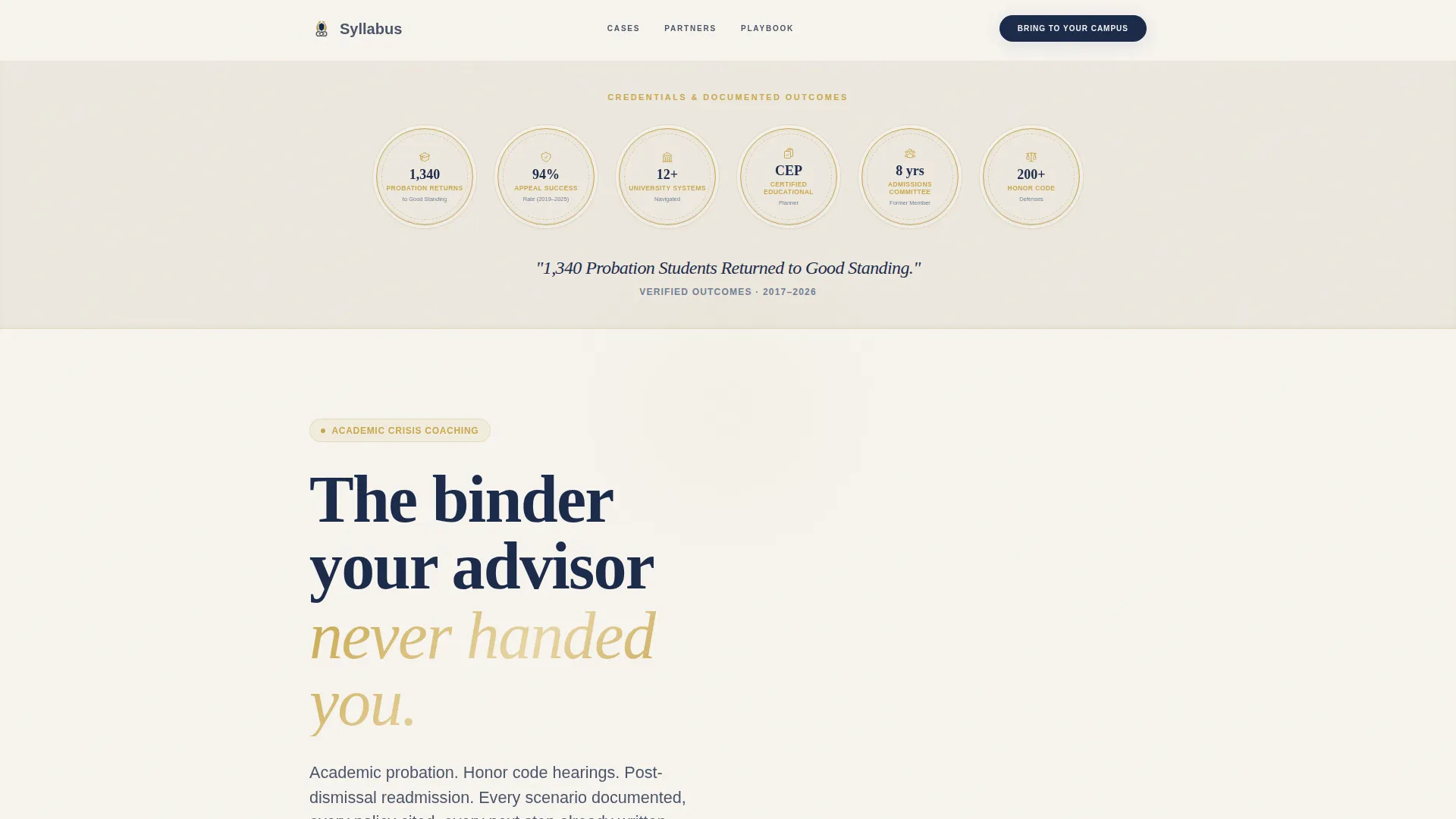
- A header band of award badges and credential icons rendered in gold on parchment, establishing authority before a single sentence is read
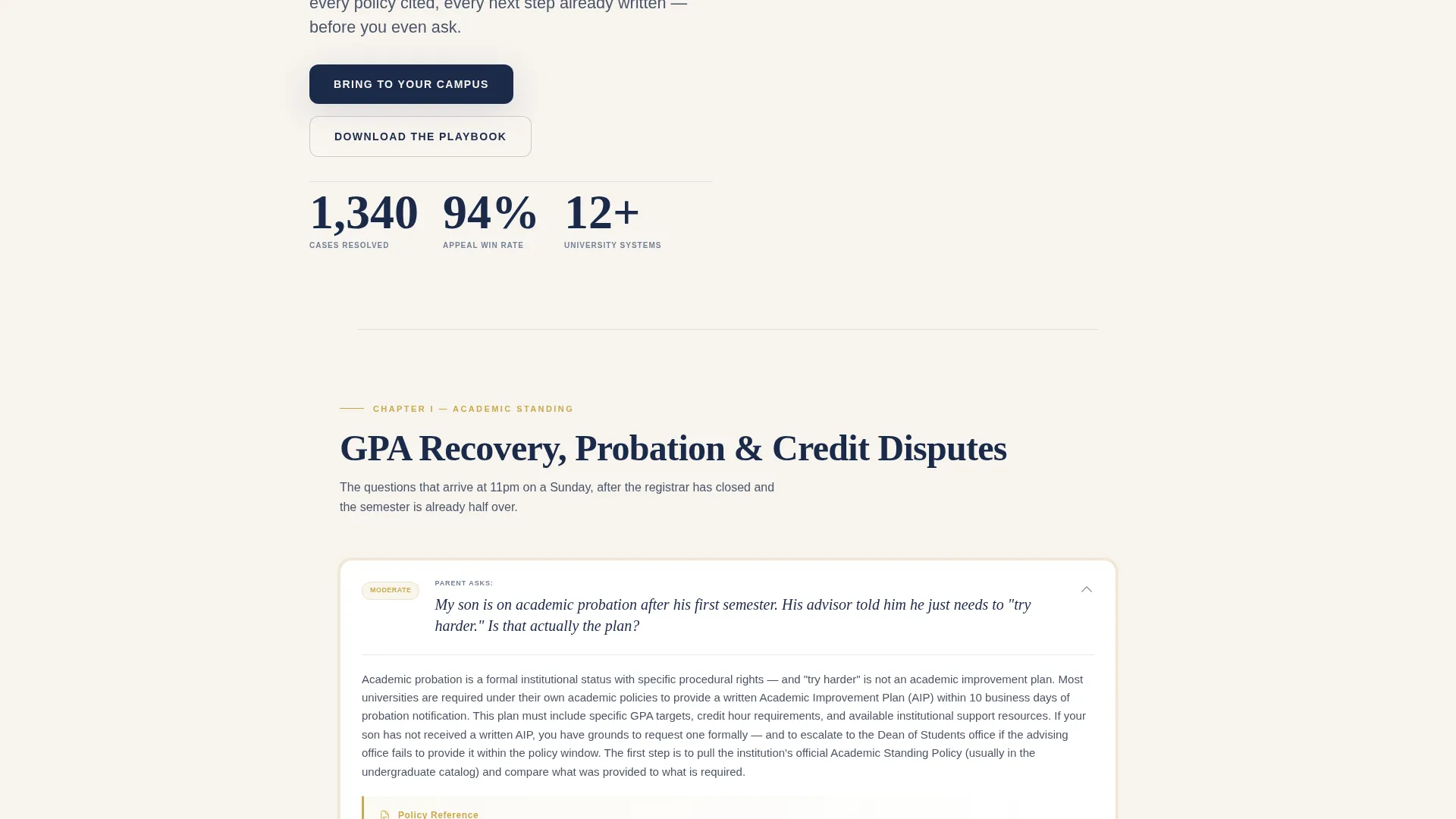
- A FAQ-driven scroll experience with real, anxious student and parent questions followed by editorial-style answers that cite specific policies and name concrete next steps
- Two distinct conversion zones: a "Bring This to Your Campus" partnership call to action and a gated "Download the Institutional Playbook" form with fields for institution name, department, and annual student caseload
Feature list
This section covers the core built-in components that define what the Syllabus template actually delivers.
Award Badge Header Band
The top section displays a horizontal row of embossed credential icons and success-rate medallions. Each badge is styled in gold on parchment with a deboss texture that reads earned, not decorative. The layout includes space for university partnership seals, certification badges, and a single editorial headline beneath.
FAQ-Driven Scroll Sections
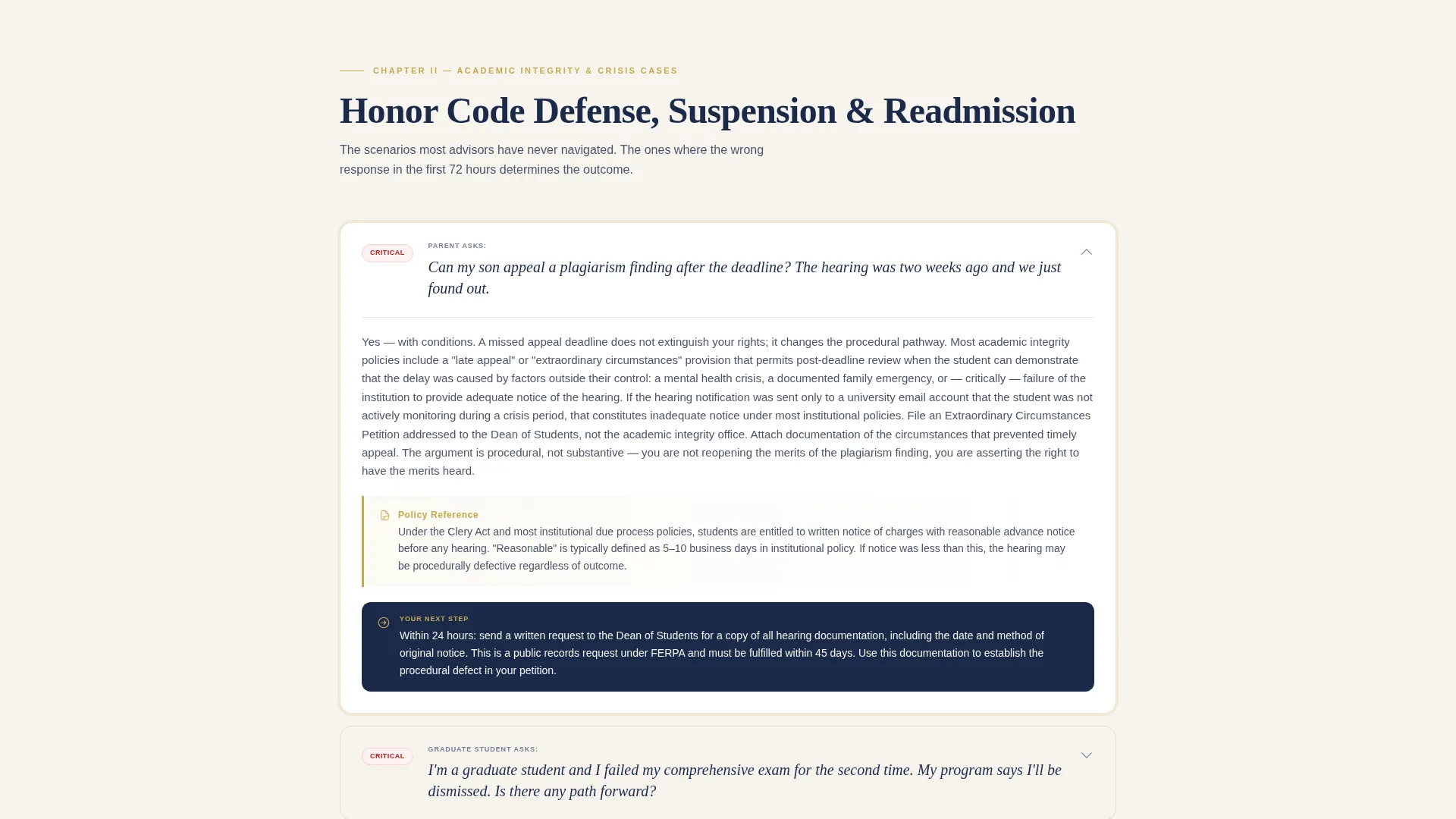
Each scroll section opens with a question written in a real student or parent voice, followed by a magazine-style editorial answer. Questions escalate in severity from grade recovery to readmission after dismissal, building a visible case file of expertise as the visitor scrolls.
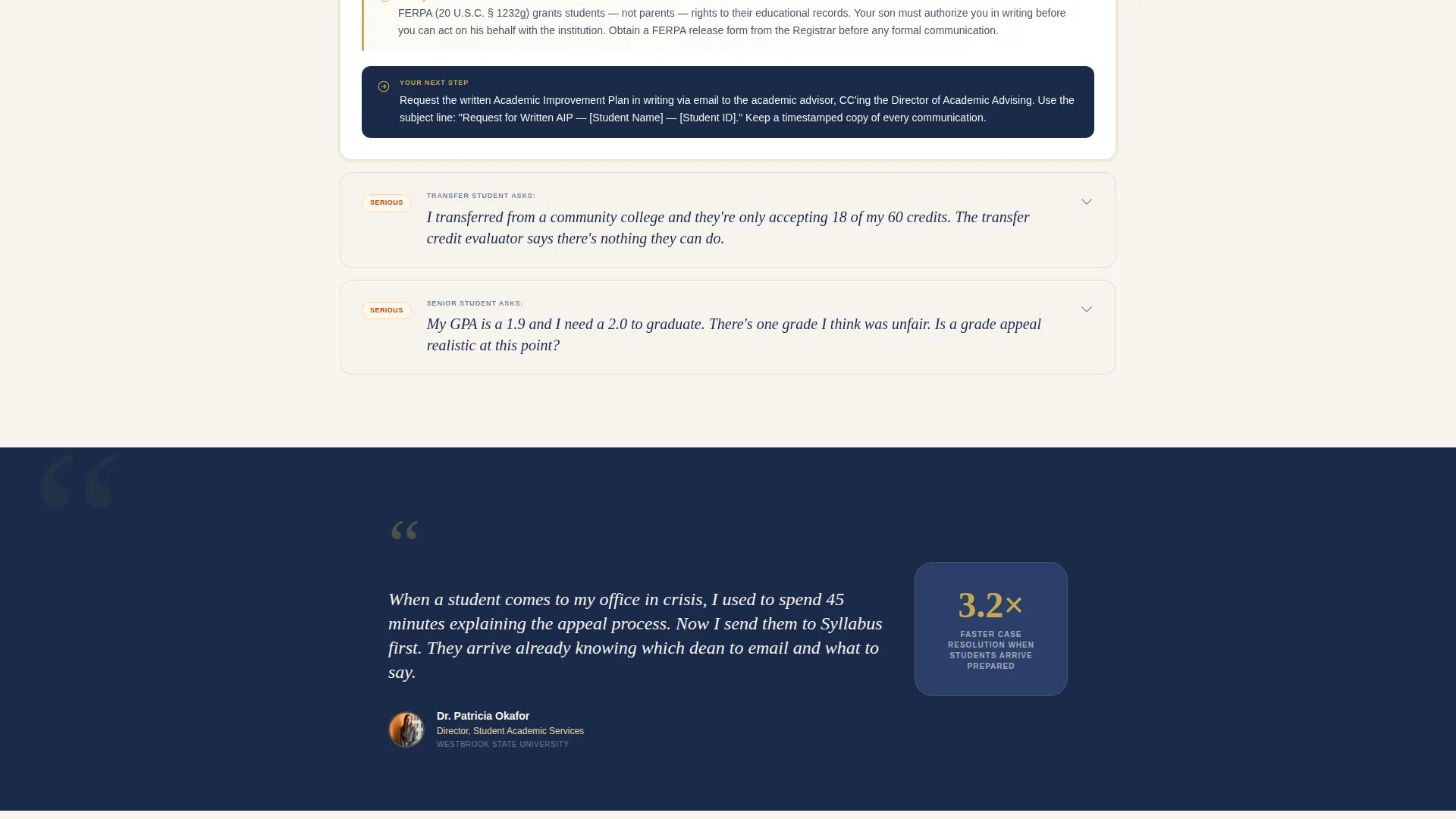
Pull Quote Interstitials
Between FAQ clusters, full-width pull quotes from university partners and referring counselors interrupt the rhythm. These act like magazine interstitials, adding social proof without breaking the editorial flow of the page.
Dual Conversion Zone
The page closes with two conversion paths in a single section. The primary call to action targets institutional partners. The secondary path gates a PDF resource behind a work-email form that collects institution name, department, and annual student caseload.
Gated Resource Form
The institutional playbook download form is built into the page layout. It requires a work email address and institutional fields before releasing the resource, qualifying leads by role and organizational context before any outreach happens.
Legal Shield Visual System
The full page uses the Cloud Canvas color palette applied through a Legal Shield theme. Background, body text, callout boxes, and headline anchors each carry a distinct color role, making the page feel like a structured case file rather than a promotional brochure.
Page sections overview
| Section | Purpose |
|---|---|
| Award Badge Header | Establish credentials and authority instantly |
| Editorial Headline Band | Anchor the page with a single proof-of-results statement |
| FAQ Cluster One | Address GPA recovery and academic probation scenarios |
| Pull Quote Break | Reinforce trust with partner and counselor voices |
| FAQ Cluster Two | Cover academic suspension and honor code defense |
| Pull Quote Break | Add a second interstitial proof point between clusters |
| FAQ Cluster Three | Handle readmission after dismissal scenarios |
| Partnership call to action | Direct institutional visitors toward a campus referral conversation |
| Gated Playbook Form | Capture qualified leads with institution-specific form fields |
Design & branding system
The visual identity follows a Legal Shield theme built on the Cloud Canvas color system. The palette is designed to read like a well-organized institutional document rather than a marketing website. Parchment dominates the background and keeps the page calm. Slate carries body text at a comfortable reading weight. Gold marks callout boxes, key rulings, and badge accents. Deep brief blue anchors all headlines and navigation links like chapter titles in a legal treatise.
- Four-color Cloud Canvas palette: soft parchment white (#F7F4EF), institutional slate (#4A5568), policy-highlight gold (#C9A84C), and deep brief blue (#1B2A4A)
- Badge components use gold on parchment with a deboss texture, avoiding glossy or clip-art aesthetics
- Typography and layout follow an editorial magazine structure with pull quotes, FAQ clusters, and full-width interstitial breaks
Mobile & speed optimization
The editorial layout is structured for vertical scroll on any screen size. Long FAQ answers and pull quote sections reflow cleanly into single-column layouts without losing their hierarchy. The dual conversion zone stacks gracefully so both calls to action remain accessible on smaller screens.
- Badge header band adapts to a condensed row or wrapped grid on narrow viewports
- FAQ sections maintain question-and-answer hierarchy at all screen widths
- Form fields in the gated playbook section stack vertically on mobile for easy thumb-friendly input
How this template helps you convert
The page is built to earn the conversion before asking for it. A counseling director who reads four complete FAQ answers already understands the coach's institutional knowledge. By the time they reach the conversion zone, the ask feels like a natural next step rather than a cold pitch.
- The badge header and editorial headline create immediate authority, so visitors do not leave during the first scroll before reading a word of copy
- The escalating FAQ sequence proves expertise across every severity level, from GPA recovery to post-dismissal readmission, giving institutional visitors the confidence to refer or partner
- The dual conversion path separates casual visitors from serious institutional leads by offering two distinct actions with clear intent signals attached to each
Other information about this template
This template is listed in the Professional Services category under the Academic Coach Online Presence subcategory. It is designed specifically for the Academic Coach FAQ and Resource Page niche, where trust-building and institutional authority matter more than visual flair.
- The template style is Editorial and Magazine, which suits long-form FAQ content and pull quote layouts
- The creative direction is FAQ-Driven, meaning scroll depth and content quality do the primary persuasion work
- The header concept is Award Badges, a specific design pattern that communicates credibility in the first viewport without requiring a visitor to read a single paragraph
- The landing page direction is Partnership and B2B, so every conversion element is tuned for institutional decision-makers, not individual students
Theme
Legal Shield
Creative direction
FAQ-Driven
Color system
Cloud Canvas
Style
Editorial/Magazine
Direction
Partnership/B2B
Page Sections
Award Badge Header Band
Faq-driven Scroll Sections
Pull Quote Interstitials
Dual Conversion Zone
Gated Institutional Playbook Form
Legal Shield Visual System
Related questions
Who is this template actually built for?
Can I use the gated form for a real resource download?
Does the FAQ content come pre-written in the template?
Is the award badge header section customizable?
What makes this different from a standard coaching website?



