Time & Attendance Reviews Website Template
The Clockwork Smart Shift Scheduling landing page template is a single-page, zigzag-layout design built for workforce scheduling apps. It teaches visitors one scheduling pain point per section, builds trust through a testimonial mosaic, and drives freemium trial signups with a low-friction form. No credit card field. No noise. Just a clean path from problem to solution.
by Rocket studio
Quick summary
This template gives a shift scheduling app a focused, high-energy landing page. It uses an Educational Guide structure, each zigzag section teaches one problem and shows the fix. The deep indigo and electric periwinkle palette feels sharp and organized. A sticky call-to-action bar and a two-field signup form keep conversion friction low from the first scroll to the last.
Who this template is for
This template is built for teams selling or promoting tools that help businesses manage shift schedules. It fits SaaS founders, product marketers, and HR software teams who need a conversion-focused page fast. The layout speaks directly to the people who feel the daily weight of scheduling employees across busy, unpredictable workplaces.
- Restaurant general managers handling large part-time teams with shifting availability
- Retail district managers coordinating weekly work schedules across multiple store locations
- Clinic office leads who need every work area staffed before the first patient arrives
What problem this template solves
Manual scheduling is slow, error-prone, and stressful. When managers build a weekly work schedule by hand, gaps appear, double-bookings happen, and last-minute texts pile up. A scattered process wastes hours every week and raises labor costs. This template gives scheduling software a landing page that explains the pain clearly and shows the solution with confidence.
- No clear narrative to explain how the app replaces chaotic text threads and spreadsheet juggling
- No social proof structure to present real outcomes, like reduced scheduling time or lower staff turnover
- No low-friction path to trial signup that removes credit card hesitation on the first visit
What you get with this template
You get a complete, ready-to-customize single-page layout with every section pre-planned and purposefully ordered. The design handles the persuasion arc so you can focus on swapping in your real content. Each block is built around a specific job: teach, prove, convert.
- A zigzag hero-to-call to action flow with two core teaching sections, a testimonial mosaic, and a sticky signup bar
- A two-field freemium form (work email plus team size dropdown) with no credit card required
- A full Electric Indigo color system with Fraunces serif headers and Manrope body type baked in
Feature list
The template ships with six purposeful components. Each one plays a specific role in moving a visitor from curious to converted.
Cinematic Team Photo Header
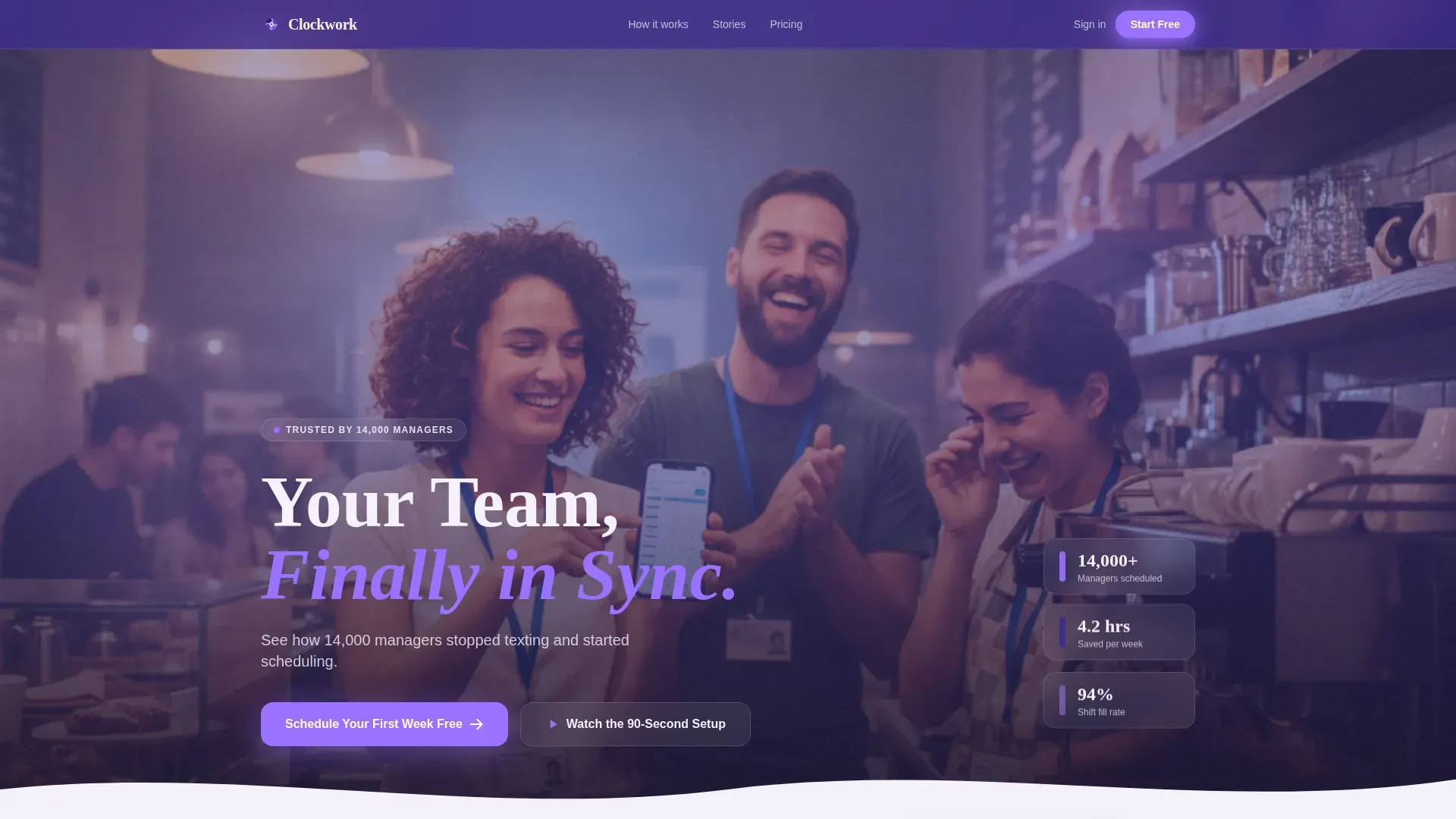
The header opens with a wide, warm team photo and a bold headline that fades in on load. A subline in chalk white sets the tone immediately. Two floating stat cards anchor social proof above the fold, so visitors understand scale before they read a single feature description.
Zigzag Teaching Sections
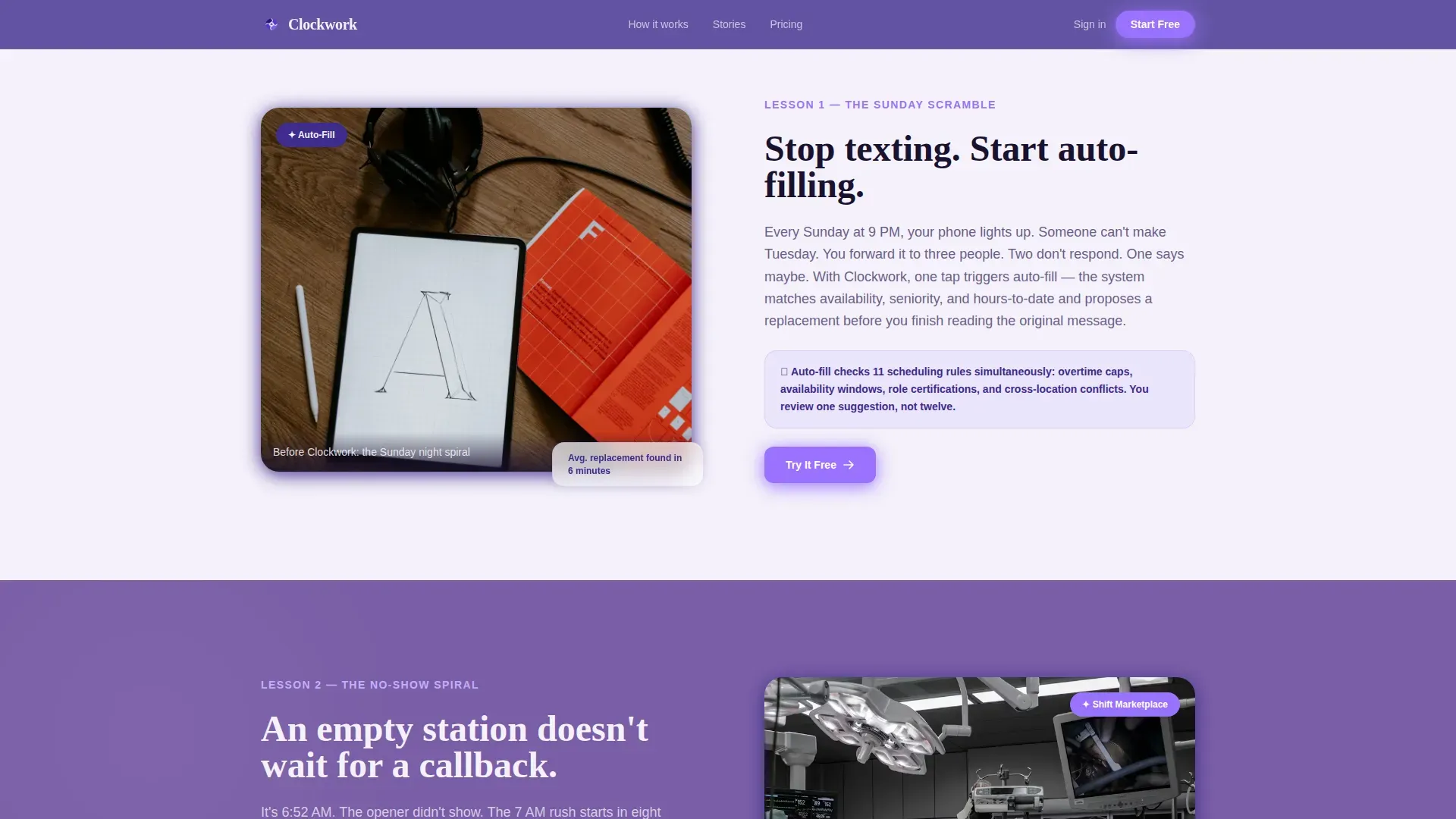
Two alternating content blocks each teach one scheduling pain point and present the solution. "The Sunday Scramble" pairs a stressed text-thread visual with the auto-fill feature. "The No-Show Spiral" shows an empty station beside the instant shift-marketplace notification. This left-right rhythm keeps the page scannable and the lesson memorable.
Testimonial Mosaic
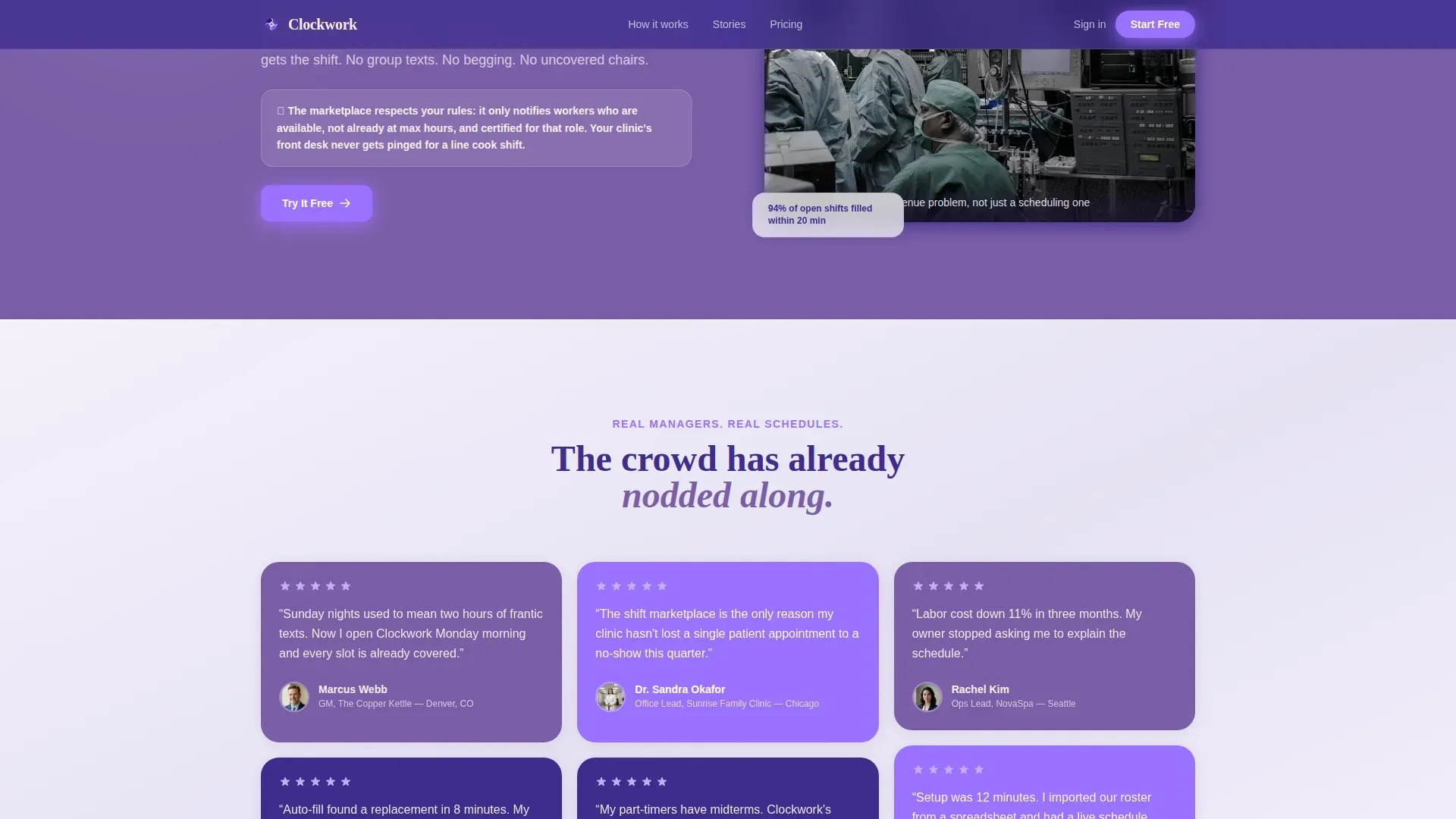
A staggered grid of short manager quotes breaks the zigzag rhythm between teaching blocks. Each card is tinted in alternating vivid violet and deep indigo, with names, roles, and small portrait circles visible. The mosaic builds trust by showing real outcomes, such as managers who saved hours each week by switching from manual scheduling to the app.
Sticky Freemium Signup Bar
After the visitor passes the second testimonial mosaic, a bottom bar locks into place. It repeats the primary call-to-action: "Schedule Your First Week Free." The bar stays visible as the visitor scrolls, making it easy to convert at any point without hunting for a form.
Inline Video Demo Toggle
A secondary call-to-action, "Watch the 90-Second Setup," opens a video demo directly on the page. This gives hesitant visitors one more reason to commit without leaving. The tab-style toggle keeps the page clean while offering a richer explanation for visitors who want to see the product in motion before signing up.
Low-Friction Signup Form
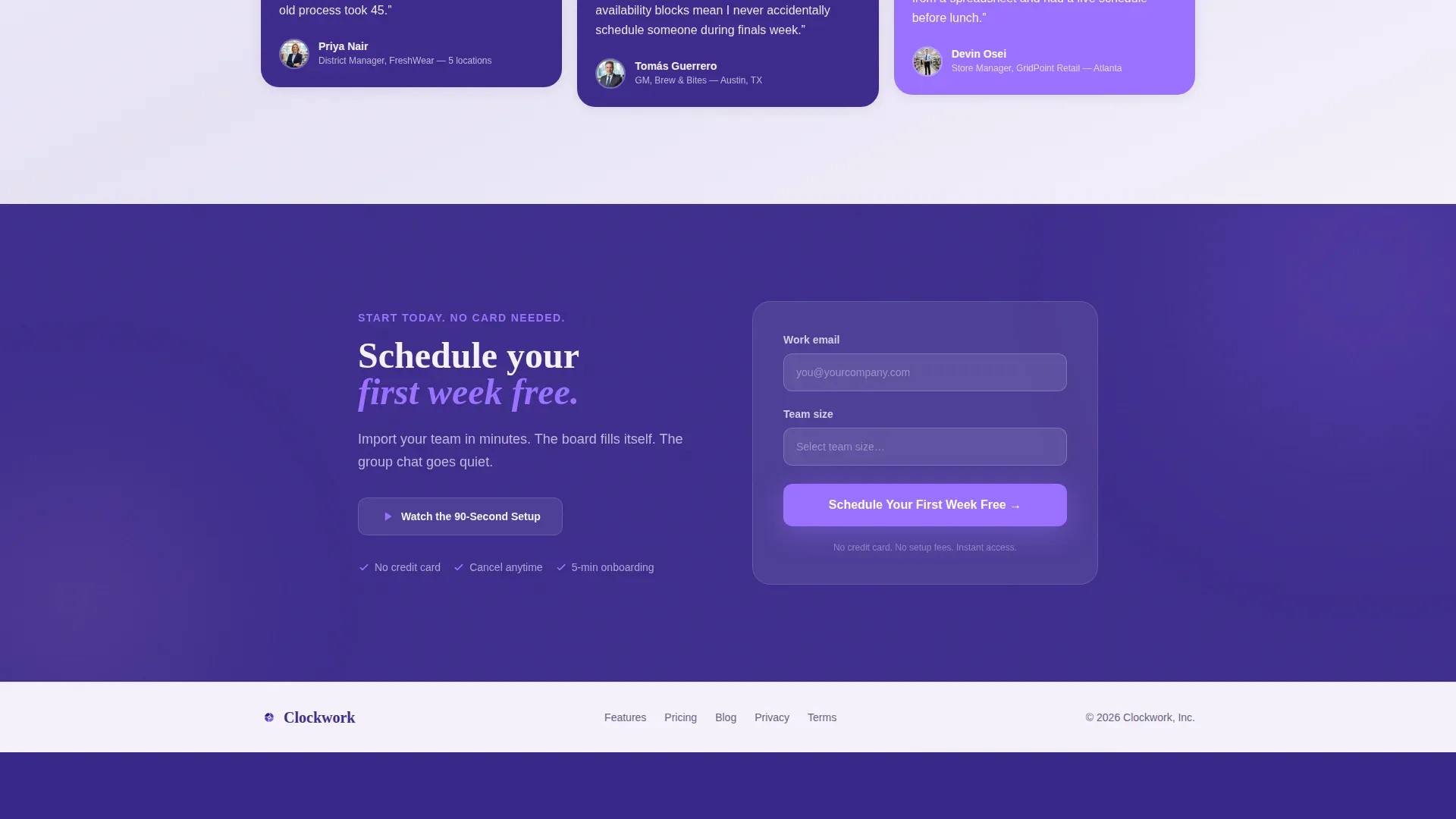
The conversion form asks only for a work email and team size. A dropdown covers three ranges: 1 to 10, 11 to 50, and 51 to 200 or more. No credit card. No lengthy onboarding fields. The intentional simplicity reflects a proven principle: fewer fields mean more completions.
Page sections overview
| Section | Purpose |
|---|---|
| Hero Header | Introduce app, stat callouts, primary call to action |
| The Sunday Scramble | Teach shift chaos pain, show auto-fill fix |
| The No-Show Spiral | Teach absence problem, show marketplace solution |
| Testimonial Mosaic | Social proof with manager quotes and outcomes |
| call to action and Form | Capture email and team size, drive free trial |
| Footer | Linear single-row links and brand close |
Design & branding system
The Electric Indigo color system gives this template a sharp, energizing feel that matches the clarity a good work schedule template should bring. The whiteboard-marker aesthetic communicates precision and organization without feeling cold or corporate.
- Deep indigo (#3D2C8D) anchors headers and navigation; vivid violet (#7B5EA7) rotates across section backgrounds in the zigzag layout
- Bright electric periwinkle (#9B72FF) lights up all buttons, highlights, and interactive elements; chalk white (#F4F1FA) keeps text and backgrounds breathable
- Fraunces serif handles all display headings; Manrope covers body copy, labels, and user interface elements throughout the page
Mobile & speed optimization
Managers check shifts on their phones. The template is built desktop-first but fully responsive, so the sticky bar, zigzag layout, and testimonial mosaic all reflow cleanly on smaller screens. The page structure prioritizes fast visual delivery so visitors get to the message before patience runs out.
- Scroll-triggered fadeInUp animations and shimmer sweeps are applied staggered, keeping motion purposeful rather than heavy
- Server Components handle static sections; Client Components power the sticky bar, form dropdown, and video toggle
- The sticky bottom call to action bar is thumb-friendly by default, placing the primary conversion action within easy reach on mobile
How this template helps you convert
This template is engineered to teach first and sell second. By the time a visitor reaches the signup form, they have already learned three concrete things they can fix tonight. That sequence builds enough trust to make a free trial feel like a logical next step, not a gamble.
- The zigzag teaching flow walks visitors through real scheduling pain points with matching solutions, so the app's value is obvious before any pricing appears.
- The testimonial mosaic places quantifiable social proof at the exact moment visitors might hesitate, reinforcing the lesson with lived manager experience.
- The sticky freemium bar and two-field form remove every remaining barrier, so the visitor converts at the peak of their motivation without friction slowing them down.
Other information about this template
This template is designed to support a wide range of shift scheduling scenarios that go beyond a single industry. The layout and copy structure can flex to fit any context where organizations need to plan, track, and communicate shift schedules at scale.
- The page structure supports messaging around fixed day shift coverage, rotating shifts across nights and weekends, and split or flexible daily shifts for teams with fluctuating demand
- Shift work schedules are structured plans that define when employees work across different time periods. The template's teaching sections are designed to explain this clearly to any visitor who is new to structured scheduling software
- The Fair Labor Standards Act (the FLSA) requires overtime pay at 1.5 times the regular rate beyond 40 working hours per week. Built-in compliance messaging in the template can address breaks, maximum working hours, and local regulations to help businesses avoid fines and reduce legal risk
- The template works equally well for businesses in restaurants, retail, healthcare, logistics, and customer support, all of which rely on shift schedules to maintain service quality and continuous operations
- The clockwork smart shift scheduling landing page template includes color-coded design cues that improve clear visibility across shift assignments, reduce errors in work schedule review, and support fair distribution of nights, weekends, and holidays
- Schedule templates built with this layout can replace manual Excel-based work schedule processes. Managers who currently use Excel to build weekly work schedules find that the visual and structural cues in this page help them communicate the value of upgrading to a purpose-built employee scheduling app
- The two-field form follows a low-friction design principle: fewer fields increase completions. Employers can adapt the dropdown team-size ranges to match their own sales qualification logic
- This template can support messaging around employee well being by highlighting adequate rest between shifts, fair distribution of night shifts and weekends, and tools that respect employee preferences and personal goals
- Staff members benefit when organizations use scheduling software that considers employee availability in advance, reduces last-minute changes, and gives clear visibility into upcoming shifts before the work week begins
Theme
Educational Guide
Creative direction
Testimonial Mosaic
Color system
Electric Indigo
Style
Zigzag/Alternating
Direction
Freemium/Trial
Page Sections
Zigzag Teaching Layout
Testimonial Mosaic Grid
Sticky Freemium Conversion Bar
Inline Video Demo Toggle
Low-friction Signup Form
Electric Indigo Color System
Related questions
Can this template handle both small teams and larger multi-location organizations?
Does this template support a freemium or free trial conversion model?
What shift schedule types does this template's messaging cover?
Can I use this template if my app does not yet connect with payroll systems?
Is this template suitable for industries beyond restaurants?



