Restaurant Contact & Reservations Command Center Website Template
Reserve is a single-page restaurant contact landing page built like a mission control dashboard. It surfaces every contact vector at a glance: live kitchen status, table availability, weekly hours, an embedded map, and a reservation method comparison. Visitors get answers instantly, without scrolling through menus or clicking through pages.
by Rocket studio
Quick summary
Reserve is a bento grid restaurant contact landing page designed around a mission control aesthetic. It gives hungry locals, event planners, and delivery drivers instant access to hours, directions, and reservation options. Live status counters, a weekly hours matrix, and a reservation comparison table replace guesswork with clear, data-driven answers.
Who this template is for
This template is built for restaurants that lose reservations and foot traffic because their contact information is buried, outdated, or hard to act on. It fits operators who want every visitor question answered before a single scroll.
- Restaurants and dining venues that take reservations and field frequent calls about hours or availability
- Event planners and private dining coordinators who need capacity and contact details confirmed quickly
- Delivery drivers and couriers who need a precise entrance address at a glance on their phones
What problem this template solves
Most restaurant contact pages force visitors to hunt. Hours hide inside a footer. Reservation links scatter across social profiles. Delivery instructions live in a separate email. Visitors leave before they act.
- Hungry locals cannot quickly confirm whether the kitchen is still open without clicking through multiple pages
- Event planners waste time calling to confirm private dining capacity when that information should be visible immediately
- Delivery drivers cannot find the correct entrance address fast enough during a busy shift
What you get with this template
You get a fully structured, single-page contact layout built as a bento grid. Every section has one job: answer a specific question and offer one clear action. Nothing is buried and nothing requires a second page.
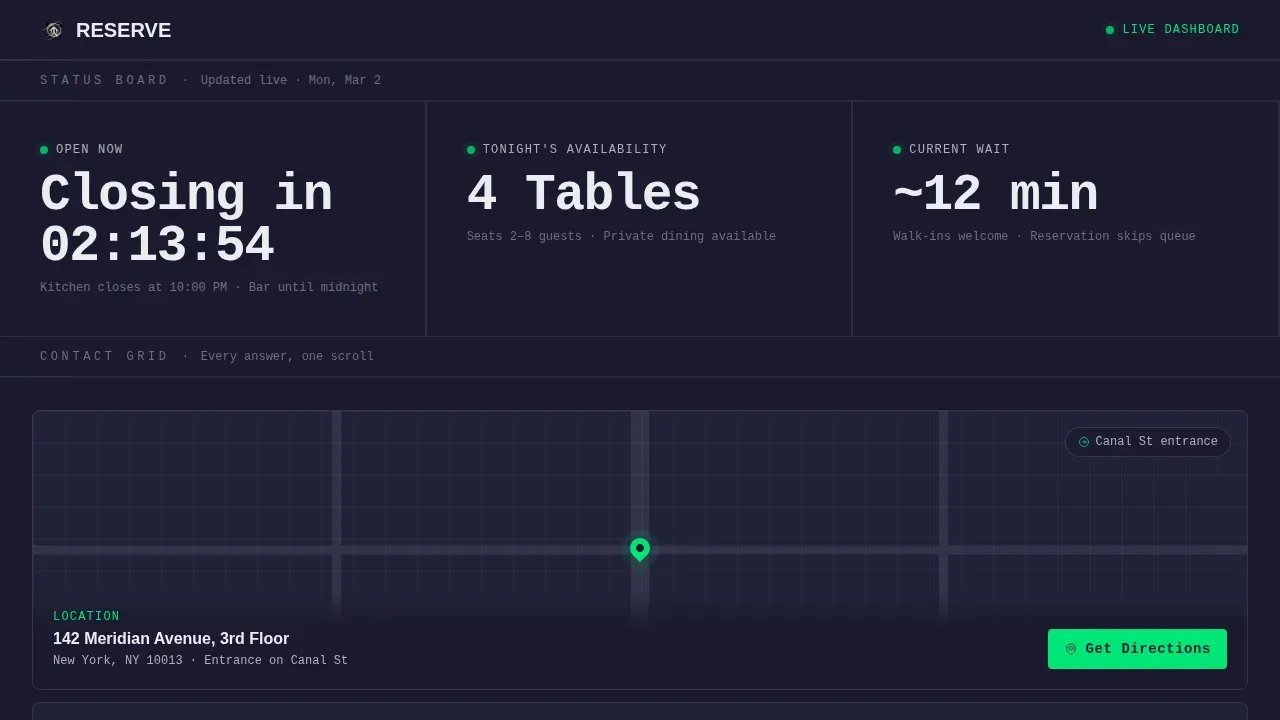
- A live metrics wall with real-time open status, table availability count, and current average wait time
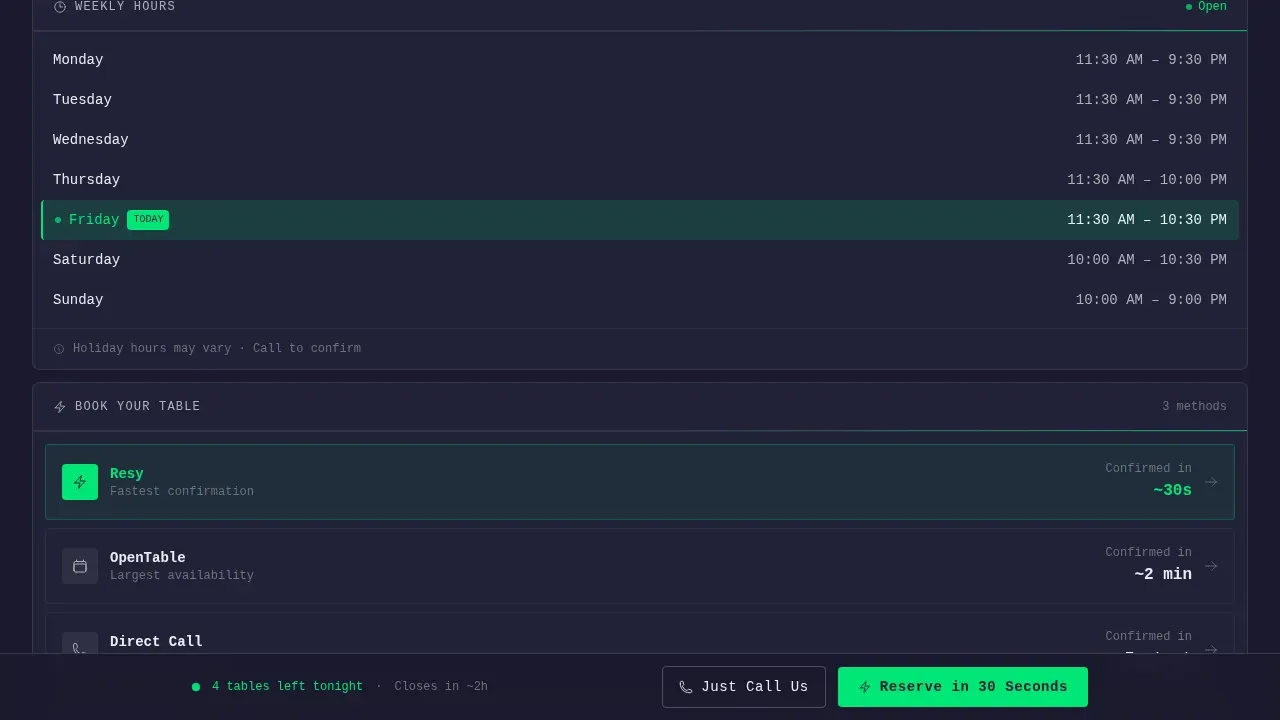
- A bento grid with a map tile, weekly hours matrix, and reservation platform cards showing confirmation speed
- A reservation comparison table and a sticky viewport-pinned call to action with a primary reserve button and a secondary tap-to-call button
Feature list
A quick paragraph on what powers this template: each feature below maps directly to a section or component in the source layout. Every item has a single purpose and a single action attached.
Live Status Metrics Wall
The top section displays three oversized counters in real time: open or closed status with a countdown to closing, current tables available tonight, and average wait time in minutes. A pulsing signal-green dot beside each metric signals live data at a glance.
Bento Grid Contact Tiles
The main body uses a bento grid layout where each tile is a self-contained contact vector. One tile holds a live-embedded map with a one-tap directions button. Another shows the full weekly hours matrix with today's row highlighted. A third presents reservation platforms side by side with average confirmation speed ratings.
Reservation Method Comparison Table
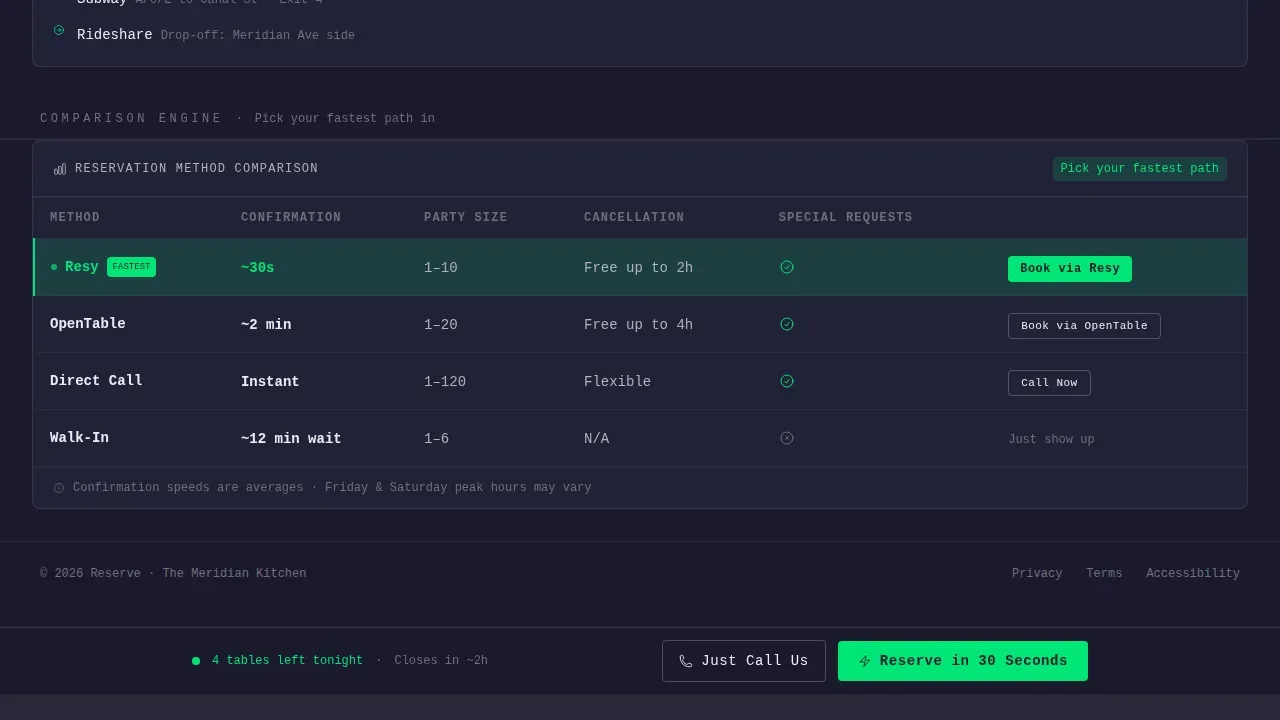
A compact comparison table benchmarks available reservation methods against each other. It shows speed, party-size limits, and cancellation flexibility for each option. Visitors choose their fastest path without needing to read any extra copy.
Sticky Viewport Call to Action
A call to action bar is pinned to the bottom of the viewport at all times. The primary button reads "Reserve in 30 Seconds" and links to the fastest reservation platform. A secondary button reads "Just Call Us" for guests who prefer speaking directly.
Monospaced Data Typography
Metric figures and live counters use JetBrains Mono at display scale. This monospaced typeface reinforces the dashboard aesthetic and makes numbers easy to scan at speed. Body labels and supporting text use DM Sans for clean readability.
High-Interactivity Animations
The template includes beam border sweeps, pulsing green dot indicators, a live countdown timer, and number tick animations. Tab switching allows visitors to navigate reservation platform options without leaving the page.
Page sections overview
| Section | Purpose |
|---|---|
| Live Metrics Wall | Shows open status, table count, and wait time in real time |
| Bento Grid Tiles | Delivers map, hours matrix, and platform cards in one scannable grid |
| Reservation Comparison Table | Benchmarks booking methods by speed, party size, and flexibility |
| Sticky Call to Action | Pins primary reserve and tap-to-call buttons to the viewport bottom |
| Minimal Footer | Provides copyright line and essential links in a single row |
Design & branding system
The visual identity follows a Startup Velocity theme executed through a Monochrome Steel color system. The palette is drawn from commercial kitchen materials: forge black for backgrounds, brushed aluminum for secondary surfaces, stainless counter white for text and labels, and a single signal-green accent reserved strictly for live indicators and primary action buttons.
- Forge black (#1A1A2E) as the dominant background, brushed aluminum (#B0B0B8) for secondary elements, and stainless counter white (#EAEDF0) for readable labels
- Signal green (#00E676) used only on pulsing live-status dots and primary call-to-action buttons, keeping the accent meaningful and high-contrast
- JetBrains Mono for all metric and counter displays; DM Sans for body copy and section labels
Mobile & speed optimization
The template is built mobile-first, recognizing that delivery drivers and last-minute diners are the most time-sensitive visitors. The layout adapts from a full desktop dashboard to a vertically stacked, thumb-friendly column on smaller screens.
- No hero image in the layout means the metrics wall loads immediately without waiting for large media files
- Pure CSS and JavaScript animations handle all interactivity, including the live countdown timer, pulsing dots, and tick animations, keeping the page lightweight
- The sticky call to action remains accessible at the bottom of the viewport on both mobile and desktop, so the reservation tap is never more than a thumb-reach away
How this template helps you convert
This landing page earns the tap by proving it already knows what the visitor needs. There is no scrolling detour, no menu PDF redirect, and no form to fill out before getting an answer.
- The live metrics wall answers the most urgent question immediately: is the kitchen open right now and is there a table? Visitors who get that answer stay on the page.
- The reservation comparison table removes decision friction by ranking booking methods side by side. Visitors pick the fastest option for their party size and situation without second-guessing.
- The sticky call to action keeps the conversion point visible at all times. Whether a visitor reads the full page or scans only the top, the "Reserve in 30 Seconds" button is always one tap away.
Other information about this template
This template is part of the Restaurant Website Templates subcategory within the Technology category on the platform. It is well suited to independent restaurants, upscale casual dining spots, and chef-driven concepts that rely on reservations as a primary revenue channel.
- The footer follows a minimal single-row pattern with copyright text and essential links, keeping the bottom of the page clean and uncluttered
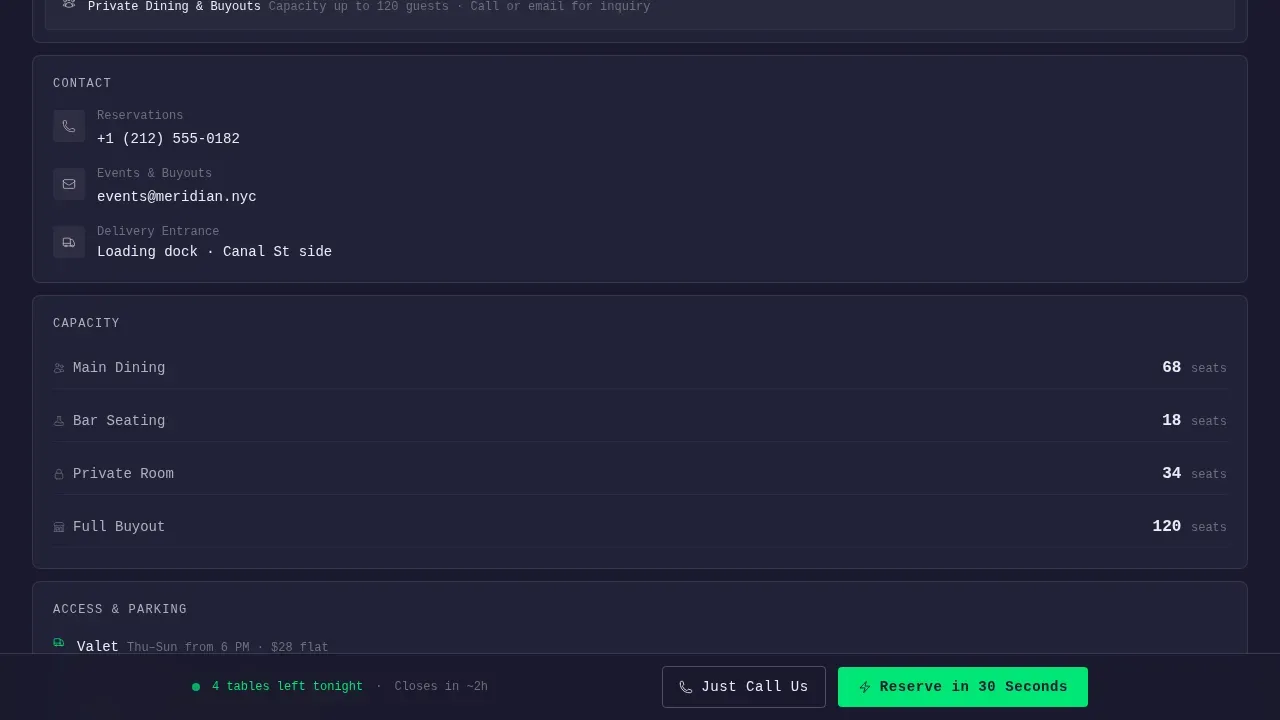
- The template supports a private dining or event inquiry use case through the contact and hours information presented in the bento grid
- Animation intensity is set to high by design, covering beam border sweeps on tile edges, smooth number tick transitions, and the pulsing green dot on the live indicator
Theme
Startup Velocity
Creative direction
Stats-First Impact
Color system
Monochrome Steel
Style
Bento Grid
Direction
Comparison/Versus
Page Sections
Live Status Metrics Wall
Bento Grid Contact Tiles
Reservation Comparison Table
Sticky Viewport Call to Action
Monospaced Dashboard Typography
High-interactivity Animation System
Related questions
Can I customize the restaurant name, hours, and contact details?
Does the live countdown timer work out of the box?
Can this template support private dining or event inquiries?
Is this template suitable for mobile users?
Can I change which reservation platforms appear in the comparison table?