Falconer Booking Website Template
Talon is a split-screen landing page template built for professional falconers. It pairs legal credentials with field photography in alternating Expert Panel layouts, builds trust through compliance language and client proof, and drives bookings through a structured site survey form. The design uses a restrained Cloud Canvas palette that feels grounded, official, and quietly authoritative.
by Rocket studio
Quick summary
Talon is a single-page template designed for falconry businesses that offer regulated pest abatement, event appearances, and site management services. It combines a commanding serif headline, split-screen credential panels, and a focused booking form into one cohesive landing page. The result is a page that feels professional, trustworthy, and ready to convert serious enquiries.
Who this template is for
This template is built for licensed falconers who operate as professional service providers, not hobbyists. It suits practitioners whose clients include commercial landowners, facility managers, and event coordinators who need documented evidence of compliance before signing a contract.
- Licensed falconers offering bird control for vineyards, airfields, estates, or corporate events
- Raptor management professionals who need to present insurance, licensing, and regulatory credentials online
- Sole operators or small falconry businesses ready to move beyond word-of-mouth and capture leads digitally
What problem this template solves
Most falconers lack a web presence that communicates professional authority. A poorly designed page loses the trust of airport operations managers or estate owners who need contractual assurance before any bird is deployed. Talon solves that credibility gap.
- Prospective clients cannot easily verify licensing, insurance, or regulatory compliance from a generic website
- The booking process is unclear, leaving enquiries in email inboxes rather than a structured pipeline
- The visual presentation fails to match the precision and seriousness the service actually demands
What you get with this template
Talon delivers a complete, ready-to-customise landing page structure covering every stage of the buyer journey, from first impression through to booking confirmation. Each section is purposefully sequenced to build trust before asking for a commitment.
- A full split-screen layout with alternating credential and imagery panels across the page
- A primary booking form capturing site type, postcode, preferred survey date, and a free-text description field
- A secondary lead capture path offering a downloadable insurance and licensing pack behind an email gate
Feature list
A brief introduction to the features below: every component in Talon is drawn directly from the template brief and serves a specific conversion or trust-building function on the page.
Giant Headline Centered Header
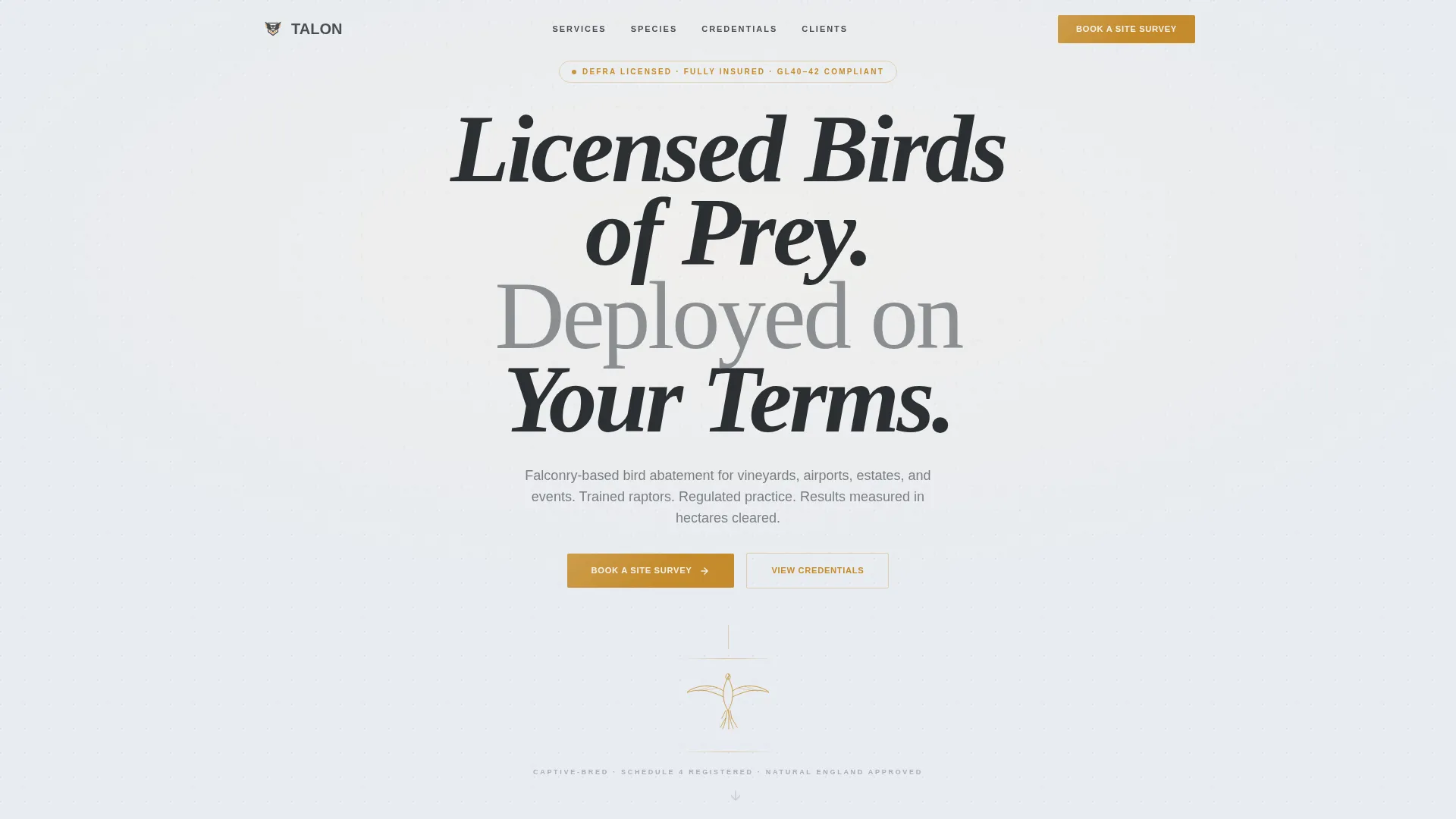
The header fills the full viewport with enormous serif type reading "LICENSED BIRDS OF PREY. DEPLOYED ON YOUR TERMS." A fine-line peregrine-in-stoop illustration sits beneath the text like a notary seal. No photograph competes with the words. A subtle down-arrow invites the scroll only after the headline has had its moment.
Alternating Expert Panel Layout
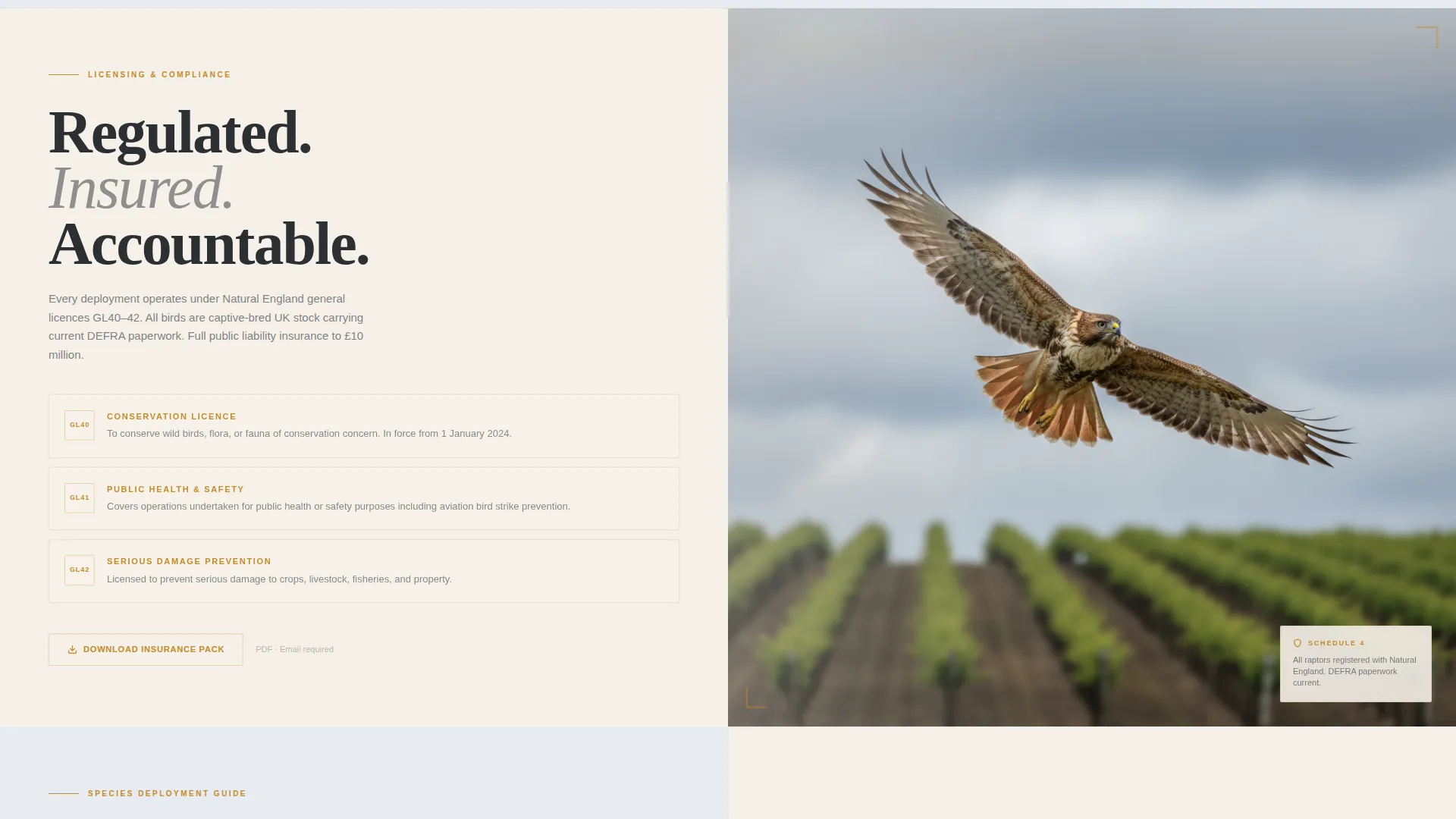
Below the header, the page runs a series of 50/50 split-screen panels. Left and right sides alternate between credential documentation and field photography. Each panel swap deepens the case for trust by pairing legal authority directly against visceral proof of real-world deployment.
Structured Site Survey Booking Form
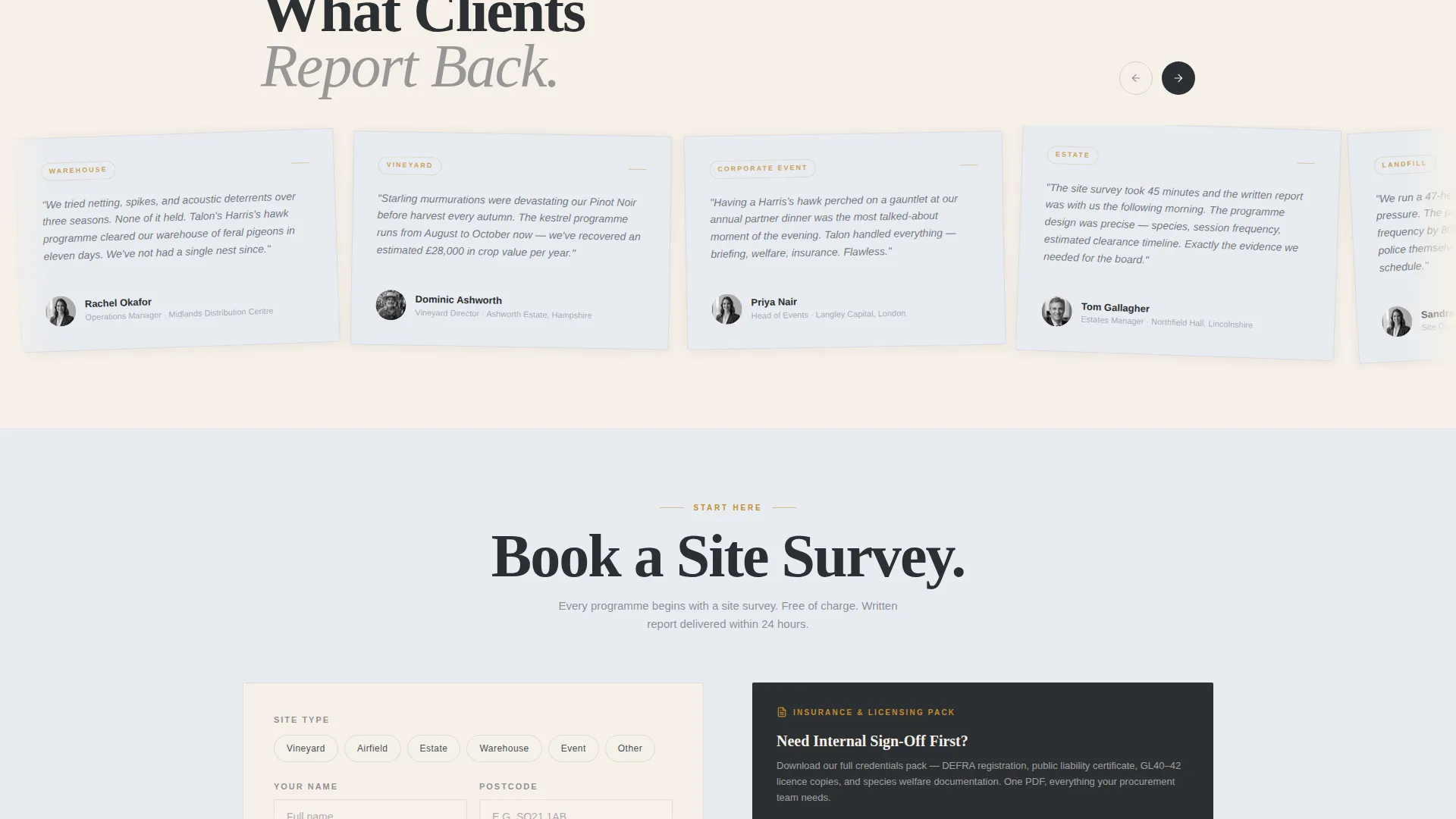
The primary call to action, "Book a Site Survey," appears twice: anchored below the header and repeated at the page base. The form collects site type via a dropdown, postcode, a preferred survey date through a calendar picker, and a single free-text field labelled "Describe your bird problem."
Email-Gated Licensing Pack Download
A secondary conversion path lets cautious leads download an insurance and licensing pack as a portable document format (PDF) file. Only an email address is required. This captures prospects who need internal sign-off before they can commit to a booking.
Raptor Species Selection Panel
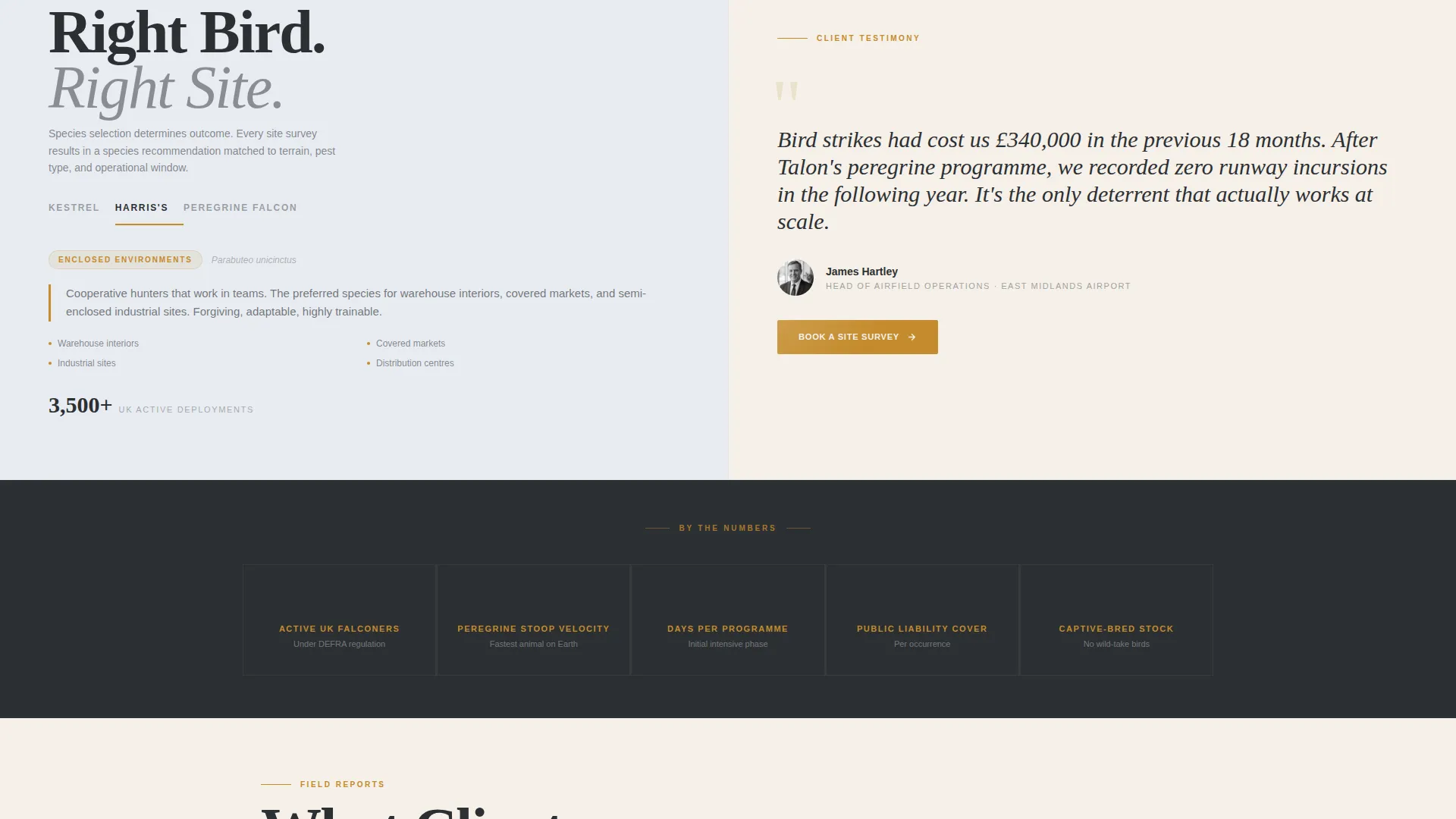
One Expert Panel section dedicates its left side to a practical species guide. It maps kestrels to small acreage, Harris's hawks to warehouse interiors, and peregrines to open airfields. This content positions the falconer as an expert advisor, not just a service vendor.
Compliance and Testimonial Panels
The template includes a dedicated section pairing falconry licensing documentation, insurance certificates, and DEFRA (Department for Environment, Food and Rural Affairs) compliance language on one side with a client testimonial from an airport operations director on the other. This combination handles the two biggest objections in a single scroll.
Page sections overview
| Section | Purpose |
|---|---|
| Viewport Header | Establishes authority with serif headline and peregrine illustration |
| Primary call to action Strip | Anchors the first "Book a Site Survey" call to action below the header |
| Credentials versus. Field Photo | Pairs licensing documents and compliance language with raptor-in-flight imagery |
| Species Selection Guide | Maps raptor species to specific site types and client scenarios |
| Testimonial versus. Credentials | Places airport director quote opposite insurance and DEFRA compliance proof |
| PDF Lead Capture | Offers licensing pack download gated by email address |
| Base call to action Form | Repeats full booking form with site type, postcode, date, and description fields |
Design & branding system
The visual identity follows a Legal Shield theme built on the Cloud Canvas color system. Every color choice has a functional role: backgrounds anchor the eye, text stays readable, and amber appears only where action is needed.
- Overcast sky white (#E8ECF1) and parchment cream (#F5F0E8) alternate as section backgrounds, keeping the page airy without losing authority
- Mews timber gray (#4A4E54) carries all body and headline text, grounding the tone in professional restraint
- Raptor-talon amber (#C48B2C) is reserved exclusively for buttons, hover states, and accent lines, drawing the eye precisely where a decision must be made
Mobile & speed optimization
The split-screen structure is designed to restack cleanly on smaller screens. Each panel becomes a full-width block in the mobile view, preserving the credential-then-proof sequence without requiring horizontal scrolling.
- The alternating Expert Panel layout collapses to a single-column stack on mobile devices
- Form fields and the calendar picker are sized for comfortable touch interaction on phones and tablets
- The fine-line peregrine illustration and serif headline scale proportionally so the header retains its visual weight at any screen size
How this template helps you convert
Talon is structured to move a sceptical commercial buyer from curiosity to committed enquiry. Every section earns the next click rather than rushing toward a form.
- The viewport-filling headline and notary-seal illustration establish credibility before a single word of body copy is read, setting the professional tone that commercial clients require
- The alternating credential and proof panels progressively remove objections, so by the time the reader reaches the base booking form, trust has already been built across multiple touchpoints
- The dual conversion paths, a direct booking form and a PDF download gate, capture both ready-to-book leads and those who need internal approval, maximising the number of contacts the page generates
Other information about this template
Talon is a strong fit for any professional falconer who needs a polished online presence that reflects the regulated, insured nature of their work. A few additional points worth knowing before you use this template:
- The template is built as a single landing page, making it straightforward to publish without managing a multi-page site structure
- The DEFRA compliance language placeholders in the credentials panel are ready for you to replace with your own licence numbers and certification details
- The species guide panel can be edited to reflect the specific raptors you work with and the client sectors you serve
- The Legal Shield theme and Cloud Canvas palette were chosen to communicate official authority, making this template well suited to regulated professional services beyond falconry where a similar trust-first presentation is needed
Theme
Legal Shield
Creative direction
Expert Panel
Color system
Cloud Canvas
Style
Split Screen (50/50)
Direction
Booking/Scheduling
Page Sections
Giant Headline Centered Header
Alternating Expert Panel Layout
Structured Site Survey Booking Form
Email-gated Licensing Pack Download
Raptor Species Selection Panel
Compliance and Testimonial Panels
Related questions
Can I change the booking form fields to match my enquiry process?
Does the template include the PDF licensing pack content?
Is this template suitable for a falconer who works only with events and not pest control?
Can the amber accent color be updated to match an existing brand?
How many times does the call to action appear on the page?



