Falconer FAQ Website Template
Talons is a single-column falconer landing page template built as a structured FAQ and resource hub. It guides apprentice, general, and master falconers through permitting, bird training, and regulatory questions. Mentor-style profiles, lead capture forms, and a permit checklist download work together to build trust and collect qualified contacts from day one.
by Rocket studio
Quick summary
Talons is a focused, single-column falconry resource landing page. It organizes complex permit, training, and regulatory content into mentor-led FAQ clusters. Three built-in lead capture touchpoints collect visitor details and questions. The design feels grounded and authoritative, like a seasoned sponsor walking a new apprentice through the federal and state falconry regulations on a quiet autumn morning.
Who this template is for
This template is built for falconers and falconry organizations that want to serve a community of practitioners at every license level. It fits anyone who needs to publish vetted, well-organized regulatory and training guidance online.
- First-year apprentices navigating the two-year sponsorship process and state permit paperwork
- General falconers upgrading to passage birds and seeking current United States Fish and Wildlife Service regulatory guidance
- Master falconers and falconry sponsors who want to publish reliable answers and capture questions from the community
What problem this template solves
New and intermediate falconers face an overwhelming scatter of regulatory documents, forum posts, and word-of-mouth advice. There is rarely a single, organized place that presents accurate answers with clear attribution to real practitioners.
- Visitors land with urgent, specific questions and leave empty-handed when content lacks structure or authority signals
- Anonymous wall-of-text FAQ pages fail to convey credibility, leaving apprentices uncertain about permit accuracy
- Resource pages without lead capture miss the chance to build a relationship with engaged, motivated visitors
What you get with this template
This template delivers a complete, ready-to-customize single-column landing page. Every section is pre-structured so you can drop in content without rebuilding the layout.
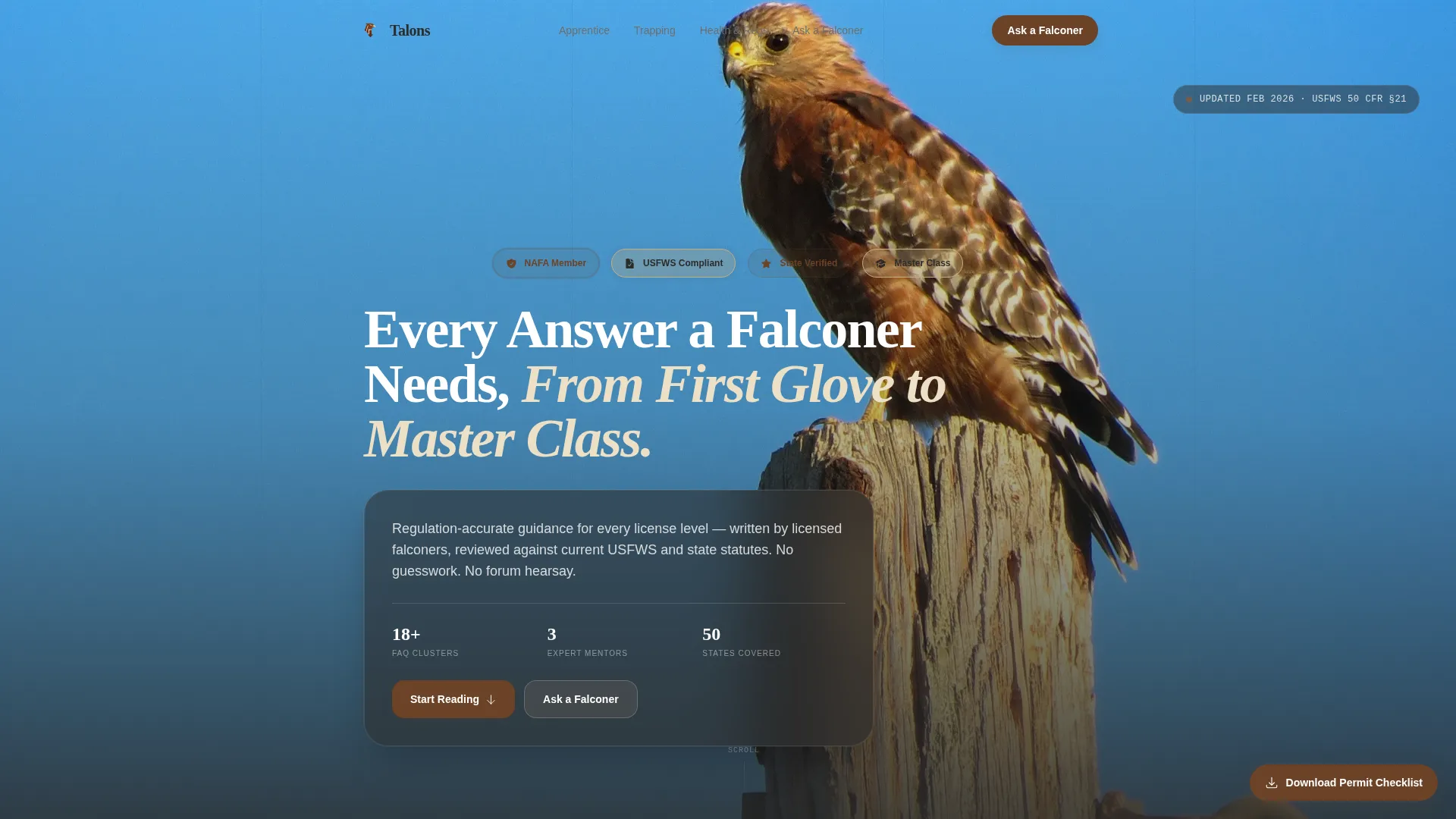
- A header with Award Badge row, credential icons, and a single commanding headline
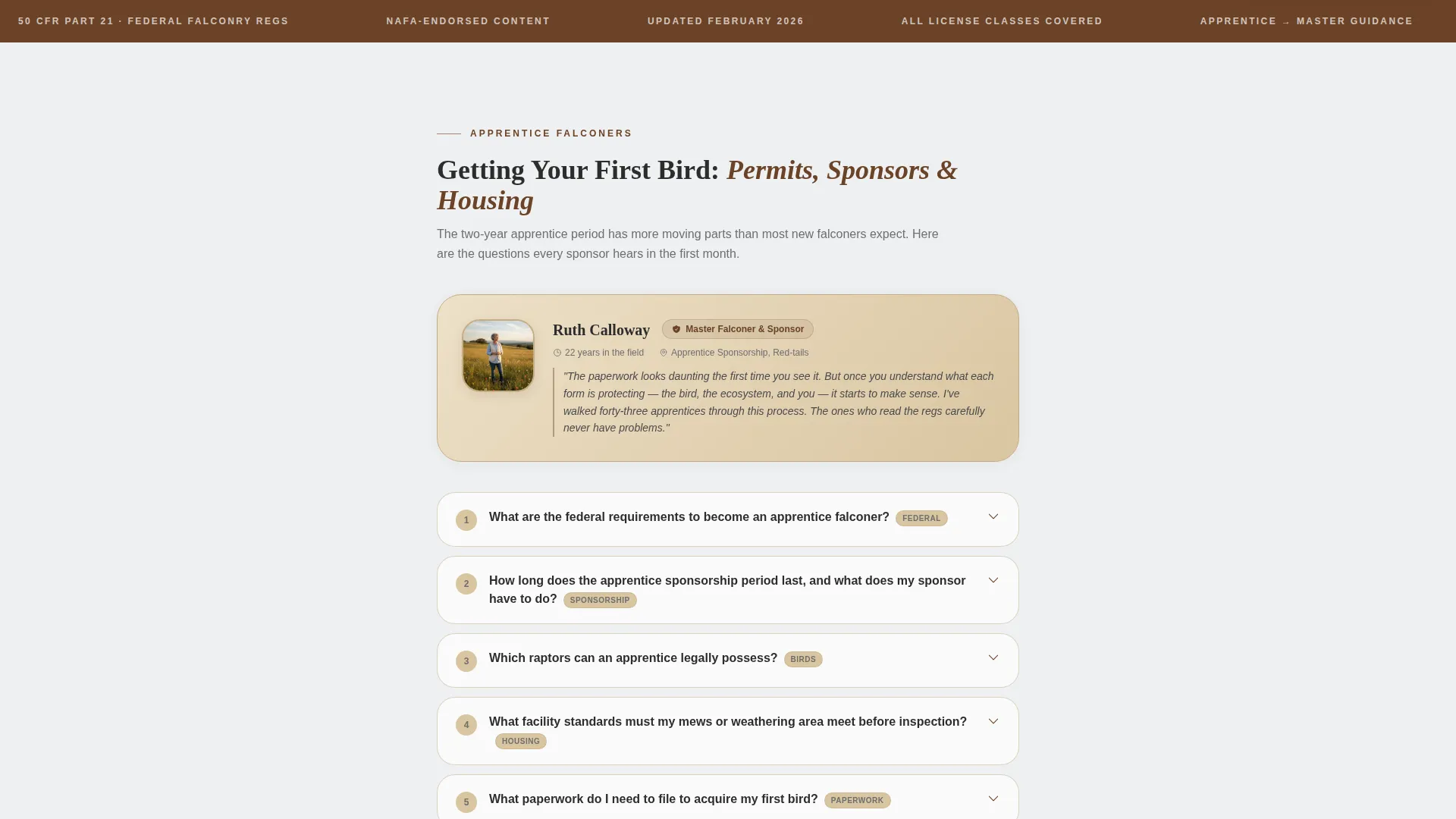
- Mentor profile blocks introducing each FAQ cluster with a portrait, name, license class, and years in the field
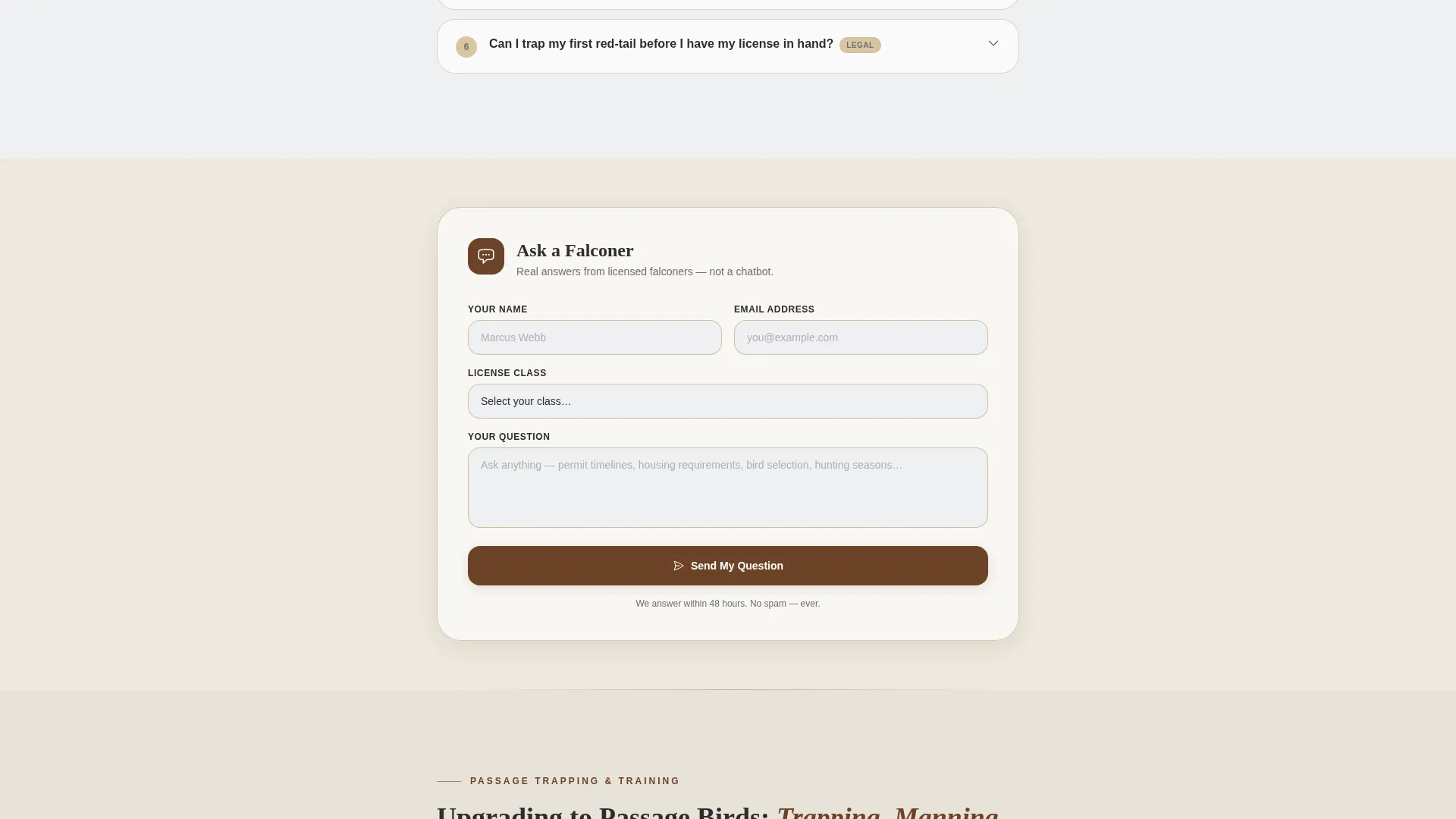
- Two lead capture components: an inline "Ask a Falconer" form and a sticky "Download the Permit Checklist" button
Feature list
This template packages six purposeful components into one cohesive single-column flow. Each one is built around the real workflow of a falconry resource page.
Award Badge Header Row
The header displays a curated row of credential badges before the visitor reads a single word. Membership seals, association crests, and compliance icons are arranged like merit patches on a hawking vest, signaling vetted content immediately.
Mentor-Led FAQ Clusters
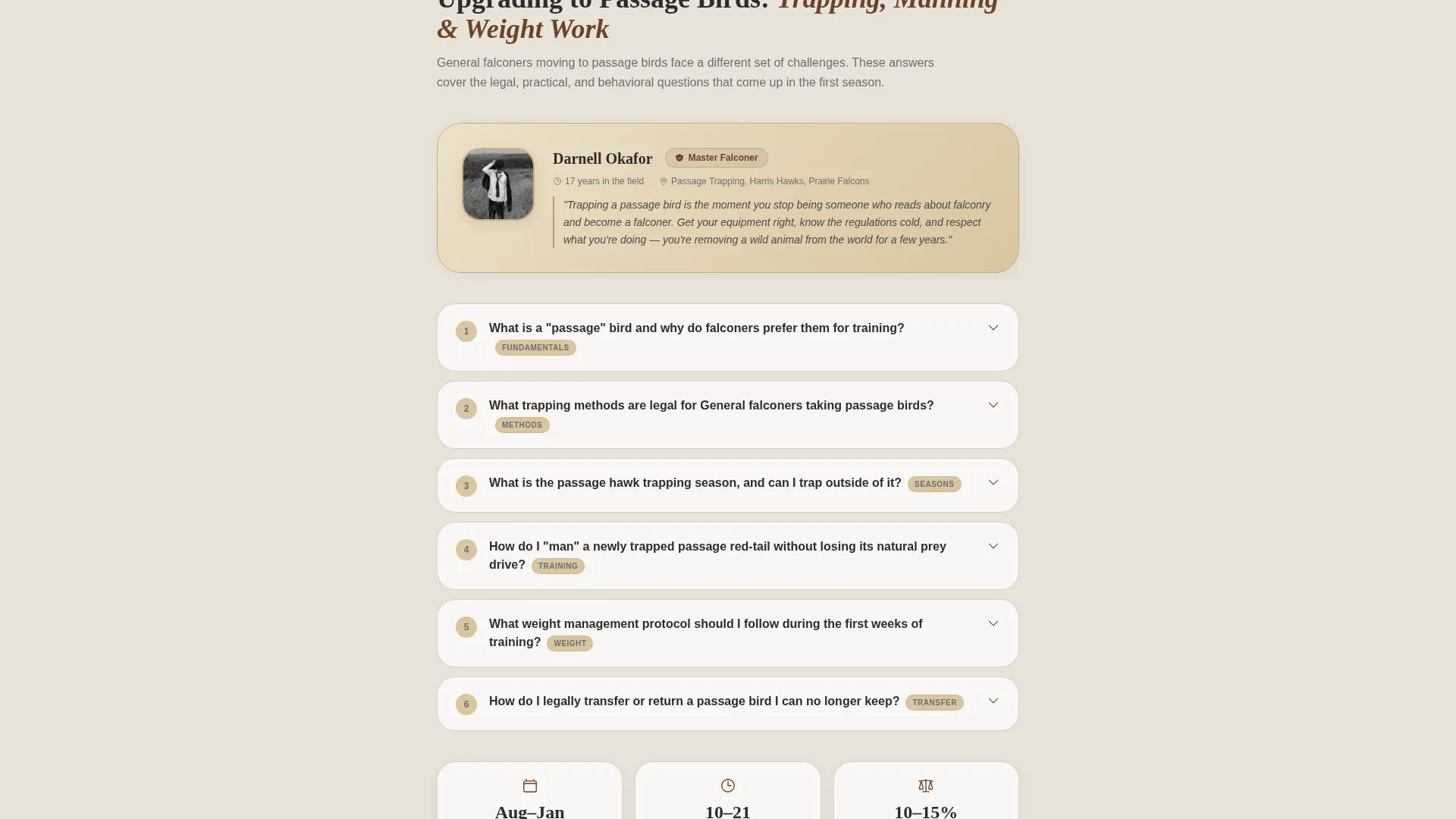
Each FAQ section is introduced by a real falconer portrait with name, license class, and years of experience. An apprentice sponsor answers beginner permit questions. A passage-trapping specialist covers capture and training. A raptor veterinarian addresses health and nutrition. This structure builds cumulative authority as the visitor scrolls.
Inline Ask a Falconer Form
An inline lead capture form appears after every third FAQ cluster. It collects the visitor's name, email address, license class, and a free-text question field. Placement after answered questions earns the form submission by demonstrating depth first.
Sticky Permit Checklist call to action
A secondary sticky button sits at the bottom of the page and reads "Download the Permit Checklist." It gates a permit guidance PDF behind an email capture, giving motivated visitors a concrete next action at any scroll position.
Single-Column Resource Flow
The entire page uses a single-column layout that reads top to bottom without distraction. Section backgrounds alternate between muted raptor-breast cream and overcast sky white, creating breathing room between FAQ clusters without breaking the reading flow.
Cloud Canvas Color System
The four-color palette uses overcast sky white, weathered leather brown, muted raptor-breast cream, and deep hood-stitch charcoal. Leather brown marks all links and active states. Charcoal carries every line of readable text. The combination feels worn, functional, and immediately trustworthy.
Page sections overview
| Section | Purpose |
|---|---|
| Award Badge Header | Establishes credential authority before copy |
| Primary Headline | Sets scope and tone for the page |
| Beginner Permit FAQ | Covers apprentice sponsorship and state permits |
| Apprentice Sponsor Profile | Introduces the permit section mentor |
| Ask a Falconer Form | Captures leads after beginner FAQ cluster |
| Passage Bird FAQ | Addresses capture, training, and bird selection |
| Trapping Specialist Profile | Introduces the capture and training mentor |
| Health and Nutrition FAQ | Covers raptor care and veterinary guidance |
| Raptor Vet Profile | Introduces the veterinary expertise mentor |
| Ask a Falconer Form | Captures leads after health FAQ cluster |
| USFWS Regulatory FAQ | Covers federal permit updates and compliance |
| Sticky Checklist Button | Persistent permit PDF download call to action |
Design & branding system
The visual identity follows a Service Utility theme built on the Cloud Canvas color system. Every color choice has a functional role, not a decorative one, keeping the page legible and calm across long reading sessions.
- Overcast sky white (#EEF0F2) opens space between FAQ clusters; weathered leather brown (#6B4226) marks links and active interactive states
- Muted raptor-breast cream (#D9C5A0) anchors section backgrounds; deep hood-stitch charcoal (#2C2C2C) carries all body text for high readability
- The Team and People creative direction brings real falconer portraits and credential details into every FAQ section introduction
Mobile & speed optimization
The single-column layout adapts naturally to narrow screens without requiring complex responsive breakpoints. Visitors reading on a phone during a training session or field trip encounter the same clean, linear flow as desktop users.
- Stacked mentor profiles and FAQ items maintain clear visual hierarchy on small screens
- The sticky permit checklist button remains accessible at the bottom of the viewport on all device sizes
How this template helps you convert
The page earns trust before asking for anything. It answers dozens of questions openly, then places lead capture forms at natural completion points where visitor confidence is highest.
- The inline "Ask a Falconer" form appears after every third FAQ cluster, so visitors who have just found value are the most likely to submit their name, email, and question.
- The sticky "Download the Permit Checklist" button gives motivated visitors a persistent, low-friction way to exchange their email for a practical PDF resource at any point in the scroll.
Other information about this template
This template is part of the Talons product line, designed specifically for the falconry niche within the broader Professional Services category. It sits at the intersection of falconer online presence and community-led FAQ publishing.
- The template style is Single Column Flow, suited to long-form resource and FAQ content where linear reading builds authority progressively
- The Service Utility theme and Cloud Canvas palette can be recolored to match a specific state falconry association's branding without restructuring the layout
- The Team and People creative direction is intentional: named, credentialed mentors replace anonymous FAQ authorship, which is central to how this template builds trust
Theme
Service Utility
Creative direction
Team & People
Color system
Cloud Canvas
Style
Single Column Flow
Direction
Lead Generation
Page Sections
Award Badge Credential Header
Mentor-led FAQ Section Introductions
Inline Ask a Falconer Lead Form
Sticky Permit Checklist Download Button
Single-column FAQ Resource Flow
Cloud Canvas Branding System
Related questions
Can I customize the mentor profiles with my own falconers?
How do the lead capture components work?
Is this template a single landing page or a full website?
Can I extend the page with more FAQ topics?
Does the template include actual permit content or just the page layout?



