Tarmac - Precision Asphalt Landing Page Template
Tarmac is a split-screen landing page template built for Dubai-based paving and asphalt contractors. It pairs a bold stats wall with an FAQ-driven scroll flow, guiding procurement managers toward a site assessment request. The design uses a navy and amber authority palette to project precision, credibility, and operational readiness to facilities managers, developers, and municipality contractors.
by Rocket studio
Quick summary
Tarmac is a single-page lead generation template for Dubai asphalt and paving companies. It opens with four oversized performance metrics, then moves through a series of FAQ-anchored split-screen sections that answer real procurement objections. Every section builds toward one primary action: a site assessment request form.
Who this template is for
This template is built for established paving contractors who serve commercial, industrial, and residential clients across Dubai. It speaks directly to the buyers those contractors need to convince.
- Facilities managers at logistics parks and industrial zones needing resurfacing or repair work
- Property developers handing over villa compounds under tight construction timelines
- Municipality contractors coordinating road patching and maintenance on arterial routes
What problem this template solves
Most paving company websites fail to address the specific doubts that stall a procurement decision. A facilities manager researching contractors at 11 p.m. needs answers fast, not brochure language. This template removes that friction.
- Procurement managers face unanswered questions about summer paving, permit handling, and minimum project scope
- Generic contractor websites offer no proof points, leaving RFQ decisions on hold
- Without a clear contact path, even interested prospects abandon the page before reaching out
What you get with this template
The template delivers a fully structured, single-page layout designed around the Dubai paving buyer journey. Every section has a defined job to do.
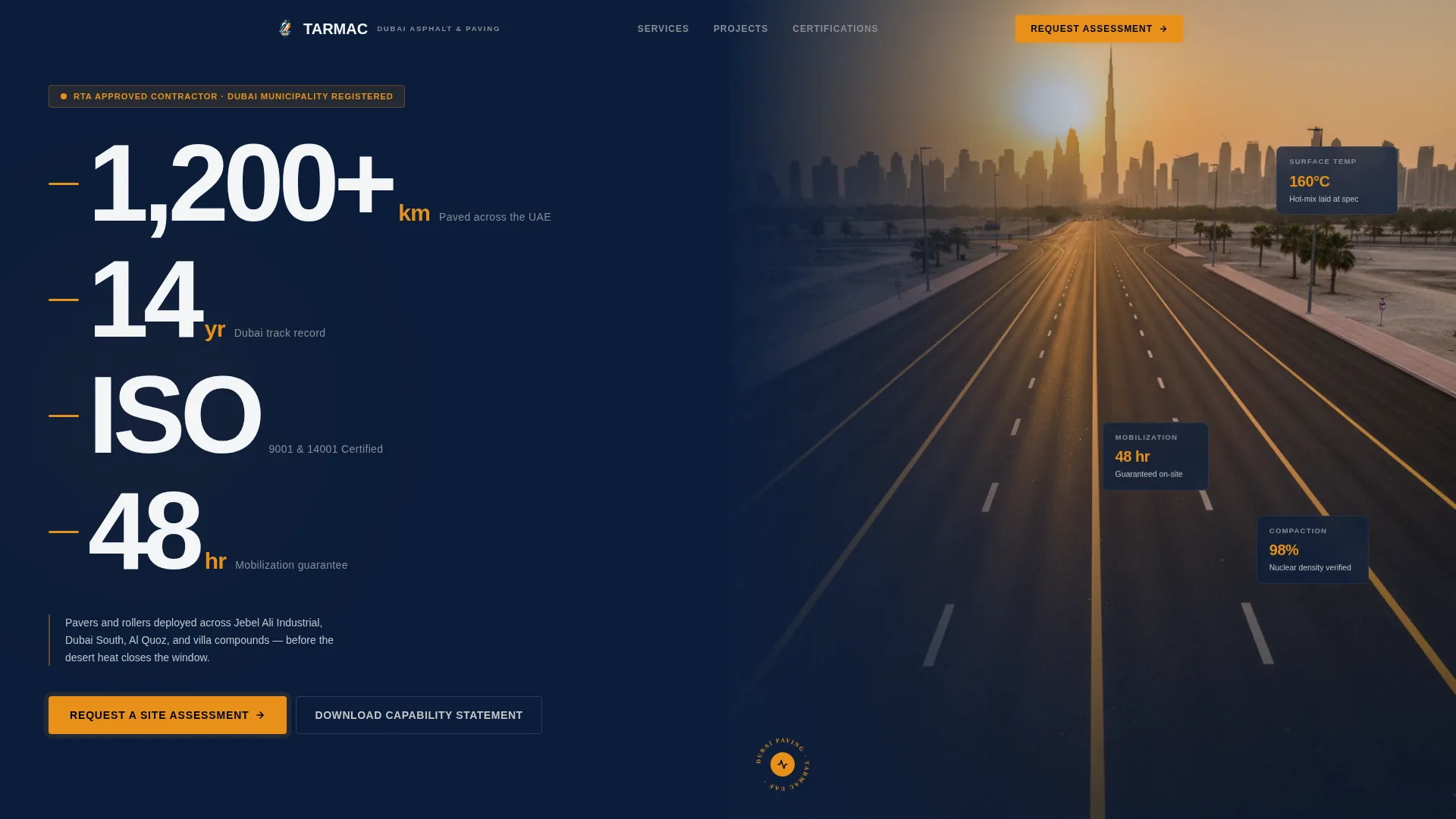
- A Stats/Metrics header with four oversized proof figures set against command-deck navy
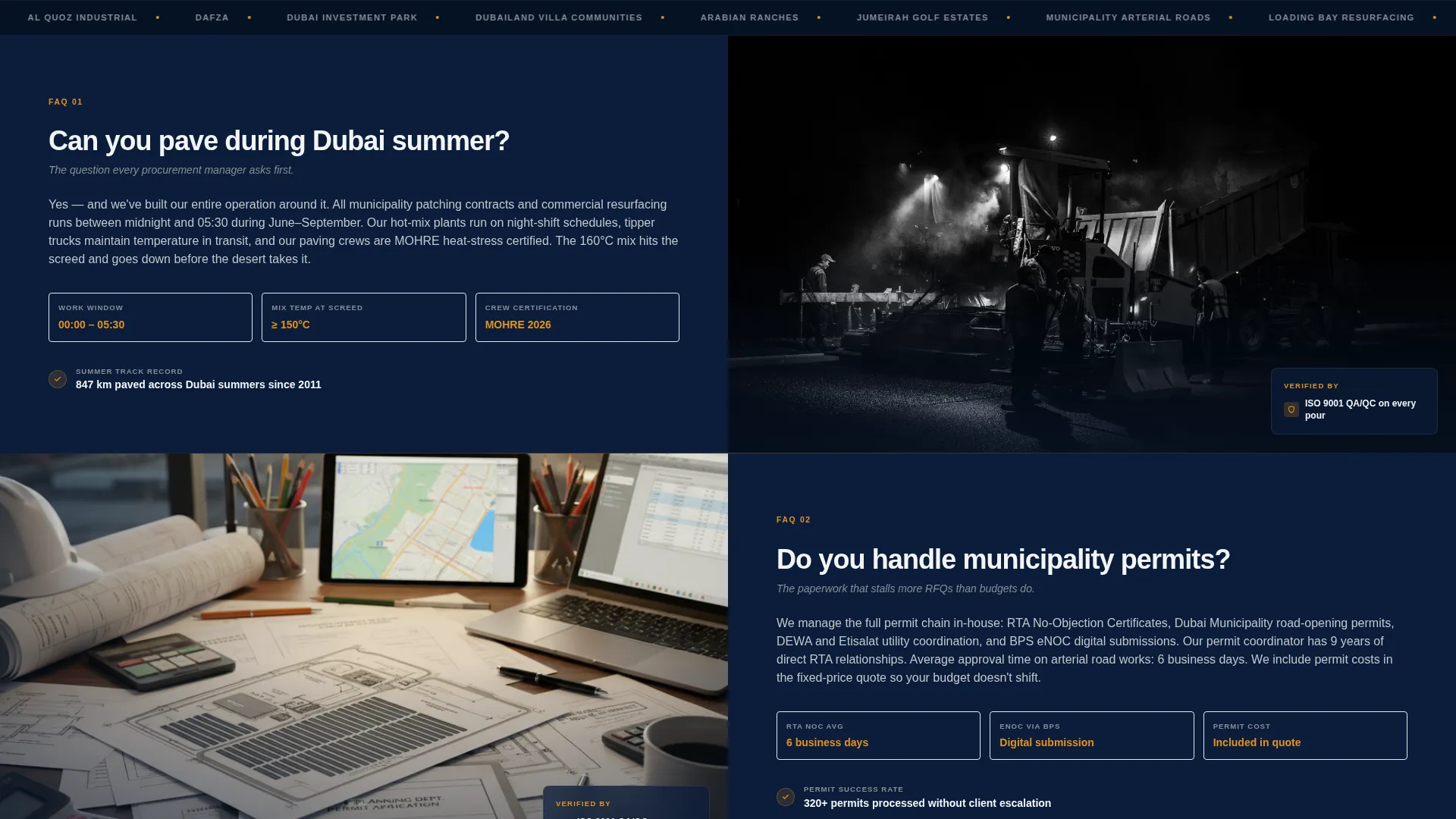
- A scrollable FAQ section with paired left-right panels for questions and evidence-backed answers
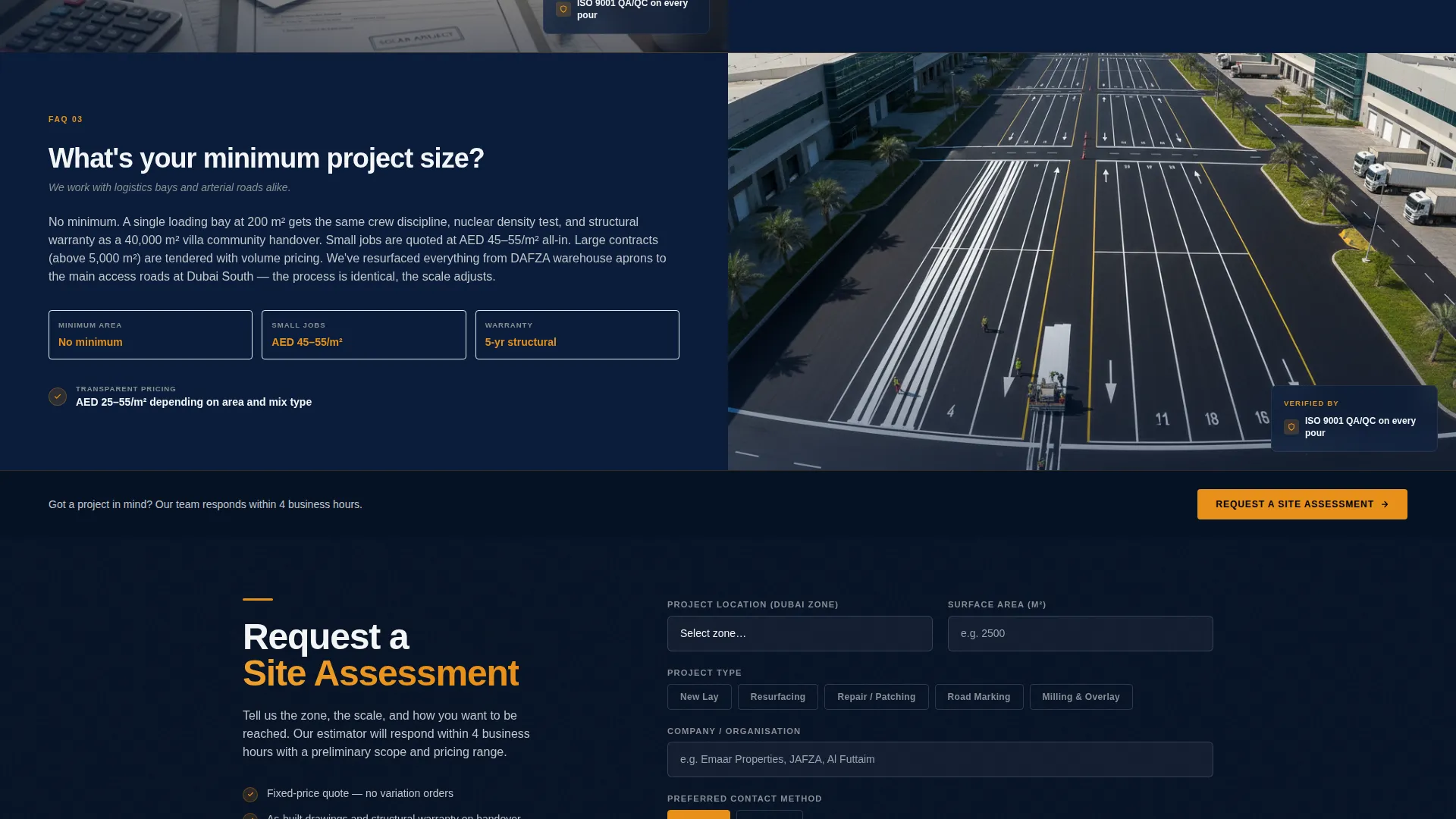
- A lead capture form collecting project location, surface area, project type, and preferred contact method
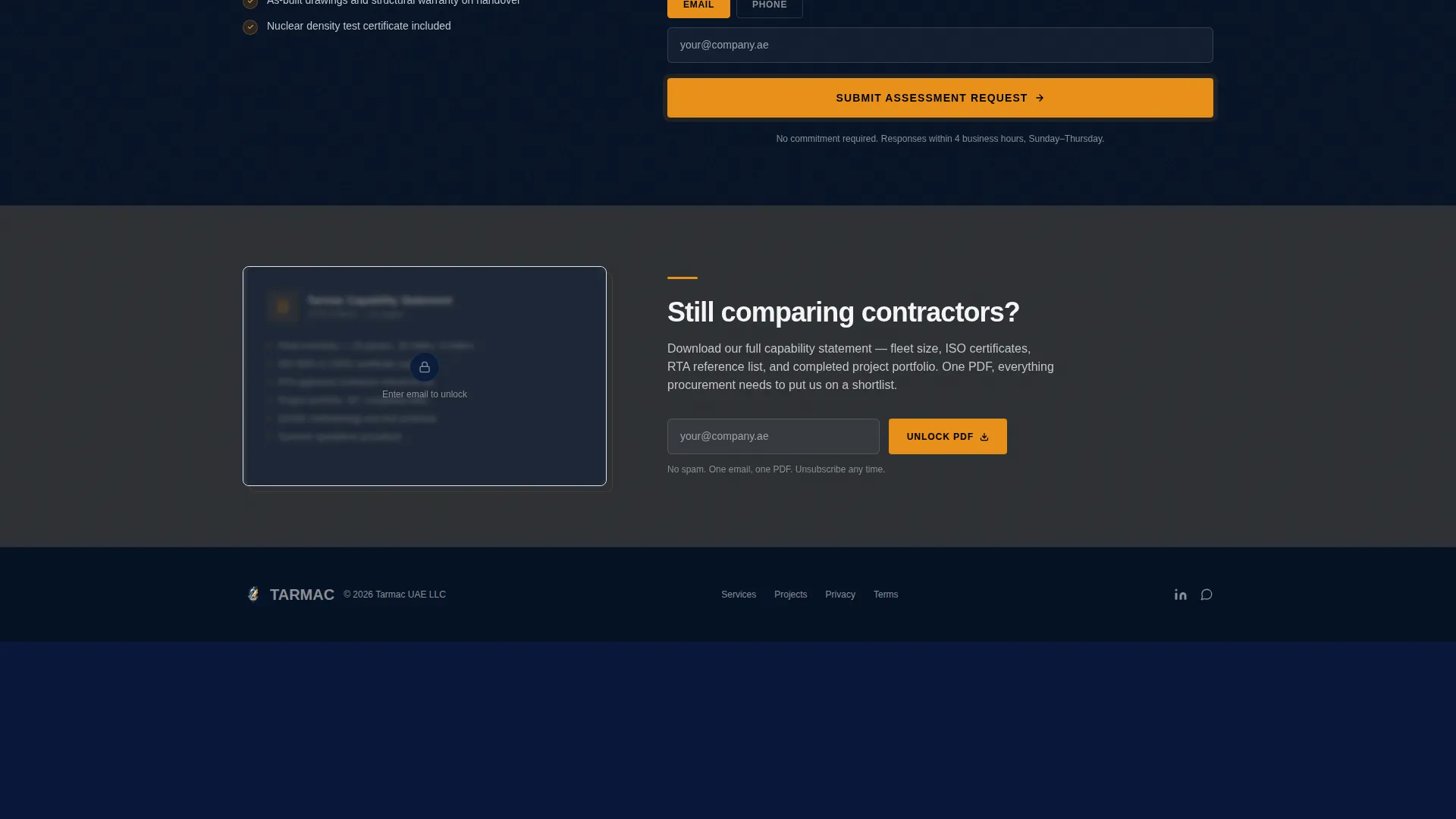
- A secondary email-gated PDF capability statement for prospects in the comparison phase
- A sticky bottom call to action that pins to the viewport after the third FAQ pair
Feature list
The Tarmac template packages precision design and conversion structure into one coherent layout. Here is what each core feature delivers.
Oversized Stats Header Wall
Four key figures sit at full weight in line-marking white against command-deck navy. The figures cover kilometers paved, years of Dubai experience, certifications held, and mobilization speed. The condensed industrial typeface makes each number feel structural rather than decorative.
Split-Screen FAQ Layout
Each scroll section poses a real procurement question on the left panel. The right panel answers with a short paragraph, a supporting visual, and a single proof point. This objection-evidence-resolution rhythm builds trust in the exact sequence a buyer needs.
Sticky Lead Capture Form
The primary call to action reads "Request a Site Assessment" and first appears after the third FAQ pair. It then pins to the bottom of the viewport on further scroll, keeping the conversion path visible without interrupting the reading flow.
Project-Specific Form Fields
The intake form collects four structured data points: project location via a Dubai zones dropdown, surface area estimate in square meters, project type (new lay, resurfacing, or repair), and a phone-or-email contact toggle. This reduces back-and-forth for both parties.
Email-Gated Capability Statement
A downloadable PDF capability statement sits behind a single-field email gate. This gives prospects in the research and comparison phase a tangible document to share internally without requiring a full form submission.
Aerial Drone Hero Visual
The header right panel features a single aerial drone shot of a freshly paved road extending toward the Dubai skyline at golden hour. The wet amber lane dividers anchor the visual to the Dubai context and reinforce the quality of the finished work.
Page sections overview
| Section | Purpose |
|---|---|
| Stats Metrics Header | Display four key proof figures to establish authority immediately |
| FAQ Pair One | Address first procurement objection with evidence and a proof point |
| FAQ Pair Two | Address second procurement objection with supporting visual |
| FAQ Pair Three | Address third procurement objection and trigger the primary call to action |
| Lead Capture Form | Collect project details and preferred contact method |
| Capability Statement Gate | Offer PDF download behind a single email field for comparison-phase prospects |
| Sticky call to action Bar | Keep the site assessment request visible throughout continued scroll |
Design & branding system
The color system follows a Navy Authority palette built to feel like a government tender document brought to life. Every color choice has a specific role and a strict scope.
- Command-deck navy (#0B1D3A) dominates headers and section backgrounds for authority
- Road-grade charcoal (#2C2F33) carries body text for legibility without softening the tone
- Line-marking white (#F4F5F7) opens breathing room and frames key typographic moments
- Safety-cone amber (#E8911A) is reserved exclusively for calls to action and key data points
Mobile & speed optimization
The split-screen layout is structured to reflow cleanly on smaller viewports, keeping the question-answer rhythm intact as panels stack vertically. The sticky call to action adapts to mobile so the form entry point stays accessible throughout scroll.
- Left and right panels stack vertically on mobile, preserving the FAQ objection-answer flow
- The sticky bottom call to action remains fixed at the viewport base on both desktop and mobile
- Form fields use a dropdown and a toggle for efficient input on touch devices
How this template helps you convert
The conversion strategy is built into the page structure itself. Each design and copy decision moves a skeptical procurement manager closer to submitting a site assessment request.
- The stats header front-loads credibility with four verifiable proof figures before the prospect reads a single word of body copy.
- The FAQ scroll format resolves the exact objections that delay RFQ submissions, answering questions about summer paving windows, permit handling, and minimum project size.
- The sticky call to action ensures the "Request a Site Assessment" form entry point is always one tap or click away, regardless of how deep into the page the prospect scrolls.
Other information about this template
This template was designed for the Dubai paving and asphalt market specifically. The layout, copy structure, and visual cues reflect the procurement context of that region.
- The Dubai zones dropdown in the form reflects the geographic specificity of local project scoping
- The 48-hour mobilization guarantee and ISO 9001 and ISO 14001 certification callouts are baked into the header as structured proof points
- The template suits the Corporate Precision theme, making it a strong fit for contractors bidding on municipality and developer tenders
- The page style is Split Screen (50/50), which keeps every section balanced and scannable without requiring custom layout work
Theme
Corporate Precision
Creative direction
FAQ-Driven
Color system
Navy Authority
Style
Split Screen (50/50)
Direction
Lead Generation
Page Sections
Oversized Stats Metrics Header
Split-screen FAQ Scroll Flow
Sticky Site Assessment Call to Action
Structured Lead Capture Form
Email-gated Capability Statement
Related questions
Can I edit the FAQ sections to match my own client objections?
What project types does the lead capture form support?
What is the email-gated capability statement for?
Is this template specific to the Dubai market?
Where does the sticky call to action first appear on the page?



