Senior & Elder Privacy Policy & Terms Website Template
Techneighbor is a warm, single-column fundraising landing page built for a senior technology assistance nonprofit. It pairs a full-bleed kitchen-table photo with concrete donation tiers, a neighborhood impact counter, real senior voices, and a volunteer sign-up path. Every dollar is described in plain terms, and every story earns the ask before it's made.
by Rocket studio
Quick summary
Techneighbor is a single-column fundraising landing page for a neighborhood nonprofit that sends trained volunteers to help seniors with everyday technology. The page moves from an intimate hero photo through impact stats, real quotes, a single human story, and clear donation tiers. It is built to feel like a kitchen-table conversation, not a charity pitch.
Who this template is for
This template is designed for nonprofits and civic organizations doing direct, community-level work with older adults and their families. It suits mission-driven teams who want donors to feel like neighbors rather than transactional givers.
- Adult children managing an aging parent's independence from a distance
- Senior center directors looking for a reliable weekly technology help partnership
- Community donors motivated by hyper-local, measurable impact
What problem this template solves
Many senior service nonprofits struggle to make their online fundraising feel personal. Visitors land on a page that looks clinical or generic, and they leave without giving. This template closes that gap by grounding every section in neighborhood-level detail and human outcomes.
- Donors cannot picture what their gift actually does, so tiers go unused
- Remote family members cannot quickly verify the service is trustworthy and local
- Volunteer pipelines stall because the sign-up path feels abstract or too long
What you get with this template
You get a fully structured single-column landing page that moves a visitor from emotional connection to committed action. Each section is purposeful and sequenced to build trust before making any ask.
- A full-bleed hero with headline and a primary "Fund a Home Visit" call to action
- A live-feel impact counter, rotating senior quote carousel, and a narrative story block
- Concrete donation tiers at three price points and a zip-code-based volunteer sign-up form
Feature list
This template's features are drawn directly from the brief and designed to serve a senior technology assistance nonprofit's fundraising and volunteer recruitment goals.
Full-Bleed Hero Section
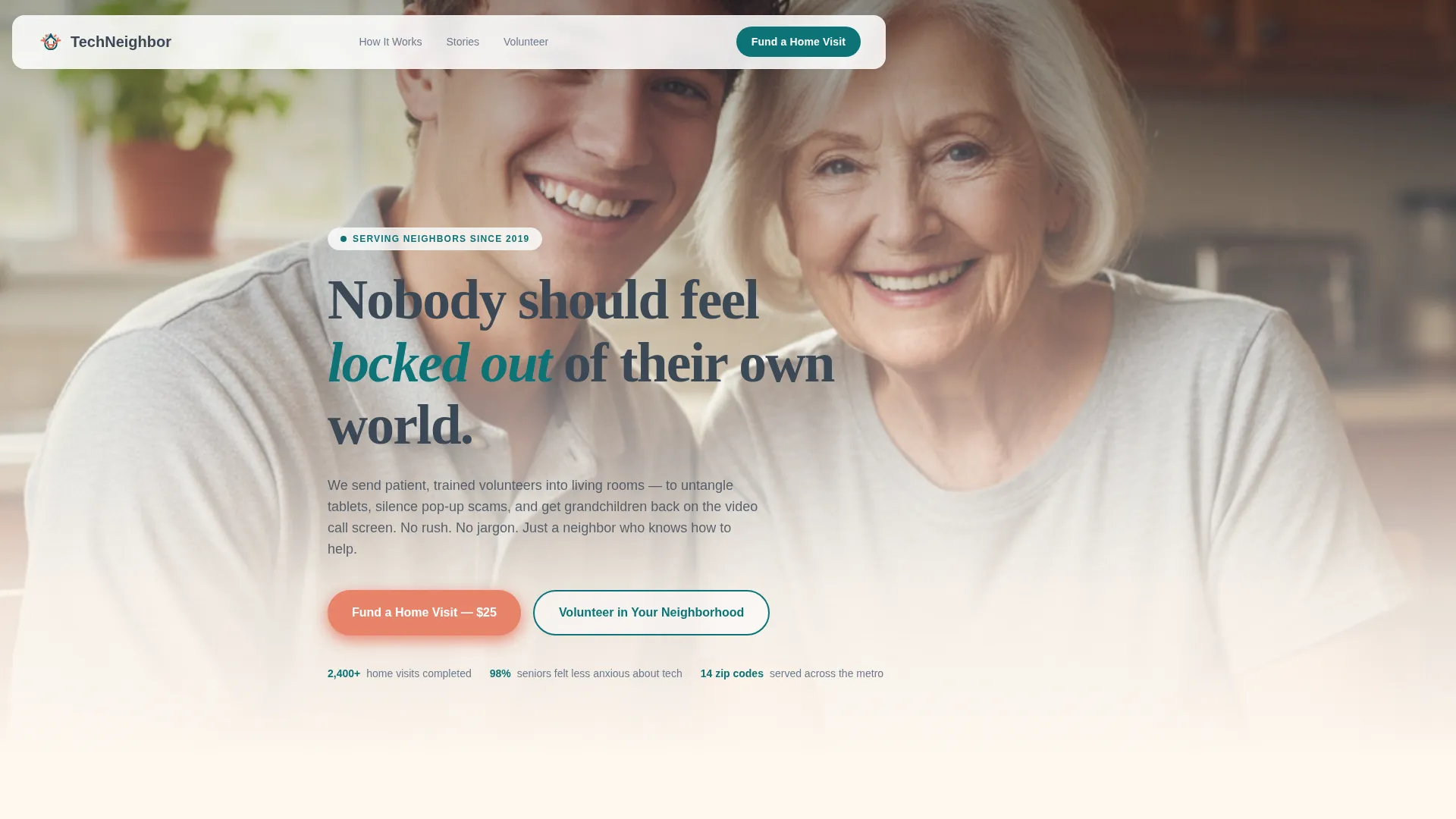
The hero opens with a candid kitchen-table photograph and a headline set against a soft cream gradient. The primary call to action, "Fund a Home Visit," sits directly beneath the headline so the ask is visible before the visitor scrolls.
Sticky Donation Bar
After the second scroll, a persistent bottom bar carries the primary donation call to action. It stays visible as the donor reads further, keeping the action close without interrupting the story.
Live-Feel Impact Counter
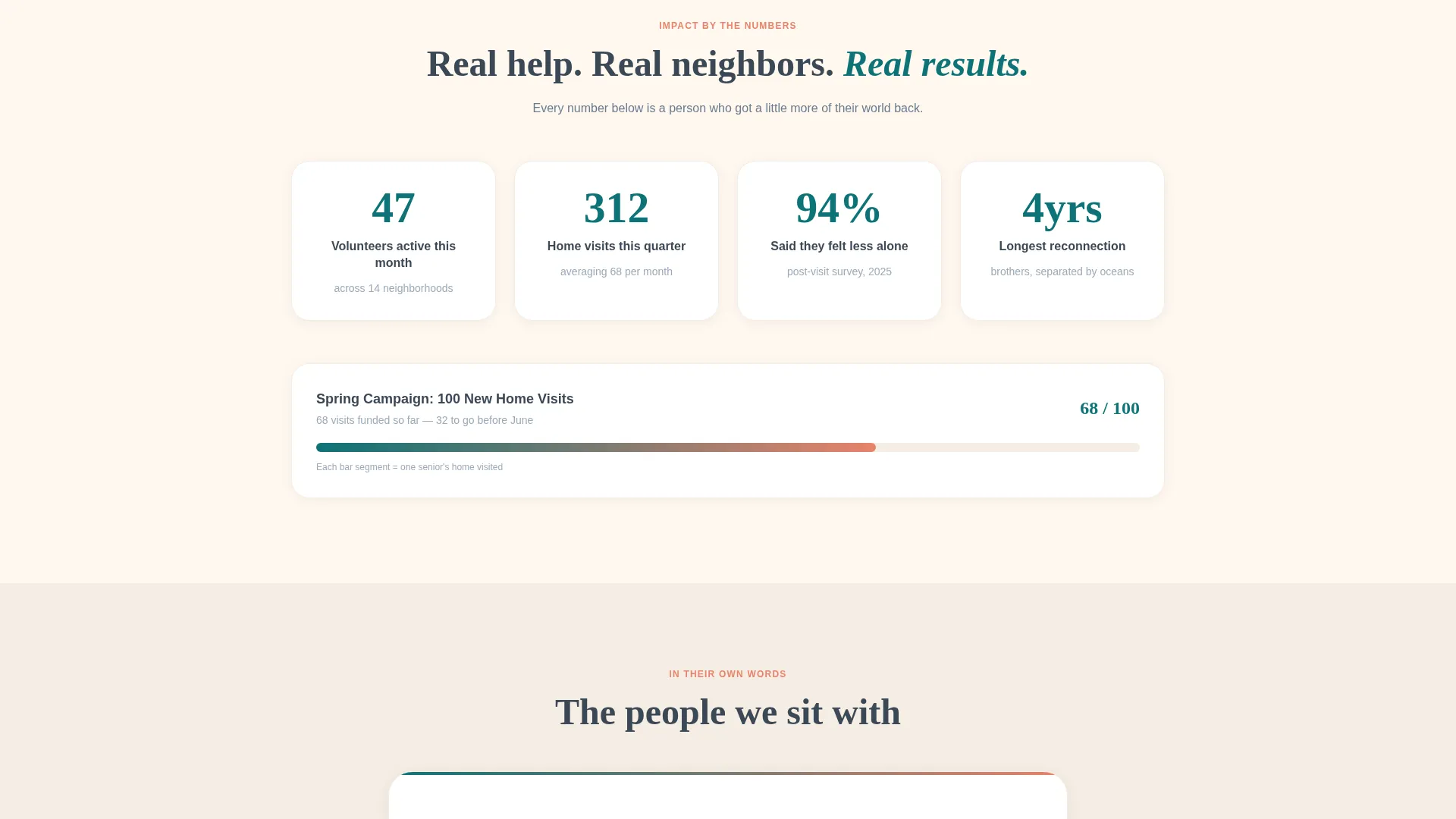
A count-up animation displays volunteers active this month and homes visited in the local zip code. The numbers load with a scroll-triggered reveal to feel current and neighborhood-specific rather than static and institutional.
Rotating Senior Quote Carousel
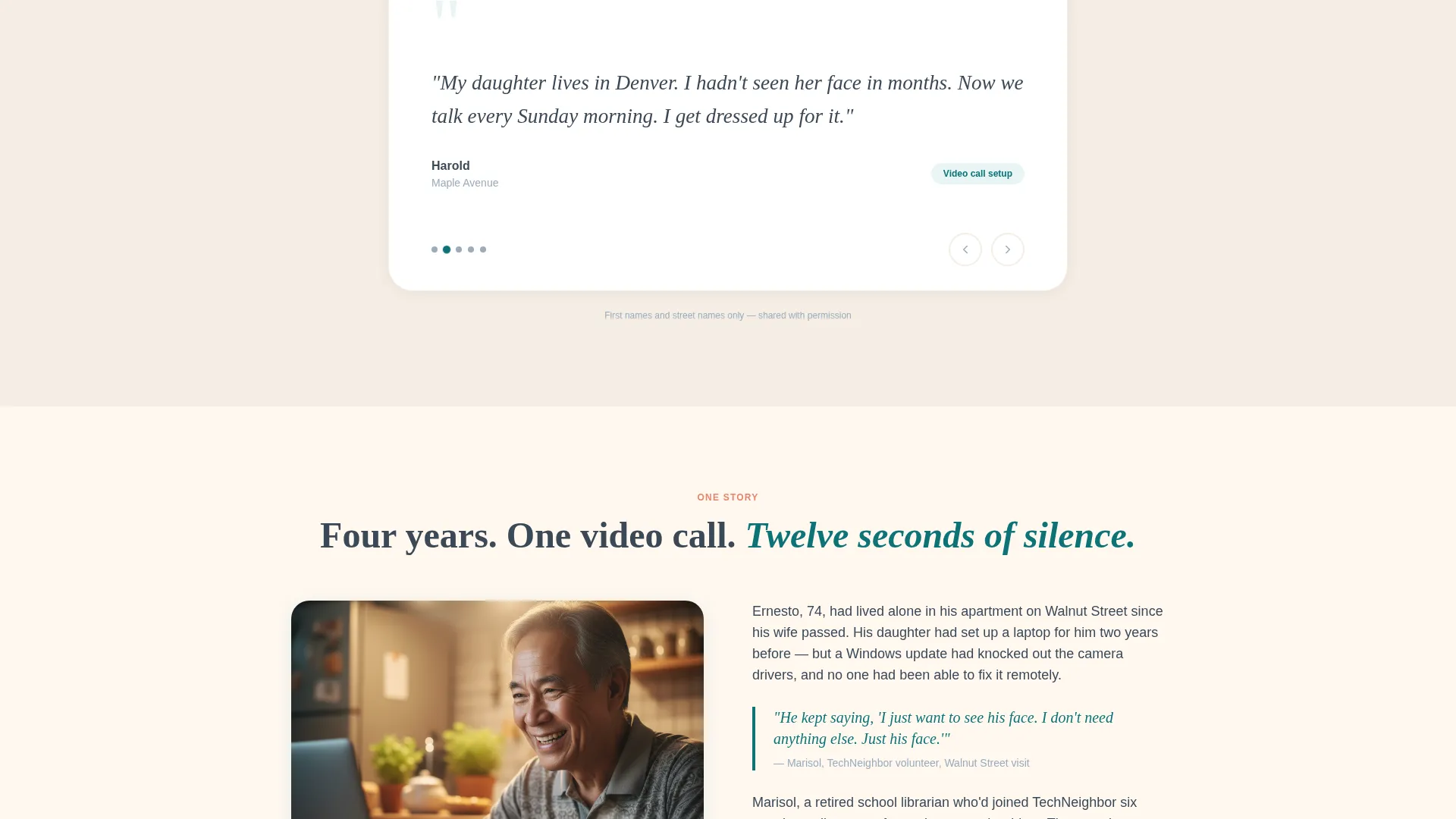
First-name and neighborhood attributions, such as "Margaret, Elm Street," rotate automatically through the carousel. Real voices from real streets build social proof in a format that feels personal rather than polished.
Concrete Donation Tiers
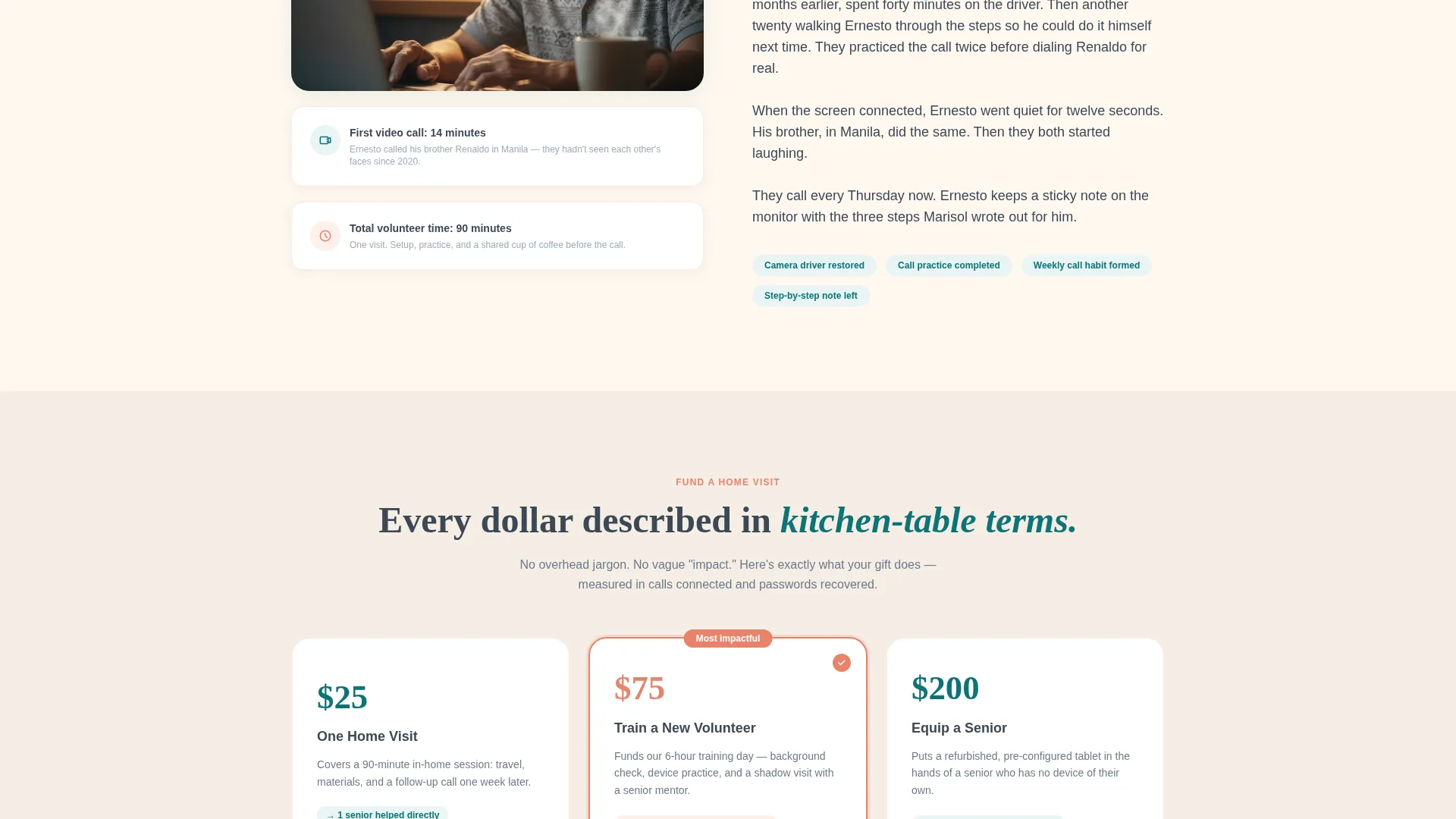
Three giving levels translate dollars into direct outcomes: $25 covers one home visit, $75 trains a new volunteer, and $200 equips a senior with a refurbished tablet. Each tier is described in plain, kitchen-table language.
Zip Code Volunteer Form
A secondary conversion path lets community members enter their zip code and select availability to sign up as neighborhood volunteers. This path runs alongside the donation flow without competing with it.
Page sections overview
| Section | Purpose |
|---|---|
| Hero with call to action | Opens with photo, headline, and primary donation call to action |
| Impact Counter | Shows live-feel volunteer and visit stats by zip code |
| Senior Voices Carousel | Rotates real quotes with first-name and neighborhood attribution |
| Neighborhood Story Block | One narrative about a video call reconnected after four years |
| Donation Tiers | Three concrete giving levels with plain-language impact descriptions |
| Volunteer Sign-Up | Zip code field and availability selector for neighborhood volunteers |
| Footer | Linear single-row footer with essential links |
Design & branding system
The visual identity follows a Civic Service theme built around the Teal Catalyst color system. The palette is warm and community-facing, designed to feel like a well-kept neighborhood center rather than a hospital brochure.
- Deep service teal (#0D7377) anchors headlines, buttons, and primary interactive elements
- Warm porch-light cream (#FFF8F0) covers the background throughout, and trustworthy slate (#3B4856) handles body text for easy reading
- Soft coral (#E8836B) marks donation tiers and urgency callouts, adding warmth without alarm
Typography pairs DM Sans for body text, which keeps the reading experience approachable, with Fraunces serif headlines that feel human and trustworthy. Photography stays candid and interior, lit by window light and screen glow rather than studio lighting.
Mobile & speed optimization
The template is built mobile-first, because primary users are adult daughters checking on a parent from their phones and seniors opening a link on a tablet. Every layout decision starts at small screen and scales up.
- Single-column flow eliminates horizontal scrolling and keeps content readable on any screen size
- Client Components handle interactive elements such as the counter, carousel, and forms, while static sections use Server Components to keep initial load light
- The sticky donation bar is sized and positioned for comfortable thumb reach on mobile screens
How this template helps you convert
Every design and copy choice in this template is sequenced to earn trust before presenting an ask. The page does not open with a donation form; it opens with a face and a story.
- The hero photo and headline create immediate emotional recognition, making a visitor feel the service is real and local before they read a single statistic
- The impact counter and quote carousel shift that feeling into evidence, giving donors and volunteers concrete, neighborhood-level proof that the work is happening
- The concrete donation tiers and plain-language descriptions remove hesitation by translating a dollar amount into a specific human outcome, making the decision to give feel straightforward and neighborly
Other information about this template
This template is part of the Community and Nonprofit category, specifically designed for the Senior and Elder Service subcategory with a Senior Technology Assistance niche focus. It carries an Intersection Match Score of 13, reflecting a precise fit between the fundraising direction, civic service theme, and local neighborhood creative approach.
- The template style is Single Column Flow, which suits mission-driven landing pages where emotional sequencing matters more than lateral navigation
- The Donation and Fundraising landing-page direction shapes the entire section order, from hero to tiers to volunteer path
- Animation is set to medium intensity: scroll reveals, counter count-up on entry, carousel auto-rotation, and a sticky donation bar that appears after the second scroll
Theme
Civic Service
Creative direction
Local & Neighborhood
Color system
Teal Catalyst
Style
Single Column Flow
Direction
Donation/Fundraising
Page Sections
Full-bleed Hero with Primary Call to Action
Sticky Donation Bottom Bar
Scroll-triggered Impact Counter
Auto-rotating Quote Carousel
Concrete Three-tier Donation Block
Zip Code Volunteer Sign-up Form
Related questions
Can I adjust the donation tier amounts to match our organization's actual costs?
Is the quote carousel easy to update with new senior voices?
Can the volunteer sign-up form collect zip code and availability together?
Does the sticky donation bar work on mobile screens?
Is this template suitable for an organization that wants to recruit both donors and volunteers?



