Marine Manufacturing Privacy Policy Website Template
Temper is a hub-and-spoke anchor-nav landing page built for marine heat treatment companies. It combines a full-bleed dockside photo header, spec-sheet section logic, and a lead-capture form into one authoritative page. The Engineering Blueprint theme and Navy Authority color system signal compliance credibility instantly to shipyard managers, offshore engineers, and classification surveyors.
by Rocket studio
Quick summary
Temper is a single-page, anchor-nav landing page template designed for marine heat treatment contractors. It leads with a dramatic dockside photo, organises every section like a technical data sheet, and closes each spoke with a direct lead-capture call to action. The template is built to earn trust from engineers before they ever fill in a form field.
Who this template is for
This template is made for specialist contractors who perform certified heat treatment work in shipyard and offshore environments. The design language and proof-first structure speak directly to technically trained buyers who check credentials before they call.
- Shipyard production managers chasing classification society deadlines
- Offshore platform maintenance engineers planning turnaround shutdowns
- Marine surveyors from classification bodies who need compliant heat-treatment records before stamping a weld map
What problem this template solves
Generic service pages fail in this industry because engineers need evidence, not marketing language. A buyer reviewing a weld procedure specification (WPS) needs to see applicable standards, temperature ranges, and heating zone dimensions before they consider making contact. Most templates cannot deliver that level of technical authority out of the box.
- No credible way to display classification credentials and applicable codes front and centre
- No structured layout that mirrors the spec-sheet format engineers already trust
- No lead form designed around the specific inputs a heat treatment project actually requires
What you get with this template
You get a complete, single-page hub-and-spoke layout with five anchor-nav tabs that behave like procedure dossier sections. Every component is pre-built and ready to populate with your own service data, credentials, and project photography.
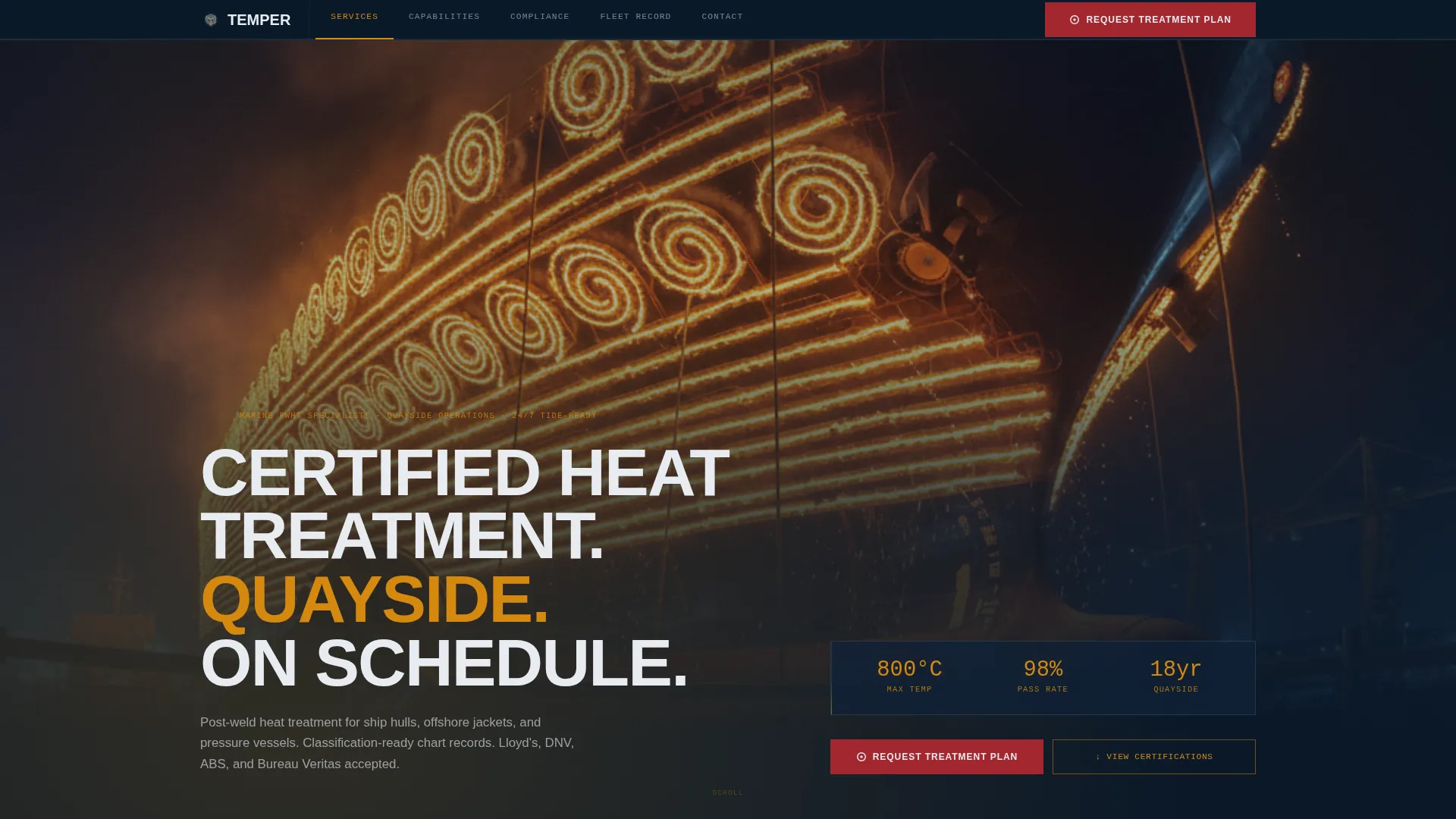
- Full-bleed dockside photo header with a fade-in headline and primary call-to-action button
- Five anchor-nav spoke sections: Services, Capabilities, Compliance, Fleet Record, and Contact
- A lead-capture form with vessel type dropdown, weld joint detail field, code multi-select, port location, and target date inputs, plus a secondary email-gate path for procedure qualification record downloads
Feature list
This section describes the core functional and visual capabilities built into the Temper template.
Full-Bleed Dockside Photo Header
The header fills the entire viewport with a low-angle dock-floor photograph. Glowing resistance heating elements on a ship hull create an orange-against-navy contrast. A condensed white headline fades in over the image: "Certified Heat Treatment. Quayside. On Schedule." A classification-stamp red call-to-action button anchors the primary conversion path from the first scroll position.
Hub-and-Spoke Anchor Navigation
A sticky top navigation bar presents five tabs: Services, Capabilities, Compliance, Fleet Record, and Contact. Each tab scrolls directly to its corresponding spoke section. This structure lets a production manager jump straight to the Compliance section without reading from the top, matching the way engineers actually use a project dossier.
Spec-Sheet Section Architecture
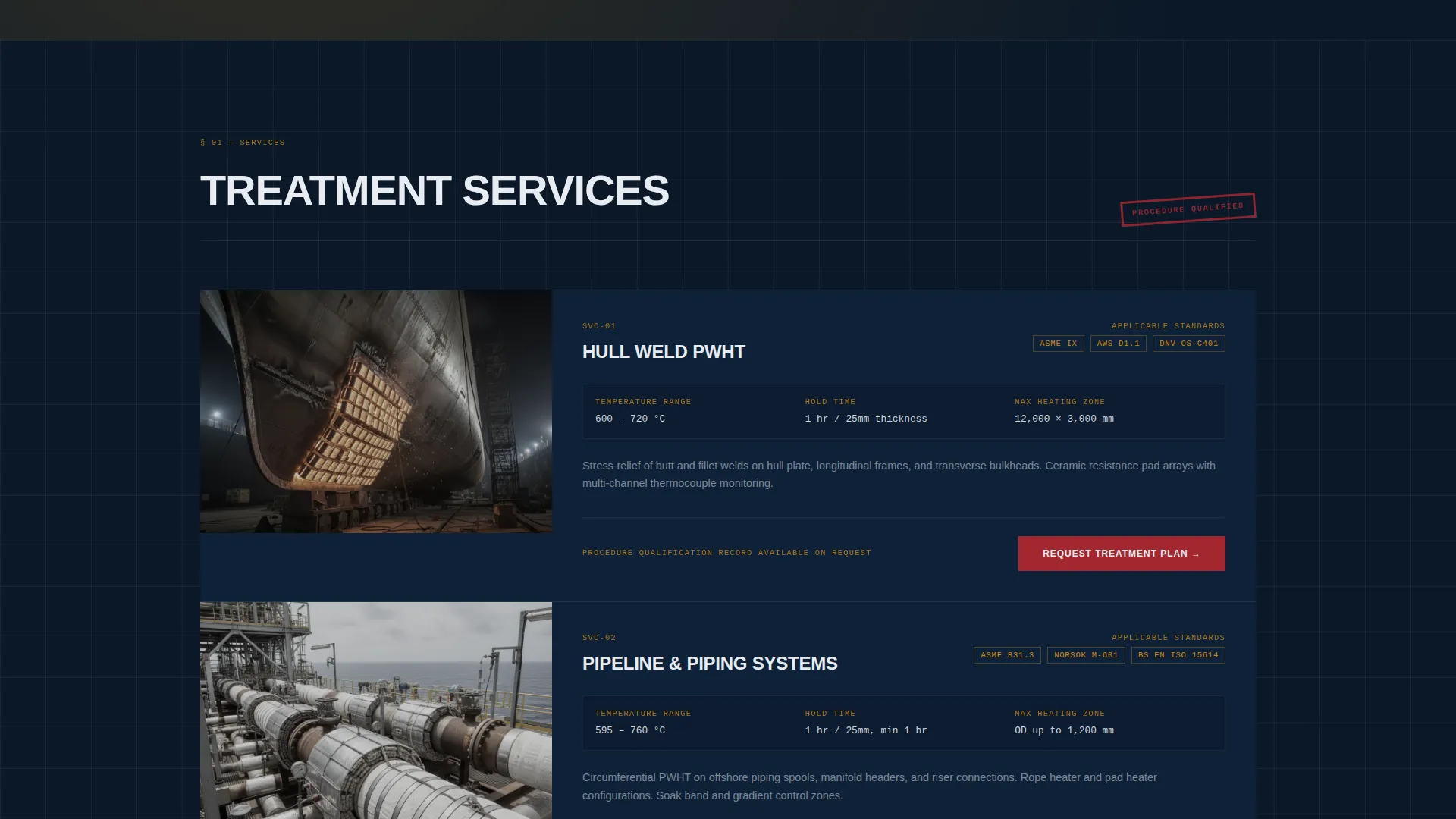
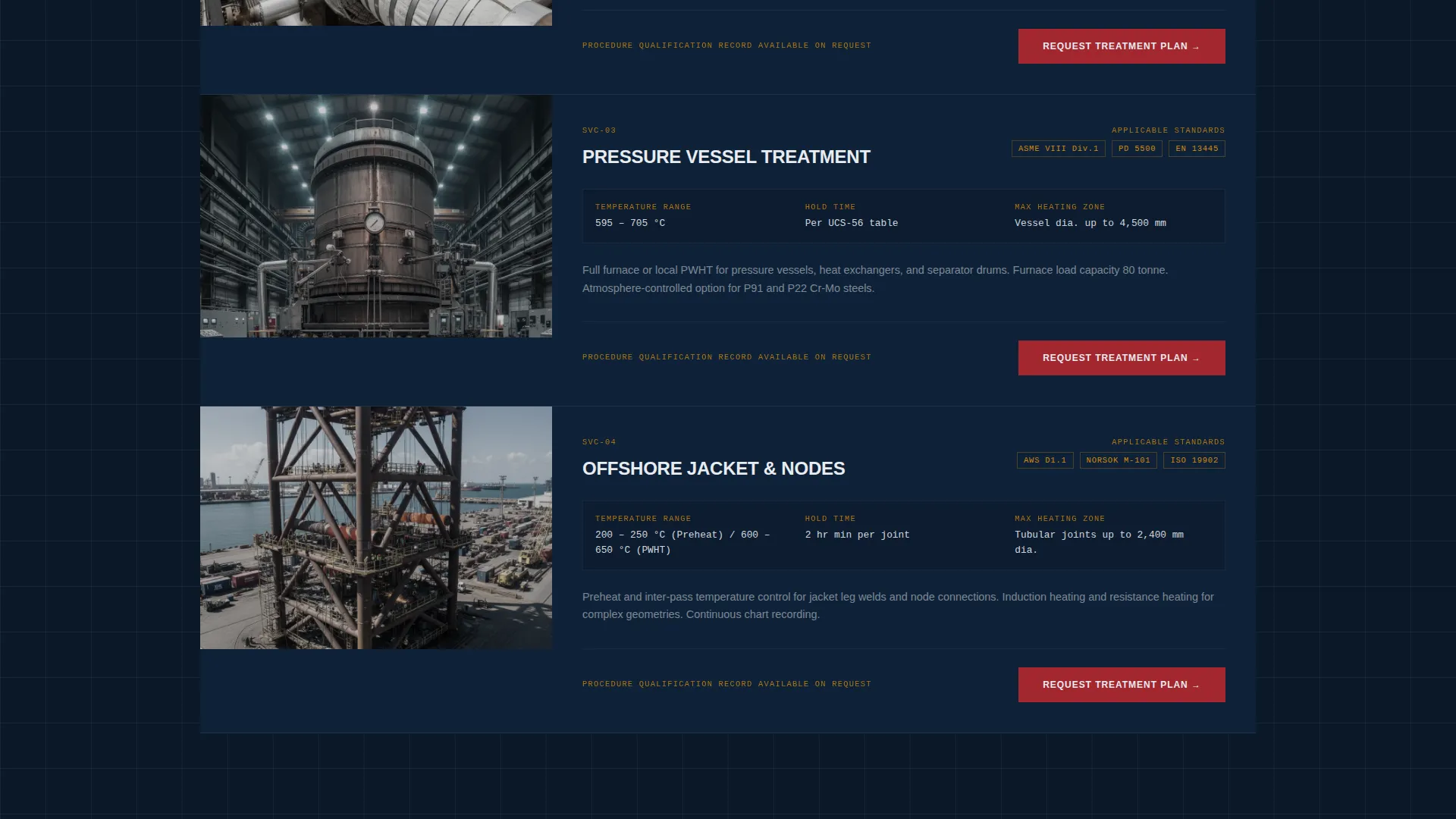
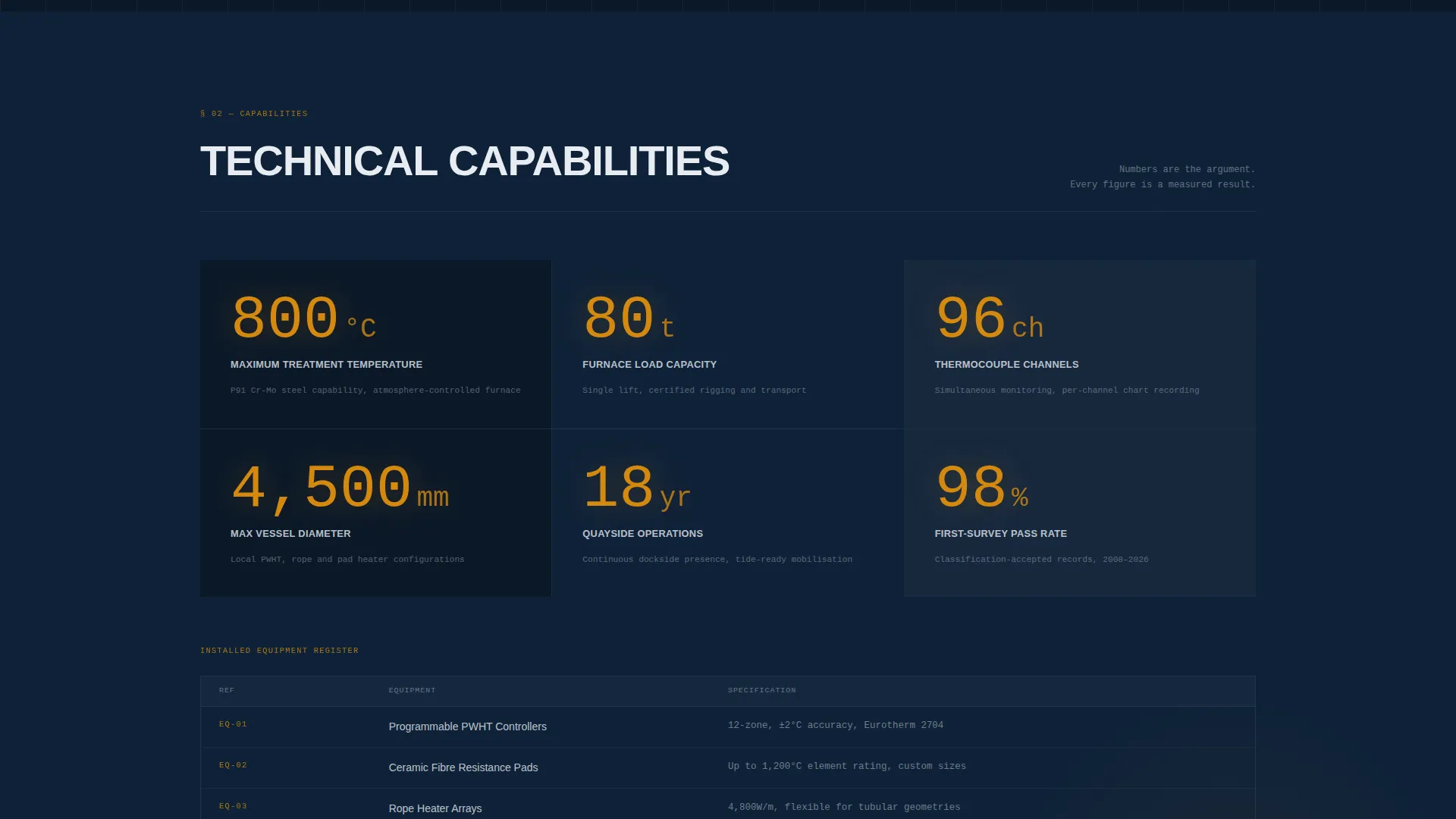
Each spoke section is laid out like a technical data sheet. It includes a service name, applicable standards such as ASME, AWS D1.1, and NORSOK M-601, a temperature range, maximum heating zone dimensions, and a single supporting photograph. Capability numbers are displayed in oversized thermocouple amber type, making the page scannable the same way a spec sheet is.
Dual-Path Lead Capture
The contact section contains a structured lead form asking for vessel or structure type, weld joint details, required code or standard, port or site location, and target completion date. A secondary path offers a procedure qualification records download behind an email gate, capturing engineers who are still moving through an internal approval chain.
Classification Credentials Display
The Compliance section front-loads classification society logos and proof of applicable standards. This placement ensures that a marine surveyor or approval engineer sees the paperwork credentials before reaching the contact form, reducing friction at the decision point.
Engineering Blueprint Visual Theme
The entire page follows an Engineering Blueprint creative direction. Typography is condensed and functional. Every element has a clear purpose. The layout feels like a laminated weld procedure specification pinned to a workshop wall under strip lighting, authoritative and zero-decoration.
Page sections overview
| Section | Purpose |
|---|---|
| Hero Header | Establish credibility and present the primary call to action |
| Anchor Navigation Bar | Give engineers instant tab-style access to each spoke section |
| Services Spoke | Detail each heat treatment service with applicable standards |
| Capabilities Spoke | Display technical specifications and oversized capability numbers |
| Compliance Spoke | Front-load classification credentials and code references |
| Fleet Record Spoke | Show project history and supporting site photographs |
| Contact and Lead Form | Capture project enquiries and procedure qualification record requests |
Design & branding system
The template uses a Navy Authority color system drawn from the visual language of shipyard environments and weld procedure documentation. Every color choice is functional and carries a clear role.
- Deep hull-plate navy (#0B1929) forms the primary background, anchoring the page in the industrial authority of the dry-dock
- Weld-sketch white (#E8ECF1) handles body text and section labels, maintaining contrast against dark backgrounds
- Thermocouple amber (#D4880F) marks accent lines, capability numbers, and interactive highlights, while classification-stamp red (#A3272F) is reserved strictly for calls to action and critical callouts
Mobile & speed optimization
The template is structured to remain clear and navigable on smaller screens, where engineers may review it from a tablet on site or a phone at dockside. The anchor nav collapses cleanly, and oversized capability numbers remain legible at reduced viewport widths.
- Anchor navigation adapts to compact mobile viewports without losing the tab-style procedure-dossier feel
- Oversized amber capability figures scale down while retaining their scan-first visual hierarchy on mobile screens
How this template helps you convert
The page is built around a proof-before-ask conversion logic. Every section adds a layer of technical credibility so that by the time a visitor reaches the contact form, the trust work is already done.
- Classification logos and code references appear in the Compliance section before any form field is visible, so a surveyor or approval engineer has already seen the credentials they need.
- The structured lead form collects project-specific inputs such as vessel type, applicable standard, and target completion date, making every enquiry immediately actionable for your team.
Other information about this template
This template sits within the Manufacturing and Industrial category under the Marine Manufacturing subcategory, with a specific focus on the marine heat treatment niche. It is well suited for contractors whose clients include production managers, offshore maintenance engineers, and classification body representatives who evaluate compliance before committing to a supplier.
- The template style is Hub and Spoke with Anchor Navigation, following a Spec Sheet creative direction and an Engineering Blueprint visual theme
- The lead generation direction is supported by both a primary enquiry form and a secondary email-gated document download, giving the page two distinct conversion paths
- The header concept is Full-Bleed Photo, designed to communicate operational scale and dockside authority at the first scroll position
Theme
Engineering Blueprint
Creative direction
Spec Sheet
Color system
Navy Authority
Style
Hub & Spoke (Anchor Nav)
Direction
Lead Generation
Page Sections
Full-bleed Dockside Photo Header
Hub-and-spoke Anchor Navigation
Spec-sheet Section Architecture
Dual-path Lead Capture Form
Compliance Credentials Display
Engineering Blueprint Visual Theme
Related questions
Can I update the service specifications and capability numbers myself?
Does the template include the lead capture form fields described in the brief?
Is the anchor navigation fixed so it stays visible while scrolling?
Can I replace the header photograph with my own site photography?
Is this template suitable for a company that handles both hull weld and pipeline heat treatment work?



