Precision Industrial Treatment Landing Page Template
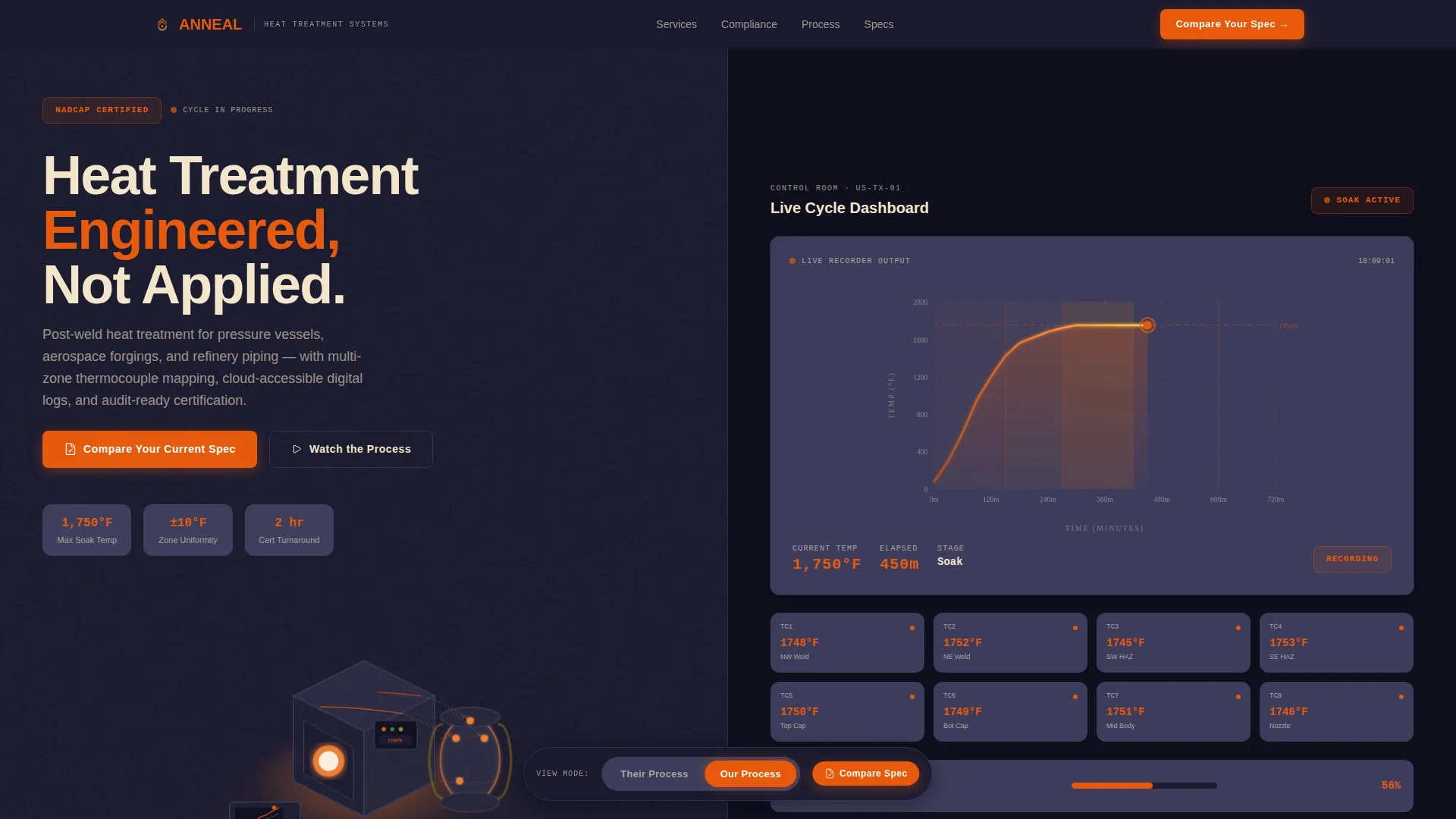
Anneal is a split-screen landing page template built for precision heat treatment operations. It guides industrial buyers through a five-stage treatment cycle using a Timeline Progression layout, a Comparison/Versus toggle, and a Dashboard Pro visual theme. The design speaks directly to metallurgical engineers, procurement managers, and maintenance planners who need audit-ready proof, not just applied heat.
by Rocket studio
Quick summary
Anneal is a single-page landing page template designed for energy heat treatment companies. It uses a 50/50 split-screen layout, a dark control-room color system, and a scroll-driven Timeline Progression to walk buyers through every stage of a heat treatment cycle. The result is a page that builds technical credibility and earns the inquiry before a visitor ever reaches the form.
Who this template is for
This template is built for industrial heat treatment operators who serve demanding clients in energy, aerospace, and pressure-vessel fabrication. If your buyers require documented compliance and traceable process data, this page speaks their language.
- Metallurgical engineers specifying post-weld heat treatment (PWHT) for pressure vessels
- Procurement managers at aerospace forging facilities pursuing NADCAP compliance
- Maintenance planners at refineries scheduling turnaround PWHT on live piping systems
What problem this template solves
Commodity heat treatment looks identical to engineered heat treatment on a plain brochure page. Buyers cannot see the difference between a single-point thermocouple setup and a multi-zone mapping approach without a visual framework that makes the gap obvious.
- Generic pages fail to communicate process precision, compliance readiness, or documentation quality
- Industrial buyers leave without understanding why one operator is worth a premium over another
- Most templates have no mechanism for side-by-side process comparison or stage-by-stage proof building
What you get with this template
You get a fully structured landing page that takes a technical buyer on a documented journey from furnace ramp-up to final certification. Every section is purposeful and conversion-directed.
- A split-screen 50/50 layout with an isometric furnace illustration on the left and an animated time-temperature chart panel on the right
- A persistent Comparison/Versus toggle letting visitors flip between "Their Process" and "Our Process" at each timeline stage
- A primary call to action anchored to a short specification form, plus a secondary email-capture path for leads not yet ready to engage
Feature list
This template includes purpose-built components designed around the specific needs of industrial heat treatment marketing.
Five-Stage Timeline Progression
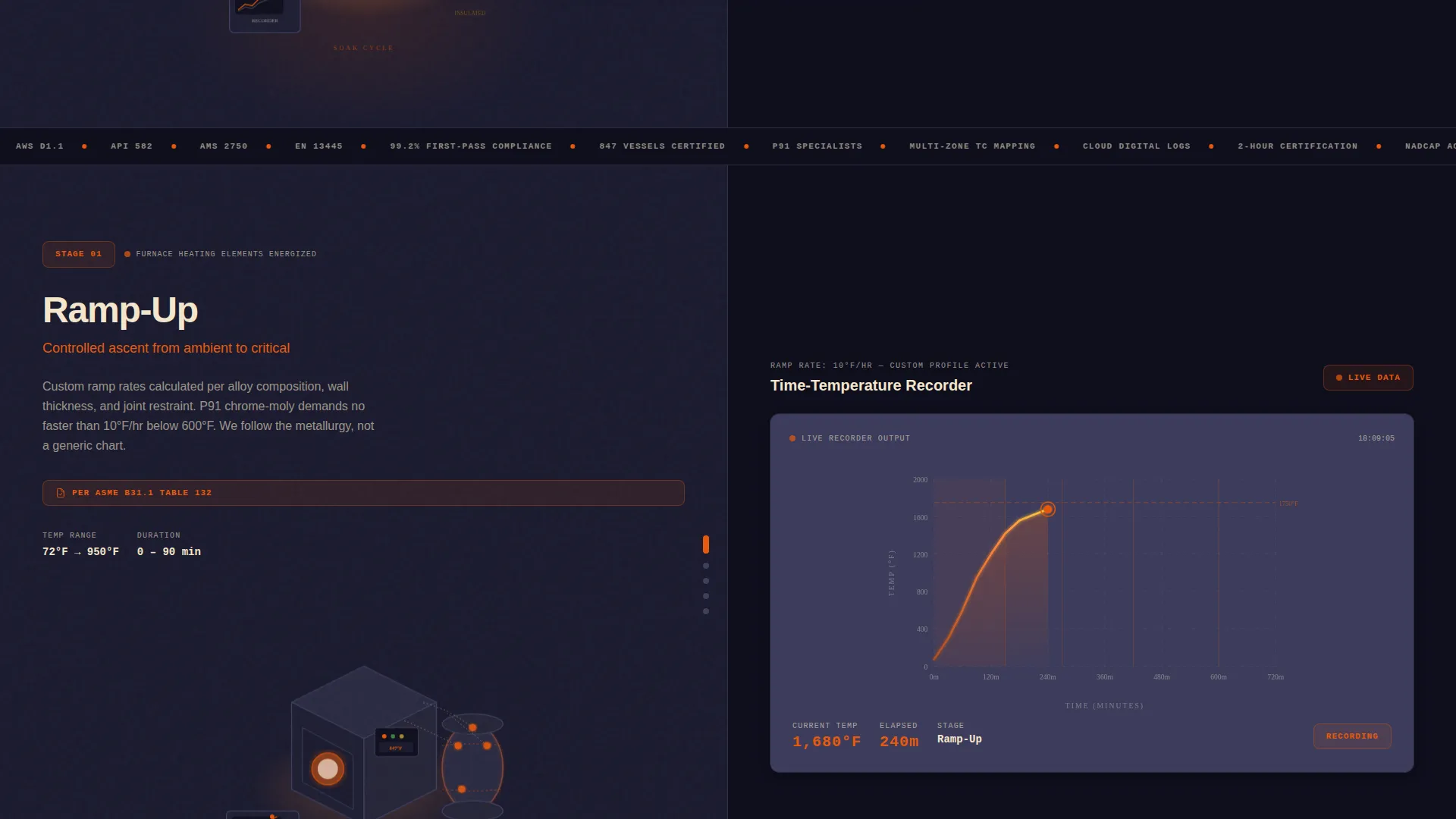
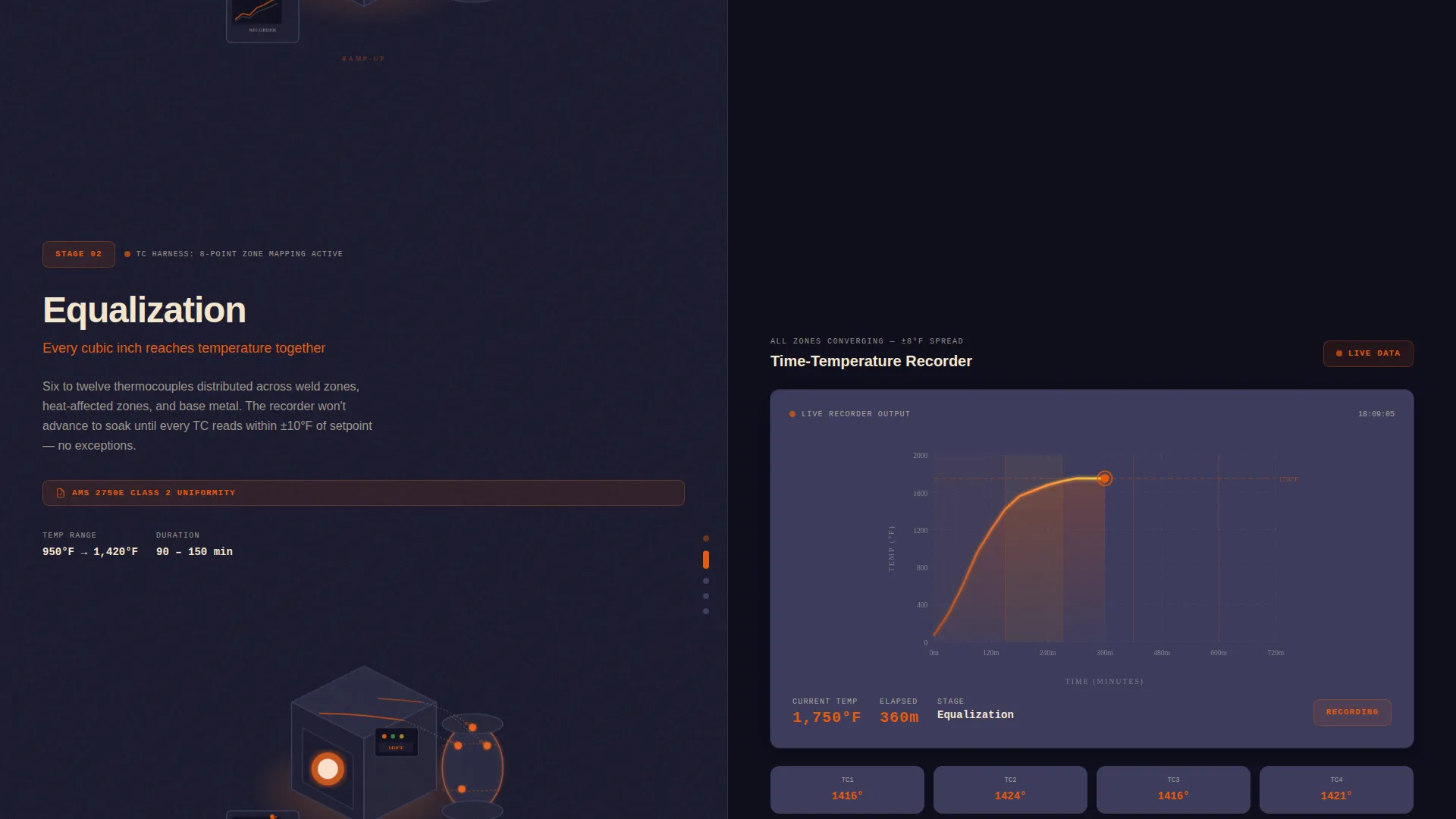
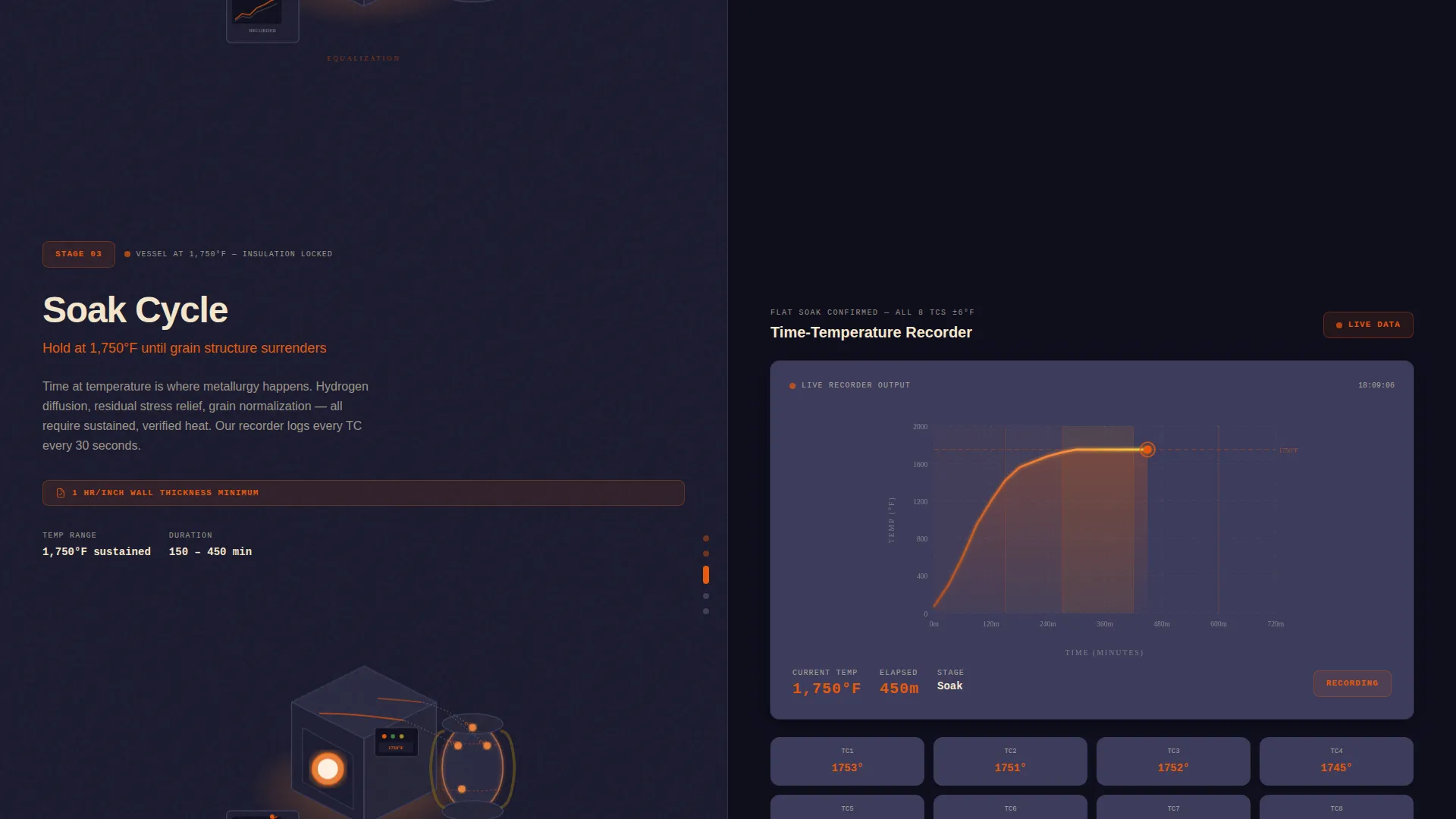
Scrolling moves the visitor through five distinct heat treatment stages: ramp-up, equalization, soak, controlled cool, and final documentation. Each stage occupies a full split-screen section, making the process tangible and traceable.
Isometric Header Illustration
The header features a clean isometric illustration of a complete heat treatment setup, including a furnace unit, thermocouple harness, recorder, and insulated vessel. Animated data lines flow from each thermocouple point into a live chart panel, signaling a monitored and certifiable process.
Comparison/Versus Toggle
A persistent toggle built into every timeline stage lets visitors compare generic practice against engineered process. Examples include single-point placement versus multi-zone mapping and PDF-only records versus cloud-accessible digital logs with full traceability.
Dual Call-to-Action Structure
The primary call to action, "Compare Your Current Spec," anchors to a short form requesting alloy type, code standard (such as ASME, AWS, or API), vessel diameter, and site location. A secondary path, "Download Our versus. Theirs Datasheet," captures email addresses from leads at an earlier stage of consideration.
Dashboard Pro Dark Theme
The Fire and Earth color system uses furnace-core orange for live data points and primary accents, deep panel backgrounds for the interface, mid-tone card surfaces for content blocks, and warm cream for text and chart gridlines. The result feels like a control room during a critical soak cycle.
Animated Time-Temperature Chart Panel
The right side of every split-screen section displays the corresponding time-temperature curve building as the visitor scrolls. Each scroll step adds another data layer, another compliance badge, and another satisfied specification, escalating proof incrementally.
Page sections overview
| Section | Purpose |
|---|---|
| Isometric Header | Introduce furnace operation and animated data flow visually |
| Ramp-Up Stage | Show heat escalation phase with live chart beginning |
| Equalization Stage | Demonstrate temperature stabilization across the vessel |
| Soak Stage | Present the critical hold period with multi-zone data |
| Controlled Cool Stage | Illustrate managed cooling profile and compliance markers |
| Final Documentation | Display certificate output and audit-ready record delivery |
| Comparison Toggle | Contrast commodity process against engineered heat treatment |
| Specification Form | Capture alloy type, code standard, vessel size, and location |
| Datasheet Download | Email capture for early-stage leads via secondary call to action |
Design & branding system
The visual identity follows a Dashboard Pro theme built around a Fire and Earth color palette. Every design decision is functional and nothing is decorative.
- Furnace-core orange (#E8590C) for live data accents, primary buttons, and active chart lines
- Deep navy panel backgrounds (#1A1A2E) and mid-tone card surfaces (#3D3D5C) for the control-room interface feel
- Warm cream (#F5E6CC) for body text, chart gridlines, and readability against dark backgrounds; isometric illustration style throughout with no stock photography
Mobile & speed optimization
The split-screen layout is designed to adapt across device sizes without losing the data-driven visual narrative.
- The 50/50 split stacks vertically on smaller screens so the isometric illustration and chart panel each read clearly on their own
- Animated chart elements are structured to progress with scroll interaction, maintaining the timeline narrative on touch devices
How this template helps you convert
The page is engineered to close the credibility gap before a visitor reaches the form, using visual proof at every scroll step.
- The Comparison/Versus toggle makes the difference between generic and engineered heat treatment impossible to ignore, giving technically minded buyers the evidence they need to justify a conversation
- The dual call-to-action structure meets buyers at two different readiness levels: the specification form captures decision-ready leads, while the datasheet download captures early-stage prospects with an email address
Other information about this template
This template is part of the Manufacturing and Industrial category, under the Energy Manufacturing subcategory, with a niche focus on energy heat treatment operations.
- The template style is Split Screen (50/50), the theme is Dashboard Pro, and the creative direction is Timeline Progression with a Comparison/Versus layout direction
- The header concept is isometric illustration, which is especially effective for industrial and engineering audiences who respond to technical visual language over generic photography
- The intersection match score for this template is 13, reflecting a high degree of alignment between the template's structural design choices and the specific demands of the energy heat treatment niche
Theme
Dashboard Pro
Creative direction
Timeline Progression
Color system
Fire & Earth
Style
Split Screen (50/50)
Direction
Comparison/Versus
Page Sections
Five-stage Timeline Progression
Isometric Header with Animated Data Lines
Persistent Comparison/versus Toggle
Dual Call-to-action Structure
Dashboard Pro Dark Color System
Animated Time-temperature Chart Panel
Related questions
Who is this landing page template designed for?
Can I customize the form fields for different code standards?
Does the template include both a primary and a secondary call to action?
What makes the Comparison/Versus toggle useful for industrial buyers?
Is the isometric illustration style suitable for a professional engineering audience?



