Local Port & Harbor Professional Website Template
Terminal is a split-screen landing page template built for liquefied natural gas (LNG) terminal operators. It guides high-value visitors through a live process narrative, from carrier berth to pipeline send-out, using a Monochrome Steel visual system, a full-screen video header, and a gated resource library designed to earn enterprise-level trust before asking for a single detail.
by Rocket studio
Quick summary
Terminal is a single-page, split-screen landing page template for LNG terminal operators. It pairs industrial photography and process diagrams with a disciplined Monochrome Steel color system. The layout moves visitors through five operational stages, then delivers a gated spec download and a public capacity factsheet, converting informed readers into qualified leads.
Who this template is for
This template is built for organizations that operate or market deepwater LNG receiving and regasification infrastructure. It speaks the language of throughput agreements, cargo scheduling, and firm regasification capacity.
- National energy companies negotiating throughput and capacity agreements
- LNG traders optimizing cargo scheduling windows and berth slots
- Downstream utilities securing firm regasification capacity for winter peak demand
What problem this template solves
Most energy infrastructure pages either bury critical operational data or lead with vague corporate claims. Neither approach works for buyers evaluating a terminal on technical merit.
- Generic pages fail to demonstrate process credibility to engineering and procurement teams
- Scattered information forces high-value prospects to request documents before trusting the operator
- A lack of visual process narrative slows down the decision cycle for complex capacity negotiations
What you get with this template
You get a complete, ready-to-adapt landing page structure that communicates operational authority through design and sequenced content. Every section earns the visitor's attention before asking for anything in return.
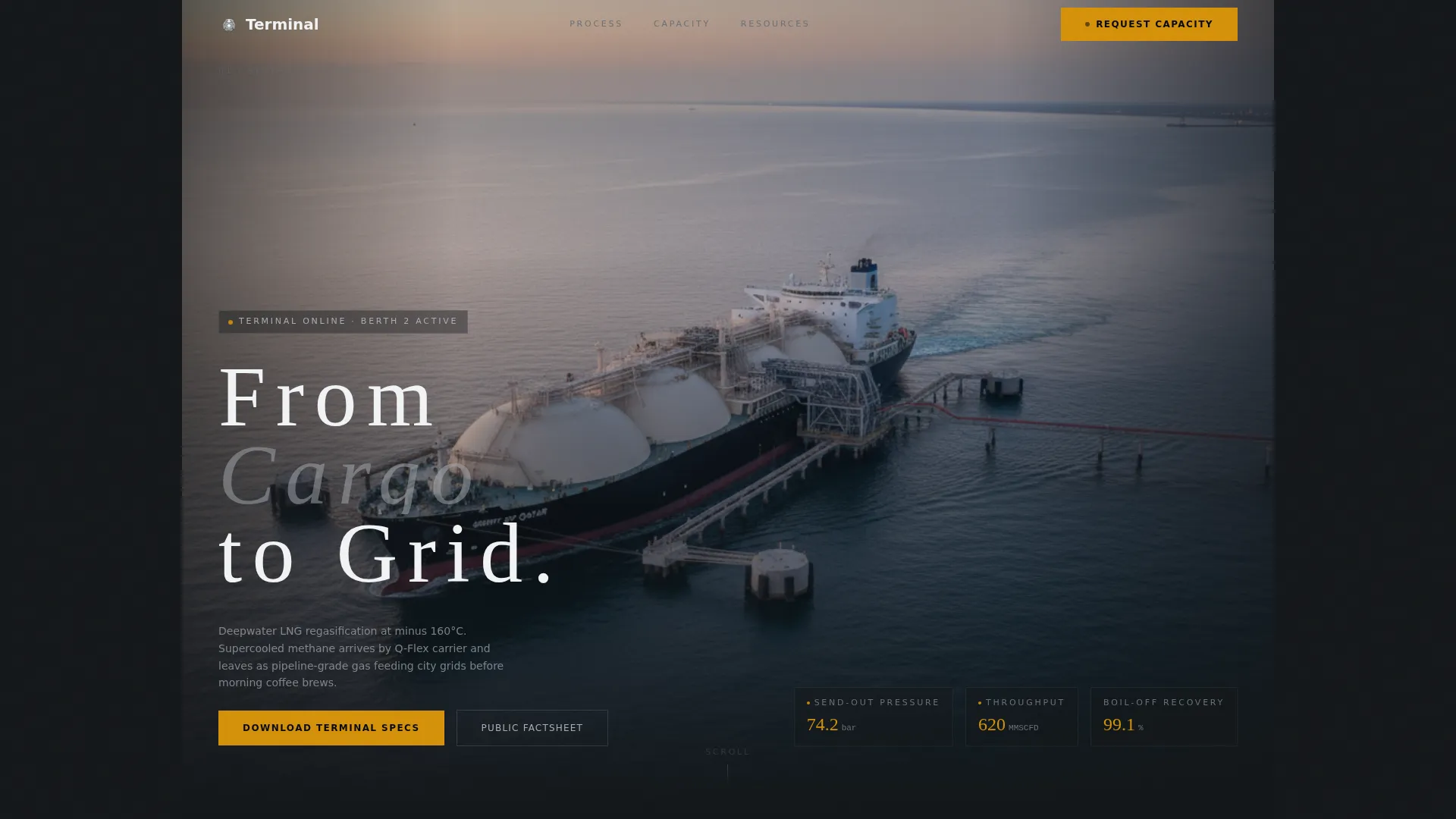
- A full-screen video background header with timed headline delivery after the loading arms lock
- A 50/50 split-screen process narrative covering five operational stages with data overlays
- A gated "Download Terminal Specs" form and an ungated public capacity factsheet path
- A resource library section tiling whitepapers with individual download buttons
Feature list
This section covers the core built-in capabilities delivered by the Terminal template.
Full-Screen Video Background Header
The header opens with aerial drone footage tracking a Q-Flex carrier into berth, then cuts to ground-level footage of unloading arms swinging into position. Ambient port sound replaces music. The headline "From Cargo to Grid" appears in thin, wide-tracked sans-serif only after the arms lock, timed to the mechanical clunk.
Split-Screen Process Narrative
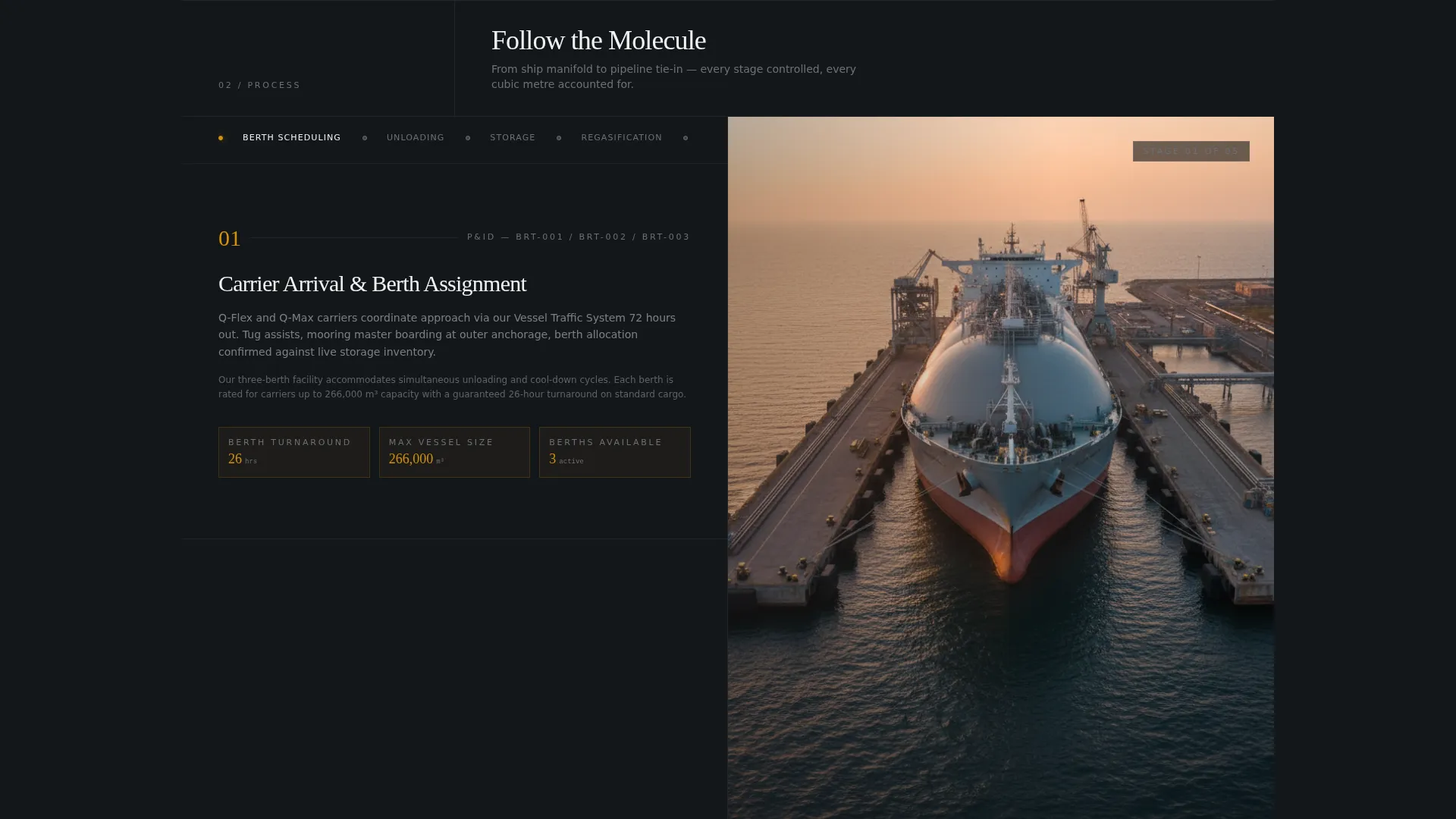
The left panel displays a numbered process stage label, covering berth scheduling, unloading, storage, regasification, and send-out metering. The right panel shows corresponding real-facility photography or simplified piping and instrumentation diagram (P&ID) visuals. Each scroll transition reveals the next stage like opening a valve, guiding the visitor from ship tank to pipeline.
Scroll-Triggered Data Overlays
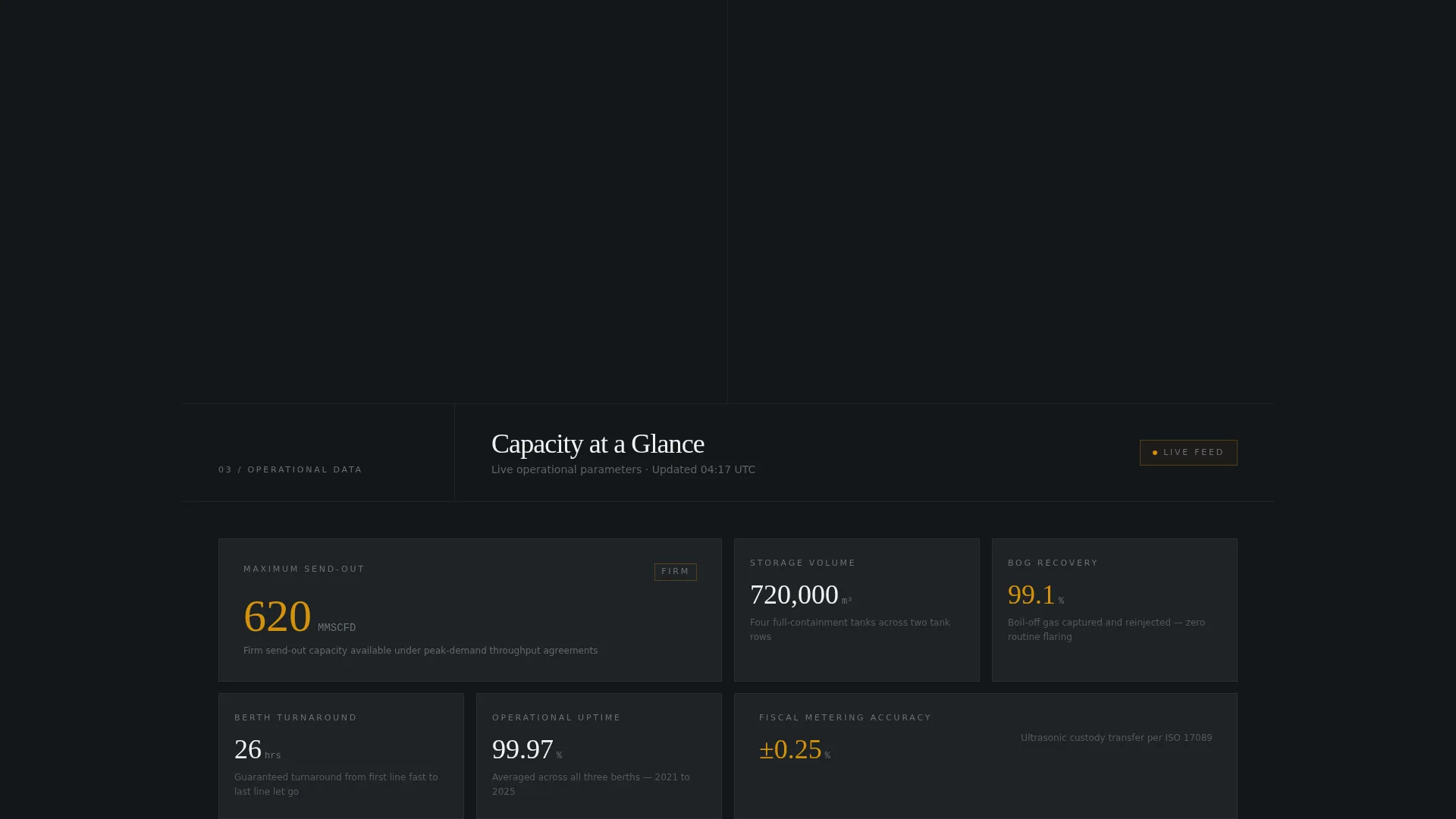
As visitors linger on each process stage, operational data overlays slide into view. These include throughput rates, boil-off recovery percentages, and send-out pressure specifications. The effect rewards attentive readers with measurable operational proof without cluttering the initial view.
Gated Spec Download with Single-Field Form
The primary conversion point is a "Download Terminal Specs" button gated behind a single company email input. The form is intentionally minimal, reducing friction for busy procurement and trading teams while still qualifying the lead by company domain.
Ungated Public Capacity Factsheet
A secondary, ungated path offers the public capacity factsheet as a trust-building layer. Visitors can access headline capacity figures before committing to the gated form, lowering the barrier for first-time visitors and reinforcing transparency.
Resource Library with Whitepaper Tiles
Below the process sequence, a tiled resource library presents individual whitepapers on topics including boil-off management, slot optimization methodology, and emissions reporting framework. Each tile carries its own download button, making it easy for specialists to find exactly the document relevant to their role.
Page sections overview
| Section | Purpose |
|---|---|
| Video Header | Opens with drone footage and timed headline delivery |
| Process Stage One | Covers berth scheduling with paired photography |
| Process Stage Two | Shows unloading arm operation with P&ID visual |
| Process Stage Three | Displays cryogenic storage stage with data overlay |
| Process Stage Four | Presents regasification process with throughput data |
| Process Stage Five | Covers send-out metering and pipeline connection |
| Gated Spec Download | Collects company email for terminal spec document |
| Public Capacity Factsheet | Offers ungated headline capacity figures |
| Resource Library | Tiles whitepapers with individual download buttons |
Design & branding system
The visual identity follows a Service Utility theme built on the Monochrome Steel color system. Every color choice reflects the physical reality of the terminal itself, brushed stainless steel under halogen light, with no decorative warmth.
- Structural gunmetal (#3B3F45) and control-room black (#14171A) form the dominant background palette
- Cryogenic pipe silver (#A8ADB3) handles secondary text, borders, and supporting user interface elements
- Safety-signal amber (#D4920B) is reserved exclusively for calls to action and live data callouts, ensuring they stand out without breaking the industrial tone
Mobile & speed optimization
The template is structured to remain legible and functional across device sizes. The split-screen layout and video header are designed with responsive behavior in mind so critical process content remains accessible on smaller screens.
- The 50/50 split-screen stacks vertically on mobile, preserving the stage-by-stage process narrative
- Data overlays and resource library tiles reflow cleanly to single-column layouts on narrow viewports
How this template helps you convert
The Terminal template is built around the principle of earning the click before asking for it. By the time a visitor reaches the form, they have already watched the terminal operate, read the data, and reviewed available resources.
- The video header and process narrative establish operational credibility in the first scroll, building trust before any conversion prompt appears
- The ungated capacity factsheet removes the first barrier for hesitant visitors, warming them toward the gated spec download
- The resource library positions the operator as a transparent, knowledgeable partner, making the final email-gate feel like a natural exchange rather than an obstacle
Other information about this template
Terminal is suited for operators who need to communicate complex infrastructure capabilities to technically literate audiences without sacrificing visual impact. The template's Transparent Process creative direction is especially effective in sectors where credibility is earned through operational detail, not marketing language.
- The page direction is Content and Resource distribution, making it well-suited for document-led lead generation in the energy sector
- The header concept is a Full-Screen Video Background, which requires a high-quality video asset from the operator to achieve the intended atmospheric effect
- The template style is Split Screen at a 50/50 ratio, a format that naturally separates process narrative from supporting visuals without requiring custom layout work
- The template sits in the Marine and Maritime category under the Port and Harbor subcategory, with a primary niche focus on LNG terminal operators
Theme
Service Utility
Creative direction
Transparent Process
Color system
Monochrome Steel
Style
Split Screen (50/50)
Direction
Content/Resource
Page Sections
Full-screen Video Background Header
Split-screen Process Narrative
Scroll-triggered Data Overlays
Gated Terminal Specs Download
Ungated Public Capacity Factsheet
Whitepaper Resource Library
Related questions
What type of business is this template designed for?
Do I need to provide my own video footage for the header?
Can I use this template without the gated form?
What documents does the resource library support?
Is the process narrative limited to five stages?