Trusted Physical Therapist Landing Page Template
This physical therapist provider directory landing page helps patients find the right licensed specialist fast. It combines credential-backed trust badges, an expert panel, a sortable comparison table, and a three-step matching form. Built for post-surgical patients, injury recovery individuals, and weekend athletes, the page educates visitors before converting them into qualified leads.
by Rocket studio
Quick summary
This landing page template is a searchable physical therapist provider directory built for lead generation. It combines award badge headers, expert panel education, and a sortable comparison table to guide anxious patients toward the right specialist. The primary call to action, "Match Me With a Therapist," appears at every decision point, making the path from landing to contact clear and confident.
Who this template is for
This template is built for healthcare directory operators, physical therapy clinic networks, and patient referral platforms that need to match visitors with licensed providers efficiently. It serves audiences that arrive with real urgency and need organized, trustworthy information fast.
- Post-surgical patients following discharge instructions and searching for a specialist by condition or technique
- Adult children searching on behalf of aging parents who need a qualified physical therapist near them
- Weekend athletes managing acute injuries who want to filter providers by specialty and insurance coverage
What problem this template solves
Finding a licensed physical therapist typically means cold-calling clinics, decoding credential abbreviations, and guessing whether a provider accepts your insurance. That friction causes patients to delay care. This template removes that barrier by organizing everything a patient needs to compare and choose with confidence.
- Patients do not know the difference between credential types like a Doctor of Physical Therapy, an Orthopedic Clinical Specialist, or a Fellow of the American Academy of Orthopaedic Manual Physical Therapists
- Directory pages often lack filtering tools, forcing users to scroll through unordered lists without context
- Mobile users searching late at night need a fast, structured path to a real decision, not a cluttered provider list
What you get with this template
The template delivers a fully structured, single-page directory experience with layered education and high-interactivity components. Every section is designed to build trust before asking for a conversion.
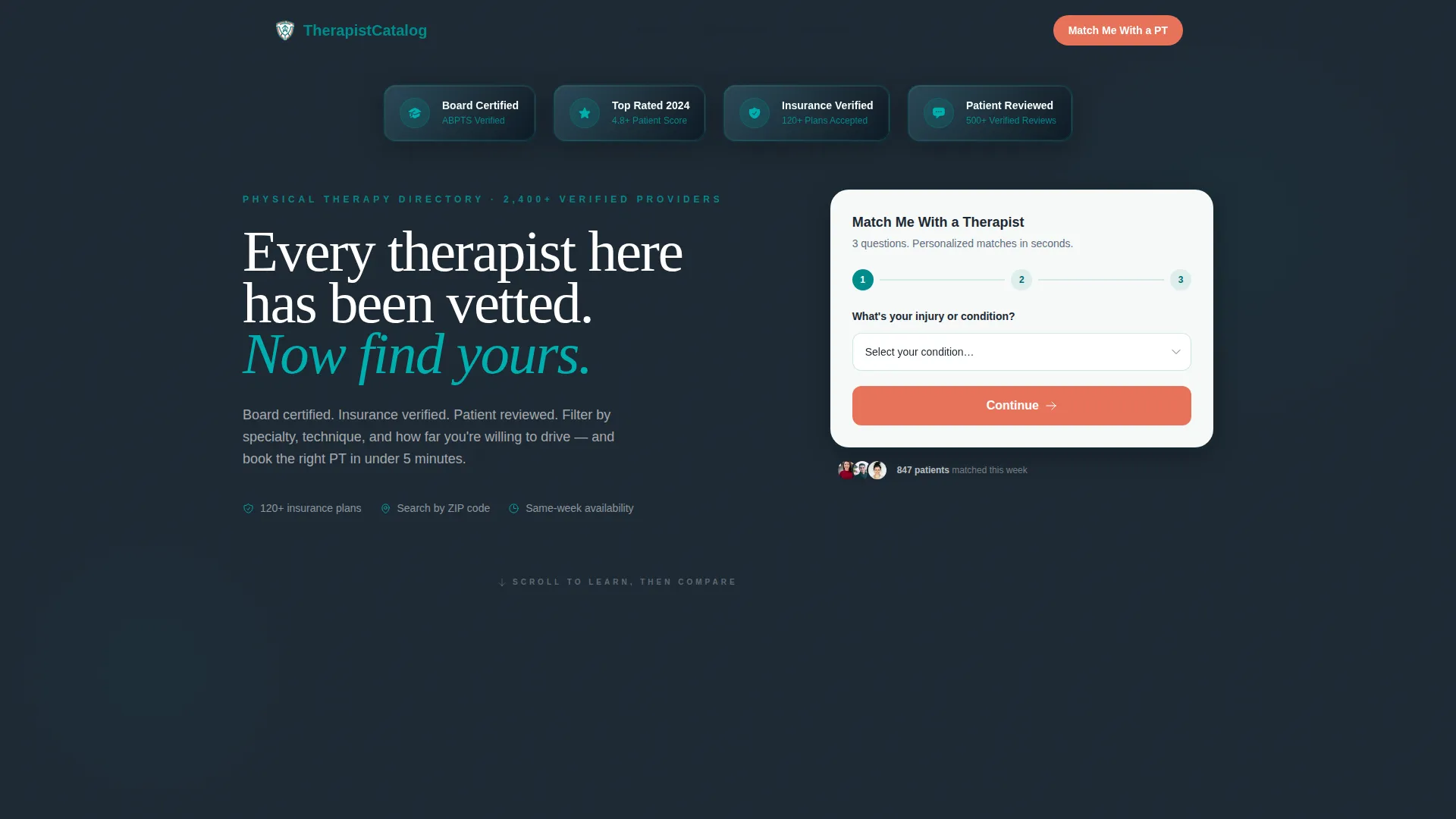
- A hero section with credential verification badges, a headline, and a three-step match form collecting condition type, insurance provider, and zip code
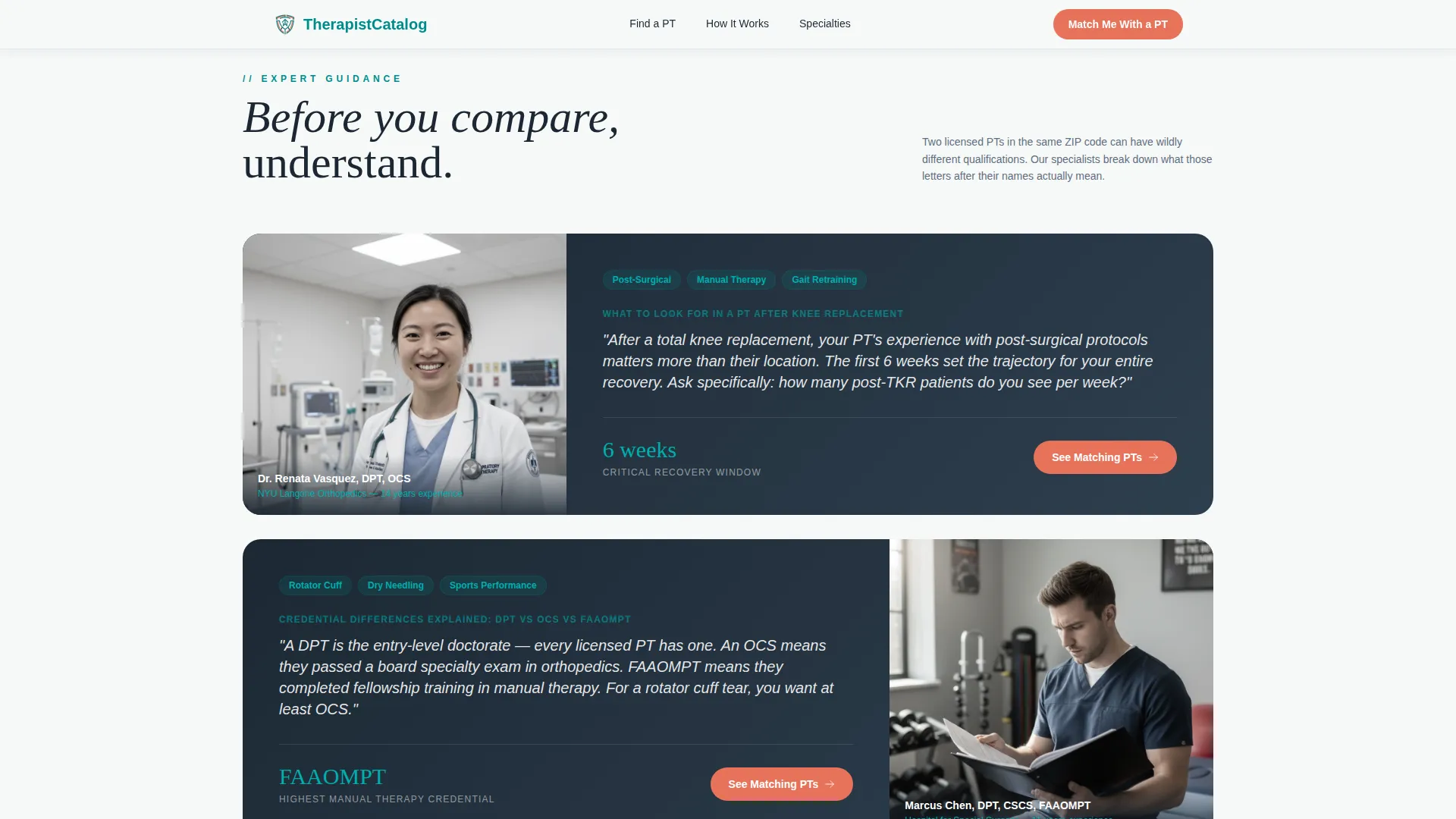
- An expert panel with post-surgical and sports rehab specialists providing context before the comparison table appears
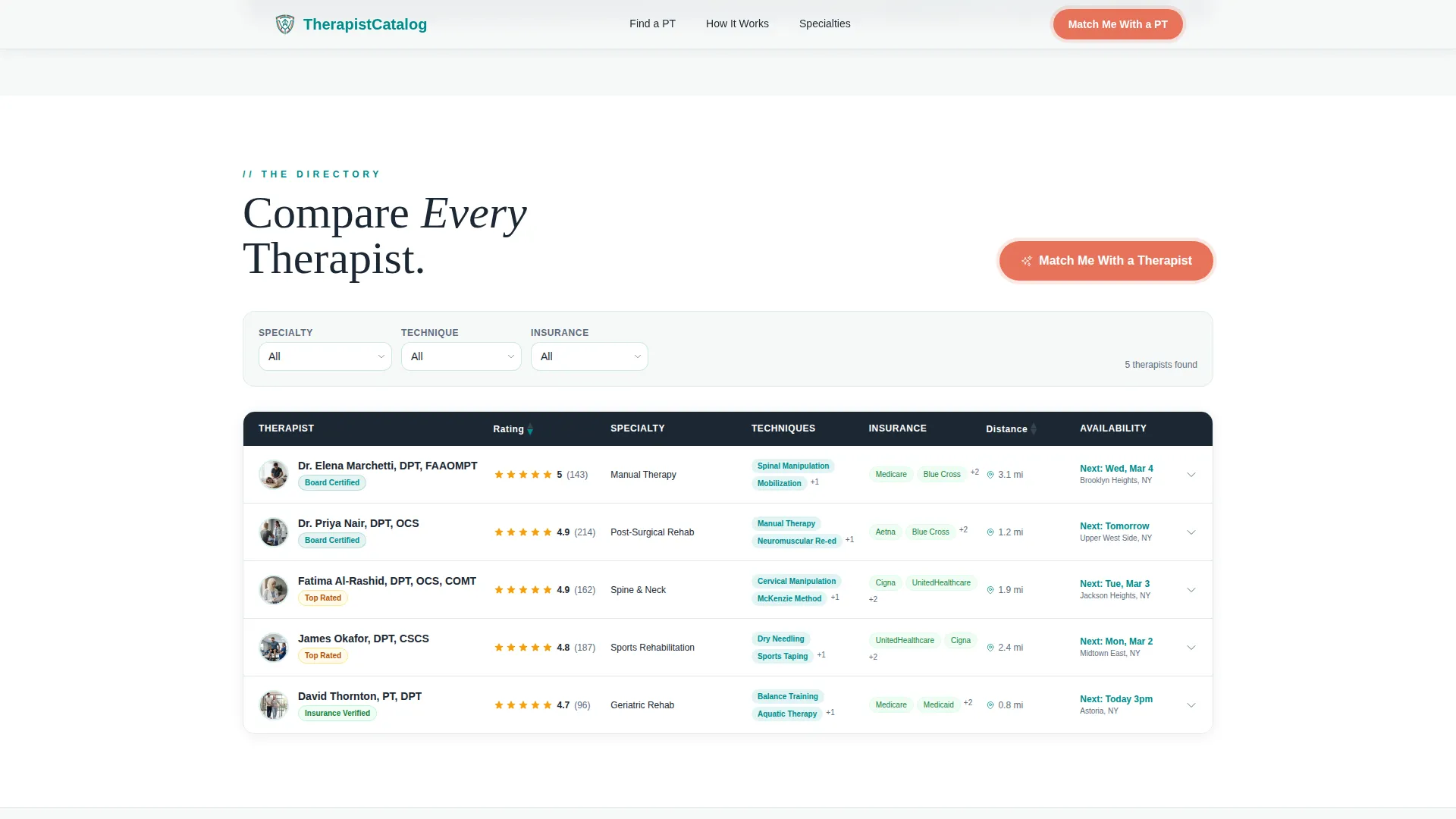
- A sortable comparison table with expandable therapist profile rows, filter dropdowns, star ratings, and a "Request Availability" secondary call to action
Feature list
This template includes the following built-in components and design capabilities, all grounded in the source brief.
Award Badge Header with Credential Shields
The header opens with a horizontal row of embossed verification medallions: Board Certified, Top Rated 2024, Insurance Verified, and Patient Reviewed. These badges render against deep charcoal and immediately signal that every provider in the directory has already been vetted. Patients do not need to research credentials themselves.
Three-Step Match Form
The primary lead generation form asks three sequential questions: injury or condition type via dropdown, insurance provider via autocomplete field, and zip code. The form appears at the top of every comparison table and floats on mobile screens so the conversion path is always within reach.
Sortable Comparison Table with Expandable Rows
The core directory component is a full comparison table sortable by specialty, technique (including dry needling, manual therapy, and aquatic therapy), average patient rating, and accepted insurance. Each row expands into a profile card with a softer secondary call to action for requesting availability.
Expert Panel Education Blocks
Two expert panels appear above comparison tables. A post-surgical specialist explains what to look for in a physical therapist after knee replacement surgery. A sports rehabilitation therapist breaks down credential differences in plain language. Each panel earns the scroll before the table asks for a click.
Credentials Guide Section
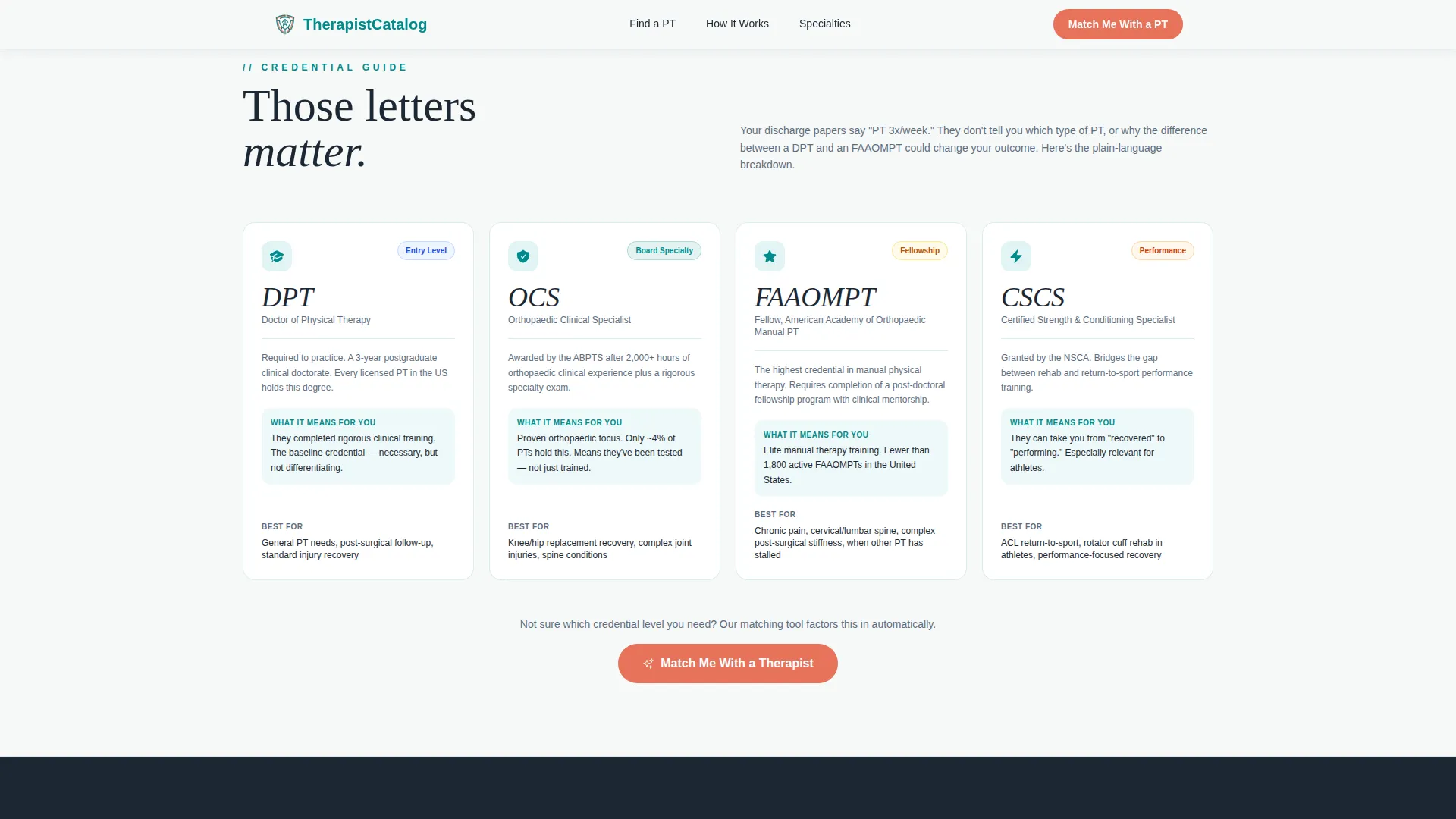
A dedicated section explains the key credential abbreviations in plain, jargon-free language. Visitors understand the difference between provider qualification levels before they compare providers side by side. This reduces hesitation and builds confidence in the directory.
Condition-Specific Patient Testimonials
The testimonials section features quotes tied to specific conditions and recovery outcomes, paired with star ratings and patient review counts. Social proof is grounded in real use cases rather than generic praise, reinforcing trust at a critical point in the decision flow.
Page sections overview
| Section | Purpose |
|---|---|
| Hero with Badges | Opens with credential shields, headline, and three-step match form |
| Expert Panel One | Post-surgical specialist insight before first comparison table |
| Comparison Table One | Sortable therapist directory with expandable profile rows |
| Expert Panel Two | Sports rehab credential explainer before second table |
| Comparison Table Two | Second sortable table filtered by technique and insurance |
| Credentials Guide | Plain-language breakdown of Doctor of Physical Therapy, Orthopedic Clinical Specialist, Fellow credentials |
| Patient Testimonials | Condition-specific quotes with star ratings and review counts |
| Footer | Linear single-row footer with navigation links |
Design & branding system
The visual identity follows an Educational Guide theme using the Teal Catalyst color system. The palette is clinical without feeling sterile, warm enough to calm a nervous patient scanning unfamiliar provider names, and authoritative enough to earn immediate trust.
- Clinical teal (#008B8B) dominates section headers and table borders; deep charcoal (#1C2833) carries all body text; soft healing white (#F7F9F9) provides breathing room between dense comparison rows
- Catalyst coral (#E8735A) is reserved exclusively for calls to action and trust badges, firing only where a decision needs to happen
- Typography pairs DM Serif Display for headings with Plus Jakarta Sans for body copy, creating an editorial medical feel that is organized and readable
Mobile & speed optimization
The template is built mobile-first, reflecting the reality that most patients search for a physical therapist late at night on a phone. The comparison table and form are both adapted for small screens without losing functionality.
- The "Match Me With a Therapist" form floats on mobile so the primary call to action stays visible while users scroll through the comparison table
- GSAP scroll reveals, table row hover expansions, and badge entrance animations are applied at medium intensity to maintain engagement without overwhelming slower connections
- Static page content uses server components while the interactive table and form use client components to keep the experience responsive
How this template helps you convert
The page is structured around an educate-then-convert rhythm. Visitors learn something meaningful before each table appears, so by the time they reach the form, they already trust the directory to make the right match.
- Every comparison table is introduced by an expert panel that gives the visitor context and confidence, reducing hesitation before the primary call to action appears
- The three-step match form lowers friction by asking only three targeted questions in sequence, making the lead submission feel like a guided recommendation rather than a data collection exercise
- Expandable therapist profile rows and a secondary "Request Availability" button give cautious visitors a softer path to contact, capturing leads who are not yet ready for a direct match request
Other information about this template
This template is category-matched to the Health and Medical vertical and optimized for the physical therapist provider directory niche. It is built as a single landing page with a linear scroll structure.
- The template style is a comparison table layout within an Educational Guide theme, making it suitable for any healthcare directory that needs to present multiple providers side by side
- Localization defaults are set for United States users: English language copy, zip code format, and United States insurance provider references throughout the form and table filters
- Animation intensity is set to medium using GSAP, covering scroll reveals, row expansions, and badge entrances without requiring any additional configuration
- The footer follows Pattern 1, a linear single-row layout, keeping the page exit clean and uncluttered
Theme
Educational Guide
Creative direction
Expert Panel
Color system
Teal Catalyst
Style
Comparison Table
Direction
Lead Generation
Page Sections
Award Badge Credential Header
Three-step Patient Match Form
Sortable Therapist Comparison Table
Expert Panel Education Blocks
Credentials Guide Section
Condition-specific Testimonials Block
Related questions
What type of directory operator should use this template?
Can I adjust the comparison table filters for my specific provider list?
How does the three-step match form collect leads?
Does this template work for a single clinic or only for multi-provider directories?
What credentials does the template explain to visitors?



