Deep Geothermal Installation Landing Page Template
Bore is a split-screen geothermal installer landing page template built for drilling crews who want to educate before they sell. It guides homeowners and custom-home builders through closed-loop ground-source systems using an expert panel scroll, animated diagrams, and real project data, then earns the click to a project gallery and site assessment form.
by Rocket studio
Quick summary
Bore is a click-through landing page template for geothermal installers. It uses a 50/50 split-screen layout and an expert panel structure to walk visitors through vertical and horizontal loop systems, desuperheater integration, and payback timelines, then directs them to a completed project gallery and an estimate request form.
Who this template is for
This template is built for geothermal drilling and installation businesses that need a professional web presence combining education with lead generation. It works equally well for solo installers and multi-crew operations ready to grow.
- Geothermal installers targeting homeowners with high propane or fuel oil bills
- Contractors who specify ground-source heat pump systems for custom-home and radiant floor projects
- Rural HVAC and drilling businesses serving properties off the natural gas main
What problem this template solves
Most geothermal installers lose potential clients before the first conversation because visitors do not understand what ground-source systems are or why the upfront cost is justified. A generic service page cannot carry that educational weight.
- Visitors leave before reaching a call to action because the page does not build enough trust
- Homeowners need to understand the 30% federal tax credit and realistic payback timelines before they commit
- Builders specifying radiant floor systems need crew credibility, not just pricing information
What you get with this template
You get a fully structured single-page layout designed to teach, qualify, and convert. Every section follows a deliberate sequence from awareness to trust to action.
- A 50/50 split-screen hero with a jobsite photo panel and a headline-plus-call-to-action text panel
- Three expert panels pairing crew portraits or hands-at-work photography with plainspoken technical explanations
- Scroll-triggered animated diagrams, a live BTU monitoring dashboard section, and a sticky qualification button
Feature list
This template includes a focused set of built-in components, each designed to serve the educational and conversion goals of a geothermal installation business.
Split-Screen Hero Panel
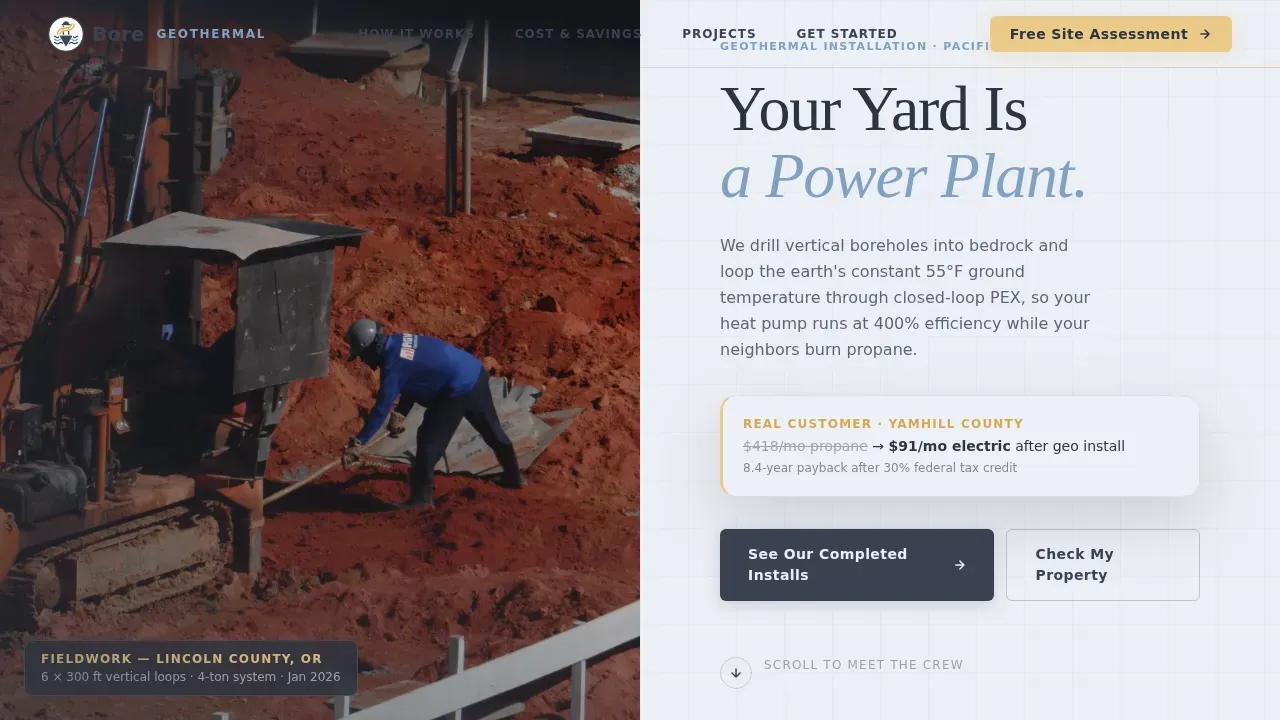
The header divides the viewport evenly. The left side holds a wide-angle jobsite photograph, drilling rig, red clay spoils, a technician checking loop pressure. The right side carries the primary headline and a directional scroll arrow. The composition is designed to feel honest and site-real, not polished or stock.
Expert Panel Scroll Structure
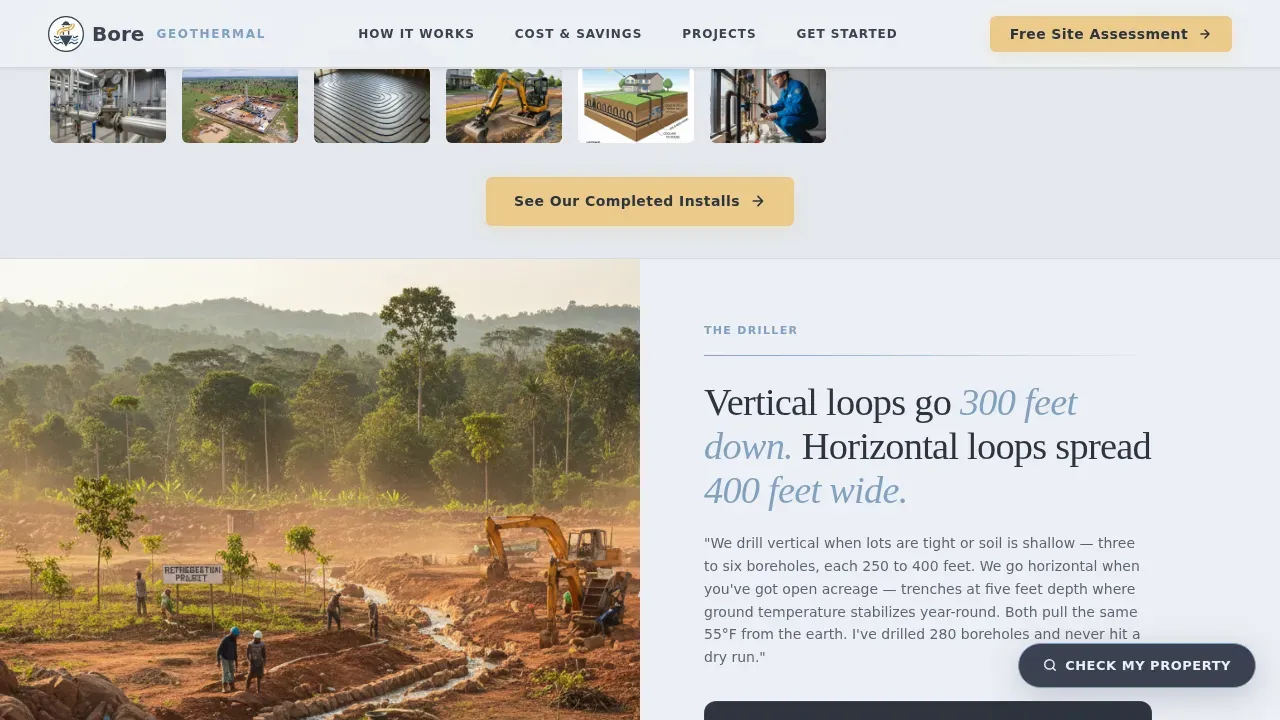
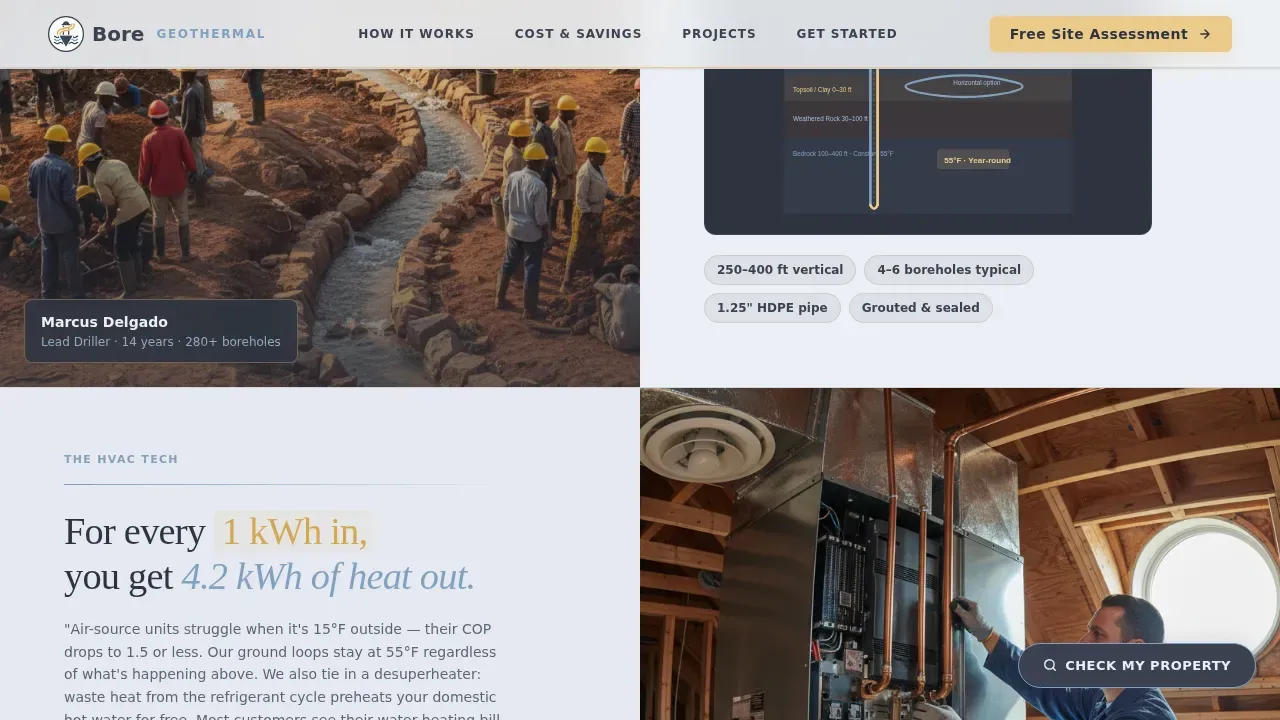
Three sequential expert panels structure the page like a guided crew conversation. Each panel pairs a crew member portrait or hands-at-work photo with their explanation, loop selection, desuperheater integration, and project financials. The structure builds credibility panel by panel before asking for any commitment.
Scroll-Triggered Animated Diagrams
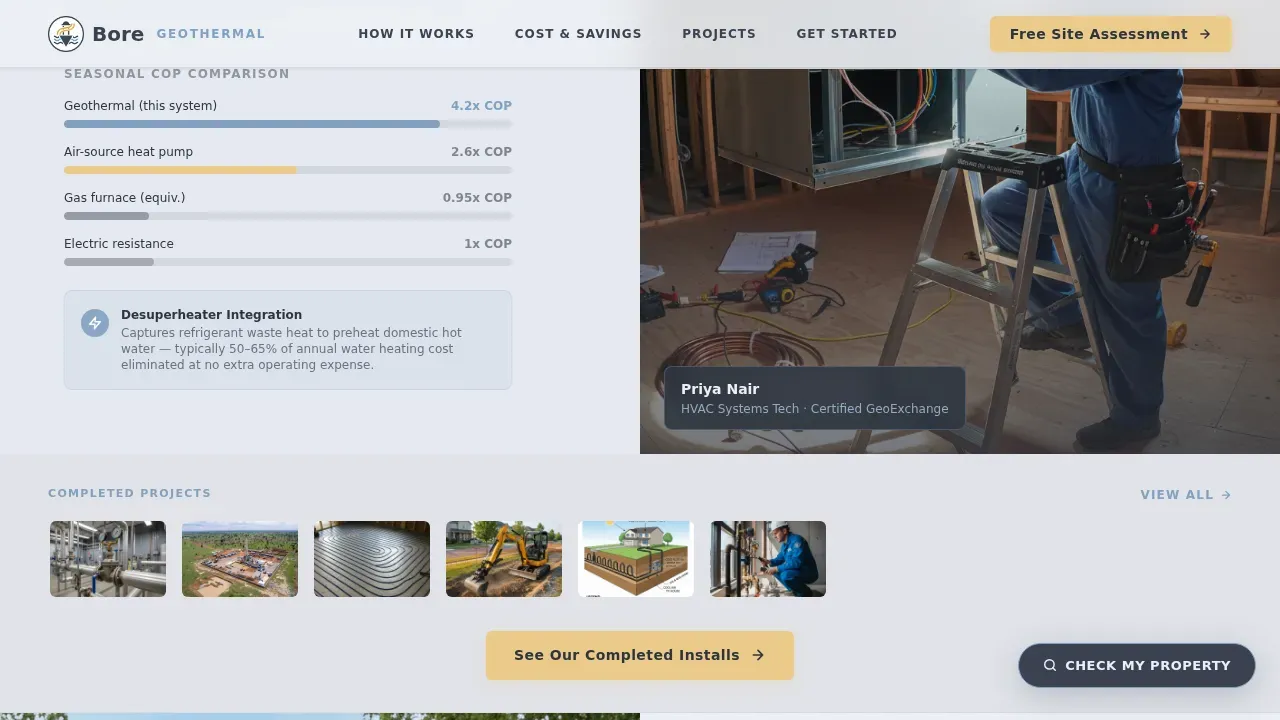
Diagrams animate into view as the visitor scrolls. These include cross-section cutaways of ground loops, seasonal coefficient-of-performance (COP) comparisons against air-source units, and a real project monitoring dashboard showing BTU output. Animation is handled by client-side components while static sections use server components.
Repeating Call-to-Action Strips with Thumbnail Previews
The primary call to action, "See Our Completed Installs", appears beneath the hero and repeats after every second expert panel. Each placement includes a thumbnail strip previewing the project gallery, reinforcing the invitation to click through.
Sticky Secondary Qualification Button
A persistent "Check My Property" button stays visible as the visitor scrolls. It links to a quick-qualification page that asks for zip code, lot size, and current heating fuel, collecting useful lead data without interrupting the educational flow.
Final Site Assessment Call to Action
The closing section pairs a live BTU monitoring dashboard display with the final call to action: "Get Your Site Assessment." By this point the visitor has moved through all three expert panels and is positioned to trust the crew enough to share their address.
Page sections overview
| Section | Purpose |
|---|---|
| Hero Split Panel | Introduce crew and value with jobsite photo and headline |
| Expert Panel: Driller | Explain vertical versus horizontal loop selection |
| First call to action Strip | Prompt gallery click after first expert panel |
| Expert Panel: HVAC Tech | Walk through desuperheater integration and COP comparison |
| Expert Panel: Project Manager | Cover federal tax credits and payback timeline |
| Second call to action Strip | Repeat gallery invitation after financial panel |
| Live BTU Dashboard | Show real monitoring data from a completed install |
| Final call to action Block | Direct visitor to request a site assessment |
| Footer Row | Single-row linear footer with navigation links |
Design & branding system
The visual identity follows an Educational Guide theme with a Slate and Sky color system. The palette is grounded and jobsite-honest, dark wet earth meeting an open winter sky.
- Deep borehole slate (#3B4252) as the primary background and text surface, open-sky blue (#81A1C1) as the accent, and frost-white (#ECEFF4) as the page background
- Thermal-highlight amber (#EBCB8B) reserved for callouts, hover states, and diagram accents to draw the eye without competing with the main content
- DM Sans for body text and interface labels; Fraunces for display headlines, giving the page a grounded, craft-forward typographic tone
Mobile & speed optimization
The template is built desktop-first to match the research habits of custom-home builders and architects, while maintaining solid usability on smaller screens.
- Server components handle all static sections, keeping initial load fast without adding client-side overhead to the educational panels
- Client-side components manage scroll-triggered animations, counter animations, and beam border effects so interactivity does not block content rendering
- The sticky "Check My Property" button is optimized for both desktop hover states and mobile tap targets, keeping the qualification path accessible throughout the scroll
How this template helps you convert
Every design and content decision in this template is built around earning the click before asking for it. The page does not open with a form, it opens with proof.
- The expert panel structure moves the visitor through a natural confidence arc: understanding the system, trusting the crew's technical knowledge, then seeing the financial case clearly before any call to action appears.
- Repeated call-to-action placements with thumbnail gallery previews lower the commitment threshold at each stage, so the visitor can click through to the project gallery whenever they feel ready rather than being held to the final section.
Other information about this template
This template is part of a professional services collection designed for trade and technical businesses. It is built with specific details relevant to USA-based geothermal installers, including imperial measurements, USD pricing context, and references to the 30% federal tax credit available under current residential clean energy programs.
- The page localisation targets US homeowners and builders, with language calibrated for pain-motivated buyers comparing geothermal to propane, fuel oil, or electric resistance heating
- Animation intensity is set to high by design, scroll-triggered diagram reveals and counter animations are intentional engagement tools, not decorative extras
- The template supports a click-through flow, meaning it is designed to direct visitors to a separate project gallery page and an estimate request form rather than containing a form inline
Theme
Educational Guide
Creative direction
Expert Panel
Color system
Slate & Sky
Style
Split Screen (50/50)
Direction
Click-Through
Page Sections
Split-screen Hero with Jobsite Photography
Expert Panel Crew Conversation Structure
Scroll-triggered Animated Diagrams
Repeating Call to Action Strips with Gallery Thumbnails
Sticky Property Qualification Button
Final Site Assessment Call to Action Block
Related questions
What kind of business is this landing page template built for?
Does the template include the project gallery or just link to it?
Can I use this template if I install both vertical and horizontal loop systems?
How does the sticky "Check My Property" button work?
Is the BTU monitoring dashboard a live data feed or a designed display?



