HVAC Repair Booking Landing Page Template
Thermostat is a modular card-grid landing page built for HVAC repair businesses that run around the clock. It leads with a diagnostic-style header input, guides visitors through real job case studies, and funnels them toward a scheduled repair booking. The Engineering Blueprint visual theme and Fire & Earth color palette make the page feel as purposeful as a service panel.
by Rocket studio
Quick summary
Thermostat is a single-page HVAC repair landing page designed around one outcome: turning a frustrated homeowner or property manager into a confirmed repair booking. A diagnostic header captures the problem first. Case study cards build confidence. A repeating "Schedule My Repair" call to action closes the loop before doubt creeps in.
Who this template is for
This template is built for HVAC service businesses that handle real emergencies, not just tune-ups. It works especially well for operators who want their website to qualify leads and drive bookings without a phone call first.
- HVAC repair crews offering emergency and same-day service to homeowners and tenants
- Property managers who need a fast, no-nonsense way to report system failures across multiple buildings
- Small business owners with commercial refrigeration or rooftop units they cannot afford to lose
What problem this template solves
Most HVAC websites look like brochures. They list services, show stock photos of smiling technicians, and bury the booking form three clicks deep. When someone's furnace quits at two in the morning, that approach loses the call before it starts.
- Visitors arrive in distress and need instant reassurance, not a homepage tour
- Generic layouts offer no proof that the crew has solved this exact problem before
- Buried or complex booking forms add friction at the worst possible moment
What you get with this template
You get a conversion-focused, modular card-grid landing page structured around a technician's real workflow. Every section earns the next click through proof, clarity, and urgency.
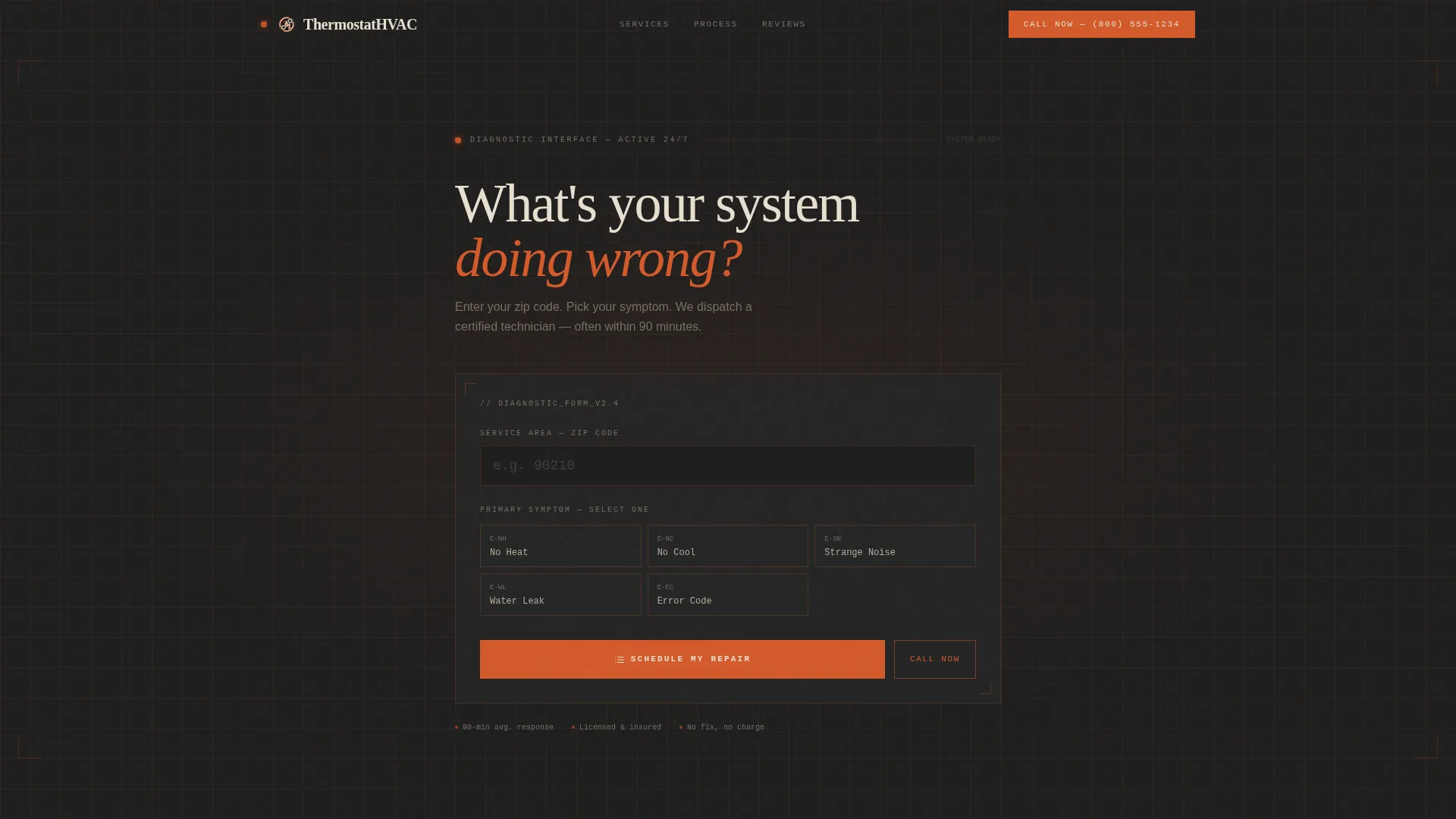
- A diagnostic header with zip code input and symptom selector styled like a service terminal
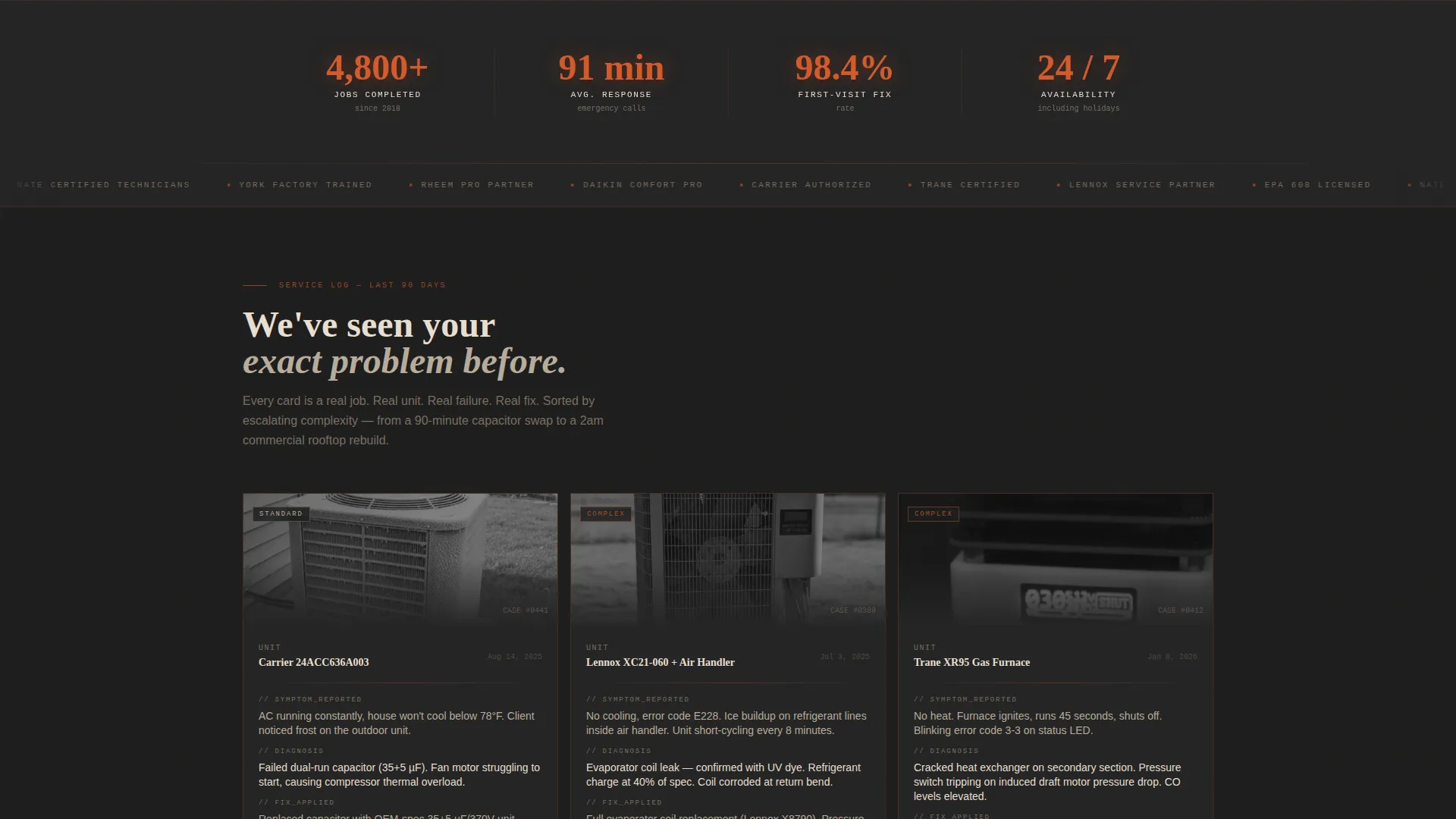
- A scrollable case study card grid showing real jobs with symptom, diagnosis, fix, and call-to-comfort time
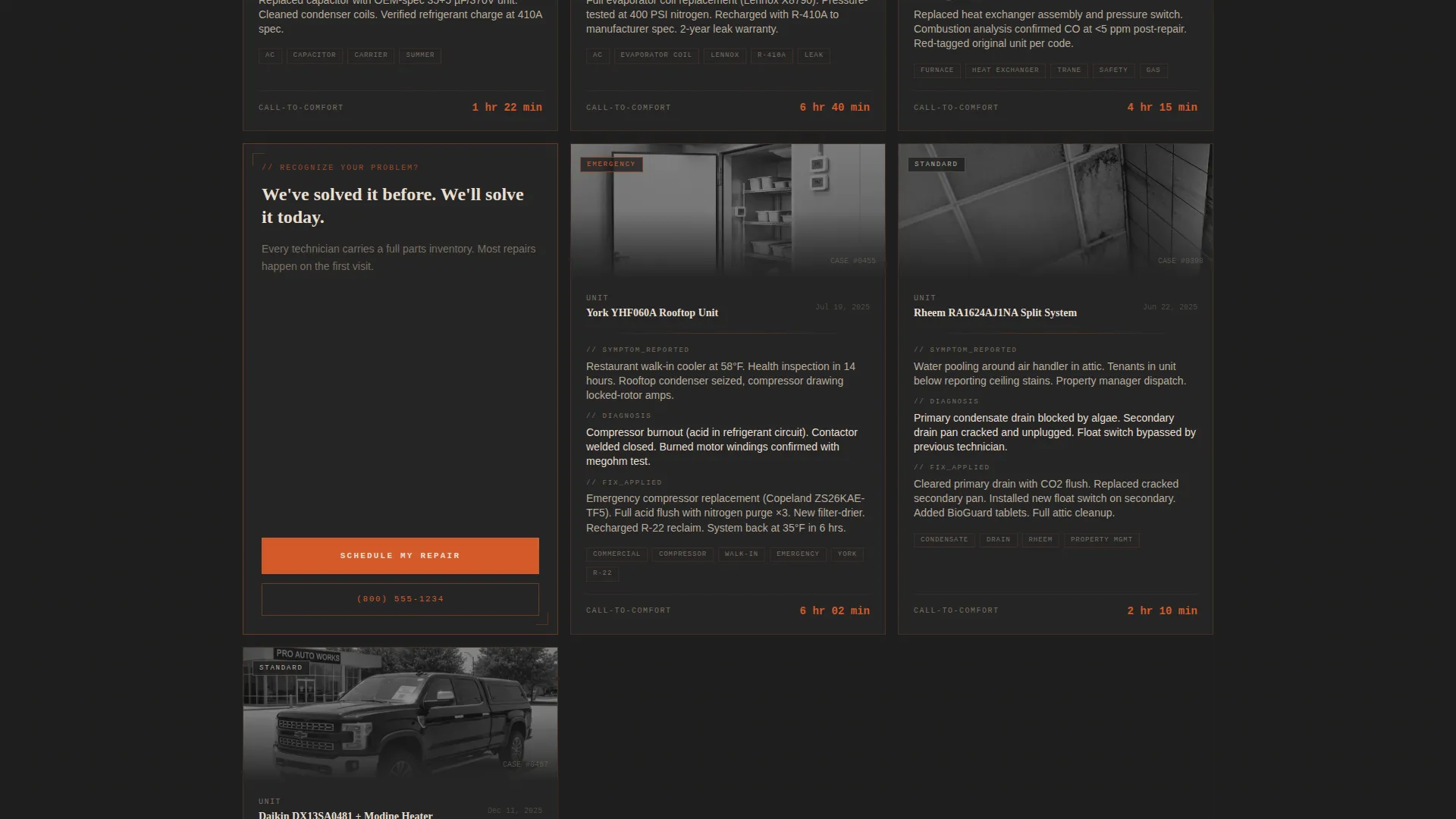
- A repeating "Schedule My Repair" call to action after every third card, plus a sticky mobile booking bar
Feature list
This section covers the core built-in components that make Thermostat work as a booking and trust-building tool.
Diagnostic Header with Symptom Selector
The header skips the welcome message entirely. A single oversized question, "What's your system doing wrong?", sits above a zip code input and a symptom dropdown covering no heat, no cool, strange noise, water leak, and error code. Blueprint grid lines etch faintly behind the form, and the orange cursor pulses like a pilot light.
Modular Case Study Card Grid
Each card in the grid represents a real completed job. Cards display a unit thumbnail, the reported symptom, the technician's diagnosis, the fix applied, and the total time from first call to restored comfort. Complexity escalates across cards so visitors see their problem reflected and resolved, no matter how serious it is.
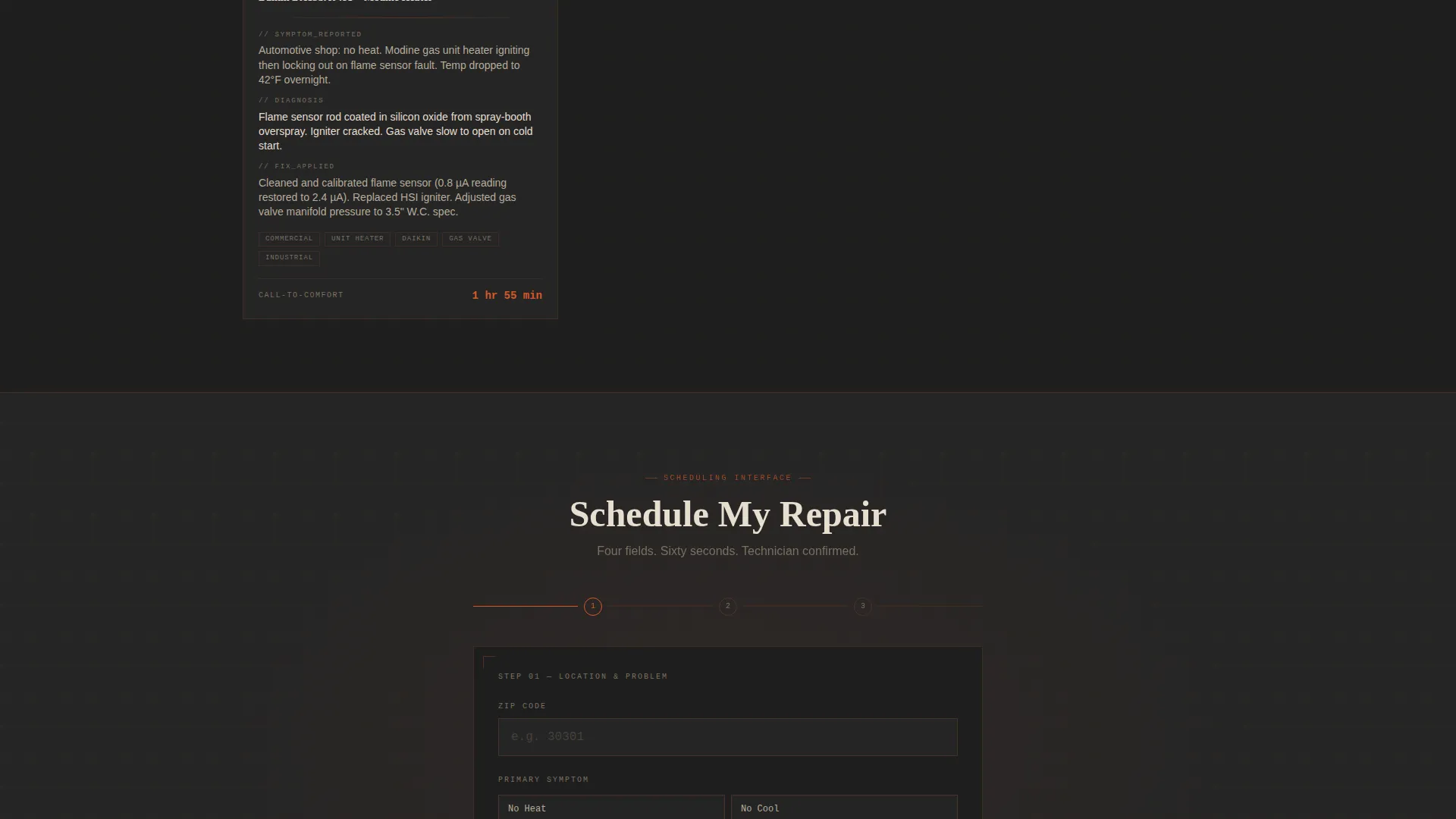
Multi-Step Booking Form
The booking form captures information in a deliberate sequence. Zip code comes first, then symptom, then preferred time window (morning, afternoon, or emergency now), then name and phone number. The step-by-step flow reduces friction by asking for commitment gradually.
Repeating Call to Action with Click-to-Dial
"Schedule My Repair" appears at the header, after every third case study card, and in a sticky bottom bar on mobile. A secondary "Call Now" path sits alongside each instance, styled in furnace-flame orange as a click-to-dial link so mobile visitors can connect with one tap.
Engineering Blueprint Visual Theme
The page uses blueprint grid lines as a background texture throughout. Interactive elements use furnace-flame orange. Section dividers and card borders use terracotta clay. The result reads like a technical document built by people who actually fix equipment, not a marketing agency.
Page sections overview
| Section | Purpose |
|---|---|
| Diagnostic Header Input | Captures zip code and symptom to qualify the visitor immediately |
| Case Study Card Grid | Builds trust through real completed jobs at escalating complexity |
| Booking Form (Inline) | Collects lead details across a low-friction multi-step sequence |
| Sticky Mobile Bar | Keeps "Schedule My Repair" and "Call Now" reachable while scrolling |
| Section Divider calls to action | Repeats the primary call to action after every third case study card |
Design & branding system
The Fire & Earth color system draws from the physical reality of HVAC work. Every color has a structural role so the layout communicates authority before a visitor reads a single word.
- Furnace-flame orange (#D45A2B) activates all buttons, hover states, and focused form fields
- Deep ductwork charcoal (#1E1E1E) dominates backgrounds, grounding the page in seriousness
- Blueprint-line bone (#E8DFD0) carries body text for legibility against dark surfaces, while terracotta clay (#A0522D) anchors card borders and section dividers
Mobile & speed optimization
The layout is built mobile-first, because the majority of HVAC emergency calls start on a phone. The sticky bottom bar and click-to-dial link are both direct responses to that reality.
- Sticky bottom bar keeps the booking and call actions visible at all times on small screens
- The card grid reflows cleanly into a single column on mobile without losing the escalating job narrative
- The multi-step form collapses into a focused single-question-at-a-time flow on touch devices
How this template helps you convert
Every structural decision on this page is aimed at reducing the gap between "I have a broken system" and "I just booked a repair."
- The diagnostic header validates the visitor's problem in the first second, replacing generic welcomes with a direct question that feels like talking to a technician.
- The case study card grid removes objection by proof: by the time a visitor has scrolled through four solved problems that match their situation, entering a zip code feels like the obvious next step.
- The multi-step form and repeating call to action work together to keep commitment gradual and the exit points low, so fewer visitors leave before completing a booking.
Other information about this template
Thermostat sits within the Construction & Home category under the Appliance Repair & Service subcategory, purpose-built for the HVAC system repair niche. A few additional details worth knowing before you deploy it.
- No stock photography is included by design; the visual language relies on blueprint textures and hardware-toned colors rather than generic imagery
- The case study card structure is modular, meaning you can add, remove, or reorder job cards to match your actual service history
- The template is designed for HVAC repair businesses of any size, from owner-operators to multi-crew regional services
- The "emergency now" time-window option in the booking form signals to visitors that after-hours calls are genuinely welcome
Theme
Engineering Blueprint
Creative direction
Case Study Narrative
Color system
Fire & Earth
Style
Card Grid (Modular)
Direction
Booking/Scheduling
Page Sections
Diagnostic Header with Symptom Selector
Modular Case Study Card Grid
Multi-step Booking Form
Repeating Call to Action with Click-to-dial
Engineering Blueprint Visual Identity
Sticky Mobile Booking Bar
Related questions
Can I customize the symptom options in the header selector?
Do I need real job photos for the case study cards?
Is this template suitable for commercial HVAC work, not just residential?
How does the multi-step booking form connect to my scheduling system?
Can a solo operator or small crew use this template effectively?



