HVAC Technician Professional Website Template
Thermostat is a Corporate Precision landing page template built for commercial HVAC technician businesses. It pairs a bold headline layout with detailed comparison tables, an expert panel section, and a structured B2B inquiry form. The charcoal and amber visual system signals professionalism and technical authority from the first scroll.
by Rocket studio
Quick summary
Thermostat is a single-page landing page template designed for licensed commercial HVAC technician teams. It leads with a commanding headline, moves through expert-led comparison tables, and closes with a partnership-focused proposal form. The design communicates precision and reliability to property managers, general contractors, and facility directors evaluating mechanical service partners.
Who this template is for
This template is built for commercial HVAC businesses that serve sophisticated, high-stakes clients. It speaks directly to contractors and service teams that operate across complex building types and need to demonstrate their technical edge on a first visit.
- Licensed HVAC technician crews serving commercial and industrial buildings
- Mechanical contractors bidding new construction or retrofit packages
- Service companies targeting property management firms, hospitals, and data centers
What problem this template solves
Most HVAC business pages present a phone number and a list of services. That approach fails entirely with procurement teams, facility directors, and general contractors who need evidence before making a call. This template replaces generic service copy with structured, side-by-side arguments.
- Prospects cannot easily compare your response times, warranty terms, or certification levels against competitors
- B2B buyers need something concrete to share internally before approving a vendor conversation
- A generic service page does not reflect the technical depth that enterprise and institutional clients expect
What you get with this template
The template delivers a complete, single-page B2B sales tool. Every section is purposeful, from the rooftop technician header photograph to the gated capabilities deck download.
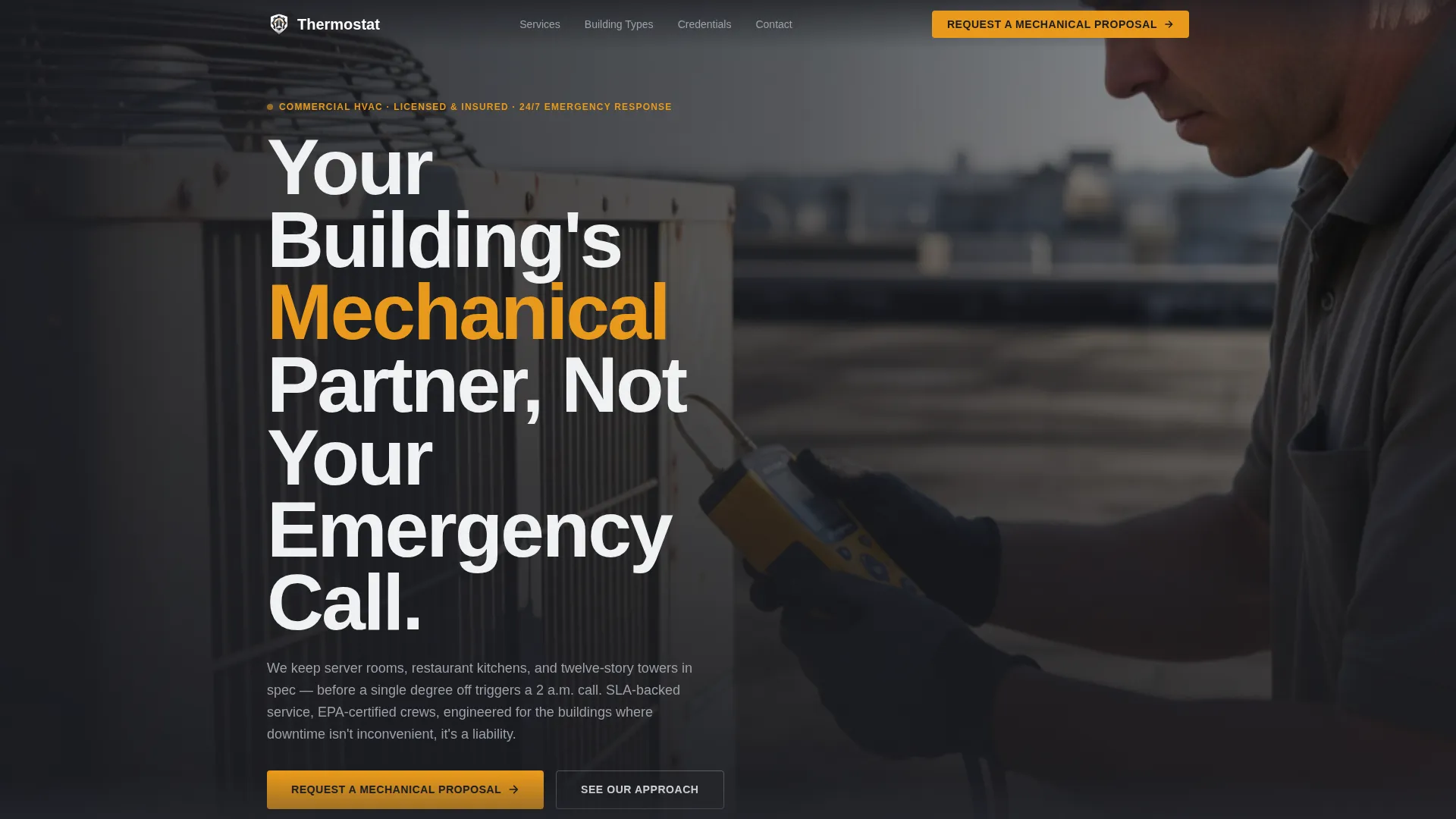
- A giant headline left header with an editorial photograph placement for a focused, working technician image
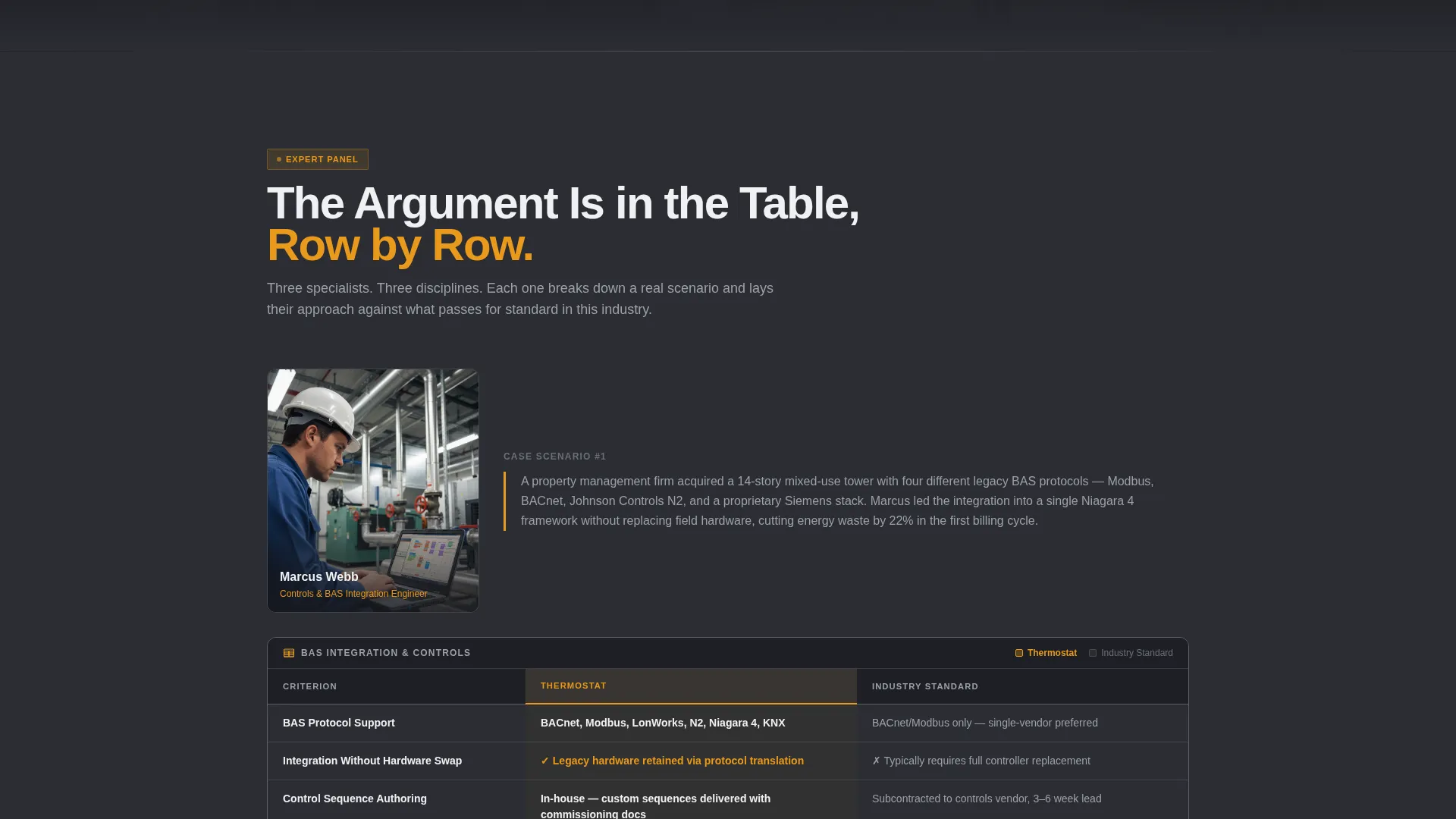
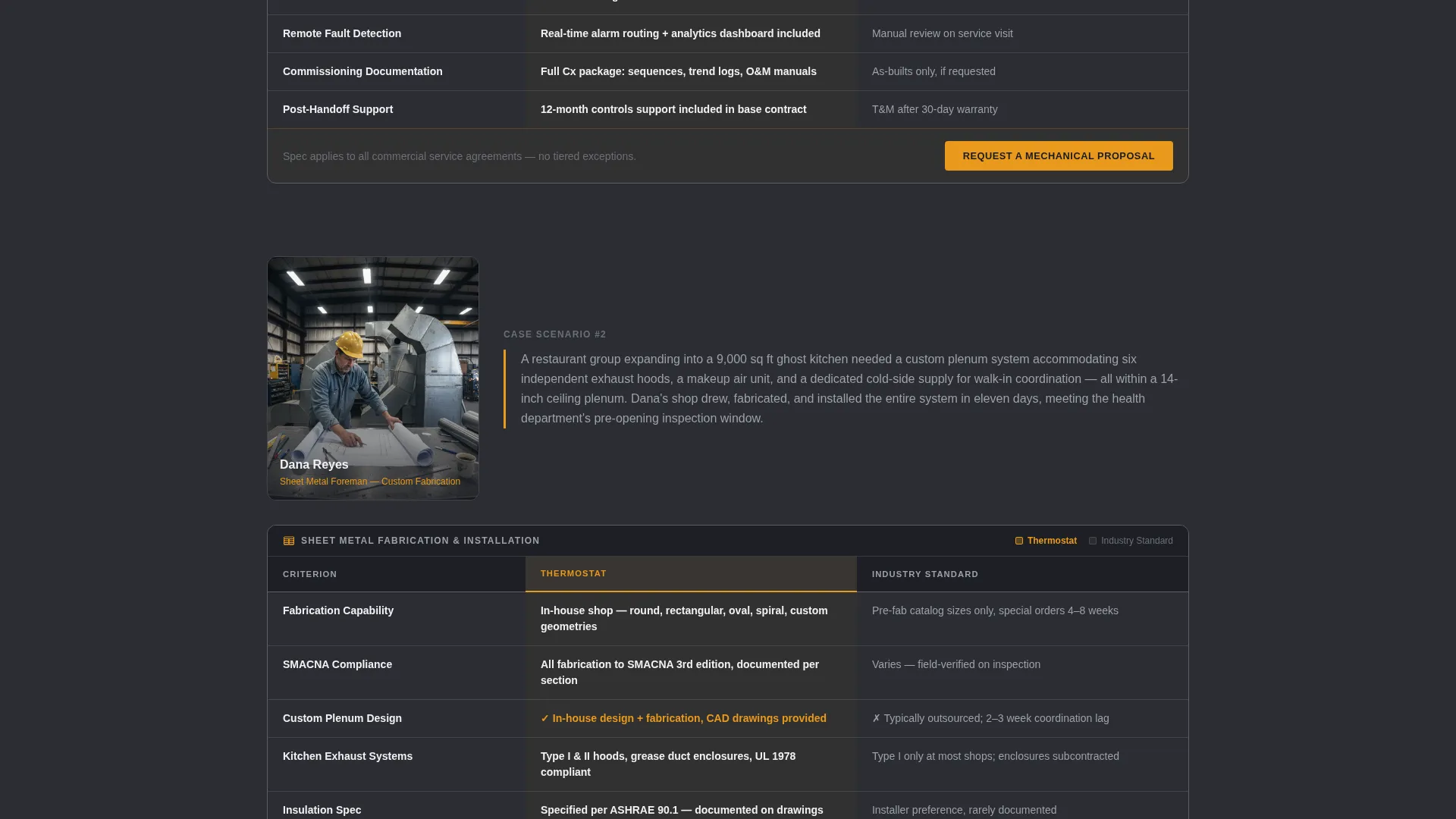
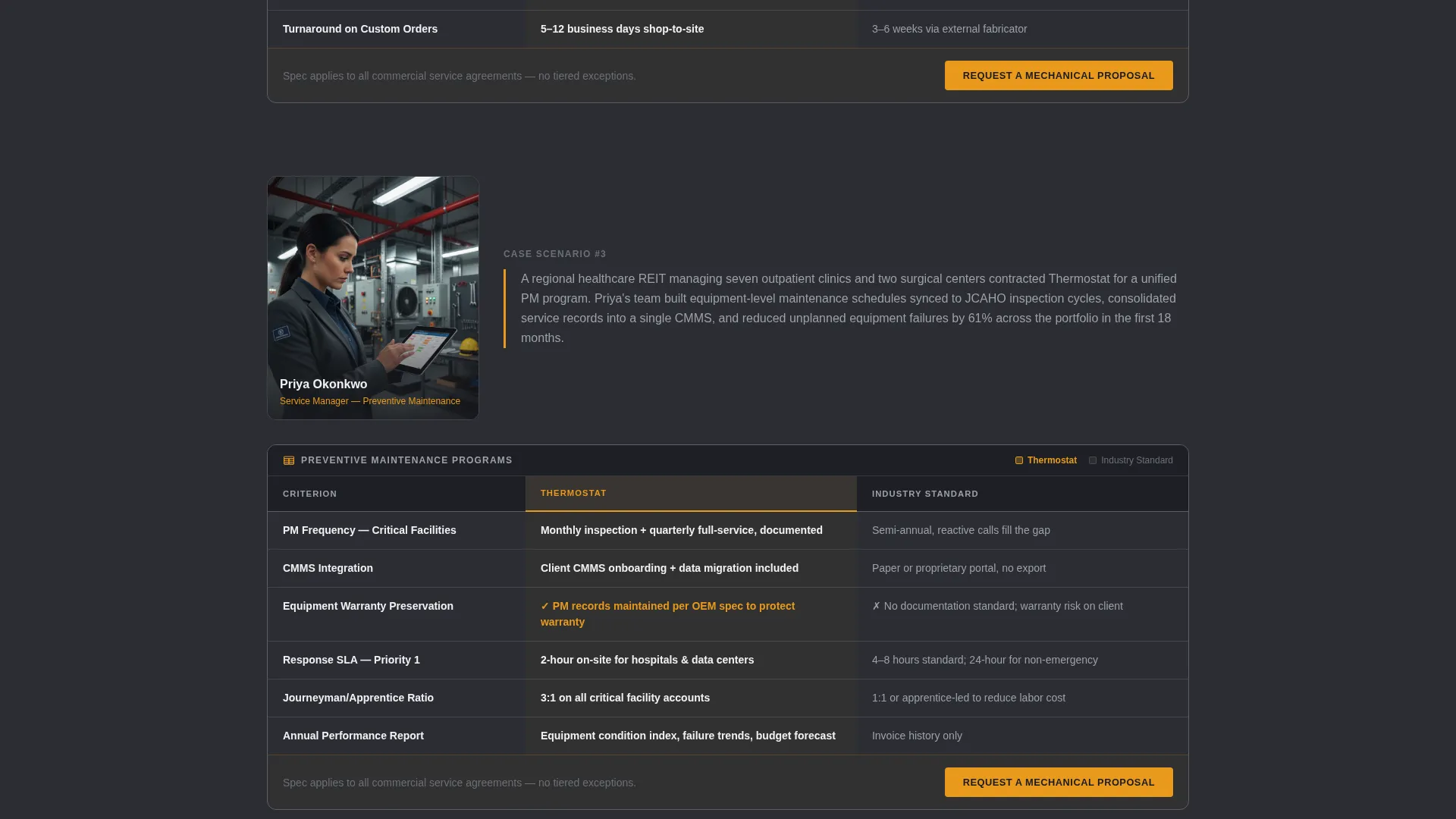
- Three expert panel sections, each anchored by a comparison table covering SLAs, certifications, warranty terms, and staffing ratios
- A primary proposal form capturing company name, building type, square footage, and project scope, plus a secondary gated download path for procurement teams
Feature list
This section covers the core components built into the Thermostat landing page template.
Giant Headline Left Header
The header divides the viewport roughly sixty-forty. The left side carries a heavy condensed headline reading "Your Building's Mechanical Partner, Not Your Emergency Call." The right side holds an editorial photograph of a technician mid-diagnosis on a rooftop condenser unit. The layout is intentional and immediate.
Expert Panel Comparison Tables
Three specialist profiles introduce a controls engineer, a sheet metal foreman, and a service manager. Each profile is paired with a comparison table. Tables contrast the team's approach against industry standard across rows covering response SLAs, journeyman-to-apprentice ratios, EPA certification levels, equipment brand authorizations, and warranty terms.
B2B Proposal Request Form
The primary conversion form captures company name, building type via a dropdown (office, retail, industrial, healthcare, or mixed-use), total square footage, and project scope (new construction, retrofit, or ongoing service contract). This structured intake replaces vague contact forms with a qualified lead pipeline.
Gated Capabilities Deck Download
A secondary conversion path offers a downloadable capabilities deck in exchange for a business email address. This gives procurement teams a document they can attach to an internal request for proposal before the first call is made.
Fixed Navigation Call to Action
"Request a Mechanical Proposal" appears in the fixed navigation bar and at the bottom of every comparison table. The call to action stays visible throughout the full scroll, removing friction at any decision point.
Charcoal and Amber Visual System
The color palette uses deep graphite for backgrounds, mechanical slate for secondary panels, brushed aluminum for borders and divider lines, and caution amber for calls to action, hover states, and data callouts. The result is a visual identity that reads as engineered rather than decorated.
Page sections overview
| Section | Purpose |
|---|---|
| Header hero | Establishes authority with headline and editorial technician photograph |
| Controls engineer panel | Introduces specialist and presents BAS integration comparison table |
| Sheet metal foreman panel | Covers custom fabrication approach with a side-by-side comparison table |
| Service manager panel | Details preventive maintenance cadence via comparison table |
| Proposal request form | Captures qualified B2B leads with structured intake fields |
| Capabilities deck download | Provides a gated secondary path for procurement and RFP teams |
Design & branding system
The visual identity follows a Corporate Precision theme. Every color and typographic choice reinforces technical authority rather than approachability for its own sake.
- Color system: deep graphite (#2B2D33) backgrounds, mechanical slate (#4A4E57) panels, brushed aluminum (#D1D3D8) borders, and caution amber (#E8991C) for calls to action and callouts
- Typography: heavy condensed sans-serif for headlines, creating a dense mechanical weight that pairs with the dark palette
- Photography direction: editorial over stock, showing a technician reading a manometer in hard afternoon light with no posed smiles
Mobile & speed optimization
The template is structured for clean rendering across screen sizes without compromising the density of its comparison tables. The layout adapts so that data-heavy sections remain readable on smaller viewports.
- Comparison tables are designed to remain scannable on mobile without horizontal overflow
- The fixed navigation call to action maintains visibility on all screen sizes so the proposal path is never buried
How this template helps you convert
Every structural decision in this template moves a qualified visitor toward a proposal request or a capabilities deck download. The page does not chase casual browsers; it speaks to buyers ready to evaluate a mechanical service partner.
- The comparison tables do the selling before a human conversation begins, giving procurement contacts the evidence they need to justify vendor consideration internally.
- The dual conversion path (proposal form plus gated download) captures buyers at different stages of readiness, maximizing lead capture across the full decision cycle.
Other information about this template
The Thermostat template is part of a niche-specific collection built for HVAC technician online presence needs. It is designed for use within a professional services context where technical credibility is the primary sales lever.
- Template style is Comparison Table, which makes it well suited for HVAC technician businesses that need to differentiate on measurable criteria
- The landing page direction is Partnership and B2B, meaning every layout decision prioritizes relationship-building with institutional and commercial clients over high-volume consumer traffic
- The header concept (Giant Headline Left) and creative direction (Expert Panel) are matched intersection fields from the platform's template design system
- This template fits HVAC technician businesses operating in the commercial and industrial segment, including those serving mixed-use portfolios, healthcare facilities, and data centers
Theme
Corporate Precision
Creative direction
Expert Panel
Color system
Charcoal & Amber
Style
Comparison Table
Direction
Partnership/B2B
Page Sections
Giant Headline Left Header Layout
Expert Panel Comparison Tables
Structured B2B Proposal Form
Gated Capabilities Deck Download
Fixed Navigation Call to Action
Related questions
Who is this landing page template designed for?
Can I customize the comparison table rows for my specific services?
What does the proposal form collect from leads?
Is there a way to offer something to prospects who are not ready to request a proposal?
What makes this template different from a standard service business page?



