Residential HVAC Emergency Booking Website Template
Thermostat is a hero-dominant HVAC landing page built for residential heating and cooling companies that need to convert urgent visitors into booked appointments. It combines a trust-forward visual identity, a four-step process walkthrough, an asymmetric services grid, and a progressive disclosure lead form into one focused, mobile-first page designed to turn a 2 a.m. panic call into a scheduled visit.
by Rocket studio
Quick summary
Thermostat is a single-page HVAC landing page template built for residential heating and cooling companies. It leads with a half-page photo-and-text hero, walks visitors through a four-step service process, and anchors everything to a progressive disclosure lead form. The result is an hvac landing page that feels credible from the first scroll and converts from the first click.
Who this template is for
This template is built for hvac companies that depend on local trust and fast response to win jobs. It fits any team running repair, installation, or tune-up services for residential clients. Designers and builders working for hvac contractors will also find the layout clean and ready to adapt.
- Residential hvac company owners who need a professional web presence without spending upwards of $5,000 on custom web design
- Property managers and homeowners booking heating and cooling services online, often urgently
- Web designers and website builders creating lead generation pages for hvac services clients
What problem this template solves
Most hvac landing pages lose visitors before they ever reach the form. The page loads slowly, the headline is generic, and there is no clear answer to the question every visitor has: what actually happens when I call? Bounce rate climbs, conversions stay flat, and the hvac company keeps paying for traffic that never books.
- Visitors arrive in distress and cannot find a phone number or a clear next step
- The hvac website looks outdated, so visitors leave for a competitor before reading a single line
- The lead form asks too many questions too soon, causing drop-off before submission
What you get with this template
You get a complete, focused hvac landing page with every section pre-built and ready to customize. The page is structured around lead generation from top to bottom, so you spend time editing content rather than building from scratch. Every detail reflects the heating and cooling industry's need for speed, trust, and clarity.
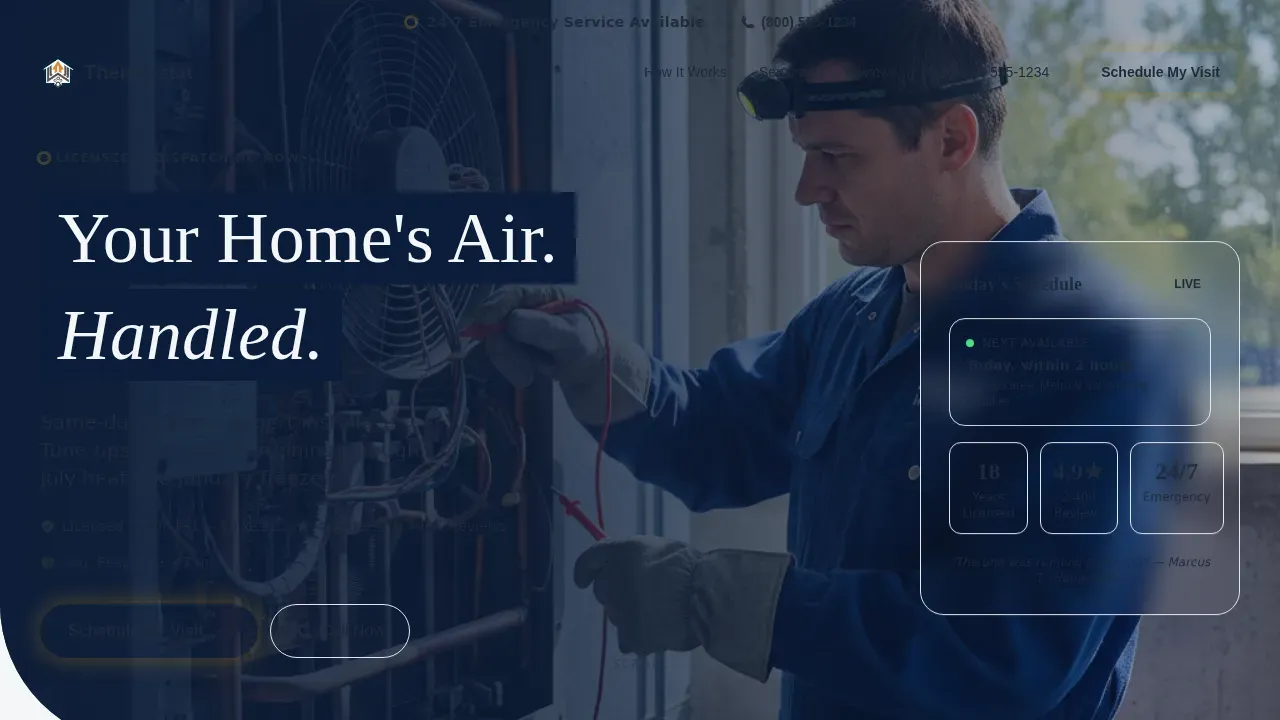
- A hero section with a half-page photo-and-text layout, an amber call-to-action button, a trust line, and an emergency top-bar banner with a click-to-dial number
- A four-step process walkthrough showing what happens after a visitor calls, an asymmetric services grid covering repair, installation, tune-up, and emergency services, a social proof section with testimonials and a stats bar, and a progressive disclosure lead form
- A Navy Authority color system, Fraunces serif headlines paired with DM Sans body text, scroll-reveal animations, and a sticky mobile call-to-action button
Feature list
This hvac landing page template ships with a focused set of features. Each one is designed to move visitors closer to booking a service appointment.
Half-Page Hero with Trust Signals
The hero section uses a split layout: a naturally lit technician photograph on the left and a bold headline on the right. Beneath the headline sits a single amber call-to-action button and a trust line covering licensed years, five-star count, and same-day availability. A top-bar banner carries a click-to-dial phone number for after-hours visitors who need emergency hvac help tonight, not a form response tomorrow. This hero section grabs attention immediately and gives every visitor a clear path forward.
Four-Step Process Walkthrough
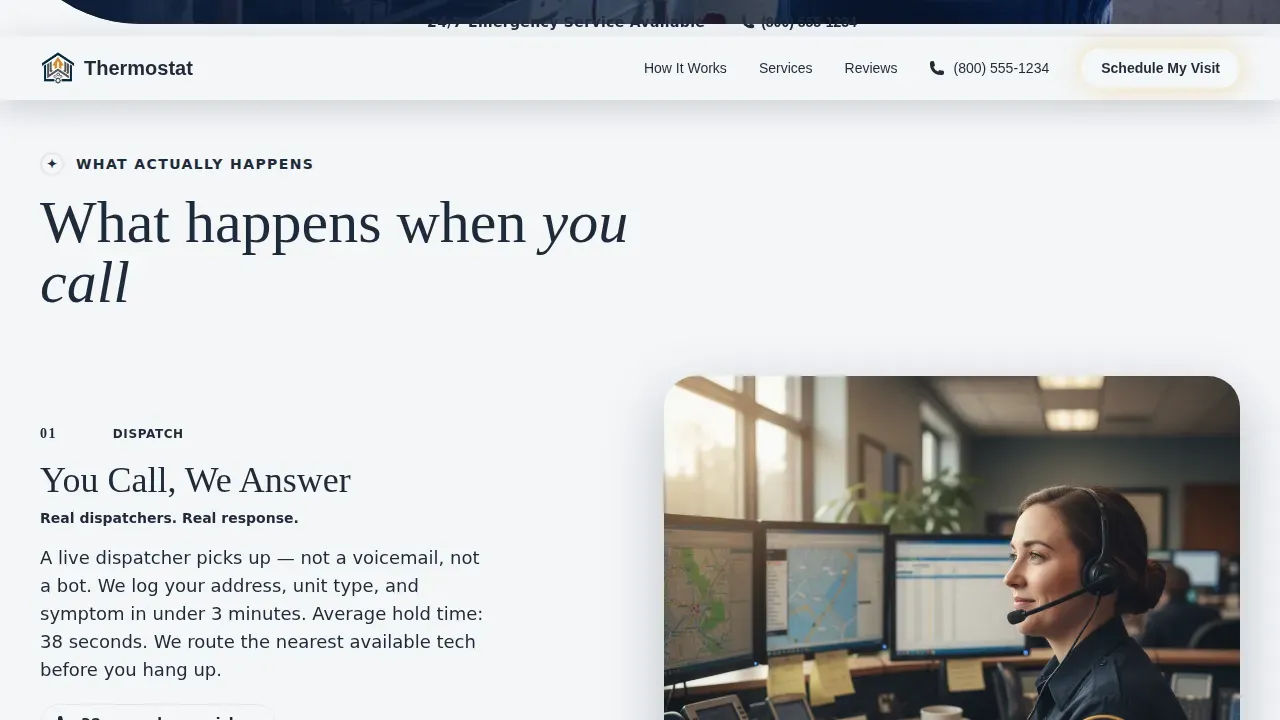
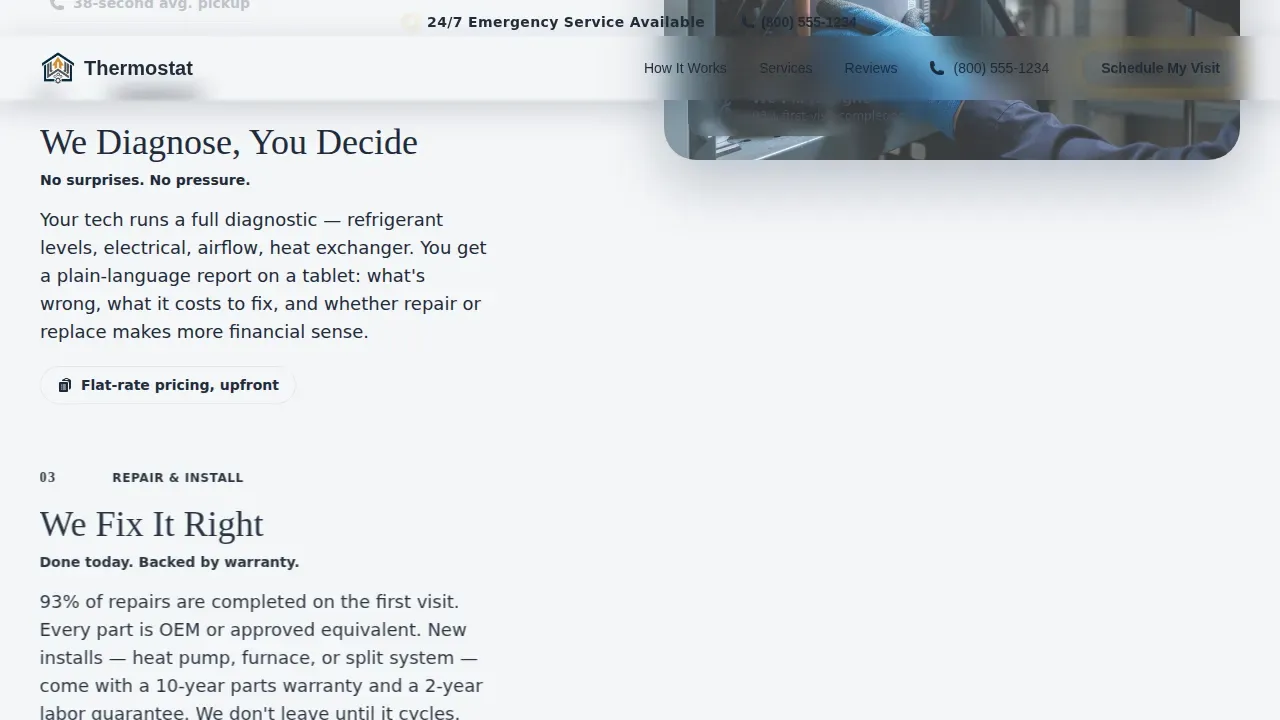
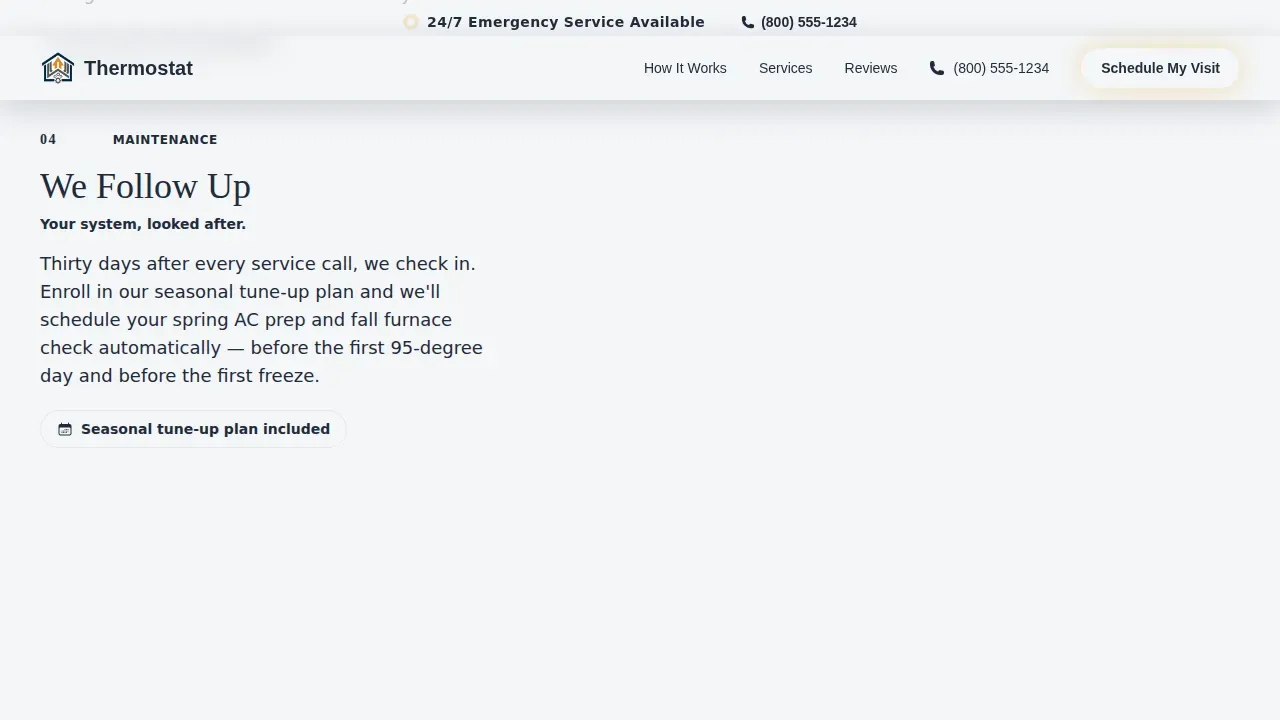
The process section answers the unspoken question every homeowner has before calling an hvac company. Step one shows a dispatcher photo and average pickup time. Step two shows a technician tablet with diagnostic details and transparent pricing. Step three shows installation action shots and a warranty badge. Step four introduces a maintenance plan card and seasonal tune-up schedule. Each step removes one layer of uncertainty and deepens trust, so visitors feel the job is already half done before they submit the form.
Progressive Disclosure Lead Form
The lead form asks for service type first (repair, install, or tune-up), then zip code, then preferred date window, then name and phone number. Starting with the easiest decision reduces abandonment and keeps the process feeling simple. This structure follows the proven principle that a lead form with three to five fields performs significantly better than a long intake form. The form is anchored by an amber call-to-action button reading "Schedule My Visit."
Asymmetric Services Bento Grid
The services section uses a bento-style grid to display four core hvac services: repair, installation, tune-up, and emergency. The asymmetric layout gives each service room to breathe with its own description while keeping the page visually dynamic. Visitors who are not in emergency mode can explore service details at their own pace before reaching the form.
Social Proof Section with Stats Bar
The social proof section includes named customer testimonials and a stats bar showing key credibility numbers. Incorporating customer testimonials on hvac landing pages can boost conversions by up to 34 percent, and this section is built to capture that lift. Trust signals such as star ratings and online reviews give new customers the confidence to submit a form or call directly.
Sticky Mobile Call-to-Action
On mobile devices, the primary call-to-action floats at the bottom of the screen throughout the entire scroll. Emergency callers on phones at 2 a.m. never have to hunt for a way to reach the hvac company. This feature alone reduces bounce rate significantly for mobile traffic, which accounts for over 50 percent of visits to most hvac landing pages.
Page sections overview
| Section | Purpose |
|---|---|
| Emergency Top Bar | Click-to-dial after-hours number |
| Hero Photo Text | Headline, call to action, and trust line |
| Process Walkthrough | Four-step service explanation |
| Services Bento Grid | Repair, install, tune-up, emergency |
| Social Proof Block | Testimonials and stats bar |
| Lead Generation Form | Progressive disclosure booking form |
| Single-Row Footer | Logo, links, and contact details |
Design & branding system
The visual identity follows a Service Utility theme. Every color and type choice communicates licensed authority and reliable craftsmanship, the way a pressed uniform and a clipboard do in person.
- Navy Authority palette: deep dispatch navy (#0B1D3A) as the primary background, compressor-panel charcoal (#1E2A3A) for text panels, clean conditioned white (#F4F6F8) for content areas, and emergency-call amber (#E8A317) reserved exclusively for call-to-action buttons and urgent badges
- Typography: Fraunces serif for headlines to establish warmth and authority, DM Sans for body text to keep descriptions readable and clean across all screen sizes
- Consistent logo placement, color usage, and brand details across every section to build the kind of trust that turns site visitors into paying customers
Mobile & speed optimization
This hvac landing page is built mobile-first because the majority of emergency heating and cooling calls happen on phones. Every element is sized and sequenced for small screens without sacrificing the visual quality that builds trust on desktop. The layout adapts cleanly across different screen sizes and device types.
- Images are lazy-loaded so the page reaches a usable state faster, reducing the risk of visitors leaving before the content appears
- The sticky amber call-to-action button floats on mobile devices throughout the entire scroll, keeping the primary conversion path always visible
- Responsive design ensures the page layout, typography, and grid reflow correctly across all screen sizes without requiring manual adjustments
How this template helps you convert
A well-built hvac landing page converts because it removes friction at every step. This template is structured to guide visitors from first impression to form submission through a deliberate, trust-building sequence.
- The hero section grabs attention above the fold with a clear headline, an amber call-to-action, and a trust line, so visitors immediately know they are in the right place and have a clear next step
- The four-step process walkthrough answers the visitor's most common concern before they think to ask, reducing hesitation and keeping engagement high through the middle of the page
- The progressive disclosure lead form and sticky mobile call-to-action ensure that every visitor, whether browsing on a desktop in the afternoon or scrolling on a phone at midnight, has a fast and low-effort way to convert
Other information about this template
This template fits naturally into a broader strategy for residential hvac companies that want to promote their services online and attract more customers without a large development budget. HVAC website templates like Thermostat are cost-effective compared to custom-built sites, which can cost upwards of $5,000. Using a pre-built hvac landing page template reduces the time needed to launch and allows teams to optimize content and run A/B testing sooner.
- Designers and website builders can access the template and adapt the logo, colors, and copy to match any hvac company's branding without writing code
- The page supports a web design strategy that prioritizes heating and cooling lead generation, making it a practical tool for hvac contractors looking to grow their client base
- Teams can use the template with WordPress or connect it through compatible website builders, and the homepage structure can be extended to additional pages as the business grows
- Google and other search engines reward fast, mobile friendly pages with strong engagement, and this template's structure supports those goals by keeping visitors on the page and reducing bounce rate
- The Thermostat trusted residential HVAC service landing page template is listed in the HVAC industry section of the marketplace, making it easy to find among other hvac landing page examples built for similar companies
Theme
Service Utility
Creative direction
Step-by-Step Guide
Color system
Navy Authority
Style
Hero-Dominant (90/10)
Direction
Lead Generation
Page Sections
Half-page Hero with Trust Signals
Four-step Process Walkthrough
Progressive Disclosure Lead Form
Asymmetric Services Bento Grid
Social Proof Section with Stats Bar
Sticky Mobile Call-to-action Button
Related questions
Can I customize the colors and logo for my HVAC company?
Is this template suitable for emergency AC repair services?
Does the lead form support different HVAC services like installation and tune-ups?
How many sections does this landing page include?
Is this template mobile friendly for visitors using phones?



