Thoracic Surgeon Insurance & Billing Landing Page
Thorax is a single-page, hub-and-spoke landing page built for thoracic surgery practices that need to answer insurance and billing questions clearly and fast. A three-step frosted-glass form leads patients from procedure type to coverage confirmation. A testimonial mosaic, searchable plan grid, and persistent call-to-action guide every visitor toward scheduling through the patient portal.
by Rocket studio
Quick summary
Thorax is a focused insurance and billing landing page for thoracic surgery practices. It opens with a calm, three-step triage form that moves anxious patients from "what procedure am I having?" to "am I covered?" in seconds. Every section that follows backs up that reassurance with real financial outcomes, plain-language billing timelines, and a visible list of accepted plans.
Who this template is for
This template serves thoracic surgery practices that need to communicate insurance and billing information clearly online. It is built for practices whose patients arrive stressed, searching at odd hours, and desperate for plain answers.
- Pre-surgical patients holding referral letters and trying to decode their insurance benefits
- Office managers at referring pulmonology practices confirming network status before scheduling
- Post-operative patients navigating surprise bills or insurer disputes
What problem this template solves
Patients facing lung surgery do not have the patience or clarity of mind to dig through vague "contact us for billing" pages. They need specific answers immediately, and a disorganized page sends them elsewhere or, worse, leaves them assuming the worst about their costs.
- No central place to quickly check whether a specific insurance plan is accepted
- Billing timelines and pre-authorization steps buried in PDFs or unavailable entirely
- No social proof showing that real patients navigated costs successfully
What you get with this template
The template delivers a complete, single-page billing and insurance hub structured around five content sections, a persistent anchor navigation, and layered social proof throughout. Everything is built to reduce patient anxiety and move them toward the scheduling portal.
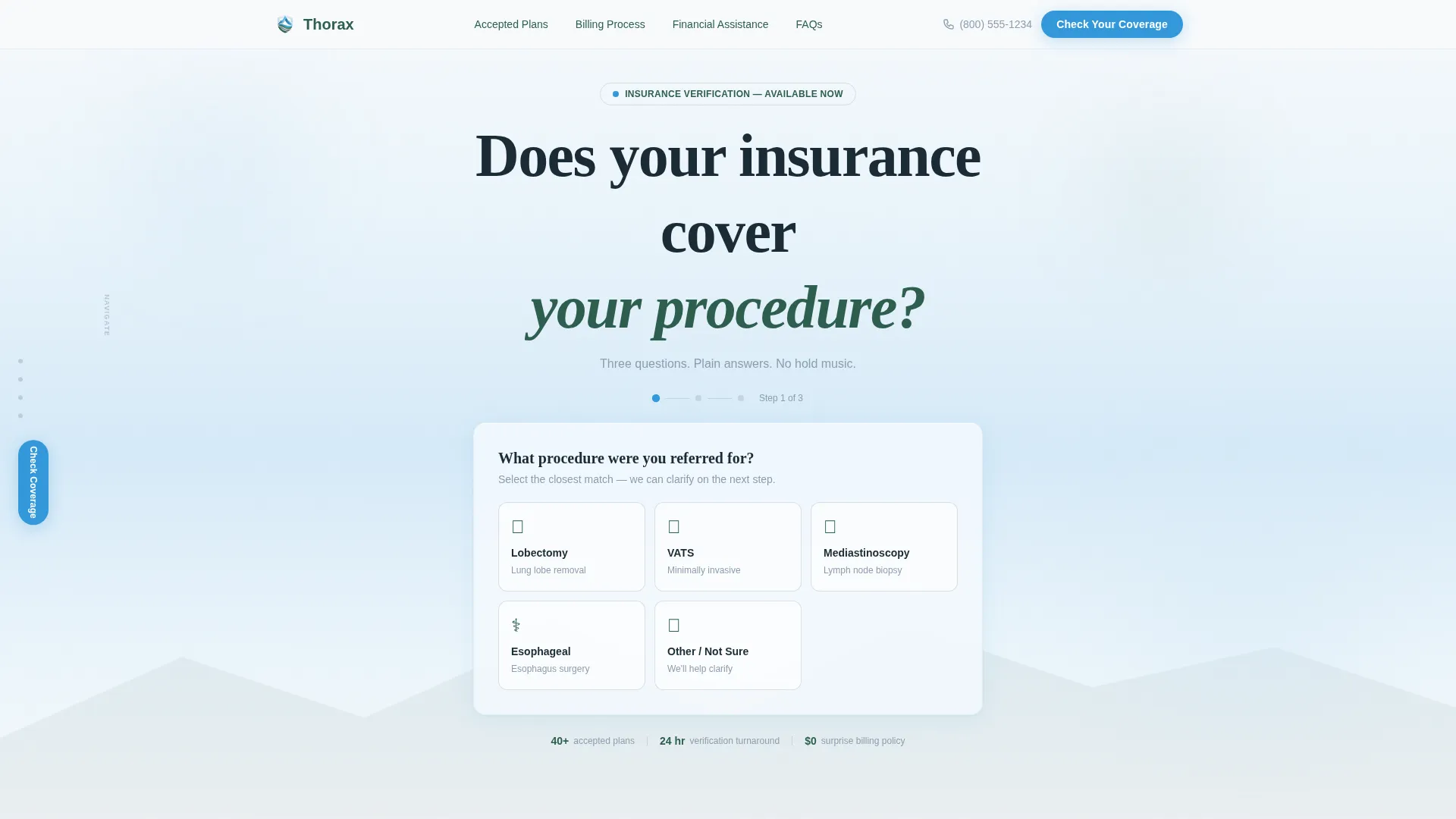
- A three-step multi-step form in the header that identifies procedure, insurance carrier, and coverage status
- A testimonial mosaic woven through every section, featuring varied-size cards with financial outcome numbers and patient stories
- A sticky anchor navigation bar linking to Accepted Plans, Billing Process, Financial Assistance, and FAQs sections
Feature list
This template is built around a specific set of functional components. Each one is described below.
Three-Step Insurance Triage Form
The header holds a frosted-glass card with three sequential form steps. Step one presents five illustrated procedure tiles. Step two offers a searchable dropdown pre-loaded with the forty most common accepted insurance plans. Step three confirms likely coverage or routes the visitor to a name-and-phone verification field.
Testimonial Mosaic Layout
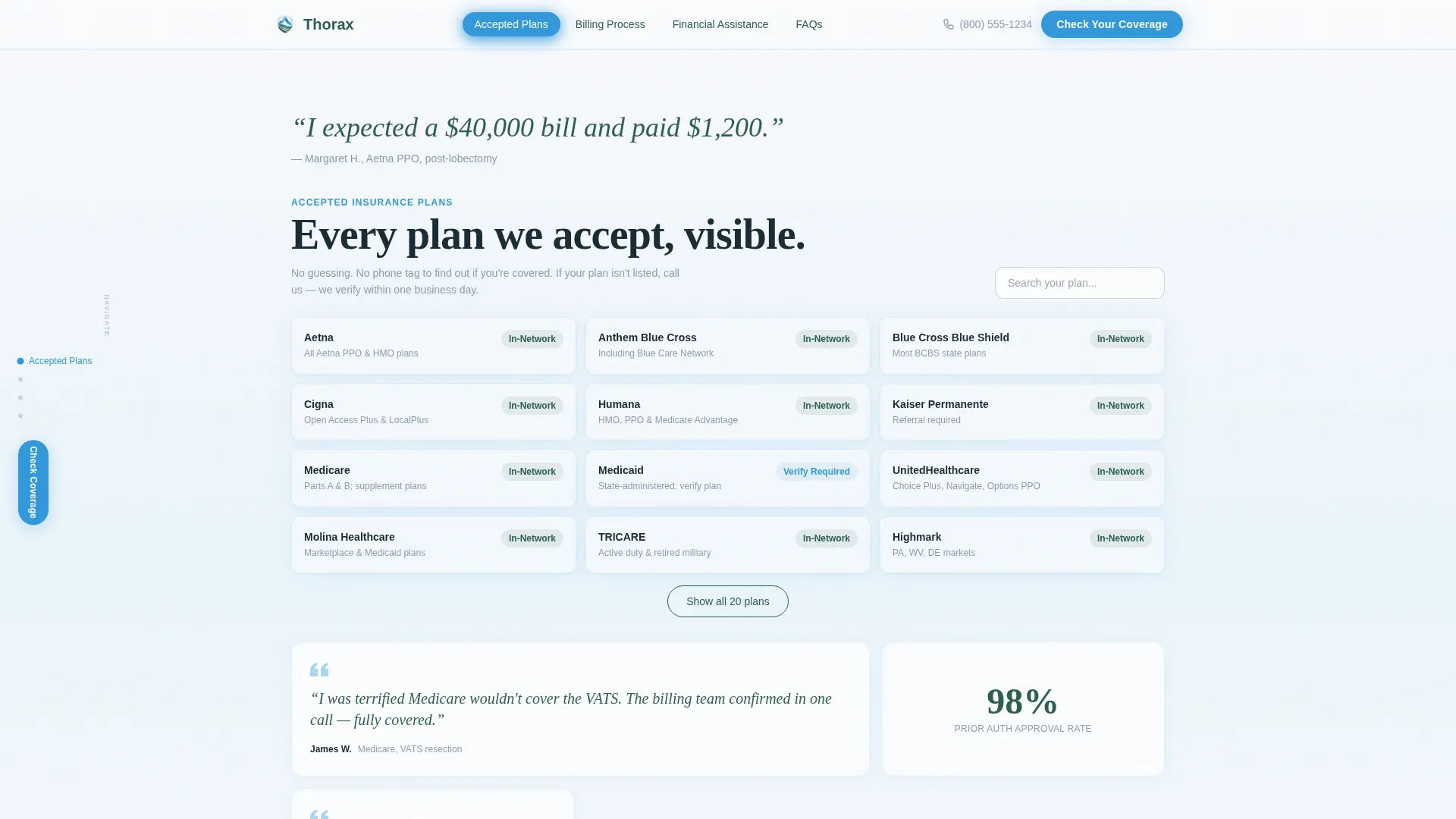
Every major content section opens with a large italic patient quote before the informational content begins. Testimonial cards of varying widths are scattered between content blocks. Some cards show a single line, some show a three-sentence story, and some show only a financial outcome number such as "$0 out-of-pocket."
Searchable Accepted Plans Grid
The Accepted Plans section presents a visible, scrollable list of every accepted insurance plan. Plan-specific notes appear alongside each entry so visitors can confirm their exact coverage tier without calling the office.
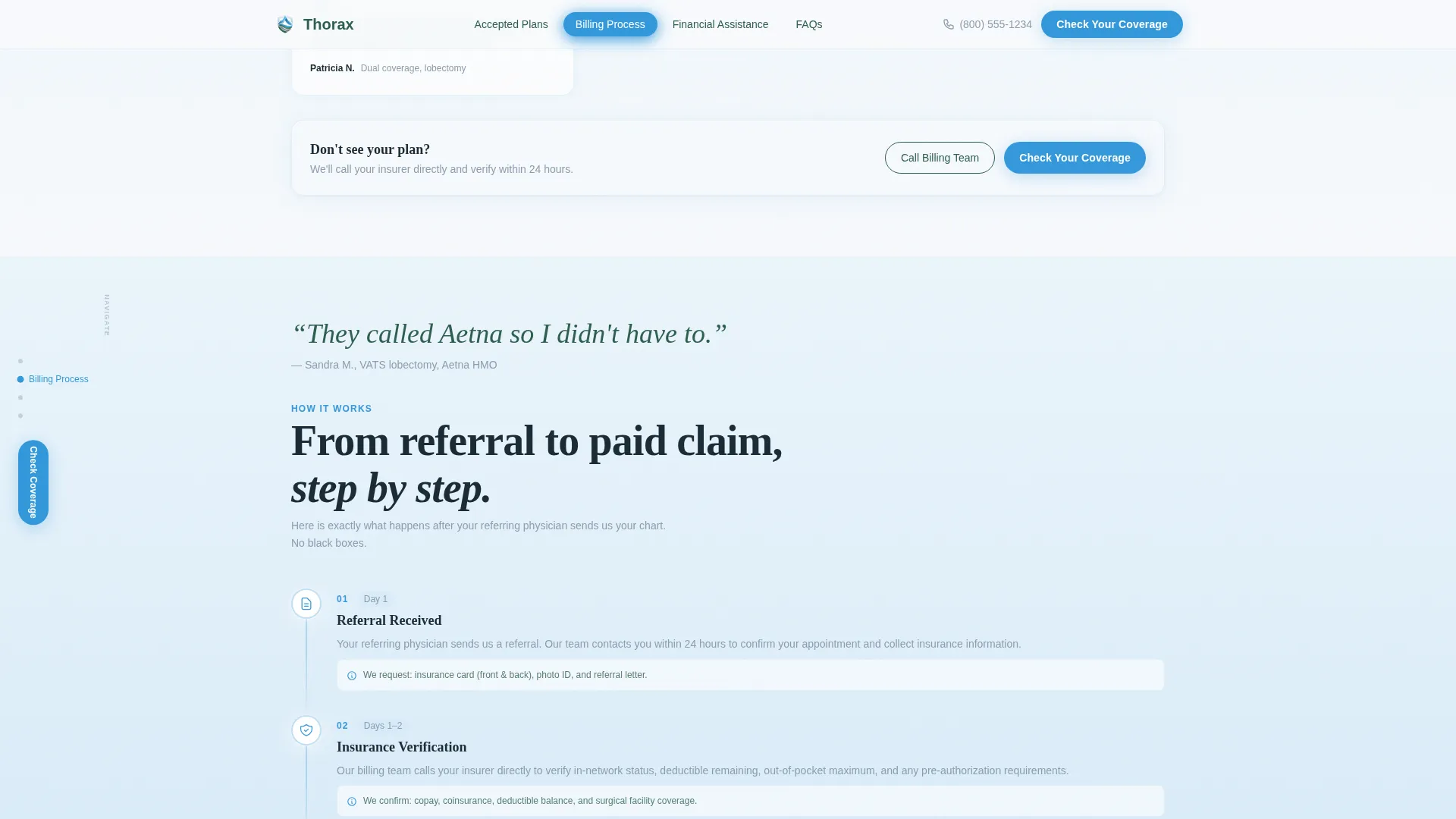
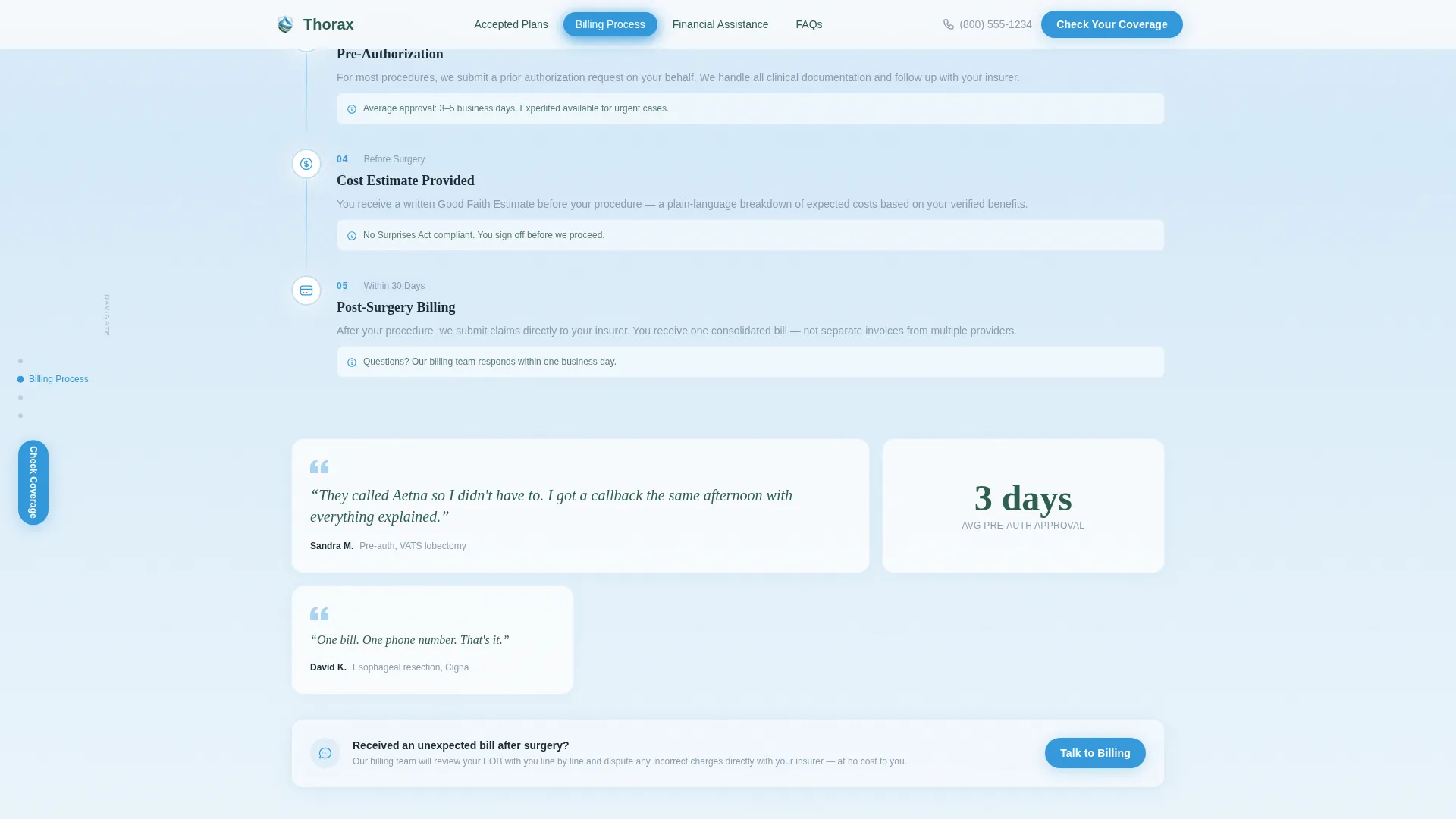
Pre-Authorization Timeline Cards
The Billing Process section uses timeline cards to show each step of the pre-authorization process in plain language. A patient quote introduces the section before the timeline begins, giving the factual content an immediate human anchor.
Persistent Primary Call-to-Action
The "Check Your Coverage Now" button appears inside the form's final step, repeats as a fixed bottom bar on mobile, and stays visible as a persistent button in the desktop anchor navigation. A secondary tap-to-call link connects visitors who prefer a human voice to the billing team directly.
Hub-and-Spoke Anchor Navigation
A sticky side navigation on desktop and a scroll-linked top bar on mobile label each section clearly. Active states highlight in cerulean as visitors scroll. This structure lets returning visitors jump directly to the section they need without scrolling through the full page.
Page sections overview
| Section | Purpose |
|---|---|
| Hero Triage Form | Identify procedure and confirm insurance coverage in three steps |
| Accepted Plans | Show every accepted plan with plan-specific notes and testimonial strips |
| Billing Process | Walk through pre-authorization timeline with patient quote openers |
| Financial Assistance | Present assistance program cards with real cost-outcome callouts |
| FAQs Accordion | Answer common billing and coverage questions with patient quote leads |
| Footer | Single-row linear footer with practice contact and portal link |
Design & branding system
The visual identity uses an Alpine Fresh color system that feels calm, clear, and clinically trustworthy. Section backgrounds shift vertically between snowfield white (#F7F9FC) and glacier blue (#D6EAF8), so scrolling feels like moving through layers of cool mountain air.
- Evergreen (#2E5E4E) anchors all body text and anchor navigation labels, keeping long reads easy on the eye
- Summit stone (#8B9DAF) handles secondary type, dividers, and supporting labels without competing for attention
- Cerulean (#3498DB) is reserved exclusively for interactive elements, active navigation states, and call-to-action buttons
- Typography pairs Fraunces serif headlines with DM Sans body text, combining editorial warmth with practical readability
Mobile & speed optimization
The template is built mobile-first because the primary visitor is a patient searching on a phone at an anxious moment. Every interaction is designed to work cleanly on a small touchscreen before scaling up to desktop.
- The fixed bottom bar on mobile keeps the primary call-to-action visible at all times without interrupting reading
- The multi-step form presents one question at a time, reducing cognitive load on small screens
- Scroll-reveal animations and form step transitions are kept at a medium intensity to stay smooth without feeling heavy
How this template helps you convert
Every structural decision in this template is aimed at moving visitors toward a single action: booking through the patient portal. The page earns that click by front-loading proof and removing uncertainty before asking for anything.
- The three-step form delivers a coverage answer before the visitor has scrolled past the header, removing the biggest barrier to scheduling
- The testimonial mosaic builds trust continuously as visitors scroll, showing real financial outcomes from real patients rather than generic assurances
- The persistent "Check Your Coverage Now" call-to-action and the secondary tap-to-call link ensure every visitor type, portal-ready or phone-preferring, has a clear next step
Other information about this template
Thorax is designed specifically for the thoracic surgery billing niche, where patient anxiety around cost is a primary reason people delay or avoid scheduling. The template is categorized under Health and Medical, with a focus on thoracic surgeon insurance and billing pages.
- The template style is Hub and Spoke with anchor navigation, making it easy to update individual sections independently
- The Soft Gradient theme and Alpine Fresh color system are unique to this template and built to communicate calm authority in a medical context
- The footer follows a linear single-row pattern, keeping the page exit clean and focused on the portal link
- Animation intensity is set to medium, with scroll reveals and sticky navigation highlights activated as visitors move through the page
- The template uses US-specific insurance terminology, United States dollar formatting, and a US phone number format throughout
Theme
Soft Gradient
Creative direction
Testimonial Mosaic
Color system
Alpine Fresh
Style
Hub & Spoke (Anchor Nav)
Direction
Click-Through
Page Sections
Three-step Insurance Triage Form
Testimonial Mosaic Throughout
Searchable Accepted Plans Grid
Pre-authorization Timeline Cards
Persistent Multi-path Call-to-action
Hub-and-spoke Anchor Navigation
Related questions
Who is the ideal practice to use this template?
Can I update the list of accepted insurance plans shown on the page?
What happens after a visitor completes the three-step form?
Does the template include a contact option for patients who prefer to call?
Which thoracic procedures does the form's first step cover?



