Thoracic Surgeon New Patient Landing Page Template
Thorax is a single-column landing page template built for thoracic surgeons welcoming new patients. It pairs a calm, FAQ-driven scroll with a five-step Surgical Readiness Assessment to move anxious visitors toward a booked consultation. The Forest Trust color system and refined serif typography create the quiet authority of a trusted specialist's office.
by Rocket studio
Quick summary
Thorax is a thoracic surgeon new patient landing page built for one purpose: turning a frightened, late-night researcher into a confident, scheduled patient. The single-column flow mirrors the rhythm of a first consultation. Each FAQ answer earns enough trust to surface the next question, ending with a five-step assessment that delivers a personalized next-steps summary.
Who this template is for
This template is designed for thoracic surgeons who need a professional, patient-facing web presence that does more than list credentials. It works equally well for a solo practice and an academic medical center's specialty department.
- Thoracic surgeons treating lung nodules, esophageal conditions, and chest wall cases
- Referring cardiologists and oncologists searching for a trusted surgical colleague
- Practice managers building a new patient intake experience from scratch
What problem this template solves
Patients who have just received a worrying CT result do not arrive at a surgeon's website ready to book. They arrive scared, confused by medical terminology, and unsure whether their case is even operable. A generic medical website template fails them. This template solves that specific trust gap.
- No clear answer to the questions patients actually type at midnight, such as "will I lose my whole lung"
- No guided path from first visit to booked consultation, only static contact forms
- No way to capture leads from visitors who are not yet ready to commit to an appointment
What you get with this template
The template ships as a fully structured single-column flow with every section pre-built and ready to customize. You receive a coherent design system, a working multi-step assessment form, and an email capture module, all inside one cohesive layout.
- A hero section, trust bar, FAQ scroll, five-step assessment, condition cards, checklist email capture, and a minimal footer
- Fraunces serif display type paired with DM Sans body text across every section
- The complete Forest Trust color palette applied consistently from header to footer
Feature list
Giant Headline Hero Section
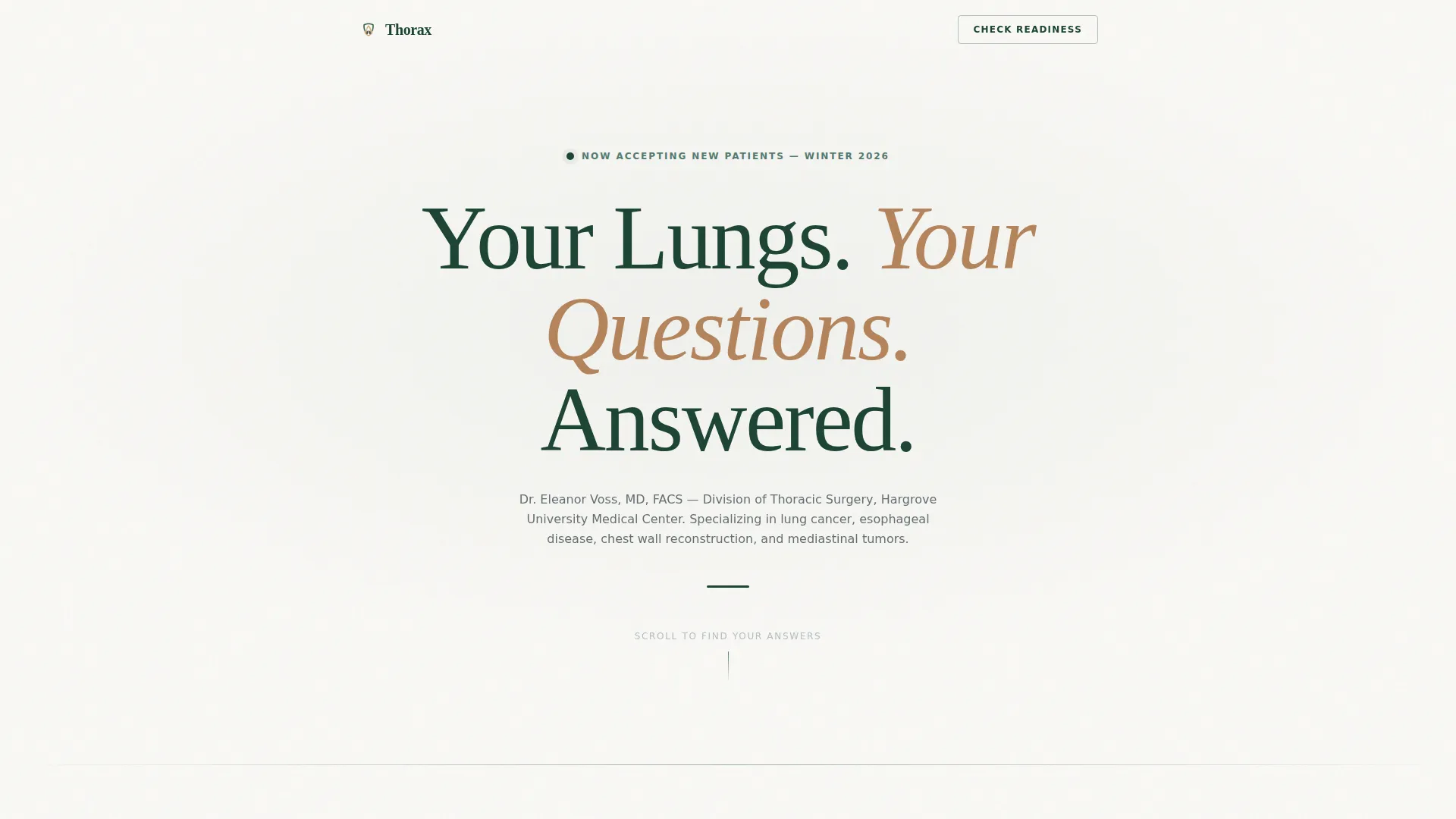
The hero opens with a massive centered serif headline on a linen-white field. No operating room photography, no stock imagery. One subtext line names the surgeon, the institution, and the conditions treated. The deliberate emptiness signals quiet authority.
FAQ-Driven Scroll with Expandable Detail
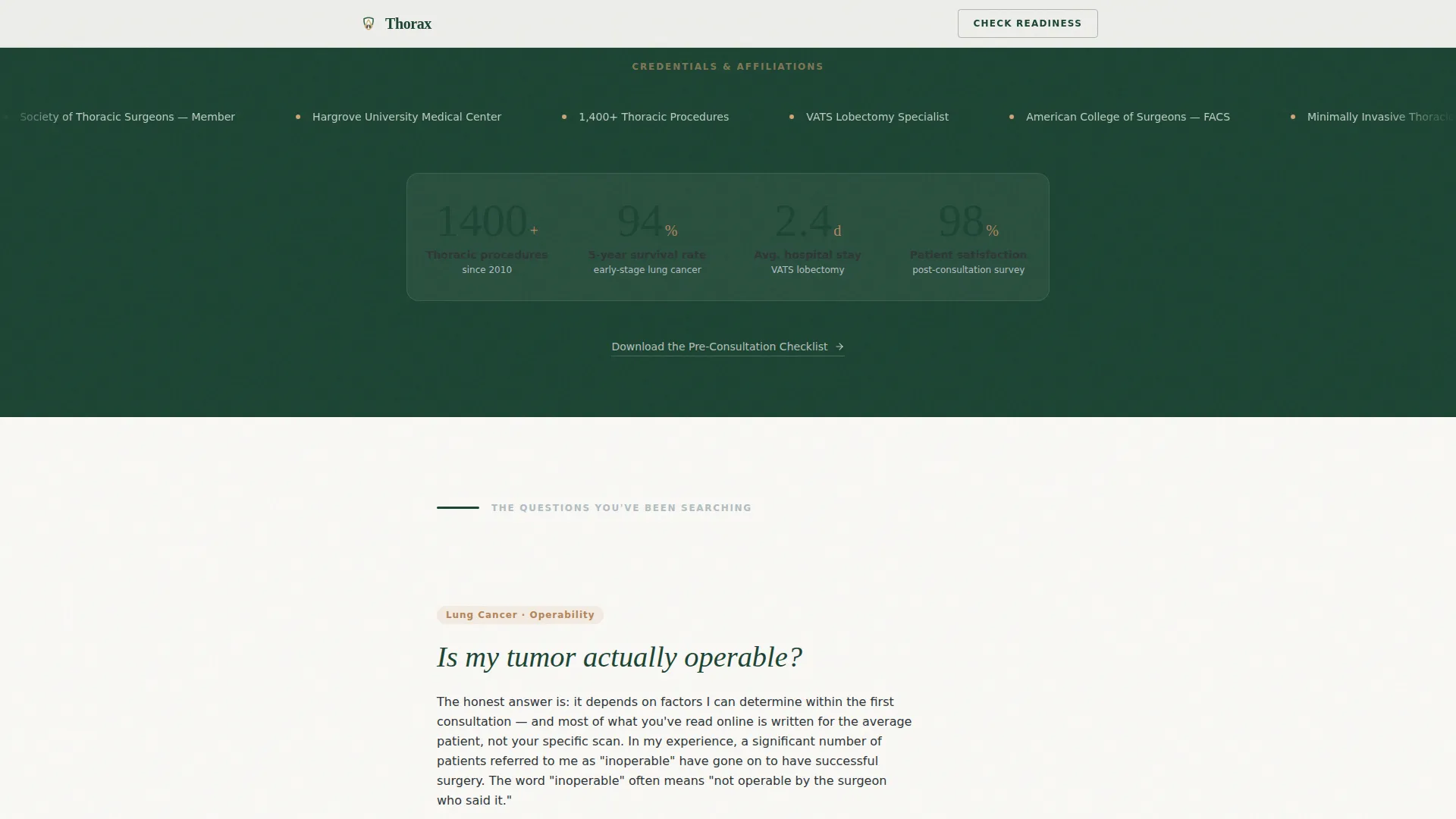
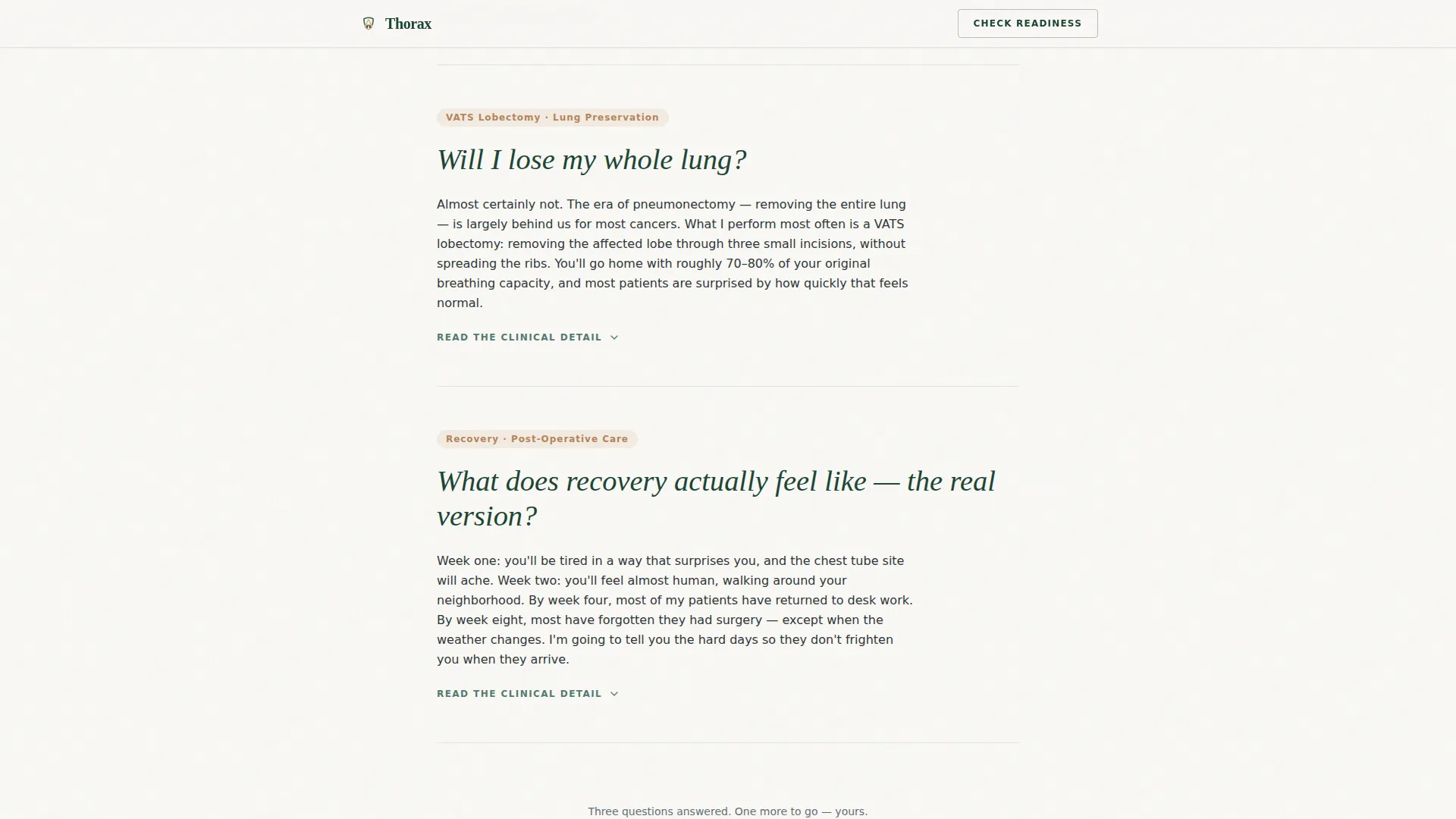
Three core patient questions appear as large-type section headers, phrased exactly as patients search them. Each opens into a measured, first-person answer translated from clinical jargon. Expandable layers let visitors who want clinical depth go further without overwhelming those who do not.
Five-Step Surgical Readiness Assessment
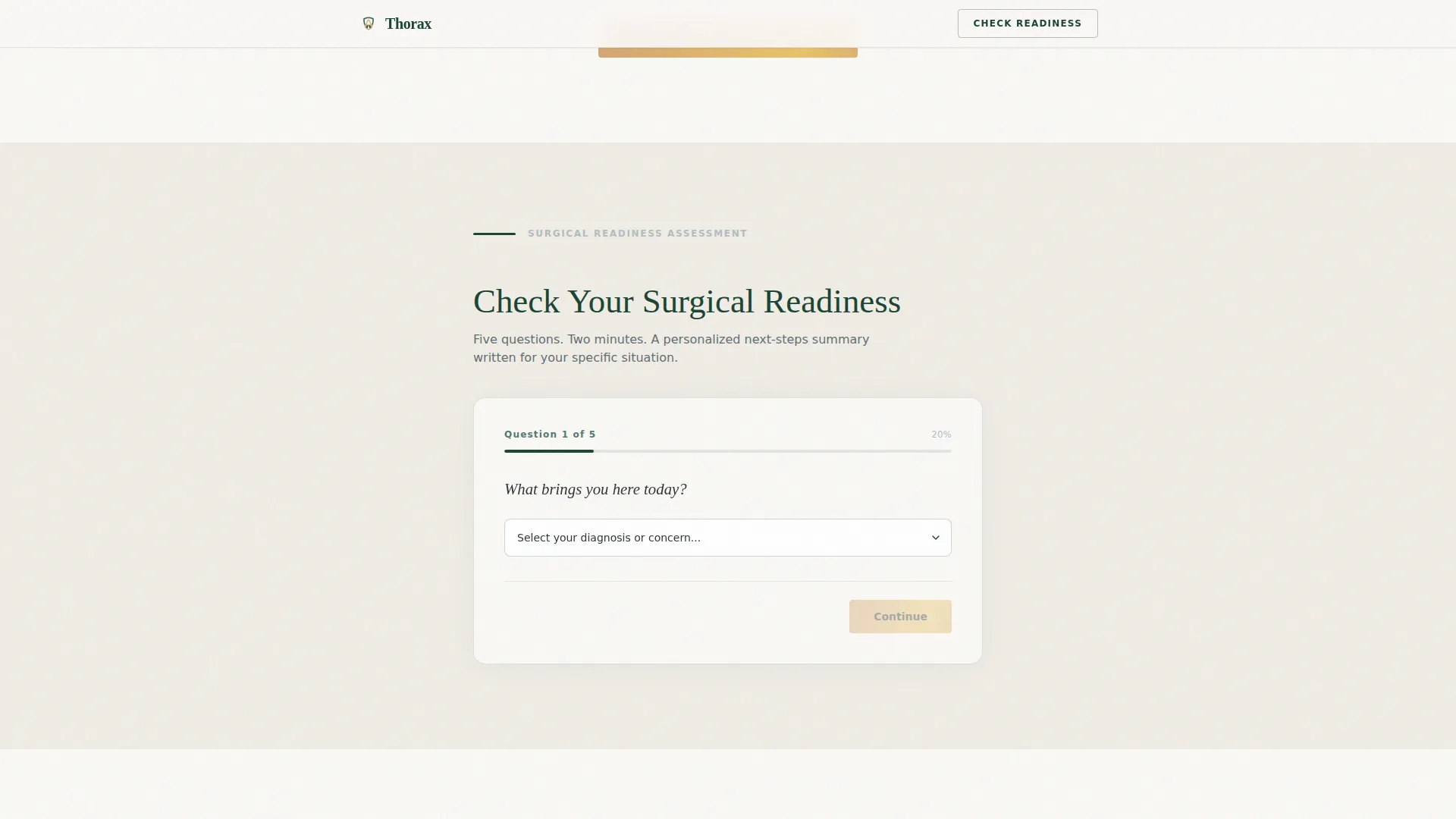
The primary call to action, "Check Your Surgical Readiness," launches a progressive five-question quiz. It collects diagnosis type, imaging availability, current symptoms, referring physician name, and preferred contact method. Completing the quiz delivers a personalized next-steps summary and triggers a scheduling flow.
Trust Bar with Outcome Metrics
A credentials marquee and four outcome statistics with count-up animation appear directly below the hero. This section establishes professional credibility before the visitor reaches the first FAQ, reducing drop-off at the most critical scroll point.
Conditions Grid and Checklist Capture
A condition cards grid presents the primary cases treated. Below it, an email capture module offers a downloadable pre-consultation checklist. This secondary path meets visitors whose courage has not yet reached "book an appointment" but who are ready to take a smaller step.
Minimal Footer with Horizontal Flow
The footer follows a clean horizontal flow pattern. It carries only the essential links and contact information, keeping the page's calm tone intact through to the final scroll position.
Page sections overview
| Section | Purpose |
|---|---|
| Hero Headline | Establish authority with a centered serif headline and surgeon subtext |
| Trust Bar Stats | Deliver credential marquee and four animated outcome metrics |
| FAQ Scroll | Answer three core patient questions with expandable clinical detail |
| Readiness Assessment | Guide visitors through a five-step quiz toward a personalized next step |
| Conditions Cards | Present the primary surgical conditions treated in a scannable grid |
| Checklist Email Capture | Collect email addresses from visitors not yet ready to book |
| Minimal Footer | Close with essential contact links in a clean horizontal layout |
Design & branding system
The visual identity follows a Corporate Precision theme built on the Forest Trust color palette. The combination of deep evergreen, warm birch, sterile linen, and steady charcoal creates the feeling of a private university hospital office, credible without being cold.
- Deep surgical evergreen (#1B4332) anchors headers, section dividers, and the credentials marquee
- Warm birch (#D4A373) highlights call-to-action buttons and key terms throughout the FAQ answers
- Sterile linen white (#FAF9F6) breathes across all background fields, and charcoal (#2D3436) carries body text at easy reading contrast
Mobile & speed optimization
The template is built desktop-first to serve referring physicians reviewing a colleague's credentials at their workstation. It also delivers a strong mobile reading experience for patients checking results on their phones late at night.
- Single-column flow adapts cleanly to narrow screens without reordering content or losing hierarchy
- Native CSS smooth scroll and IntersectionObserver-based reveal animations keep the experience fluid without relying on heavy third-party libraries
How this template helps you convert
The conversion strategy in this template is intentional and sequential. Trust is built section by section before any commitment is requested.
- The FAQ scroll earns credibility by answering real patient fears in plain language, and only after the third answered question does the primary call to action appear, so the assessment request arrives at the right emotional moment.
- The five-step assessment form uses conditional logic and progressive disclosure to feel like a conversation rather than a form, delivering a personalized next-steps summary that motivates visitors to complete the scheduling step.
- The checklist email capture provides a lower-commitment secondary path, ensuring that visitors not ready to book still enter a follow-up touchpoint rather than leaving without any connection.
Other information about this template
This template is built for the Health and Medical category with a specific focus on the thoracic surgeon new patient welcome page niche. Several details make it a strong fit for this specialty context.
- The localization is set for English language, United States date format, and USD currency references
- Device priority is desktop-first for referring physician workflows, with fully capable mobile rendering for patient use
- Animation complexity is medium: count-up statistics, accordion FAQ interactions, and multi-step form state transitions are included
- The multi-step assessment includes conditional logic, meaning question flow can adapt based on earlier answers
- Typography uses Fraunces as the serif display typeface and DM Sans as the sans-serif body typeface throughout
Theme
Corporate Precision
Creative direction
FAQ-Driven
Color system
Forest Trust
Style
Single Column Flow
Direction
Quiz/Assessment
Page Sections
Giant Headline Hero Section
Faq-driven Scroll with Expandable Detail
Five-step Surgical Readiness Assessment
Trust Bar with Animated Metrics
Conditions Grid and Email Capture
Related questions
Who is this landing page template designed for?
Does the template include a patient intake form or quiz?
Can I capture leads from visitors who are not ready to book?
What typography and colors does this template use?
Is this template suitable for mobile users?



