Specialty Construction Booking Website Template
Threshold is a single-page landing page template built for commercial automatic door installation companies. It uses a zigzag alternating layout to walk visitors through three distinct door application zones, storefront, interior, and infrastructure, and drives qualified bookings through a persistent "Get Your Site Assessment" call to action. The design follows a Corporate Precision theme with a Navy Authority color system.
by Rocket studio
Quick summary
Threshold is a precision-built landing page template for automatic door installation companies serving commercial clients. It uses a zigzag alternating section layout to present three distinct door application zones. A persistent floating call to action and a frictionless click-through booking flow make it purpose-designed for converting facility managers, general contractors, and property management firms into scheduled site assessments.
Who this template is for
This template is designed for specialty contractors and commercial door installers who work with complex, high-traffic facilities. It speaks directly to the buyers who commission and specify these systems, not homeowners or retail consumers.
- Facility managers juggling aging door systems and compliance deadlines on commercial properties
- General contractors bidding commercial builds who need a reliable automatic door sub-contractor
- Property management firms upgrading storefronts with sliding, revolving, or automatic door systems
What problem this template solves
Commercial door installers often struggle to communicate technical authority across multiple application types in a single page view. Visitors arrive with different building types and different problems, and a generic layout loses them fast.
- No clear visual separation between storefront, interior, and infrastructure door applications
- Weak conversion paths that bury the call to action or present forms too early before trust is established
- Landing pages that look residential or generic, undermining credibility with facility professionals
What you get with this template
You get a fully structured, single-page layout built around three commercial door application zones. Every section is composed to demonstrate technical specificity before asking for a click.
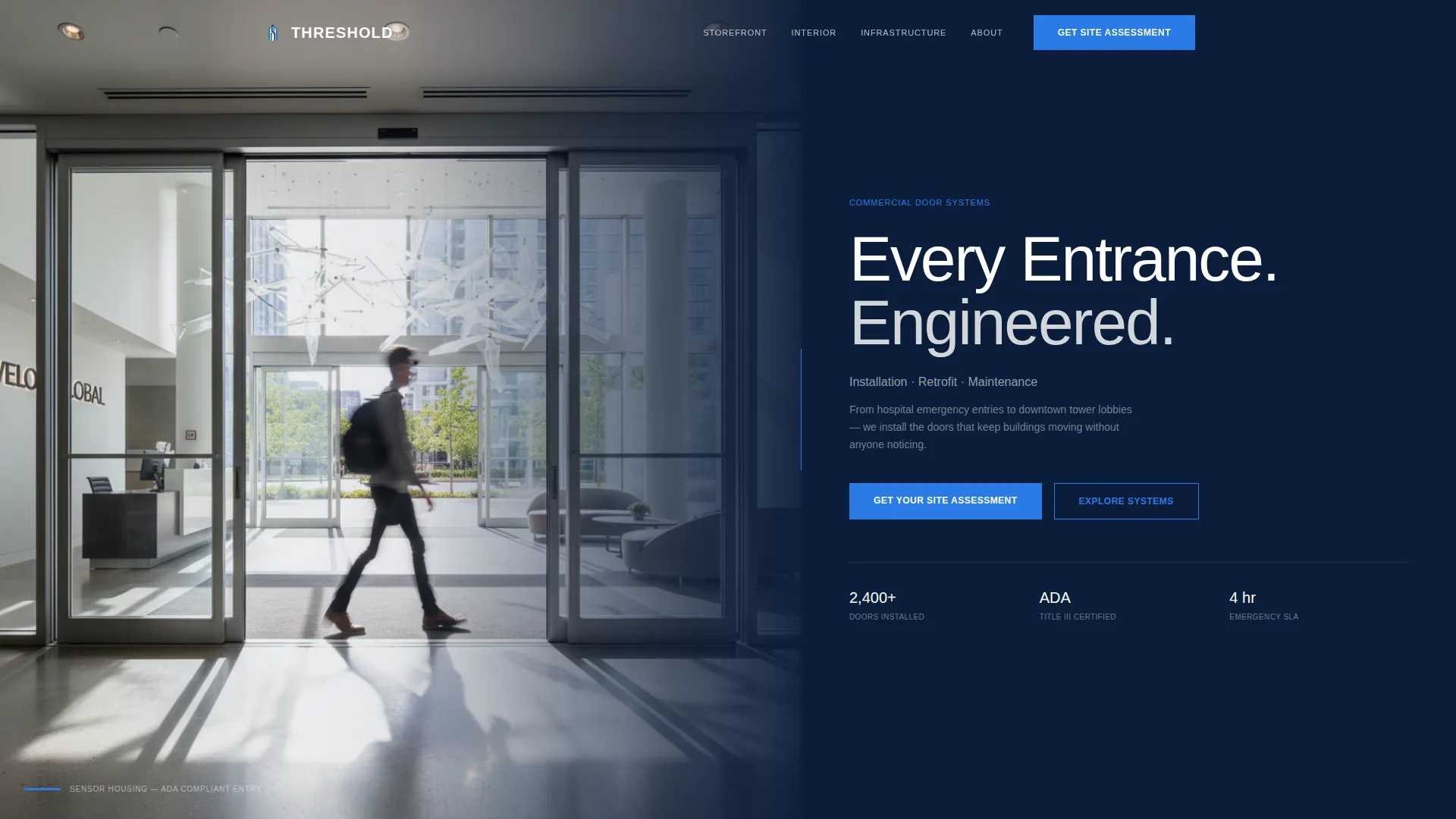
- A half-page hero section with an architectural split layout, a heavy display headline, and a signal-blue call to action button
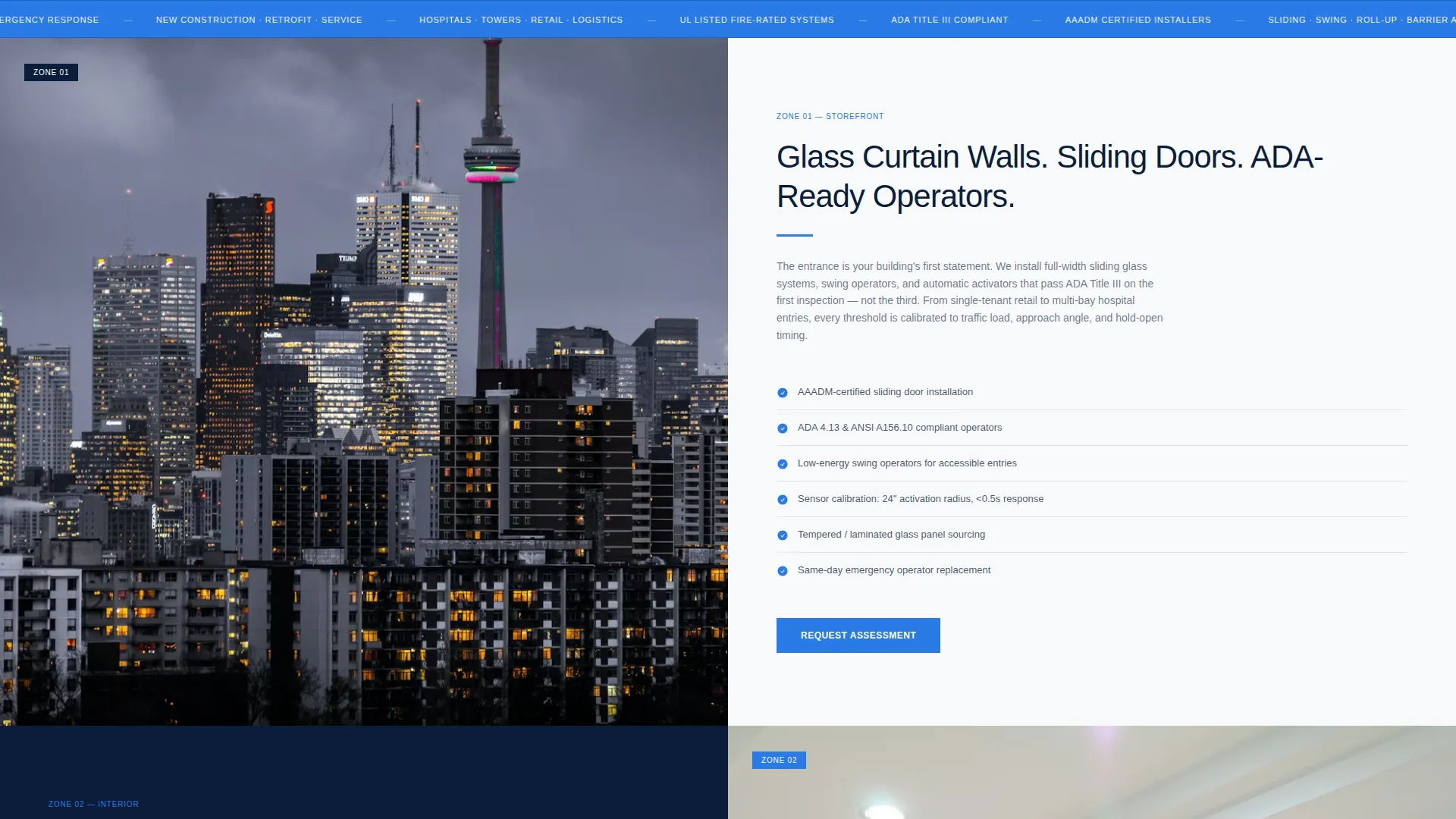
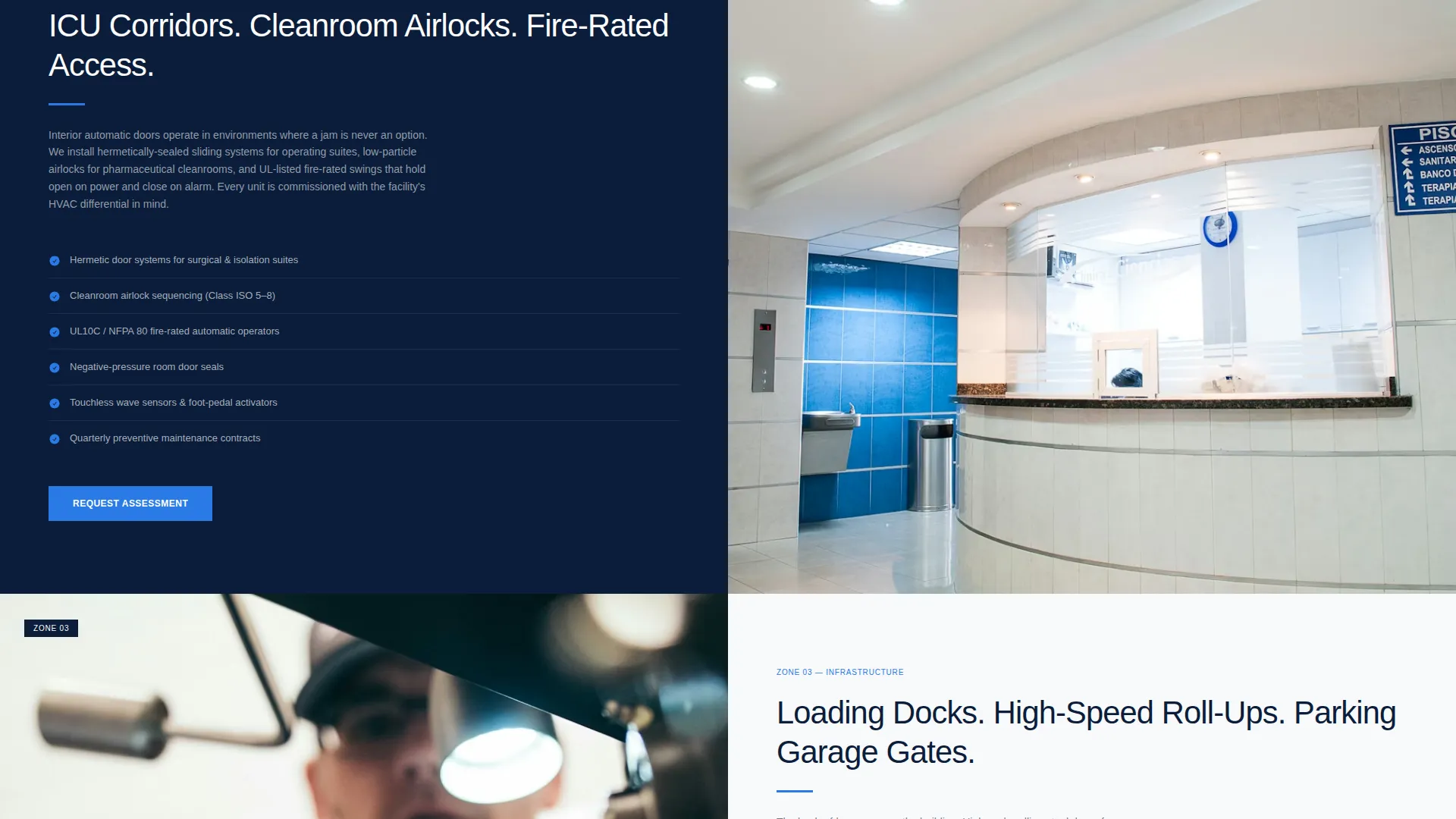
- Three zigzag alternating content sections, Storefront Zone, Interior Zone, and Infrastructure Zone, each pairing a wide architectural photograph with tight specification copy
- A stats strip for operational credibility metrics, a final anchored call to action, and a linear single-row footer
Feature list
This template includes purpose-built components matched to the workflow of commercial door installation sales.
Zigzag Alternating Section Layout
Each content zone swaps the image and text sides with every section. This keeps the eye moving naturally down the page, the way a person moves through a building. Scroll-reveal animations activate as each alternating panel enters the viewport.
Persistent Floating Call to Action
The "Get Your Site Assessment" button floats visibly as the visitor scrolls. It does not disappear between sections, so the path to booking is always one click away regardless of where the visitor is on the page.
Half-Page Hero Composition
The header splits into a full architectural photograph on the left and a bold headline block on the right. The headline "Every Entrance. Engineered." anchors the value proposition, followed by a subline naming the service trifecta: installation, retrofit, and maintenance.
Three-Zone Door Application Structure
The template separates door applications into three defined zones: Storefront (glass curtain walls, sliding doors, ADA-compliant operators), Interior (ICU doors, cleanroom airlocks, fire-rated access), and Infrastructure (loading docks, high-speed roll-ups, parking garage gates). Each zone gets its own alternating panel.
Stats Strip Credibility Section
A dedicated horizontal strip is included for operational metrics such as doors installed and buildings served. This section is positioned before the final call to action to reinforce authority at the point of decision.
Image Hover Zoom Interactivity
Architectural photographs in each alternating section respond to hover with a subtle zoom effect. This adds depth and tactile responsiveness without distracting from the specification copy alongside each image.
Page sections overview
| Section | Purpose |
|---|---|
| Hero Header | Architectural split with headline and primary call to action |
| Storefront Zone | Sliding doors, glass curtain walls, ADA operators |
| Interior Zone | ICU doors, cleanroom airlocks, fire-rated access |
| Infrastructure Zone | Loading docks, roll-ups, parking garage gates |
| Stats Strip | Operational credibility metrics display |
| Final call to action Anchor | "Get Your Site Assessment" conversion close |
| Linear Footer | Single-row footer with navigation and contact |
Design & branding system
The template follows a Corporate Precision theme. Every visual decision is functional, no decoration without purpose. The palette feels architectural: flush, aligned, and built for professional credibility.
- Color system uses deep command navy (#0B1D3A) for primary alternating backgrounds, polished steel gray (#D1D5DB) for secondary panels, crisp operational white (#F8F9FA) for text fields, and signal blue (#2A7AE4) exclusively for call to action buttons and interactive hover states
- Typography pairs Manrope in heavy display weight for headlines with DM Sans for body copy, creating a clear hierarchy between section titles and specification detail text
Mobile & speed optimization
The template is built desktop-first to match how facility managers and general contractors typically research vendors, but it includes full mobile layout support so no visitor is lost on a smaller screen.
- Zigzag sections reflow to a stacked vertical layout on mobile, keeping image and copy readable at any screen width
- Scroll-reveal animations and the floating call to action button are included with minimal JavaScript, keeping scroll behavior smooth without heavy scripting
How this template helps you convert
Every layout decision in Threshold points toward a single outcome: a qualified visitor clicking through to schedule a site assessment. The page earns the click by building technical authority section by section before asking for anything.
- The hero call to action, the floating button, and the final anchored section give the visitor three natural moments to convert without ever feeling pressured or rushed.
- The click-through routing sends visitors to a dedicated scheduling page where they select project type, enter a building address, and pick an assessment window, keeping the landing page itself free of forms and friction.
Other information about this template
Threshold is positioned specifically for the commercial specialty construction market. A few additional details are worth noting for anyone evaluating this template for their business or client.
- The template is designed for English-language, US-market use with USD pricing context in mind
- Animation level is set to medium, scroll-reveal on zigzag panels, a marquee ticker option, image hover zoom, and a floating button are all included
- Server Components handle static sections for reliable rendering, and JavaScript is kept minimal and scoped to scroll behavior only
- The scheduling flow linked from the call to action is designed as a separate dedicated page, not an embedded form, keeping the landing page experience clean and focused
- The Spatial and Architectural creative direction means every photograph choice and layout decision is meant to evoke the physical experience of moving through a well-engineered commercial building

Theme
Corporate Precision
Creative direction
Spatial & Architectural
Color system
Navy Authority
Style
Zigzag/Alternating
Direction
Click-Through
Page Sections
Zigzag Alternating Section Layout
Persistent Floating Call to Action Button
Half-page Hero Composition
Three-zone Door Application Structure
Stats Strip Credibility Section
Image Hover Zoom and Interactivity
Related questions
Who is this landing page template designed for?
Does this template include a contact form?
Can I adapt the three door zones to match my own service categories?
What makes this different from a general construction landing page?
Is this template suitable for a single-service automatic door company?



