Menopause Specialist Clinic Landing Page Template
Thrive is a sidebar companion landing page built for menopause specialist clinics. It uses a warm, editorial design and an FAQ-driven scroll to validate real symptoms, then guides visitors through a five-step symptom assessment. The result maps to one of four clinic pathways, turning years of dismissed confusion into a named diagnosis and a clear next step.
by Rocket studio
Quick summary
Thrive is a single-page, sidebar companion landing page designed for menopause specialist clinics. It opens with a centered serif headline that names what visitors have been feeling for years, then walks them through FAQ-driven sections that validate their symptoms. A five-step assessment anchors the page, mapping each visitor to one of four care pathways and ending with a personalized plan recommendation.
Who this template is for
This template is built for women's health clinics that specialize in perimenopause and menopause care. It suits practices that see patients who have already been dismissed by other providers and are looking for a clinic that finally names what is happening.
- Menopause specialist clinics converting confused patients into booked consultations
- Women's health providers who want to differentiate by offering a structured, self-guided symptom assessment
- Clinic teams targeting women aged 45 to 58 who are experiencing fatigue, brain fog, sleep disruption, or hot flashes
What problem this template solves
Women in perimenopause and active menopause often arrive at a clinic after years of being told their symptoms are stress, anxiety, or just aging. They need validation before they can trust a provider. This template addresses that trust gap head-on.
- It replaces a cold clinical pitch with warm, specific answers to the exact questions patients ask themselves at 3 a.m.
- It removes the ambiguity of "what do I even say to a doctor?" by walking visitors through a structured five-question symptom assessment
- It ends confusion about whether symptoms are hormonal by naming each experience and connecting it to a clear care pathway
What you get with this template
The template delivers a fully structured single-page layout with a persistent sidebar companion and an embedded five-step quiz modal. Every section is built from the source brief and ready to customize with clinic-specific content.
- A centered giant headline section, three FAQ content sections with patient pull-quote slots, a bento grid showing the four clinic pathways, and a footer
- A five-step quiz modal with one question per screen, a visual symptom picker, a severity scale, and a results screen that maps to one of four pathways
- A sidebar companion that tracks scroll progress, surfaces the assessment call to action at each section transition, and shows a gentle progress bar
Feature list
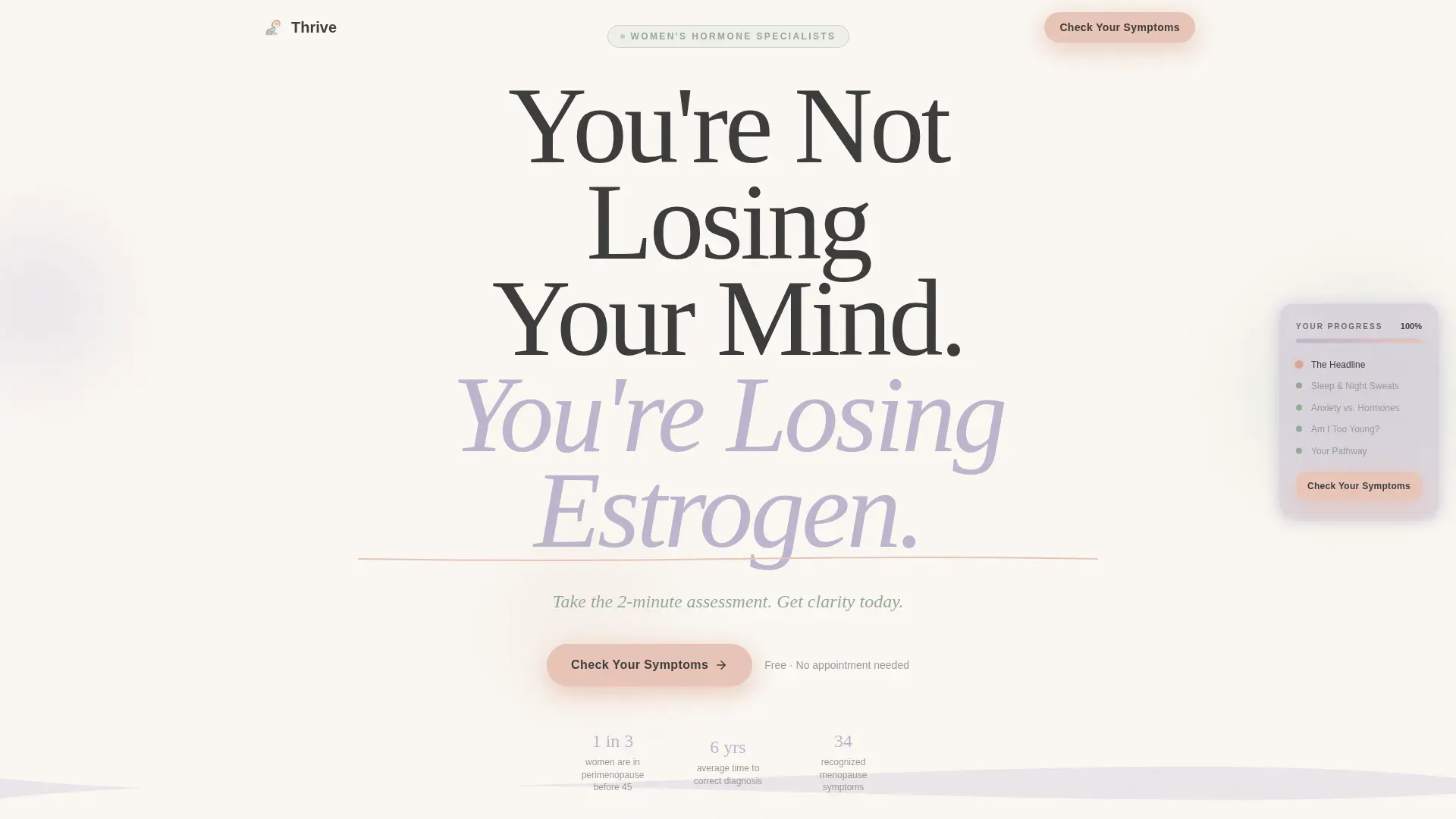
Giant Headline Hero Section
The hero opens on a linen-white field with a single large serif headline and a sage-colored subline. There is no imagery. The space around the words is the design. The subline carries the primary assessment call to action: "Take the 2-minute assessment. Get clarity today."
FAQ-Driven Scroll Structure
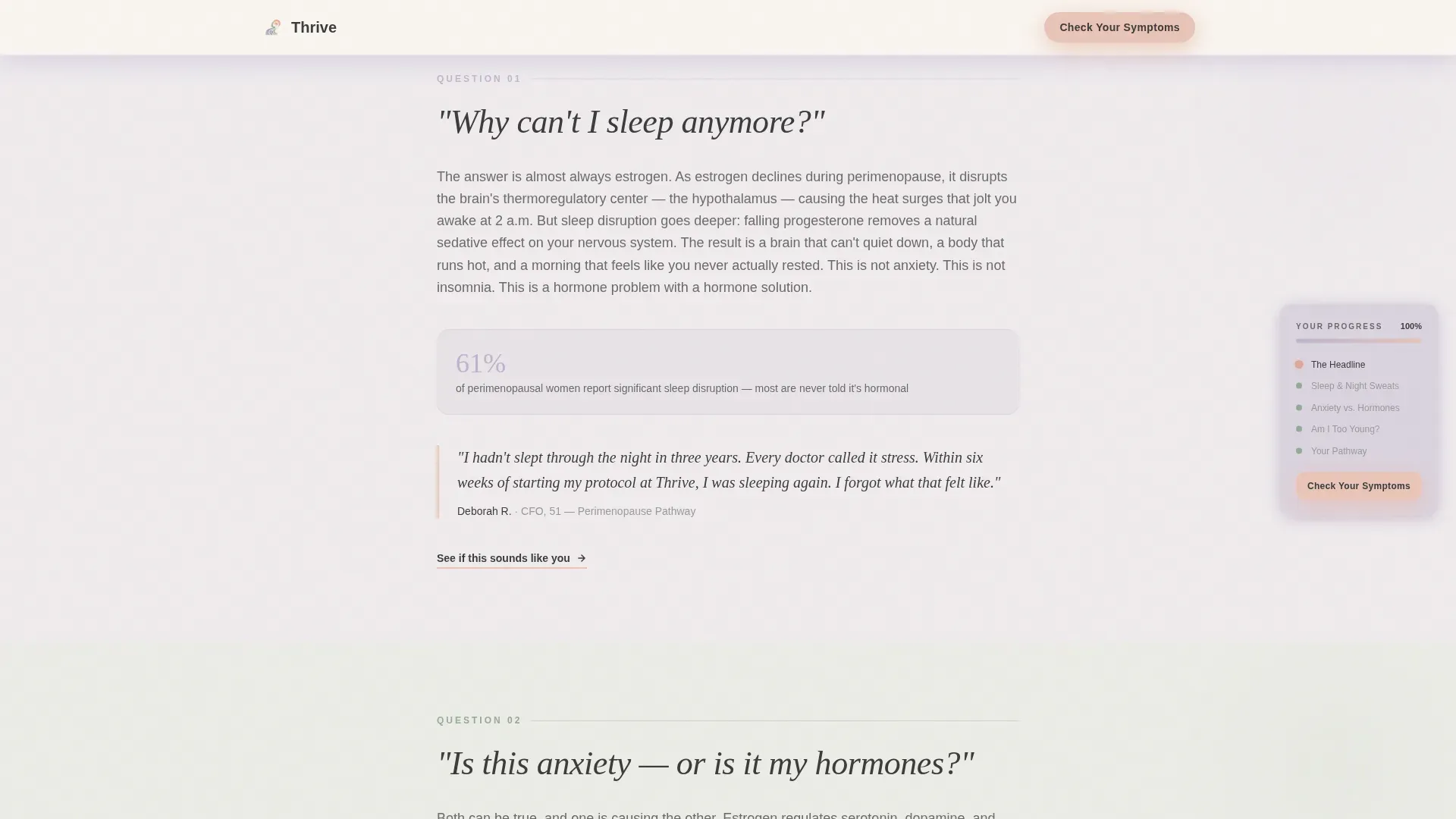
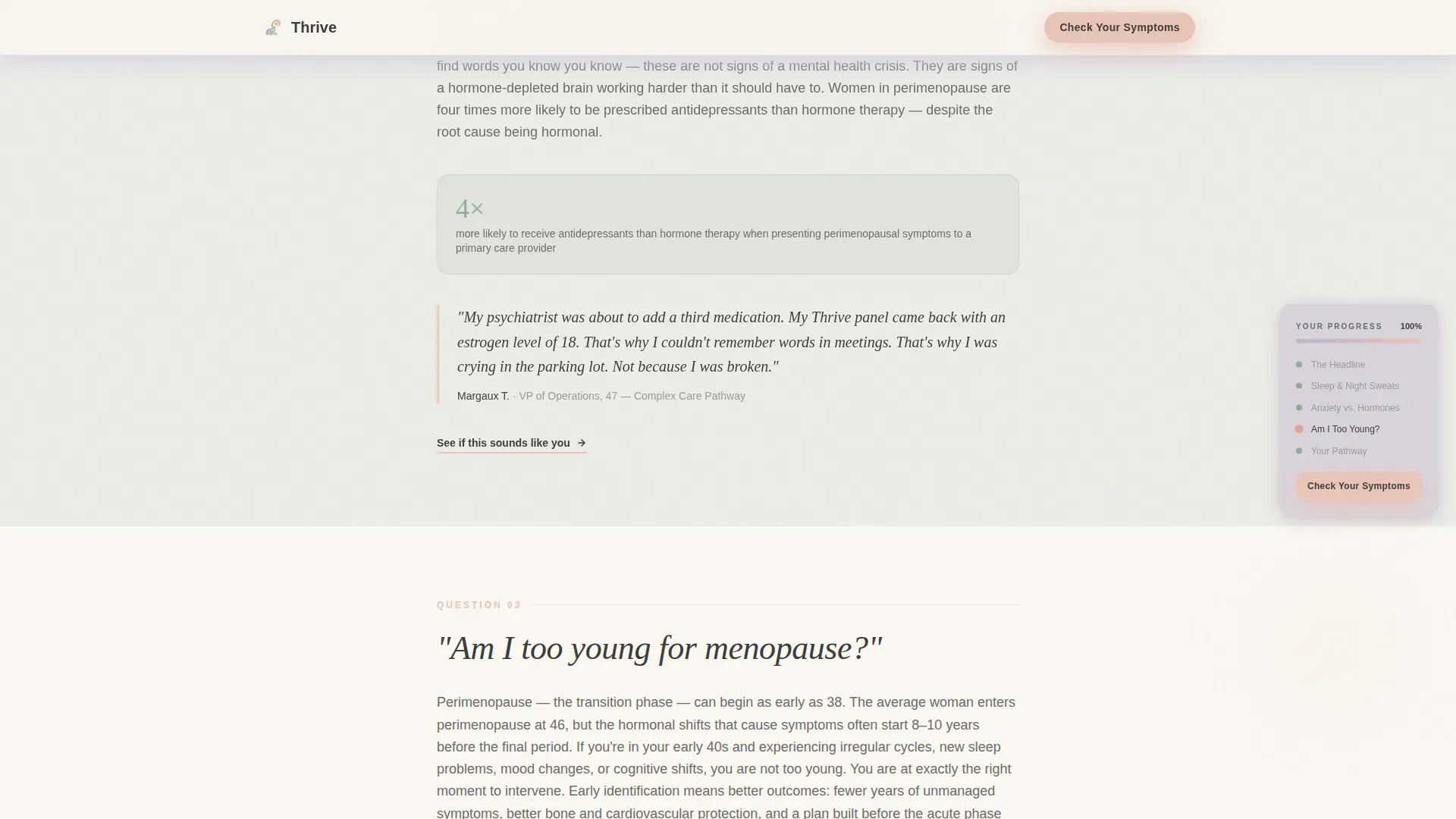
Three full content sections each anchor on a real question women ask themselves about their symptoms. Each section includes a short validating paragraph, a single supporting statistic, and a pull-quote slot for a real patient voice. The scroll feels like a conversation, not a clinical brochure.
Five-Step Symptom Assessment Modal
The assessment opens as a progressive modal with five screens: current age, top three symptoms selected from a visual picker, symptom severity, duration, and prior provider history. Each screen shows one question with soft transitions between steps and a progress indicator at the top.
Four-Pathway Results Screen
After the final assessment step, the results screen maps the visitor's answers to one of four clinic pathways: perimenopause, active menopause, post-menopause, or complex and co-occurring conditions. A "See Your Recommended Plan" prompt captures name, email, and preferred contact method.
Persistent Sidebar Companion
The sidebar sits alongside the main content on desktop. It tracks which FAQ sections have been read, surfaces the "Check Your Symptoms" call to action at each transition point, and displays a soft progress bar. On mobile, the sidebar stacks below the content flow.
Bento Grid Pathways Section
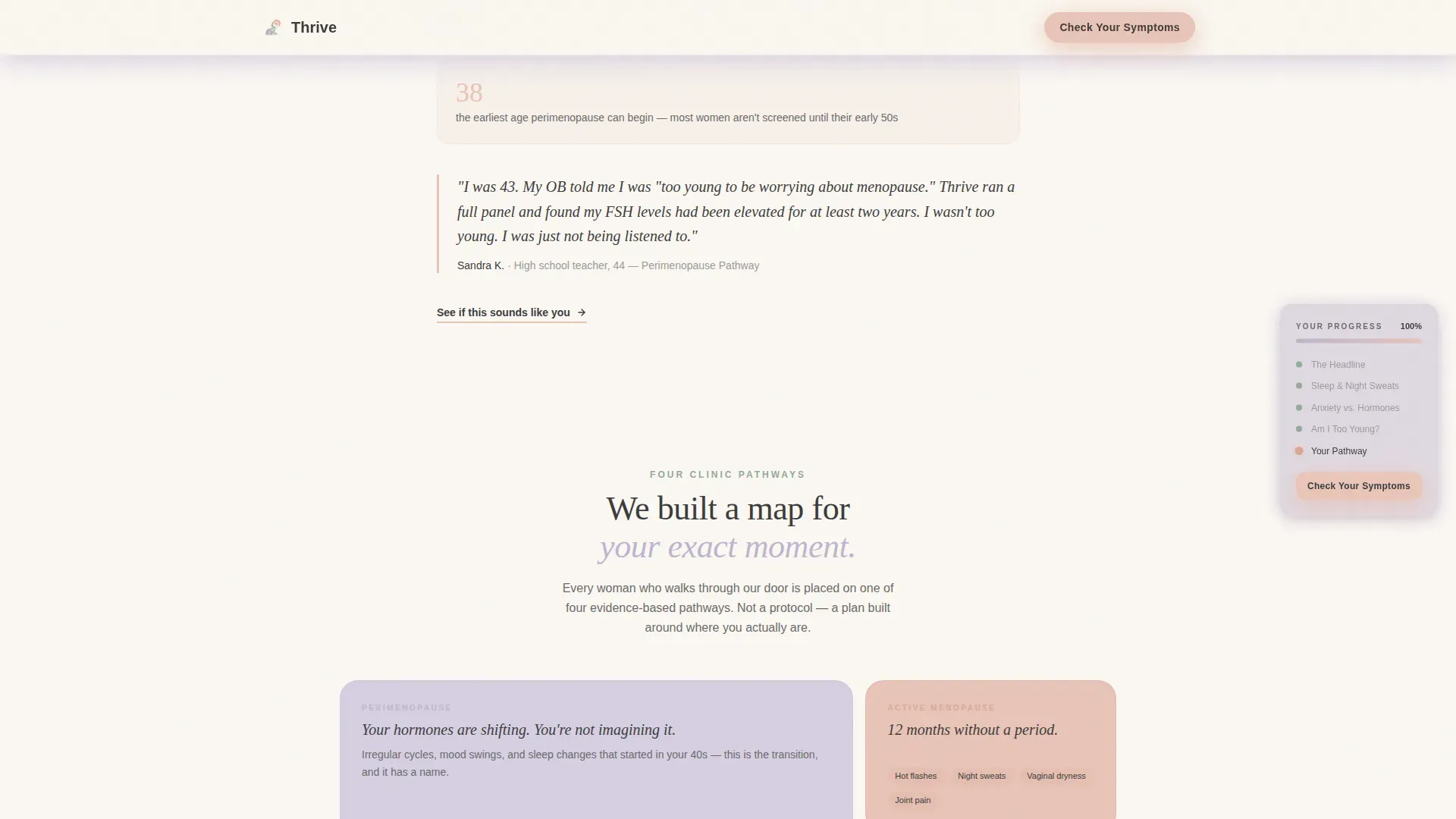
A bento grid section visualizes the four clinic care pathways as a system. Each cell in the grid represents one pathway, giving visitors a clear picture of where they might land and what the clinic offers within each track.
Page sections overview
| Section | Purpose |
|---|---|
| Hero Headline | Validates the core emotional need and introduces the assessment call to action |
| FAQ Section One | Answers "Why can't I sleep anymore?" with sleep and hot flash context |
| FAQ Section Two | Answers "Is this anxiety or hormones?" and addresses misdiagnosis patterns |
| FAQ Section Three | Answers "Am I too young for menopause?" with perimenopause education |
| Four Pathways Grid | Visualizes the clinic's four care tracks as a bento layout |
| Page Footer | Closes with horizontal flow pattern and final assessment prompt |
Design & branding system
The visual identity uses a Soft Mist color system built to feel warm and clinical at once. Morning-light tones replace the sterile whites of typical medical pages, and every color choice reinforces trust without feeling fragile.
- Linen white (#FAF7F2) serves as the base background, giving every element room to breathe; lavender (#D6CFE1) and sage (#B5C5B8) alternate as section backgrounds; blush (#E8C4B8) warms call-to-action buttons and pull-quote highlights
- Charcoal (#3D3D3D) is used for all body text, maintaining readability against the soft palette; the sidebar carries a slightly deeper fog tone to sit quietly alongside the main content
- Typography pairs Fraunces, a refined serif, for display headlines with DM Sans for body text, creating an editorial warmth that signals both care and clinical credibility
Mobile & speed optimization
The template is designed desktop-first, with the sidebar companion as a core layout element. Mobile behavior is defined in the brief and handled through layout stacking rather than hidden components.
- On mobile, the sidebar stacks below the main content flow so no tracked progress or assessment prompts are lost
- Smooth scrolling uses CSS scroll behavior, and the sidebar tracking is powered by Intersection Observer so the reading progress updates without heavy scripts
- Animations are set to medium intensity: fade-up staggered reveals on section entry, shimmer effects on buttons, and soft transitions inside the quiz modal
How this template helps you convert
The page is built around a single conversion goal: getting a visitor to complete the five-step symptom assessment. Every layout and copy decision supports that one action.
- The assessment call to action appears three times: in the hero subline, pinned in the sidebar at every scroll position, and again after the final FAQ section, so the invitation is always one click away without feeling pushy.
- The quiz modal validates every answer as it is submitted, reinforcing that each symptom is real and hormonal, which builds the trust needed for a visitor to submit their name and email on the results screen.
Other information about this template
This template was designed for the Healing Space theme and built using the Sidebar Companion template style. It sits within the Health and Medical category under the Menopause Care subcategory, and the niche is Menopause Specialist Clinic.
- The creative direction is FAQ-Driven, the header concept is Giant Headline Centered, and the primary landing page direction is Quiz and Assessment
- The Soft Mist color system and Fraunces plus DM Sans typography pairing are pre-configured as part of the template and can be adjusted to match a specific clinic's brand guidelines
- The four pathway labels (perimenopause, active menopause, post-menopause, and complex or co-occurring) are placeholder content and should be updated to reflect the actual care tracks the clinic offers
Theme
Healing Space
Creative direction
FAQ-Driven
Color system
Soft Mist
Style
Sidebar Companion
Direction
Quiz/Assessment
Page Sections
Giant Headline Hero with Assessment Call to Action
Faq-driven Three-section Scroll
Five-step Symptom Assessment Modal
Four-pathway Results Mapping
Persistent Sidebar Companion
Bento Grid Pathways Visualization
Related questions
Can I customize the five assessment questions?
Does this template work if my clinic uses fewer than four care pathways?
Is the sidebar visible on mobile devices?
Who provides the patient pull-quotes and statistics?
Can the results screen connect to a booking system?



