Occupational Therapist Specialist Booking Website Template
Thrive is a sidebar companion landing page built for occupational therapist virtual consultation practices. It guides three distinct groups, stroke recovery adults, parents of sensory-seeking children, and remote workers with ergonomic pain, through a warm, scroll-driven experience that surfaces the right therapist and the right story before gently asking them to book.
by Rocket studio
Quick summary
Thrive is a single-page virtual occupational therapy landing page with a persistent sidebar companion. It uses expert practitioner micro-stories, named client testimonials, and a context-switching sidebar to help three different visitor types feel understood before clicking to schedule. The design is warm, unhurried, and built to earn the booking click.
Who this template is for
This template is purpose-built for occupational therapy practices that operate fully online. It fits practices that serve more than one client type and want each visitor to feel individually recognized without leaving the page.
- Virtual occupational therapy practices serving adult stroke recovery clients or post-stroke caregivers
- Practices offering pediatric sensory processing support and school accommodation coaching
- Occupational therapists providing remote ergonomic assessments for desk-based workers
What problem this template solves
Most healthcare landing pages feel clinical and generic. They list credentials without telling stories, and they ask visitors to commit before the visitor feels understood. Thrive solves the trust gap that stands between a first-time visitor and a scheduled session.
- Visitors with complex or unfamiliar needs cannot immediately find themselves in vague service descriptions
- A single call-to-action placed too early feels like pressure rather than an invitation
- Practices serving multiple distinct client groups often lose visitors who feel the page was built for someone else
What you get with this template
This template delivers a complete, scroll-driven landing page experience with every visual and interactive layer included. Nothing is left as a placeholder waiting for a developer to finish.
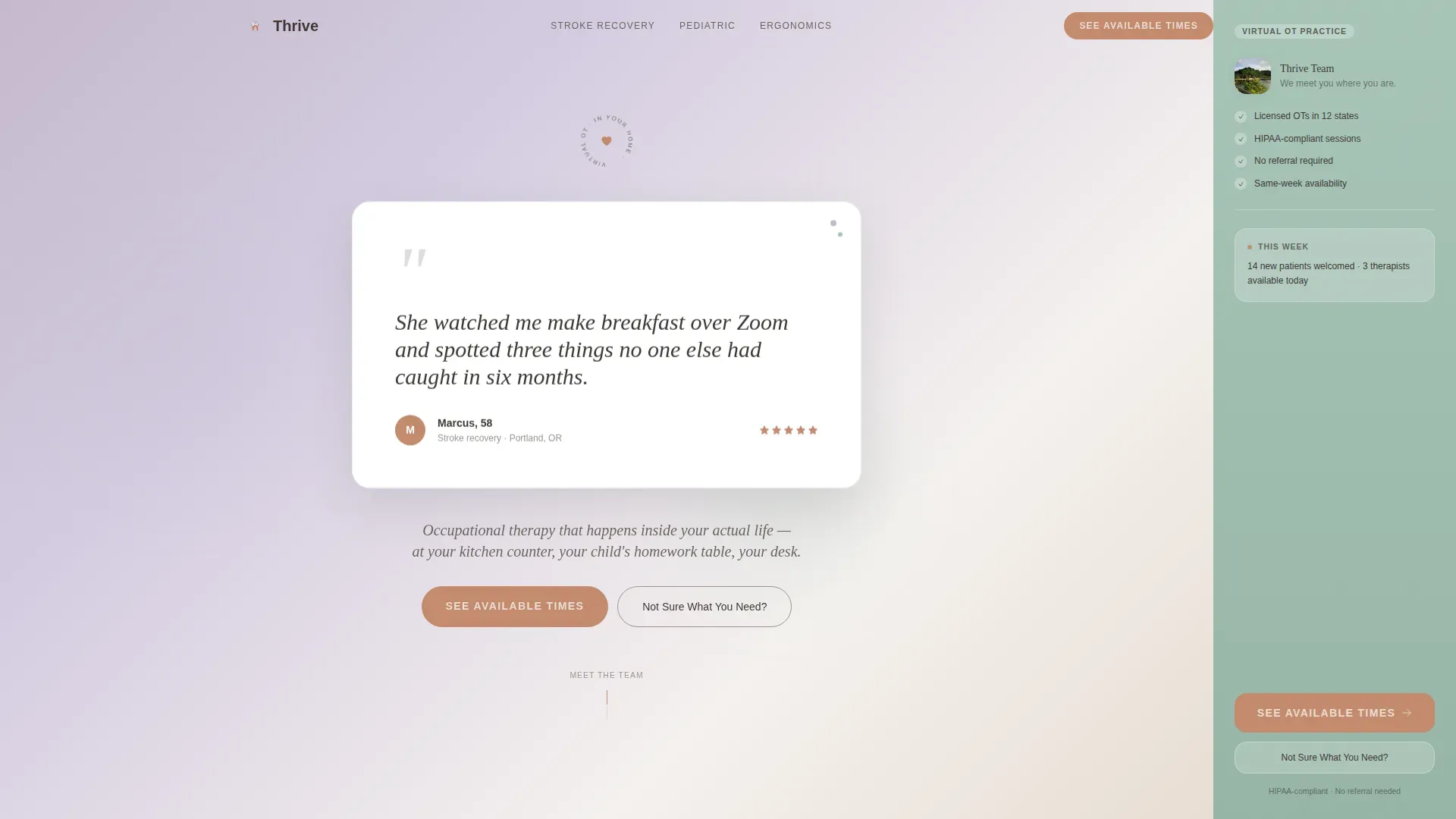
- A hero section built around a floating testimonial card on a lavender-to-fog gradient, with a real client quote, name, context line, and a five-star rating row
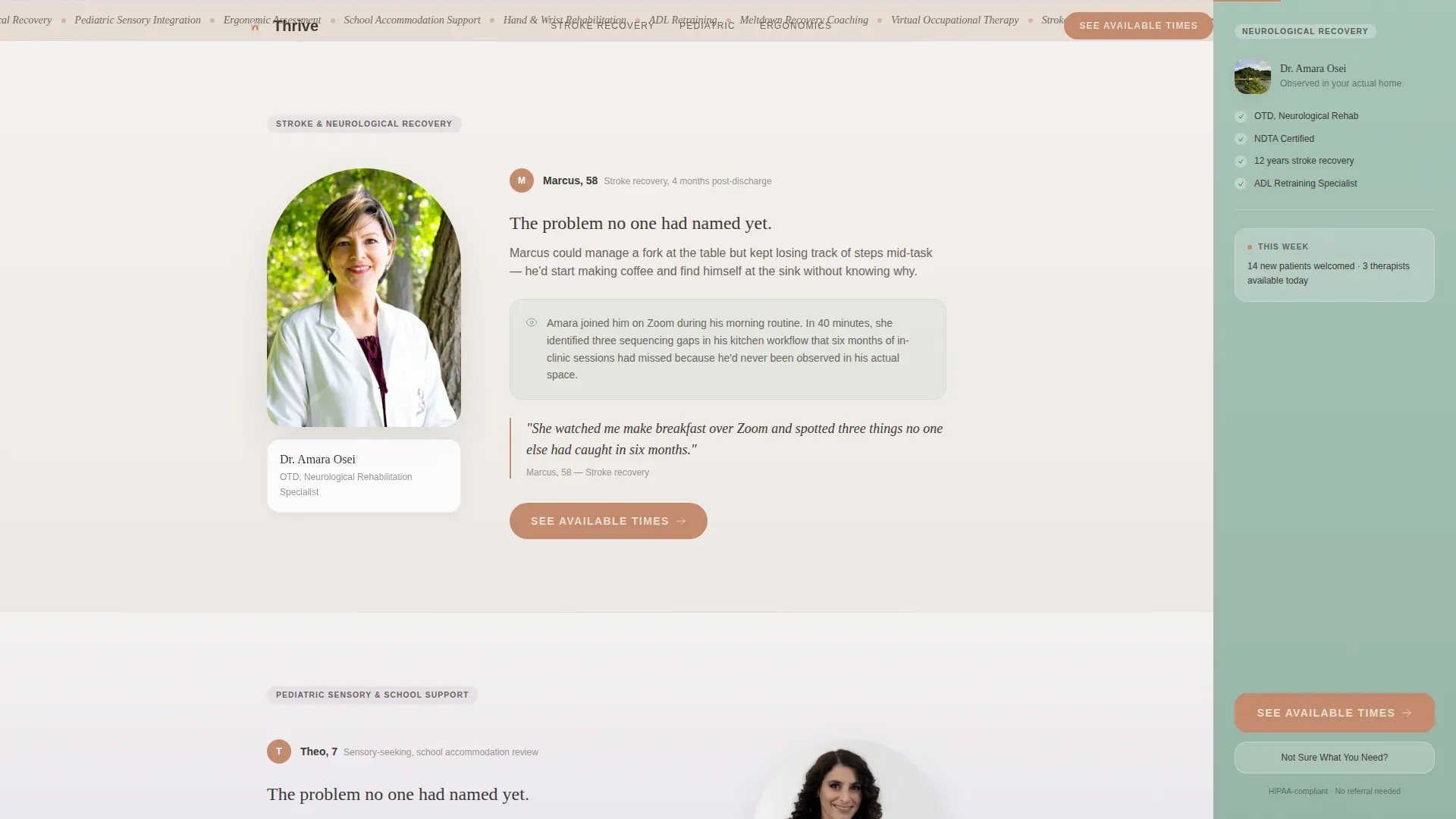
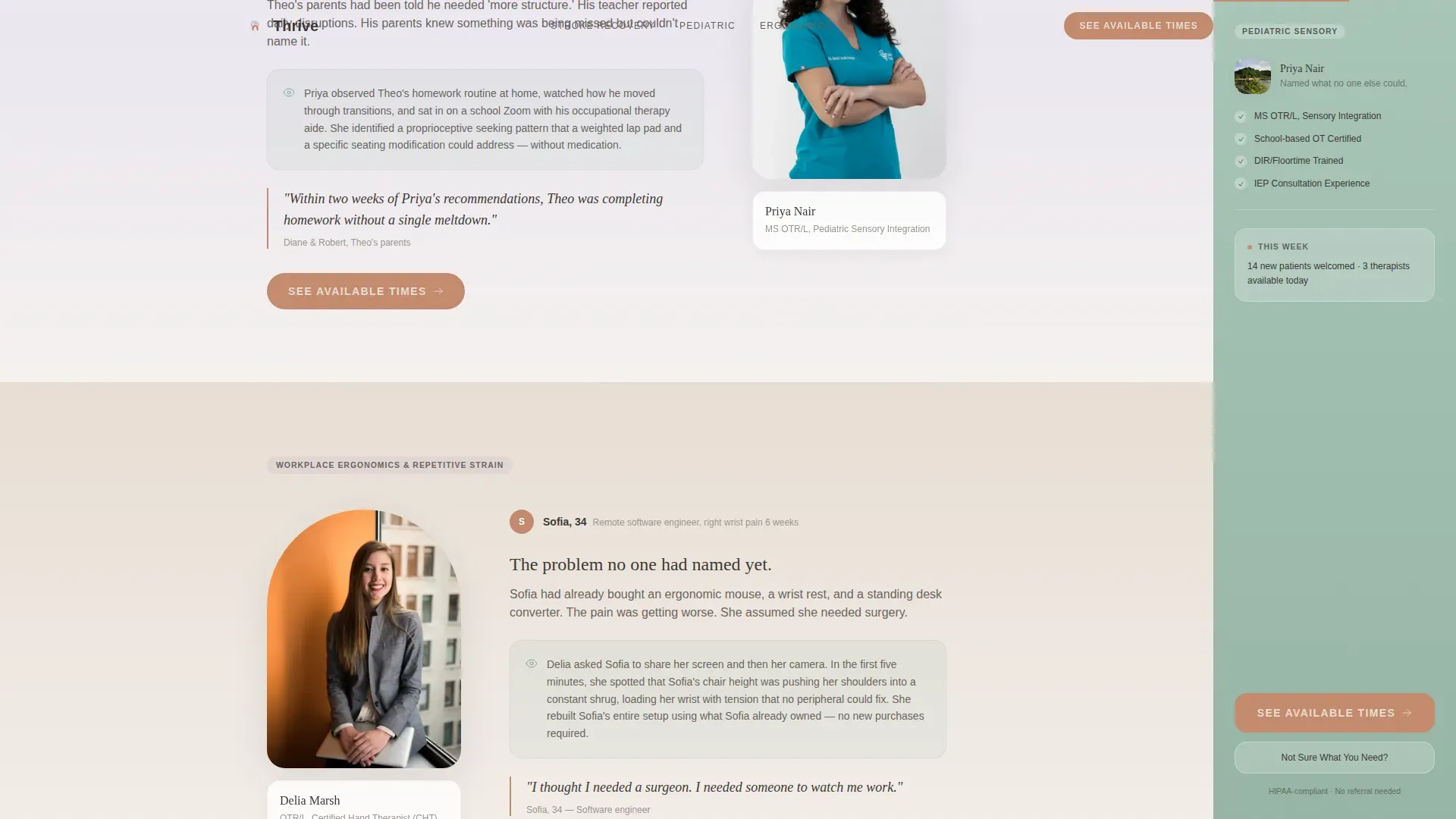
- Three expert panel sections, each pairing a named therapist with a specific client scenario, plus a "See Available Times" call-to-action at each panel's close
- A persistent sidebar companion that shifts displayed credentials as the visitor scrolls through each specialist panel
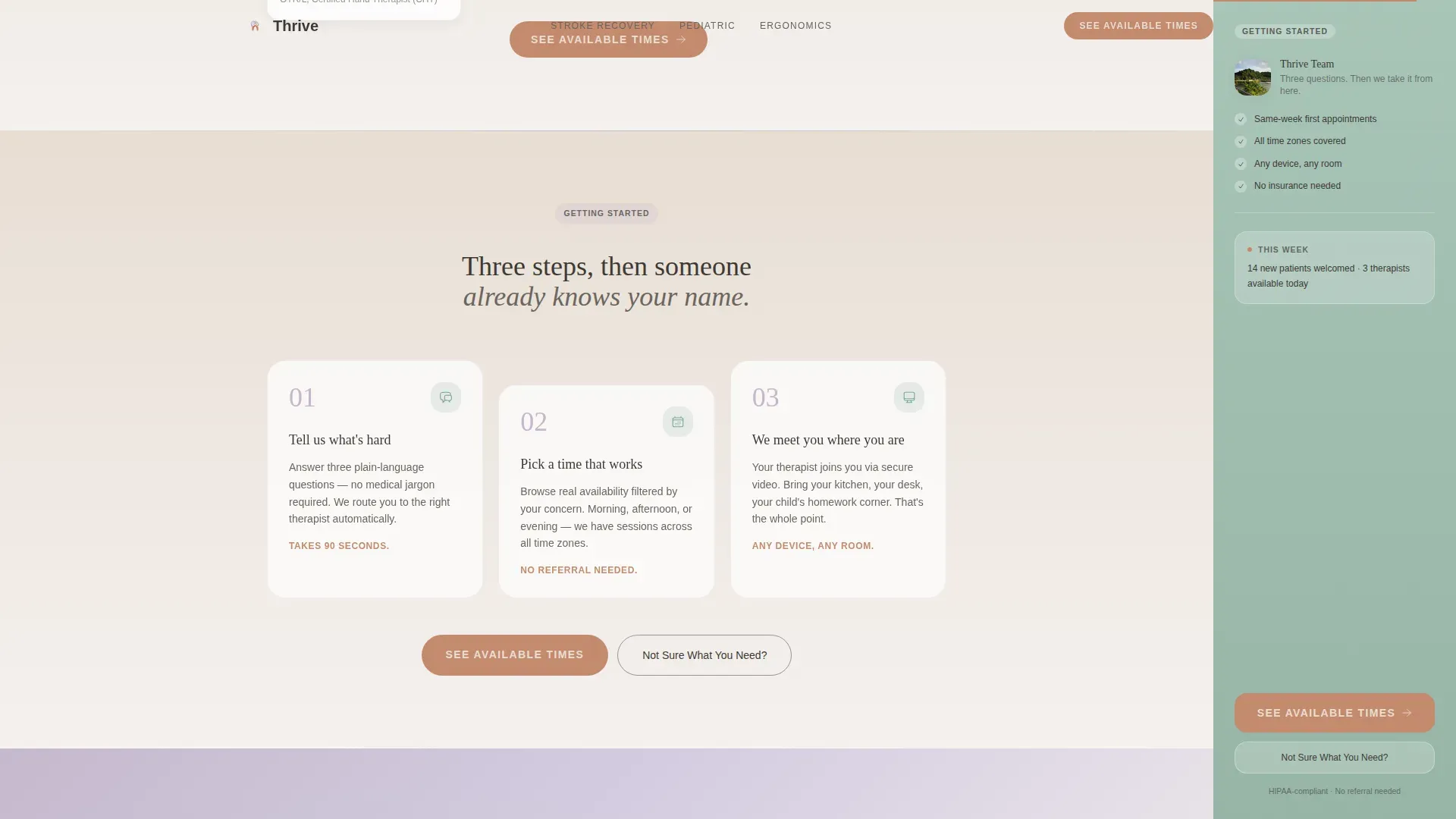
- A "How It Works" section with a three-step visual flow and a "Not Sure What You Need?" animated questionnaire overlay
- A soft-animated overlay asking three plain-language questions that routes the visitor to the right therapist's calendar
Feature list
This landing page is built around a small set of purposeful, interlocking features. Each one does specific work in the visitor's journey toward booking.
Persistent Scrolling Sidebar
The sidebar stays visible throughout the entire scroll experience. It shifts the credentials and context it displays based on which expert panel is currently in view, keeping relevant information and a soft call-to-action within reach at all times.
Expert Panel Micro-Stories
Each of the three therapist sections leads with a real client problem, not a biography. The format pairs a named practitioner with a specific resolved scenario, stroke recovery, pediatric sensory processing, or workplace ergonomics, so visitors recognize their own situation immediately.
Animated Questionnaire Overlay
The "Not Sure What You Need?" path opens a soft-animated overlay with three plain-language questions. The answers route the visitor directly to the correct therapist's calendar, already filtered by concern type, removing any friction from the decision.
Floating Testimonial Hero Card
The header is a softly rounded card set against a lavender-to-fog gradient. It holds a named client quote in a warm serif typeface with a context line and a five-star row. No stock photography is used anywhere on the page.
Context-Switching Sidebar calls to action
The sidebar companion does not stay static. As the visitor moves through each expert panel, the sidebar updates its displayed specialization context and keeps the primary "See Available Times" call-to-action visible without interrupting the reading flow.
Three-Step How It Works Flow
A dedicated section reduces scheduling anxiety by showing the process in three clear visual steps. It also surfaces the questionnaire entry point for visitors who are still deciding which type of support they need.
Page sections overview
| Section | Purpose |
|---|---|
| Hero Testimonial Card | Opens with a named client quote on a lavender-fog gradient to build immediate trust |
| Stroke Recovery Panel | Dr. Amara Osei's micro-story addresses post-stroke functional recovery via telehealth |
| Pediatric Sensory Panel | Priya Nair's scenario covers school accommodations and meltdown-recovery coaching |
| Workplace Ergonomics Panel | Delia Marsh's story targets remote workers with wrist, shoulder, and desk pain |
| How It Works | Three-step visual flow reduces friction and triggers the questionnaire overlay |
| Footer | Minimal footer adapted for a healthcare virtual practice context |
Design & branding system
The visual identity follows a Soft Gradient theme using the Soft Mist color system. Every color choice was made to feel like the first ten minutes of a quiet morning, nothing sharp, nothing urgent, light diffusing through sheer curtains.
- Color palette: morning fog white (#F4F1EE) and warm linen (#E8DDD3) for backgrounds in gentle gradient washes, lavender haze (#C5B9CD) for section transitions, eucalyptus breath (#A8C5B8) for the sidebar, muted terracotta (#C48B6F) reserved for interactive elements and all calls-to-action, and deep warm charcoal (#3E3A36) for body text
- Typography pairing: Fraunces serif for headlines to carry warmth and authority, DM Sans for body copy to keep reading effortless
- Visual style: rounded cards, generous whitespace, no stock photography, soft gradient washes between sections
Mobile & speed optimization
The template is designed desktop-first, since the persistent sidebar companion requires a wide viewport to function as intended. Mobile visitors receive a graceful, intentionally considered collapsed experience.
- The sidebar companion collapses cleanly on smaller screens so the content flow is never broken on mobile devices
- Server Components are used for the static expert panels to keep the initial page load light, while the sidebar and questionnaire overlay run as Client Components
- GSAP scroll-reveal animations are used at medium intensity, keeping transitions smooth without overwhelming the experience
How this template helps you convert
The page is structured as a trust-building sequence. Each scroll interaction adds a layer of specificity until booking feels like the natural next step rather than a risk.
- The hero testimonial card opens with a specific, named outcome that matches a real visitor concern, creating recognition before any service description appears.
- Each expert panel raises a problem the visitor may not have had words for, then immediately shows the therapist who resolves it, stacking credibility with every scroll.
- The persistent sidebar keeps "See Available Times" visible throughout, and the questionnaire overlay catches undecided visitors with three plain questions instead of a form, so no visitor reaches the end of the page without a clear next action.
Other information about this template
This template is part of a broader Health and Medical category covering occupational therapist website needs. A few additional details worth noting before you use it.
- The page is localized for English (US) with USD currency format and MM/DD/YYYY date formatting throughout
- The scheduling flow does not live on this page; the call-to-action click carries the visitor to an external scheduling platform already filtered by concern type
- No contact form is included by design; the questionnaire overlay routes visitors rather than collecting submissions on-page
- Animation intensity is set to medium using GSAP, covering scroll reveals, sidebar context switching, and the overlay entrance
Theme
Soft Gradient
Creative direction
Expert Panel
Color system
Soft Mist
Style
Sidebar Companion
Direction
Click-Through
Page Sections
Persistent Scrolling Sidebar Companion
Expert Panel Micro-story Sections
Animated Questionnaire Overlay
Floating Testimonial Hero Card
Three-step How It Works Flow
Context-switching Sidebar Ctas
Related questions
Can this template serve more than one type of client at the same time?
Does the sidebar stay visible on mobile devices?
Is there a contact form on this landing page?
Can I replace the therapist names and client stories with my own?
What makes this different from a general healthcare website template?



