Stock Trading & Investment Platform FAQ Website Template
Ticker is a split-screen futures and commodities research landing page built for independent traders who need institutional-grade data without the institutional price tag. The dark terminal aesthetic, live-styled dashboard header, and FAQ-driven scroll structure work together to demonstrate expertise, build trust, and convert visitors into subscribers through a two-field inline form.
by Rocket studio
Quick summary
Ticker is a single-page, split-screen landing page template for a commodities and futures research platform. It opens with a live-styled data wall showing WTI crude, gold, corn, and natural gas contracts, then guides visitors through a series of trader-real questions and expert answers. By the time the sign-up form appears, visitors have already received genuine value.
Who this template is for
This template is built for operators who serve serious, data-hungry futures traders. It speaks directly to the people running lean setups and looking for a research edge without enterprise-level costs.
- Solo futures traders who manage their own research from home trading setups
- Commodity analysts at mid-tier hedge funds tracking agricultural and energy cycles
- Small-firm Commodity Trading Advisors (calls to action) who need reliable open interest data at a practical budget
What problem this template solves
Independent futures traders struggle to find trustworthy, deep research without paying for terminals that cost thousands of dollars per month. Most landing pages for financial platforms lead with generic claims and stock photography instead of proof. Ticker solves this by leading with the data itself.
- Builds credibility before asking for an email, reversing the typical sign-up-first pattern
- Replaces vague marketing copy with real trader questions and genuinely useful answers
- Gives visitors a clear taste of the research library so the call to action feels earned, not forced
What you get with this template
You get a fully structured, single-page layout designed around a clear conversion path. Every section has a defined role, and nothing is decorative without purpose.
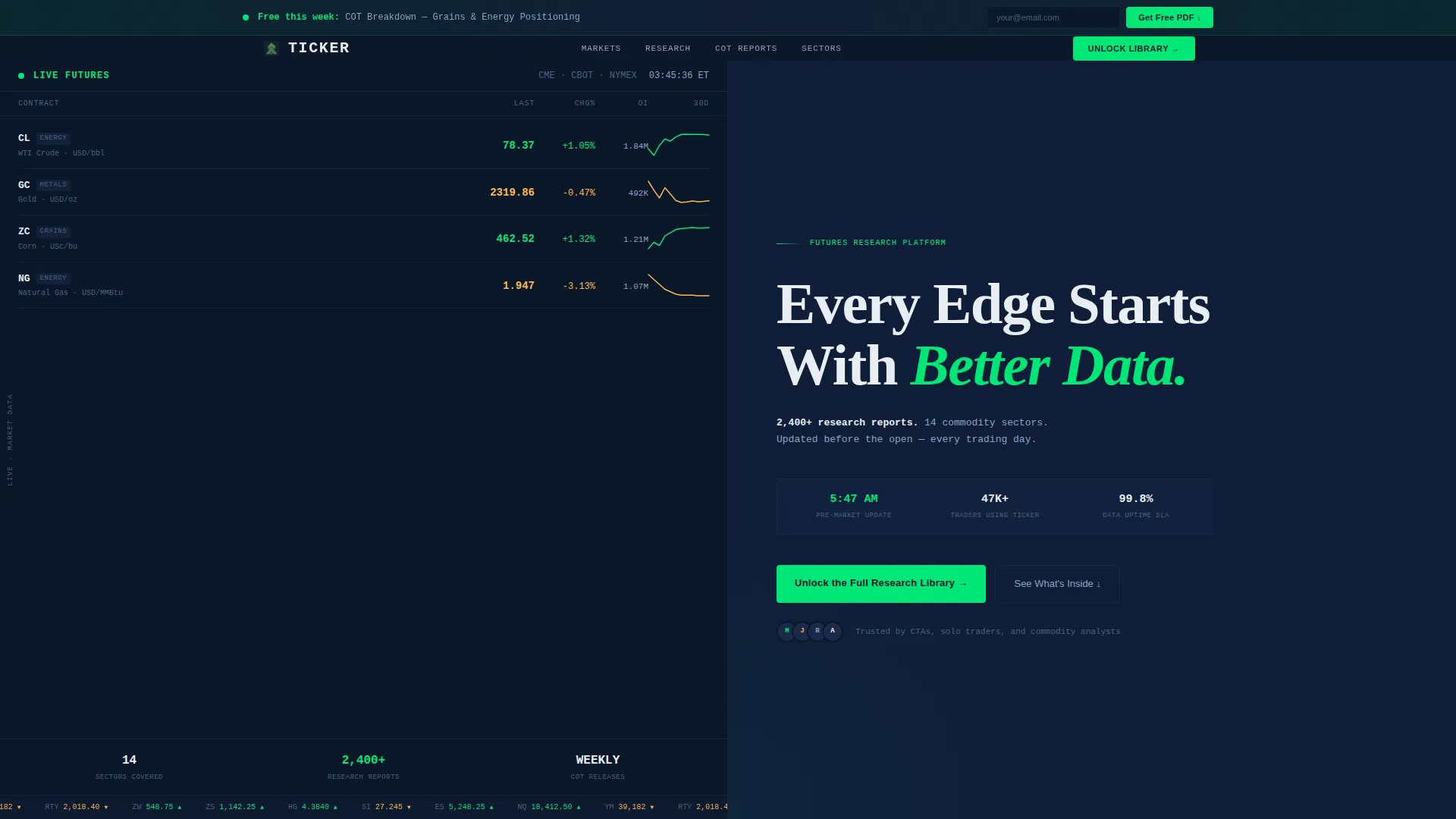
- A split-screen header with a live-styled futures dashboard on the left and a bold headline on the right
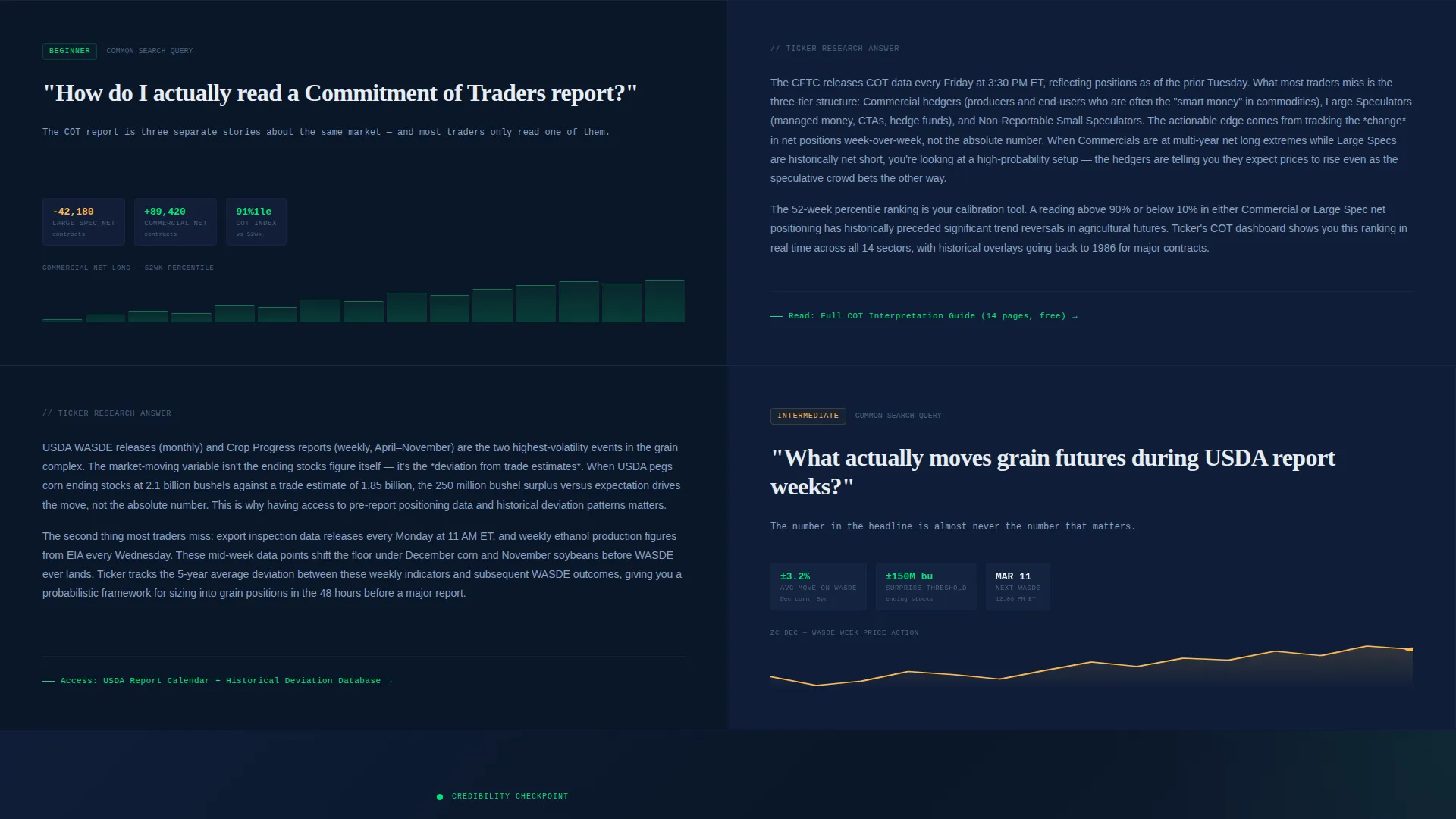
- A scrollable FAQ-driven body where each section pairs a real trader question with a two-paragraph expert answer and a link to the full resource
- Two conversion points: a primary inline form after the third FAQ pair and a persistent top bar offering a free Commitment of Traders (COT) report download
Feature list
This section covers the core components built into the Ticker landing page template.
Live-Styled Futures Dashboard Header
The left panel of the header displays WTI crude, gold, corn, and natural gas futures with price, daily change, open interest volume, and a micro-sparkline for each contract's 30-day trajectory. Positive moves are highlighted in phosphor green (#00E676) and drawdowns in warm amber (#FFB74D), making the data instantly readable at a glance.
FAQ-Driven Scroll Structure
Each scroll section is built as a question-and-answer pair. The left panel holds the question in large type alongside a contextual micro-chart or data snippet. The right panel delivers a dense, two-paragraph answer with a link to the full resource. Questions escalate from beginner orientation to advanced spread analysis, so every visitor finds their level.
Two-Field Inline Conversion Form
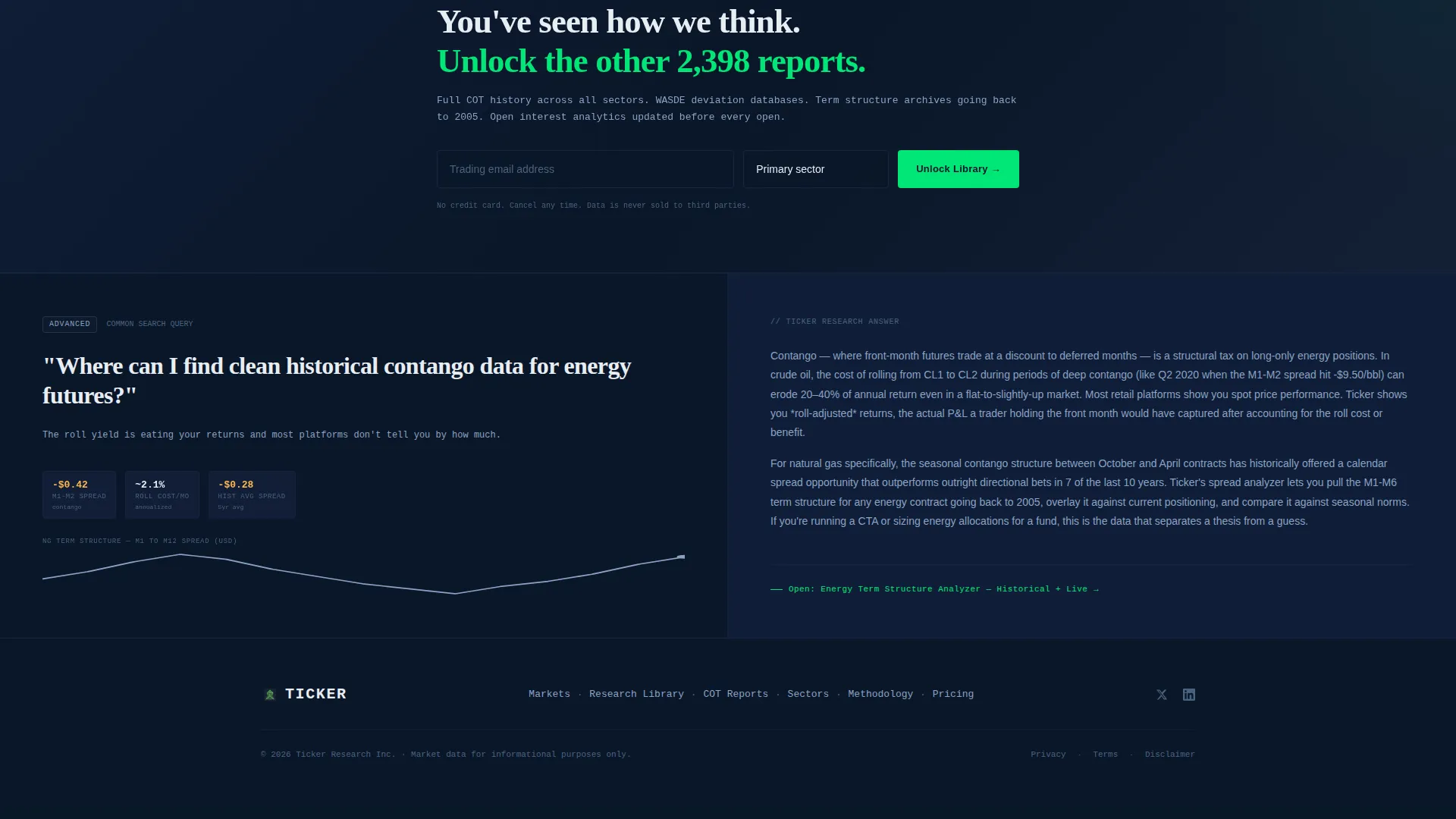
The primary call to action appears after the third FAQ pair, once trust is established. It asks only for an email address and a primary trading focus chosen from energy, metals, agriculture, softs, or multi-sector. Keeping the form to two fields reduces friction at the moment of highest intent.
Persistent Free-Download Top Bar
A secondary conversion path runs as a sticky top bar throughout the entire page. It offers a free weekly COT breakdown PDF in exchange for just an email address. This catches visitors who are not ready to commit to full library access but still want a useful starting point.
Startup Velocity Dark Terminal Design
The entire layout uses a Midnight Blue color system anchored by deep terminal navy (#0A1628) backgrounds, cold steel blue (#1B2A4A) card surfaces, phosphor green data accents, and signal white (#E8EDF3) body text. No stock photography or illustrations are used; the data itself serves as the visual hero.
Credential-First Headline Panel
The right side of the header carries a single, specific headline: "Every Edge Starts With Better Data," followed by a concrete resource count: 2,400-plus research reports across 14 commodity sectors, updated before the market open. This specificity builds immediate credibility without marketing fluff.
Page sections overview
| Section | Purpose |
|---|---|
| Persistent top bar | Captures early-exit visitors with a free COT PDF offer |
| Split-screen header | Combines a live data dashboard with a bold, specific headline |
| FAQ pair one | Answers beginner orientation questions with expert context |
| FAQ pair two | Covers intermediate topics like USDA report week grain moves |
| FAQ pair three | Addresses advanced topics like historical contango data for energy |
| Primary call to action form | Converts engaged visitors with a two-field research library sign-up |
Design & branding system
The visual identity follows a Startup Velocity theme built entirely around a Midnight Blue color system. Every color choice is functional, echoing the look of a professional trading terminal in the pre-market hours.
- Background layers use deep terminal navy (#0A1628) with cold steel blue (#1B2A4A) for card surfaces and section dividers
- Live data accents and positive movement indicators use phosphor green (#00E676), while drawdowns use warm amber (#FFB74D)
- Body text in signal white (#E8EDF3) keeps everything readable against dark backgrounds, and no decorative imagery is used anywhere on the page
Mobile & speed optimization
The split-screen layout is designed to reflow cleanly for smaller screens, keeping the data dashboard and FAQ content accessible without horizontal scrolling. The lean design philosophy supports fast load behavior across devices.
- No stock photography or heavy image assets are used; visual weight comes from the data panels themselves
- The persistent top bar and inline form are designed to remain functional and visible on mobile viewports
- Compact micro-sparklines and structured data rows are built to scale down without losing their informational value
How this template helps you convert
Ticker is structured around a trust-first conversion model. Visitors receive real value before they are ever asked for anything in return.
- The FAQ-driven scroll builds demonstrated expertise step by step, so by the time the primary call to action appears, the visitor has already benefited from the content and is primed to want more.
- The two-conversion-point structure (persistent top bar plus inline form) means visitors at different levels of intent each have a low-friction path forward, one requiring just an email and the other adding a single focus-selection field.
Other information about this template
Ticker is designed for the commodities and futures research niche inside the broader Finance and Insurance category. It fits platforms targeting independent traders who operate outside large institutional structures.
- The template falls under the Stock Trading and Investment Platform subcategory, making it suitable for futures research hubs, commodity data newsletters, and independent trading education platforms
- The creative direction is FAQ-driven, which aligns well with the way independent traders actually search for information online, using specific, question-phrased queries
- The header concept is a Stats and Metrics wall, a pattern that works especially well for audiences who already understand financial data and respond to proof over persuasion
- The content-and-resource landing page direction means the page earns its conversions through demonstrated depth rather than promotional language

Theme
Startup Velocity
Creative direction
FAQ-Driven
Color system
Midnight Blue
Style
Split Screen (50/50)
Direction
Content/Resource
Page Sections
Live-styled Futures Dashboard Header
Faq-driven Scroll Structure
Two-field Inline Conversion Form
Persistent Free-download Top Bar
Credential-first Headline Panel
Startup Velocity Dark Terminal Design
Related questions
Who is the Ticker landing page template designed for?
Can I edit the futures contracts shown in the dashboard header?
How does the FAQ-driven scroll layout work?
What are the two conversion points included in this template?
Does this template use stock photography or illustrations?



