Kids Activity & Learning Center Booking Website Template
Tinker is a warm, modular landing page template built for STEM and coding programs aimed at kids. A photo mosaic hero, a three-question personalization quiz, animated course card grid, instructor spotlights, and a sticky call-to-action bar work together to guide parents from curiosity to a free trial class booking, with no form and no commitment required on the page.
by Rocket studio
Quick summary
Tinker is a single-page, card-grid template designed for children's STEM and coding enrichment programs. It opens with a candid photo mosaic, leads parents through a brief quiz that reshuffles course cards in real time, and closes with a sticky bar nudging every visitor toward one clear action: booking a free trial class.
Who this template is for
This template speaks directly to the people running kids' coding programs, STEM camps, and after-school enrichment centers. It is built for operators who need to earn a skeptical parent's trust before asking for anything.
- Program directors and EdTech founders who sell coding or robotics courses for children aged 6 to 14
- Independent STEM educators launching a new cohort and needing a conversion-focused page fast
- Grandparents and parents searching for meaningful, skill-building activity gifts for kids
What problem this template solves
Parents researching kids' coding programs face a wall of generic course listings that feel identical. Nothing speaks to their specific child's age, interest, or experience level. The result is hesitation, tab-switching, and no booking.
- Parents can't tell which course fits their child without reading through every option manually
- Programs lose interested visitors because the page feels impersonal or asks for commitment too early
- Trust is hard to build when social proof is buried and instructors are invisible
What you get with this template
You get a fully structured, single-page layout with every section a parent needs to feel confident before clicking. The design is warm and modular, so each block serves a clear purpose without cluttering the experience.
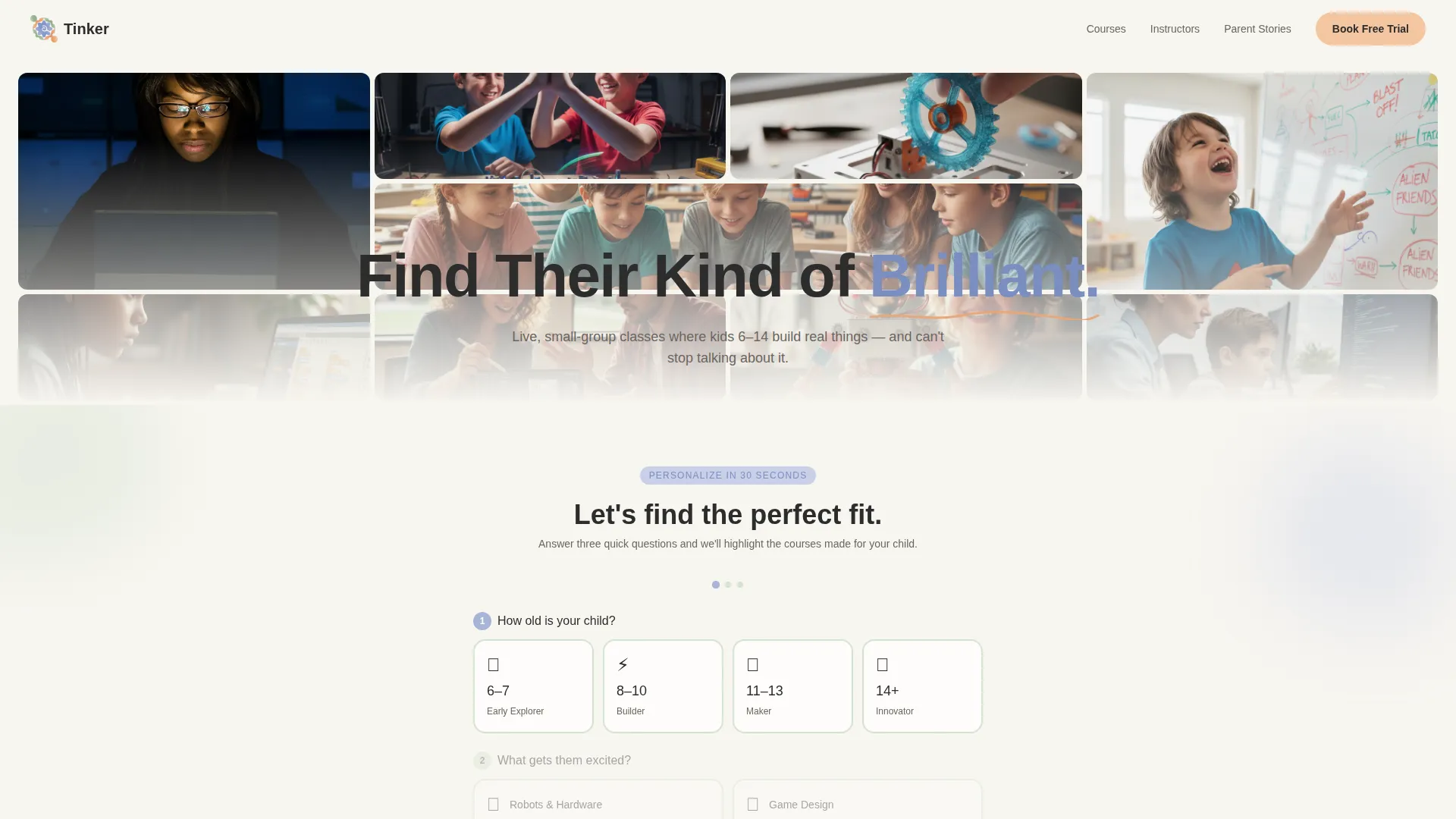
- A twelve-photo candid mosaic header with a floating headline and staggered entrance animation
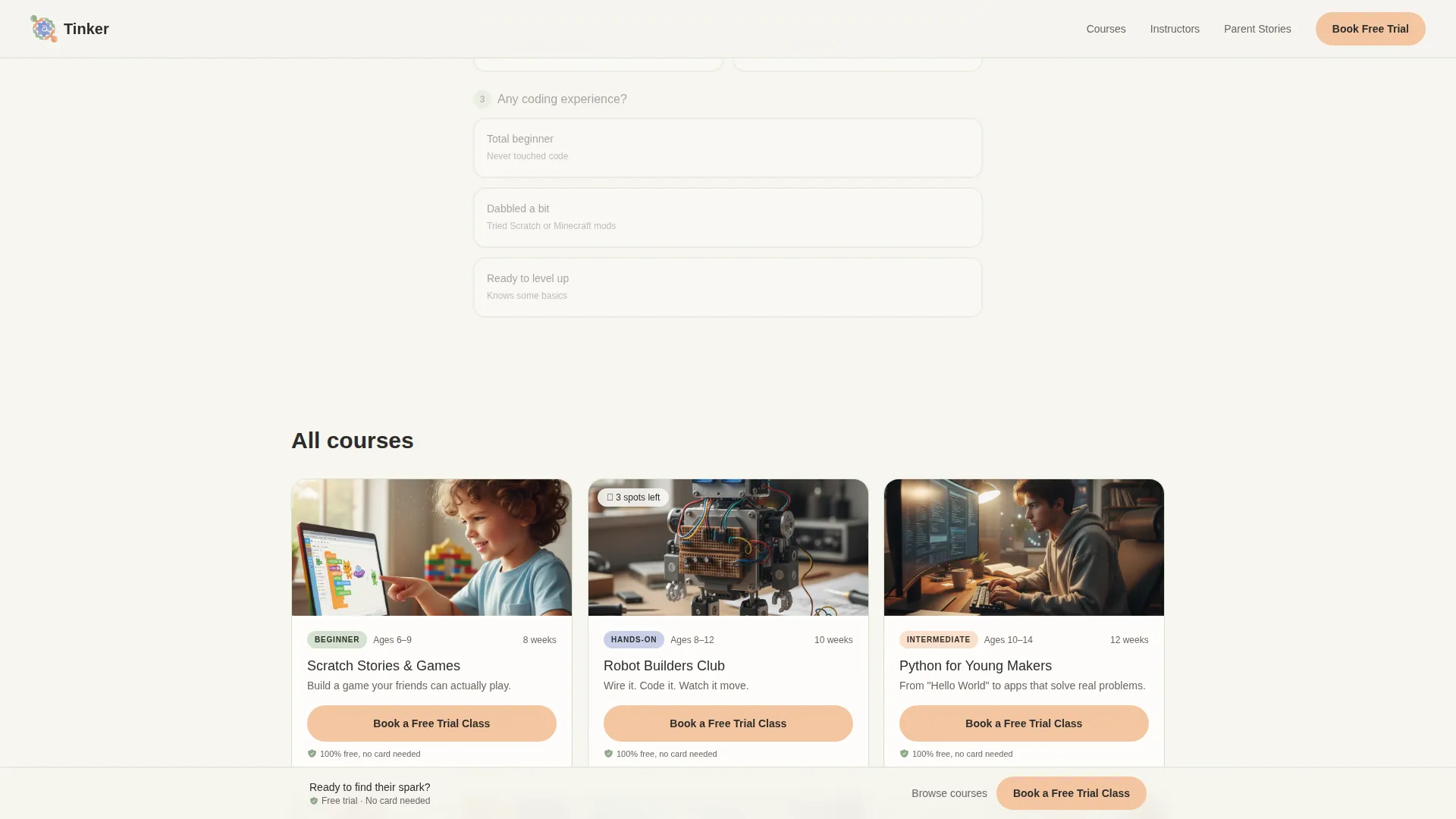
- A three-question quiz that filters and re-sorts course cards in real time based on age, interest, and experience
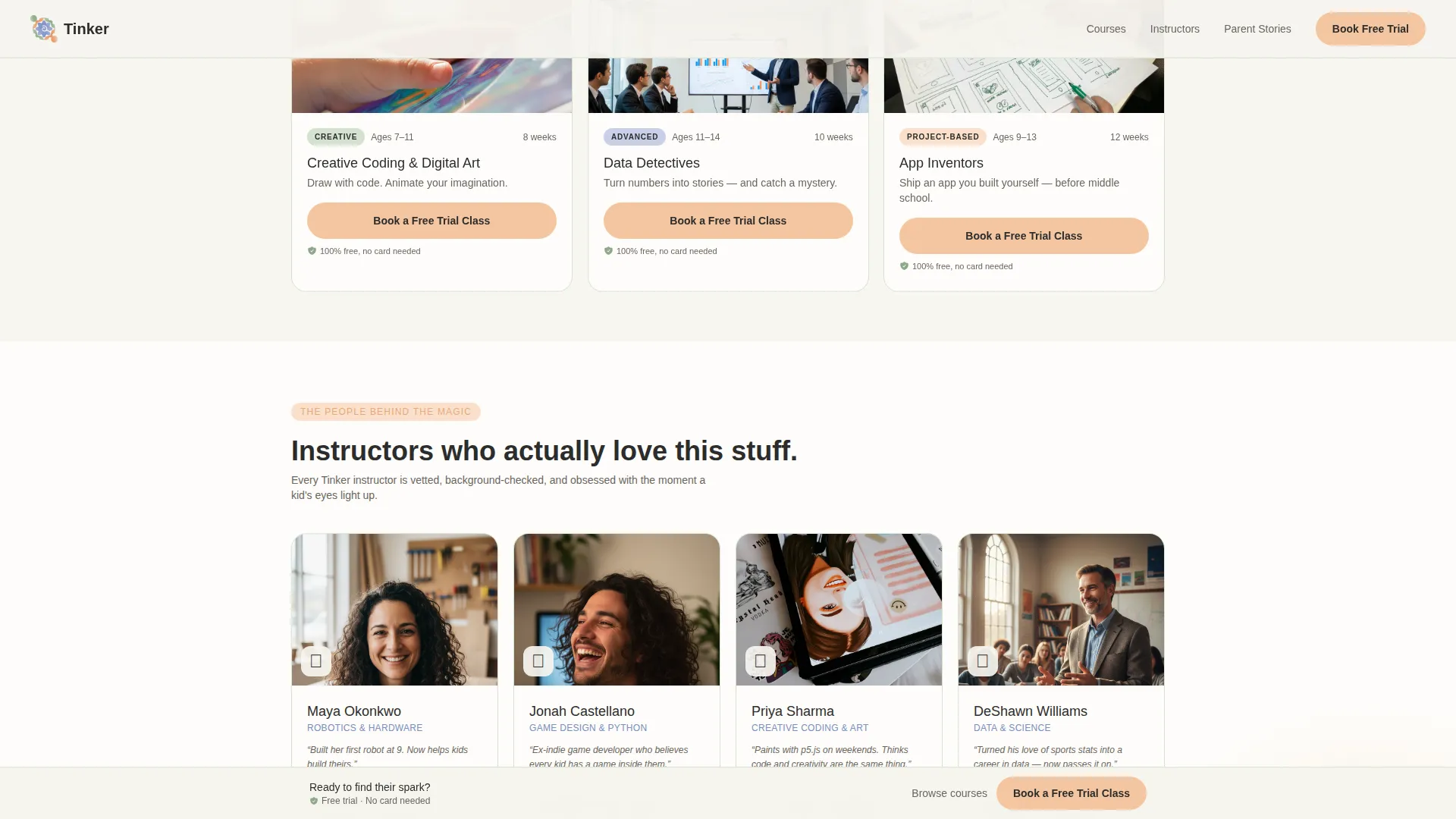
- Four instructor spotlight cards, a parent testimonial carousel, a final push section, and a sticky bottom bar with a single call-to-action
Feature list
This template is built around a handful of purposeful features. Each one earns its place by reducing friction for the parent and making the program feel credible.
Real-Time Quiz Filter
Parents answer three quick questions: child's age, primary interest (robots, games, art, or science), and experience level. The course card grid below re-sorts and highlights matching courses instantly, so the page feels responsive and personal.
Animated Course Card Grid
Each course card shows a thumbnail, an age-range label, a skill-level badge, and a one-line hook. Cards animate in with staggered reveals and use periwinkle highlighting to mark quiz-matched results, drawing the eye without feeling loud.
Photo Grid Mosaic Header
Twelve candid, warm-toned photographs of real kids in learning moments form a patchwork mosaic. A rounded sans-serif headline floats over the grid, and the whole section loads with a smooth entrance animation.
Instructor Spotlight Row
Four instructor cards present credentials and a memorable fun fact. This row runs between the quiz results and the testimonials, giving parents a human face to associate with the program before they commit.
Parent Testimonial Carousel
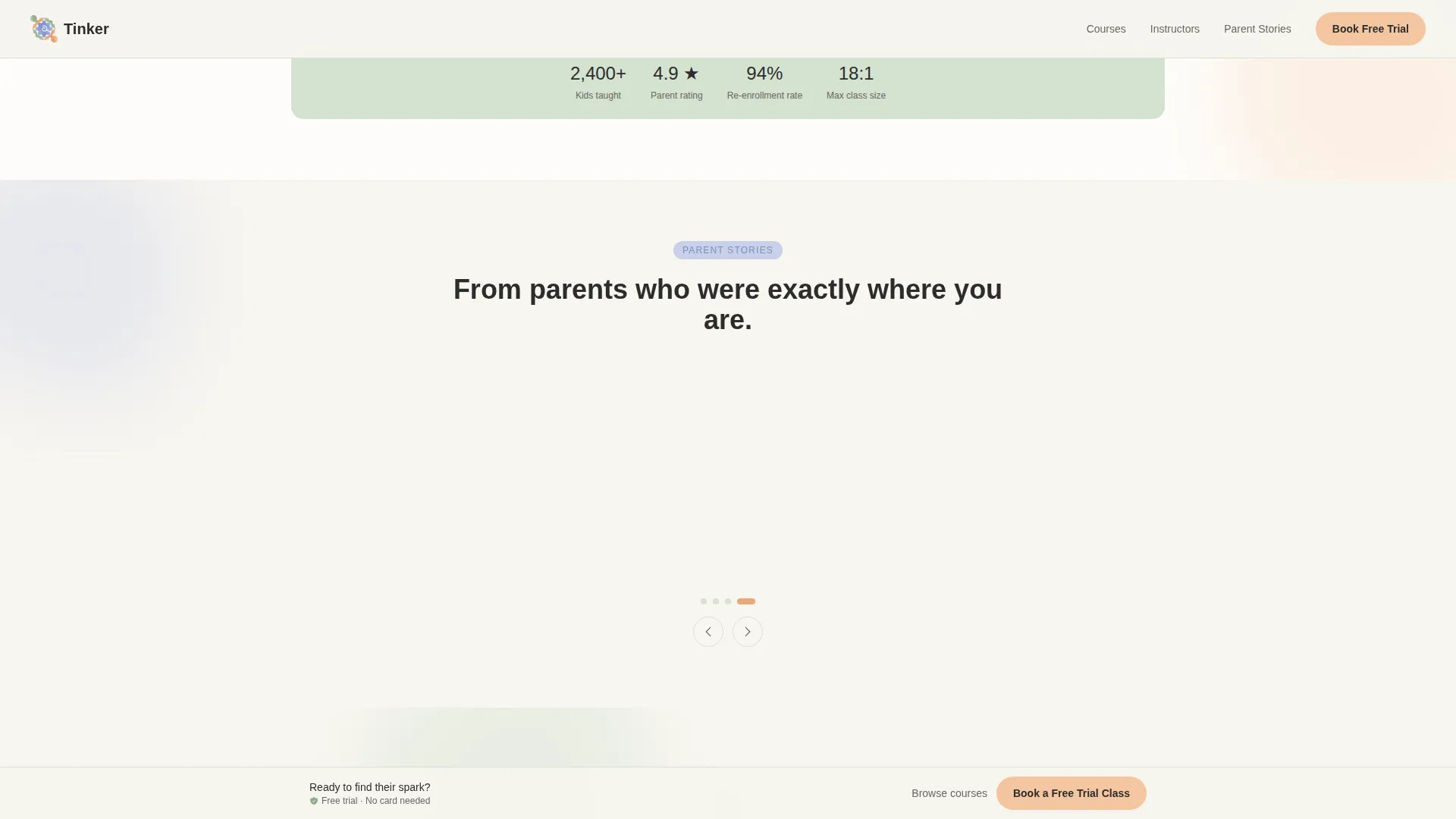
A scrollable carousel shows parent quotes with first names and their child's age. These details make the social proof feel specific and credible rather than generic or invented.
Sticky Call-to-Action Bar
A persistent bottom bar follows the parent as they scroll. It carries the same "Book a Free Trial Class" button found on every course card, so the conversion moment is always one tap away.
Page sections overview
| Section | Purpose |
|---|---|
| Photo Mosaic Hero | Opens with candid child photos and the "Find Their Kind of Brilliant" headline |
| Quiz Personalization Block | Three-question filter that re-sorts and highlights course cards in real time |
| Course Card Grid | Modular cards showing thumbnail, age range, skill badge, and one-line course hook |
| Instructor Spotlight Row | Four instructor cards with credentials and fun facts to build human trust |
| Testimonial Carousel | Parent quotes with first names and child ages as specific social proof |
| Final Push Section | Large conversion section reinforcing the free, no-card-needed offer |
| Sticky Bottom Bar | Persistent "Book a Free Trial Class" button visible throughout the scroll |
| Footer | Linear single-row footer with essential links |
Design & branding system
The visual identity follows a Nurture and Care theme. Every color choice and typographic decision is meant to feel unhurried and warm, so a parent scrolling late at night feels calm rather than pressured.
- Color system uses cloud white (#F7F5F0) for backgrounds, washed sage (#B7C9B1) for card borders, gentle periwinkle (#A8B4D6) for active quiz states, and soft apricot (#F4C6A0) for all buttons and progress indicators
- Typography pairs Nunito, a rounded and friendly display face, with DM Sans for readable body copy
- Cards use soft rounded corners and barely-there sage borders, keeping the layout open and easy to scan
Mobile & speed optimization
The template is built with a mobile-first priority because the target parent is most likely browsing on a phone during evening hours. Layout choices reflect that context throughout.
- The card grid and photo mosaic stack cleanly for single-column mobile viewing without losing visual warmth
- Static sections use server-side rendering while the quiz filter and carousel run as client-side components, keeping initial load light
- Touch-friendly tap targets on cards, quiz options, and the sticky bar make one-handed navigation comfortable
How this template helps you convert
Conversion happens before the click. By the time a parent reaches the sticky bar, the page has already done three rounds of trust-building work.
- The quiz makes parents feel understood. When the card grid re-sorts around their answers, the program appears to know their child already, lowering the barrier to the next step.
- Instructor cards and the testimonial carousel layer in human credibility. Parents see real people, real credentials, and real quotes from families like theirs.
- Every button carries a "100% free, no card needed" reassurance badge, and the quiz answers pass as URL parameters so the destination enrollment page arrives pre-filled, removing friction at the final step.
Other information about this template
This template is part of a broader family of modular landing page designs suited for enrichment and EdTech programs. A few additional details are worth knowing before you build.
- The footer follows a linear single-row pattern, keeping the page exit clean and uncluttered
- Quiz answer selections pass as URL parameters to the linked enrollment and scheduling page, so parents do not have to re-enter their preferences
- The template is scoped as a click-through landing page; there is no embedded form or on-page payment flow
- Course card hooks ("Build a game your friends can actually play") are placeholder copy included as editable starting points
- The page is localized for English-language audiences in the United States, with USD pricing context in mind
Theme
Nurture & Care
Creative direction
Quiz & Personalize
Color system
Soft Mist
Style
Card Grid (Modular)
Direction
Click-Through
Page Sections
Real-time Quiz Filter
Animated Course Card Grid
Photo Grid Mosaic Header
Instructor Spotlight Row
Parent Testimonial Carousel
Sticky Call-to-action Bar
Related questions
Does this template include a form for collecting parent contact details?
How does the quiz filter work?
Can I customize the course cards and instructor spotlights?
Is this template suitable for grandparents shopping for a learning gift?
How many course cards can the grid display?



