Welder Booking Website Template
Torch is a single-column landing page built for independent certified welders. It leads with credential badges, walks visitors through real job case studies, and closes every section with a clear call to action. The layout is designed to earn trust fast and move property managers, contractors, farmers, and fleet mechanics toward booking a site visit or calling for emergency work.
by Rocket studio
Quick summary
Torch is a focused, single-column landing page for a certified mobile welding operation. It opens with credential shields, builds confidence through escalating case study narratives, and keeps a booking form and click-to-call button visible at every scroll position. The design feels clean, clinical, and direct, built for clients who need a qualified welder, not a sales pitch.
Who this template is for
This template is built for experienced welders who run their own operation and need a professional online presence that reflects their skill level. It works especially well for mobile welders serving a defined service area with multiple client types.
- Certified welders with structural, pipe, or specialty welding credentials
- Mobile welding operators serving property managers, farmers, fleet mechanics, and general contractors
- Solo or small-crew welding businesses replacing outdated or non-existent web pages
What problem this template solves
Most welding businesses have no web presence or a basic listing that fails to communicate real capability. Clients who need structural or certified work have no way to verify skill before they call. This template closes that gap.
- Emergency clients cannot find a fast, credible contact path when they need help immediately
- Potential clients see no proof of technique or past work, making it hard to trust an unknown operator
- The page lacks a structured booking flow that filters jobs by type, material, and urgency upfront
What you get with this template
You get a complete, ready-to-customize single-column landing page with every section pre-built. The layout moves visitors from credential verification to real job stories to a booking form in one smooth flow.
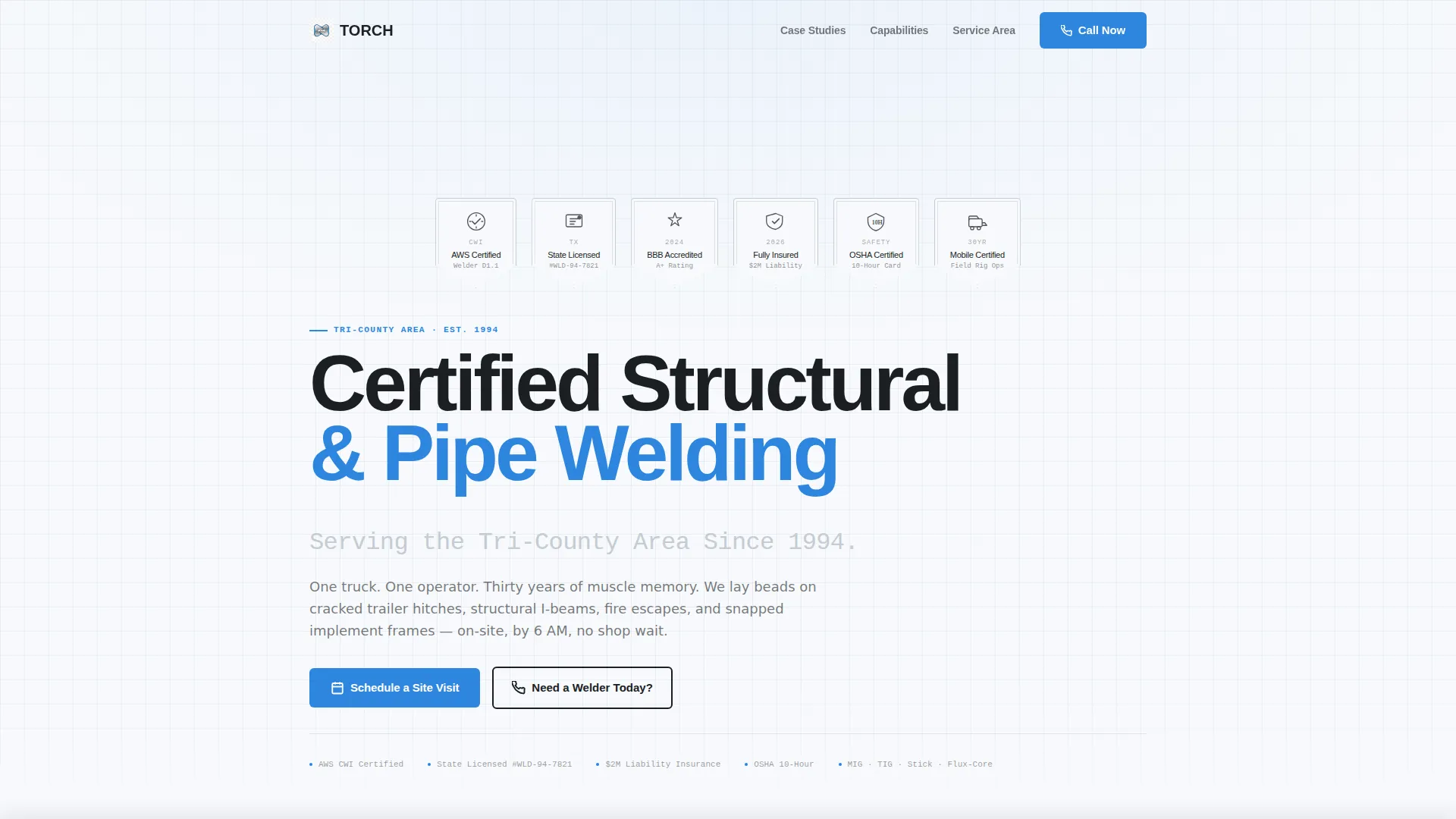
- A credential badge header featuring AWS certification, state license seal, BBB accreditation, and insurance verification
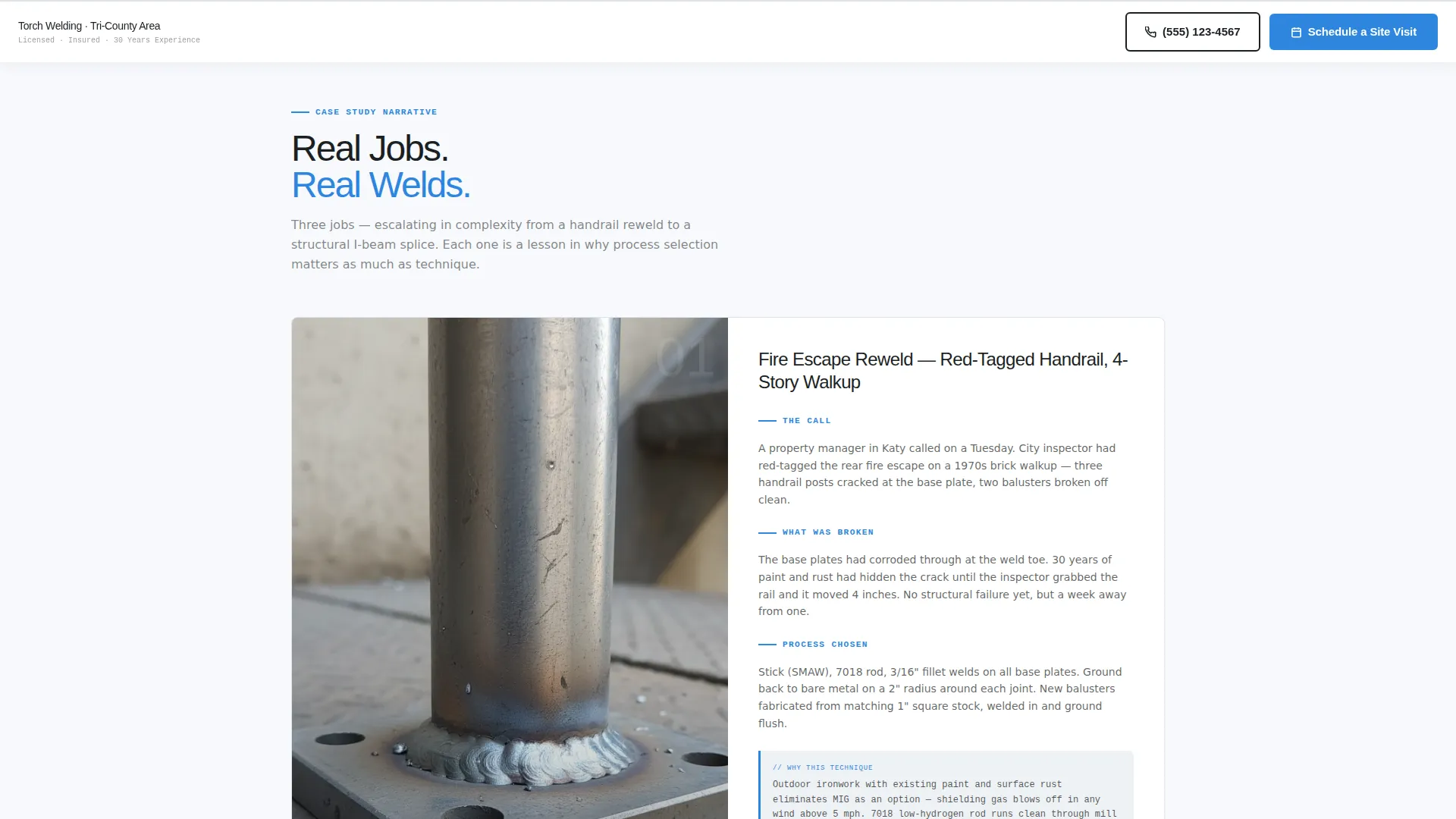
- Case study scroll sections with job narrative, process callouts, weld photo placeholders, and client quote lines
- A sticky bottom bar with a "Schedule a Site Visit" form and a "Need a Welder Today?" click-to-call button
Feature list
This template ships with purpose-built sections designed around how welding clients actually make decisions. Every feature comes directly from the prompt brief.
Credential Badge Header
A horizontal row of certification shields opens the page above the headline. AWS Certified, state license seal, BBB accreditation, and insurance verification badges are arranged like medals across the top viewport. Each badge renders in monochrome charcoal with a subtle metallic bevel.
Case Study Narrative Scroll
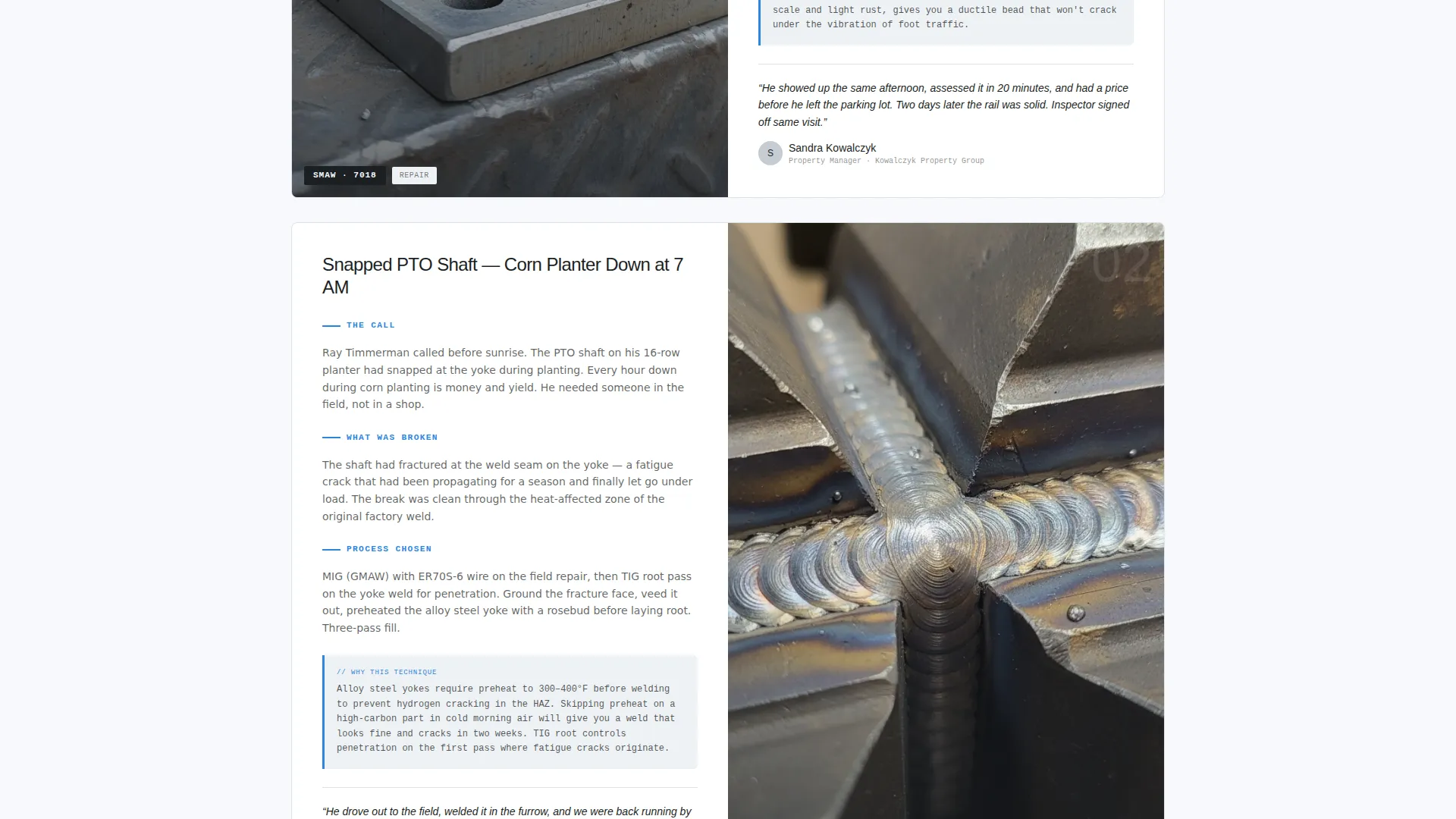
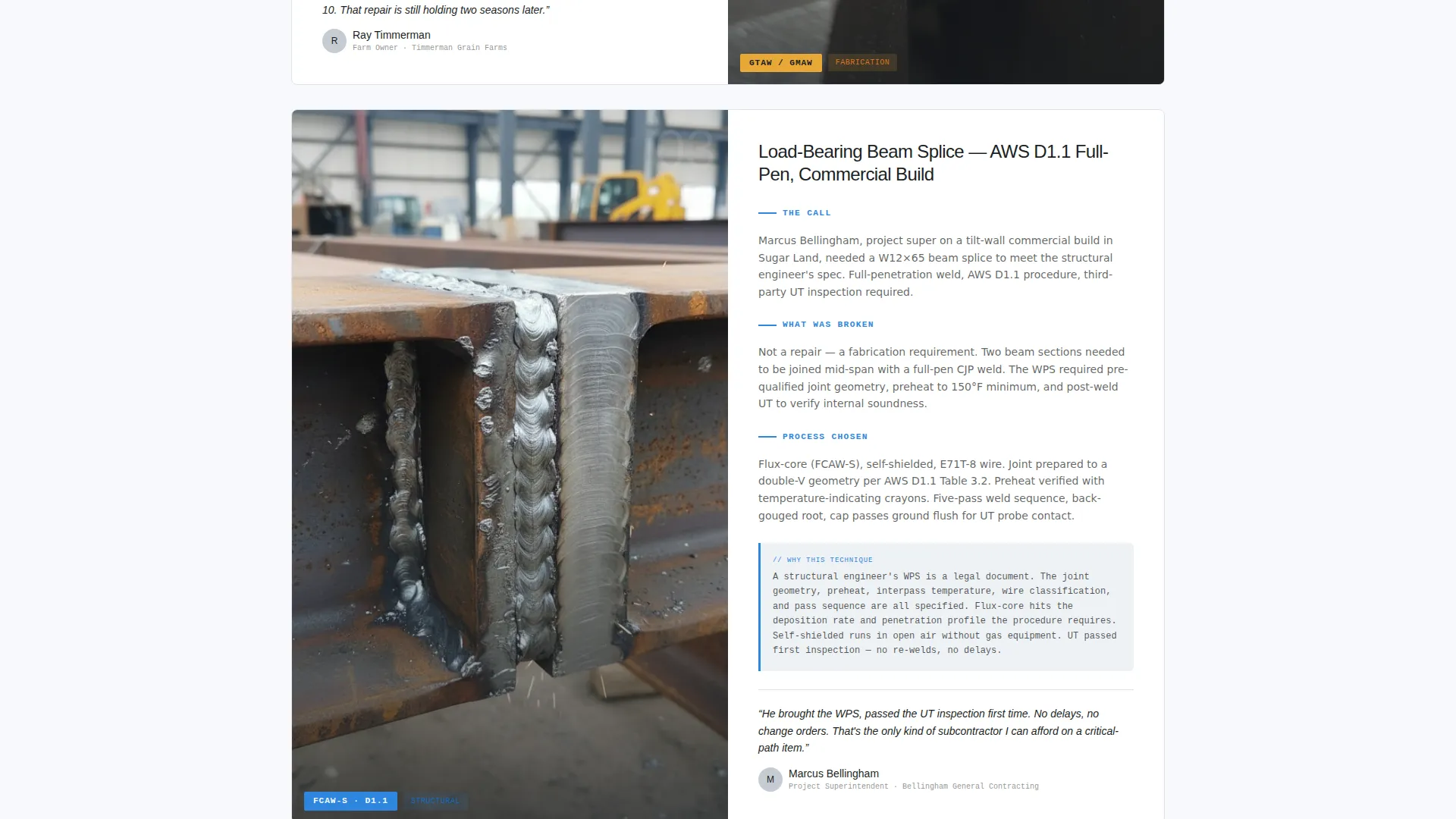
Each scroll section tells a real job as a mini-story. It covers the incoming call, the problem found, the welding process chosen (MIG, TIG, stick, or flux-core), a close-up finished-weld photo, and a one-line client quote. Difficulty escalates from simple handrail repairs to load-bearing beam splices.
Educational Sidebar Callouts
Gray sidebar callout boxes appear beside each case study. They explain why a specific technique was selected, turning every job story into a practical lesson. This layer builds credibility with technically informed clients without interrupting the narrative flow.
Sticky Booking Bar
A bottom bar follows the scroll on every section. It holds the primary "Schedule a Site Visit" form and a secondary click-to-call button labeled "Need a Welder Today?" Both paths stay reachable without scrolling back to the top.
Structured Booking Form
The scheduling form collects job type first (repair, fabrication, inspection, or emergency), then material (steel, aluminum, stainless, or cast iron), then a photo upload field, then zip code and preferred date. The sequence filters job details before contact, saving time on both sides.
Single-Column Section Flow
The entire page runs as a single continuous column. There are no sidebar navigations, tabbed menus, or branching layouts. Every visitor sees the same trust-building sequence from top to bottom.
Page sections overview
| Section | Purpose |
|---|---|
| Credential Badge Header | Opens with certification shields to establish trust immediately |
| Page Headline Block | States service specialty and geographic coverage since 1994 |
| Case Study: Simple Repair | Introduces narrative format with a handrail reweld story |
| Educational Sidebar Callout | Explains technique choice beside each case study |
| Case Study: Mid Complexity | Escalates to trailer hitch or implement frame repair |
| Case Study: Structural Work | Peaks with load-bearing beam splice for advanced proof |
| Booking Form Section | Collects job type, material, photo, zip, and preferred date |
| Sticky Bottom Bar | Keeps schedule and call-to-action visible at all scroll positions |
Design & branding system
The visual identity follows an Arctic White color system that feels like a freshly wiped stainless workbench under fluorescent shop light. Every color choice reinforces clinical trust and precision.
- Backgrounds use clean snowfield white (#F7F9FC); body text uses forge-dark charcoal (#1B1F23); dividers and secondary surfaces use brushed aluminum (#C5CCD3)
- Buttons, links, and highlighted callouts use arc-flash blue (#2E86DE) for immediate visual contrast against the white base
- Typography uses heavy sans-serif for headlines and clean body text, keeping every label and form field easy to read at a glance
Mobile & speed optimization
The single-column layout adapts naturally to smaller screens without restructuring the content flow. The sticky bottom bar is designed to remain functional and visible on mobile viewports where most emergency booking decisions happen.
- The full-width single-column structure eliminates horizontal scrolling and resizes cleanly across phone and tablet screens
- The click-to-call button in the sticky bar supports one-tap dialing, removing friction for urgent requests made from a job site or field
- Photo upload in the booking form is accessible from a mobile camera, letting clients submit job images directly from the field
How this template helps you convert
Every design decision in this template pushes undecided visitors toward either booking a visit or picking up the phone. The layout removes hesitation at each step.
- The credential badge header answers the first client question ("Is this welder certified?") before they read a single line of copy, reducing the time needed to build basic trust.
- The escalating case study sequence shows real job complexity in an honest, readable format, so clients self-qualify and arrive at the form already confident in the operator's capability.
- The sticky bottom bar keeps both conversion paths (form and phone) visible at all times, meaning a farmer with a broken implement frame at 5 AM never has to hunt for a contact option.
Other information about this template
This template was designed specifically for the welder booking page use case, where clients often arrive with urgent needs and low patience for friction. The layout priorities reflect that reality.
- The Educational Guide theme means content teaches as it sells, which works especially well for clients who want to understand why a process was chosen before they commit
- The page is built as a true single-column flow with no multi-page navigation, keeping the visitor experience focused and linear
- The template is ready to be customized with real job photos, actual certification badge artwork, and local service area copy without structural changes to the layout
Theme
Service Utility
Creative direction
FAQ-Driven
Color system
Arctic White
Style
Sidebar Companion
Direction
Booking/Scheduling
Page Sections
Credential Badge Header Row
Escalating Case Study Narrative
Educational Sidebar Callouts
Sticky Booking Bottom Bar
Structured Job Intake Form
Related questions
Can I add my own weld photos to the case study sections?
Does the sticky bar stay visible throughout the full page scroll?
What job types does the booking form support?
Can I update the service area and founding year in the headline?
Is this template suitable for welders who handle both light repairs and structural jobs?



