Diesel Mechanic Review Landing Page Template
Torque is a single-column editorial landing page built for diesel mechanic shops that earn trust through results. It presents customer reviews as longform case studies, each one telling a real repair story with problem statements, oversized pull-quotes, and truck photos. The page is designed to let the work speak for itself and guide serious buyers straight to a booking page.
by Rocket studio
Quick summary
Torque is a single-column flow landing page designed for diesel mechanic businesses. It uses a Case Study Narrative layout to present customer reviews as magazine-style repair stories. A dark full-bleed header, amber pull-quotes, and escalating testimonial stakes create a scroll-worthy evidence wall that builds credibility and drives click-through to a shop's booking page.
Who this template is for
This template is built for diesel repair shops that already have strong customer results and want a page that shows, not tells. It works especially well for independent shops and service businesses serving demanding, deadline-driven clients.
- Diesel mechanic shops handling turbo rebuilds, injector replacements, and full engine overhauls
- Owner-operators and fleet service providers needing a trust-first presentation for new clients
- Shop owners who want reviews to carry the sales conversation instead of a pitch page
What problem this template solves
Most review pages look like a star-rating dump. They list scores without context, give no sense of what was actually repaired, and fail to earn the trust of buyers who need a shop that can handle a half-million-mile rig on a tight deadline. Torque fixes that.
- Generic testimonial grids offer no story, no stakes, and no reason to keep reading
- Buyers making high-cost repair decisions need more than five stars before picking up the phone
- A page without a clear call to action leaves engaged readers with nowhere to go next
What you get with this template
The template delivers a complete, ready-to-customize single-column landing page focused entirely on converting review readers into shop inquiries. Every section is pre-built to the editorial magazine theme and Navy Authority color system.
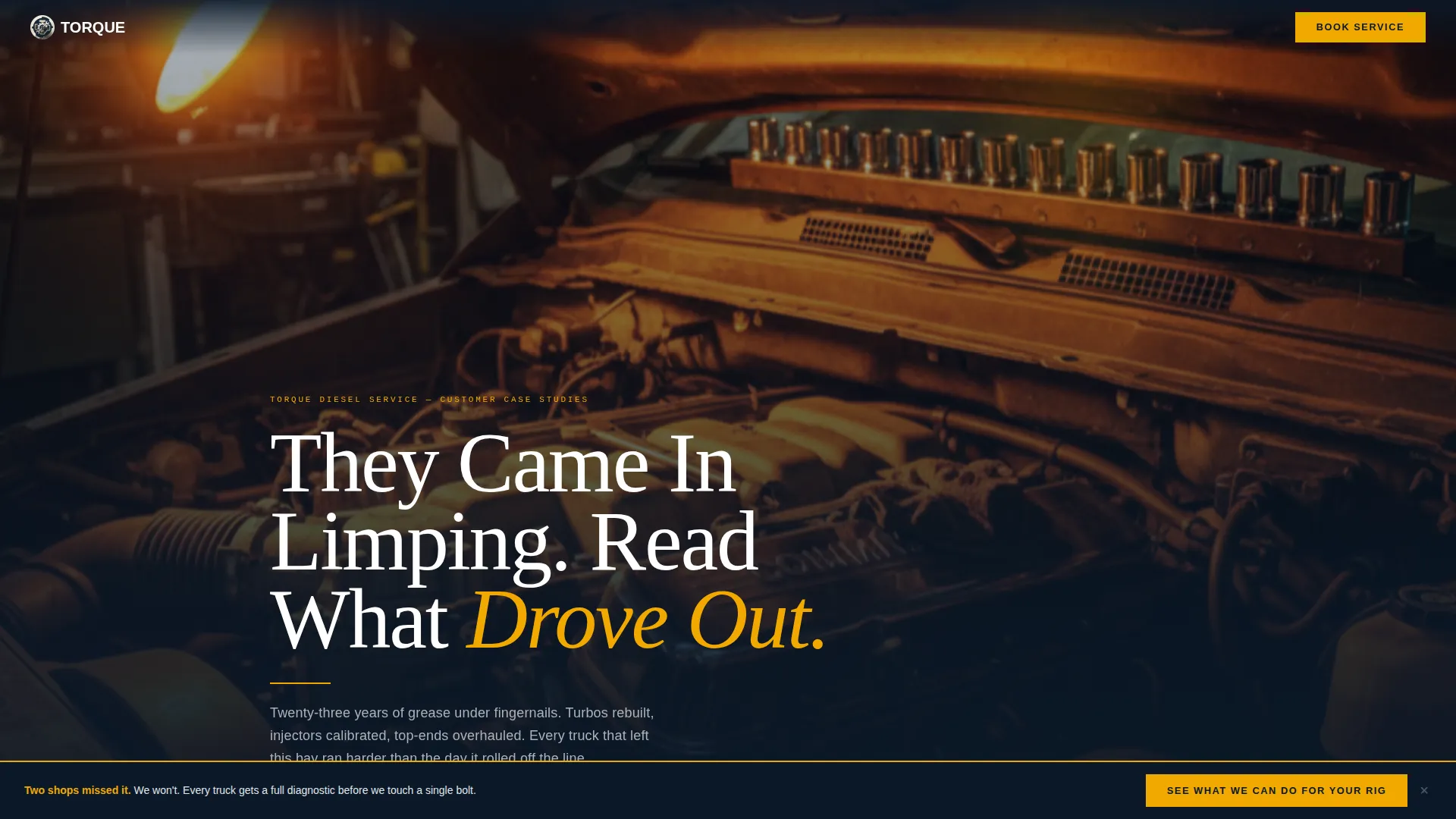
- A dark full-bleed header with a cinematic engine-bay photograph and editorial headline
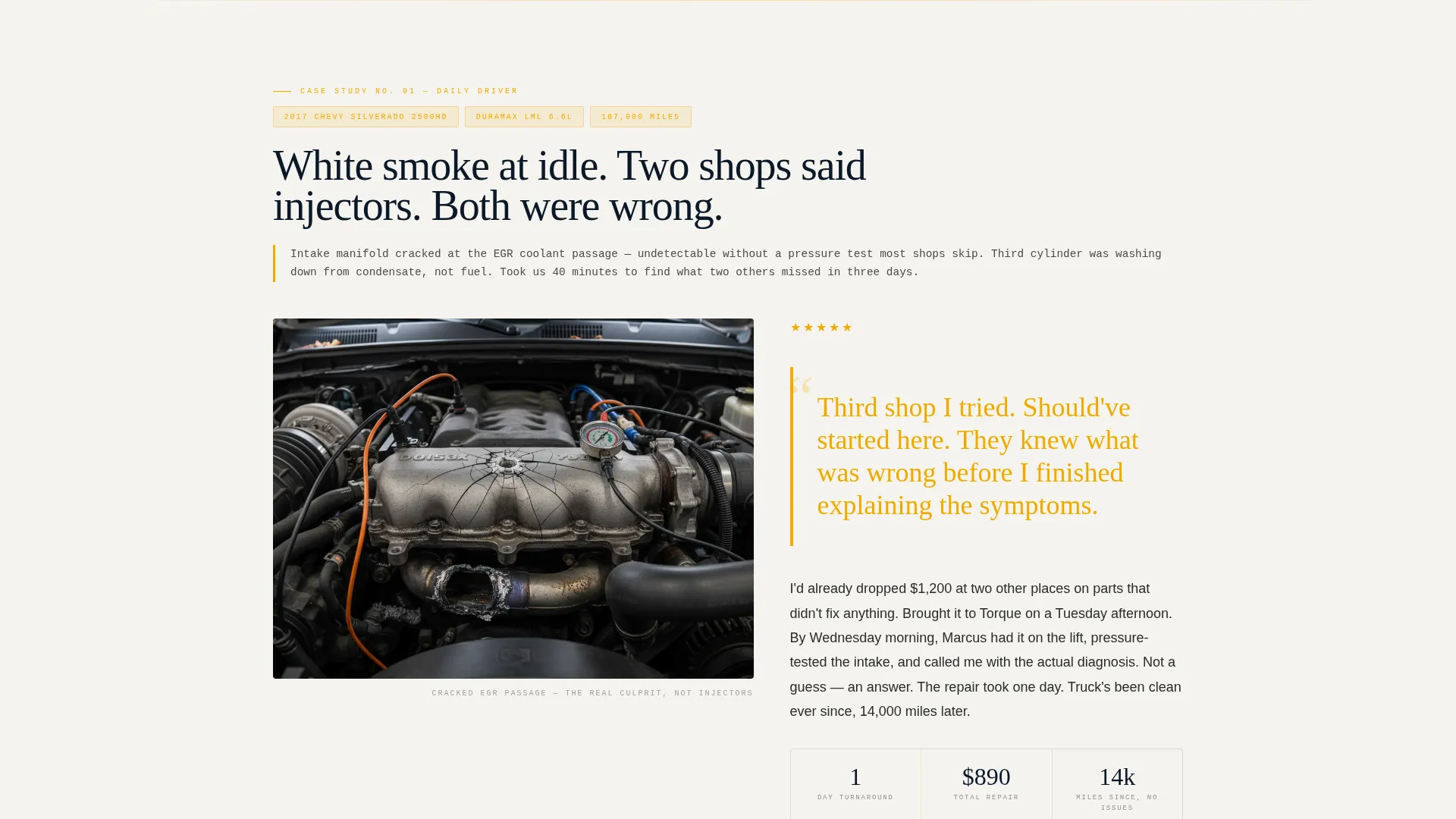
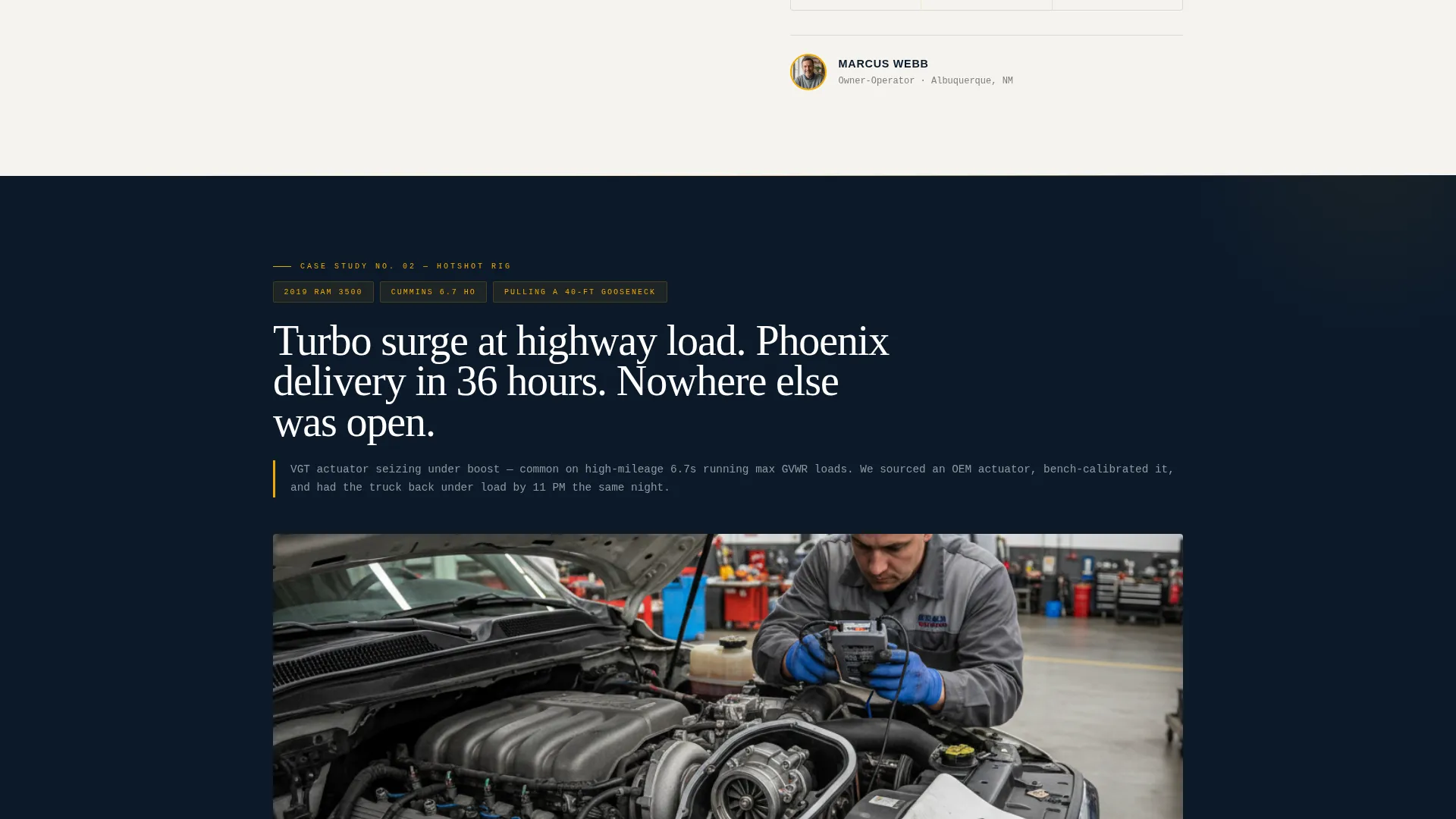
- Three escalating case study blocks, each with a problem statement, review text, pull-quote, and truck photo slots
- A sticky bottom call-to-action bar that activates after the second story, plus a full-width amber button after the final case study
Feature list
This template is structured around a set of deliberate design and layout decisions that make it immediately functional for a diesel mechanic customer review page.
Cinematic Full-Bleed Header
The header uses a dark, full-bleed photograph framed from below a lifted engine on a four-post rack. An amber trouble light casts a cinematic glow across the valve covers and turbo piping. A condensed white editorial headline fades in over the image, setting the authoritative tone from the first scroll.
Case Study Narrative Review Layout
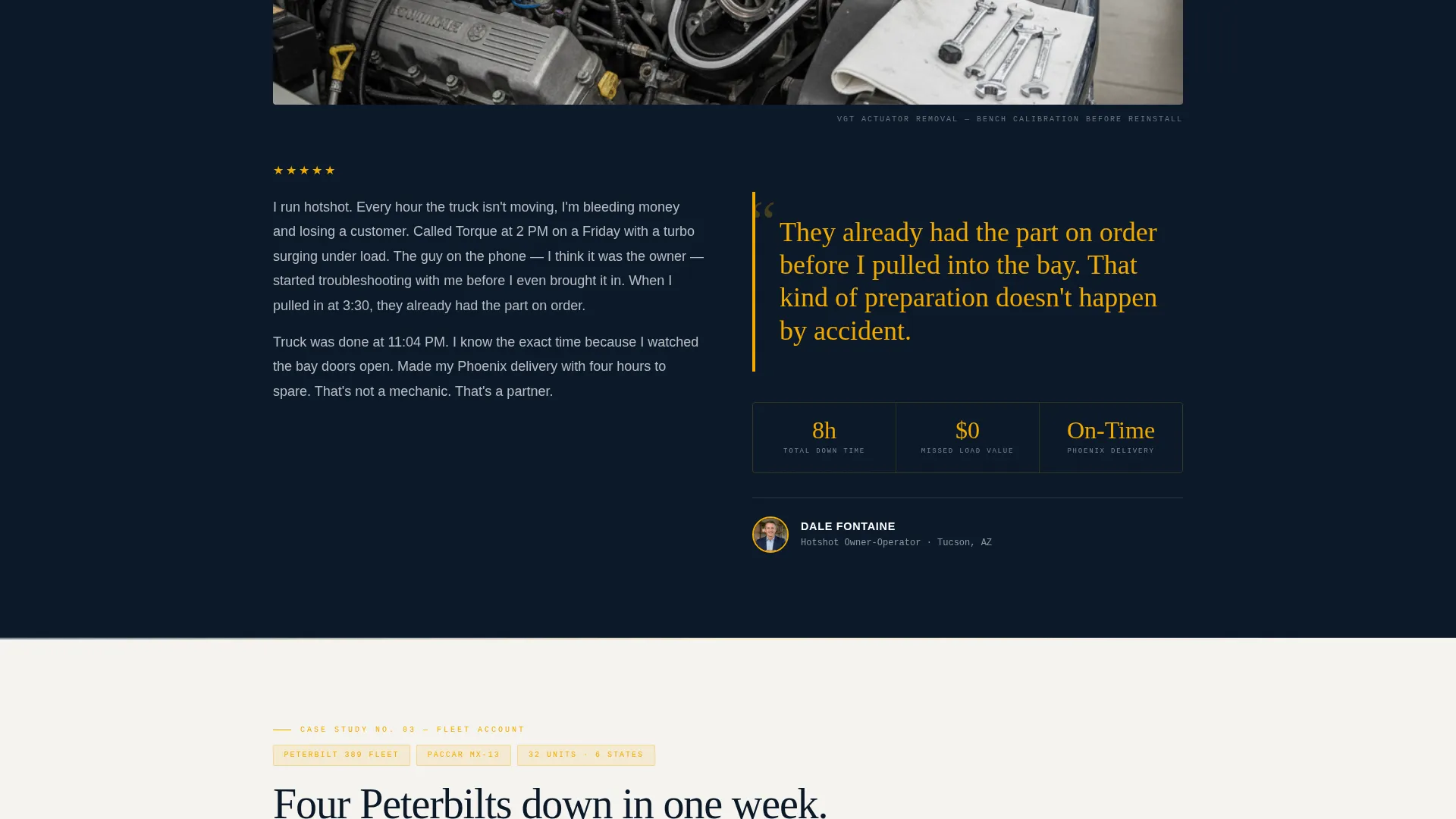
Each customer review is structured like a short magazine feature rather than a simple star rating. A detail photo and a one-line problem statement open the story. The review text runs in generous editorial columns, with the narrative escalating across three stories: a daily driver, a hotshot freight rig, and a full fleet account.
Oversized Amber Pull-Quotes
Key customer statements are broken out as oversized pull-quotes styled in high-beam amber. This draws the eye, breaks up the reading flow in a satisfying way, and ensures the most powerful lines land with impact rather than getting lost in paragraph text.
Sticky Click-Through Call to Action
A sticky bottom bar reading "See What We Can Do For Your Rig" appears after the second case study and stays visible as the reader scrolls through the final story. This keeps the primary call to action accessible without interrupting the narrative.
Full-Width Amber call to action Button
After the final case study, a full-width amber button repeats the primary call to action at maximum visual weight. Both the sticky bar and this button route to the shop's booking and services page, creating two natural conversion points without using a form.
Footer Review Invite Link
A secondary text link at the footer reads "Got a Diesel Story? Leave Your Review." This keeps the page's content pipeline open by inviting satisfied customers to add their own stories over time.
Page sections overview
| Section | Purpose |
|---|---|
| Full-Bleed Header | Sets cinematic tone and introduces editorial headline |
| Case Study One | Presents a daily-driver repair story with problem statement and pull-quote |
| Case Study Two | Escalates stakes with a hotshot freight rig narrative |
| Sticky call to action Bar | Activates after case study two to capture high-intent readers |
| Case Study Three | Peaks with a full fleet account as the final trust anchor |
| Full-Width call to action Button | Converts engaged readers with a bold amber booking prompt |
| Footer Review Link | Invites new customer testimonials to keep content fresh |
Design & branding system
The visual identity follows an Editorial Magazine theme built on the Navy Authority color system. The palette reads like a premium automotive journal left open under a caged drop light: authoritative, mechanical, and instantly credible.
- Deep shop-floor navy (#0B1929) for the header and dark section backgrounds; chrome tool-steel silver (#C8CDD3) for supporting text and borders
- High-beam amber (#F2A900) for pull-quotes, star ratings, and call-to-action buttons to create contrast and draw action
- Exhaust-soot black (#111111) body text printed on a worn-white (#F5F3EF) reading surface for a comfortable, long-read experience
Mobile & speed optimization
The single-column flow layout is inherently well-suited to mobile reading. Every section stacks cleanly on narrow screens without requiring horizontal scrolling or layout restructuring.
- Single-column structure means review stories read naturally on any screen size without reflow issues
- The sticky call-to-action bar remains accessible at the bottom of the screen on mobile, keeping conversion within thumb reach
How this template helps you convert
Torque is designed as a click-through page, not a form-capture page. The reviews do the selling, and the layout guides a convinced reader toward the one action that matters: clicking through to the booking page.
- The escalating case study structure builds trust progressively, moving the reader from curiosity to confidence across three repair stories before any call to action is pushed.
- Two strategically placed calls to action, the sticky bar and the full-width amber button, appear only after the reader has been fully engaged by the evidence, timing the conversion prompt for maximum impact.
Other information about this template
This template is built for diesel mechanic businesses that operate in high-stakes service categories where trust must be earned before a phone call is made. The page is designed to support shops dealing with complex repair types and demanding clientele.
- The no-form approach is intentional: this is a click-through landing page designed to send warm, pre-convinced visitors directly to a booking or services page
- The "Got a Diesel Story? Leave Your Review" footer link supports long-term content growth by turning satisfied customers into contributors
- The template works within a Professional Services category context and is well-suited to any diesel mechanic business that can supply real case study photography and customer quotes
Theme
Editorial Magazine
Creative direction
Case Study Narrative
Color system
Navy Authority
Style
Single Column Flow
Direction
Click-Through
Page Sections
Cinematic Full-bleed Header
Escalating Case Study Layout
Oversized Amber Pull-quotes
Sticky Click-through Call to Action Bar
Full-width Amber Call to Action Button
Footer Review Invite Link
Related questions
Does this template include a contact form?
How many customer review story slots does the template include?
Who is this landing page built for?
Can the calls to action be pointed to different pages?
Is Torque a standalone page or part of a multi-page site?



