Farm Equipment Mechanic Business Reviews Website Template
Torque is an editorial-style landing page template built for mobile farm equipment mechanics. It leads with a testimonial, walks visitors through expert-led service sections on hydraulics, electrical, diesel, and drivetrain work, and closes with a gated seasonal checklist and a persistent breakdown-description form. Every section earns trust before asking for a click.
by Rocket studio
Quick summary
Torque is a single-page editorial template designed for mobile farm equipment mechanics serving row crop farmers, dairy operators, and hobby ranchers. It opens with a farmer testimonial and golden-hour photography, then walks visitors through expert-led Q&A sections covering hydraulics, electrical diagnostics, diesel overhaul, and drivetrain work. The primary call to action is a gated seasonal maintenance checklist.
Who this template is for
This template is built for mobile farm equipment mechanics who serve working farms rather than walk-in shops. It suits operators who need a page that builds credibility fast and speaks directly to the time pressure farmers feel during planting and harvest.
- Mobile mechanics serving row crop farmers, dairy operators, and hobby ranchers
- Farm equipment service businesses positioning themselves as field-ready specialists
- Mechanics who want to lead with education and expertise rather than a simple price list
What problem this template solves
Most farm equipment service pages look like basic contact forms dropped onto a blank background. They give farmers no reason to trust the mechanic before calling. Torque solves that by teaching first and selling second.
- Farmers in the middle of a hydraulic failure or a seized power take-off shaft need proof of competence, not a phone number
- Dairy and row crop operations cannot afford to wait through slow back-and-forth before a mechanic even shows up
- Generic service pages fail to communicate the specific systems a mobile mechanic understands deeply
What you get with this template
The template delivers a full editorial layout built around a scrollable, section-led flow. Each scroll section is designed as a standalone credibility block that stacks naturally into a complete service story.
- A testimonial header with a full-width cropland panorama and a large editorial serif quote
- Four expert mechanic sections covering hydraulics, electrical diagnostics, diesel engine overhaul, and power take-off or drivetrain work
- A primary gated checklist form and a persistent sidebar breakdown-description field with optional photo upload
Feature list
This template includes purpose-built components that match how farm equipment service decisions actually get made.
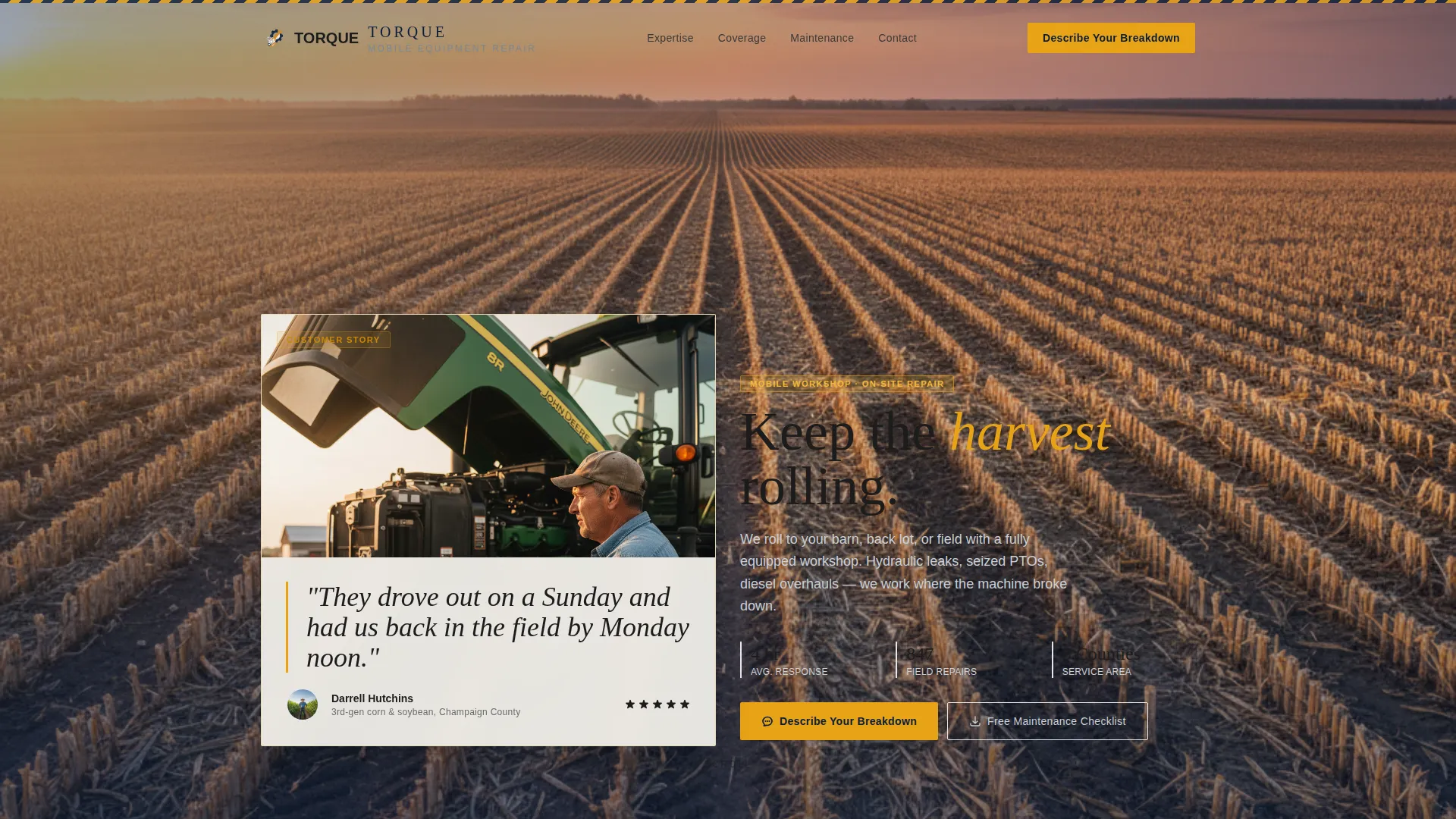
Testimonial Header with Editorial Photography
The page opens with a tight portrait of a farmer beside open equipment at golden hour. A large serif quote is set over a soft-focus cropland panorama. The layout immediately grounds visitors in the right context before they read a word of copy.
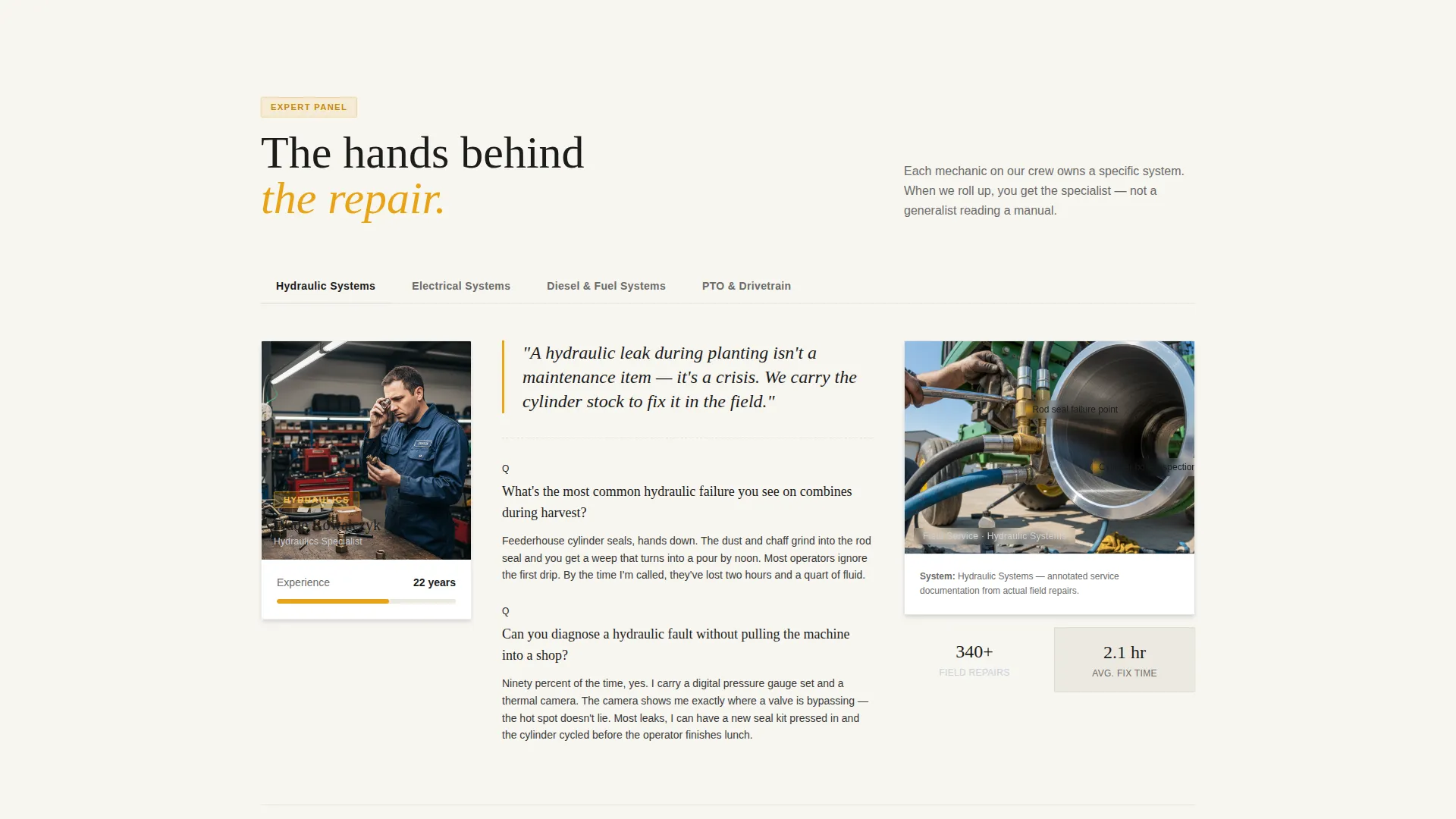
Expert Panel Scroll Sections
Each major scroll section introduces a different mechanic as a subject-matter authority. Hydraulics, electrical diagnostics, diesel engine overhaul, and power take-off or drivetrain repair each get their own editorial Q&A block, pull quotes, and annotated service photos with callout labels.
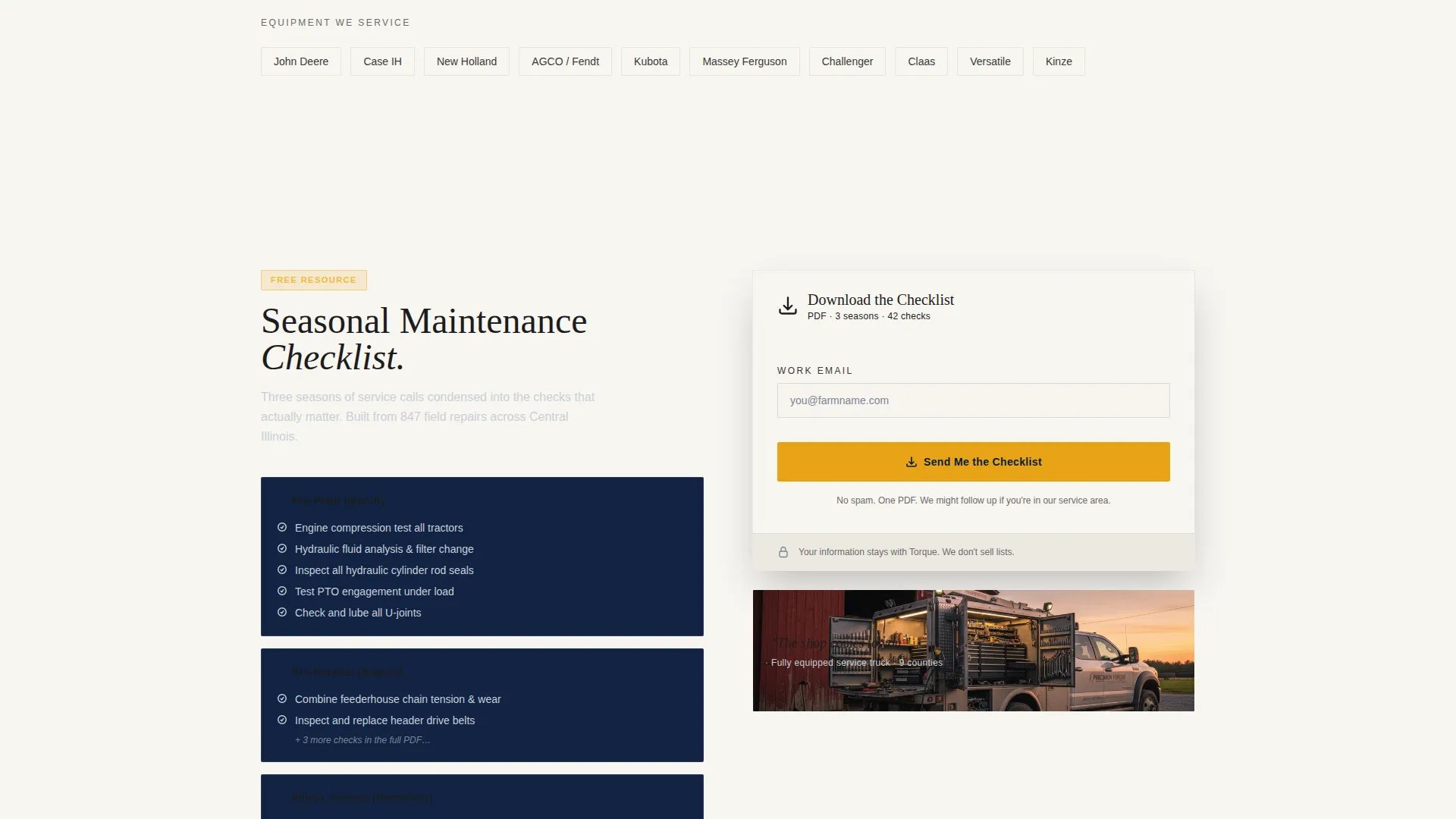
Gated Seasonal Maintenance Checklist
The primary call to action is a single-field email capture that expands on click to request equipment type and county. The checklist offer gives farmers a concrete reason to share their contact details rather than just a vague "get a quote" prompt.
Persistent Breakdown Description Sidebar
A sidebar prompt stays visible as visitors scroll. It invites farmers to describe their breakdown in plain text and optionally upload a photo. This low-friction path lets urgent inquiries come in at any point during the read.
Annotated Cutaway Diagrams
Each expert section pairs editorial Q&A copy with cutaway system diagrams. Callout annotations explain what the mechanic is looking at. The diagrams make technical knowledge visible and reinforce the mechanic's authority on that specific system.
Navy Authority Color System
The palette uses deep shop-floor navy, worn chrome silver, caution-stripe amber, and clean cotton white. The combination reads as organized and trustworthy while the amber accent provides enough visual contrast to highlight key actions across the layout.
Page sections overview
| Section | Purpose |
|---|---|
| Testimonial Header Card | Opens with farmer quote and cropland panorama to establish immediate trust |
| Hydraulics Expert Block | Q&A, pull quote, and annotated diagram for hydraulic system authority |
| Electrical Diagnostics Block | Expert panel section covering on-farm electrical fault finding |
| Diesel Overhaul Block | Editorial Q&A and service photos focused on diesel engine repair |
| PTO and Drivetrain Block | Mechanic authority section for power take-off and drivetrain work |
| Checklist Download Form | Gated email capture with equipment type and county expansion |
| Breakdown Description Sidebar | Persistent free-text field with optional photo upload for urgent inquiries |
Design & branding system
The visual identity follows an Educational Guide theme built around the Navy Authority color system. The palette feels like a freshly organized tool chest: every element has a clear place, and nothing competes for attention without a reason.
- Deep shop-floor navy (#0B1D3A) sets the authoritative base tone across headers and section backgrounds
- Worn chrome silver (#A8B2BD) handles secondary text, borders, and supporting graphic elements
- Caution-stripe amber (#E8A317) marks calls to action, pull quotes, and diagram callout labels, giving high-visibility contrast without feeling loud
- Clean cotton white (#F7F5F0) keeps body background areas readable and open, matching the worn-page feel of a well-used service manual
Mobile & speed optimization
The template layout is structured to read cleanly on smaller screens, which matters because many farmers check service options from a phone in the field or cab.
- Single-column scroll flow collapses naturally for phones without losing the editorial hierarchy
- Annotated images and diagrams are sized to remain legible on mobile viewports
- The persistent sidebar breakdown form adapts to a fixed bottom bar on smaller screens so the quick-contact option stays accessible throughout the scroll
How this template helps you convert
Torque builds toward conversion gradually rather than pushing a form on visitors before they have any reason to trust the mechanic.
- The testimonial header and cropland photography immediately signal that this mechanic works on real farms at real hours, reducing skepticism before the visitor reads further.
- The expert panel sections teach farmers something useful about their own equipment, which creates a sense of obligation and trust that a simple service list never produces.
- By the time a visitor reaches the checklist form or the breakdown sidebar, they have already consumed enough credible content that submitting feels like a natural next step rather than a cold ask.
Other information about this template
This template is part of the Torque design family and is categorized under Professional Services for farm equipment mechanic businesses. A few additional details worth noting before you build with it.
- The template style is Editorial and Magazine, meaning section hierarchy and typography carry as much weight as photography
- The Educational Guide theme means every section is designed to inform the reader, not just impress them
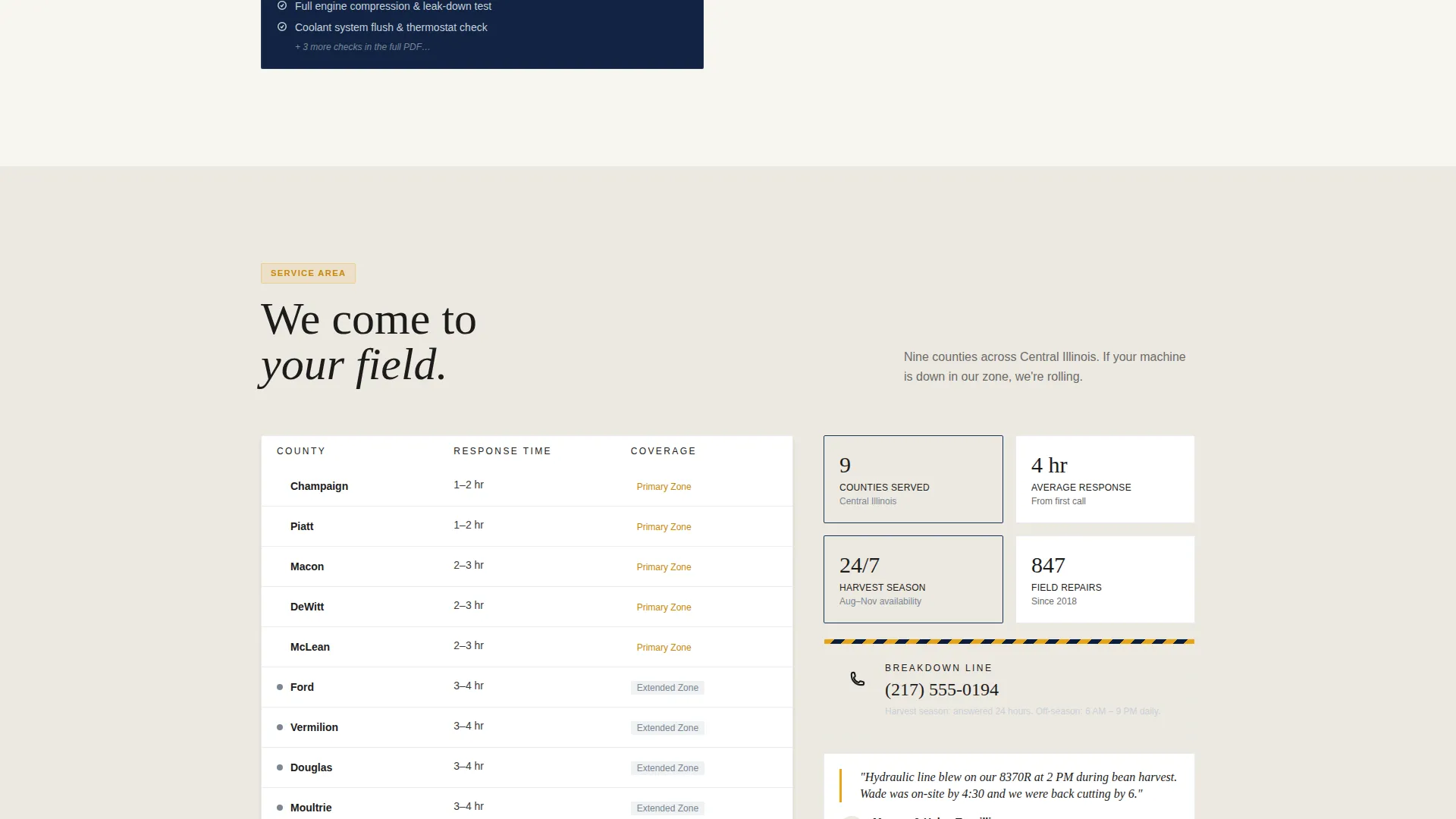
- The page is intended for service area targeting, making it well-suited for mechanics who want to define the counties or regions they cover
- The header concept (Testimonial Card) and Creative Direction (Expert Panel) are matched intersection fields, meaning the layout is intentionally cohesive rather than assembled from unrelated components
- The Content and Resource landing-page direction means the checklist offer is the structural anchor of the conversion flow, not an afterthought
Theme
Educational Guide
Creative direction
Expert Panel
Color system
Navy Authority
Style
Editorial/Magazine
Direction
Content/Resource
Page Sections
Testimonial Header with Editorial Photography
Expert Panel Scroll Sections
Gated Seasonal Maintenance Checklist
Persistent Breakdown Description Sidebar
Annotated Cutaway Diagrams
Navy Authority Color System
Related questions
Can I customize the expert mechanic sections for my own services?
What does the gated checklist form collect from visitors?
Does the template work for mechanics who cover multiple counties or service areas?
Is the breakdown description sidebar always visible while scrolling?
How does the annotated diagram component work?



