Heavy Equipment Mechanic Service Area Landing Page
Torque is a single-column landing page built for mobile heavy equipment mechanics who bring diesel diagnostics and hydraulic repair directly to the jobsite. It leads with live-style stats, walks visitors through system-specific knowledge panels authored by named technicians, and drives toward a service booking form, all without asking for a thing before earning trust.
by Rocket studio
Quick summary
Torque is a service area landing page for a mobile heavy equipment repair business. It opens with three credibility-driving stat counters, flows through mechanic-authored expert panels covering key equipment systems, and closes on a structured booking form. The design is clinical and authoritative, built to convert contractors, quarry operators, and public works directors who need a crew they can trust with expensive iron.
Who this template is for
This template is designed for mobile heavy equipment mechanics and field service operators who go to the work rather than waiting for the work to come to them. It speaks directly to buyers who manage costly, time-sensitive fleets.
- General contractors running mixed fleets spread across multiple counties
- Quarry operators and municipal public works directors managing aging equipment on tight budgets
- Mobile diesel and hydraulic repair businesses that serve industrial and construction clients
What problem this template solves
When a $400,000 excavator goes cold on a jobsite, every hour without a mechanic costs money. Most service pages fail to communicate the depth of skill needed to make a field repair call confidently. Visitors arrive skeptical and leave without booking.
- Fleet operators need proof of expertise before trusting anyone with their equipment
- Generic service pages offer no diagnostic reasoning and no technician credibility
- Booking friction is high when visitors don't feel confident they've found the right crew
What you get with this template
This template gives you a complete, single-column landing page flow built around demonstration-first selling. Every section earns the next click before asking for any commitment.
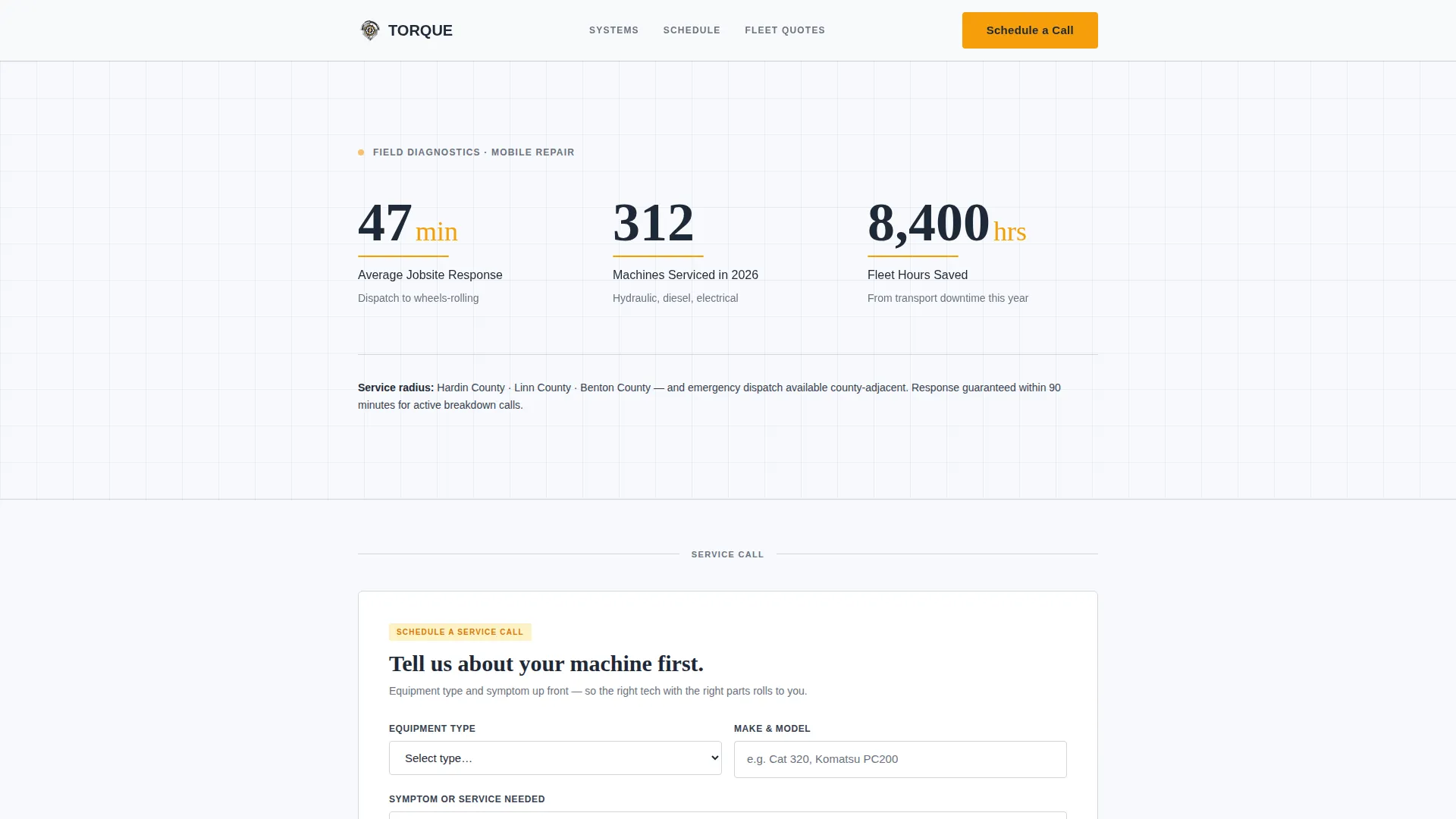
- A stats header with three animated counters showing response time, machines serviced, and fleet hours saved
- A series of mechanic-authored expert panels covering hydraulics, electrical, undercarriage, engine, and transmission systems
- A primary booking form and a secondary fleet inspection quote path, each placed after credibility-building content
Feature list
This template is built around five tightly integrated layout concepts that work together to convert skeptical, high-stakes buyers into booked service calls.
Animated Stats Header
Three oversized counters sit on an arctic white field and animate upward on page load. They display average jobsite response time in minutes, machines serviced in the current calendar year, and combined fleet hours saved from transport downtime. A single line of copy below names the exact service radius by county.
Mechanic-Authored Expert Panels
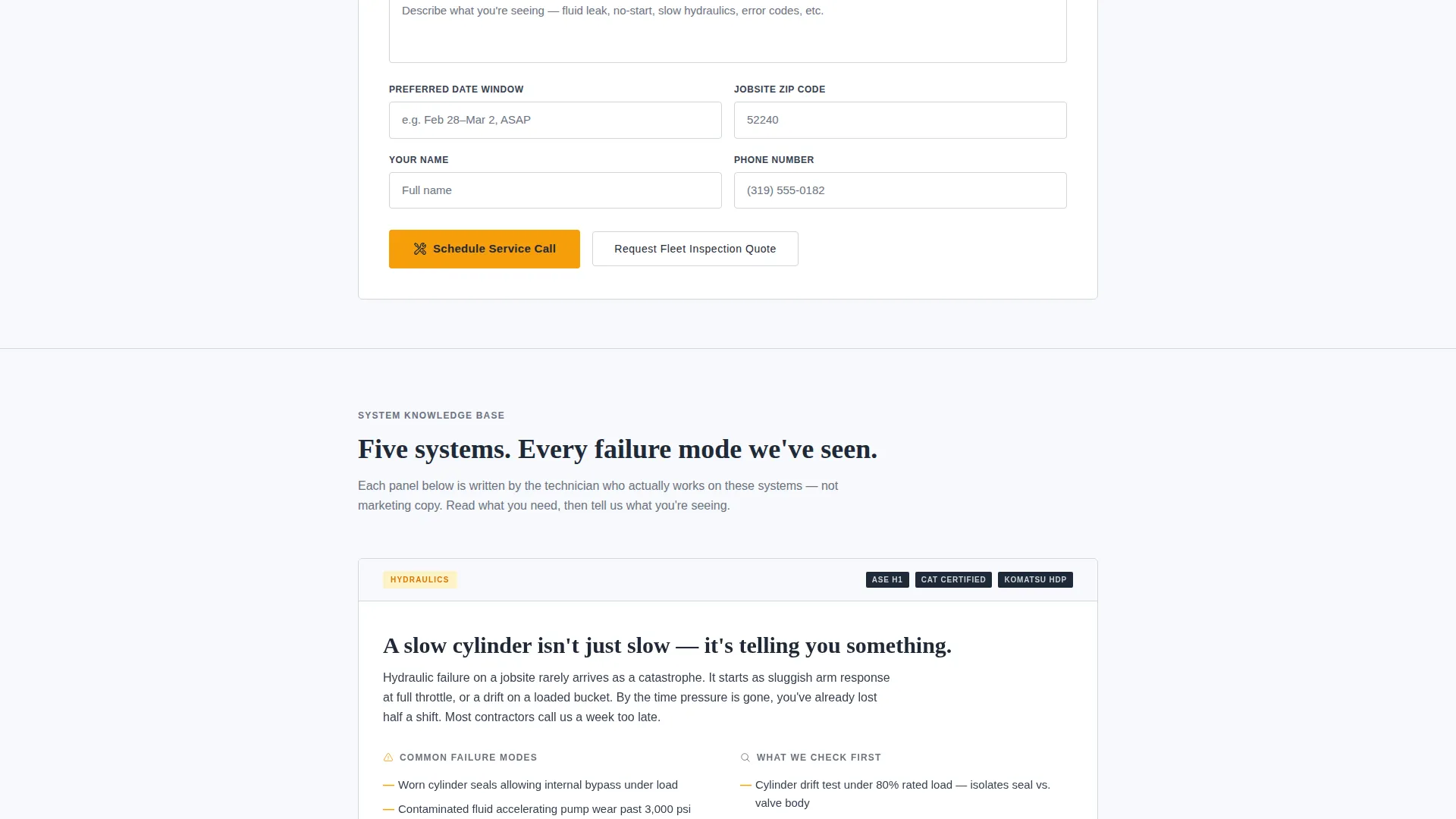
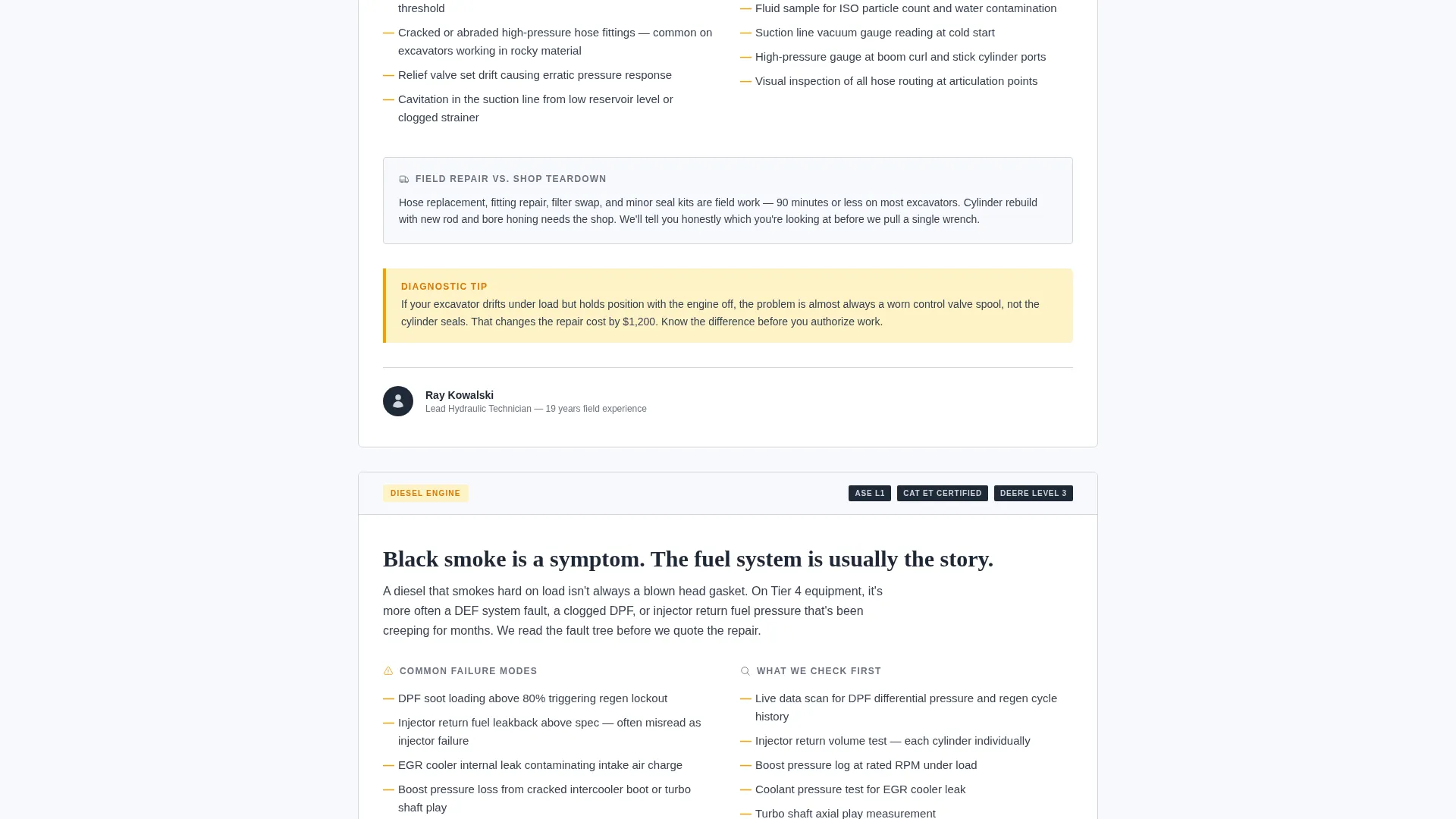
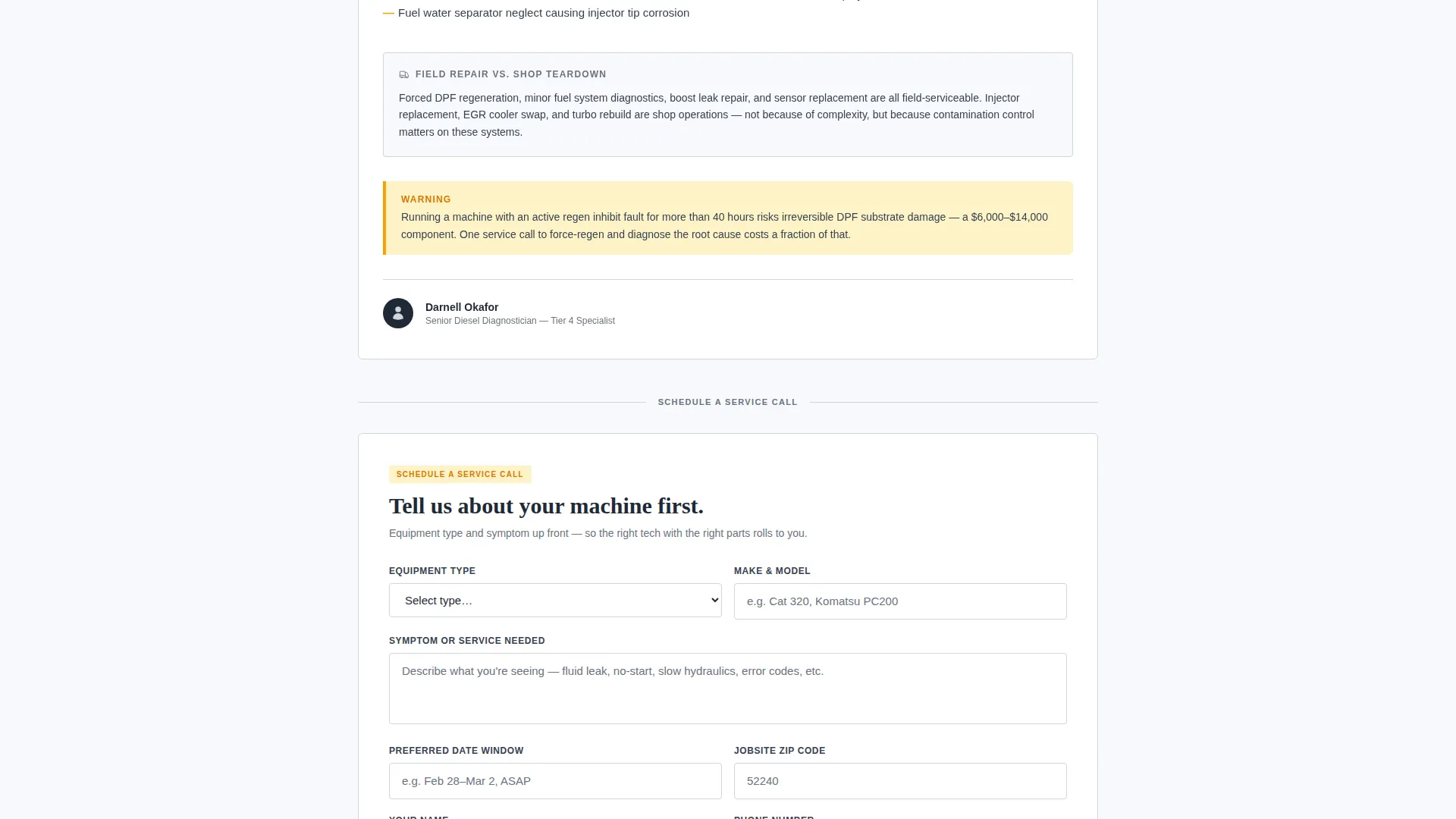
Each scrolling panel covers one equipment system in plain language. The panels address common failure modes, what the technician checks first, and when a field repair is the right call versus a full shop teardown. Every panel is attributed to a named technician with their ASE and manufacturer certifications listed.
Escalating Diagnostic Narrative
The panel sequence builds from routine maintenance topics into emergency breakdown scenarios. This escalation keeps readers engaged and steadily builds confidence that the crew has encountered every failure mode the visitor may be quietly worried about.
Repeating Diagnostic-Amber call to action
The primary call to action, "Schedule a Service Call," appears first after the stats header and repeats after every second expert panel. The amber button color is reserved exclusively for calls to action and callout boxes, making it impossible to miss during scroll.
Structured Service Booking Form
The booking form captures equipment type and model first, then a plain-text symptom or service description, followed by preferred date window and jobsite zip code. A secondary path offers "Request a Fleet Inspection Quote" for operators managing multiple units.
Page sections overview
| Section | Purpose |
|---|---|
| Stats Metrics Header | Opens with animated counters for response time, machines serviced, and hours saved |
| County Service Line | Names exact service radius by county beneath the stats block |
| First call to action Block | Places the "Schedule a Service Call" button immediately after the header |
| Hydraulics Expert Panel | Explains common hydraulic failure modes and field repair decision criteria |
| Electrical Expert Panel | Covers electrical fault diagnostics and technician-first checks |
| Undercarriage Expert Panel | Addresses undercarriage wear patterns and field versus shop repair guidance |
| Engine Expert Panel | Details engine failure indicators and diagnostic escalation steps |
| Transmission Expert Panel | Reviews transmission symptoms and when teardown is required |
| Repeating call to action Blocks | Amber booking button reappears after every second expert panel |
| Service Booking Form | Captures equipment details, symptoms, date window, and jobsite zip code |
| Fleet Inspection Path | Secondary call to action for multi-unit operators requesting an inspection quote |
Design & branding system
The visual identity follows an Educational Guide theme built on an Arctic White color system. The palette feels like a freshly wiped-down toolbox under fluorescent shop light: clinical, organized, and precise.
- Core colors: clean snowfield white (#F7F9FC), machined aluminum (#D1D5DB), deep diesel charcoal (#1F2937), and diagnostic-amber (#F59E0B)
- Diagnostic-amber is reserved strictly for call to action buttons, callout boxes, and warning-style tip highlights, never used as a background tone
- Typography and layout reference the clarity of a service manual, with technician attribution blocks and certification labels giving each panel a professional, document-like structure
Mobile & speed optimization
The single-column flow is inherently suited to mobile viewing, which matters when a foreman is checking repair options from a muddy jobsite on a phone. The layout stacks cleanly without horizontal overflow or cramped content.
- Single-column structure means no complex grid reflows on smaller screens
- Stat counters, expert panels, and call to action buttons are each self-contained blocks that scale to any viewport width
- The booking form fields are sequenced logically so a user can complete them quickly on a touchscreen without confusion
How this template helps you convert
This template is built around a specific conversion logic: demonstrate diagnostic expertise first, then ask for the booking. By the time a visitor reaches the form, they have already been taught something useful about their own machine.
- The stats header establishes immediate operational credibility with real numbers before any marketing copy appears
- The expert panel sequence builds trust progressively, matching the escalating anxiety a fleet manager feels when facing an unexpected breakdown
- The form appears only after credibility is established, reducing hesitation and making the booking feel like a natural next step rather than a cold request
Other information about this template
This template is part of a focused set of service area page designs built for field trades and industrial services. It is designed to work as a standalone landing page for a defined geographic service territory.
- The template supports a heavy equipment mechanic service area page use case out of the box, with no structural changes needed
- The Educational Guide theme makes it equally suitable for operators who want to position their business as a teaching resource as well as a repair service
- The page structure naturally supports local service marketing by naming specific counties in the header copy line
Theme
Educational Guide
Creative direction
Expert Panel
Color system
Arctic White
Style
Single Column Flow
Direction
Booking/Scheduling
Page Sections
Animated Stats Counter Header
Mechanic-authored Expert Panels
Escalating Breakdown Narrative
Repeating Diagnostic-amber Call to Action
Structured Service Booking Form
Related questions
Can I update the stat counters to reflect my own business numbers?
Does the booking form connect to a scheduling or dispatch tool?
Can I customize which equipment systems the expert panels cover?
Is this template practical for a solo mobile mechanic, not just a larger crew?
How does the secondary fleet inspection quote path work alongside the main booking form?



