Torque — Authorized Audi Service Landing Page Template
Torque is a storybook landing page template built for Audi parts and accessories stores. It opens with an interactive model configurator, then guides visitors through a cinematic four-scene scroll sequence that earns trust before the booking call to action appears. The design runs on a deep navy and instrument-white palette with Audi-red reserved strictly for calls to action.
by Rocket studio
Quick summary
Torque is a single-page, storybook-style landing page for Audi parts and accessories stores. It combines a full-viewport model configurator with a cinematic scroll experience that moves from problem to solution to install to result. The primary goal is a specialist callback booking, pre-filled with the visitor's exact vehicle and system details.
Who this template is for
This template is built for businesses that sell precision Audi parts and need to earn trust before closing a sale or booking a call. It works equally well for retail stores and service-adjacent shops that rely on consultative selling.
- DIY Audi enthusiasts who need the right part for a specific chassis, year, and system
- Independent Euro repair shops that source original equipment manufacturer (OEM) and OEM-plus parts for client jobs
- Specialty Audi parts retailers who want a high-credibility online presence without a generic storefront feel
What problem this template solves
Most parts store pages dump visitors into a search bar with no context. Serious Audi owners and shop technicians know exactly what they need, but they also need to trust the source before they place an order or pick up the phone.
- Visitors land with no clear path that matches their specific vehicle and intent
- Generic product-first layouts fail to communicate expertise or build confidence
- No booking flow means high-intent visitors leave without a consultation ever happening
What you get with this template
You get a fully structured, single-page layout designed to move a visitor from "I need a part" to "I want to talk to this shop." Every section is built with a specific role in that journey.
- A full-viewport interactive configurator as the hero, with model carousel, year, and system selectors
- Five distinct content scenes that scroll like a film, each with a focused visual and copy role
- A persistent booking call-to-action bar that appears after the second scene and stays in view
Feature list
This template is built around interactivity, cinematic pacing, and a conversion path that feels earned rather than pushed. Below are the core capabilities included.
Interactive SVG Model Configurator
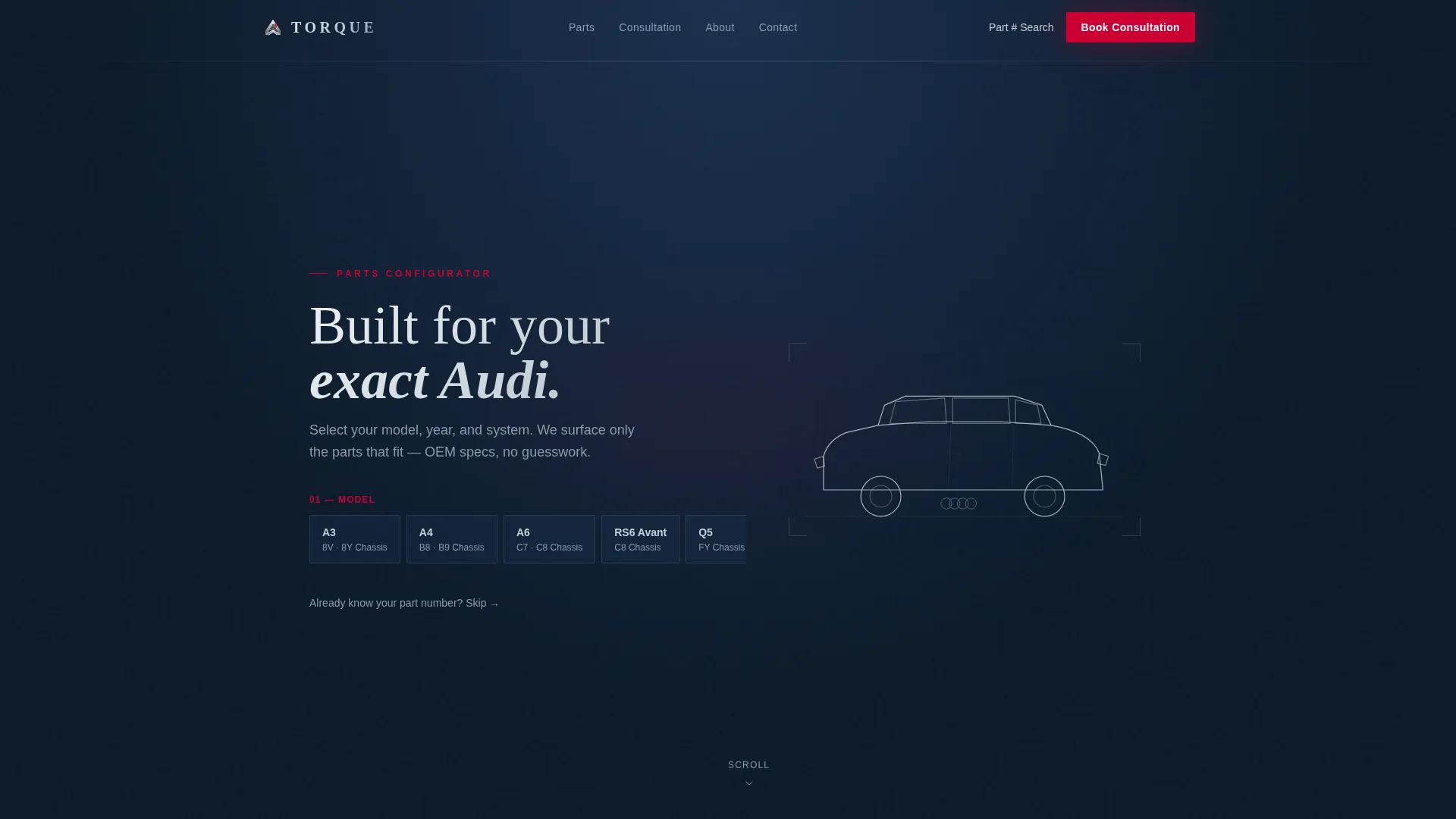
The hero section presents an Audi silhouette on a deep navy background. Visitors select their model from a horizontal carousel, choose a year, then pick a system such as engine, suspension, brakes, interior, or exterior. As each selection is made, the corresponding zone of the car silhouette illuminates in Audi-red, simulating a diagnostic scan. The configurator pre-fills the booking overlay with the visitor's exact selections.
Cinematic Four-Scene Scroll Sequence
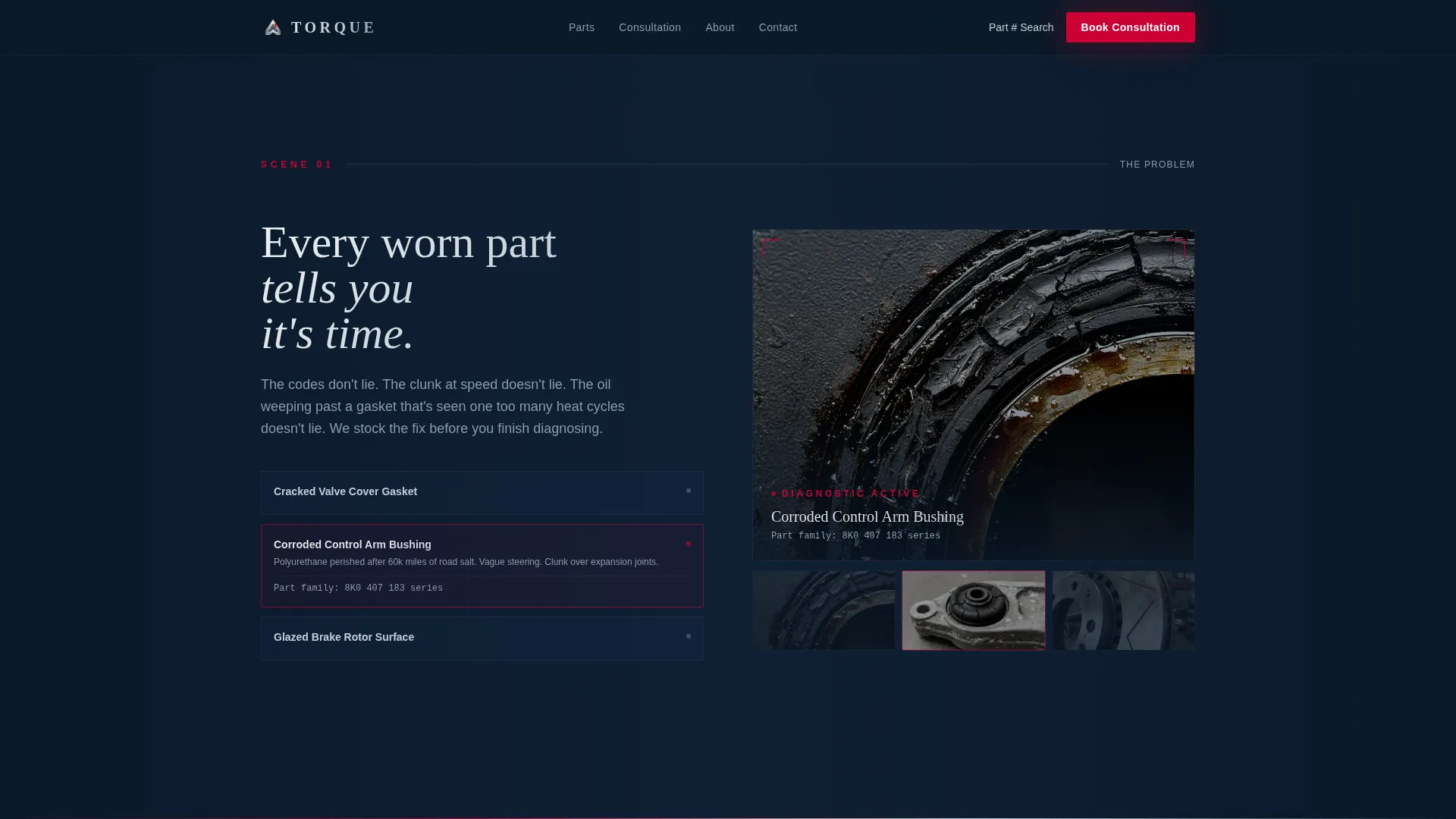
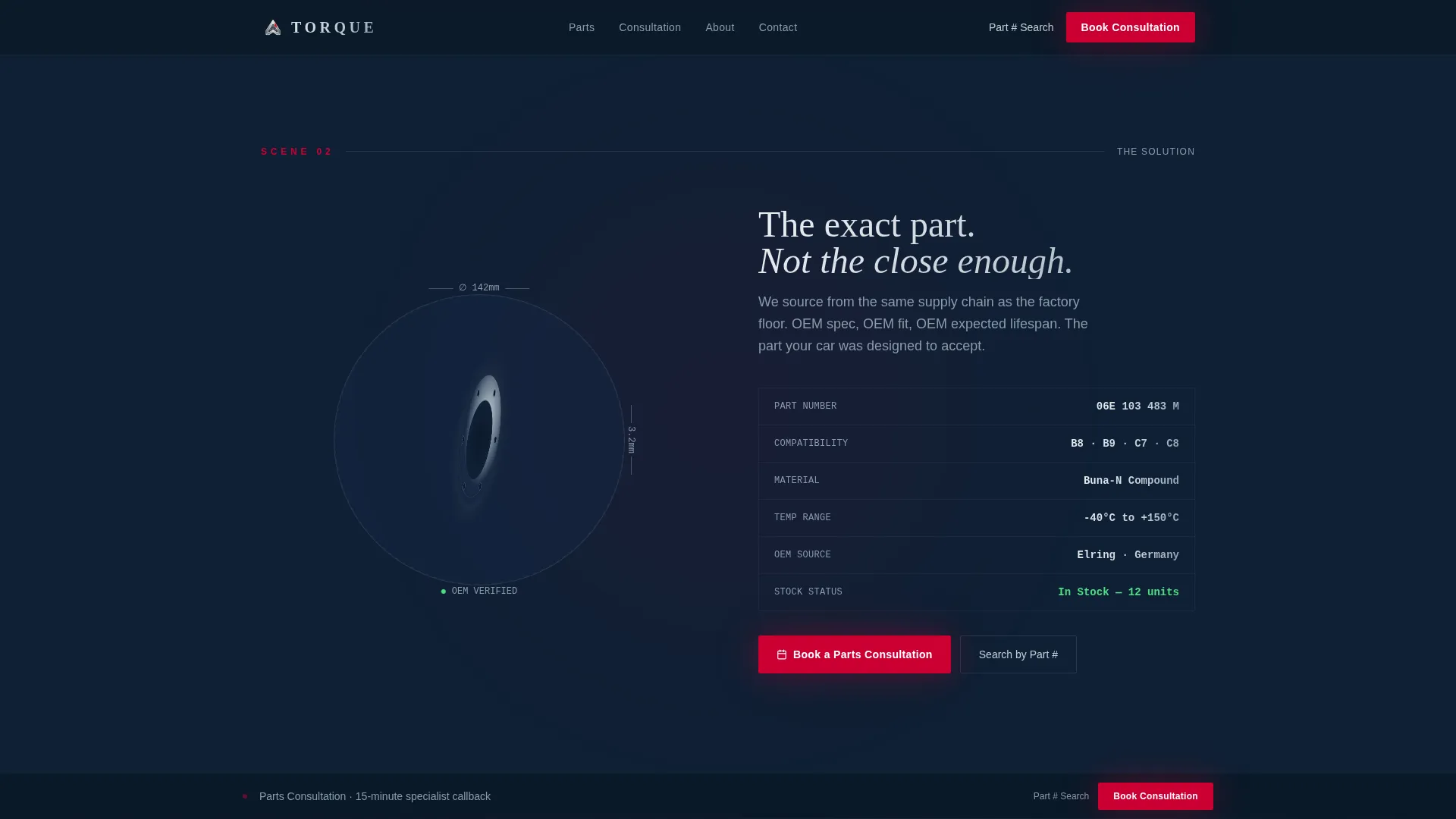
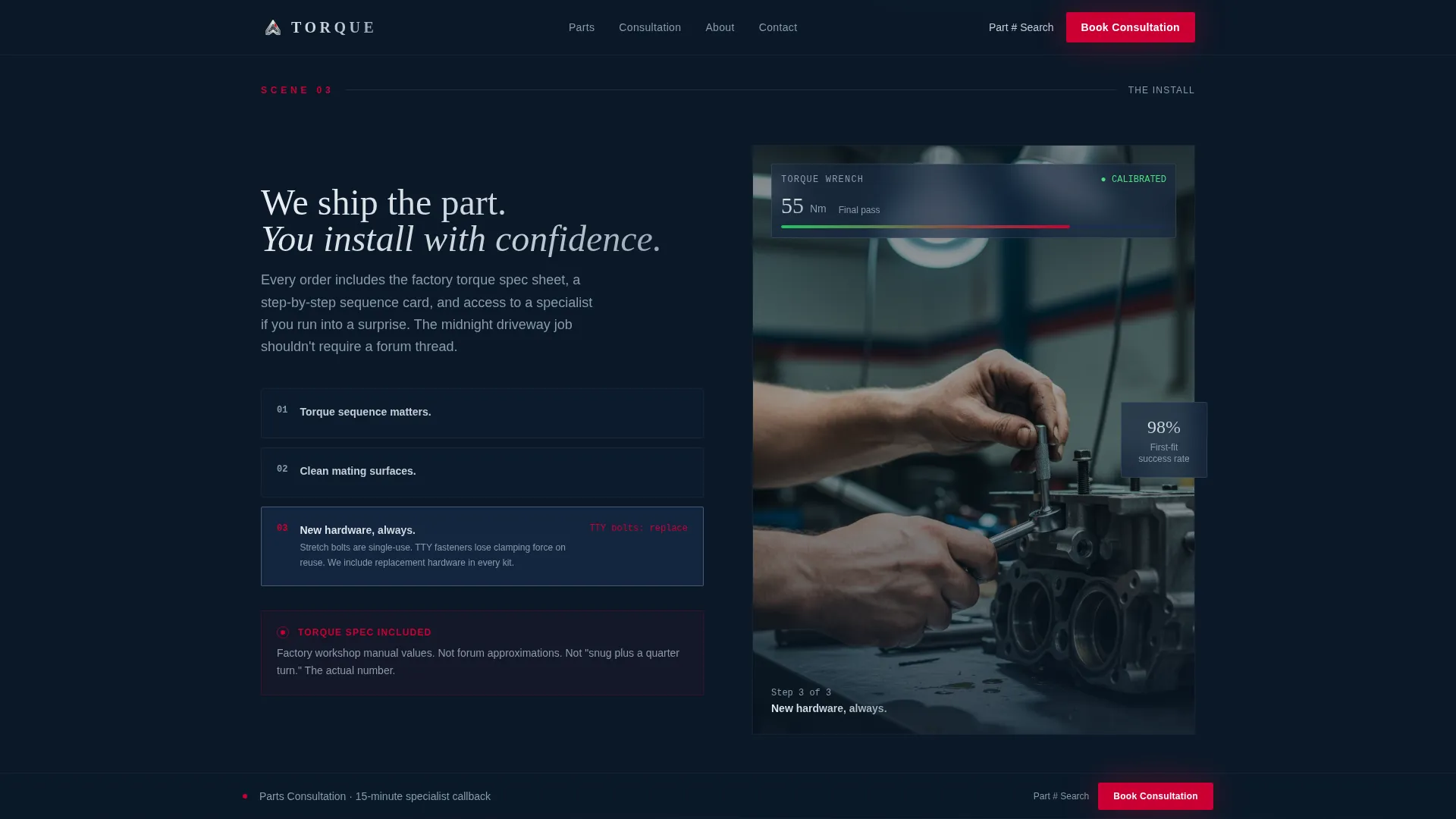
After the configurator, the page unfolds in four full-page scenes. Scene one shows the problem through macro photography of worn parts. Scene two presents the OEM replacement part with rotating animation and heads-up display (HUD) style spec overlays. Scene three covers the install with a time-lapse under-hood visual. Scene four shows the car in motion with a low tracking shot. Each scene transition uses a horizontal wipe that echoes an instrument cluster needle sweep.
Booking and Scheduling Overlay
The primary call to action, "Book a Parts Consultation," opens a scheduling overlay. The vehicle model and system fields are pre-filled from the configurator. The visitor picks a preferred contact method, either call or text, and selects a time slot using a calendar picker for a 15-minute specialist callback.
Part Number Fast-Path Search
A secondary path labeled "I Know My Part Number" bypasses the story sequence entirely. It drops the visitor directly into a search field with instant results, serving the experienced buyer who does not need the consultative journey.
Testimonials Scene with Named Social Proof
The social proof section features named testimonials that include the reviewer's car model, chassis code, shop name, and city. This specificity signals authority to both DIY owners and professional shop buyers.
Page sections overview
| Section | Purpose |
|---|---|
| Hero Configurator | Model, year, and system selection with SVG zone illumination |
| The Problem Scene | Macro worn-part photography to establish urgency |
| The Solution Scene | Rotating OEM part with HUD spec overlay |
| The Install Scene | Time-lapse install visual for process credibility |
| The Result Scene | Low tracking car-in-motion shot showing payoff |
| Social Proof | Named testimonials with chassis codes and shop details |
| Footer | Linear single-row pattern with links and contact info |
Design & branding system
The visual identity is built on a Tech Glass aesthetic that feels like a virtual cockpit display at night. Every color in the palette has an assigned role, and none are used interchangeably.
- Deep cockpit navy (#0B1929) fills the background, brushed aluminum (#C5CED6) handles secondary surfaces and dividers, and digital instrument white (#EDF1F5) carries all primary text
- Audi-red (#CC0033) appears only on calls to action and alert-state elements, giving it immediate visual authority every time it appears
- Typography pairs Fraunces serif for display headings with DM Sans for body copy and interface elements, creating a contrast between editorial weight and functional clarity
Mobile & speed optimization
The template is designed desktop-first to accommodate the configurator's complexity, with a mobile fallback layout that preserves the core experience on smaller screens.
- Static page sections use server-side rendering to keep load weight low, while the configurator and scheduling overlay run as client-side components
- High-animation features including GSAP ScrollTrigger transitions, SVG zone illumination, and the rotating 3D part model are scoped to the client components that require them
How this template helps you convert
Torque is structured so that every scroll action deepens the visitor's confidence before the booking call to action ever becomes the focus.
- The configurator captures vehicle intent upfront, so the visitor feels understood before reading a single word of copy, and the booking overlay arrives pre-filled with their own data.
- The cinematic scene sequence builds expertise credibility scene by scene, making the "Book a Parts Consultation" call to action feel like a natural next step rather than an interruption.
- The persistent bottom bar keeps the booking action visible after the second scene without blocking content, and the part number fast path serves high-intent buyers who are already past the discovery stage.
Other information about this template
This template is localized for the United States market. Pricing, units, and torque specifications are formatted in USD and Imperial units throughout.
- The footer follows a linear single-row pattern and is designed to stay minimal so attention stays on the booking path
- Animation is powered by GSAP ScrollTrigger for the scroll-driven transitions, and the car silhouette is rendered as a vector SVG outline rather than photography
- The template is categorized under Automotive and Transport, specifically within the Audi services and Audi parts and accessories store niche
Theme
Tech Glass
Creative direction
Cinematic Sequence
Color system
Navy Authority
Style
Storybook/Full-Page
Direction
Booking/Scheduling
Page Sections
Interactive SVG Model Configurator
Cinematic Four-scene Scroll Sequence
Booking and Scheduling Overlay
Part Number Fast-path Search
Named Testimonial Social Proof
Related questions
Can I use this template without the interactive configurator?
Does the booking overlay connect to an external calendar system?
Is this template suitable for a shop that sells parts for multiple European brands?
How does the 'I Know My Part Number' fast path work?
What typography does the template use and can it be changed?



