Bicycle Mechanic Review & Booking Landing Page
Torque is an editorial-style landing page template built for bicycle mechanics who want to turn real customer reviews into a compelling case for booking. A stats-led header, transparent service case studies, and a three-step inline booking form give riders every reason to commit. The design is clean, grease-thumbed honest, and built to convert browsers into booked clients.
by Rocket studio
Quick summary
Torque is a single-page landing page template for bicycle mechanic businesses. It leads with bold performance metrics, presents customer reviews as editorial case studies, and closes with a structured booking flow. The Arctic White palette and Editorial Magazine layout give the page the trustworthy feel of a well-produced cycling publication.
Who this template is for
This template is designed for independent bicycle mechanics and small repair workshops that want a credible, conversion-ready online presence. It suits shops that already have strong customer feedback and want to put that social proof front and center.
- Bicycle mechanics running a solo workshop or small team
- Repair shops targeting weekend century riders, daily commuters, and family cyclists
- Mechanics ready to take bookings online and reduce back-and-forth scheduling
What problem this template solves
Most mechanic shop pages look generic. They list services but give visitors no real reason to trust the hands doing the work. Torque fixes that by turning customer reviews into evidence-rich case studies rather than floating testimonials.
- Visitors leave because nothing on the page proves the mechanic's skill or speed
- Potential clients hesitate to book without seeing what a service actually involves
- Shops lose walk-in enquiries because there is no clear, low-friction way to request a slot or quote
What you get with this template
You get a fully structured landing page that combines editorial design with a practical booking flow. Every section is built around proof, process, and action.
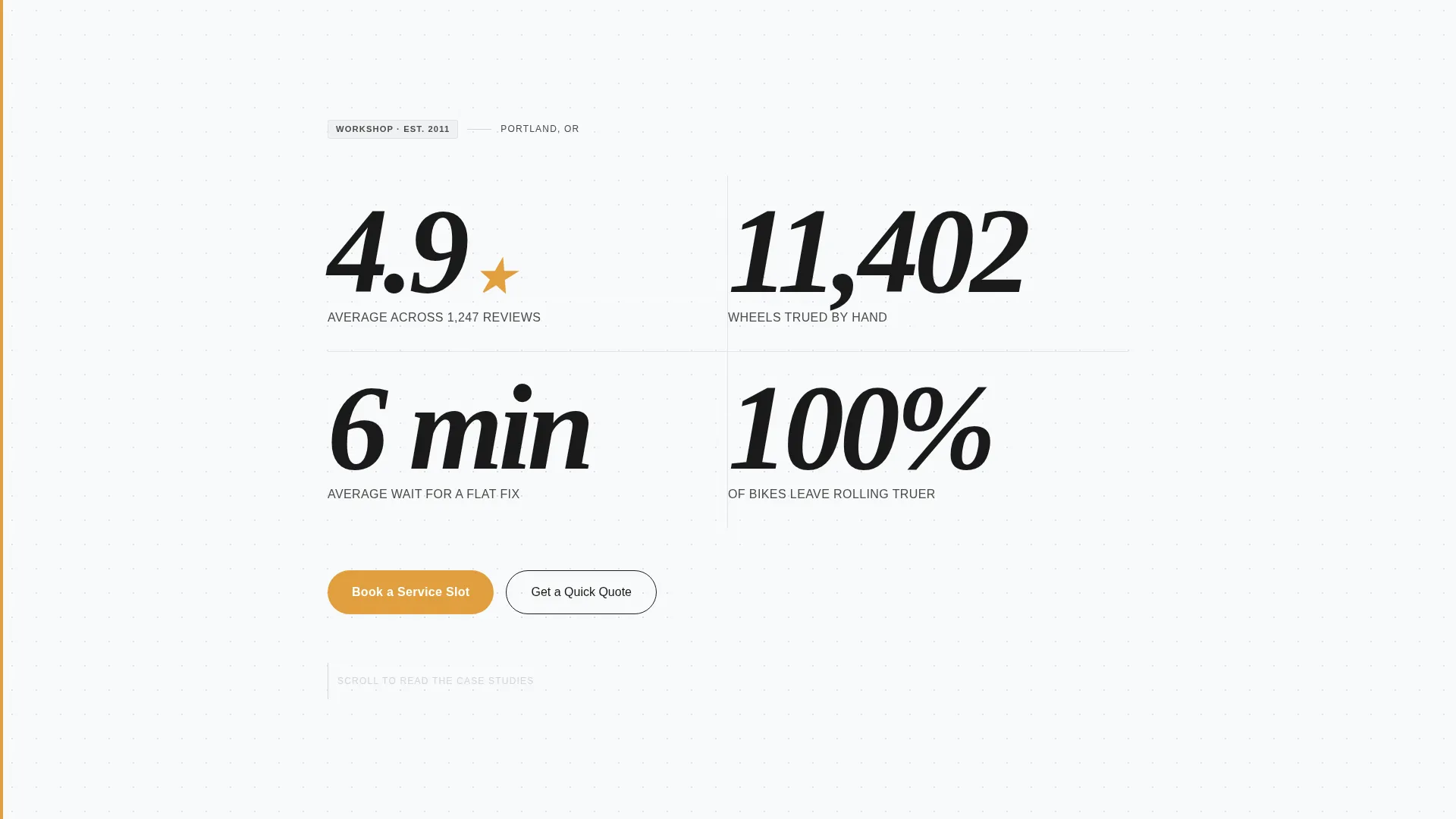
- A stats dashboard header displaying metrics like review scores, wheels trued, and average service times
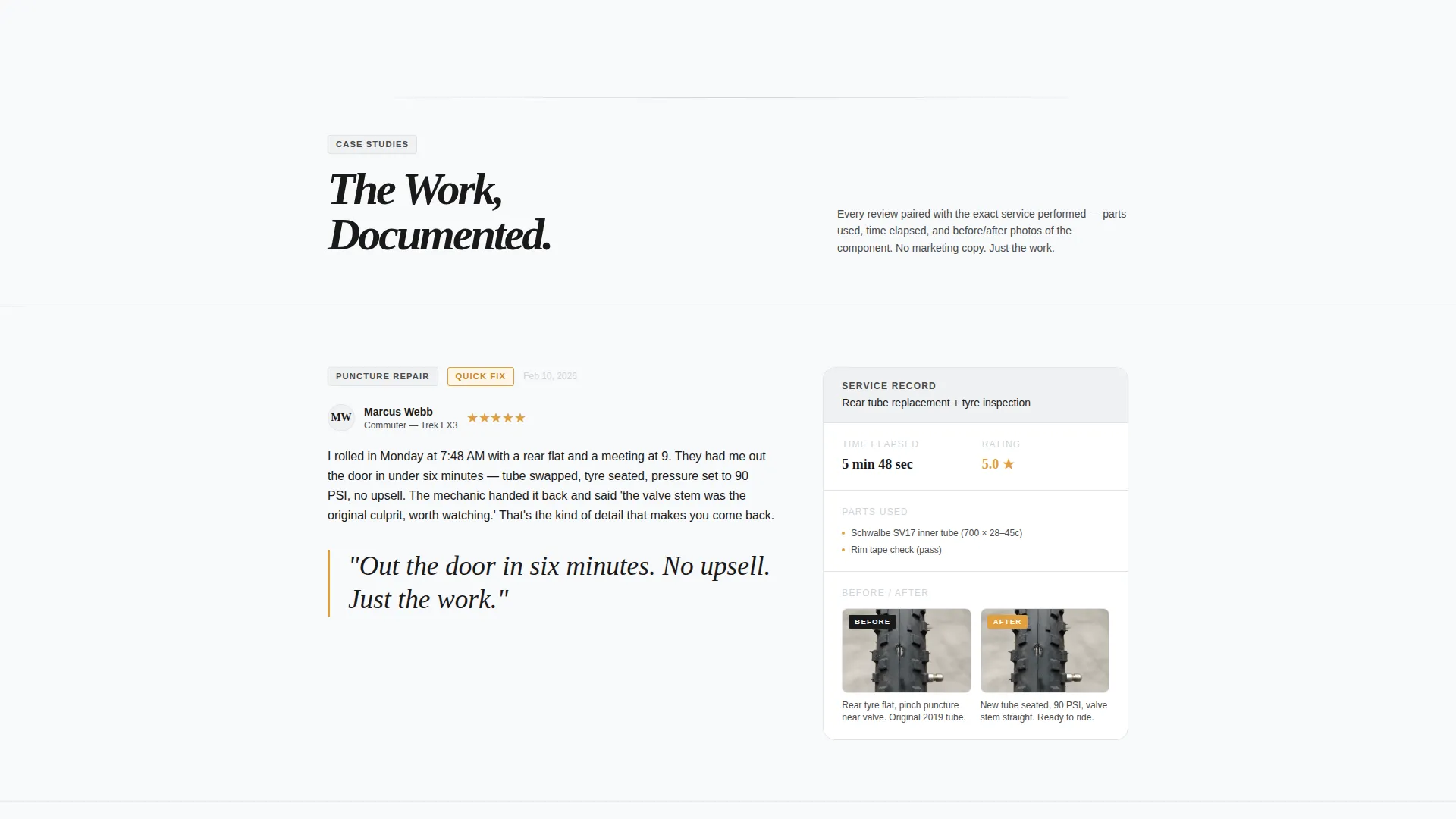
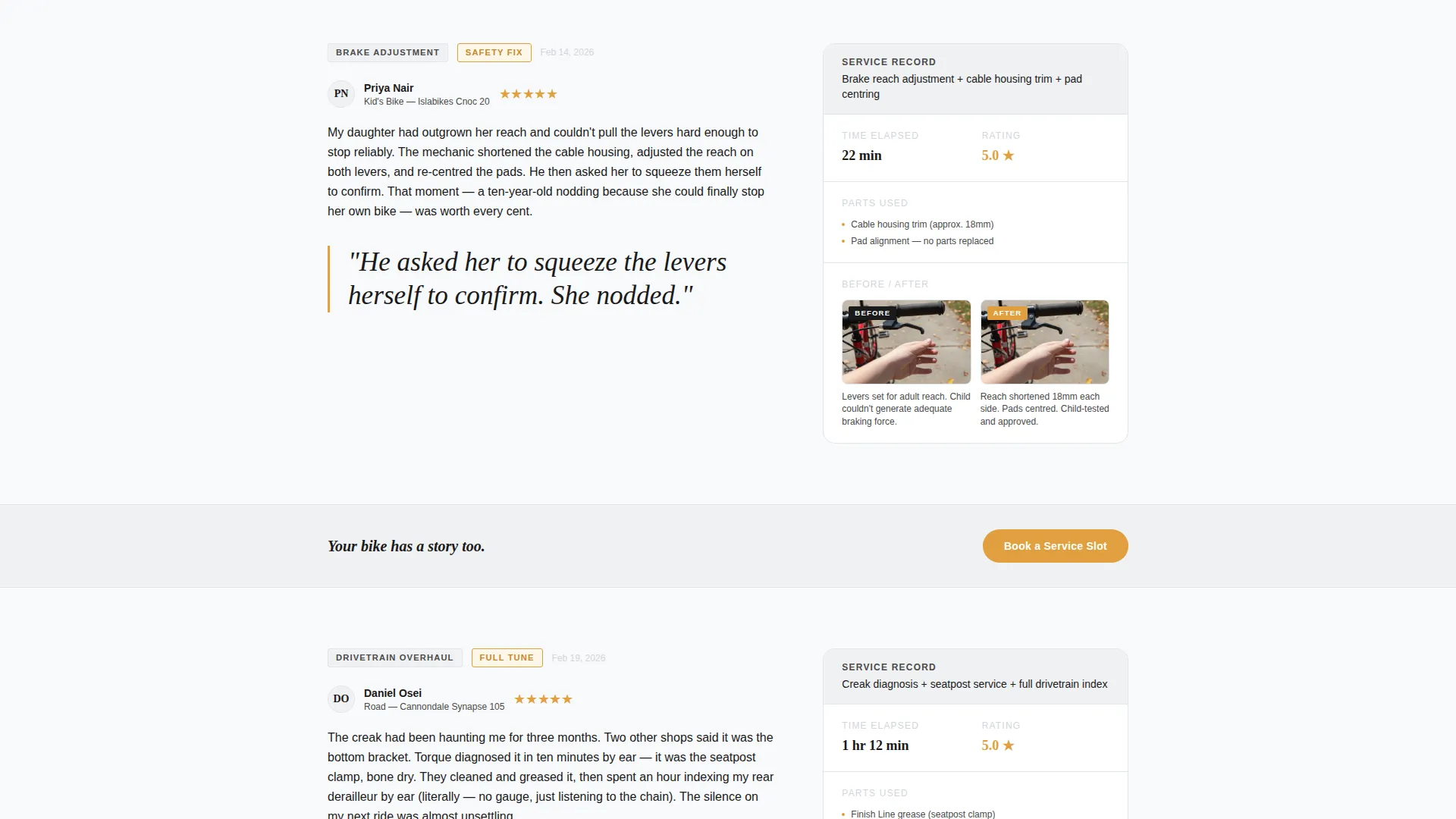
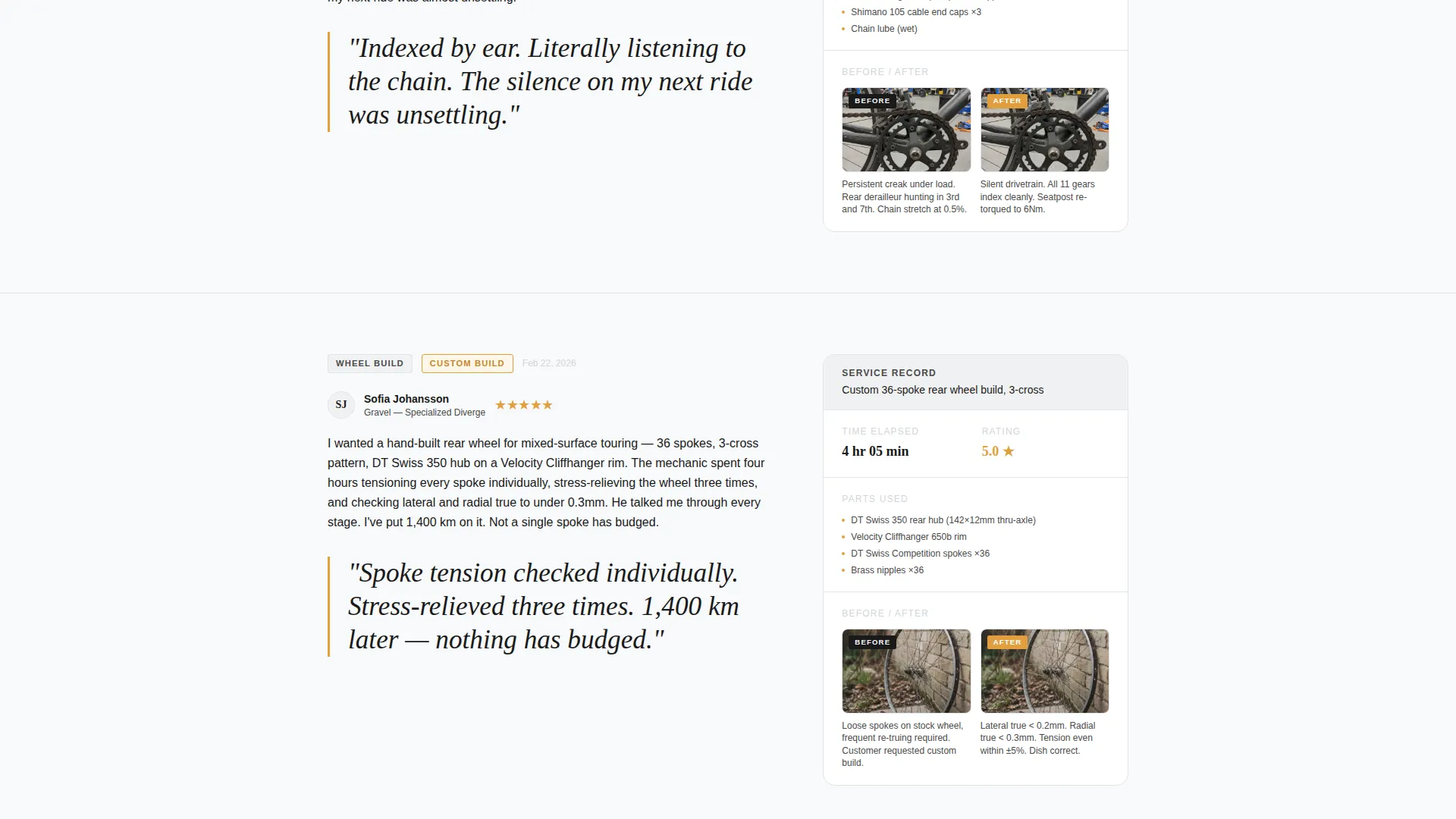
- Review case study sections with sidebars showing service details, parts used, time elapsed, and before-and-after component photos
- A three-step inline booking form and a secondary quick-quote path for visitors who are not yet ready to commit
Feature list
This template packs specific, purpose-built components into a single cohesive page. Each feature supports one goal: turning a curious visitor into a booked customer.
Stats Dashboard Header
The page opens with oversized editorial numerals dominating the viewport. Figures like "4.9 across 1,247 reviews," "11,402 wheels trued," and "6 min average wait for a flat fix" are stacked vertically in a condensed serif typeface at display scale. A subtle parallax effect adds depth as the visitor scrolls.
Editorial Review Case Studies
Customer reviews are laid out as magazine-style feature articles rather than simple testimonials. Each review includes a paired sidebar showing the exact service performed, parts used, time elapsed, and before-and-after photos of the component. The sequence escalates from simple repairs to full rebuilds, demonstrating the mechanic's full range.
Pull-Quote Typography System
Key lines from each review are lifted and set large in italic type, breaking the column grid the way a magazine editor would. These pull-quotes are displayed in chain-lube amber to draw the eye and reinforce credibility at a glance.
Sticky Booking Call-to-Action
A "Book a Service Slot" button in chain-lube amber appears as a sticky navigation element after the stats header clears the viewport. It reappears between review sections, keeping the booking path visible without interrupting the editorial reading experience.
Three-Step Inline Booking Form
Clicking the primary call-to-action opens a three-step inline form. The visitor selects bike type (road, mountain, commuter, or e-bike), chooses a service category (quick fix, full tune, wheel build, or custom), then picks from a calendar showing next-available slots with real-time openings.
Quick Quote Secondary Path
A secondary call-to-action labelled "Get a Quick Quote" lets hesitant visitors describe their issue in a free-text field. This path is designed to capture browsers who want a same-day estimate before committing to a booking time.
Page sections overview
| Section | Purpose |
|---|---|
| Stats Metrics Header | Lead with bold proof numbers |
| Review Case Studies | Show service depth and range |
| Pull-Quote Breaks | Highlight standout review lines |
| Sticky Booking Nav | Keep booking visible while scrolling |
| Inline Booking Form | Convert visitors in three steps |
| Quick Quote Path | Capture undecided visitors |
Design & branding system
The visual identity follows an Editorial Magazine theme grounded in an Arctic White color system. The palette feels like a clean Nordic cycling publication viewed under workshop fluorescents: clinical enough to build trust, warm enough to encourage lingering.
- Core colors: clean snowfield white (#F8F9FA), newsprint gray (#4A4A4A), and machined aluminum (#D1D5DB) for structural elements
- Accent color: chain-lube amber (#E09F3E) reserved for star ratings, pull-quotes, and booking buttons
- Typography: a condensed serif typeface at display scale for numerals and headlines, keeping the editorial tone consistent throughout
Mobile & speed optimization
The layout is structured to remain clear and navigable on smaller screens, where many cycling customers will land after searching for a local mechanic on their phone.
- The stats header stacks vertically, so oversized numerals read clearly on a narrow viewport
- The sticky booking button and inline form are designed to remain accessible without crowding the screen
- Review sidebars adapt to a stacked layout on mobile, preserving the before-and-after photo and service detail pairing
How this template helps you convert
Every section of this page is sequenced to move a visitor from curiosity to commitment. The editorial structure earns trust before the booking form ever appears.
- The stats header establishes immediate credibility with specific, verifiable-looking numbers before the visitor reads a single review.
- The escalating case study sequence shows the mechanic's range from quick fixes to complex rebuilds, addressing the hesitation of visitors with more serious repair needs.
- The dual call-to-action system (direct booking plus quick quote) ensures that both ready-to-book visitors and slower-moving browsers have a clear next step tailored to where they are in the decision process.
Other information about this template
This template is part of the broader Torque design system, an Editorial Magazine direction matched to the Bicycle Mechanic Business subcategory under Professional Services. It uses the Transparent Process creative direction, which is especially effective for service businesses that rely on demonstrated expertise rather than brand recognition alone.
- Template style: Editorial Magazine with Arctic White color system
- Creative direction: Transparent Process, showing service details alongside each review
- Header concept: Stats and Metrics dashboard with parallax display numerals
- Landing page direction: Booking and Scheduling with a three-step inline form and a secondary quote path
- Best suited for mechanics who can populate the review case studies with real service data and photos
Theme
Editorial Magazine
Creative direction
Transparent Process
Color system
Arctic White
Style
Editorial/Magazine
Direction
Booking/Scheduling
Page Sections
Stats Dashboard Header
Editorial Review Case Studies
Pull-quote Typography System
Sticky Booking Call-to-action
Three-step Inline Booking Form
Quick Quote Secondary Path
Related questions
Can I customize the booking form steps?
Does this template work if I do not have many reviews yet?
Can I add or remove service categories from the booking form?
What types of cyclists is this page designed to speak to?
Is this a single-page template or a multi-page site?



