Torque - Immersive Dealer Landing Page Template
Torque is a dark, immersive landing page template built for certified Ford dealers. It uses a cinematic scroll-reveal structure to guide buyers through a spotlit inventory grid, a 200-point inspection checklist, and transparent monthly pricing. Every section earns trust before asking for contact details, making the path from browsing to lead capture feel natural and pressure-free.
by Rocket studio
Quick summary
Torque is a scroll-driven, single-page dealership template that turns a browser into a showroom visitor. The layout moves through three distinct acts: immersive vehicle reveals, a self-checking certification walkthrough, and a filterable live inventory grid. Real monthly payment figures appear on every vehicle card before any form is shown.
Who this template is for
This template is built for Ford certified dealers who need more than a basic inventory listing. It suits teams that want to convert online visitors into qualified leads without aggressive sales tactics.
- Dealerships running certified pre-owned programs that need to communicate inspection credibility quickly
- Sales teams targeting weekend buyers, first-time purchasers, and fleet managers shopping before quarter-end deadlines
- Dealers who want transparent pricing to do the selling before any form interaction begins
What problem this template solves
Most dealership pages ask for a name and number before showing a price. That friction pushes buyers away. Torque flips the order: it shows the vehicle, the specs, and the monthly cost upfront, so contact capture feels like a natural next step rather than a toll gate.
- Buyers who bounce from pricing-hidden layouts stay longer when they see real numbers immediately
- Fleet managers with tight Q4 timelines need fast filtering and clear cost-per-unit data without navigating multiple pages
- First-time buyers need proof of certification before they trust the deal, and the scroll-through inspection checklist delivers that proof in motion
What you get with this template
The template delivers a fully structured, dark-themed single-page layout with high-animation scroll behavior built in. Every section is purpose-built for dealership conversion flow.
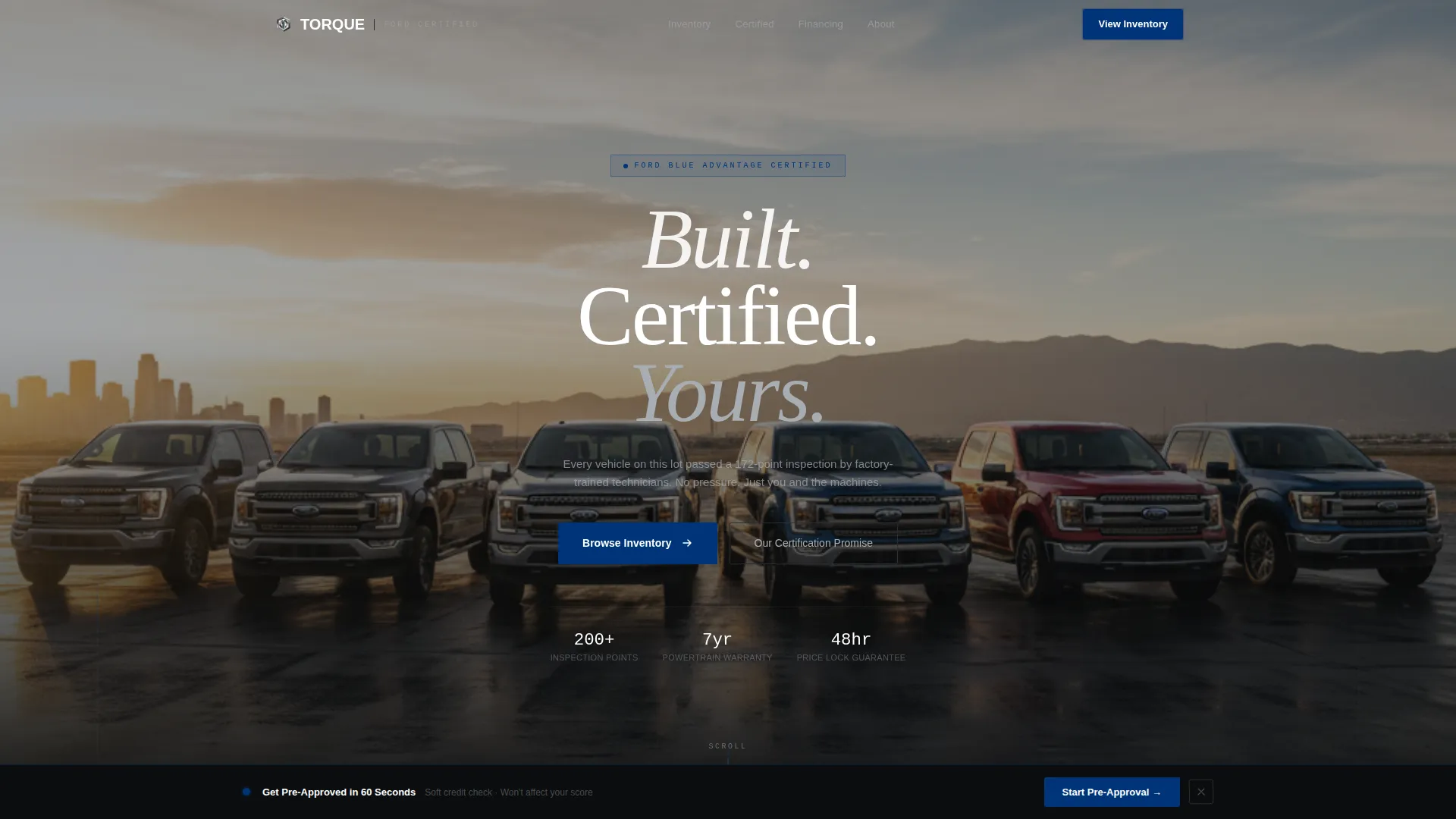
- A cinematic hero section with a looping product demo video, knockout headline overlay, and scroll indicator
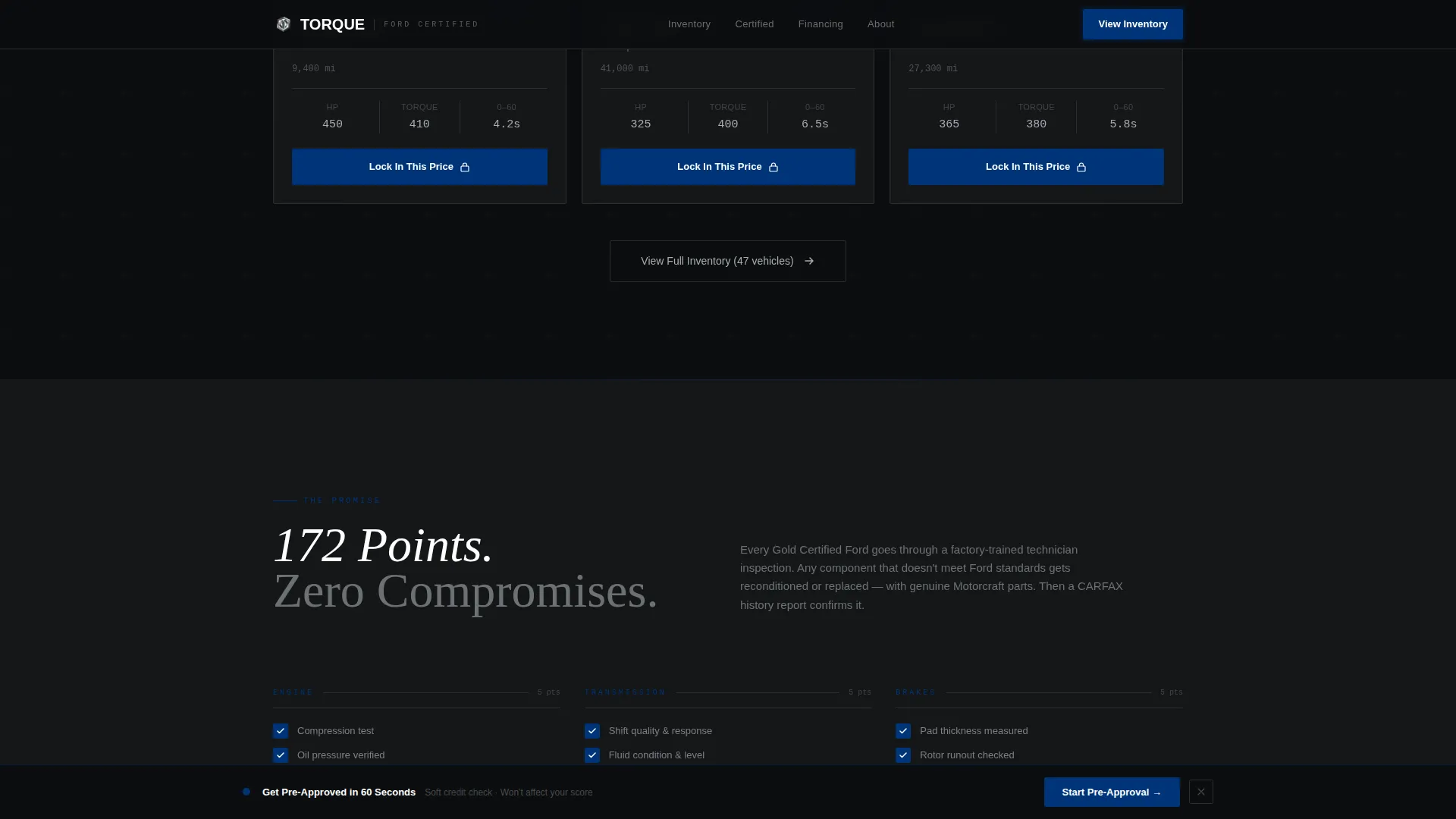
- An interactive 200-point inspection checklist that self-checks as the visitor scrolls through the certification section
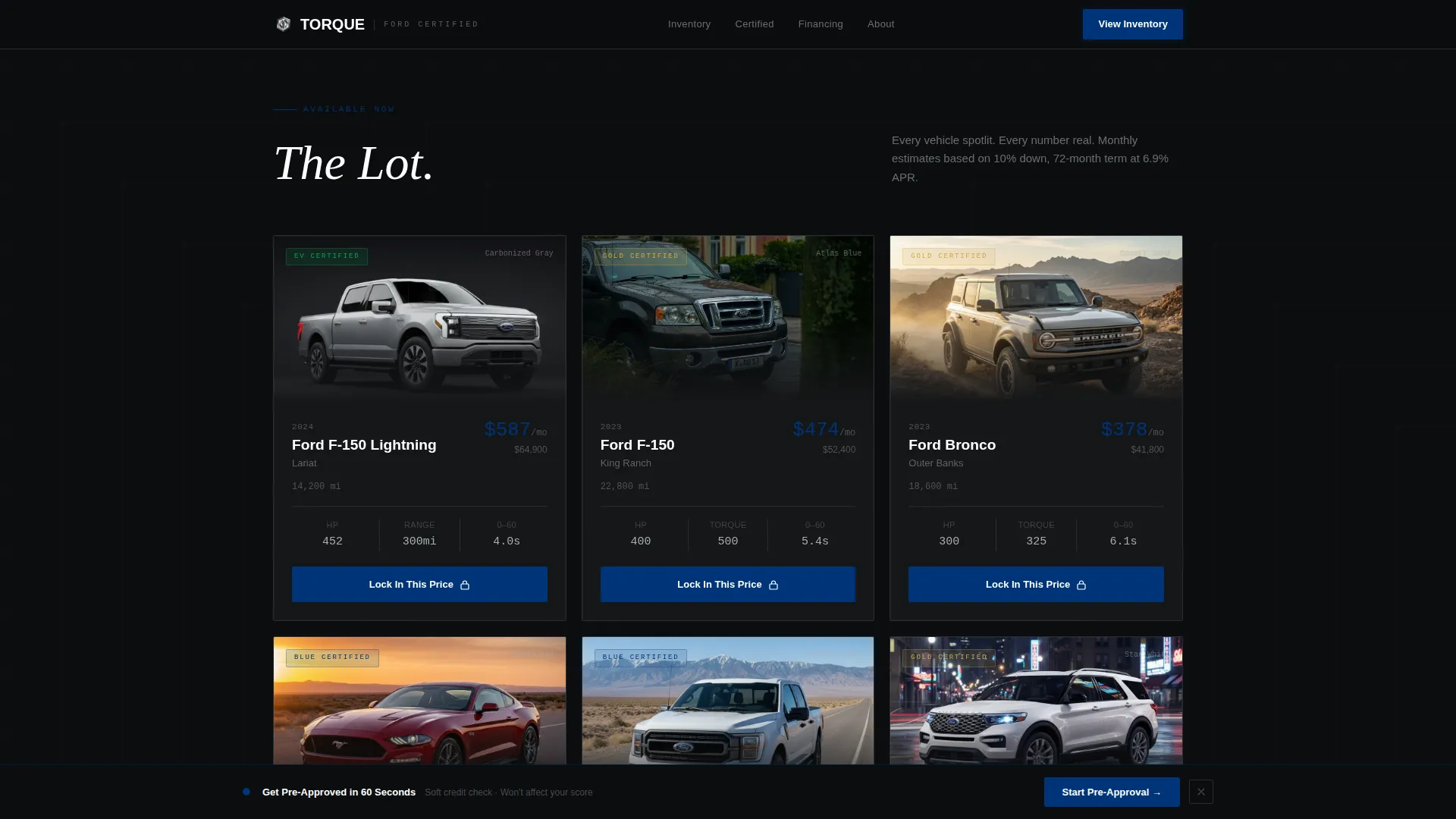
- A live inventory grid with vehicle tiles, mileage, specs, monthly payment figures, and a "Lock In This Price" call to action per card
Feature list
This template includes six purpose-driven features, each serving a specific stage of the buyer journey.
Cinematic Hero Video Loop
A fifteen-second golden-hour video loop opens the page. The camera moves from a close-up chrome badge through a full lineup reveal with headlights igniting in sequence. Cold color grading with crushed blacks sets the industrial tone from the first second.
Scroll-Reveal Vehicle Cards
Each vehicle hero card emerges from darkness as the visitor scrolls. Spec details animate in like instrument cluster readouts, giving the reveal a mechanical, purposeful feel rather than a generic fade.
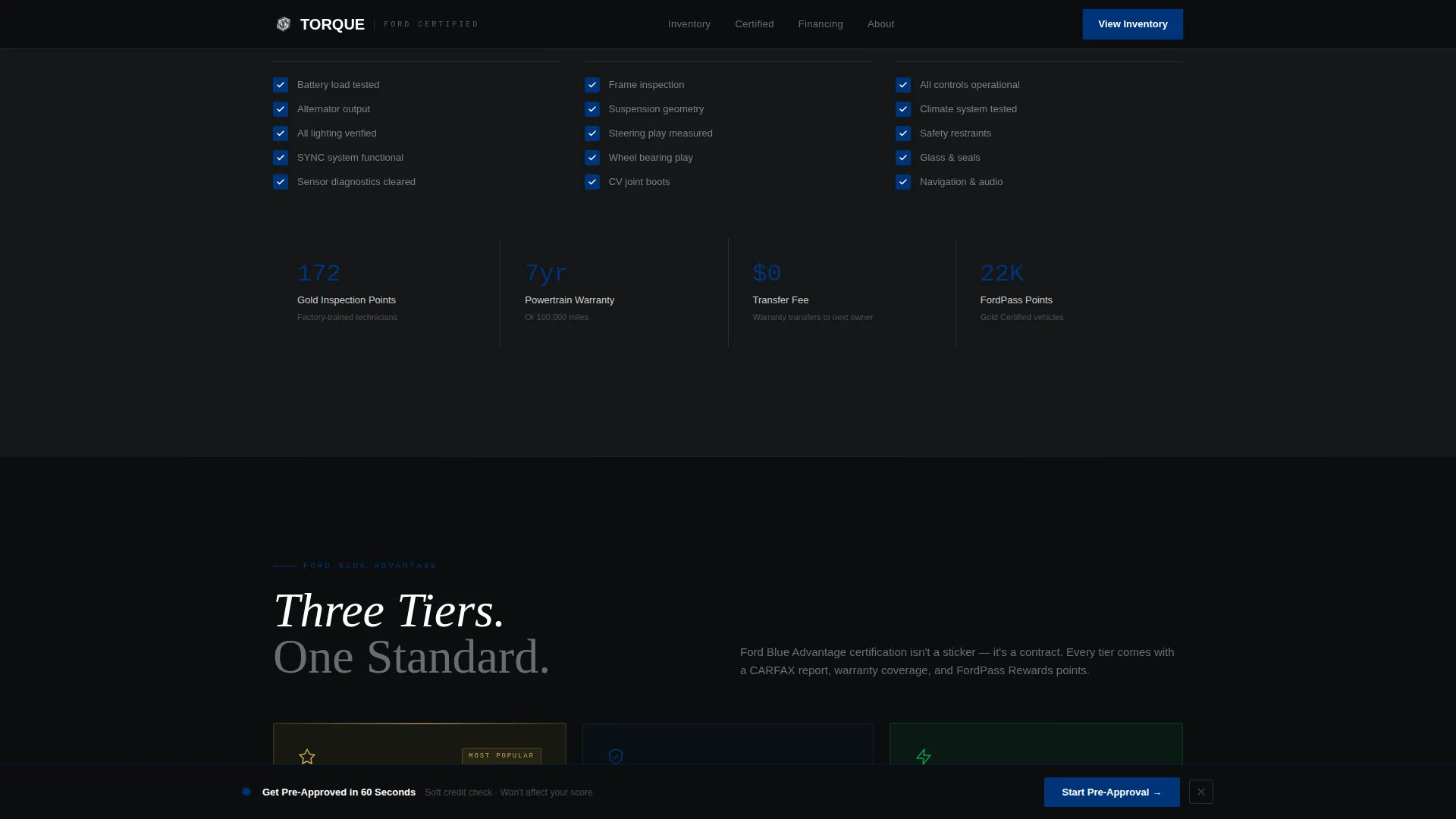
Interactive Certification Checklist
The 200-point inspection section unfolds as a self-checking list. Each item checks itself as the scroll position passes it, building the certified promise item by item without requiring any click from the visitor.
Live Inventory Grid with Filters
Vehicle tiles load with real photos, mileage, and monthly payment estimates. A filter system lets buyers narrow the grid, creating the sensation of the lot contracting around the right match.
Slide-Up Contact Panel
Every inventory card carries a "Lock In This Price" button that opens a slide-up panel. The panel captures name, phone, zip code, and preferred contact time in that sequence, keeping the form short and intentional.
Fixed Pre-Approval Bar
After the visitor scrolls past the third vehicle, a fixed bottom bar appears with a "Get Pre-Approved in 60 Seconds" prompt. It links to a soft-credit form and stays visible for the remainder of the page scroll.
Page sections overview
| Section | Purpose |
|---|---|
| Hero Video Loop | Opens with cinematic lineup reveal and branded headline |
| Inventory Grid | Displays live vehicle tiles with pricing and filters |
| Certification Checklist | Builds trust through scroll-animated inspection walkthrough |
| Trust Signal Section | Presents certification tiers and warranty context |
| Buyer Testimonials | Reinforces confidence with real vehicle-context quotes |
| Minimal Dark Footer | Closes the page with clean horizontal flow layout |
Design & branding system
The visual system is built around an industrial, after-hours showroom aesthetic. Cold metallics dominate every surface, and the single accent color is reserved strictly for action moments.
- Color palette uses forge black (#0B0D0F) for backgrounds, brushed aluminum (#A8ADB3) for body typography, tungsten gray (#3A3F47) for surface cards, and Ford Blue (#003478) exclusively on calls to action and price callouts
- Typography pairs DM Sans for headings and interface elements with Fraunces for editorial display text and JetBrains Mono for spec readouts and numeric data
- Interactive elements pulse in Ford Blue to mirror a dashboard indicator, drawing attention without breaking the dark industrial tone
Mobile & speed optimization
The template is designed desktop-first to match dealership browsing behavior, but the layout is fully responsive across all screen sizes. Animation and interactivity are handled with performance-conscious techniques.
- Scroll reveals use Intersection Observer to trigger animations only when elements enter the viewport, avoiding unnecessary processing during idle scroll
- GPU-accelerated transforms power the card reveals and checklist animations, keeping motion smooth on both desktop and mobile hardware
- CSS scroll-behavior manages the overall scroll experience without relying on heavy JavaScript scroll libraries
How this template helps you convert
The conversion architecture is built on a simple principle: show the number first, then ask for the contact. Every design and interaction decision reinforces that sequence.
- Monthly payment figures appear on every inventory card before any form prompt, so buyers arrive at the contact step already committed to a specific vehicle and price
- The fixed pre-approval bar activates only after the visitor has seen at least three vehicles, timing the financing prompt to land when purchase intent is highest
- The slide-up contact panel keeps the form to four fields in a deliberate order, reducing friction at the moment a buyer is ready to act
Other information about this template
Torque is suited for dealers running Ford certified pre-owned programs who want a single-page experience that communicates both inventory depth and certification credibility. The template supports social proof elements including certification tier displays, vehicle history report callouts, and buyer testimonial blocks with vehicle context.
- The footer uses a horizontal flow pattern with a minimal dark treatment, consistent with the overall showroom-after-hours visual language
- The template is built for English-language markets with USD pricing and US date format conventions
- Localization placeholders and layout structure can support adaptation to other regional formats without redesigning the core sections
Theme
Dark Immersive
Creative direction
Cinematic Sequence
Color system
Monochrome Steel
Style
Scroll Reveal (Progressive)
Direction
Direct Sales
Page Sections
Cinematic Hero Video Loop
Scroll-reveal Vehicle Cards
Interactive Certification Checklist
Live Inventory Grid with Filters
Slide-up Contact Panel
Fixed Pre-approval Bottom Bar
Related questions
What types of buyers does this template target?
How does the inventory grid work?
Can this template communicate certification details clearly?
When does the pre-approval prompt appear?
What animation style does this template use?



