Industrial Automotive Testing Lab Landing Page
Torque is an industrial automotive landing page template built for automotive quality testing labs. It uses a zigzag alternating layout, a Charcoal and Amber color system, and a spatial architectural flow that guides engineers through each testing capability. The design front-loads hard specifications and accreditation marks to earn trust before any download gate appears.
by Rocket studio
Quick summary
Torque is a single-page template designed for automotive quality testing labs. It pairs a full-viewport panoramic header with alternating capability sections, forge amber call-to-action buttons, and a gated "Download Our Test Menu" resource. The result feels like a technical walkthrough of a real test floor, not a marketing brochure.
Who this template is for
This template speaks directly to labs and engineering-led businesses that need to build credibility fast with a technically demanding audience. It is built for operators who know their visitors will scan for numbers before they read headlines.
- Automotive quality testing labs serving Tier 1 suppliers and original equipment manufacturers
- EV startups and independent test facilities needing to demonstrate accreditation and validation capability
- Quality engineers and lab directors who want a resource-led page that earns downloads through technical depth
What problem this template solves
Most industrial service pages either look too generic or bury the specifications that engineers actually need. Visitors with Production Part Approval Process deadlines or warranty root-cause investigations will leave immediately if they cannot find hard numbers and accreditation marks fast.
- Engineers lose trust when a lab page reads like a brochure instead of a technical document
- Potential clients cannot self-qualify without visible capability specs, temperature ranges, and force capacities
- Labs miss conversion opportunities because their content does not give engineers a clear next step tied to evidence
What you get with this template
You get a fully structured, single-page layout built around content and resource delivery. Every section is pre-designed to carry real specifications, accreditation signals, and progressive calls to action.
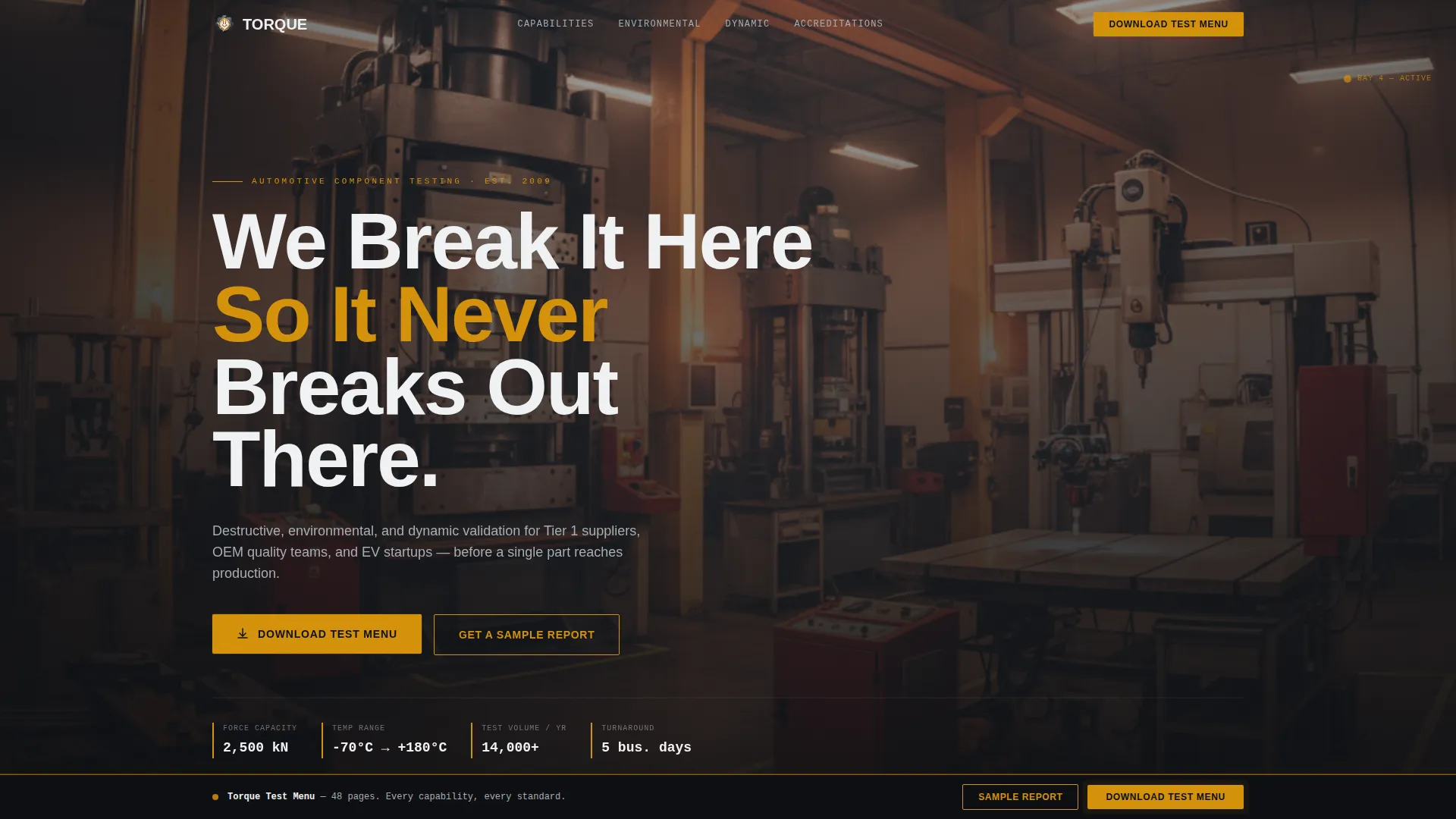
- A panoramic full-viewport header with parallax scroll and a bold knockout headline
- Zigzag alternating capability sections that simulate walking through different rooms of the facility
- A persistent bottom bar with a forge amber "Download Our Test Menu" call to action that appears after the second scroll
Feature list
This template is built around six functional design decisions, each grounded in the needs of an engineering audience.
Full-Viewport Panoramic Header
The header spans the full browser width and is captured at waist height across the testing floor. It shows a salt spray chamber, a universal testing machine, a coordinate measuring machine arm, and an engineer at a terminal. A subtle parallax drift on scroll gives the visitor a sense of physically walking the floor.
Zigzag Alternating Capability Sections
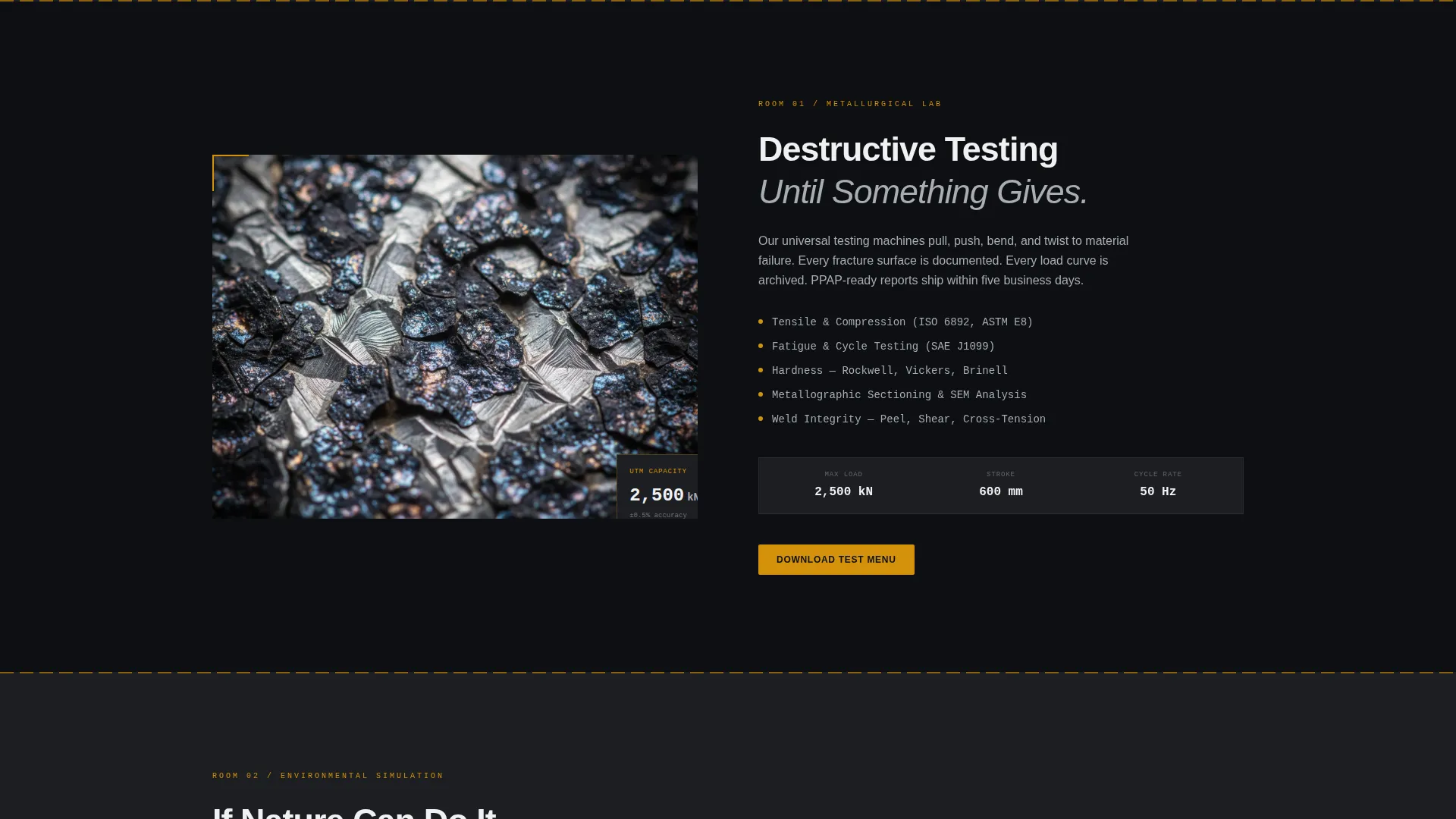
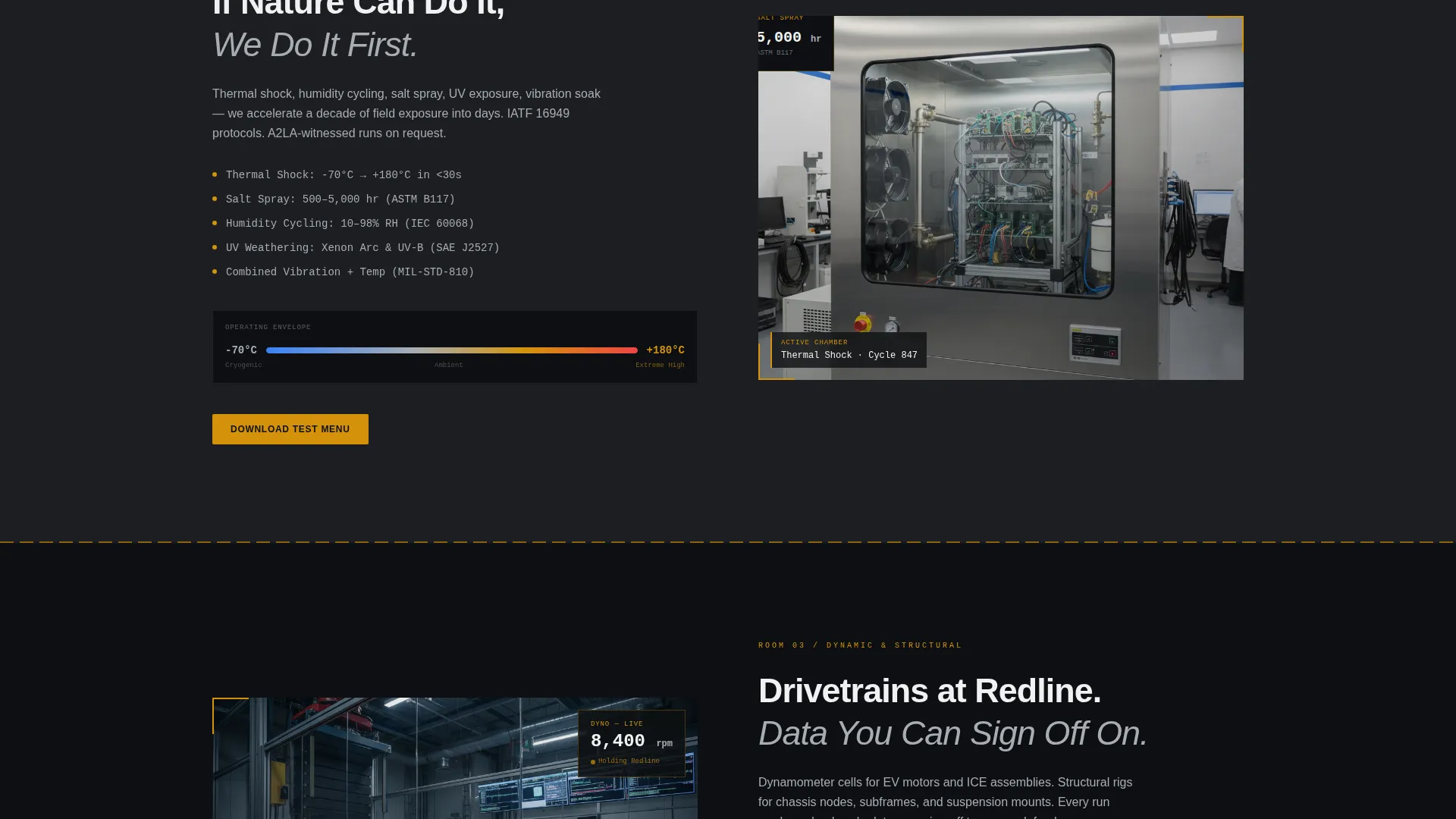
Each section alternates left-image/right-text and text-left/image-right to simulate moving deeper into the facility. The first section opens in the metallurgical lab with macro grain structure photography. The next steps into the environmental simulation chamber. Thin amber rule lines act as caution striping between sections.
Specification Callout Blocks
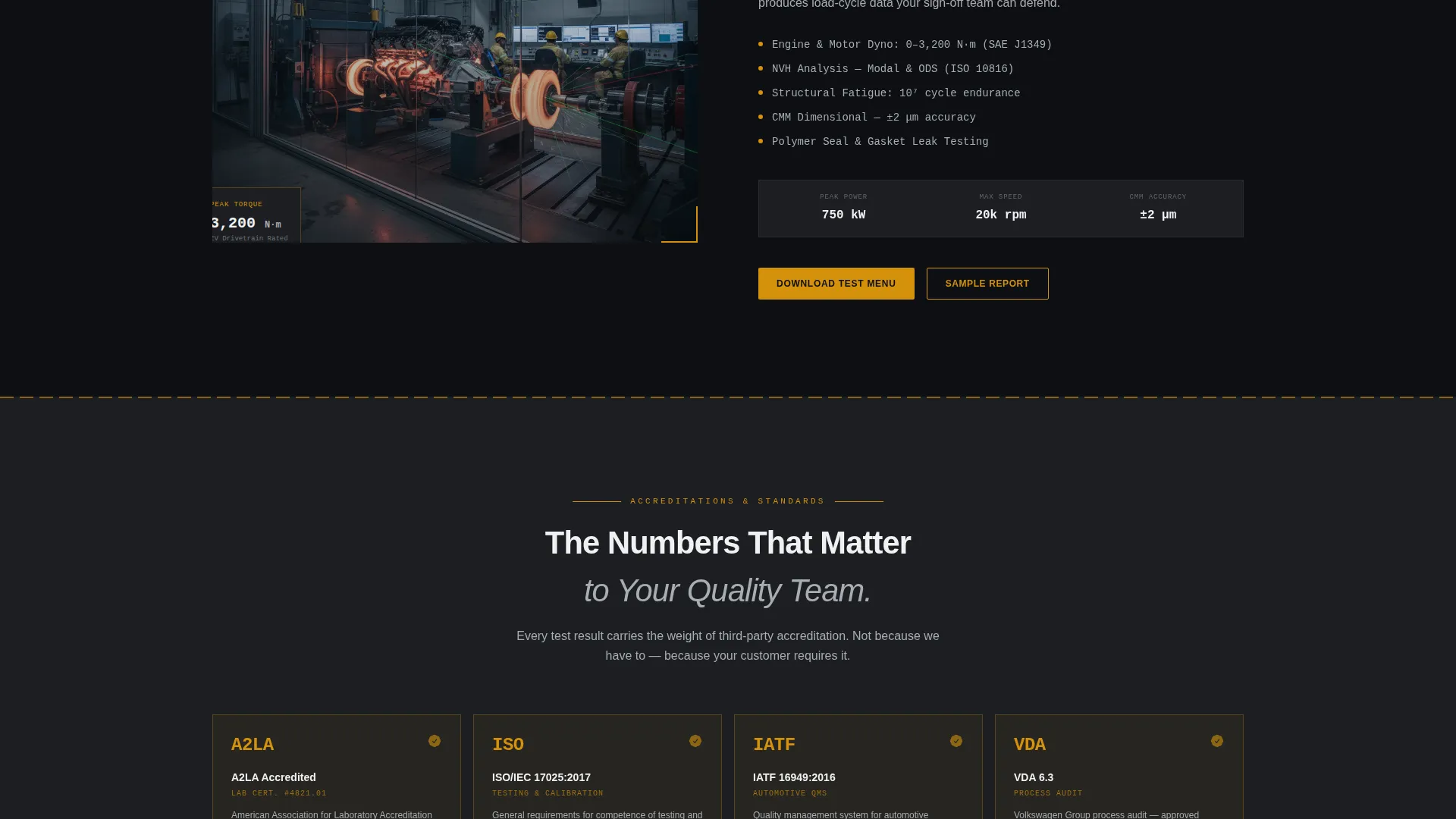
Every capability section carries a small spec block showing hard numbers such as temperature ranges, force capacities, and accreditation logos. These blocks are designed to give engineers the data they scan for before committing to a longer read.
Gated Test Menu Download
The primary call to action is a forge amber "Download Our Test Menu" button anchored at the end of each capability section. Clicking opens a single-field gate requiring only a work email address, keeping friction low while qualifying leads.
Sample Report Secondary Path
A secondary call to action, "Get a Sample Report," runs alongside the primary download. It gives visitors who need to evaluate deliverable quality a lower-commitment entry point before engaging the sales process.
Persistent Conversion Bottom Bar
A bottom bar appears after the visitor scrolls past the second section. It carries the forge amber download call to action and stays visible as the visitor moves through the page, keeping the primary conversion path accessible at all times.
Page sections overview
| Section | Purpose |
|---|---|
| Full-Viewport Header | Establishes lab credibility and sets the industrial atmosphere with a panoramic floor shot and bold headline |
| Metallurgical Lab Section | Introduces destructive testing capabilities with macro grain photography and left-image/right-text layout |
| Environmental Chamber Section | Details thermal shock, humidity cycling, and UV exposure with a flipped text-left/image-right layout |
| Capability Spec Blocks | Delivers hard numbers including temperature ranges, force capacities, and accreditation marks per section |
| Test Menu Download Gate | Converts engaged visitors with a single-field email gate tied to the primary resource download |
| Sample Report Path | Offers a secondary conversion route for visitors evaluating deliverable quality before a sales conversation |
| Persistent Bottom Bar | Keeps the forge amber download call to action visible throughout the full page scroll |
Design & branding system
The visual identity follows an Industrial Raw theme built on a Charcoal and Amber color system. Every color choice is functional, not decorative, designed to perform under the mental equivalent of fluorescent bay lighting.
- Deep graphite (#1C1E22) for primary backgrounds, machine-oil black (#0D0F12) for section dividers, forge amber (#D4920B) for calls to action and data callouts, and cool zinc (#A8ADB3) for body text and secondary elements
- Oversized industrial sans-serif typography for headlines in knockout white, keeping readability high at a glance
- Amber rule lines used as caution striping between sections to reinforce the spatial architectural flow of the facility
Mobile & speed optimization
The template layout is structured to remain readable and functional across screen sizes. The zigzag sections reflow cleanly so that specification blocks and calls to action stay prominent on smaller displays.
- Alternating sections stack vertically on narrow screens without losing the progressive facility walkthrough narrative
- The persistent bottom bar scales to mobile viewport widths so the download call to action is always reachable
- Spec blocks and accreditation marks are sized for legibility on both desktop and handheld displays
How this template helps you convert
Conversion is built into the page structure from the first scroll. The template earns the download before it asks for it, then keeps the ask visible throughout.
- The header and early capability sections front-load real specifications and accreditation marks such as A2LA, ISO 17025, and IATF 16949 compliance signals, so engineers qualify the lab before reaching any gate.
- The single-field email gate tied to the "Download Our Test Menu" call to action removes friction at the moment of highest intent, capturing the lead without a lengthy form.
- The "Get a Sample Report" secondary path catches visitors who are not yet ready to download, giving them a low-commitment way to evaluate lab deliverables and re-enter the conversion flow later.
Other information about this template
This template is designed specifically for the automotive quality testing lab niche within the broader manufacturing and industrial category. It is category-matched for automotive manufacturing subcategory use cases.
- The template style is classified as Zigzag/Alternating and the header concept is Panoramic/Wide, matching the intersection context of this niche
- The landing page direction is Content/Resource, meaning the page is structured to deliver a gated technical asset rather than push a direct service sale
- The creative direction is Spatial and Architectural, treating each alternating section as a distinct room within the facility to create progressive depth
- The template theme is Industrial Raw, reinforcing a utilitarian aesthetic that speaks directly to quality engineers and lab directors rather than general marketing audiences
- This template can support lab businesses serving clients with IATF 16949 compliant validation requirements, Production Part Approval Process timelines, and warranty root-cause investigation workflows
Theme
Industrial Raw
Creative direction
Spatial & Architectural
Color system
Charcoal & Amber
Style
Zigzag/Alternating
Direction
Content/Resource
Page Sections
Full-viewport Panoramic Header with Parallax
Zigzag Alternating Capability Sections
Inline Specification Callout Blocks
Single-field Gated Download
Secondary Sample Report Path
Persistent Conversion Bottom Bar
Related questions
Who is this landing page template built for?
What is the primary call to action on this template?
Can I use this template to showcase specific testing capabilities?
Does the template include a secondary conversion path?
What accreditation marks does this template support visually?



