Wind Turbine Technician Business Directory Website Template
Torque is a split-screen landing page template built for rope-access wind turbine technician businesses. It pairs a bold, credential-led visual structure with two conversion paths: a gated PDF download and a qualified site assessment form. The design speaks directly to Operations and Maintenance directors and asset managers who need fleet-scale proof before they respond to any vendor.
by Rocket studio
Quick summary
Torque is a single-page, split-screen landing page template designed for industrial wind turbine technician services. It leads with a full-bleed hero, builds authority through an Operations and Maintenance credential wall, and converts visitors through a resource download and a site assessment form. The layout is desktop-first, built for procurement-minded professionals who evaluate vendors on proof.
Who this template is for
This template is purpose-built for rope-access wind turbine service businesses that need to win trust from sophisticated buyers before asking for a phone call or an email address. It fits businesses that operate across multiple states, hold OEM certifications, and can back their claims with measurable fleet data.
- Operations and Maintenance directors at independent power producers managing scheduled maintenance windows and weather holds
- Asset managers at infrastructure funds who report quarterly turbine availability numbers to investors
- Wind turbine service contractors ready to present certifications, case metrics, and downloadable resources to qualified leads
What problem this template solves
Most wind energy service pages list capabilities without proving them. Buyers at this level, who manage fleets of fifty to two hundred turbines, need vendor verification before they commit to a conversation. A generic service page does not clear that bar.
- No structured way to display OEM certifications, site clearances, and quantified case data side by side
- No dedicated conversion path that earns the lead by delivering value first, before asking for contact information
- No form designed to capture qualified lead details such as farm location, turbine count, OEM model, and preferred service window
What you get with this template
You get a fully structured, section-led landing page that takes a visitor from gut-punch headline to qualified form submission in a single scroll. Every section has a defined job, and no section asks for trust it has not yet earned.
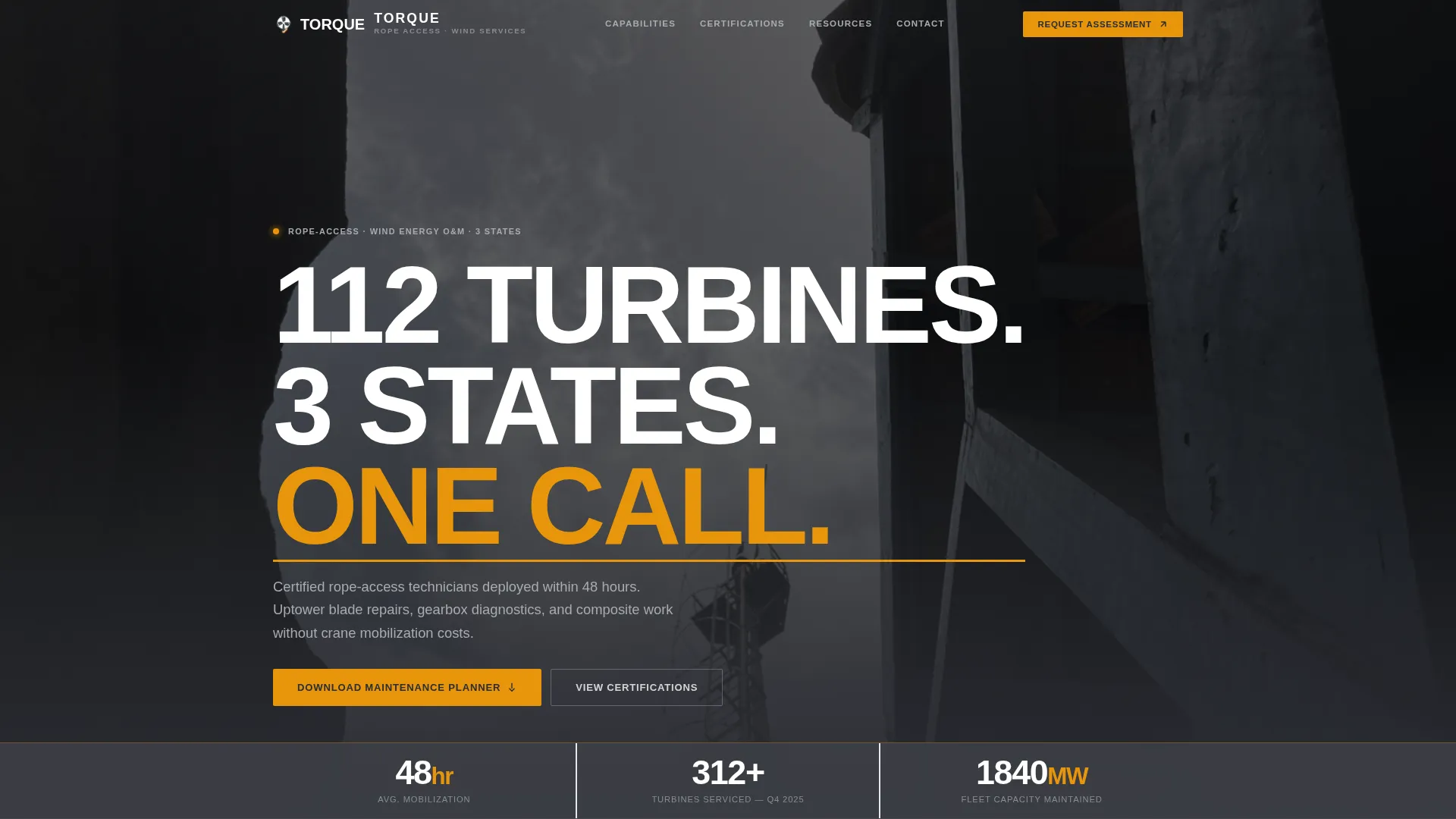
- A hero section with a full-bleed tower photograph, a bold centered headline, and a live stat bar showing response time, turbines serviced, and megawatts maintained
- A split-scroll credential section pairing OEM platform logos with corresponding case metrics, followed by a gated PDF resource download with a single-field email capture
- A multi-field site assessment form collecting farm location, turbine count, OEM model, and preferred service window to qualify inbound leads
Feature list
This section walks through the core built-in components that make Torque a complete lead-generation landing page for wind turbine technician businesses.
Full-Bleed Hero with Stat Bar
The hero section uses a muted full-bleed photograph of a technician mid-climb, shot from below looking up a tower lattice. White condensed uppercase type runs at scale over the image, with a thin amber underline. Directly beneath the headline, a three-item stat bar displays average response time, turbines serviced last quarter, and total megawatts maintained.
Split-Screen Logo Wall with Case Data
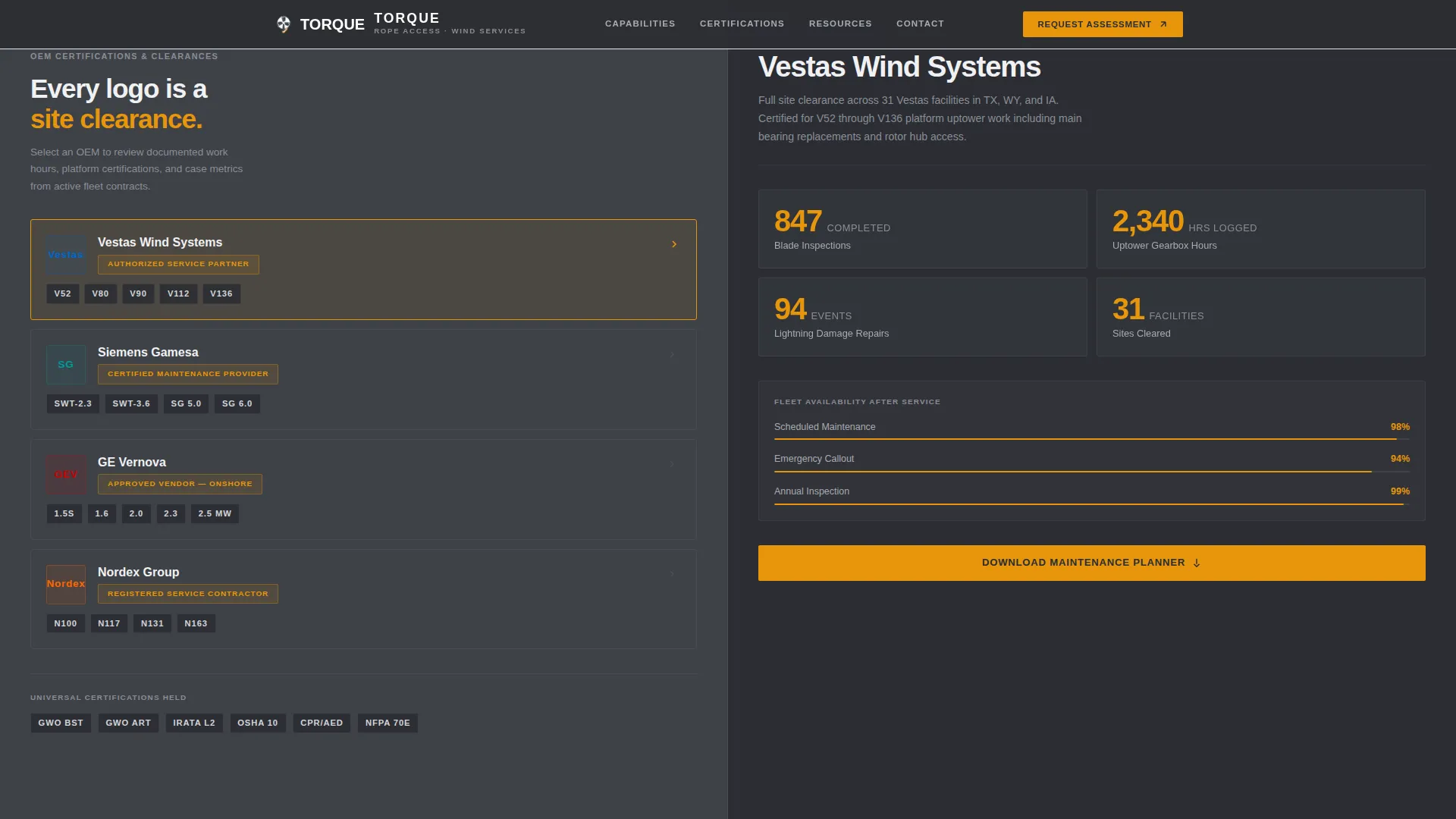
The left panel locks into a vertical scroll of OEM platform certification logos. The right panel streams corresponding proof metrics: blade inspection counts, gearbox hours logged, and uptower composite repairs completed. Hover states on each logo reveal additional site clearance context. This structure positions certifications as evidence rather than decoration.
Gated Resource Download Section
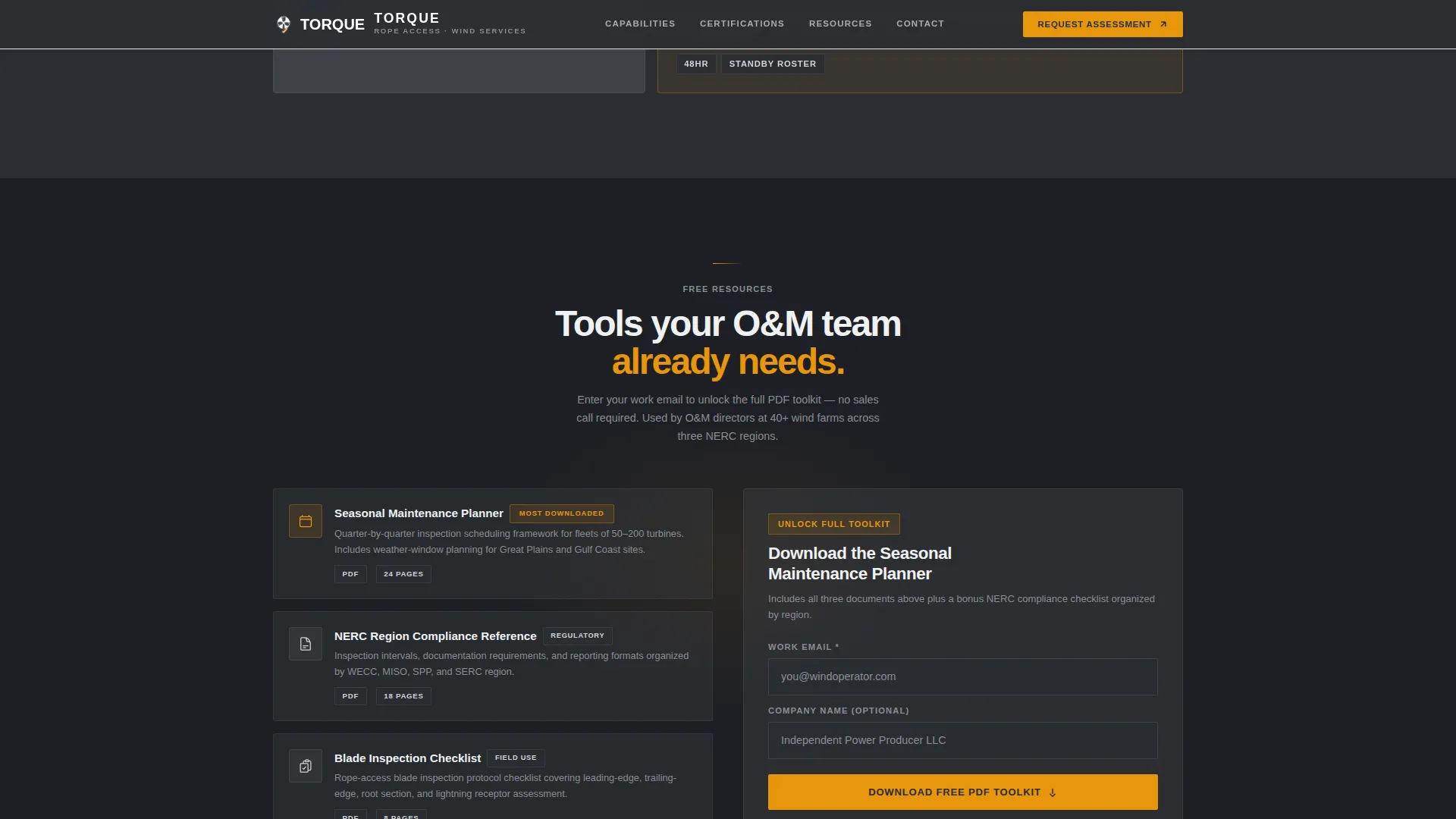
At the midpoint of the page, after the credential wall has done its work, a single-field email capture with an optional company name field unlocks a gated PDF toolkit. The primary call-to-action reads "Download the Seasonal Maintenance Planner." The section is placed deliberately so visitors have already processed the authority proof before they decide whether to share their contact information.
Services Bento Grid
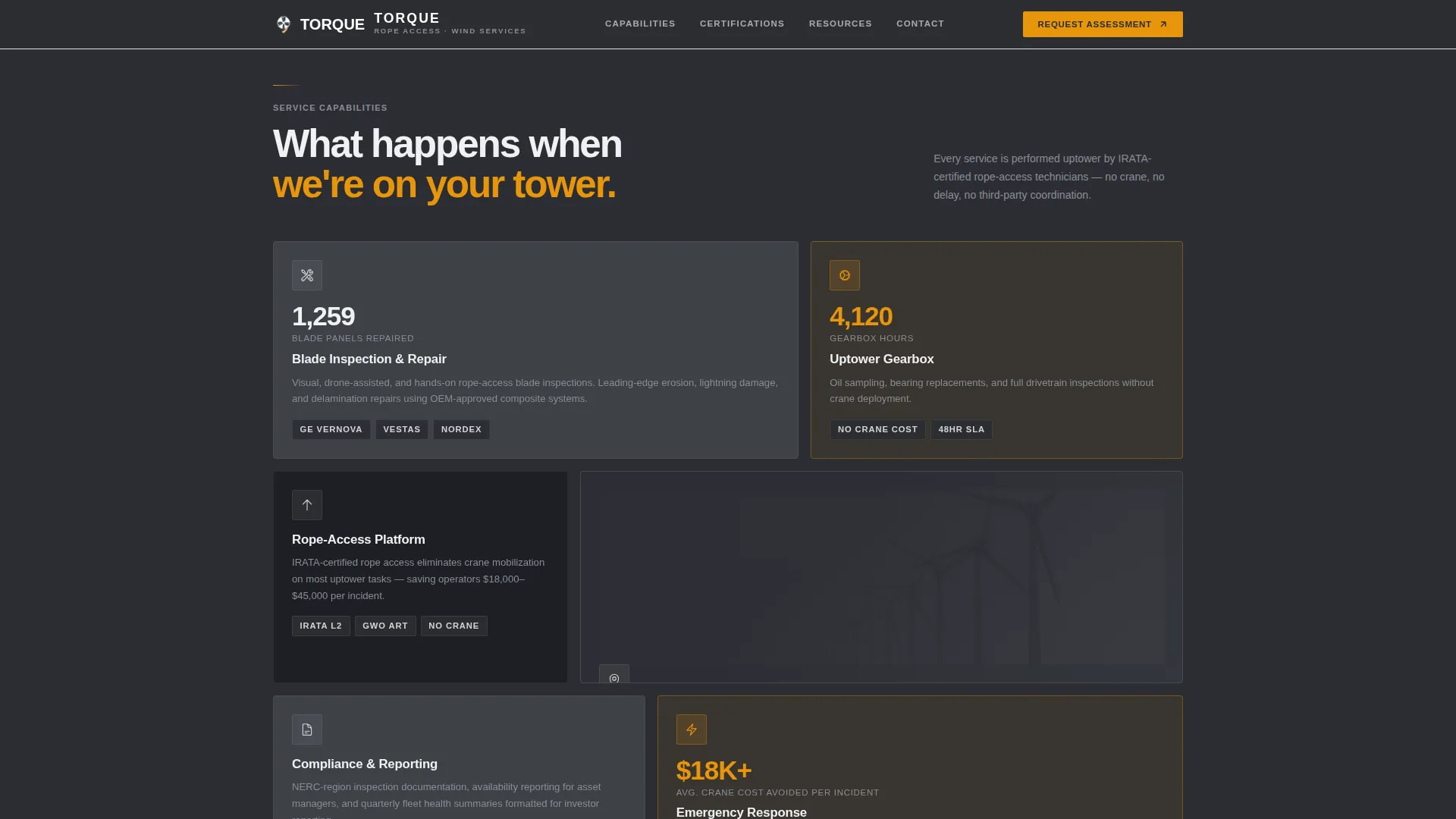
An asymmetric bento-style grid lays out service capabilities in a scannable format. Each cell covers a distinct capability area, giving visitors a fast read of what the business can actually do uptower before they reach the conversion sections.
Qualified Site Assessment Form
The bottom of the page carries a secondary conversion path titled "Request a Site Assessment." The form collects farm location, turbine count, OEM model, and preferred service window. This structure filters for decision-ready buyers and gives the service team meaningful context before the first contact.
Scroll Reveals and Stat Counters
Medium-level animation includes scroll-triggered reveals for content sections and animated stat counters in the hero bar. These interactions add motion where it reinforces data credibility without adding visual noise or slowing the page down.
Page sections overview
| Section | Purpose |
|---|---|
| Hero Headline | Establish scale and authority with a bold headline, full-bleed tower photo, and three-item stat bar |
| Logo Wall | Pair OEM certification logos with proof metrics in a sticky left-right split scroll |
| Services Bento | Display uptower service capabilities in an asymmetric scannable grid |
| Resource Download | Convert mid-funnel visitors with a gated PDF toolkit behind a single-field email capture |
| Site Assessment Form | Qualify decision-ready leads with farm-specific form fields |
| Footer | Linear single-row footer with contact and business details |
Design & branding system
The visual identity follows a Service Utility theme. Every design decision reads like equipment rather than marketing. The palette and type choices are grounded in industrial utility: no gradients, no decorative flourishes, no soft shadows.
- Color system uses deep turbine-housing charcoal (#2B2D33) as the primary background, inspection-report dark (#3E4147) for secondary surfaces, overcast sky gray (#D2D4D8) for body text and borders, and safety-harness amber (#E8960C) reserved for calls-to-action, data callouts, and hover states
- Typography pairs DM Sans condensed for headlines, creating the tight uppercase impact in the hero, with Manrope for body copy to keep long credential descriptions readable
- All amber usage is intentional and restrained, functioning as a signal color the way an indicator light works on a control panel
Mobile & speed optimization
The template is built desktop-first, reflecting how Operations and Maintenance directors and procurement reviewers typically work at a workstation when evaluating service vendors. The layout still functions cleanly on tablet and mobile viewports.
- Server Components handle static content sections to reduce unnecessary JavaScript execution, keeping the page responsive on slower connections
- Form interactions and logo hover states use minimal JavaScript, avoiding heavy client-side overhead for interactive elements
- The split-screen scroll behavior adapts on smaller viewports so the credential wall and case data stack vertically without losing the logical pairing between logos and metrics
How this template helps you convert
Torque is structured around a deliberate proof-then-ask sequence. Visitors build confidence through credentials and data before they encounter any form field. This matters for buyers who are used to filtering out vendors quickly.
- The hero stat bar puts measurable output front and center immediately, so visitors understand the scale of the operation before reading a single word of marketing copy.
- The credential wall with paired case data allows buyers to verify OEM platform experience visually, which shortens the evaluation step that would otherwise happen over email or a phone call.
- The gated resource download converts a passive reader into a contact by offering genuine utility, a seasonal maintenance planning toolkit, at the exact moment authority has been fully established.
Other information about this template
This template was designed with a specific niche in mind: the industrial B2B segment of wind energy operations and maintenance. A few additional details are worth knowing before you customize and deploy it.
- The page is localized for the United States market, using imperial measurements and organizing the regulatory compliance reference sheet content by NERC region (North American Electric Reliability Corporation)
- The footer follows a linear single-row pattern, keeping the bottom of the page clean and consistent with the no-clutter industrial aesthetic throughout
- The resource download section is designed to support multiple downloadable assets, including a turbine maintenance checklist, a seasonal inspection scheduling guide, and a regulatory compliance reference sheet, all organized as part of the gated PDF toolkit
- Scroll reveal animations and stat counter effects are set to a medium intensity level, adding motion that reinforces data credibility without distracting from the credential-first structure
Theme
Service Utility
Creative direction
Logo Wall Authority
Color system
Charcoal & Amber
Style
Split Screen (50/50)
Direction
Content/Resource
Page Sections
Full-bleed Hero with Live Stat Bar
Split-screen OEM Credential Wall
Gated PDF Resource Download
Qualified Site Assessment Form
Services Bento Grid
Scroll Reveals and Stat Counters
Related questions
Who is the primary audience for this landing page template?
What are the two conversion paths included in this template?
Can I update the stat bar numbers and logo wall to match my business?
Is this template suitable for a multi-state wind turbine service operation?
What design style does this template follow?



