Millwright Business Reviews & Social Proof Website Template
Torque is a split-screen landing page template built for millwright businesses. It pairs client testimonials with project details in an escalating mosaic layout, guiding plant managers and maintenance directors from social proof to a clear click-through action. The Ink and Paper color system and heavy serif typography give every review the weight it deserves.
by Rocket studio
Quick summary
Torque is a single-page, click-through landing page template designed for millwright contractors. It pairs industrial client reviews with project-specific details in a 50/50 split-screen mosaic. The Executive Suite visual identity uses deep carbon black, warm parchment, and safety orange to communicate precision, authority, and trust without a single wasted word.
Who this template is for
This template was built for millwright businesses that win work through reputation, not advertising budgets. If your clients are plant managers, maintenance directors, or general contractors, this page speaks directly to them.
- Millwright contractors who need a dedicated customer review page that reflects the weight of their work
- Industrial service businesses ready to convert hard-won testimonials into a structured click-through experience
- Crews that handle turbine alignments, conveyor sets, press installations, and full plant relocations
What problem this template solves
Most millwright websites bury their best proof in walls of text or generic service lists. Clients who need a 40-ton press set level to a thousandth of an inch are not moved by stock photography and vague capability claims.
- Testimonials lack project context, so readers cannot gauge the actual scale of the work
- There is no clear path from social proof to a quote request or services page
- The visual design feels too generic to reflect the precision and authority the trade demands
What you get with this template
You get a fully structured, single-page click-through layout built around escalating social proof. Every section has a defined role, and nothing is included without purpose.
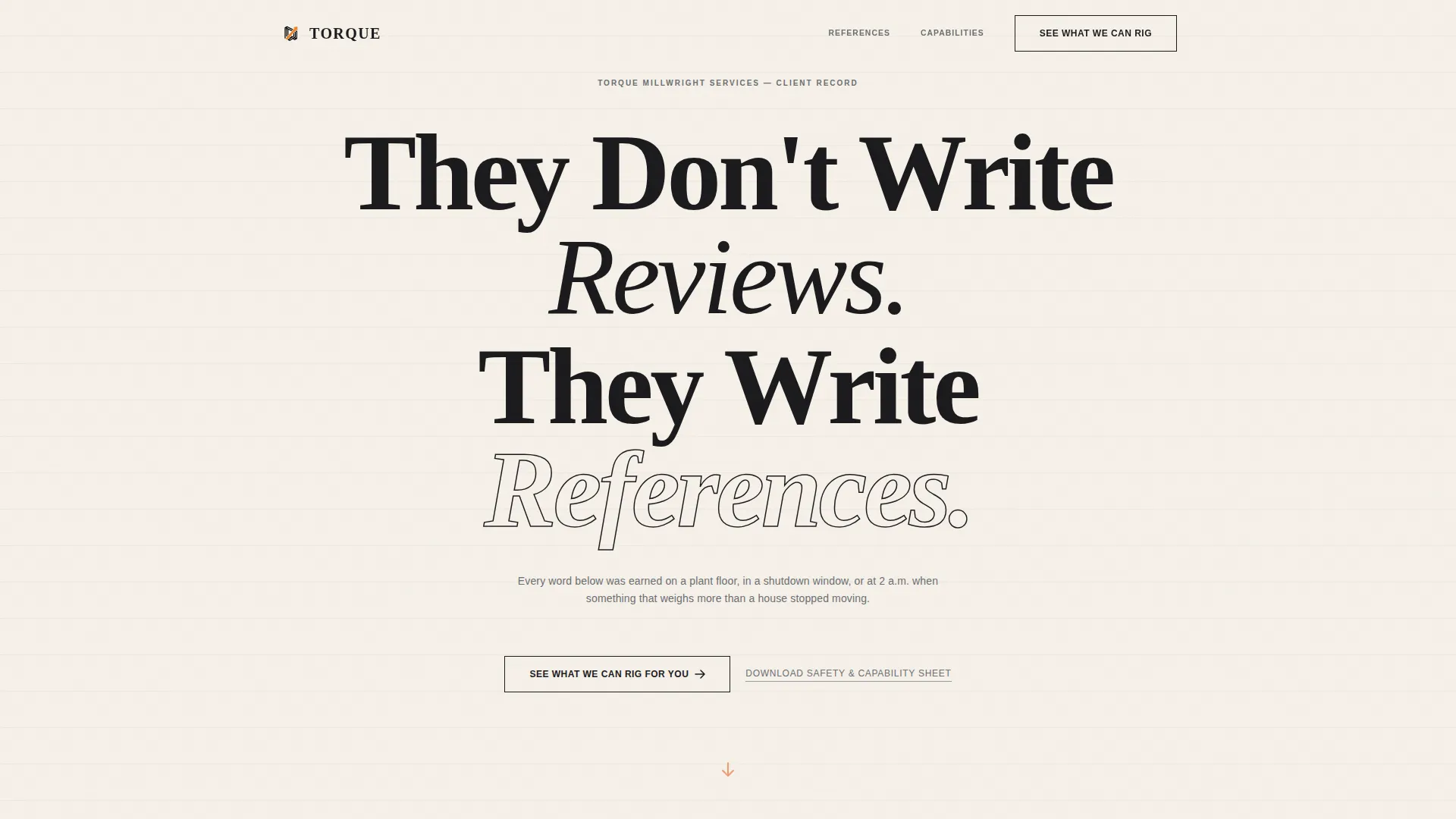
- A giant centered headline section that commands the viewport like a broadsheet front page
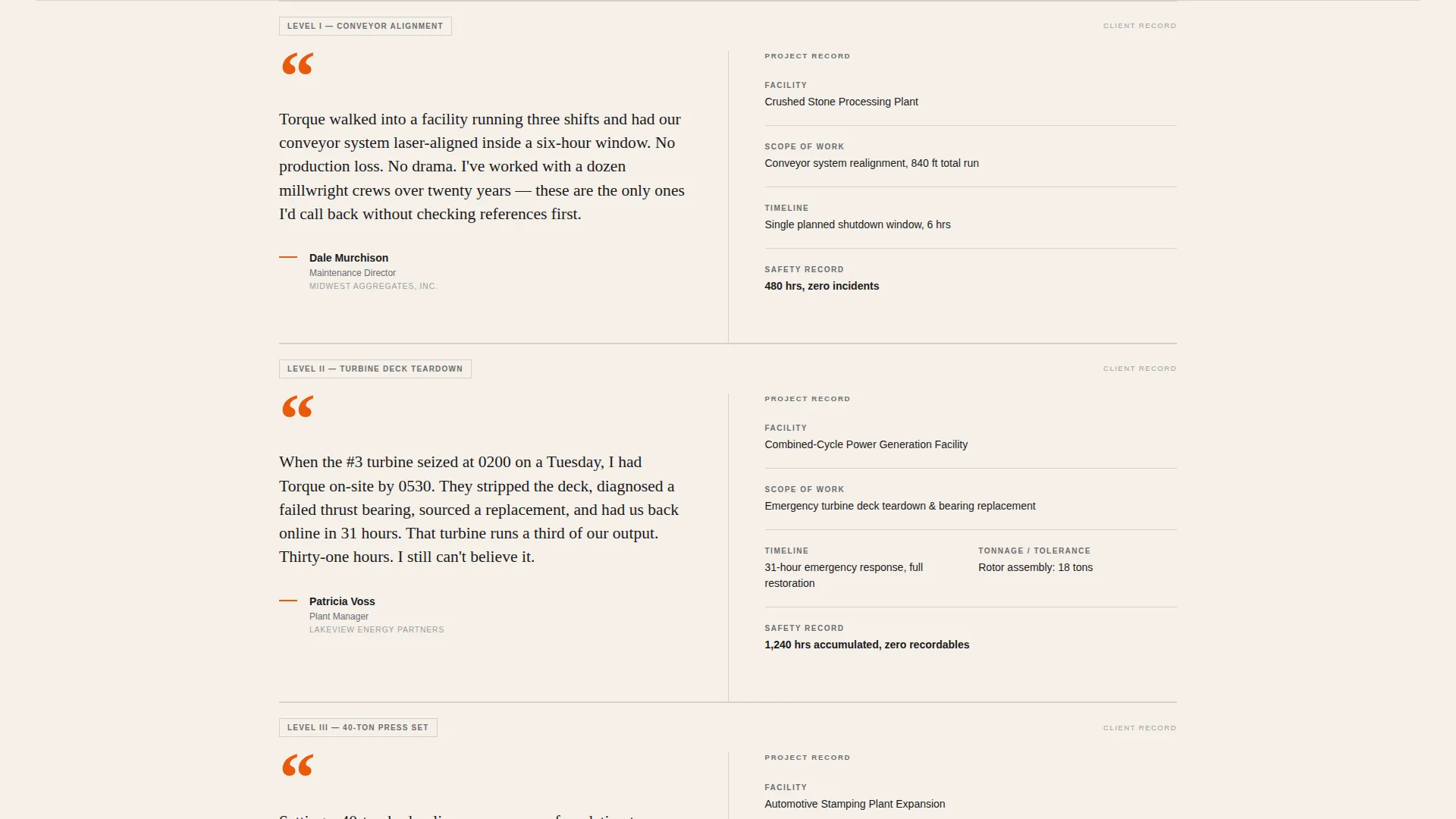
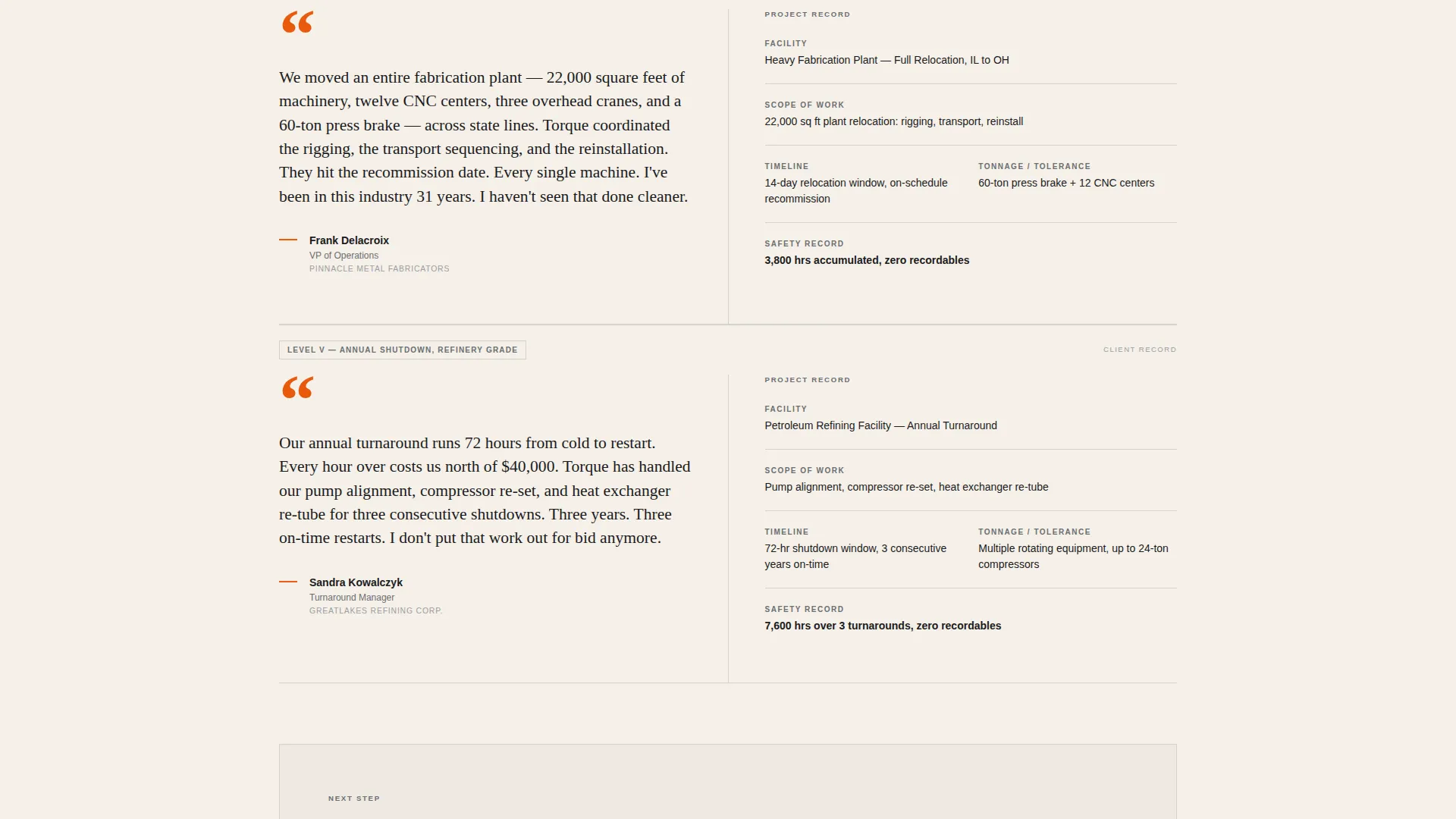
- A testimonial mosaic that pairs client reviews with facility type, tonnage, timeline, and logged incident-free hours
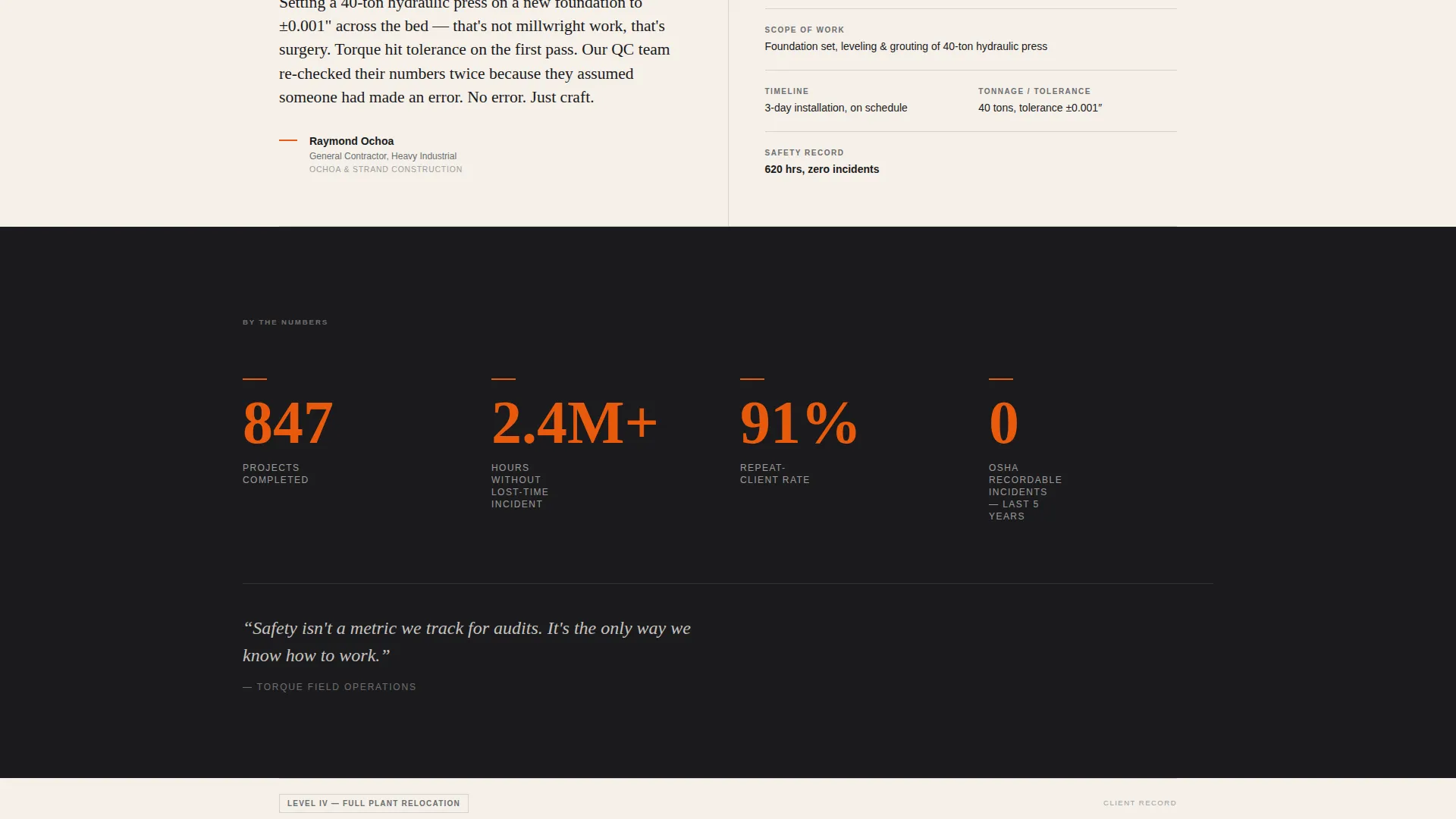
- A full-width stat bar midway through the page displaying jobs completed, lost-time-free hours, and repeat-client percentage
- Two distinct call-to-action treatments: a ghost button in the header and a solid safety-orange block after the fifth testimonial
- A secondary text link for downloading a safety and capability sheet, aimed at procurement-ready plant managers
Feature list
This section walks through the core built-in components that make Torque work as a millwright review page.
Giant Centered Headline Header
The header fills the viewport with an oversized serif headline set in carbon black on warm parchment. No image or video competes with it. A single safety-orange pulsing down-arrow is the only motion on the page, drawing the eye downward without distraction.
50/50 Split-Screen Testimonial Mosaic
Each mosaic tile pairs a client review on the left with structured project data on the right. Details include facility type, tonnage moved, timeline met, and zero-incident hours logged. Testimonials are ordered by escalating project complexity, not chronology, so trust compounds as the reader scrolls.
Full-Width Stat Bar
A horizontal break midway through the mosaic displays three key performance figures: jobs completed, hours without a lost-time incident, and repeat-client percentage. It interrupts the scroll deliberately, giving procurement-minded readers a data anchor before the heaviest testimonials appear.
Dual Call-to-Action System
The primary call to action, "See What We Can Rig for You," appears first as a ghost button and solidifies into a full safety-orange block after the fifth testimonial. This staged approach lets trust build before the ask is made.
Secondary Capability Sheet Link
A plain text link, "Download Our Safety and Capability Sheet," sits alongside the primary call to action. It gives plant managers a direct path to a PDF they can bring to a procurement meeting without filling out a form.
Executive Suite Typography and Color System
Serif body type in carbon black runs on warm parchment backgrounds. Steel-rule gray acts as a section divider. Safety orange appears only on calls to action and pull-quote marks, making every instance feel like a deliberate signature rather than decoration.
Page sections overview
| Section | Purpose |
|---|---|
| Viewport Headline Header | Establishes authority with oversized serif type and a pulsing orange down-arrow |
| Ghost Button call to action | Introduces the primary click-through action before social proof begins |
| Testimonial Mosaic Tiles | Pairs escalating client reviews with structured project-data panels |
| Midpage Stat Bar | Anchors credibility with three performance figures at peak scroll attention |
| Heavy Testimonial Close | Delivers the most complex project reviews to maximize trust before the final call to action |
| Solid Orange call to action Block | Converts accumulated trust into a direct click to the services or quote page |
| Capability Sheet Link | Offers a no-form PDF download path for procurement-ready decision-makers |
Design & branding system
The Ink and Paper color system was chosen to feel like a typed letter on bond stock, authoritative and unhurried. Every visual choice reinforces the credibility of the testimonials rather than competing with them.
- Carbon black (#1B1B1E) carries all body text in clean serif faces; parchment (#F5F0E8) dominates backgrounds for warmth and legibility
- Steel-rule gray (#6B6E73) divides sections the way ruled lines separate entries on a foreman's clipboard
- Safety orange (#E8590C) is reserved strictly for calls to action and pull-quote marks, appearing sparingly enough to feel like a signature
Mobile & speed optimization
The split-screen layout is designed to reflow cleanly on smaller screens so the testimonial and project-data pairing stays readable at any size.
- The 50/50 columns stack vertically on mobile, keeping client review text and project detail panels legible without horizontal scrolling
- The stat bar condenses into a single-column figure stack on narrow viewports, preserving its visual impact mid-scroll
How this template helps you convert
Torque is structured as a deliberate trust-building sequence. Every layout decision moves the reader closer to clicking through.
- The headline and ghost button establish the offer immediately, giving action-ready visitors an early exit to the services or quote page without waiting for the full scroll.
- The escalating mosaic builds trust through compounding proof, so by the time the solid orange call-to-action block appears after the fifth testimonial, the reader has already formed a verdict.
- The secondary capability sheet link captures procurement-stage visitors who need documentation before they can act, extending the page's reach beyond a single click path.
Other information about this template
Torque is part of a broader Executive Suite template family that prioritizes restraint, hierarchy, and earned authority over visual noise. A few additional points worth knowing before you customize it:
- The page contains no contact form; all conversion is handled through click-through links, keeping the experience clean and commitment-free for first-time visitors
- Testimonial content is placeholder-ready, so you can drop in real client references, project tonnage figures, and logged hours without restructuring any layout
- The safety orange accent is intentionally limited across the design; adding it to non-call to action elements would dilute the visual signal the template relies on
- This template is designed as a standalone millwright customer review page and works best when linked from a main services or home page as a dedicated proof destination
Theme
Executive Suite
Creative direction
Testimonial Mosaic
Color system
Ink & Paper
Style
Split Screen (50/50)
Direction
Click-Through
Page Sections
Giant Centered Headline Header
Split-screen Testimonial Mosaic
Full-width Midpage Stat Bar
Dual Call-to-action System
Capability Sheet Download Link
Executive Suite Color and Type System
Related questions
Does this template include a contact form?
Can I add more testimonials to the mosaic?
What figures does the midpage stat bar display?
Who is the capability sheet download link designed for?
Can this template support multiple millwright service types?



