Specialist Agricultural Equipment Manufacturing Professional Website Template
Torque is a split-screen landing page template built for agricultural equipment assembly services. It combines a panoramic facility header, spec-sheet scroll narrative, and a precision-tuned Navy Authority color system to speak directly to dealers, distributors, and co-ops. The layout leads with throughput data and facility credentials before presenting a dual-path conversion system built for B2B partnership decisions.
by Rocket studio
Quick summary
Torque is a Corporate Precision landing page template designed for agricultural equipment assembly operations. It uses a 50/50 split-screen layout, a spec-sheet scroll structure, and a Navy Authority palette to build trust with B2B buyers. Every section moves the visitor from receiving dock to outbound delivery, earning the conversion through data before asking for contact.
Who this template is for
This template is built for businesses that assemble agricultural equipment at scale and need to convert B2B partners, not general consumers. The layout and messaging are calibrated for operations where credibility and throughput numbers close deals.
- Regional equipment dealers who need assembly capacity without building their own bays
- Original equipment manufacturer (OEM) distributors scaling into new territories
- Agricultural cooperatives managing fleet turnover across hundreds of member farms
What problem this template solves
Most industrial service providers struggle to communicate scale and reliability on a single page. A generic layout cannot carry the weight of a facility that processes 200 or more implement models. This template solves that gap by letting verified throughput data do the persuading.
- Lack of a structured way to present assembly capacity, turnaround times, and quality assurance rates to skeptical B2B buyers
- No clear dual-conversion path that captures both ready-to-talk prospects and early-stage researchers at the same time
What you get with this template
This template delivers a complete, ready-to-customize landing page structured around an assembly service workflow. Every visual and copy block is designed to reinforce operational credibility before the visitor reaches a form.
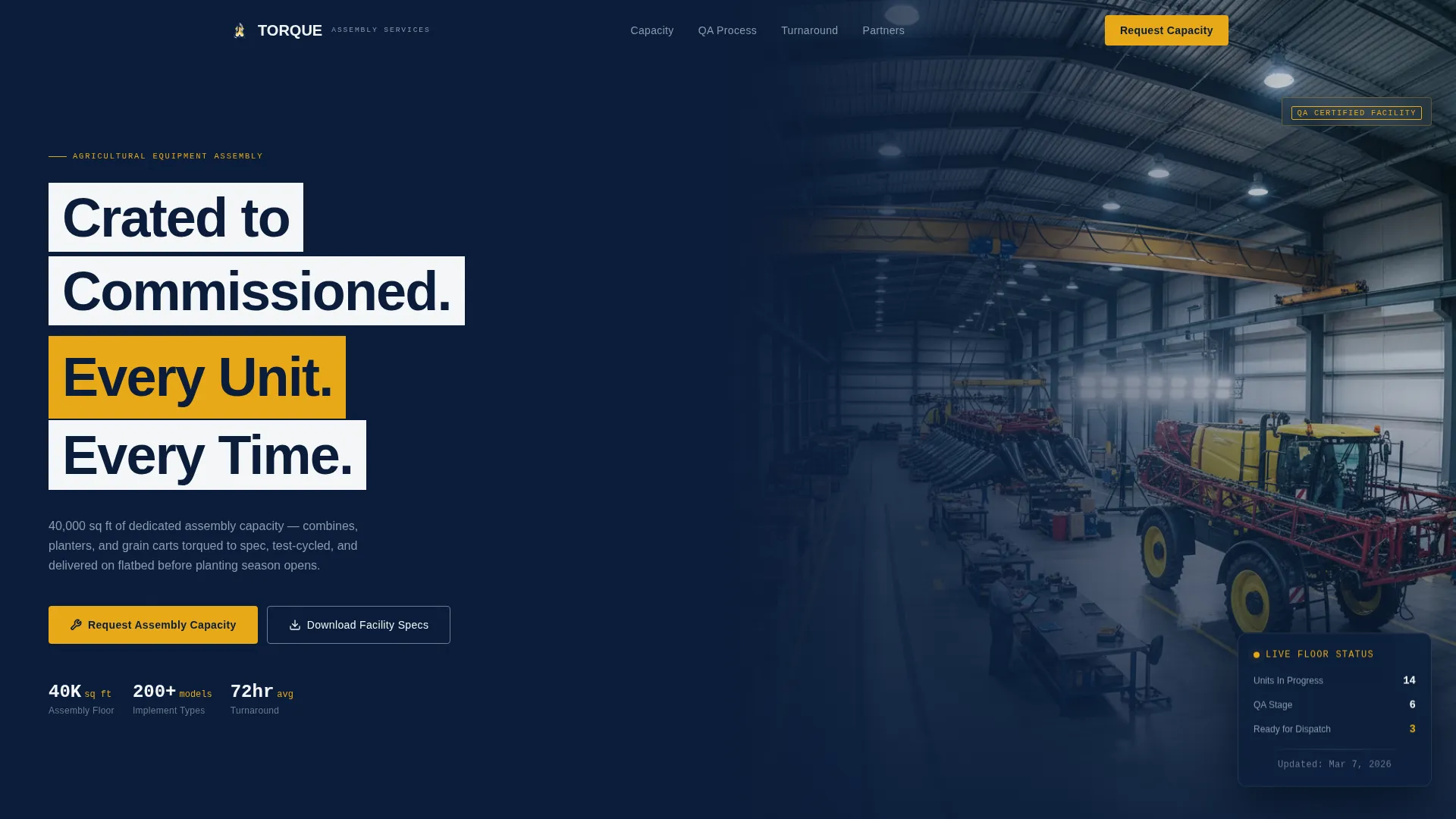
- A panoramic mezzanine-level header with a headline overlay and a primary call-to-action button
- A scrolling spec-sheet layout with split-screen sections that pair specification data with stage-by-stage assembly photography
- A dual-conversion system: a sliding panel form for capacity requests and a gated PDF download for facility specifications
Feature list
This template packages six precision-built features that work together to move a B2B prospect from first impression to conversion decision.
Panoramic Assembly Floor Header
A wide-angle header photograph spans the full facility length, shot from mezzanine level. It captures three assembly stages in one frame: a crated implement on the receiving dock, a suspended row-crop header under construction, and a finished sprayer under inspection lights. The headline "Crated to Commissioned. Every Unit. Every Time." fades in over the image.
Split-Screen Spec Sheet Scroll
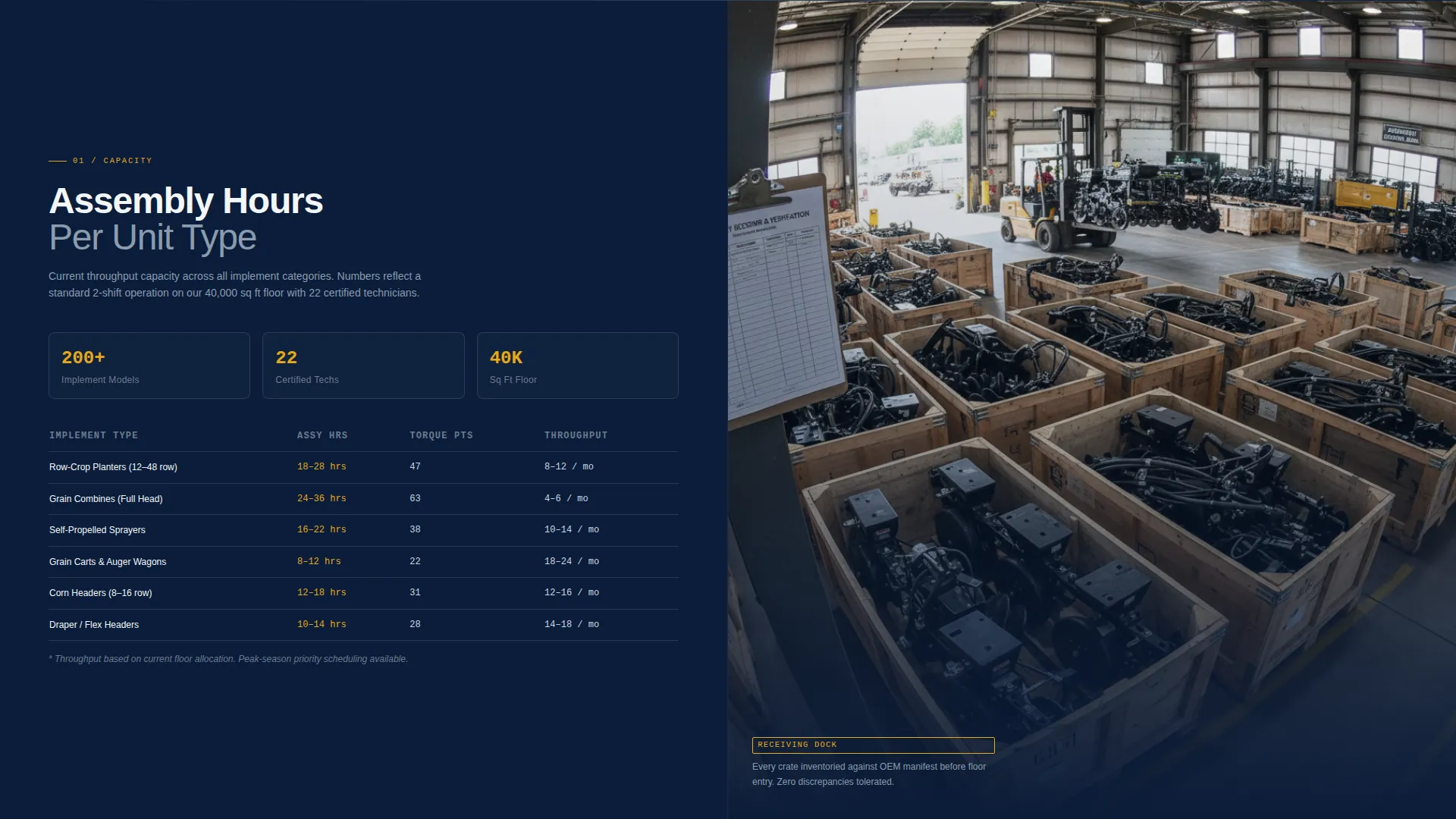
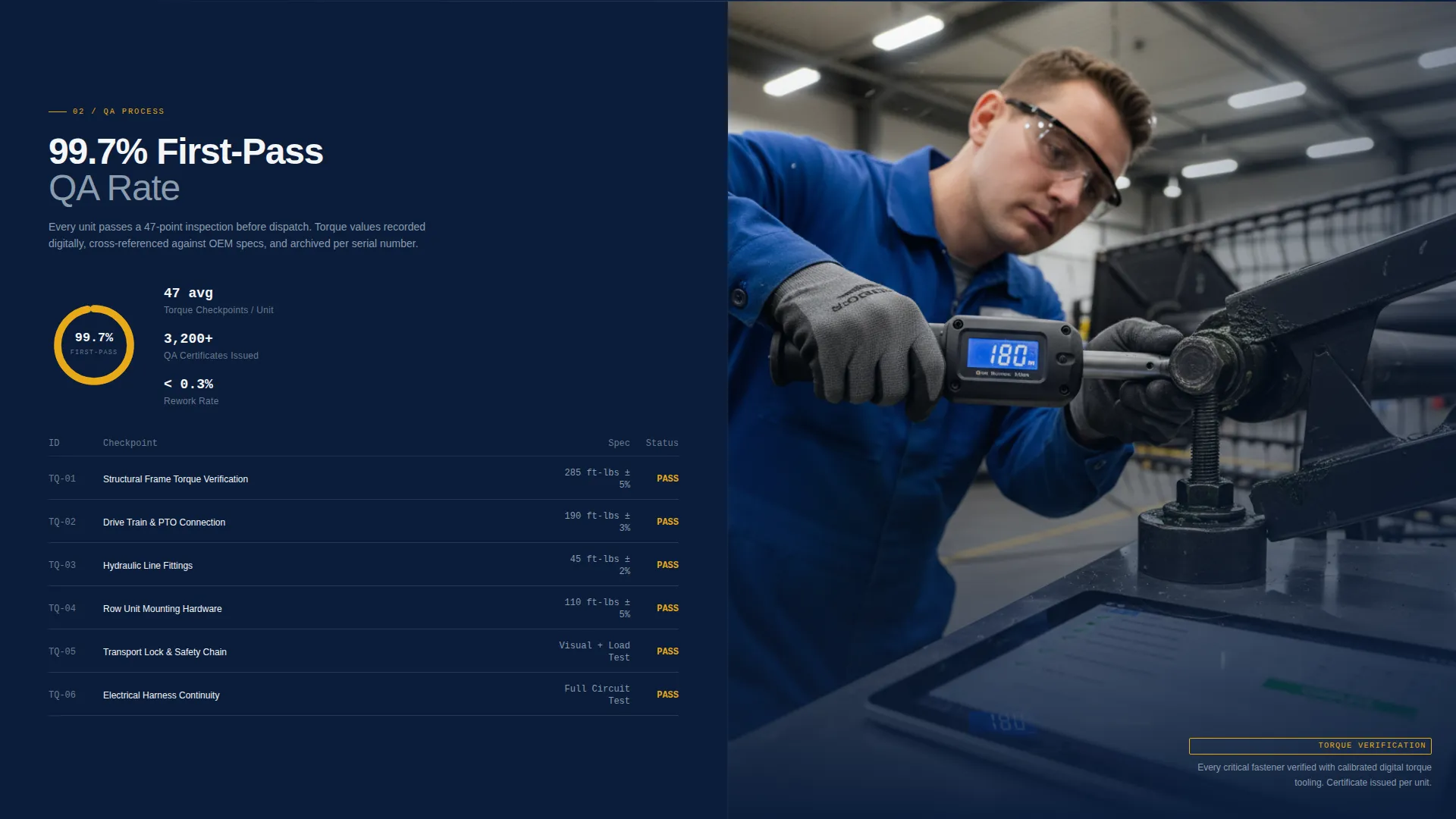
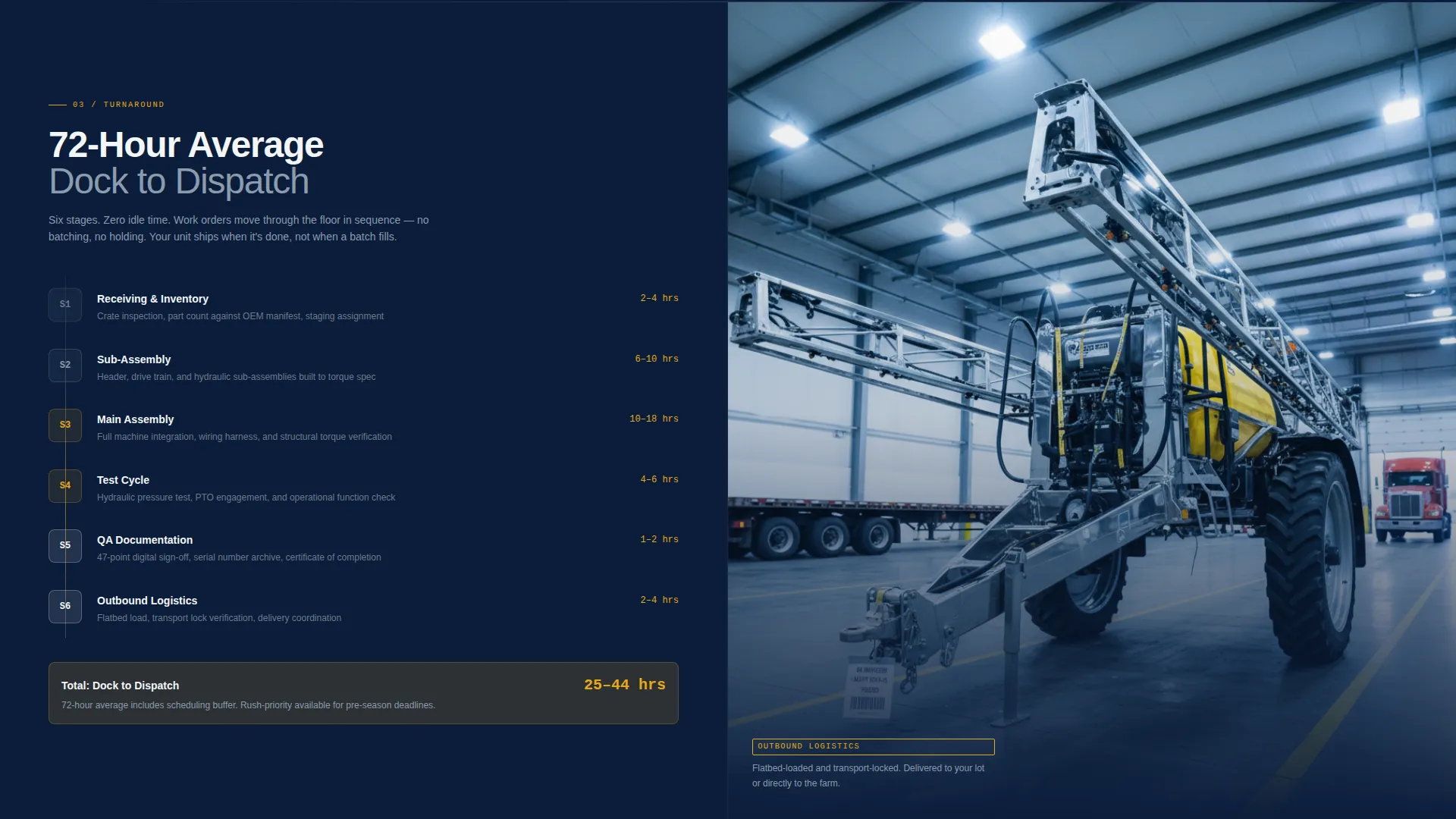
Each scroll section pairs a data panel on the left with a tightly cropped assembly photograph on the right. Data panels display assembly hours per unit type, torque verification points, quality assurance checkpoints, and current monthly throughput capacity. The narrative escalates from receiving and inventory verification through sub-assembly, main assembly, testing, and outbound logistics.
Floating Capacity Request Button
The primary call-to-action, labeled "Request Assembly Capacity," appears in torque yellow at the header and stays pinned as a floating button throughout the scroll. This keeps the conversion path accessible at every stage of the visitor's review without interrupting the spec-sheet flow.
Sliding Panel Contact Form
The capacity request form opens as a sliding panel rather than a separate page. It collects company name, role, equipment brands carried, estimated monthly unit volume, and a contact method preference toggle between phone and email. This keeps the visitor on the page and reduces friction for high-intent buyers.
Gated Facility Specs Download
A secondary conversion path labeled "Download Facility Specs" gates a PDF behind a single email address field. This captures earlier-stage prospects who are still comparing assembly partners and not yet ready to request capacity, extending the template's reach across the full B2B buying cycle.
Escalating Throughput Data Panels
As the visitor scrolls deeper, the numbers grow more specific and more impressive: 200 or more implement models assembled, a 99.7 percent first-pass quality assurance rate, and a 72-hour average turnaround. This structured escalation mirrors how an operations manager evaluates a vendor, building confidence before the ask.
Page sections overview
| Section | Purpose |
|---|---|
| Panoramic Header | Establish facility scale and introduce primary call to action |
| Receiving & Inventory | Open the spec-sheet narrative at the intake stage |
| Sub-Assembly Stage | Show precision workflow with torque verification data |
| Main Assembly Stage | Present core throughput metrics and assembly photography |
| Testing & QA | Display 99.7% first-pass QA rate and checkpoint data |
| Outbound Logistics | Close the workflow story with delivery and flatbed detail |
| Capacity Request Form | Slide-in panel for high-intent partnership inquiries |
| Facility Specs Download | Gated PDF path for early-stage comparison buyers |
Design & branding system
The Navy Authority color system is engineered to read like a technical document. Every color has a defined role, so the palette feels deliberate and trustworthy rather than decorative.
- Command navy (#0B1D3A) dominates the background, creating authority and depth across every section
- Machined steel (#6B7B8D) handles secondary surfaces and dividers, while specification white (#F4F6F8) keeps data fields and body text regions clean and legible
- Torque yellow (#E8A817) is reserved exclusively for calls-to-action, capacity indicators, and interactive highlights, making every conversion trigger immediately visible
Mobile & speed optimization
The split-screen layout is structured to reflow gracefully for smaller screens. The spec-sheet scroll pattern remains readable at every viewport because data panels and photographs stack in a logical sequence that mirrors the assembly workflow.
- Each split-screen section collapses into a single-column stack on mobile, keeping the data-then-image rhythm intact
- The floating capacity request button remains pinned and accessible on mobile scroll, preserving the conversion path across devices
How this template helps you convert
This template is designed to earn the click by presenting credibility before asking for commitment. The layout follows a deliberate trust-building sequence that matches how operations managers and dealer principals actually evaluate a new assembly partner.
- The header leads with a facility-wide photograph and verifiable throughput credentials, establishing operational scale before any form appears.
- The spec-sheet scroll escalates data confidence section by section, so by the time the visitor reaches the capacity request form, the numbers have already made the case.
- The dual-path conversion system captures both high-intent buyers through the sliding panel form and early-stage researchers through the gated PDF download, covering the full B2B decision timeline.
Other information about this template
This template was built specifically for the agricultural equipment assembly service niche within the broader manufacturing and industrial category. It suits any operation where B2B partners need to see proof of process before they commit capacity.
- The Corporate Precision theme and Spec Sheet creative direction are designed to match the expectations of operations managers, dealer principals, and OEM regional directors
- The template style is a strict 50/50 split screen, making it well suited for service businesses that have strong photography assets of their facility and workflow
- The Partnership/B2B landing page direction means every design decision, from floating button placement to form field selection, prioritizes qualified lead capture over broad audience reach
- The template supports customization of throughput figures, quality assurance statistics, unit model counts, and assembly stage photography to reflect each operation's actual credentials
Theme
Corporate Precision
Creative direction
Spec Sheet
Color system
Navy Authority
Style
Split Screen (50/50)
Direction
Partnership/B2B
Page Sections
Panoramic Assembly Floor Header
Split-screen Spec Sheet Scroll
Floating Capacity Request Button
Sliding Panel Contact Form
Gated Facility Specs Download
Escalating Throughput Data Panels
Related questions
Who is this landing page template designed for?
Can I customize the throughput data and quality assurance statistics?
What does the dual-conversion system include?
Does this template work for a single service or multiple service lines?
How does the floating call-to-action button behave on the page?



