Torque - Precision Audi Landing Page Template
Torque is a hero-dominant landing page template built for Audi specialist workshops. It opens with a photorealistic 3D rotating engine block, proves technical credibility through diagnostic bay panels and a service menu, then converts visitors through a three-step booking modal. Dark navy, brushed aluminum, and surgical white create a cockpit-precise visual identity built for one marque.
by Rocket studio
Quick summary
Torque is a single-page booking template for Audi specialist mechanics. It pairs a cinematic hero with deep technical content, fault-code panels, expandable service cards, and a generation-specific booking form. The design is dark, precise, and desktop-first. Every section earns the visitor's trust before asking them to book.
Who this template is for
This template is built for independent Audi specialists who want to attract owners who have outgrown the dealership. It speaks directly to a technically literate audience that knows their generation codes, respects diagnostic fluency, and will respond to visible proof of expertise.
- Audi-only independent workshops offering diagnostic, repair, and performance services
- Specialists targeting S, RS, and performance-variant owners frustrated by dealer pricing or misdiagnosis
- Workshops offering generation-specific services such as DSG fluid changes, carbon cleaning, timing chain replacement, and stage-two mapping
What problem this template solves
Most garage websites look identical. They list services, show a phone number, and offer nothing that convinces a knowledgeable Audi owner they are in the right place. This template solves the credibility gap between a specialist workshop and the page it presents online.
- Audi owners researching on desktop need proof of expertise before they book, not just a price list
- Generalist workshop pages do not show generation knowledge, fault-code fluency, or marque-specific depth
- A standard contact form fails to qualify service type, model generation, or symptom, creating friction for both sides
What you get with this template
You get a complete, ready-to-customise landing page that leads with engineering confidence and closes with a structured booking flow. Every section is purpose-built to move an Audi owner from curiosity to confirmed appointment.
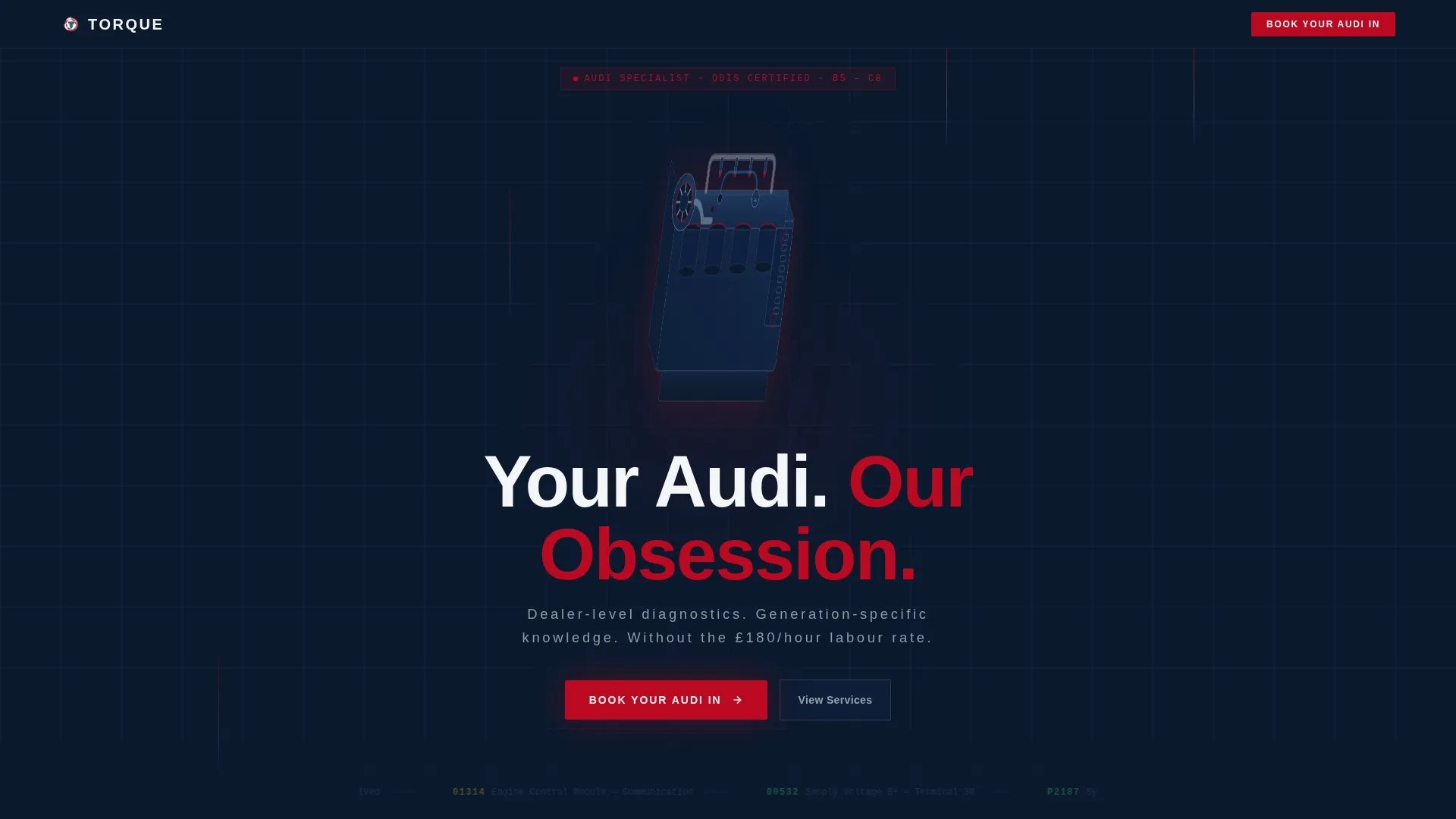
- A full-viewport hero with a 3D CSS-animated rotating engine block, a single hero line, and a booking call-to-action that rises from the bottom edge on scroll
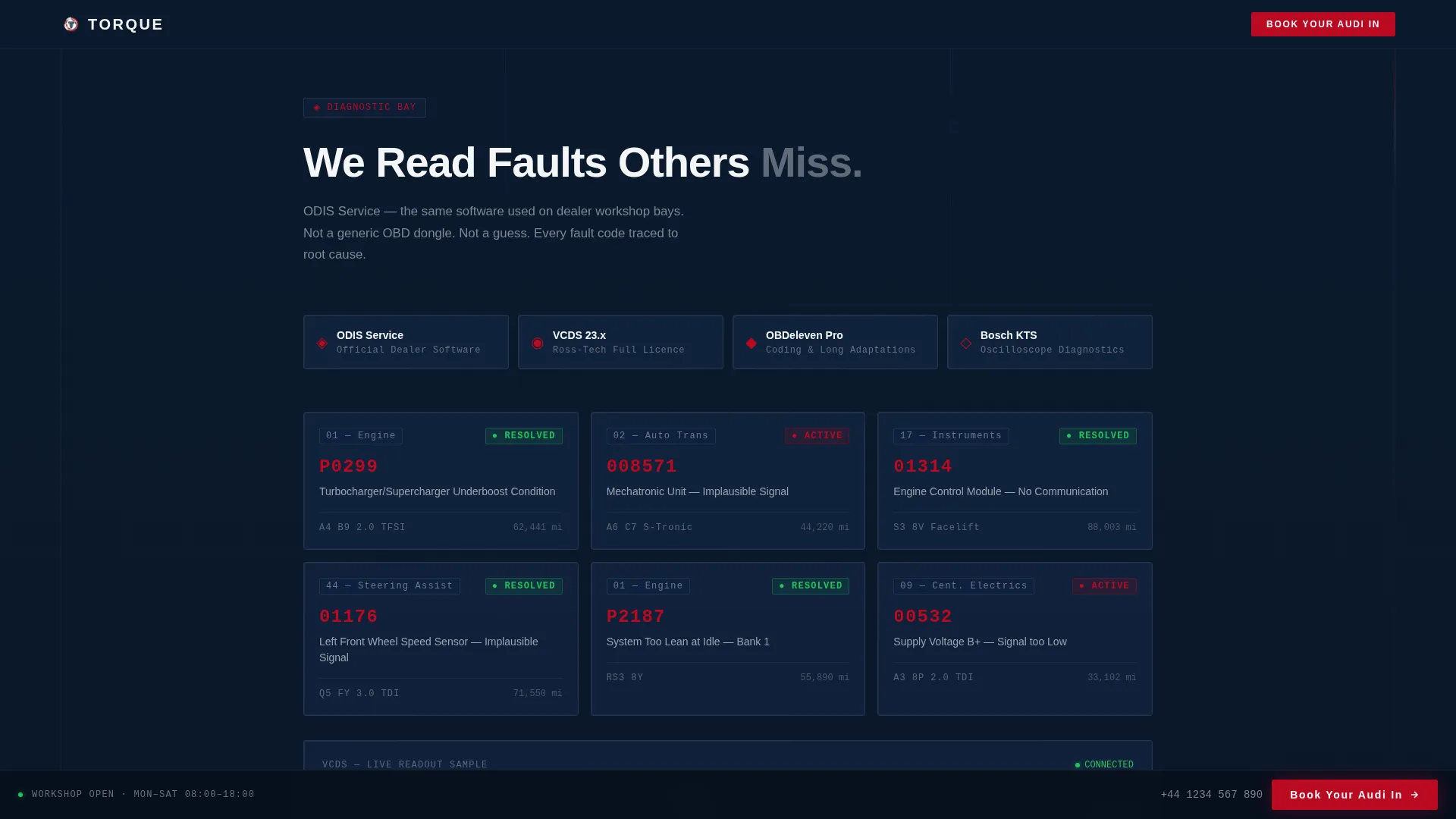
- A diagnostic bay section displaying fault-code panels and equipment proof in glass-panel grid layouts
- An expandable service menu, a parallax before-and-after gallery, a testimonials section with generation badges, and a linear single-row footer
Feature list
This template is built around high-interactivity components designed to demonstrate technical authority and convert bookings efficiently.
3D Rotating Engine Hero
The hero fills ninety percent of the viewport with a photorealistic CSS-animated Audi engine block in slow rotation. Turbo housing, timing chain tensioners, and surface detail are all visible. It runs as a smooth, GPU-accelerated transform with no scroll interaction required.
Three-Step Booking Modal
Tapping "Book Your Audi In" opens a glass-panel form with three focused steps. Step one is a model selector with generation badges such as A3 8V, A4 B9, and Q5 FY. Step two is a service-type selector. Step three is a date picker with a free-text field labelled "Describe the symptom or goal."
Expandable Service Cards
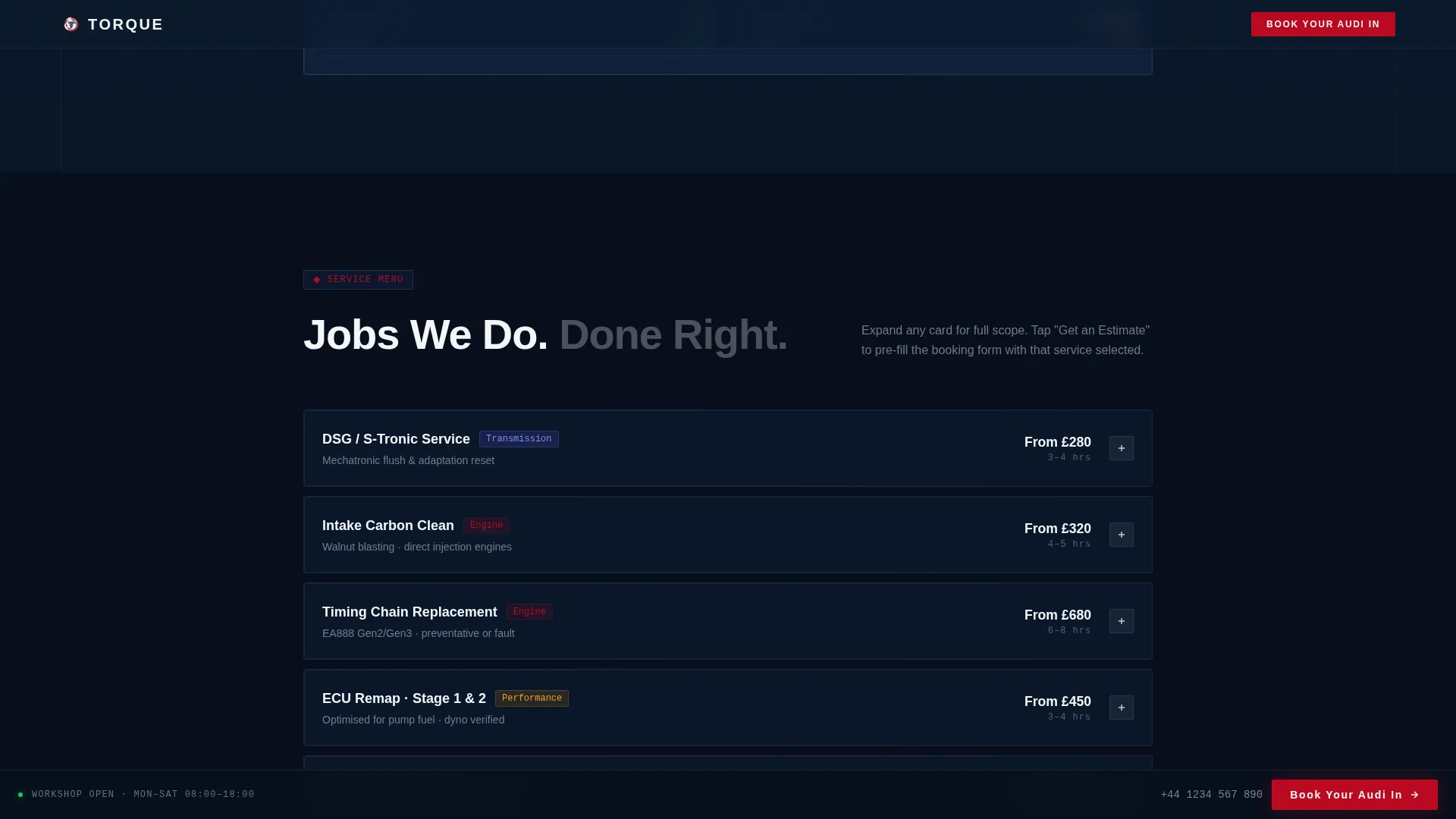
The service menu presents common jobs as architectural floor-plan cards. Each card expands on interaction to show more detail. A secondary "Get an Estimate" path beneath each card pre-fills the booking form with that service already selected, reducing friction.
Diagnostic Bay Glass Panels
This section tiles fault-code screenshots and VCDS readout visuals across a grid of glass-surface panels. It demonstrates equipment credibility and generation-specific diagnostic knowledge before any service is mentioned.
Parallax Gallery with Before-and-After Frames
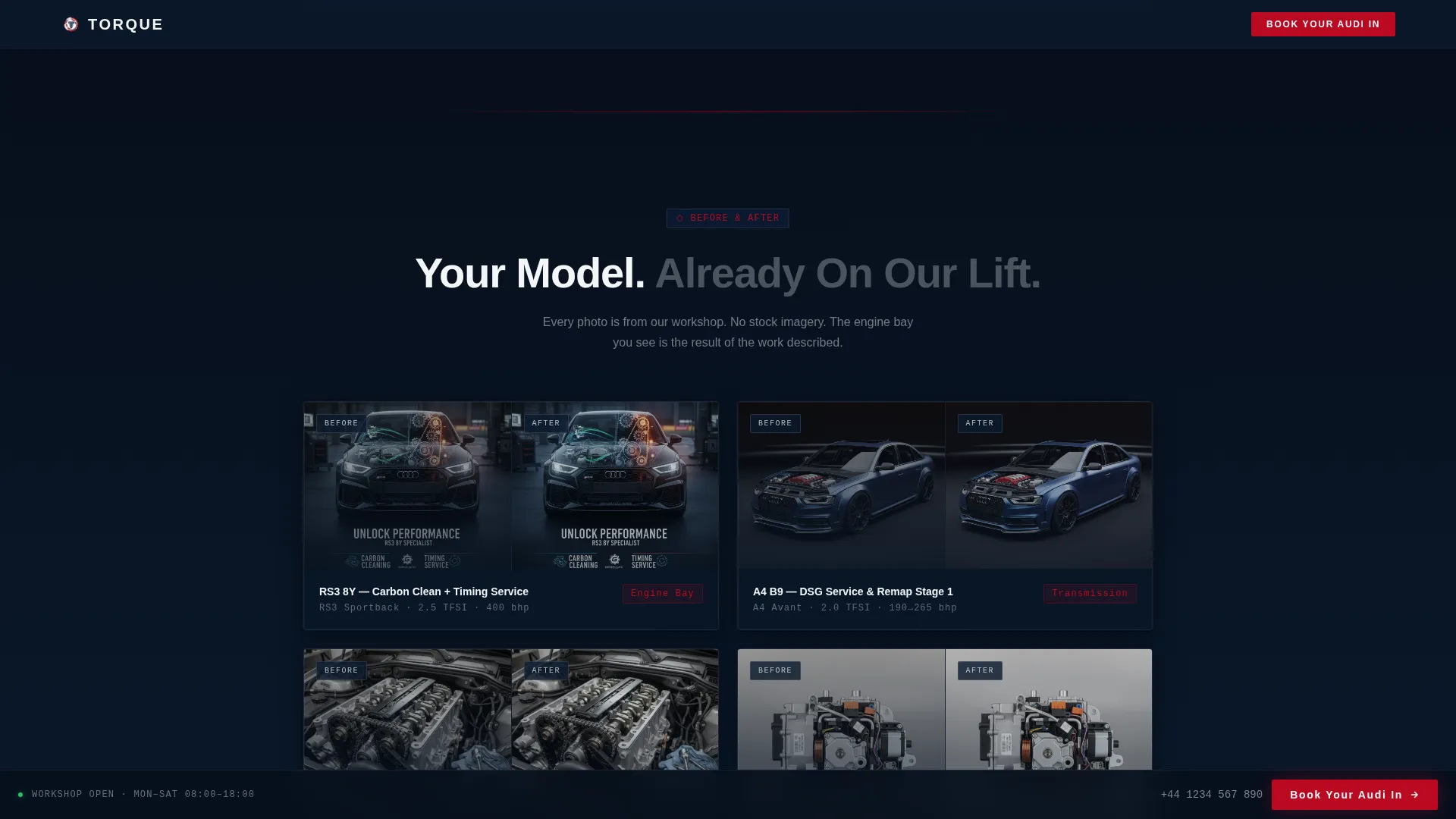
The gallery section presents engine bay before-and-after images in museum-style frames with a parallax scroll effect. Section transitions use a subtle parallax shift that simulates passing through glass partitions inside the workshop.
Testimonials with Generation Badges
Owner quotes are displayed alongside the specific Audi model and generation code of the car serviced. This specificity reassures prospective clients that the workshop has handled their exact variant before.
Page sections overview
| Section | Purpose |
|---|---|
| Hero Viewport | Full-viewport engine spin with headline and rising booking call to action |
| Diagnostic Bay | Fault-code glass panels proving ODIS and VCDS capability |
| Service Menu | Expandable floor-plan cards for DSG, carbon clean, timing chain, mapping |
| Before-After Gallery | Parallax museum frames showing engine bay transformations |
| Owner Testimonials | Generation-badged quotes building marque-specific social proof |
| Page Footer | Linear single-row footer with contact and navigation |
Design & branding system
The visual identity follows a Tech Glass theme built on a Navy Authority colour palette. Every colour has an assigned role, and nothing appears decorative without purpose. The overall effect is a Virtual Cockpit at night: dark, backlit, and precise.
- Deep diagnostic navy (#0B1A2E) as the primary background, brushed aluminum (#C8CED6) for card surfaces and section dividers, and cockpit white (#F4F6F8) for typography
- Audi-red (#BB0A21) used exclusively for calls-to-action and critical status indicators, keeping it visually dominant when it appears
- Manrope bold for headings, DM Sans for body copy, and JetBrains Mono reserved for fault codes and technical data displays
Mobile & speed optimization
The template is built desktop-first to match the research behaviour of its target audience, with a strong mobile fallback that preserves the core visual impact and booking flow on smaller screens.
- All animations use GPU-accelerated CSS transforms, keeping the 3D engine rotation and parallax effects smooth without relying on JavaScript-heavy rendering
- Intersection Observer is used for section reveal animations, so off-screen content does not load or animate until the visitor scrolls to it
- The booking modal and expandable service cards are fully touch-compatible, preserving the three-step form flow and estimate pre-fill on mobile devices
How this template helps you convert
The conversion architecture is built on a simple principle: prove expertise first, then ask for the booking. Every section adds a layer of technical credibility before the visitor sees a form.
- The hero establishes instant authority through engineering detail alone. The rotating engine block communicates specialist knowledge without a single word of body copy, holding attention for the first moments of the visit.
- The diagnostic bay and service menu sections demonstrate generation-specific fluency. Fault-code panels, VCDS visuals, and named service types signal that this workshop understands the visitor's specific car, not just Audis in general.
- The pinned "Book Your Audi In" call-to-action and the "Get an Estimate" shortcut on each service card create two clear conversion paths. The three-step modal reduces booking friction by collecting model, service type, and symptom in a structured, low-effort sequence.
Other information about this template
This template is designed for the UK market and follows British English conventions throughout. Pricing references use GBP and phone format follows standard UK structure. The Spatial and Architectural creative direction drives the scroll experience, with each section opening like a distinct room inside the workshop.
- The template uses a Hero-Dominant (90/10) layout structure, meaning the hero occupies ninety percent of the initial viewport and secondary content follows in a focused single-column flow
- Section transitions use a parallax shift effect designed to suggest physical depth, reinforcing the architectural metaphor of moving through a facility built for one marque
- The footer follows a linear single-row pattern, keeping the page exit clean and uncluttered after the booking content has done its work
Theme
Tech Glass
Creative direction
Spatial & Architectural
Color system
Navy Authority
Style
Hero-Dominant (90/10)
Direction
Booking/Scheduling
Page Sections
3D Rotating Engine Hero Section
Three-step Glass-panel Booking Modal
Expandable Floor-plan Service Cards
Diagnostic Bay Fault-code Panels
Parallax Before-and-after Gallery
Generation-badged Testimonials
Related questions
Is this template designed for a single-marque Audi specialist only?
What does the booking modal include?
How are the animations handled for performance?
Can I add my own Audi generation codes and service types?
What layout structure does this template follow?



