Diesel Mechanic Service Landing Page Template
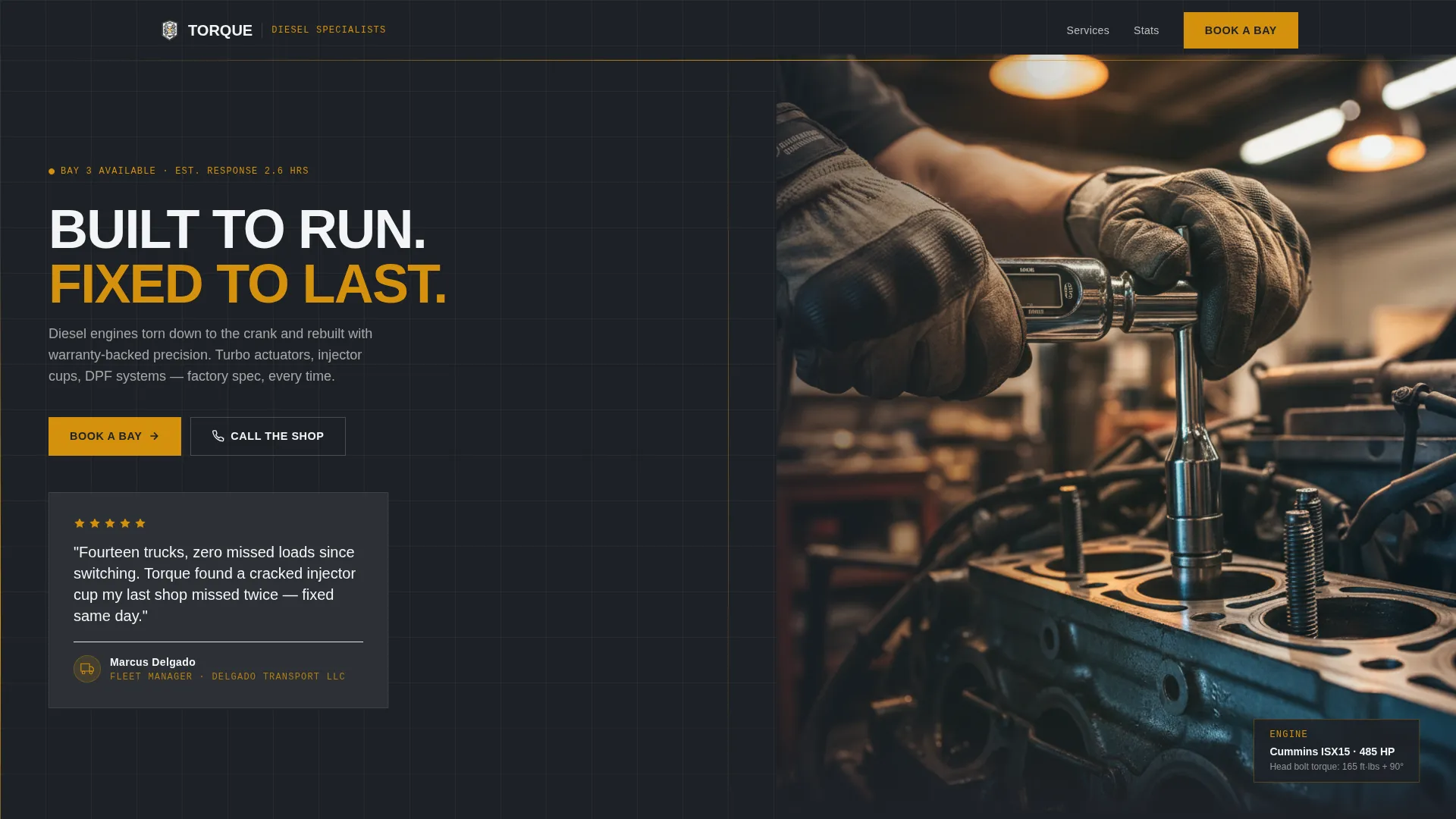
Torque is a split-screen landing page template built for diesel mechanic businesses that need to earn trust fast and fill their service bays. It leads with a fleet manager testimonial, builds credibility through bold stat callouts, and drives bookings through a structured scheduling form, all wrapped in a shop-floor visual identity that speaks directly to owner-operators, fleet managers, and construction foremen.
by Rocket studio
Quick summary
Torque is a precision-built landing page template for diesel mechanic service providers. It pairs a Stats-First layout with a booking-first user flow, so every section builds confidence before asking for action. The design uses a Monochrome Steel palette and a split-screen structure to present credibility and scheduling side by side from the first scroll.
Who this template is for
This template is designed for diesel repair professionals who serve commercial clients. It works best when the shop handles heavy-duty work and needs to convert skeptical, time-pressured visitors into confirmed bookings.
- Independent diesel mechanics and owner-operated repair shops
- Fleet service providers managing multiple commercial vehicles
- Heavy equipment repair specialists serving construction and transport clients
What problem this template solves
Most diesel mechanic websites look generic and fail to answer the questions fleet clients ask first: How fast? How reliable? Can I trust you with twelve trucks? This template solves that trust gap before the visitor even reads a paragraph.
- Visitors leave without booking because there is no fast proof of reliability
- Fleet managers and owner-operators need hard numbers, not vague service lists
- A buried or confusing booking process costs real service appointments
What you get with this template
You get a complete single-page layout built around evidence and scheduling. Every section is ordered to move a visitor from first impression to confirmed appointment without friction.
- A 50/50 split-screen structure pairing visual proof with stat callouts throughout
- A prominent testimonial header featuring a named fleet manager review
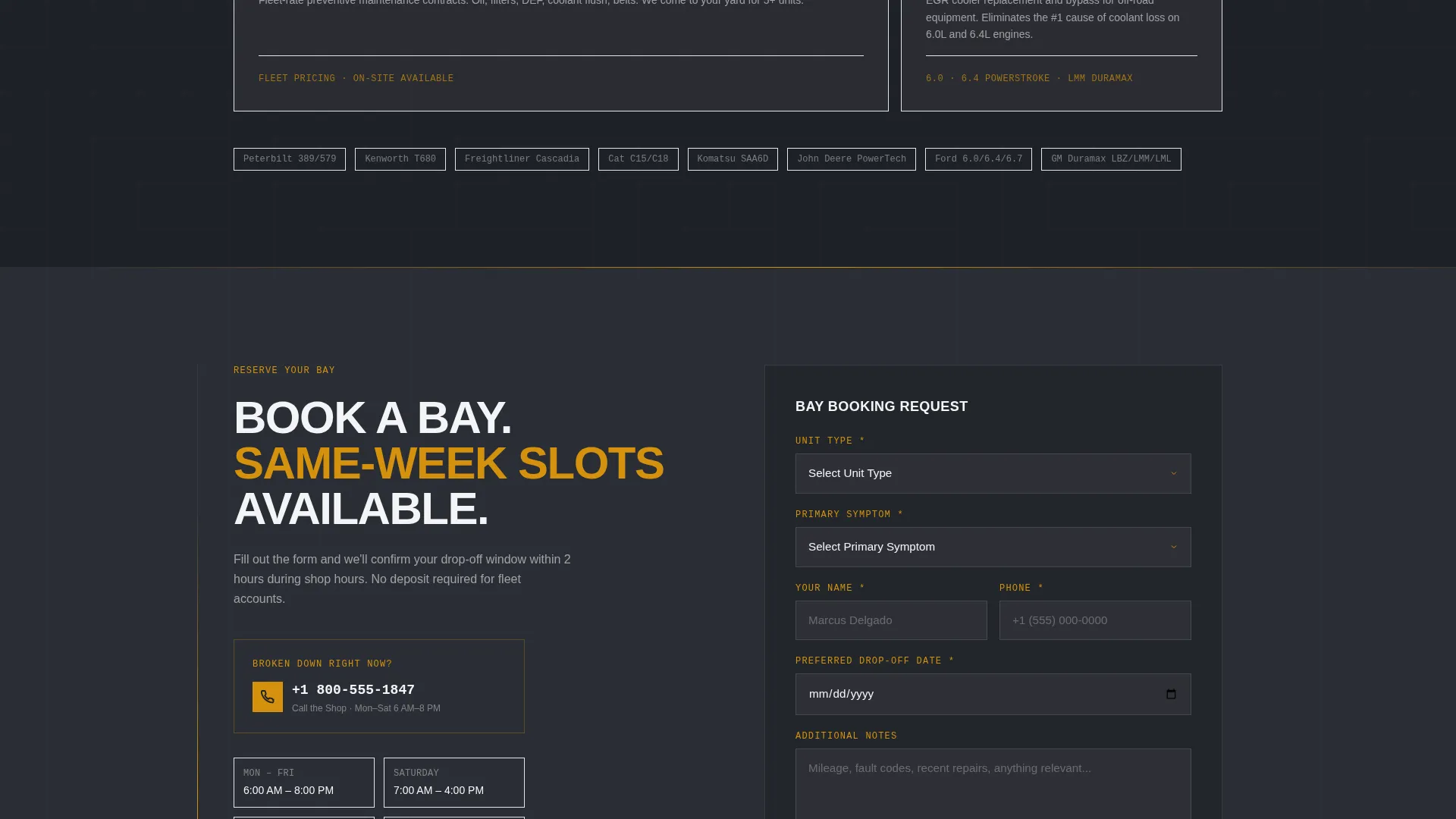
- A structured booking form with unit type, symptom selector, and date picker
Feature list
This template covers the full funnel from first impression to booked appointment. Each section has a clear job to do, and the layout keeps that job visible at every scroll depth.
Stats-First Section Layout
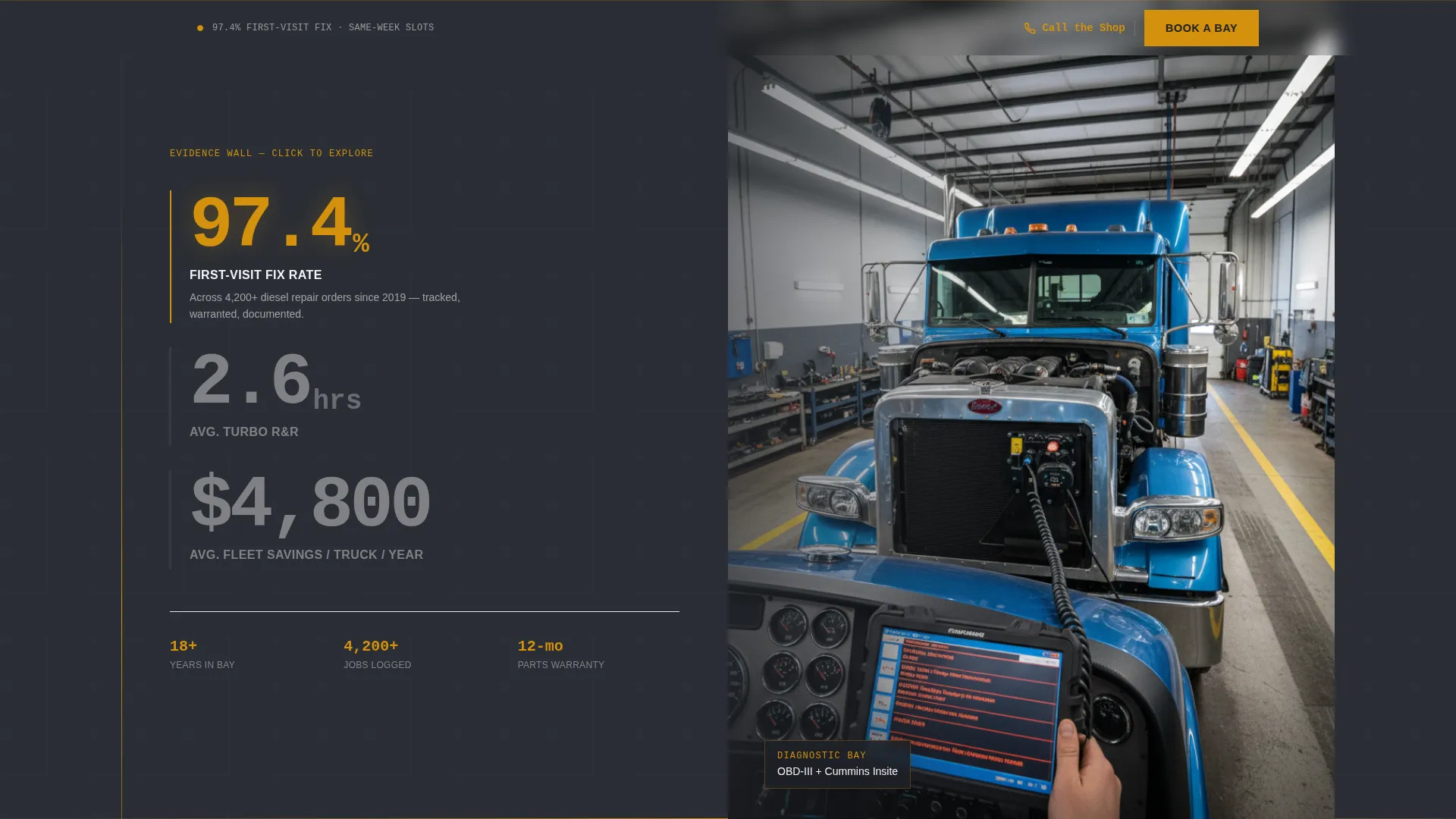
Each section opens with an oversized performance stat before any supporting text appears. Stats like first-visit fix rate and average turnaround time are displayed in large condensed type, building an evidence wall that makes trust feel earned rather than requested.
Sticky Booking Call to Action
The primary "Book a Bay" call to action appears in the header and then stays pinned to the bottom of the viewport as the visitor scrolls. This keeps the conversion path accessible at every point in the page without interrupting the content flow.
Structured Booking Form
The scheduling form captures three key inputs: unit type (pickup, Class 8, or heavy equipment), a symptom selector covering common issues like loss of power or fluid leaks, and a preferred drop-off date picker. This reduces back-and-forth and helps the shop prepare before the vehicle arrives.
Testimonial Card Header
The header opens with a large testimonial card on the left panel, white text on charcoal, showing a five-star review from a named fleet manager. A small fleet silhouette icon and company name in small caps add visual weight without clutter.
Split-Screen Visual Pairing
Every major section uses a 50/50 split to place a stat or text block beside a high-contrast photo. The pairing keeps the page visually active and reinforces each claim with a visual moment rather than relying on text alone.
Secondary Click-to-Dial Path
Alongside the booking form, a "Call the Shop" option displays a click-to-dial phone number. This serves drivers who are currently broken down and need immediate help rather than a scheduled appointment.
Page sections overview
| Section | Purpose |
|---|---|
| Testimonial Card Header | Opens with fleet manager proof and photo of active repair work |
| First-Visit Fix Stat | Leads with 97.4% fix rate stat beside diagnostic bay visual |
| Turnaround Time Stat | Shows 2.6-hour turbo turnaround paired with time-lapse visual |
| Cost Savings Block | Presents cost-reduction figures to appeal to fleet budget concerns |
| Fleet Uptime Figures | Closes the evidence wall with uptime percentage callouts |
| Booking Form Section | Captures unit type, symptom, and preferred drop-off date |
| Sticky call to action Bar | Keeps "Book a Bay" pinned to viewport bottom throughout scroll |
Design & branding system
The visual identity follows a Monochrome Steel color system built around shop-floor materials. Every color choice reinforces the industrial, no-nonsense character of a precision diesel repair business.
- Gunmetal (#3B3F45) and tool-chest charcoal (#1E2127) form the structural base of every panel
- Clean-rag white (#F4F5F7) is used for text and card surfaces to maintain sharp contrast
- Caution-stripe amber (#D4910D) is reserved for calls to action and stat callouts only, drawing the eye exactly where action is needed
Mobile & speed optimization
The split-screen layout is designed to restack cleanly on smaller screens so the testimonial card, stats, and booking form remain fully readable on mobile devices. This matters because a significant share of diesel clients are on the road when they search.
- The sticky "Book a Bay" bar remains functional on mobile, keeping the booking path one tap away
- The click-to-dial "Call the Shop" number is especially useful for drivers on a mobile device at roadside
- Form fields are sized and spaced for easy touch input without zooming or mis-taps
How this template helps you convert
The entire page is sequenced to remove hesitation at each step. By the time a visitor reaches the booking form, the stat blocks have already answered every major objection.
- The testimonial card in the header replaces a cold introduction with immediate social proof from a peer, making fleet managers and owner-operators feel understood from the first second.
- The escalating stat sequence, from fix rates to turnaround times to uptime figures, builds a cumulative case for reliability so that the booking form feels like a logical next step rather than a commitment.
- The dual conversion paths (scheduled booking versus click-to-dial) serve two different urgency levels, capturing both planned service visits and emergency breakdowns in a single page layout.
Other information about this template
This template is part of a professionally designed collection built for trade and service businesses. It is a strong fit for any diesel mechanic service website that handles both scheduled maintenance and urgent commercial repairs.
- The Legal Shield theme gives the layout a structured, authoritative feel suited to high-stakes service clients
- The template style is Split Screen (50/50), a format that works well for pairing proof with action across all sections
- The header concept and Stats-First creative direction make this template especially suitable for shops that track and display measurable service outcomes
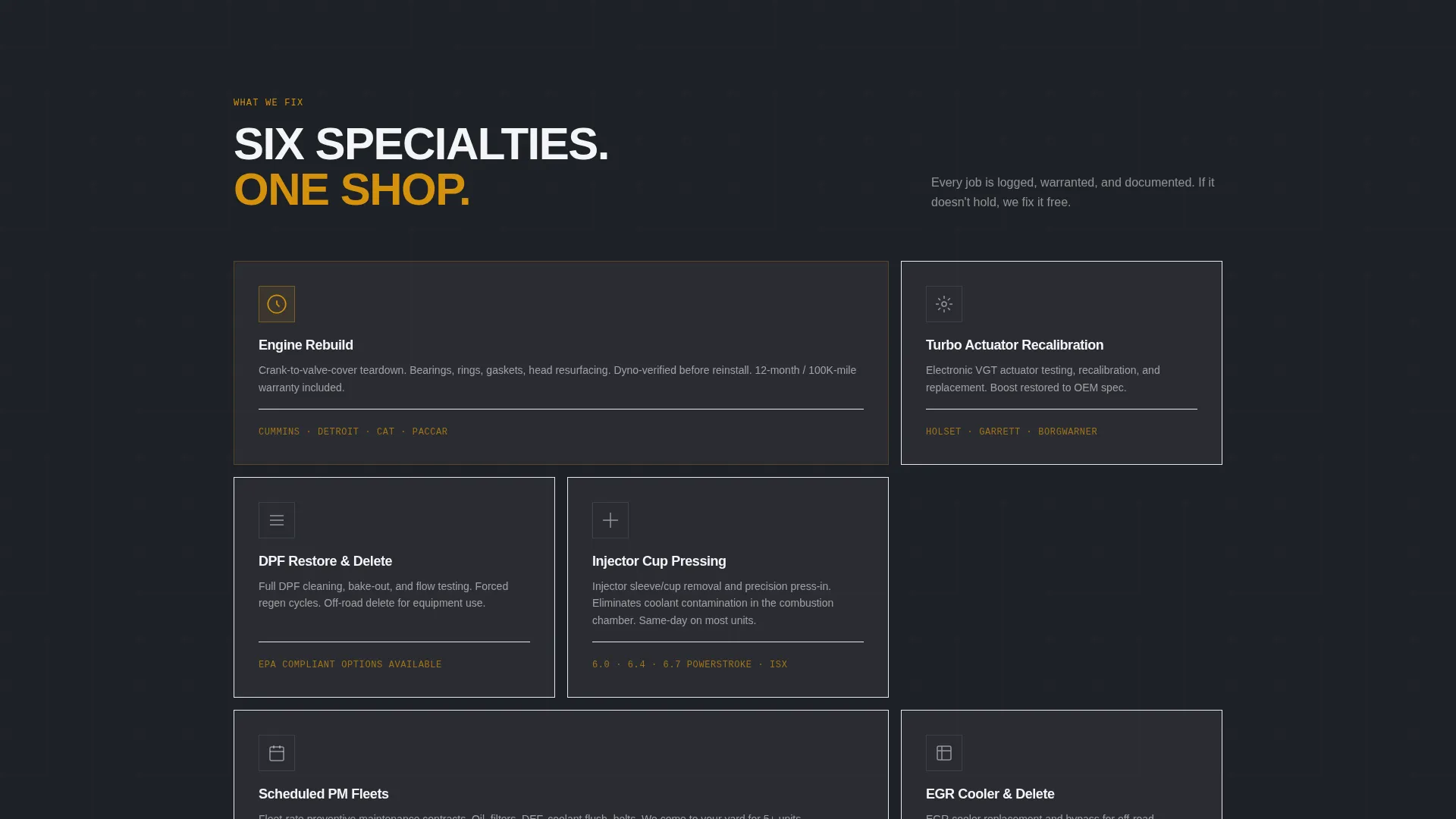
- This layout can support shops specializing in Diesel Particulate Filter (DPF) restoration, injector work, turbocharger repair, and preventive maintenance scheduling
Theme
Legal Shield
Creative direction
Stats-First Impact
Color system
Monochrome Steel
Style
Split Screen (50/50)
Direction
Booking/Scheduling
Page Sections
Stats-first Section Layout
Sticky Booking Call to Action
Structured Booking Form
Testimonial Card Header
Split-screen Visual Pairing
Secondary Click-to-dial Path
Related questions
Who is this landing page template designed for?
Can I update the stats and testimonial with my own shop's numbers?
What does the booking form collect from visitors?
Does the template include a way to handle emergency breakdown calls?
Can this template work for a shop offering multiple diesel services?



