Farm Equipment Mechanic Business Portfolio Website Template
Torque is a single-column flow landing page built for an independent farm equipment mechanic. It leads with bold proof, stats, before-and-after portfolio cards, and a focused lead capture form. The design feels like a clean, professional shop floor: serious enough for a six-figure repair invoice, grounded enough that a farmer trusts it on sight.
by Rocket studio
Quick summary
Torque is a lead generation landing page for a one-person farm equipment repair operation. It opens with a manifesto headline and animating stat bar, moves through a captioned gallery of real repair work, and closes with a focused estimate request form. The result is a page that earns trust fast and turns visitors into booked jobs.
Who this template is for
This template is built for independent farm equipment mechanics who do serious, high-stakes repair work. If your clients run combines, balers, grain carts, or skid loaders and cannot afford downtime, this page speaks their language.
- Solo mechanics and small repair shops serving row crop and dairy operations
- Field service technicians who handle hydraulic, drivetrain, engine, and electrical repairs
- Custom harvesters and seasonal specialists who need to book clients before harvest season opens
What problem this template solves
Most portfolio pages for trade professionals bury the proof. A farmer with a seized combine does not have time to scroll past a wall of text to find out if you are the right person for the job. This template leads with evidence and removes that friction.
- Clients cannot see turnaround speed, repeat-client loyalty, or repair volume at a glance
- Generic contact forms ask the wrong questions and waste time for both sides
- A weak visual identity fails to signal that this is a shop worth trusting with expensive iron
What you get with this template
You get a complete, ready-to-customize single-column landing page designed around proof and conversion. Every section is intentional and structured to move a visitor from skeptical to booking.
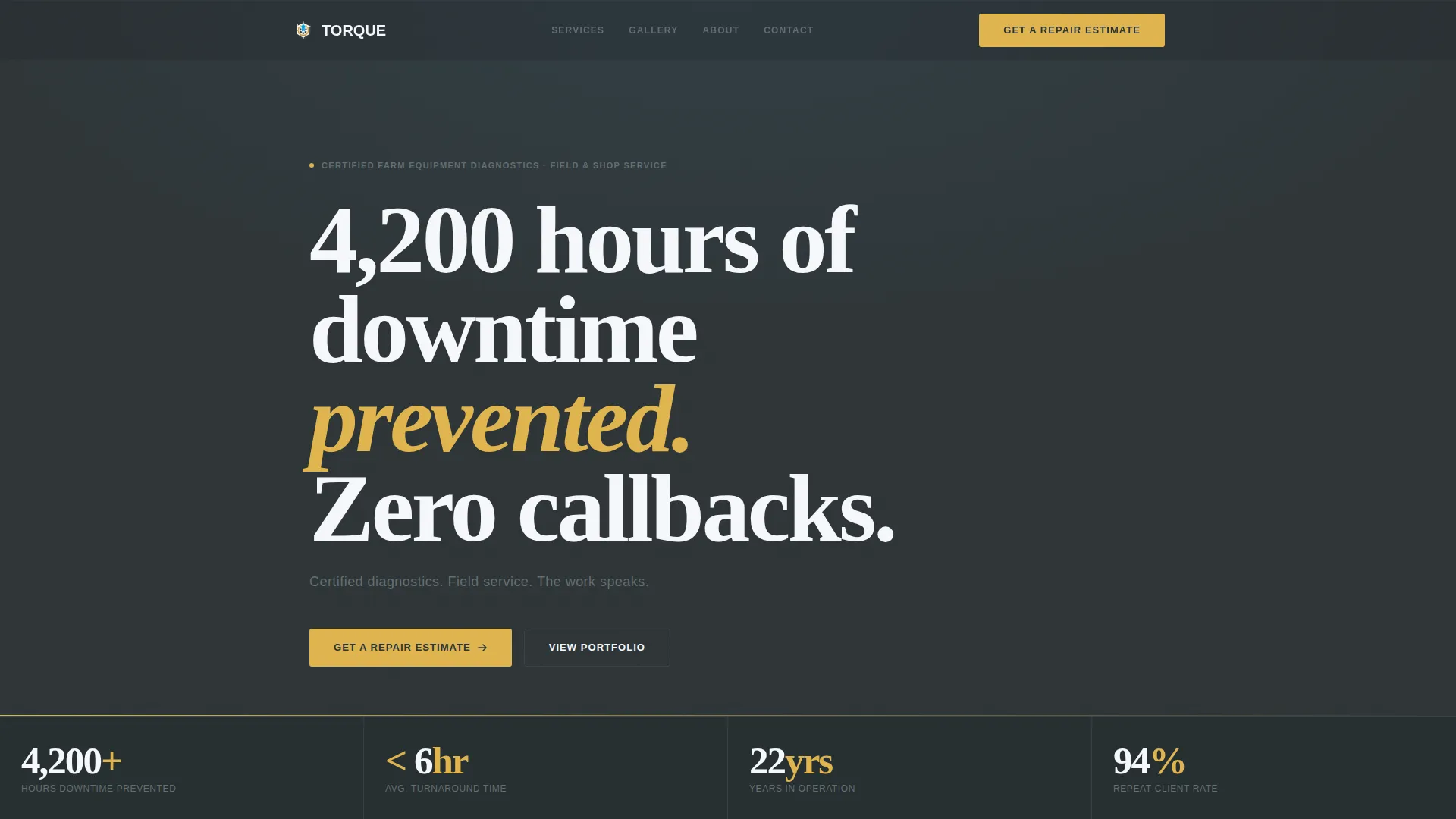
- A bold Quote/Manifesto header with a stat bar that animates on scroll entry
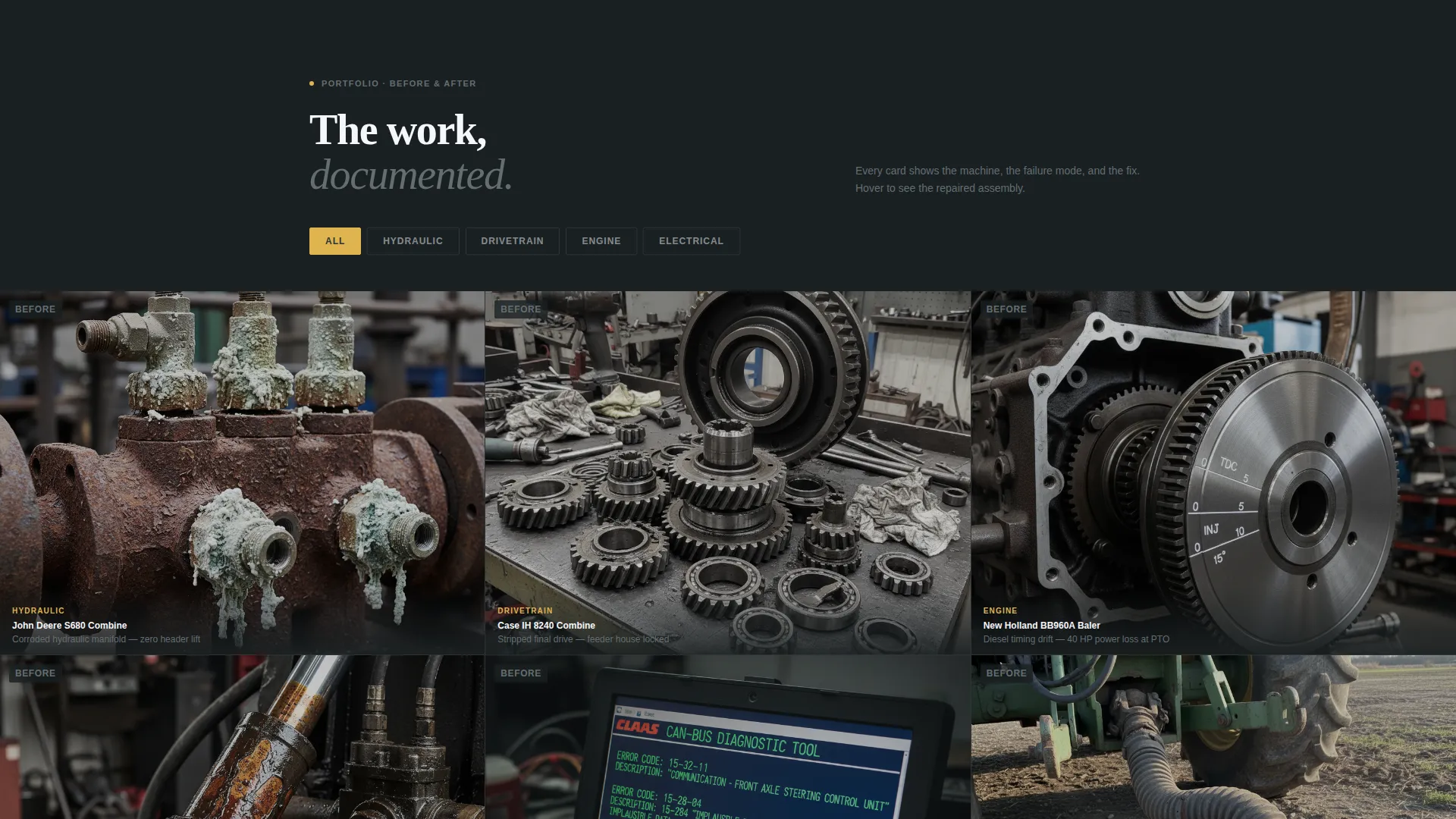
- A before-and-after portfolio gallery with per-image repair captions
- A lead capture form with equipment-specific fields and a secondary PDF download path
Feature list
This section walks through the core components built into the Torque template and what each one does.
Animating Stat Bar
Four key metrics animate into view on page entry: machines serviced, average turnaround hours, years in operation, and repeat-client percentage. The numbers appear before any story text, so a visitor gets calibrated immediately. Gold accent counters draw the eye without overshadowing the data.
Quote/Manifesto Header
The header opens with bold white serif type on shop-floor charcoal. The headline "4,200 hours of downtime prevented. Zero callbacks." sets the tone at once. A supporting line below it reinforces the offer in plain language. No hero image competes with the statement.
Before-and-After Portfolio Grid
Each portfolio card shows a before image alongside the finished repair, paired with a one-line caption naming the machine, the failure, and the fix. This rhythm of evidence repeats through the gallery, building a cumulative case for the mechanic's skill and range.
Equipment-Specific Lead Form
The primary call to action form collects equipment make and model first. A dropdown then captures failure symptom category: hydraulic, electrical, drivetrain, engine, or other. The visitor selects shop or field service, then enters a phone number. The form is built around how farmers actually communicate.
PDF Service List Download
A secondary conversion path offers a downloadable service list in exchange for a name and zip code. This lower-commitment option captures off-season prospects who are not ready to book but want to stay in the loop.
Repeated Call to Action Placement
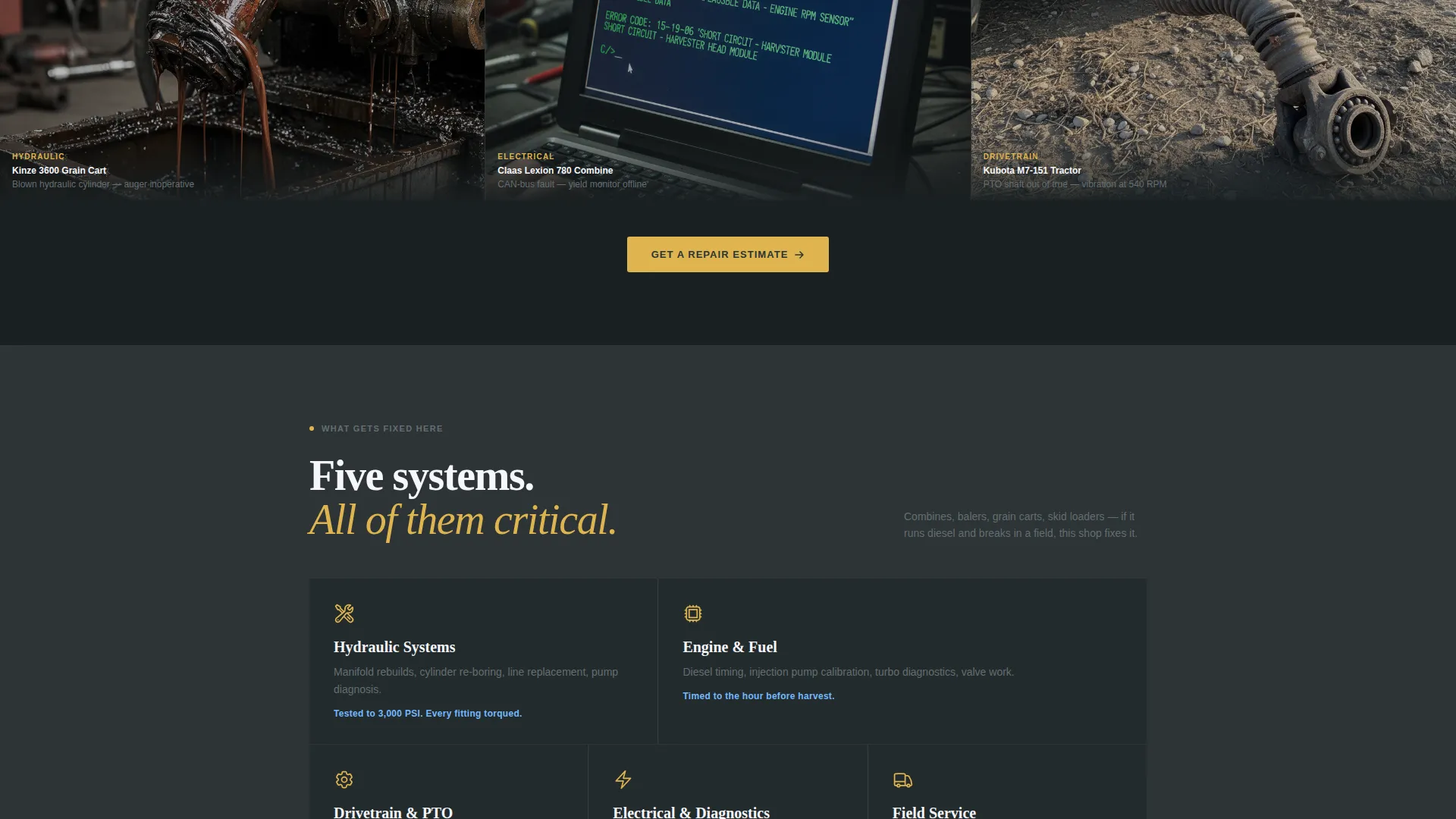
The primary "Get a Repair Estimate" call to action appears at the bottom of the stat bar and again after the gallery. This repetition keeps the conversion path visible without feeling pushy, matching the natural reading pace of a skeptical, busy buyer.
Page sections overview
| Section | Purpose |
|---|---|
| Manifesto Header | Opens with proof statement and credibility anchor |
| Animating Stat Bar | Delivers four key performance metrics on scroll entry |
| Portfolio Gallery Grid | Shows before-and-after repairs with one-line captions |
| Primary Estimate Form | Captures equipment details and preferred service type |
| PDF Download Gate | Collects name and zip code for off-season follow-up |
| Repeated call to action Block | Reinforces the estimate request after the gallery |
Design & branding system
The Torque template uses an Executive Suite theme built on a Slate and Sky color system. The palette is professional and immediately readable, referencing the visual language of a clean, well-run shop rather than a generic service website.
- Core colors: shop-floor charcoal (#2D3436), case-hardened steel (#636E72), open-prairie sky (#74B9FF), and clean-invoice white (#F5F6FA)
- Gold accents (#DFB44F) are used sparingly on calls to action and stat counter elements to draw the eye without overwhelming the palette
- Typography uses bold white serif type at boardroom weight in the header, shifting to clean readable body text in supporting sections
Mobile & speed optimization
The single-column flow layout is built to work cleanly on any screen size. Farmers and custom harvesters check sites from the field, often on a phone with a slow signal, so the template keeps its layout tight and its content priority clear.
- Single-column structure stacks naturally on smaller screens without requiring separate mobile layout adjustments
- Stat bar, portfolio grid, and form are all designed to remain readable and usable at mobile viewport widths
- Lean section structure keeps the page focused, reducing unnecessary load from decorative or redundant elements
How this template helps you convert
The Torque template is built around a clear conversion strategy. Every design and content decision pushes a visitor toward one of two actions: booking a repair or downloading the service list.
- The stat bar earns trust immediately by showing concrete performance numbers before the visitor reads a single marketing claim, reducing skepticism before the ask.
- The before-and-after gallery builds accumulated proof through real repair examples, so by the time a visitor reaches the form, they already believe in the work.
- The equipment-specific form fields reduce friction by asking exactly the right questions upfront, making it faster for a client to submit and easier for the mechanic to follow up.
Other information about this template
The Torque template is designed for a professional services context where reputation and reliability carry more weight than visual flair. It suits any independent mechanic or small repair operation that needs a credible, conversion-focused web presence.
- The template style is Single Column Flow, which keeps the reading path linear and intentional from header to form
- The Executive Suite theme gives the page a composed, boardroom-grade visual weight that signals this is a serious trade operation
- The Slate and Sky color system can be adapted to other trade or industrial service niches while keeping the same professional tone
- The creative direction follows a Stats-First Impact approach, meaning proof precedes narrative throughout the entire page structure
Theme
Executive Suite
Creative direction
Stats-First Impact
Color system
Slate & Sky
Style
Single Column Flow
Direction
Lead Generation
Page Sections
Animating Stat Bar on Entry
Quote/manifesto Header Block
Before-and-after Portfolio Grid
Equipment-specific Lead Capture Form
PDF Service List Download Gate
Dual Call to Action Placement
Related questions
Can I customize the stats and portfolio images in this template?
Does the lead form support both shop visits and field service requests?
Is this template suitable for a mechanic who works on multiple equipment types?
What is the PDF download gate and how does it work?
Can I add certification details or a service area to the template?



