Mobile Golf Cart Mechanic Fleet Landing Page
Torque is a single-column landing page built for mobile golf cart mechanics targeting fleet-scale B2B clients. The layout opens with a powerful testimonial hero, walks visitors through expert service panels, and closes with a focused fleet assessment form. Every section is designed to build trust with property managers, golf course superintendents, and resort operations directors who need a dependable service partner.
by Rocket studio
Quick summary
Torque is a precision-built single-column landing page for a mobile golf cart repair business. It leads with real client social proof, guides visitors through disciplined expert service panels, and converts fleet operators with a direct assessment request form. The layout targets high-value B2B buyers who manage large cart fleets at golf communities, resorts, and HOA properties.
Who this template is for
This template is built for mobile golf cart mechanics who serve institutional clients at scale. It speaks directly to the decision-makers who evaluate vendors on reliability, depth of expertise, and fleet-wide accountability.
- Golf course superintendents who manage tournament-ready fleets and cannot afford downtime
- HOA property managers overseeing fleets of forty or more carts across community grounds
- Resort operations directors whose guest satisfaction depends on vehicles that start every time
What problem this template solves
Most service area pages for mechanics lead with a price list or a phone number. That approach fails with B2B buyers who need to trust a vendor before they hand over a 50-cart fleet. Torque solves for that trust gap from the first scroll.
- No single stock image or generic tagline: the page opens with a specific, named testimonial that carries real numbers
- Service detail is spread across expert-attributed panels, not buried in a dense block of text
- Conversion paths serve two buyer stages: those ready to call and those still building an internal case
What you get with this template
This template delivers a complete, structured single-column landing page ready to adapt for any mobile golf cart mechanic service area. The layout is organized to move a skeptical fleet operator from discovery to conversion without friction.
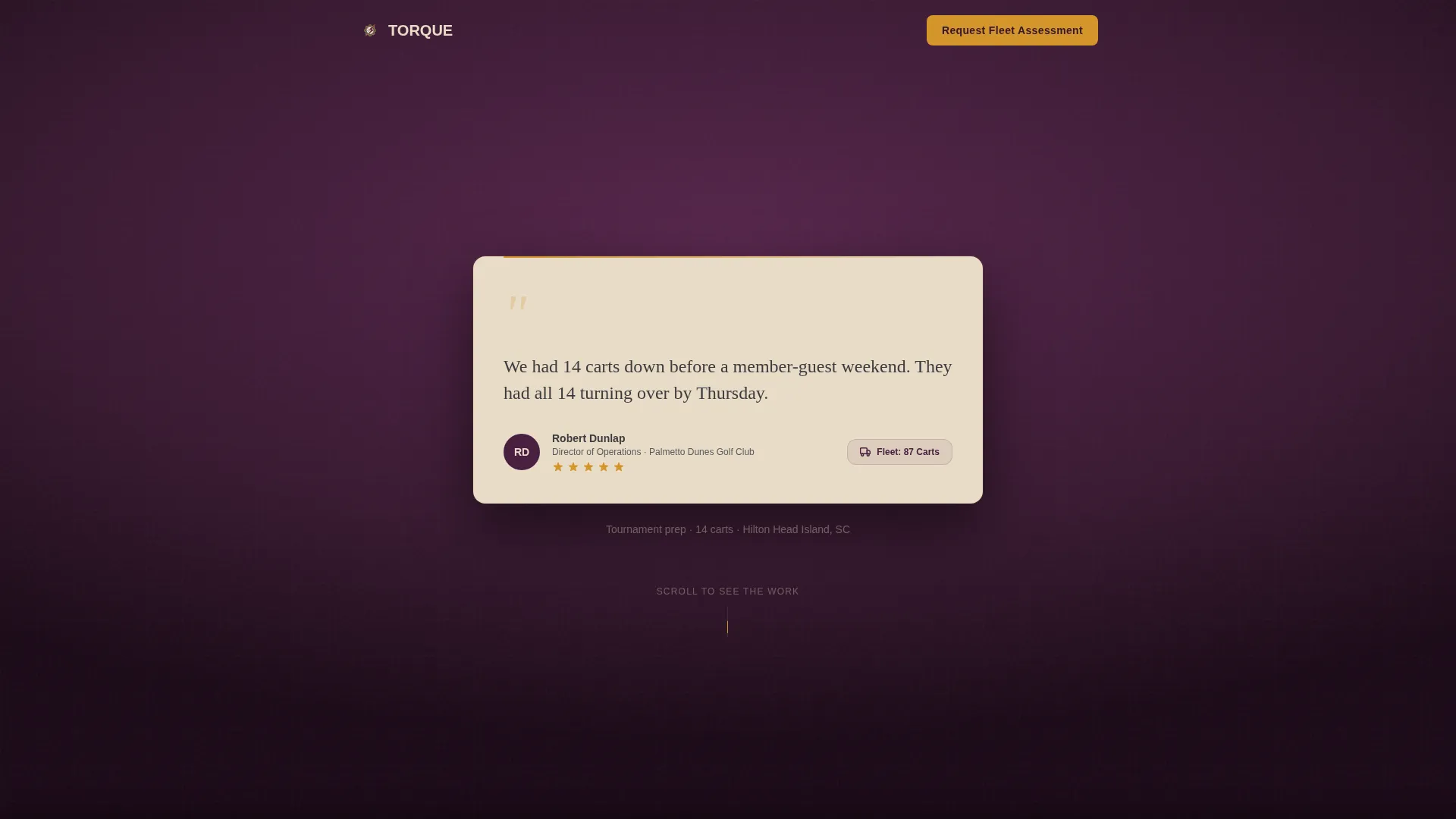
- A Testimonial Card header featuring a named fleet manager quote, portrait, fleet size badge, and five-star row
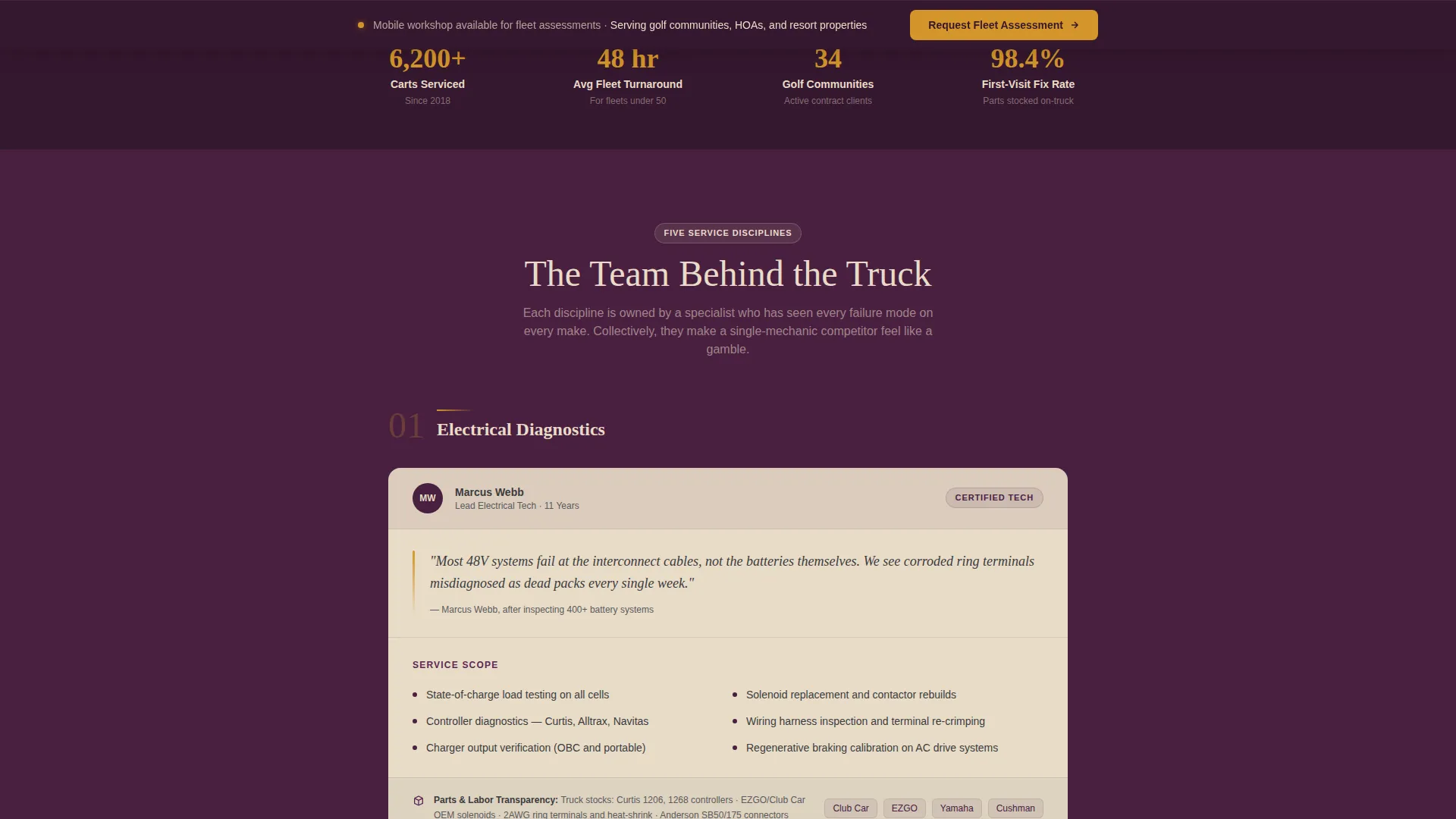
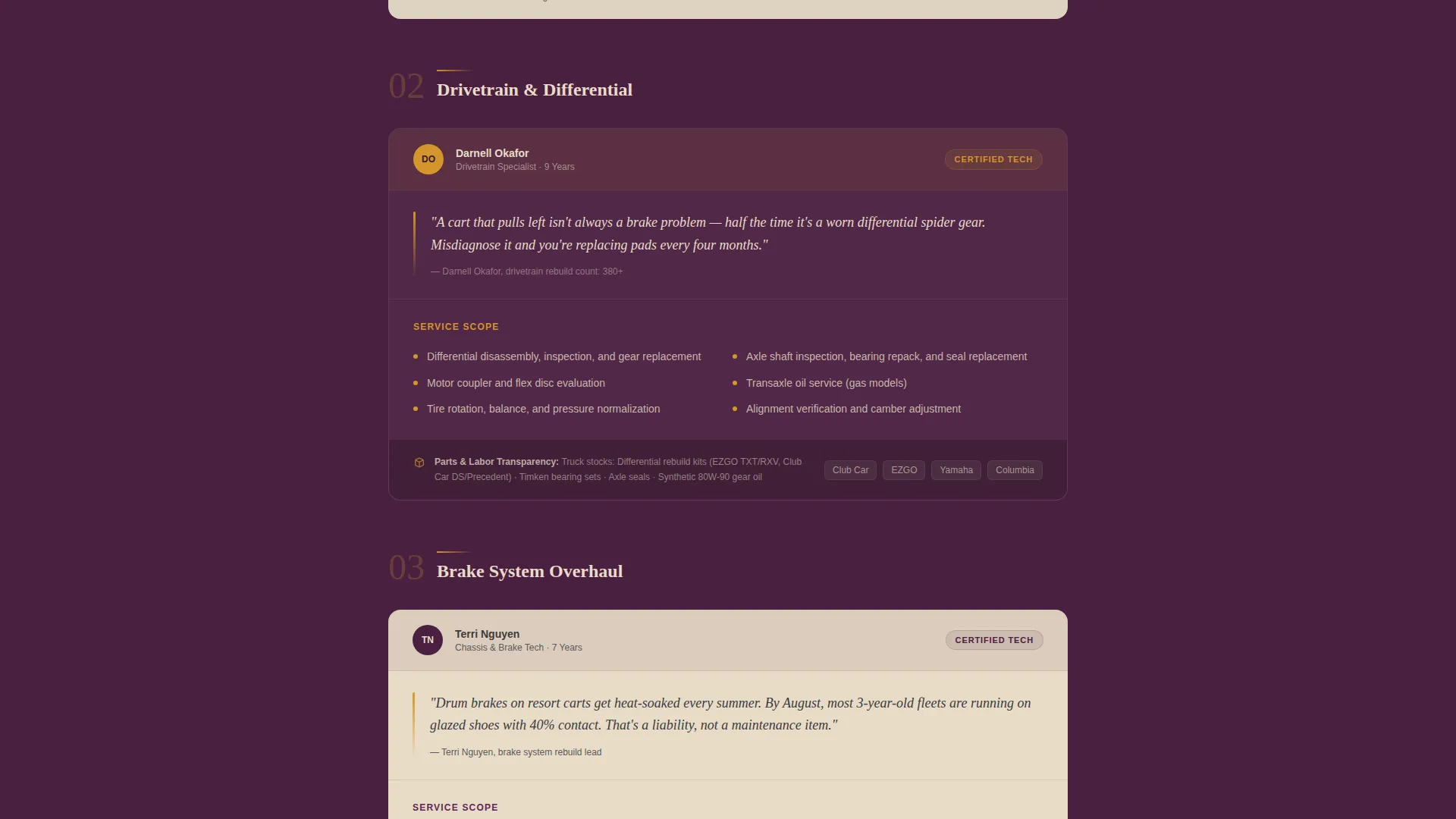
- Five Expert Panel sections covering electrical diagnostics, drivetrain and differential, body and canopy repair, battery system overhaul, and fleet maintenance contracts
- A dual-conversion bottom section with a fleet assessment form and a gated PDF lead magnet
Feature list
This template ships with purpose-built components designed around the specific demands of B2B fleet service sales.
Testimonial Card Hero
The page opens with an oversized testimonial card set against a deep plum background. It features a two-line client quote with specific numbers, a named fleet manager with portrait, a fleet size badge, and a five-star rating row. Social proof replaces the typical hero image entirely.
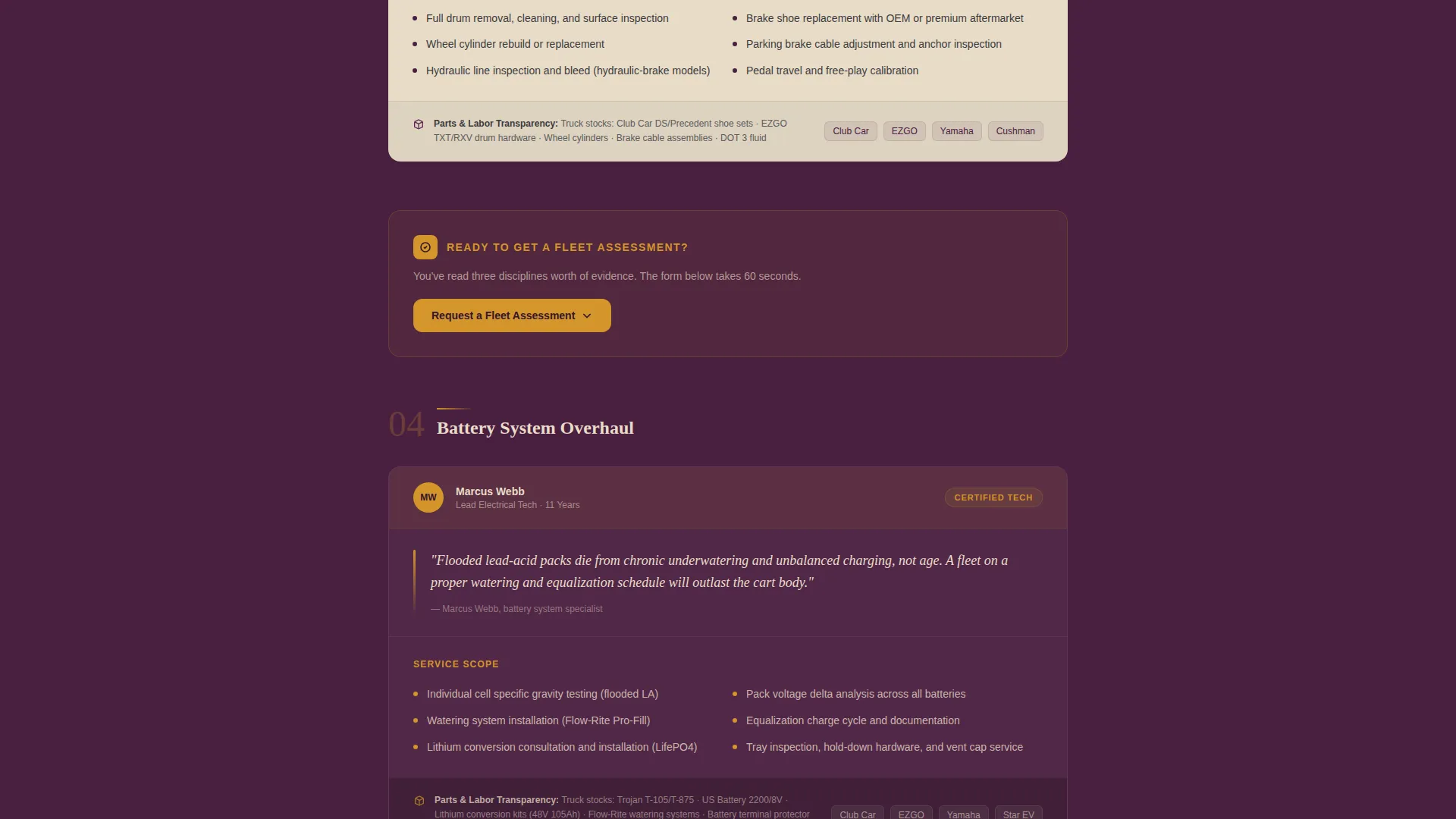
Expert Panel Service Sections
Five scrollable panels each introduce a service discipline through a technician-attributed insight. Each panel includes a service scope breakdown and a parts-and-labor transparency note. The structure lets visitors accumulate confidence in the team's depth as they scroll.
Fleet Assessment Request Form
The primary conversion form captures property or facility name, estimated fleet size via a dropdown (10-25, 25-50, 50-100, 100+), primary cart makes, and a preferred contact method toggle between phone and email. It appears after the third expert panel and anchors persistently at the bottom of the page.
Fleet Maintenance Cost Calculator PDF
A secondary lead magnet offers a downloadable cost calculator gated behind an email address and fleet size. This catches operations managers who are still building their internal business case before committing to a direct conversation.
Persistent Bottom call to action Anchor
The "Request a Fleet Assessment" call to action is placed after the third expert panel and locks into a persistent anchor position at the page bottom. This keeps the primary conversion action visible at every scroll depth without interrupting the content flow.
Page sections overview
| Section | Purpose |
|---|---|
| Testimonial Card Header | Opens with named social proof to establish immediate credibility |
| Electrical Diagnostics Panel | Presents technician insight and service scope for electrical systems |
| Drivetrain and Differential Panel | Covers mechanical drivetrain repair scope with attributed expertise |
| Body and Canopy Panel | Details cosmetic and structural repair capabilities |
| Battery System Panel | Explains battery overhaul scope with parts transparency |
| Fleet Contracts Panel | Introduces ongoing maintenance contract services |
| Fleet Assessment Form | Captures qualified B2B leads with fleet-specific form fields |
| PDF Lead Magnet | Secondary conversion path for early-stage research buyers |
| Persistent call to action Anchor | Keeps the primary call to action visible at all scroll depths |
Design & branding system
The Plum Executive color system gives this template a tone that is serious, experienced, and immediately distinguishable from standard trade-service pages. Every color decision reinforces the message that this is a premium, accountable vendor.
- Deep plum (#4A2040) anchors the header and key background sections; brushed graphite (#3B3B3D) handles body text and structural dividers
- Muted champagne (#E8DCC8) surfaces card backgrounds and alternating section fills for a dignified, readable rhythm
- Decisive marigold (#D4952A) is reserved strictly for calls to action and certification badges, ensuring high visual contrast where conversion matters most
Mobile & speed optimization
The single-column flow is the most mobile-efficient layout available for a long-form service page. Fleet managers reviewing vendor options on a phone or tablet get the same clear, scannable experience as desktop users.
- Single-column stacking means every section renders cleanly on any screen width without horizontal overflow
- Form fields and the contact method toggle are sized and spaced for easy tap interaction on mobile devices
- The persistent call to action anchor at the bottom stays accessible without blocking readable content on smaller screens
How this template helps you convert
Torque is built around a two-path conversion strategy that meets fleet buyers at different stages of readiness.
- The fleet assessment form closes buyers who are ready to engage, capturing specific fleet data so the first conversation is already qualified and informed.
- The PDF lead magnet converts early-stage researchers into email contacts, giving the business a follow-up path with operations managers still seeking internal approval.
Other information about this template
This template is matched to the Service Utility theme and Partnership/B2B landing page direction, making it a strong fit for any mobile golf cart mechanic looking to present a credible, scalable service business to institutional clients.
- The Expert Panel creative direction is designed to differentiate a multi-disciplined team from single-mechanic competitors in the same service area
- The Testimonial Card header concept is intentional: it replaces decorative imagery with the kind of specific, number-backed proof that fleet operators find most persuasive
- The template style is Single Column Flow, which keeps the sales narrative linear and prevents buyers from skipping the expertise-building panels
- This layout can support golf cart repair businesses serving communities with fleets of any size, from small HOA lots to large resort or tournament-grade operations
Theme
Service Utility
Creative direction
Expert Panel
Color system
Plum Executive
Style
Single Column Flow
Direction
Partnership/B2B
Page Sections
Testimonial Card Hero Section
Expert Panel Service Breakdown
Fleet Assessment Request Form
Gated PDF Lead Magnet
Persistent Bottom Call to Action Anchor
Related questions
Can I adapt this template for a specific service area or city?
Does the PDF lead magnet require a special file hosting setup?
Is the testimonial section easy to update with my own client quote?
Who is the fleet assessment form designed to qualify?
Can this template work for both electric and gas cart service businesses?



