Torque - Precision Honda Landing Page Template
Torque is a cinematic dark, engineering-blueprint-themed landing page built for Honda leasing specialists. It uses a split-screen layout, a progressive three-panel lease builder form, and scroll-linked animations to move first-time lessees, upgrading families, and fleet buyers from curiosity to contact. Every section deepens the blueprint metaphor while showing transparent monthly payment ranges before asking for details.
by Rocket studio
Quick summary
Torque is a single-page lead generation template designed for Honda leasing specialists. It pairs a cinematic dark color system with an engineering-blueprint visual theme to create an experience that feels precise, credible, and immersive. Estimated monthly payment ranges appear before the contact form, giving visitors real value before the ask.
Who this template is for
This template is built for automotive retail professionals who lease Honda vehicles and need a high-converting digital presence. It suits solo lease consultants as well as dealership teams running targeted lease campaigns.
- First-time lessees who need transparent pricing guidance before committing
- Families comparing models such as the CR-V and Pilot for an upgrade
- Small-business owners pursuing fleet lease deals before a quarter closes
What problem this template solves
Most automotive landing pages bury the numbers and lead with a generic contact form. That approach loses buyers who are not ready to commit. This template flips the sequence by showing estimated monthly payment ranges first, then inviting visitors into a guided lease builder.
- Visitors leave pages that demand details before offering any value
- Generic car pages fail to signal expertise for leasing specifically
- Fleet and family buyers need different reassurances that one layout rarely provides
What you get with this template
You get a fully structured, single-page layout with five purpose-built sections and a sticky call-to-action button that follows the visitor throughout the scroll. Every section uses scroll-linked animation and blueprint-style visual design to maintain engagement from hero to form submission.
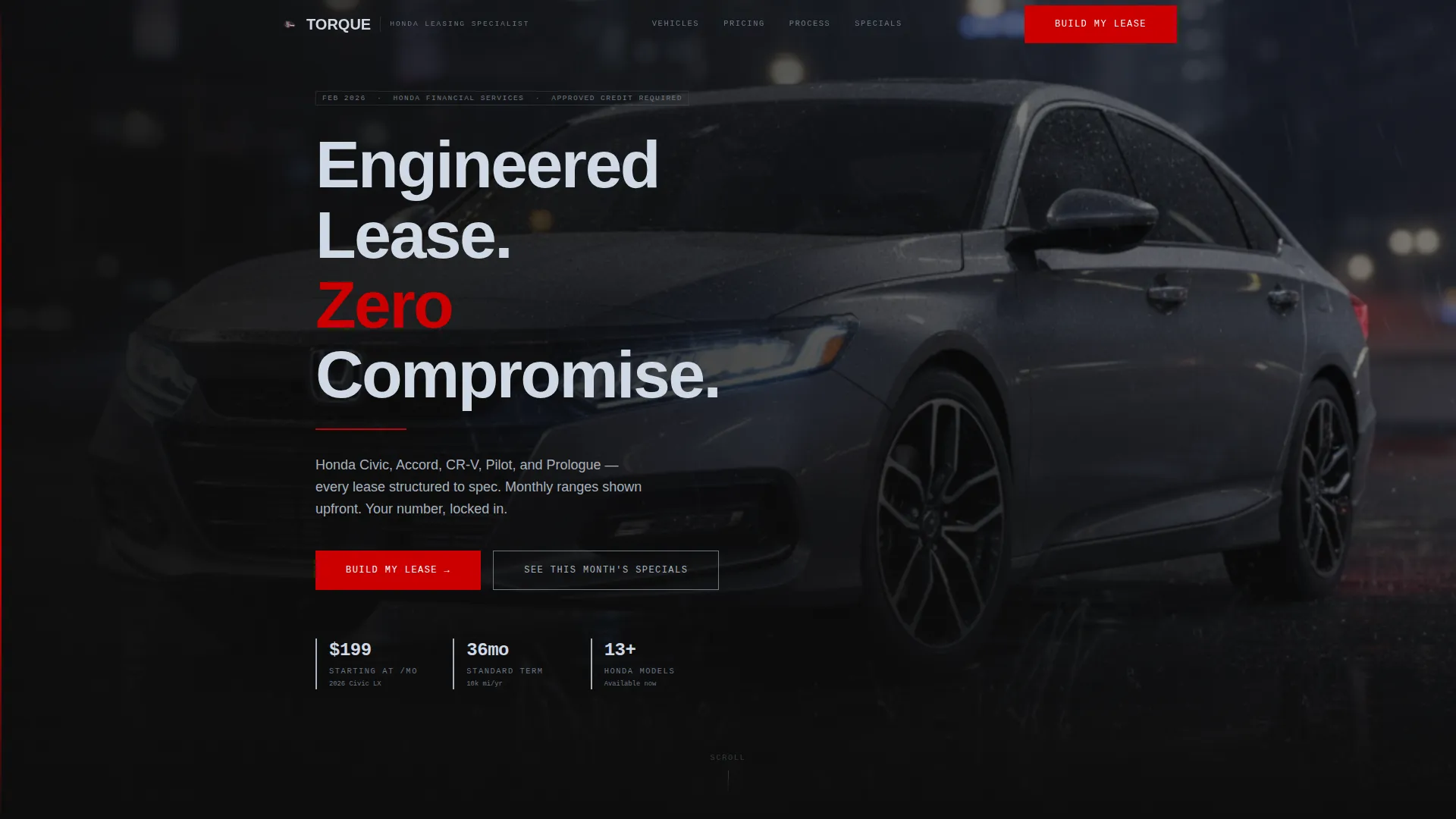
- A cinematic full-bleed hero with a fade-in headline and bokeh city-light background
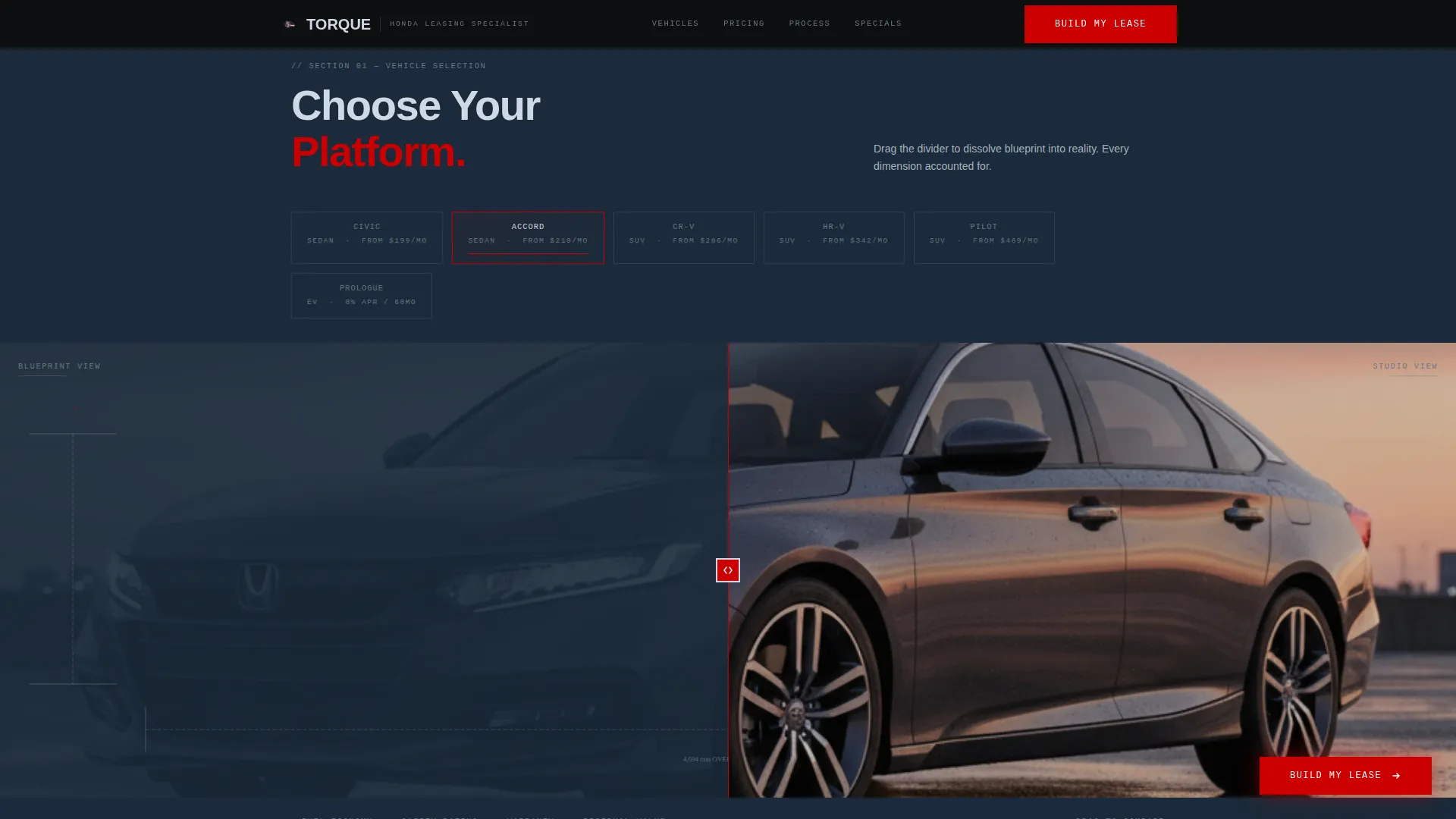
- A split-screen blueprint-to-photo vehicle section and an architectural-style pricing room
- A progressive three-panel lease builder form capturing vehicle preference, lease terms, and contact details
Feature list
A paragraph overview before the feature items: each capability below is built directly from the template brief and reflects what the layout delivers to lease specialists and their prospective clients.
Progressive Three-Panel Lease Builder
The form opens with silhouette-style vehicle selectors covering six models. The second panel uses sliding toggles for lease term and annual mileage. The third panel collects name, zip code, and phone number to complete the lead.
Sticky "Build My Lease" Button
A primary call-to-action button stays visible as the visitor scrolls. It anchors to the lease builder form, keeping the conversion path accessible at every point on the page without interrupting the reading flow.
Estimated Monthly Payment Display
Payment ranges are shown before the form appears. This gives visitors useful numbers upfront and earns the trust needed before they hand over contact details. It is one of the key conversion mechanics of the layout.
Scroll-Linked Blueprint Animations
Section reveals are tied to scroll position. Blueprint grid lines draw in, number counters stagger upward, and the vehicle section dissolves from a line drawing into a studio photograph as the visitor moves down the page.
Inventory Modal Secondary Path
A secondary call-to-action reading "See This Month's Specials" opens a modal view of current inventory. This gives price-sensitive visitors an alternative engagement route without leaving the page.
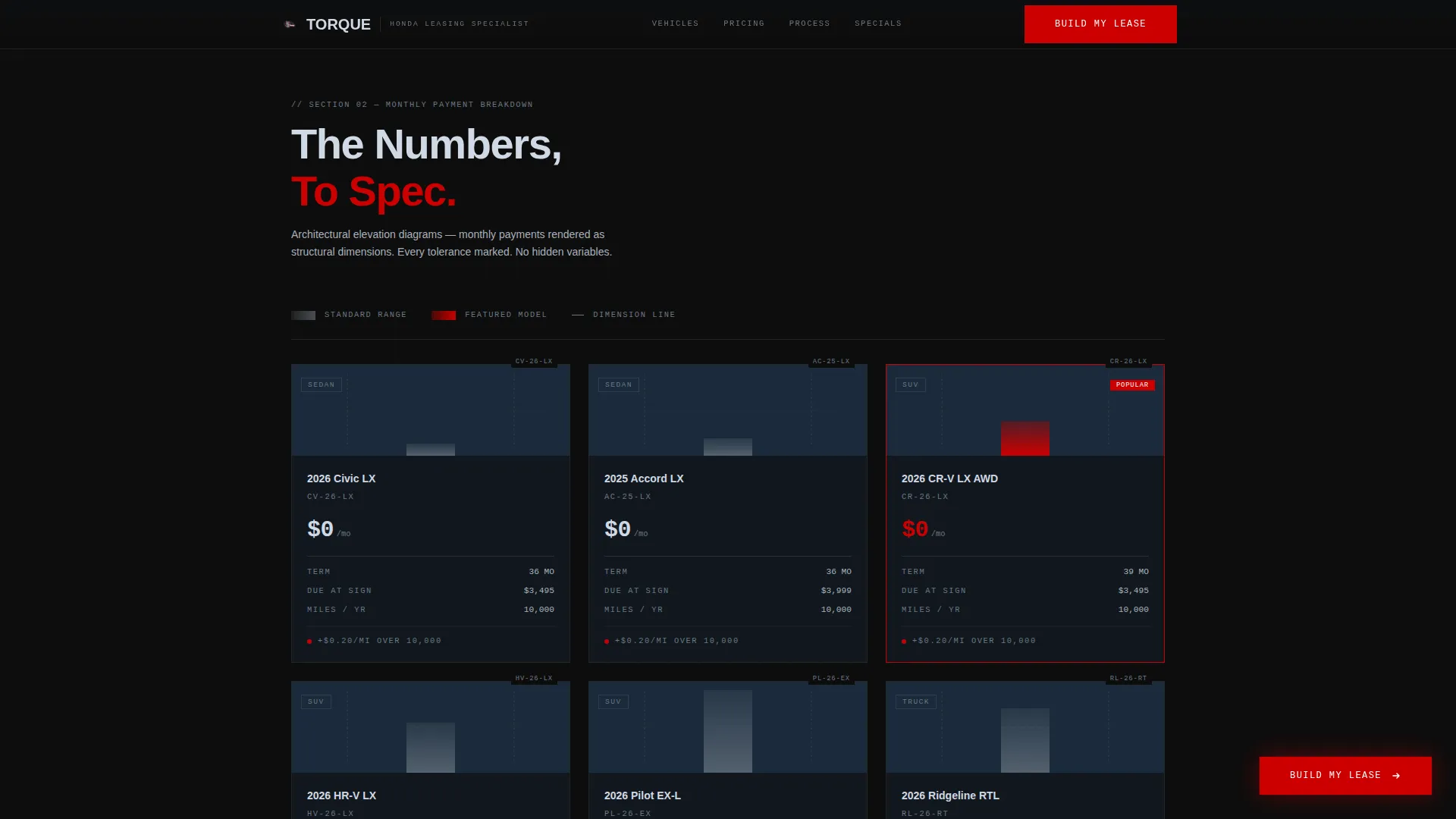
Architectural Elevation Pricing Section
Monthly payment breakdowns are displayed as engineering elevation diagrams. Dollar amounts replace dimension labels and mileage tiers replace tolerance callouts, staying consistent with the blueprint visual language throughout.
Page sections overview
| Section | Purpose |
|---|---|
| Hero: Full-Bleed Photo | Cinematic Honda Accord shot with fade-in headline to anchor the brand tone |
| Blueprint Split Screen | Line drawing dissolves into studio photo to showcase the vehicle lineup |
| Numbers Room | Architectural elevation diagrams display monthly payment ranges by model |
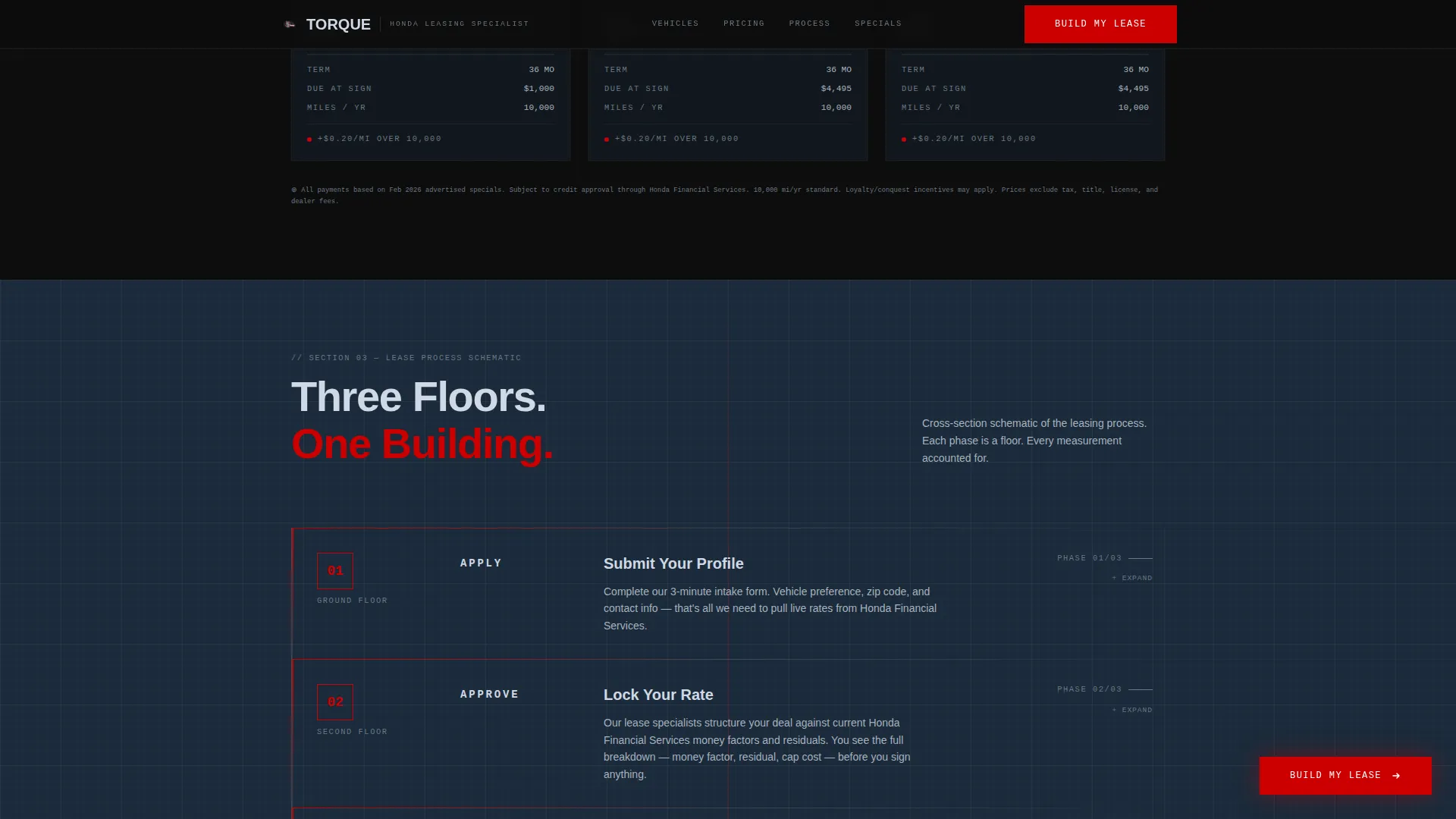
| Process Timeline | Three-step cross-section schematic guides visitors through Apply, Approve, Drive |
| Build My Lease Form | Progressive three-panel form captures vehicle preference, terms, and contact info |
| Footer | Linear single-row footer closes the page cleanly |
Design & branding system
The design language is drawn from an engineering blueprint aesthetic placed inside a cinematic dark palette. Every color has a defined role, and the typographic pairing separates readable headings from precise numeric data.
- Deep asphalt black (#0D0D0D) and blueprint wash (#1A2A3A) alternate as section backgrounds to create a layered, spatial feel
- Machined aluminum (#A8B2BD) carries all body typography, and Honda signature red (#CC0000) is reserved strictly for calls to action and accent lines
- DM Sans handles headings for clarity, while JetBrains Mono renders all numbers and specifications for a technical, data-precise appearance
Mobile & speed optimization
The template is designed desktop-first to support the lease calculator interaction flow, with a fully responsive layout that adapts cleanly to smaller screens. The interactive components, including the form panels and range sliders, are built as client-side elements while static sections use server components to keep initial load lean.
- Vehicle silhouette selectors, range sliders, and progressive form panels are client-rendered for smooth interactivity
- Static hero, blueprint split, and pricing sections use server components to reduce unnecessary JavaScript on load
- The layout reflows gracefully across tablet and mobile breakpoints without losing the blueprint visual hierarchy
How this template helps you convert
The conversion strategy is built on a value-first sequence. Visitors receive useful pricing information before being asked for anything in return, which reduces friction and builds credibility.
- Estimated monthly payment ranges appear in the Numbers Room section before the form, giving buyers a reason to stay and engage rather than bounce
- The sticky "Build My Lease" button keeps the primary action visible throughout the scroll, and the progressive form panels break the lead capture into small, low-commitment steps that feel guided rather than demanding
Other information about this template
This section covers remaining context that helps buyers understand the full scope and fit of the Torque template.
- The template is localized for the United States market, using USD currency, MM/DD/YYYY date formatting, and imperial measurements throughout
- Animation intensity is high, with scroll-triggered reveals, staggered counters, and the blueprint grid draw effect all contributing to an immersive spatial experience
- The template style is Split Screen (50/50), and the creative direction follows a Spatial and Architectural framework where each scroll section functions like a distinct room in a showroom
Theme
Engineering Blueprint
Creative direction
Spatial & Architectural
Color system
Cinematic Dark
Style
Split Screen (50/50)
Direction
Lead Generation
Page Sections
Progressive Three-panel Lease Builder
Sticky Build My Lease Button
Estimated Monthly Payment Display
Scroll-linked Blueprint Animations
Inventory Modal Secondary Path
Architectural Elevation Pricing Section
Related questions
Is this template designed for a single landing page or a full website?
Can the vehicle options in the lease builder form be changed?
Does the template show real-time pricing or live inventory data?
Is the template suitable for a fleet lease campaign targeting small businesses?
Who handles the form submissions from the lease builder?



